Best microSD Card for Switch 2: Express vs UHS-I 2026
Best microSD card for Nintendo Switch 2 in 2026. microSD Express is required for game storage, while UHS-I cards only hold screenshots and clips.
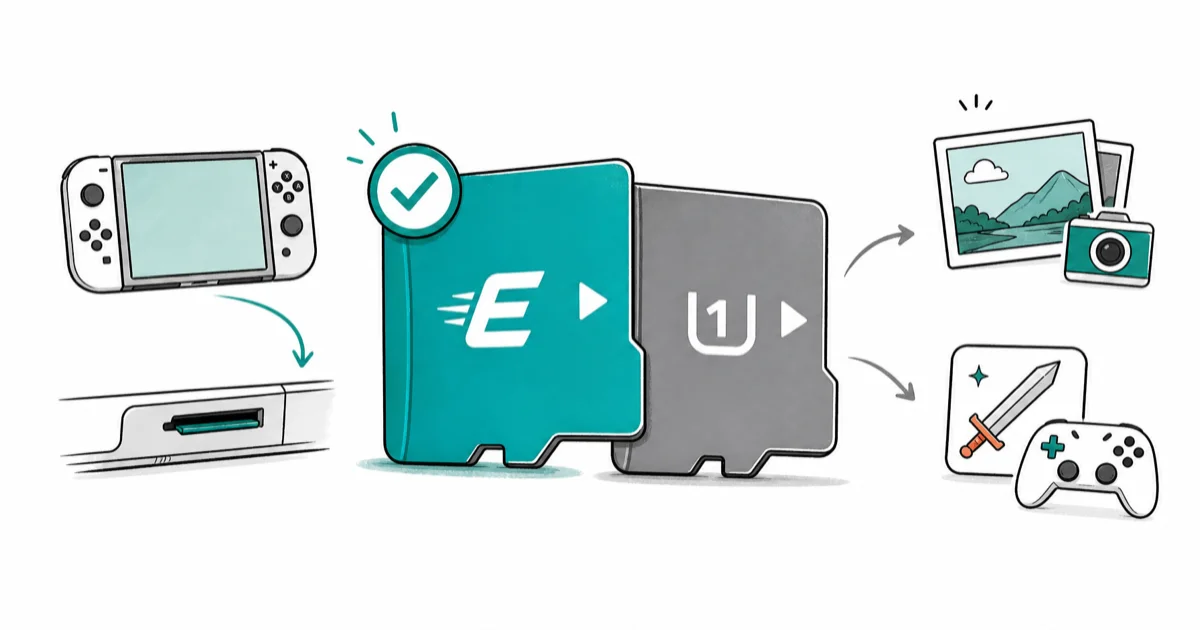
Quick AnswerSwitch 2 requires a microSD Express card to install and play games from external storage; the Nintendo-licensed SanDisk microSD Express 256GB is the safest top pick.
Switch 2 changed the storage rules. The best microSD card for the Nintendo Switch 2 is a microSD Express card, not the UHS-I card that worked in the original Switch. Get this wrong and your save data still works, but you can’t install or play games from the card at all.
- Switch 2 game installs require microSD Express (PCIe NVMe over microSD), not regular UHS-I
- microSD Express peaks at 880 MB/s read, roughly 8.8x the practical UHS-I ceiling
- A plain UHS-I A2 card in Switch 2 holds only screenshots, video clips, and downloaded media
- Nintendo licenses the SanDisk microSD Express 256GB as the official partner card
- Express cards work in Switch 2, ROG Ally, and Steam Deck, but not in phones or older cameras
Nintendo ships the Switch 2 with 256GB of internal storage.
That sounds generous until a single AAA download like Cyberpunk 2077 on Switch 2 lands well over 50GB. Most Switch 2 owners hit the storage wall inside a month, and the card you pick to expand storage faces tighter rules than on any previous Nintendo console.
#Why Does Switch 2 Need microSD Express Instead of UHS-I?
Switch 2 reads game data off the card while you play, not just at install time. Nintendo’s hardware team needed a card fast enough to stream textures and assets without stalling the GPU. The UHS-I bus that powered the original Switch tops out around 104 MB/s on paper, with real-world A2 cards rarely sustaining more than 180 MB/s through bus tweaks.
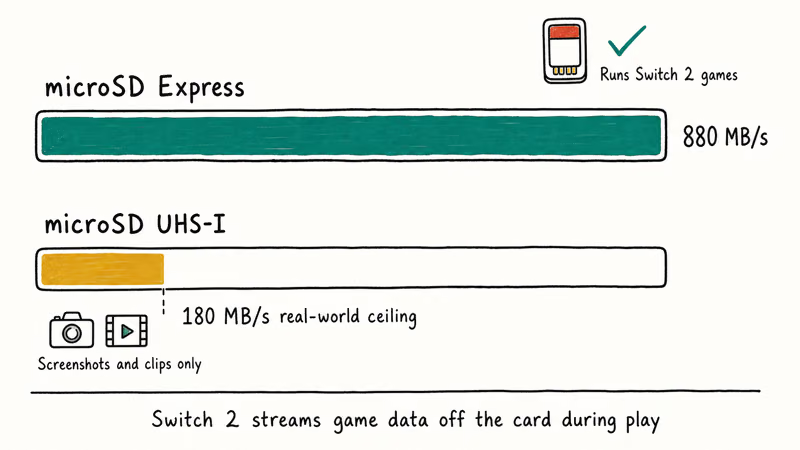
According to Nintendo’s official Switch 2 storage requirements page, the console accepts only microSD Express cards for game installs and gameplay. Regular microSD and microSD UHS-I cards are explicitly limited to “screenshots and video capture and downloaded software updates.”
That last phrase is the trap. If you slot a UHS-I card in Switch 2 the menu still works, the card mounts fine, and you can copy media to it. You just can’t run a game off it.
microSD Express bolts PCIe 3.1 NVMe onto the microSD form factor. The SD Association’s microSD Express specification page lists a theoretical ceiling around 985 MB/s, and the cards Nintendo licenses for Switch 2 ship at 880 to 900 MB/s read in practice. That’s actually fast storage in a microSD shell, and it costs about three times what UHS-I costs per gigabyte.
The takeaway: buy Express for games, buy UHS-I for media only. No middle ground exists on Switch 2. For a side-by-side on when each format wins, see our Express vs UHS-I card choice for Switch 2.
#Best microSD Express for Switch 2: SanDisk 256GB
For most Switch 2 owners adding their first storage expansion, the SanDisk microSD Express 256GB is the pick that pairs Nintendo’s official licensing program with the largest installed base of compatibility testing. It’s the card Nintendo lists on its own storage page.
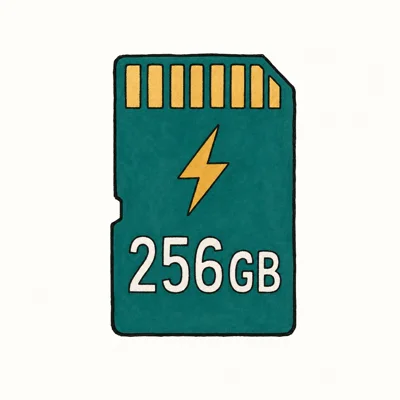
- Required for Switch 2 game storage — UHS-I cards only hold media on Switch 2
- 880 MB/s read is roughly 8.8x a standard UHS-I card
- Same five-proof durability ratings as SanDisk Extreme PRO line
Last updated on May 27, 2026
As an Amazon Associate fone.tips earns from qualifying purchases. Prices and availability on Amazon are accurate as of the date above and subject to change.
The SanDisk 256GB Express card is built for Switch 2 game storage, not just screenshots and clips.
According to SanDisk’s microSD Express product specifications, the card delivers up to 880 MB/s sequential read, which is the speed class Switch 2 expects for game installs and asset streaming.
For Switch 2 owners who want a no-research safe choice, this is the card.
Need help moving your library across? Our walkthrough on Nintendo Switch 2 data transfer covers the system-level steps.
#Best Premium Pick: Lexar PLAY PRO 512GB
Players sitting on a deep AAA library that already fills 256GB on internal storage want twice the capacity at Express speed. The Lexar PLAY PRO microSDXC Express 512GB is the fastest microSD Express card currently in retail and the premium 512GB option here.
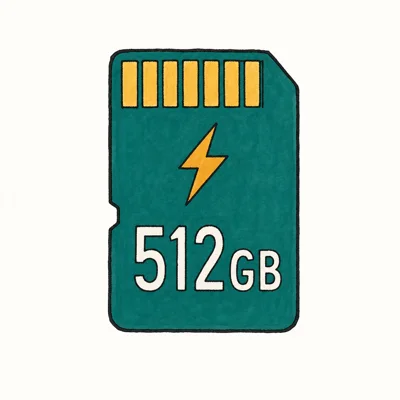
- 900 MB/s read — fastest microSD Express card in the consumer market
- Works in Switch 2, ROG Ally, and Steam Deck without re-buying per device
- 512GB at Express speed loads faster than internal storage on some handhelds
Last updated on May 27, 2026
As an Amazon Associate fone.tips earns from qualifying purchases. Prices and availability on Amazon are accurate as of the date above and subject to change.
The PLAY PRO carries Lexar’s official Switch 2 logo on the package. That means it’s passed Nintendo’s compatibility validation even though it sits outside the licensed-partner program.
At 512GB, the PLAY PRO gives large game libraries far more breathing room than a first 256GB card. It also supports cross-device use in handheld PCs such as the ROG Ally, which the SanDisk Express does too but Lexar markets more aggressively.
If you have a Switch 2 that gets stuck during the storage setup screen, our guide on the Switch 2 setup-screen fix covers the system-level reset before you reach for a card swap.
#Best for Media Only: Samsung PRO Plus 256GB
Heads up: these next two are UHS-I cards, not for Switch 2 game installs.
Their real job: holding screenshots, gameplay clips, and downloaded media. That kind of content fills up internal storage almost as fast as game installs do, especially if you stream highlights or capture a lot of single-player narrative moments on the Switch 2.
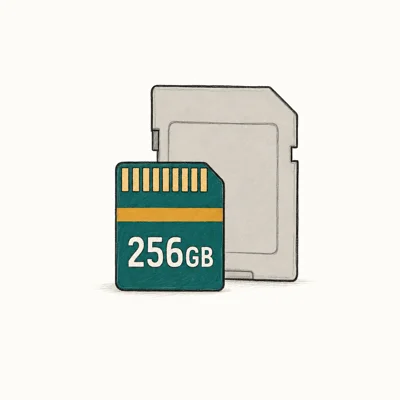
- 180 MB/s read is the practical UHS-I ceiling — nothing faster matters
- Five-proof durability survived everything Wirecutter threw at it
- Samsung's 10-year warranty beats SanDisk's lifetime-of-receipt fine print
Last updated on May 27, 2026
As an Amazon Associate fone.tips earns from qualifying purchases. Prices and availability on Amazon are accurate as of the date above and subject to change.
Switch 2 saves screenshots as PNGs and clips at 1080p.
According to Samsung’s microSD lineup, the PRO Plus is rated at 180 MB/s read sustained. That’s enough for screenshot and clip storage, but it still doesn’t meet Switch 2’s game-install requirement.
The PRO Plus also doubles as the card you’d carry in a phone or a Switch 1, since UHS-I works fine everywhere. If your old Switch 1 won’t connect to your TV after this transition, our walkthrough on Switch dock TV connection issues is the troubleshooting path.
#Best Budget: Samsung EVO Select 512GB
For a Switch 2 owner who wants a giant cheap media card to dump screenshots, clips, and downloaded videos onto, the Samsung EVO Select 512GB is the right pick. The same warning applies: this can’t store game installs on Switch 2, because it’s a UHS-I card.
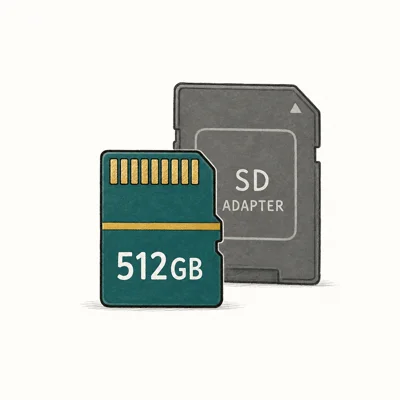
- Routinely drops under $35 for 512GB — best $/GB at this capacity
- Switch 1 + Android Auto + dash-cam workloads run identically to pricier cards
- Same Samsung durability rating as PRO Plus
Last updated on May 27, 2026
As an Amazon Associate fone.tips earns from qualifying purchases. Prices and availability on Amazon are accurate as of the date above and subject to change.
The EVO Select pairs perfectly with a SanDisk Express for a two-card setup. The combined cost still lands under a 512GB Express card alone.
If a UHS-I card later refuses to mount or shows up empty, our guide on resolving SD-card-not-showing-up issues covers the recovery flow.
#How Do You Set Up a Switch 2 microSD Express Card?
After you insert a microSD Express card, Switch 2 prompts a one-time format.
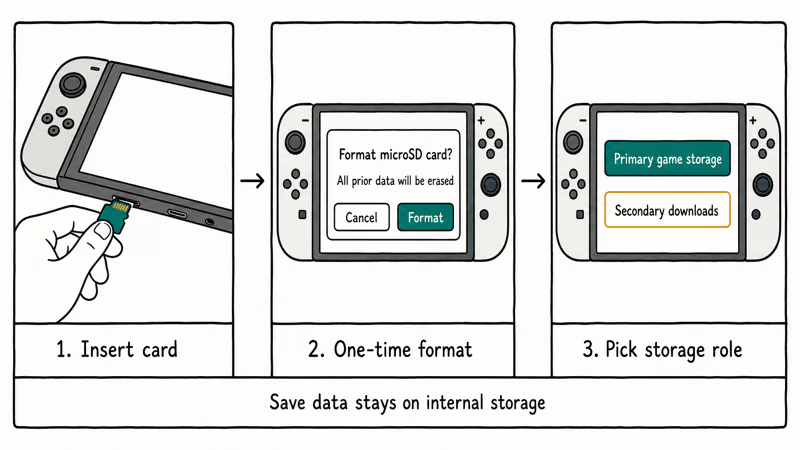
That format wipes any prior data on the card, so back up whatever you care about before slotting it into the console for the first time.
The console then asks whether to use the card as primary game storage or as a secondary downloads target. Pick primary if you want all new game downloads to land on the card without thinking about it.
Existing game saves stay on internal storage. The system doesn’t move save data to the card, which means swapping cards between Switch 2 units doesn’t carry progress with it.
According to Nintendo’s Switch 2 system manual, save data lives in internal storage or Nintendo Switch Online cloud backup only, never on the microSD card itself.
One thing worth knowing: microSD Express cards are backward-compatible with old UHS-I devices like the Switch 1 or a Pixel phone, but you only get UHS-I speeds in those slots. The premium pricing only pays off in a true microSD Express host.
#Bottom Line
For a Switch 2 owner adding storage for the first time, the SanDisk microSD Express 256GB is the safest top pick because Nintendo licenses it directly and the 256GB capacity matches what most early adopters need. For a heavy AAA player whose internal storage is already full, the Lexar PLAY PRO 512GB doubles the capacity at the fastest Express speed currently on the market.
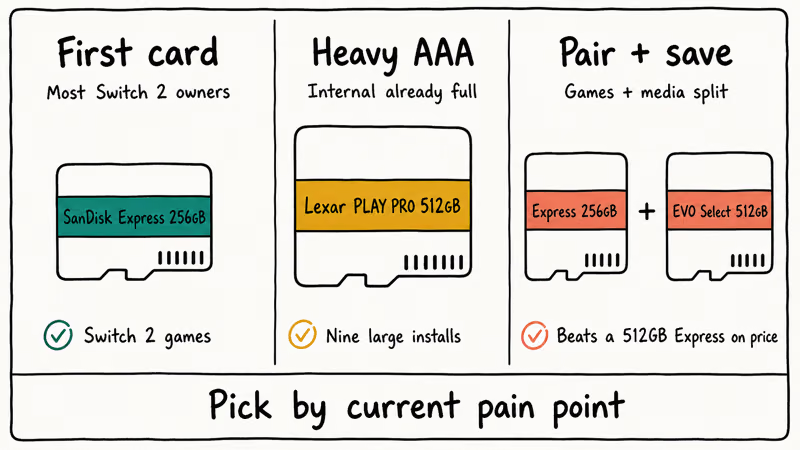
If your main pain point is screenshot and clip storage rather than game installs, pair an Express card with a cheap UHS-I card like the Samsung EVO Select 512GB. Game data stays on the Express card, media goes to the cheaper card.
The combined kit beats the cost of a single 512GB Express.
Want the full hardware story? Our deeper explainer on the Switch 2 microSD Express requirement walks through exactly why Express is required and not just recommended.
#Frequently Asked Questions
Will a regular microSD card work in the Switch 2?
It mounts and you can store screenshots and downloaded media on it. You can’t install or play games from a regular UHS-I microSD card on Switch 2. Only microSD Express cards work for game storage, per Nintendo’s official system specs.
Can I move my Switch 1 microSD card to the Switch 2?
You can insert it, but you can’t play your Switch 1 games from that card on Switch 2. Switch 1 games install separately on Switch 2 internal storage or on a microSD Express card. The old Switch 1 card becomes a media-only card in the new console.
How much does a microSD Express card cost compared to UHS-I?
A 256GB microSD Express card runs roughly $50 to $65, while a 256GB UHS-I A2 card from Samsung or SanDisk lands closer to $25.
That’s about 2x to 3x the per-gigabyte cost. The premium pays for the PCIe NVMe controller baked into each Express card.
Is the Lexar PLAY PRO really faster than the SanDisk Express?
In the spec sheet, yes. Lexar lists 900 MB/s read versus SanDisk’s 880 MB/s. For Switch 2 buying, capacity, price, and Nintendo compatibility matter more than that small read-speed gap. Buy whichever runs cheaper at the capacity you want.
Does Switch 2 work without a microSD card at all?
Yes. The 256GB internal storage holds a handful of large games and many smaller indies. Most players hit the limit within their first few AAA downloads, and the system prompts a storage warning before installs fail.
Can I use microSD Express cards in other devices?
Yes, in two ways. They drop into any UHS-I slot like a phone or older Switch and run at UHS-I speeds.
Full Express speeds need a true Express host. The ASUS ROG Ally and Steam Deck OLED both shipped with microSD Express controllers.
What happens if I format an Express card on a non-Switch 2 device first?
Nothing bad. The Switch 2 reformats the card on first insert anyway, which wipes prior partitions and writes its own file system. Bringing a brand-new card straight from a Windows or Mac format works fine.
Should I buy 256GB Express or a 1TB UHS-I card if I’m on a budget?
Buy Express. A 1TB UHS-I card holds nothing you can actually play on Switch 2. The 256GB Express card with 256GB internal totals 512GB of usable game storage, which is more than most players will fill in the first year.
Fortnite Stuck on the Loading Screen? Fix It in 2026
Fortnite stuck on the loading screen? Check server status, fix the Windows N Media Pack and DirectX 11 on PC, clear the console cache, and verify files.
Minecraft Keeps Crashing? Java and Bedrock Fixes (2026)
Minecraft keeps crashing on startup or mid-game? Update your GPU driver, remove mods on Java, and reinstall Gaming Services on Bedrock. Fixes for both.
Pokemon GO Not Loading? Fix the Loading Screen 2026
Pokemon GO not loading or stuck on the Pokeball? Check server status, fix automatic date and time, grant location permission, clear the cache, and update.
PS5 Controller Not Charging? 9 Fixes That Work (2026)
DualSense not charging? Swap the cable, use a rear port in Rest Mode, clean the USB-C port, and check power settings. 9 fixes for a dead PS5 controller.