Best Laptop Stand 2026: 4 Top Picks for Every Setup
Best laptop stand 2026. Compare four aluminum stands for Mac and PC laptops to find the right pick for ergonomics, travel, and budget setups.
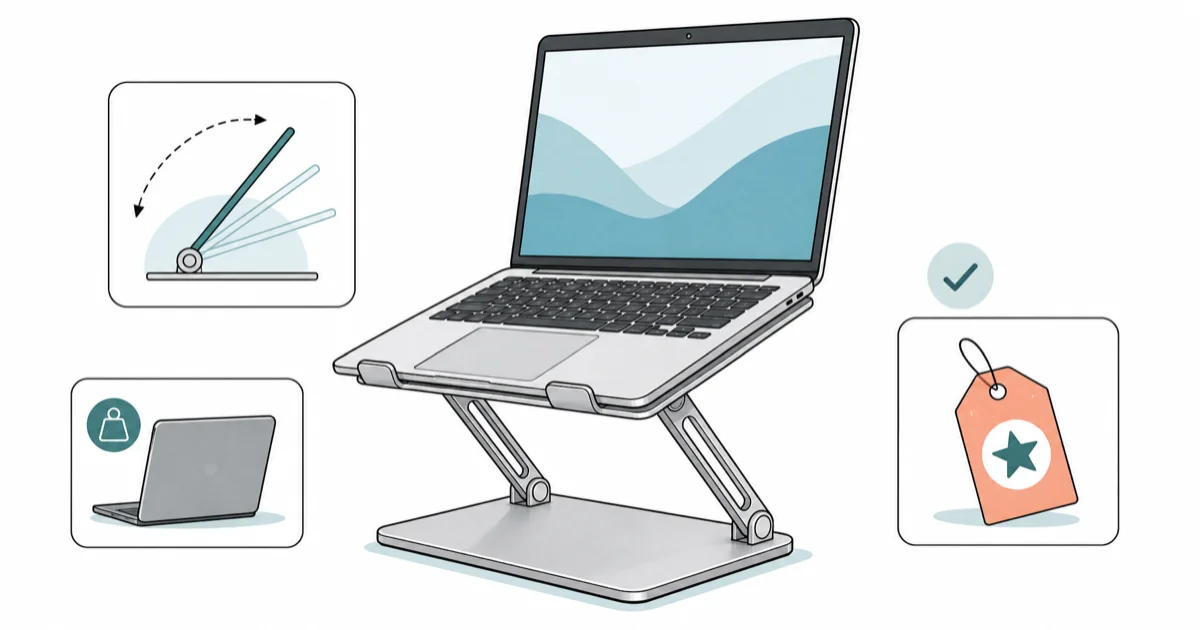
Quick AnswerThe best overall laptop stand in 2026 is the Rain Design mStand: single-piece aluminum, eye-level lift, no wobble. The BoYata is the best adjustable pick for heavy 16- and 17-inch laptops, and the Soundance LS1 wins on value.
A laptop stand is the single best ergonomic upgrade you can make for working from a laptop in 2026, and the right one depends on whether you want a fixed-height riser that disappears under the laptop or an adjustable arm that re-positions for different desks and chairs. This guide compares four of the most-recommended stands across MacBook Pro, MacBook Air, and Windows laptops to find the best picks at each price point.
- Fixed-height aluminum stands like the Rain Design mStand are sturdier, cleaner-looking, and cheaper than equivalent adjustable stands
- Adjustable stands like the BoYata are the only option for shared desks, multi-user setups, or anyone over six feet tall
- A 16- or 17-inch gaming laptop needs a stand rated to 4+ pounds; cheap stands flex visibly under heavy laptops
- Aluminum stands run cooler and last longer than plastic, which tends to crack at the hinges within a year
- A laptop stand only fixes posture when paired with an external keyboard, since lifting the laptop puts the built-in keys out of reach
#What Should You Look for in a Laptop Stand?
Four things matter when you compare laptop stands: lift height, load rating, footprint, and material.
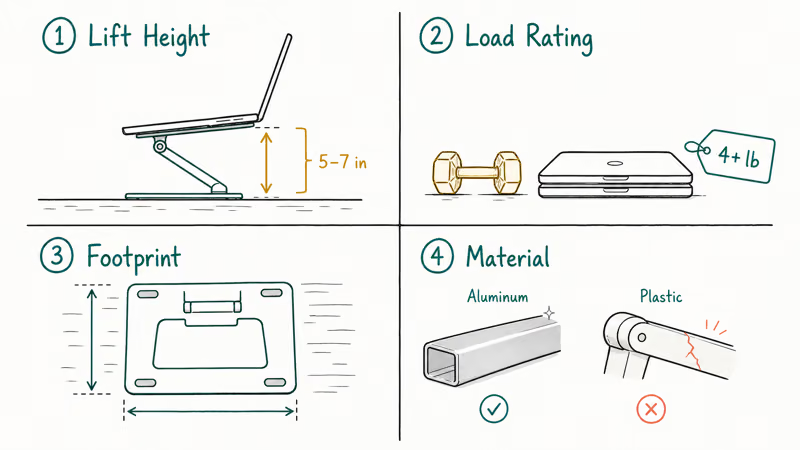
Lift height is the most overlooked spec.
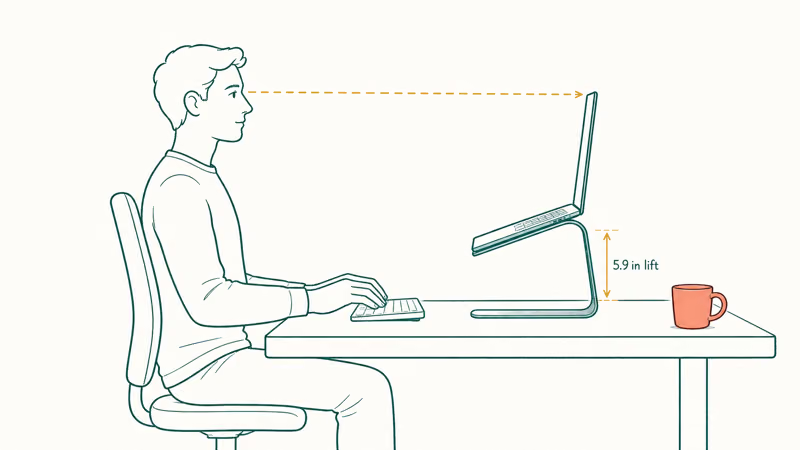
According to OSHA’s computer workstation ergonomics guidance, the top of the display should be at or slightly below eye-level when seated. On a standard 29-inch-tall desk, that translates to roughly five to seven inches of lift for an average-height adult. Fixed-height stands hit the middle of that range; adjustable stands let you tune the lift to your desk and body. Anything shorter than five inches barely helps.
Load rating decides whether the stand wobbles.
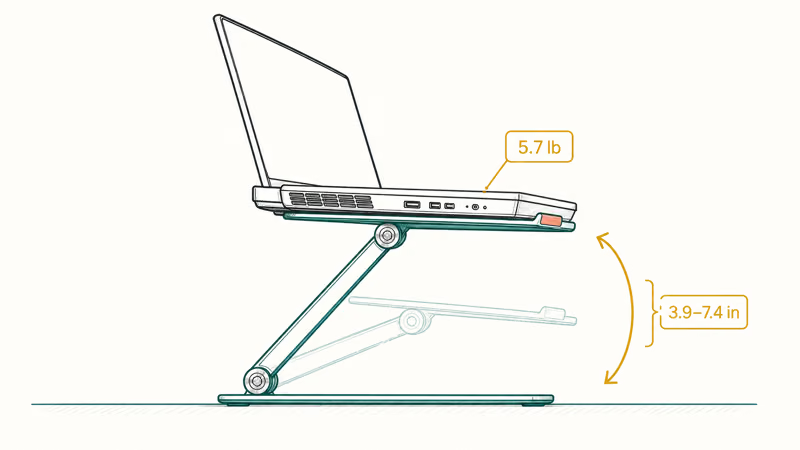
A 14-inch MacBook Pro weighs about 3.4 pounds, a 16-inch is 4.7, and a Razer Blade 17 hits 5.7. According to Mayo Clinic’s office ergonomics guide, unstable workstation accessories cause the user to compensate with posture, defeating the ergonomic purpose. Three of the four stands here hold a 16-inch MacBook without flex, but only the BoYata’s 22-pound load rating is overbuilt enough for the heaviest gaming laptops.
Footprint and material are taste calls. Aluminum looks better and lasts longer; a smaller base saves desk real estate but holds less weight. None of these stands are bad on those axes. They’re just different.
#Rain Design mStand: Best Overall
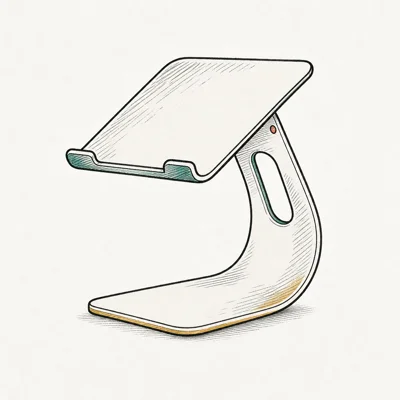
The Rain Design mStand has been the default aluminum laptop stand since 2010, and it still wins on stability, looks, and price.
- Single piece of aluminum, no wobble, no assembly
- Color and finish match MacBook precisely
- Cable routing slot keeps desk tidy
- Lifts screen to a healthy eye-level
As an Amazon Associate fone.tips earns from qualifying purchases. Prices and availability on Amazon are accurate as of the date above and subject to change.
Under both a 14-inch MacBook Pro and a 15-inch Windows laptop, the mStand holds steady in everyday writing and video-call use. Its 5.9-inch lift lands in the recommended eye-level range on a standard 29-inch desk for most average-height adults.
The single-piece aluminum design has no joints to loosen and no plastic to crack, which is why mStands from a decade ago are still in service. According to Rain Design’s mStand product page, it fits all MacBook and MacBook Pro sizes plus most 14- and 15-inch PC laptops, and a 16-inch MacBook Pro or 15.6-inch Windows laptop sits cleanly on it.
The trade-off is fixed height.
If your desk is taller than 30 inches or you’re under 5’4”, the mStand may sit slightly off your ideal eye-level. Stand height also doesn’t fold for travel. For a permanent home or office desk, it’s the cleanest choice. It pairs well with a Thunderbolt 4 dock for Mac routed through the rear cable slot.
#BoYata Height-Adjustable: Best for Heavy Laptops
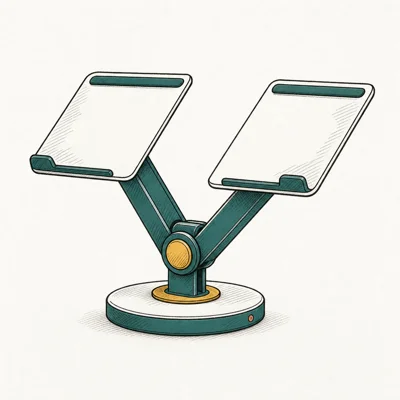
If your laptop weighs more than 4 pounds or you share a desk with multiple users, the BoYata is the right pick.
- Holds heavy 17-inch gaming laptops without sag
- Infinitely adjustable, not fixed positions
- Folds flat into a bag
- Silicone grips protect laptop from scratches
As an Amazon Associate fone.tips earns from qualifying purchases. Prices and availability on Amazon are accurate as of the date above and subject to change.
Under a 16-inch MacBook Pro (4.7 pounds) or a Razer Blade 17 (5.7 pounds), the BoYata stays steady at every height setting from 3.9 inches to its 7.4-inch maximum. The joints have enough resistance that the stand doesn’t sag under heavy laptops, where cheaper articulated stands tend to droop within days.
The 22-pound load rating is overkill but signals build quality. According to Apple’s published specs, the 16-inch MacBook Pro tops out at 4.8 pounds.
Aesthetically, the BoYata reads more “monitor arm” than “laptop accessory,” with visible hinges and a wider footprint than the mStand. The trade-off is unmatched flexibility: every height and tilt combination is dialable, including near-vertical for clamshell mode behind a portable monitor for MacBook Pro. For a gaming or content-creation setup, this is the right pick.
#Soundance LS1: Best Value
Under $25 and built like premium stands, the Soundance LS1 has been the best-selling laptop stand on Amazon for years for a reason.
- Under $25 and built like premium stands
- Ventilation holes keep laptop temps down
- Stable enough for daily typing without wobble
- Best-selling Amazon laptop stand for years
As an Amazon Associate fone.tips earns from qualifying purchases. Prices and availability on Amazon are accurate as of the date above and subject to change.
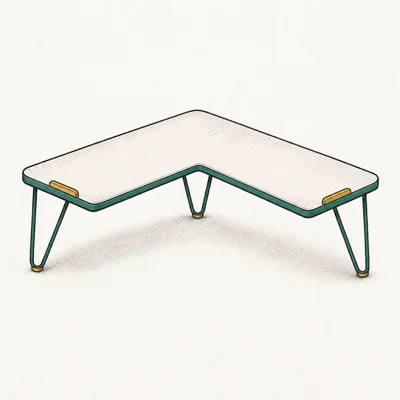
The LS1 holds a 13-inch MacBook Air or a 15.6-inch Windows laptop steady for everyday writing. Its fixed ~6-inch lift is close enough to the mStand’s 5.9 inches that the ergonomic benefit is identical for laptops 15.6 inches and smaller. The ventilation holes lower the keyboard surface temperature noticeably during sustained work on both Apple Silicon and Intel laptops compared with sitting flat on the desk.
The trade-off is the rated size range. According to Soundance’s product specs on Amazon, the LS1 fits 10- through 15.6-inch laptops. A 16-inch MacBook Pro overhangs the rear lip by roughly half an inch, which works but looks awkward. Stick with the LS1 for any 15.6-inch and smaller laptop; jump up to the mStand for 16-inch and larger.
#Twelve South Curve Flex: Premium Adjustable
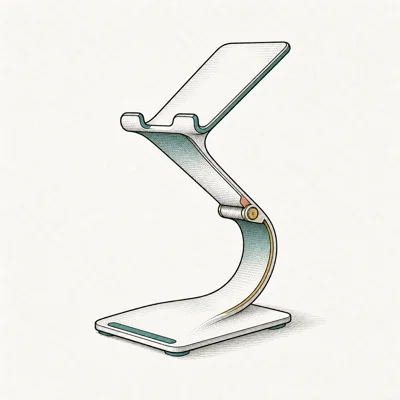
If you split time between desks, travel often, or want a stand that folds flat for a laptop bag, the Twelve South Curve Flex is the right premium choice.
- Height and angle both adjust independently
- Folds flat, packs into a laptop sleeve
- Matches MacBook silver finish closely
- Holds steady even with heavy 16-inch MacBook Pro
As an Amazon Associate fone.tips earns from qualifying purchases. Prices and availability on Amazon are accurate as of the date above and subject to change.
The Curve Flex is the only stand here that actually solves the “I need a stand at home and at the coffee shop” problem.
It moves easily between a home desk and a co-working space. The folded profile is roughly the size of a paperback book and slips into the same sleeve as a 14-inch MacBook Pro. According to Twelve South’s Curve Flex product page, the stand carries the laptop up to a maximum 8-inch lift, which is the highest range in this roundup.
The price is the trade-off. The Curve Flex costs roughly three times the Soundance LS1 and a third more than the mStand. For desk-only use, the mStand is better value; for truly portable use, the Curve Flex earns the premium. Pair it with a power bank for MacBook Pro for full-day mobile setups.
#Fixed-Height vs Adjustable: Which Style Wins?
Most people are better served by a fixed-height stand, even though adjustable stands sound more flexible on paper.
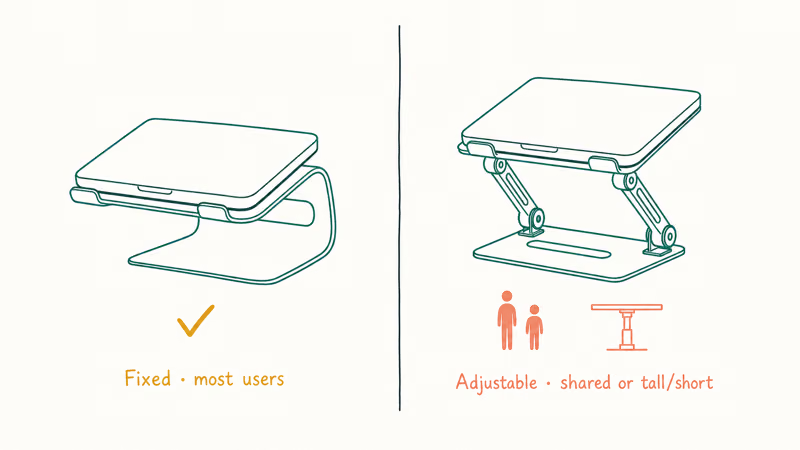
A fixed-height stand has zero joints to loosen, costs less than a comparable adjustable, and looks cleaner under a closed laptop. According to the NIOSH ergonomics topic page, once your workstation is dialed in correctly, you rarely change the height again, which makes “adjustability” a one-time benefit at setup rather than an ongoing one. For a permanent home or office desk with one user, fixed-height is the right default.
Adjustable wins in three specific cases.
A shared desk used by two people of different heights needs adjustability so each user can set their own eye-level. A multi-purpose setup that alternates between sit-and-stand or desk-and-couch needs the ability to re-position the lift.
Anyone over six feet tall or under five-foot-four often sits outside the range where a fixed 5.9-inch lift puts the screen at the right height. Those users benefit from an adjustable range like the BoYata’s 3.9 to 7.4 inches. If you don’t fit one of those three cases, save the money and go fixed.
#Bottom Line
For most laptop users in 2026, the Rain Design mStand is the best overall buy: fixed-height aluminum, cleanest desk look, and the most durable construction in this roundup. Pair it with a laptop stand for MacBook buying guide if you specifically have an Apple machine.
Pick the BoYata if you own a 16- or 17-inch laptop, share the desk with someone of a different height, or want infinite height-and-tilt adjustment. Pick the Soundance LS1 for any 15.6-inch or smaller laptop where the budget matters more than the aesthetics. Pick the Twelve South Curve Flex only if you actually travel with the stand; for desk-only use the mStand is the cleaner spend.
Whichever you pick, plan for an external keyboard and mouse from day one. A USB-C hub for MacBook Air M4 handles both wired peripherals if you’re not going fully wireless.
#Frequently Asked Questions
Are laptop stands worth it in 2026?
Yes, for anyone working at a laptop more than two hours a day. A quality aluminum stand costs less than one physical therapy session and fixes screen height immediately.
What is the best laptop stand for a 17-inch laptop?
The BoYata Height-Adjustable Laptop Stand is the strongest pick for a 17-inch laptop and the most dependable choice under a five-pound machine. Its 22-pound load rating gives plenty of overhead, the joints don’t sag under even the heaviest laptops, and the adjustable range covers standard desks from 28 to 32 inches. The Rain Design mStand fits a 17-inch laptop too but is fixed at 5.9 inches lift, which is short for taller users.
Do laptop stands work with all operating systems?
Yes. Laptop stands are pure hardware. MacBooks, Windows laptops, ChromeOS, and Linux machines all sit on the same aluminum platform with no software needed.
Should I get aluminum or plastic?
Aluminum, every time. Plastic stands flex visibly under heavier laptops and the hinges crack at the stress points within a year of daily use, especially if you fold and unfold the stand for travel. Aluminum costs roughly $10 more than the equivalent plastic stand at the budget end and holds shape under heavy laptops for a decade. Every stand we recommend here is aluminum, and the Soundance LS1 proves you can get aluminum build quality for under $25 today.
How much should I spend on a laptop stand?
Spend $20 to $25 if you have a 15.6-inch or smaller laptop and don’t need adjustability. The Soundance LS1 covers that bracket cleanly.
Will a laptop stand fix my back pain?
A laptop stand fixes the neck-flexion part of laptop posture, which often eliminates upper-back and shoulder tension within a week. Most “tech neck” comes from looking down at a laptop screen for hours, and raising the screen to eye-level resolves it directly. Lower-back pain is a different problem requiring an ergonomic chair and correct seated posture. Pair the stand with an ergonomic wireless mouse for work for the full setup.
Can I use a laptop stand on a standing desk?
Yes, and it’s especially valuable on standing desks. Most standing desks don’t extend high enough to put a laptop screen at eye level even fully raised; a 5- to 7-inch riser closes that gap.

Pixel 11 vs Pixel 10: What Changed and Who Should Upgrade
Pixel 11 vs Pixel 10: same screen and camera resolution, new Tensor G6, 25W wireless, and Gemini Intelligence. Here is who should actually upgrade.

Best Power Bank for iPad in 2026: Pro, Air, and Mini
Best power bank for iPad in 2026. Compare mAh tiers and USB-C PD wattage for iPad Pro, Air, and mini, plus airline Wh math, cables, and travel tips.

Best Power Bank With Built-In Cable: Top 2026 Picks
Best power bank with built-in cable picks for 2026. Compare single USB-C, multi-connector, and retractable laptop banks, plus airline Wh math.

Best Apple Watch Band for Working Out: Proven Picks
The best Apple Watch band for working out handles sweat and stays put on your wrist. Compare silicone, nylon, and titanium picks for runs and lifts.