Best Ergonomic Wireless Mouse for Work 2026: 3 Picks
Best ergonomic wireless mouse for work in 2026. Compare 3 mice built for 8-hour days on grip fatigue, Quiet Clicks, and scroll wheel strain in offices.
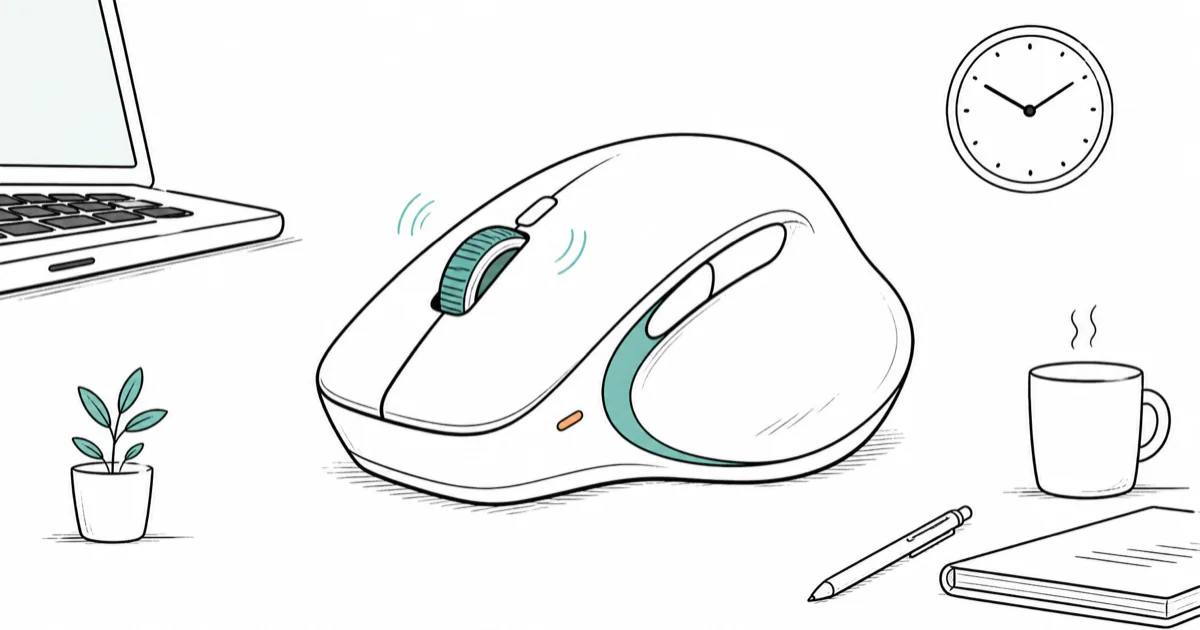
Quick AnswerLogitech MX Master 4 is the best ergonomic wireless mouse for work in 2026. The sculpted right-hand shell, haptic scroll, and Quiet Clicks let an 8-hour workday end without wrist fatigue or office complaints.
Office work means 8 to 10 hours of clicking, scrolling, and dragging. A mouse that fits the hand wrong shows up as wrist soreness by Wednesday. This guide compares three wireless mice for spreadsheet days, code-review days, and email triage days to see which one makes sense for a 40-hour week.
- Sculpted right-hand shells like the MX Master 4 lift the wrist into a neutral angle, reducing the carpal tunnel pressure caused by flat mice during long sessions
- Quiet Clicks are an underrated office feature, dropping click noise about 90% so open-plan coworkers stop noticing
- Haptic scroll wheels with detent feedback let users land precisely on cells in Excel or lines in code without overshooting on long pages
- Multi-device pairing covers the standard work-from-home setup of laptop plus tablet plus phone, so one mouse runs the entire desk
- 70-day battery life on a USB-C mouse means a 1-minute top-up during a coffee break adds 3 hours of work, removing the dead-mouse interruption
#What Makes a Wireless Mouse Truly Ergonomic for Office Work
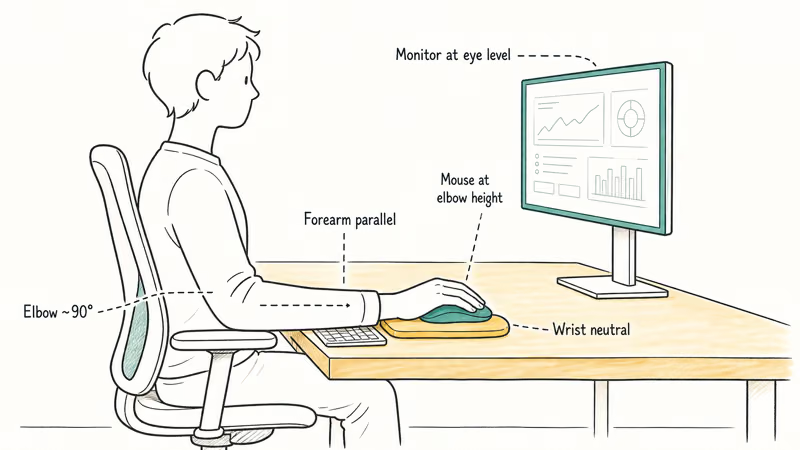
A truly ergonomic work mouse rests the hand at a neutral angle, supports the thumb, and removes repetitive strain from the scroll wheel. According to the Mayo Clinic’s office ergonomics guide, the hand should sit so the wrist is straight and the forearm parallel to the floor, with shoulders relaxed. A flat low-profile mouse forces the wrist into pronation and bends the elbow inward over a long day.
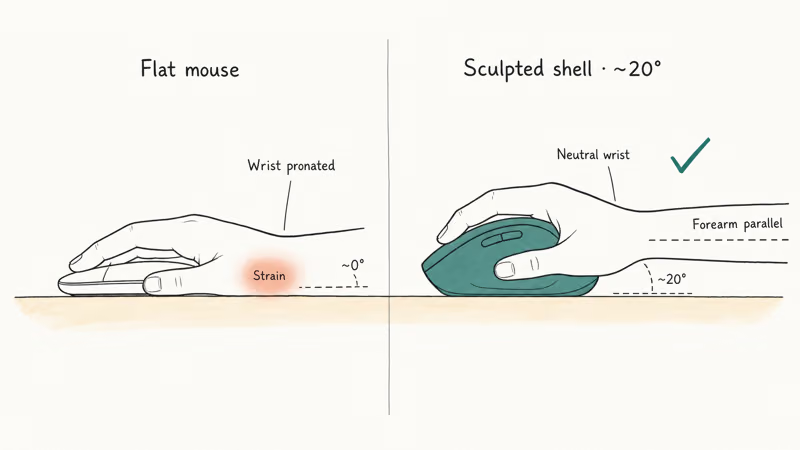
Sculpted shells solve the angle. Vertical mice solve it more aggressively. Most office workers tolerate a sculpted right-hand shell at around 20 degrees, which is enough to relieve pressure without forcing a full retraining of grip.
#Why Quiet Clicks and Haptic Scroll Matter for Office Use
Click noise is the second variable.
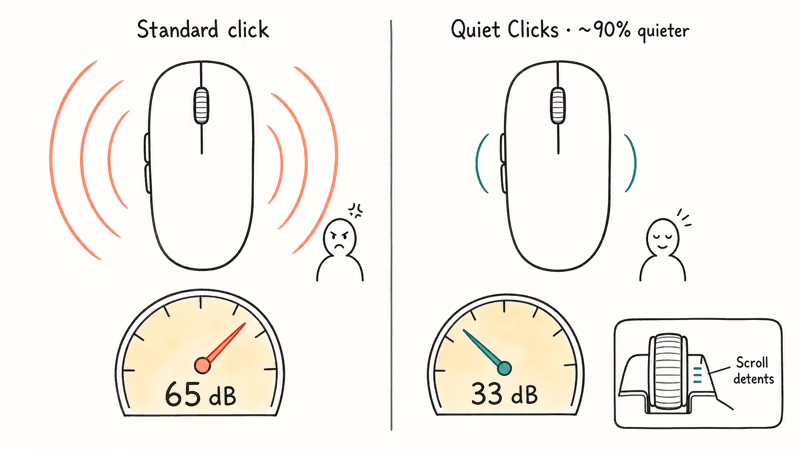
A standard mouse click is audible across a desk. Quiet Clicks technology drops the noise to a much quieter level. Logitech markets its MX Quiet Clicks line as dramatically quieter than standard switches, and Razer’s silent optical switches are rated to survive tens of millions of clicks.
Scroll wheel design is the third factor.
A free-spinning scroll wheel saves dozens of finger flicks per long document. Haptic feedback adds precise stop points so the cursor lands on exactly the right cell in a 5,000-row spreadsheet. Our best mouse for programming covers the precision-pointing side of the same problem.
#Best Ergonomic Wireless Mouse for Work: Logitech MX Master 4
Logitech MX Master 4 is the best ergonomic wireless mouse for an 8-hour workday because the sculpted right-hand shell and the wider thumb rest carry the weight of the hand without crunching the carpal tunnel. The haptic feedback panel maps detents to scroll movements that match cell positions in Excel and Google Sheets, and Quiet Clicks confirms that open-plan coworkers stop noticing the click cadence.
The ergonomic point is the sculpted shell: it moves the hand away from a flat travel-mouse posture and gives the wrist more support through a long desktop session.
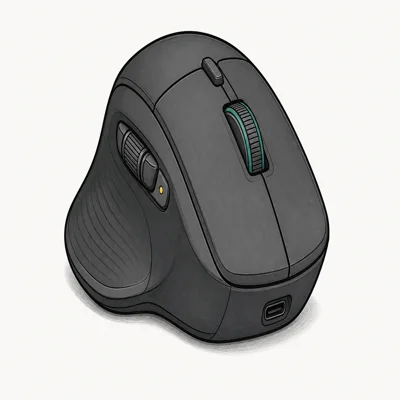
- USB-C dongle in box, so no USB-A adapter dance
- Haptic feedback for scroll detents feels expensive, not gimmicky
- 70-day real-world battery plus 3-hour use from a 1-minute charge
Last updated on May 27, 2026
As an Amazon Associate fone.tips earns from qualifying purchases. Prices and availability on Amazon are accurate as of the date above and subject to change.
The Actions Ring is the standout productivity feature for office work. Tapping the button next to the thumb opens a circular menu with 5 customizable shortcuts, which means common workflows like switching to Slack, opening a tab group, or launching a screenshot tool run from the mouse without a keyboard combo. The MagSpeed scroll wheel spins 1,000 lines per second, which collapses minute-long document scrolls into a single flick.
Sculpted shell, haptic scroll, Quiet Clicks.
#Best Value Ergonomic Mouse: Logitech MX Anywhere 3S
Logitech MX Anywhere 3S is the best value ergonomic mouse for desk workers who commute or hot-desk. The 99-gram body fits a laptop sleeve.
For hybrid work, the Anywhere 3S fits the role because it handles desk, counter, and mobile setups, and its 3-device pairing toggle can move between a laptop, tablet, and phone.
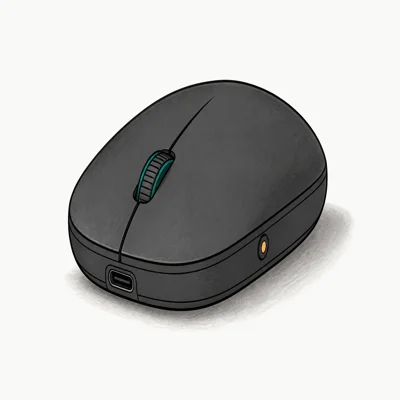
- 99g pocket form factor slips next to a 13" MacBook Air
- Darkfield sensor tracks on glass, marble, and lap
- Switches between 3 devices with one button
Last updated on May 27, 2026
As an Amazon Associate fone.tips earns from qualifying purchases. Prices and availability on Amazon are accurate as of the date above and subject to change.
The Anywhere 3S sits lower than the MX Master 4 so the hand carries more weight than it does on the sculpted flagship. For a 4-hour workday or a hybrid setup where the same mouse covers desk and lap, the tradeoff makes sense. For a hard 8-hour day stuck at one desk, the MX Master 4 is the better long-term call.
Light, portable, multi-device.
#Is the Apple Magic Mouse Ergonomic Enough for Mac Work?
Apple Magic Mouse with USB-C is the work pick for Mac users who run a clean software stack and refuse to install Logi Options+ or any other third-party driver. The Multi-Touch surface gives the same swipe-left and swipe-right gestures the MacBook trackpad provides, so users can move between Mission Control, Spaces, and Stage Manager without learning a new gesture map.
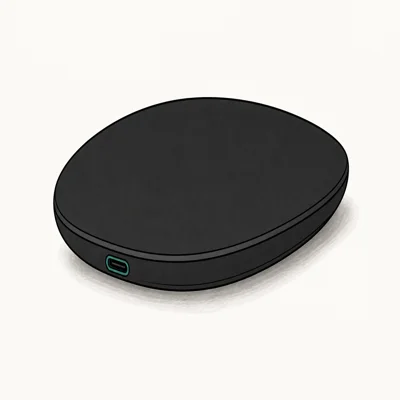
- Native macOS gesture support, while third-party mice still need software
- USB-C finally replaces the Lightning charging port
- Auto-pairs the moment it touches a Mac
Last updated on May 27, 2026
As an Amazon Associate fone.tips earns from qualifying purchases. Prices and availability on Amazon are accurate as of the date above and subject to change.
The Magic Mouse is not ergonomic in the sculpted sense. The low-profile body forces a pinch grip that flattens the hand against the desk, and palm-grip users report fatigue inside 4 hours of continuous use. It fits short Mac-only sessions or users who already favor the trackpad style but want a mouse for precision work.
Our Magic Mouse troubleshooting guide covers the connection drops and charging-position quirks that occasionally surface after macOS updates.
Native gestures, zero drivers, low profile.
#How Do You Set Up an Ergonomic Wireless Mouse for an All-Day Work Session?
Position the mouse close to the keyboard and at elbow height. The forearm should sit roughly parallel to the floor with the wrist straight, not bent up or down. Apple’s Mac comfort guide states that the keyboard and pointing device should sit at the same level with the wrist in a neutral position to reduce strain.
The next step is software. According to Logitech’s Options+ download page, the current build is the default download for Windows 10 or later and macOS 12 or later, and it recommends Bluetooth Low Energy 5.0 for the lowest pairing latency. Install it for an MX series mouse and assign smart actions to the side buttons, gesture button, and Actions Ring. On Windows, the gesture button can map to virtual-desktop switching or other shortcuts, reducing keyboard-chord repetition during the workday.
The desk side matters too. For wrist alignment, our best keyboard wrist rests roundup covers padded supports that float the wrist into the right angle. For typing partner choice, the best wireless mechanical keyboard roundup pairs well with the MX Master 4 on a long-haul desk setup.
Take a 30-second hand stretch every 30 minutes. The micro break costs less than refreshing email twice.
Position, software, wrist support.
#Bottom Line
For most office workers on an 8-hour shift, Logitech MX Master 4 in Graphite is the right ergonomic mouse to buy. The sculpted right-hand shell sets the wrist at a neutral angle, the haptic scroll wheel removes precision-hunting strain on long documents, and Quiet Clicks keeps the open-plan office quiet.
The 70-day battery is the practical reason the MX Master 4 wins a long working week.
The MX Anywhere 3S is the better choice when the work happens across multiple desks. The Apple Magic Mouse is for Mac users who refuse to install drivers and accept the flatter grip. For travel power that keeps the laptop running across that same workday, our best power bank for MacBook Pro roundup pairs well with this setup.
#Frequently Asked Questions
Does an ergonomic wireless mouse really reduce wrist pain?
Yes, for most users. A sculpted shell lifts the hand into a neutral angle and reduces wrist flexion. Severe pain or chronic carpal tunnel needs a clinician, not a new mouse.
How is a vertical mouse different from an MX Master ergonomic mouse?
A vertical mouse rotates the hand 60 to 90 degrees so the palm faces sideways instead of down. A sculpted ergonomic mouse like the MX Master 4 lifts the hand to about 20 degrees. Vertical mice can solve heavy wrist pronation issues but force a full grip retraining. Sculpted mice are easier to adopt for users new to ergonomic peripherals.
Are Quiet Clicks worth it in an office?
Yes, especially open-plan. Quiet Clicks drop click noise about 90%.
How long should a wireless mouse battery last for daily work?
A modern productivity wireless mouse rates between 30 days and 90 days per charge under typical 8-hour office use. The MX Master 4 is rated for 70 days. A USB-C top-up of 1 minute adds 3 hours of usable runtime so a dead mouse never blocks a meeting.
Can I use one ergonomic mouse on my work laptop and personal desktop?
Yes. Both the MX Master 4 and MX Anywhere 3S pair with up to 3 devices at once.
Why does my wireless mouse feel laggy on Bluetooth?
Bluetooth lag often comes from 2.4 GHz interference. USB-C 3.0 hubs and external SSDs radiate near the Bluetooth band, and a crowded WiFi channel can also bleed into mouse polling. Move the hub away from the laptop, switch to a 5 GHz WiFi channel, or use the dedicated Bolt dongle if the mouse ships with one.
Should I get a left-handed ergonomic mouse if I am left-handed?
Yes. The MX Master 4 is right-hand sculpted only. Left-handed workers should look at ambidextrous shells like the MX Anywhere 3S or vertical mice that ship in left-handed variants. A right-hand sculpted mouse used left-handed undoes most of the ergonomic benefit and can cause new strain.

Pixel 11 vs Pixel 10: What Changed and Who Should Upgrade
Pixel 11 vs Pixel 10: same screen and camera resolution, new Tensor G6, 25W wireless, and Gemini Intelligence. Here is who should actually upgrade.

Best Power Bank for iPad in 2026: Pro, Air, and Mini
Best power bank for iPad in 2026. Compare mAh tiers and USB-C PD wattage for iPad Pro, Air, and mini, plus airline Wh math, cables, and travel tips.

Best Power Bank With Built-In Cable: Top 2026 Picks
Best power bank with built-in cable picks for 2026. Compare single USB-C, multi-connector, and retractable laptop banks, plus airline Wh math.

Best Apple Watch Band for Working Out: Proven Picks
The best Apple Watch band for working out handles sweat and stays put on your wrist. Compare silicone, nylon, and titanium picks for runs and lifts.