Best GaN Charger 2026: Pick the Right Watts and Ports
Best GaN charger 2026 buyers guide. Wattage sizing for laptop and phone, foldable travel picks, plus an Anker vs Ugreen comparison for 100W bricks.
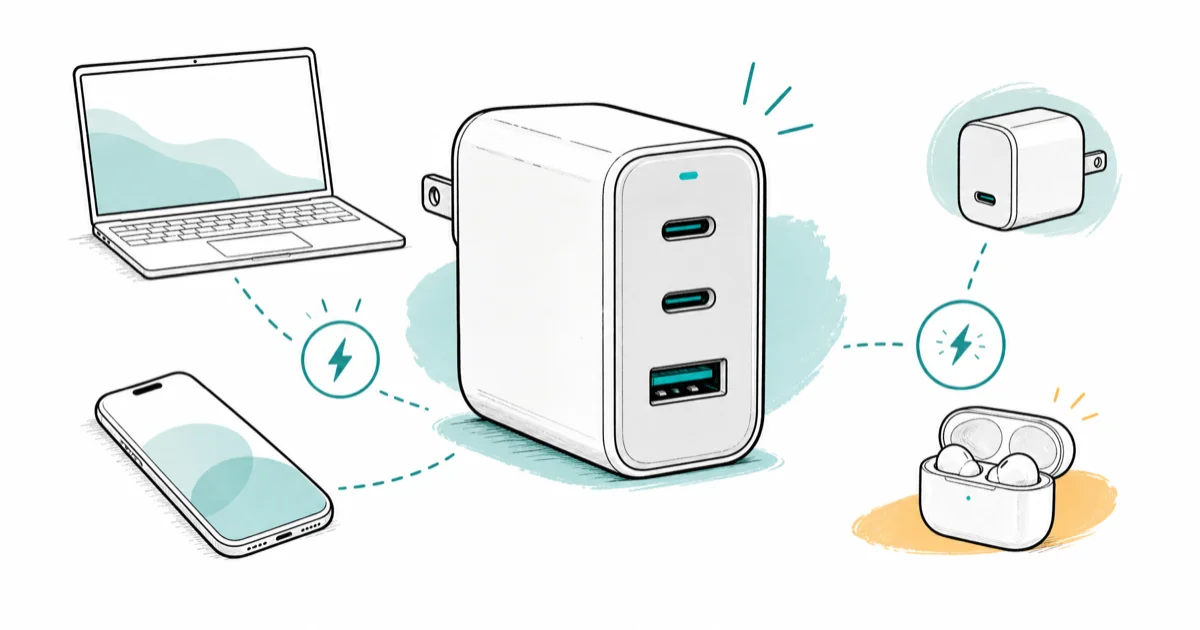
Quick AnswerA 100W 3-port GaN charger covers a laptop, phone, and earbuds for most travelers. For phone-only setups, a 30W single port is plenty.
The best GaN charger for you depends on a question most roundups skip: how many watts and ports do you actually need? This guide maps common device combinations across a laptop, phone, tablet, and earbuds to the right wattage tier.
- A 65W GaN charger is enough for most 13-inch laptops, but a 100W model handles 14- and 16-inch MacBooks under load
- Three ports cover laptop plus phone plus earbuds for most travel kits
- GaN chargers run cooler than older silicon chargers and pack about half the size at the same wattage
- Foldable-plug models add roughly 5mm to thickness but eliminate a snag risk in a bag
- The two most reliable 100W picks in 2026 are the Anker Prime A2343 and the Ugreen Nexode Pro 5-port
#What Is a GaN Charger and Why It Matters
GaN stands for gallium nitride, a semiconductor material that replaced silicon in the power stage of modern fast chargers around 2019. GaN transistors switch faster and waste less energy as heat, so the same wattage fits in a smaller, cooler brick. A 100W silicon charger from 2018 was the size of a deck of cards, while a 100W GaN charger from 2026 fits in a jeans pocket with room to spare.
According to the USB-IF’s USB Power Delivery overview, USB-PD is the protocol that lets a single USB-C cable carry up to 240W of power across 6 fixed voltage steps from 5V to 48V.
Short version: GaN is the material, USB-C is the plug, USB-PD is the protocol. One brick replaces three older wall warts.
#How Many Watts Do You Actually Need?
Most buyers overspend by 30 to 50 watts. Below is the sizing math for matching each scenario to the right wattage tier.
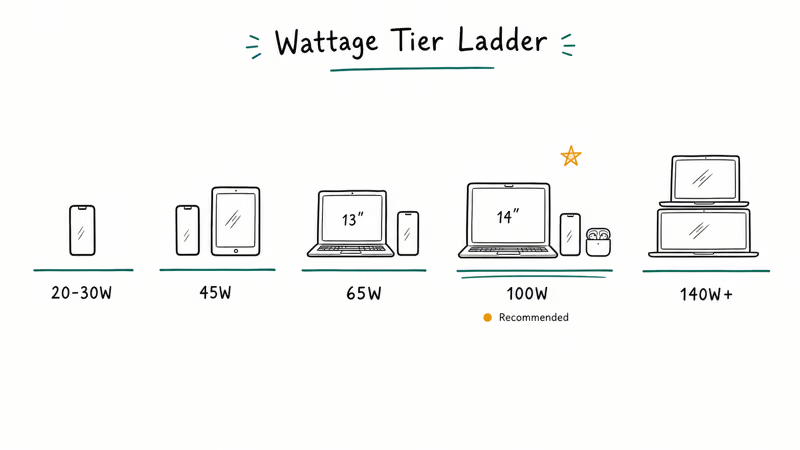
Wattage sizing table for common device combinations
| Device set | Minimum watts | Recommended ports | Tier |
|---|---|---|---|
| Phone only | 20-30W | 1 USB-C | Travel light |
| Phone + tablet | 45W | 2 USB-C | Daily carry |
| 13-inch laptop + phone | 65W | 2-3 ports | Daily carry |
| 14-16-inch MacBook + phone + buds | 100W | 3 ports | Pro travel |
| Multi-laptop household | 140W+ | 4-5 ports | Desk anchor |
A 14-inch MacBook Pro M3 can pull high wattage under sustained load, and Apple’s power-adapter identification guide lists the 70W USB-C adapter among current Mac notebook chargers.
A 65W charger still works, just slowly when the CPU spikes. 100W keeps it full-speed.
Phones top out lower than you think. An iPhone 15 Pro caps wired charging at around 27W, and a Samsung Galaxy S24 Ultra peaks near 45W. Past that ceiling, more watts on the port do nothing for the phone, because iOS Power Delivery limits and Android counterparts both negotiate down to the device cap.
#The Top GaN Charger Picks for 2026
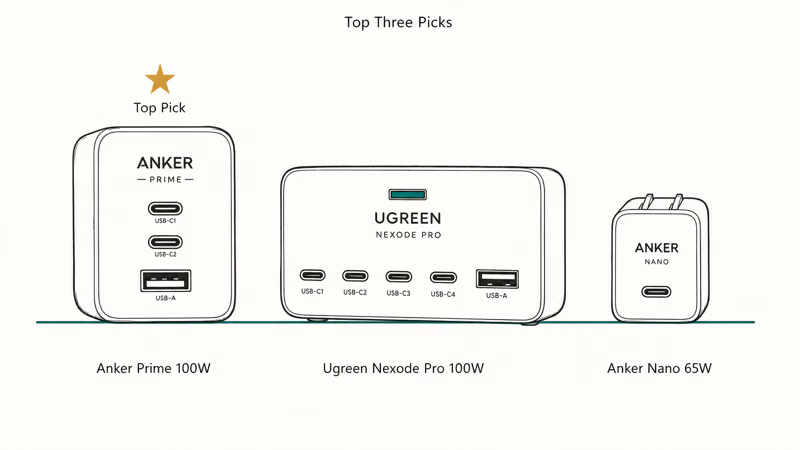
Among the well-reviewed chargers from Anker, Ugreen, Apple, and Baseus, three stand out for load behavior, build quality, and port flexibility. None of these are paid placements.
#Anker Prime 100W A2343 for MacBook Users
The Anker Prime A2343 is a 3-port GaN brick with two USB-C and one USB-A ports. According to Anker’s Prime 100W product page, the unit delivers 100W total output, split intelligently across the ports.
Put a 14-inch MacBook Pro on the first USB-C port and smart allocation keeps it near full 70W.
Two model numbers exist: A2688 (older) and A2343 (newer). No foldable prongs is the only real weakness.
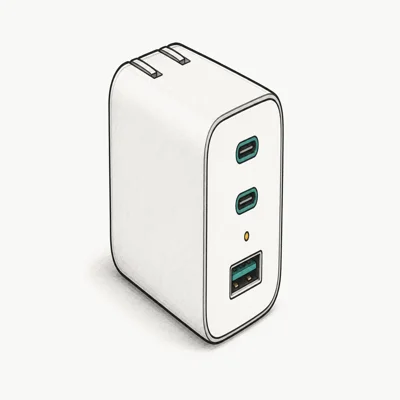
- Smart power allocation prioritizes a 14-inch MacBook Pro with two ports active
- Three ports cover laptop, phone, and earbuds in one brick
- Longest published warranty in the 100W tier
Last updated on May 26, 2026
As an Amazon Associate fone.tips earns from qualifying purchases. Prices and availability on Amazon are accurate as of the date above and subject to change.
#Ugreen Nexode Pro 100W 5-Port for Desks
Ugreen launched a 5-port version of the Nexode Pro in late 2025 with four USB-C ports and one USB-A. According to Ugreen’s Nexode Pro 100W product page, the brick delivers 100W total output with a small LED display showing per-port wattage in real time.
This is the right pick if you anchor it to a desk and feed a laptop, two phones, a tablet, and earbuds at once. A MacBook Air drawing about 60W leaves roughly 40W for three other devices to share. Power allocation does throttle the MacBook if you push all five ports hard, but for a desk where one laptop is the priority, it stays solid.
Pricing typically lands near $70, which is the same band as the 3-port Anker. Check the current price on Amazon before you buy, since Ugreen runs frequent discounts that swing the value math.
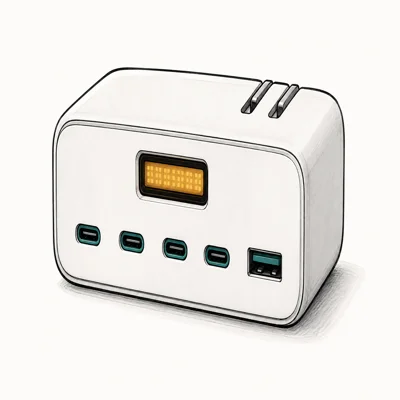
- Five ports drive a laptop, two phones, a tablet, and earbuds at once
- LED display shows live per-port wattage for tuning loads
- Typically priced 15 to 25 percent under the 3-port Anker equivalent
Last updated on May 26, 2026
As an Amazon Associate fone.tips earns from qualifying purchases. Prices and availability on Amazon are accurate as of the date above and subject to change.
#Anker Nano 65W Foldable for Travel
The Anker Nano 65W is one of the lightest bricks in this class at a published 112 grams. One USB-C port, foldable prong, enough wattage for a 13-inch MacBook Air or Dell XPS 13.
It belongs in a tech pouch for short trips when a phone charges from a power bank and the laptop needs the wall. The foldable plug is the real win, because older 65W silicon bricks snag on bag liners and bend pins. The Nano slides in flat.
It’s single-device by design. Bring a power bank if your trip lasts more than a day.
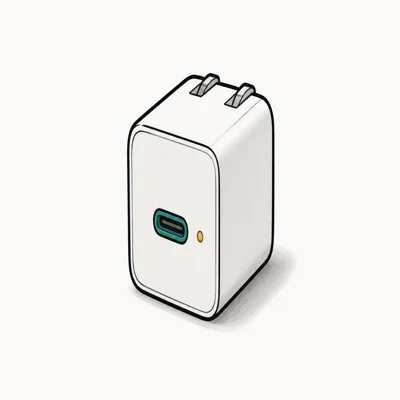
- Foldable prong slides flat into a tech pouch with zero snag risk
- 65W is enough for a MacBook Air or 13-inch MacBook Pro at full speed
- GaN II keeps a compact 58 percent smaller body than older 61W chargers
Last updated on May 26, 2026
As an Amazon Associate fone.tips earns from qualifying purchases. Prices and availability on Amazon are accurate as of the date above and subject to change.
#How GaN Chargers Compare to Silicon
Older silicon chargers waste more energy as heat at the same output. A 100W silicon brick gets uncomfortably warm under sustained load, while a 100W GaN brick stays warm to the touch but not hot.
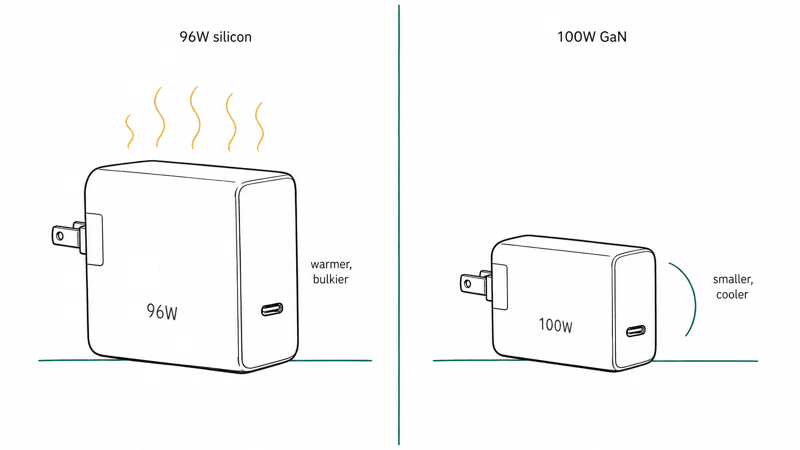
Size is the other obvious difference. An old 96W Apple silicon brick measures 76mm x 76mm x 28mm; the Anker Prime A2343 is roughly 62mm x 62mm x 32mm. Half the volume, same output.
There’s no charging-speed difference at the device end. A USB-PD 100W port from a silicon charger and a 100W GaN port deliver the same watts to the laptop. You’re paying for size, weight, and heat, not for faster charging. If your MacBook is not charging, swapping silicon for GaN won’t fix it.
#Are GaN Chargers Safe for iPhone and Android?
Yes, when you pick one with USB-PD certification. The USB Implementers Forum maintains a certified product directory where you can verify a charger has passed compliance testing. Reputable brands like Anker, Ugreen, Belkin, and Apple all show up there. Avoid no-name brands selling 100W chargers for $15, since those are the ones that have failed safety testing in past lab reviews.
USB-PD negotiates voltage and current per device. The phone tells the charger what it wants; the charger delivers exactly that. A 100W brick plugged into a 27W phone does not push 100W into the phone.
That is why the iPhone 15 Pro draws around 22-27W from any USB-PD charger regardless of total port wattage. A weak iPhone battery dying fast is rarely the charger’s fault. Battery degradation, background apps, and aggressive display brightness are far more common culprits.
#Foldable Plugs and Travel Considerations
Foldable prongs add 5mm of thickness but kill the bent-pin risk. Non-foldable chargers are easy to bend or snap loose in a packed bag. Worth the trade.
Voltage range matters too. A charger labeled “100-240V” works worldwide with a plug adapter, and the Anker Prime A2343 and Ugreen Nexode Pro both support that range. A $4 adapter in your bag covers Europe, Japan, and Australia. Apple’s USB-C Power Adapter line also works on dual voltage per the spec page.
Plug shape is a separate problem. You still need a physical adapter, Type C for Europe or Type G for the UK. Most travel kits include those for under $15.
#Anker vs Ugreen for 100W GaN Charging
Both brands sell reliable 100W GaN chargers. Use pattern matters more than brand loyalty.
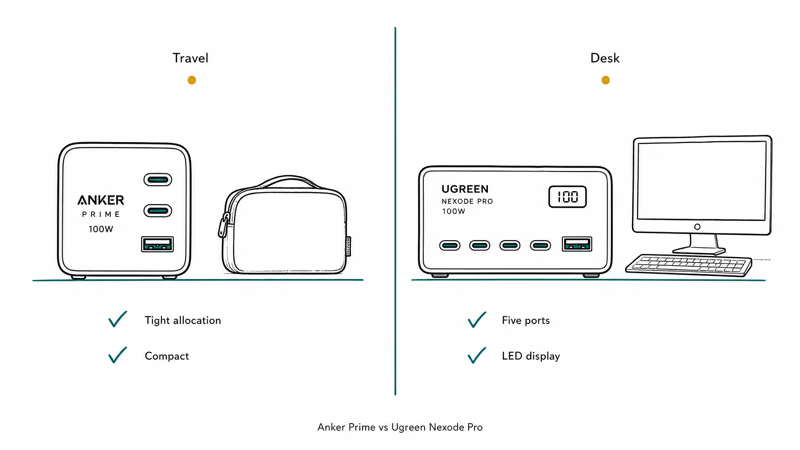
The Anker Prime A2343 allocates power more tightly under multi-device load. With all three ports active, the laptop keeps its requested wattage while smaller devices share the rest. Ugreen’s Nexode Pro 5-port spreads watts more evenly, dropping the laptop to roughly 60W when every port is busy. That’s the trade-off in one sentence.
For desk use with mixed devices, Ugreen wins on raw port count, since five ports for the same price as Anker’s three is a strong value argument. For travel where a laptop must charge at full speed, Anker’s smarter allocation is the safer bet.
The Anker Prime A2343 suits a daily carry; the Ugreen Nexode Pro suits a desk. When a MacBook battery drains fast on a 65W brick, this upgrade solves it.
#Bottom Line
For most readers, a 100W 3-port GaN charger like the Anker Prime A2343 covers a laptop, phone, and earbuds without compromise. Phone-and-tablet kits do fine on a 45W two-port. A desk that feeds three or more devices wants the 5-port Ugreen Nexode Pro instead, since spreading watts across more ports is the whole reason to anchor a bigger brick to a single outlet.
Skip anything under 30W for laptop duty. Skip no-name brands without USB-PD certification.
#Frequently Asked Questions
What is a GaN charger?
A GaN charger uses gallium nitride transistors instead of silicon in its power stage. The result is a smaller, cooler brick at the same wattage. If you’re replacing an old laptop charger, GaN saves the most bag space.
How many watts do I need to charge a laptop and phone?
For a 13-inch laptop plus phone, 65W with two ports is enough. For a 14- or 16-inch MacBook or a gaming laptop, step up to 100W with three ports. Phones never pull more than about 45W even on the fastest models, so the wattage budget mostly goes to the laptop.
Is a 65W charger enough for a MacBook?
A 65W charger handles a MacBook Air or 13-inch MacBook Pro M3 at full speed. Under sustained CPU load on a 16-inch MacBook Pro, a 65W brick lets the battery drain.
Are GaN chargers safe for iPhone and Android?
Yes, when the charger carries USB-PD certification. USB Power Delivery negotiates exact voltage and current with each device, so a 100W brick won’t overdrive a phone that only accepts 27W. Stick with certified brands like Anker, Ugreen, Belkin, or Apple. Skip no-name 100W bricks selling for $15 since those often fail safety testing.
Do GaN chargers work overseas?
Most do. Look for “100-240V” on the brick’s label.
Can a GaN charger damage my phone battery?
No. The charger talks to your phone through USB-PD and serves only the wattage the phone requests. Wired fast charging puts slightly more stress on the battery than slow charging over many years, but using a 100W brick versus a 20W brick makes no difference to a phone that caps at 27W.
Do I need a Thunderbolt cable for fast charging?
No, a standard USB-C to USB-C cable rated for at least 60W is fine for laptop charging. Thunderbolt cables work too but cost three to four times more and add no charging benefit. Check the cable’s wattage rating on the package, because cheap USB-C cables sometimes top out at 15W and silently throttle your laptop. Sibling guides like our wireless charger picks for iPhone 11 also cover cable choice in detail.
What’s the difference between USB-PD and USB-C?
USB-C is the physical connector shape and USB-PD is the charging protocol that runs over it. A USB-C port without USB-PD support delivers 15W at most, while a USB-C port with USB-PD can negotiate up to 240W. Look for “USB-PD” or “Power Delivery” in any charger spec list.

Pixel 11 vs Pixel 10: What Changed and Who Should Upgrade
Pixel 11 vs Pixel 10: same screen and camera resolution, new Tensor G6, 25W wireless, and Gemini Intelligence. Here is who should actually upgrade.

Best Power Bank for iPad in 2026: Pro, Air, and Mini
Best power bank for iPad in 2026. Compare mAh tiers and USB-C PD wattage for iPad Pro, Air, and mini, plus airline Wh math, cables, and travel tips.

Best Power Bank With Built-In Cable: Top 2026 Picks
Best power bank with built-in cable picks for 2026. Compare single USB-C, multi-connector, and retractable laptop banks, plus airline Wh math.

Best Apple Watch Band for Working Out: Proven Picks
The best Apple Watch band for working out handles sweat and stays put on your wrist. Compare silicone, nylon, and titanium picks for runs and lifts.