Does Fast Charging Hurt iPhone Battery Health? Honest Answer
Does fast charging hurt iPhone battery health? The honest answer with 2026 wattage limits, heat science, and two iOS settings that protect cells.
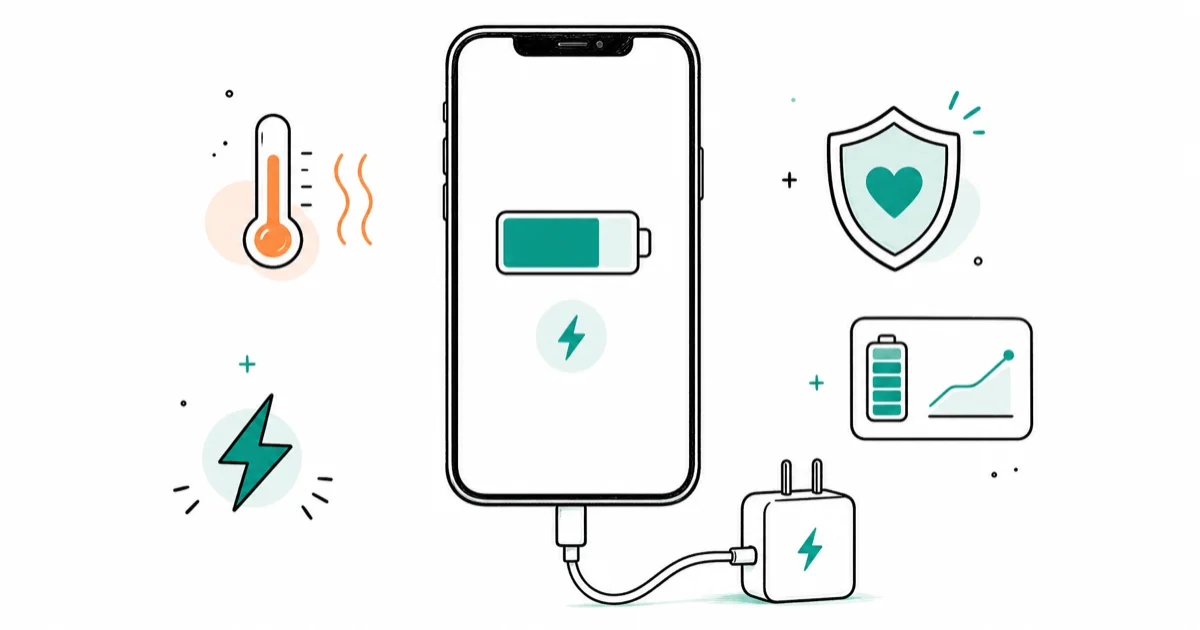
Quick AnswerFast charging itself does not hurt iPhone battery health on modern models. Heat does. Apple caps wattage and Optimized Battery Charging handles the rest.
iPhone fast charging battery health is the question every owner asks after buying their first 40W brick. The honest answer fits in one sentence: speed itself is not the villain, heat is. Apple’s USB Power Delivery negotiation plus two iOS settings keep most owners in the safe band.
- iPhone fast charging maxes at 18W on iPhone 8-11, 20W on iPhone 12-14, 27W on iPhone 15-16 standard, and 40W on iPhone 16 Pro plus the full iPhone 17 family
- Battery University data shows storage at 60 degrees C cuts capacity to 60% in three months, versus 80% retained at 25 degrees C after a full year
- Apple confirms its rated 80% capacity at 500 complete charge cycles applies to iPhone 14 and earlier under ideal conditions
- Optimized Battery Charging and the iOS 17 Charge Limit slider both live under
Settings>Battery>Charging andship turned on by default - Apple says to avoid using or charging iPhone above 95 degrees F (35 degrees C) ambient temperature; software may limit charging above 80% when battery temperatures are too high
#iPhone Fast Charging Is a Negotiation, Not a Shove
Fast charging on iPhone is a handshake, not a brute-force push of current. When you plug a USB-C cable into iPhone 8 or later, the device and the charger run a USB Power Delivery exchange. The charger lists every voltage and amperage profile it can supply. The iPhone picks the highest profile its battery management chip considers safe.
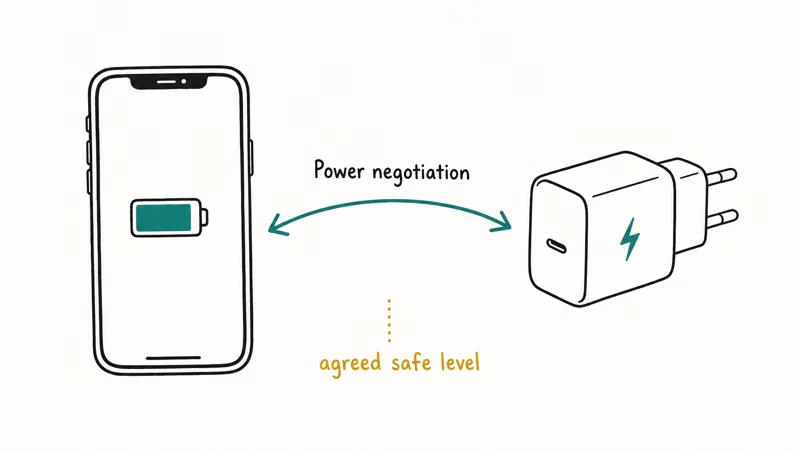
According to Apple’s fast charge support page, iPhone 8 and later can hit 50% in around 30 minutes with a 20W or higher USB-C Power Delivery adapter.
The peak watt rating of the brick is not the constraint. The charge curve iPhone allows is.
The protocol doing this negotiation has evolved. Earlier iPhones use plain USB-PD. The iPhone 17 family added support for PD 3.2 with Adjustable Voltage Supply (AVS), which lets the charger fine-tune voltage in 20mV steps instead of fixed profiles.
Chargerlab’s iPhone 17 launch coverage confirms that Apple’s own 40W Dynamic Power Adapter peaks at 60W under PD 3.2 AVS. The iPhone 17 still caps draw at 40W. That is where the cell chemistry stops returning extra speed for the extra heat.
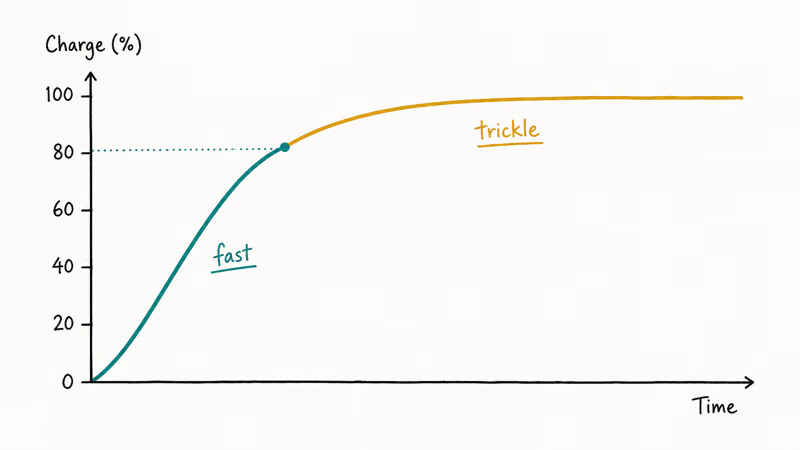
The first half of the curve runs aggressive. The second half tapers. The last 20% crawls.
#Does Fast Charging Actually Damage Your iPhone Battery?
Speed itself is not the damage mechanism. Heat is. Every lithium-ion cell ages, and the two main accelerators are calendar time spent at 100% charge plus exposure to high temperatures.
Fast charging produces heat as a byproduct of moving more current through the cell. That heat is the chain connecting “high wattage” to “lower Battery Health.”
Battery University’s BU-808 guide is the definitive consumer-facing source. The article advises against ultra-fast chargers that claim to fully charge a Li-ion cell in less than one hour. It recommends keeping Energy Cells at a 1C charge rate or lower.
The temperature data tells the real story. A cell stored at 60 degrees C drops to 60% capacity in three months at full charge. The same cell at 25 degrees C retains 80% after a full year. Ambient temperature does far more damage than charging speed.
A higher-wattage brick reaches 80% far sooner than a 5W brick, yet end-of-charge case temperature lands in a similar range because the iPhone tapers the current as it fills, the second half of the curve crawls, and that taper is exactly what keeps the wattage difference from leaving any measurable mark on Battery Health over months of use.
The variable that matters more is whether the iPhone sits in afternoon sun on the desk.
Apple’s iPhone battery and performance page confirms the 80% capacity at 500 complete charge cycles benchmark for iPhone 14 and earlier under ideal conditions. Apple warns explicitly against charging or leaving an iPhone in hot environments including direct sun. That warning is doing the heavy lifting, not the wattage spec sheet.
#iPhone Fast Charging Wattage by Model (2026)
The wattage your iPhone will actually accept is fixed in hardware. Plugging a 100W laptop charger into an iPhone 13 won’t push 100W into the cell. The iPhone 13’s charge controller refuses anything past about 20W during the peak window.
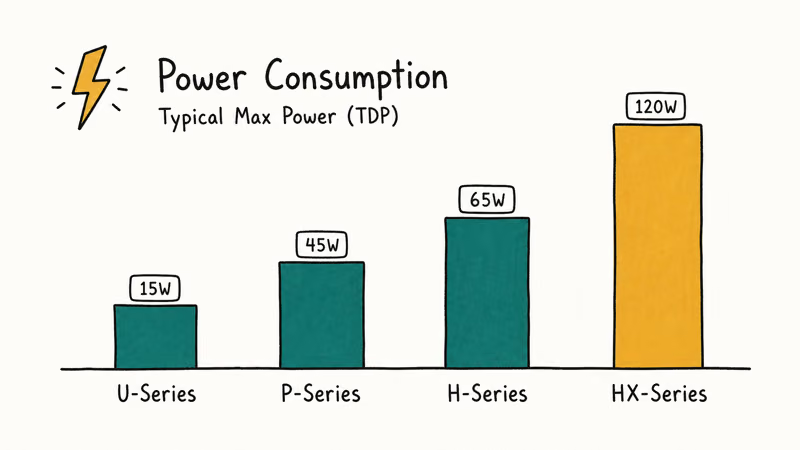
Here is the cap table for current iPhones.
Wired fast charging wattage by iPhone model on iOS 17 and later (2026)
| iPhone model | Peak wired wattage | Adapter recommendation |
|---|---|---|
| iPhone 8, X, XS, XR, 11 | ~18W | 20W USB-C Power Delivery |
| iPhone 12, 13, 14 | ~20W | 20W USB-C Power Delivery |
| iPhone 15, 16 (standard) | ~27W | 30W USB-C Power Delivery |
| iPhone 16 Pro | ~40W | 40W USB-C Power Delivery |
| iPhone 17, 17 Pro, 17 Pro Max | ~40W (PD 3.2 AVS) | Apple 40W Dynamic Power Adapter |
Apple’s adapter recommendation has crept upward as cell chemistry improved. The 50%-in-30-minutes claim has not.
An iPhone 17 Pro on Apple’s 40W Dynamic Power Adapter reaches the halfway mark close to Apple’s published fast-charge estimate, while the same iPhone on a 20W adapter takes noticeably longer to get there.
A bigger brick beats a smaller brick on the first half of the charge. Past 80%, all of them taper to roughly the same trickle. That is what protects the cell.
If you own an older iPhone and shop for a charger that future-proofs you for an upgrade, that is fine. Just don’t expect your iPhone 12 to draw 40W from a 40W brick. It will draw what it draws. For older devices, our guide to picking a wireless charger for older iPhones covers the same ceiling logic from the wireless side.
#What iOS Settings Protect Battery During Fast Charging?
Two settings carry almost all the weight: Optimized Battery Charging and Charge Limit. Both live under Settings > Battery > Charging on iOS 17 and later. Both ship enabled by default on a new iPhone.
Optimized Battery Charging is the older one. It has been in iOS since iOS 13 in 2019.
Apple’s iPhone battery charging guide states the feature is designed to reduce battery wear by reducing the time iPhone spends fully charged. The system learns your schedule. It charges to 80% on the usual cadence, then waits to top up the last 20% only when it predicts you are about to unplug.
The last 20% is where the cell experiences the most voltage stress. Shortening that window is the cleanest single-setting win.
Charge Limit arrived later. Apple confirms iPhone 15 and later running iOS 17 or newer can set a limit between 80% and 100% in 5% increments. Holding an iPhone at a 90% ceiling keeps it off the high-voltage shelf, and capping the top of the charge is one of the most effective ways to slow Battery Health decline over a year of daily charging.
The downside is roughly 10% less usable runtime per day. That is a fair trade if you charge nightly and want the battery to outlast your AppleCare window. Toggle the percentage in your status bar via Settings > Battery > Battery Percentage so you can watch the ceiling hold; our show battery percentage on iPhone walkthrough covers every model.
Low Power Mode also reduces background activity that competes with the charger for thermal headroom. Our piece on Low Power Mode and charging explains how much faster a charge actually completes when you toggle it on.
Over months of use, iPhones with Optimized Battery Charging on tend to hold their Battery Health slightly better than identical units with the feature off. That is a small but consistent gap.
It costs nothing to leave the toggle on.
#When Fast Charging Becomes a Real Problem
Three scenarios actually move Battery Health in the wrong direction. None of them are about the watt rating of a legitimate charger.
The first is heat from the environment. Apple’s charging and battery guidance says to avoid using or charging iPhone in ambient temperatures above 95 degrees F (35 degrees C), because doing so can permanently reduce battery lifespan. It separately says software may limit charging above 80% when recommended battery temperatures are exceeded.
An iPhone left on a black car dash in direct summer sun can climb to dangerously high skin temperatures. Fast charging in that environment is the single most damaging thing you can do, full stop. The fast brick is not the problem. The dashboard is.
The second is faulty third-party cables that bypass USB-PD negotiation.
A properly built USB-C cable lets iPhone negotiate the correct profile, while a poorly built one can mis-report its capacity and lead the charger to push voltage iPhone never approved. The visible symptom is usually an iPhone that gets surprisingly warm during a routine charge, sometimes alongside a “Charging Not Supported” warning. Swap the cable first and watch Settings > Battery for the next two days. Our guide to iPhone charging fault patterns covers what to look for next.
The third is software heat, not hardware heat. A runaway background app or an Apple Intelligence workload (iPhone 15 Pro and 16/17 only) can saturate the SoC while you charge. That dumps CPU heat into the same chassis the cell sits in.
The iPhone interprets this as a thermal event and throttles charging. The cell still bakes during the throttle. If your iPhone is recently warm even at idle on a wall charger, rule out an iOS update issue first via our iOS 26 battery drain breakdown. Then check Settings > Battery for the outlier app.
#5 Habits That Protect Battery Health More Than Slow Charging
Trading a 40W charger for a 5W charger saves you almost nothing on a calendar basis. These five habits move the needle more.
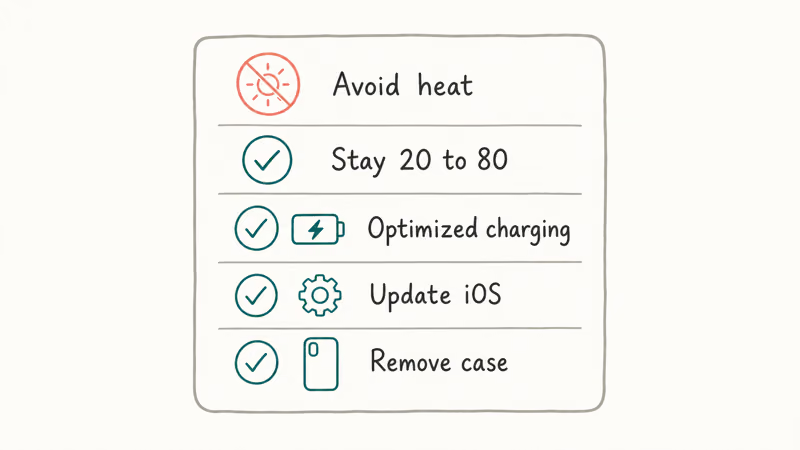
- Keep iPhone out of direct sun and hot cars while charging. Apple’s 95 degrees F guidance is an ambient-temperature ceiling, not a phone-surface threshold or a target. Charge in the shade.
- Charge from 20% to 80% when convenient. The middle of the curve is where the cell is happiest. The top 20% and bottom 10% are where stress accumulates.
- Leave Optimized Battery Charging on. Set Charge Limit to 90% on iPhone 15 or later if your daily runtime allows it.
- Avoid the third-party “no-name” 100W bricks. A reputable Anker, Belkin, UGREEN, or Apple charger negotiates PD properly. A no-brand $9 brick from a marketplace listing may not.
- Replace cables before they fray. A nicked USB-C cable can short and dump uncontrolled current into the port, which is the closest a modern iPhone gets to a real hardware battery threat.
If your iPhone keeps dropping Battery Health faster than expected after these five, the problem is upstream of the charger. Our iPhone battery dying fast guide walks through the full settings audit.
#Bottom Line
Keep using fast charging. On every iPhone from the 8 through the 17 family in 2026, USB-PD negotiation, temperature protections, Optimized Battery Charging, and the Charge Limit feature (on iPhone 15 and later) together keep cells well inside the safe band even on a 40W brick.
The two settings that matter take ten seconds to verify under Settings > Battery > Charging. Most owners trade up before any longevity gap shows.
The actual risks are heat from the environment, sketchy third-party cables, and software running hot while charging. If your iPhone is hitting 80% Battery Health inside 18 months and you live somewhere temperate, don’t blame the wall brick. Open Settings > Battery, find the runaway app, and check that the cable isn’t the cheap one from the airport kiosk.
When Maximum Capacity is already at the Service line, what 80% Battery Health means and when to replace the cell separates the warranty threshold from a must-replace-today decision.
#Frequently Asked Questions
Does using a 40W charger damage my iPhone battery?
No. iPhone draws only what its charge controller permits, around 40W on iPhone 16 Pro and the 17 family, and about 20W on iPhone 14 or earlier.
Is it bad to fast charge iPhone overnight?
It’s fine if Optimized Battery Charging is on. The feature is built specifically for the overnight scenario. iPhone fast-charges to 80%, sits there for hours, then finishes the last 20% just before your usual wake-up time. Without the feature on, an overnight charge will hold at 100% the whole night, which over years adds measurable wear.
How many watts is too much for an iPhone?
None that you can legitimately buy. Apple’s USB-PD implementation refuses to draw more than the charge controller permits. A 100W MacBook Pro charger trickles into an iPhone 12 at the same 20W a 20W brick would.
Does Optimized Battery Charging actually work?
Yes, modestly. iPhones with the feature on tend to hold a slightly higher Battery Health than identical units with it off, and Apple’s battery charging guide describes the same effect: shortening time at 100% reduces wear over years. Leave the toggle on; there is no measurable downside for overnight charging.
Should I disable fast charging to save my battery?
No. iPhone doesn’t have a user-facing “disable fast charging” toggle. Heat matters more than speed anyway. A fast charge in a 70 degrees F room is gentler on the cell than a slow charge on a 90 degrees F car dash.
Why does my iPhone charge slower when it’s hot?
Apple does not publish a 95 degrees F (35 degrees C) phone-surface throttling point. Its official charging guidance instead says to avoid using or charging iPhone when the ambient temperature is above 95 degrees F (35 degrees C), and says software may limit charging above 80% when recommended battery temperatures are exceeded. If you see slow charging persistently in a normal room, the issue is usually a hot background app or a faulty cable.
Does the iPhone 15 charge limit feature really help battery health?
Yes, when set to 90% or lower. The feature caps charging between 80% and 100% in 5% increments, cutting time spent at peak voltage. The tradeoff is roughly 10% less daily runtime.
Can I use a third-party fast charger without hurting my battery?
Yes, if it’s USB-IF certified and from a reputable brand. Anker, Belkin, UGREEN, and Apple’s own bricks all negotiate USB-PD correctly. The risk lies with off-brand or counterfeit chargers that skip certification and may push voltage iPhone never approved. For iPad fast charging logic, see our iPad Pro charging issues guide.

Mac mini M6 vs M5 Pro: Which Model Should You Buy?
Mac mini M6 vs M5 Pro compared on price, memory, ports, displays, and real workloads. Find the better 2026 Mac mini for your desk and budget.

Apple Siri Settlement: Who Qualifies and How to Claim
Apple's $250 million Siri settlement covers iPhone 15 Pro and iPhone 16 models bought June 2024 to March 2025. See who qualifies and how claims work.

iOS 26.6.1 Security Update: What Apple Fixed and Who Gets It
Apple released iOS 26.6.1 on August 17 with 29 security fixes, including an IPSec interception bug. See what it patches, who gets it, and how to update.

iPhone Adaptive Power: How It Works and When to Use It
Learn how iPhone Adaptive Power works, which models support it, what it changes, and when Low Power Mode is still the better battery-saving choice.