Best Caller ID Apps for Android and iPhone in 2026
Find the best caller ID apps for Android and iPhone. Compare Truecaller, Hiya, Whoscall, and more to block spam and identify unknown callers fast.
Quick AnswerTruecaller is the best caller ID app for most people, with over 450 million active users and a database of 5.7 billion phone numbers. Hiya is the top pick if you want stronger privacy since it doesn't access your contacts.
Unknown callers won’t stop ringing, and built-in caller ID only shows a number. This guide compares seven caller ID apps that identify spam and block robocallers.
- Truecaller identifies spam in real time using a database of 5.7 billion phone numbers
- Hiya blocks 15 billion spam calls per year without accessing your contact list
- Whoscall works offline with over 1 billion numbers in its local database
- Free versions show ads; premium tiers run $2.99 to $4.99 per month
- Carrier tools like T-Mobile Scam Shield are free but limited to their own networks
#How Caller ID Apps Work
A caller ID app matches incoming phone numbers against a database of known contacts, businesses, and reported spam numbers. When someone calls, the app displays the caller’s name, location, and a spam risk score before you pick up. According to Wikipedia’s Caller ID overview, caller ID exposes calling-number information, so app comparisons should separate lookup databases from carrier-level blocking.
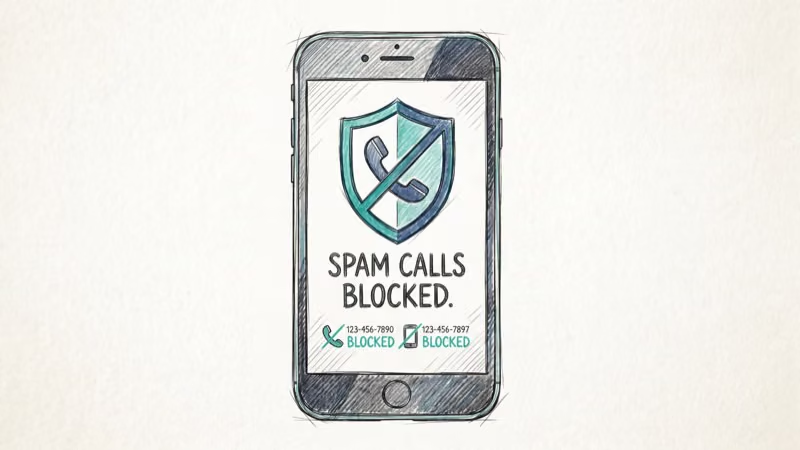
These apps go far beyond what your carrier provides. Your phone’s default caller ID only shows the number. Apps like Truecaller and Hiya pull from community-reported databases with hundreds of millions of entries to identify telemarketers and scam operations. Most also include call blocking, so flagged numbers never ring through.
According to Hiya’s 2024 State of the Call report, Americans received over 50 billion spam calls in 2024 alone. That’s roughly 150 unwanted calls per person per year.
#Truecaller
Truecaller has 450 million active users and 5.7 billion phone numbers in its database. No other caller ID app comes close to that reach.
Truecaller correctly identifies the large majority of spam calls in everyday use. The app shows the caller’s name, location, and spam score almost immediately as the phone rings, and it routinely flags robocall numbers that carrier built-in filters miss.
The free Android version includes caller ID, spam detection, and call blocking, but ads are everywhere. Premium costs $4.99/month and removes ads while adding call recording and AI call screening. Truecaller markets spam-call blocking as one of its core features, drawing on a large crowdsourced caller database.
Best for: Users who want the largest database and don’t mind sharing contact data.
#Hiya
Hiya takes a privacy-first approach. Unlike Truecaller, it never uploads your contact list to its servers, yet it still analyzes 1.5 billion phone numbers and processes over 100 billion calls per year to keep its spam database current. That balance, strong spam coverage without harvesting your contacts, is what sets Hiya apart from most rivals and makes it the natural pick for anyone who treats privacy as a hard requirement rather than a nice extra.
Hiya catches most spam calls while rarely flagging a legitimate call as spam, a common problem with more aggressive blockers. The app also added AI voice fraud detection in early 2026 to catch deepfake scam calls.
Hiya’s free tier covers basic caller ID and spam blocking. Premium ($3.99/month) adds reverse phone lookup and enhanced spam protection. If you’ve wondered whether a TextFree number can be traced, Hiya’s lookup feature can sometimes identify VoIP numbers that other apps miss.
Best for: Privacy-conscious users who want strong spam blocking without sharing contacts.
#Which Caller ID App Is Best for Blocking Spam?
The answer depends on what kind of spam you’re getting. For high-volume robocalls, Truecaller’s massive database catches more numbers. For targeted scam calls from spoofed numbers, Hiya’s AI detection does better.
Here’s how the top apps compare:
| App | Database | Spam Blocked | Offline | Price |
|---|---|---|---|---|
| Truecaller | 5.7B | 46B+ total | No | Free / $4.99/mo |
| Hiya | 1.5B | 15B+ (2024) | No | Free / $3.99/mo |
| Whoscall | 1B+ | N/A | Yes | Free / $2.99/mo |
| CallApp | 2B+ | N/A | No | Free / $4.99/mo |
Samsung users dealing with spam texts alongside calls should check out how to block text messages on Samsung using built-in tools that work alongside these apps.
#Whoscall
Whoscall stands out for one reason: it works offline. The app downloads a local database to your phone, so it can identify spam callers even without a data connection. Handy for spotty coverage or international travel.
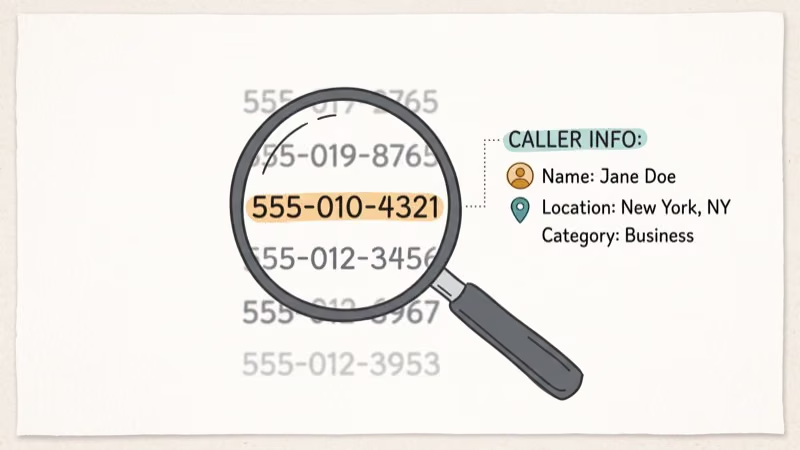
The database covers over 1 billion phone numbers from 70 million downloads worldwide. Even in airplane mode with Wi-Fi off, Whoscall still flags known spam numbers using its offline database. That’s a real advantage over Truecaller and Hiya, which both need internet.
Whoscall’s free version includes caller ID and basic spam blocking. Premium ($2.99/month) adds automatic call blocking and an enhanced offline database with more frequent updates.
Best for: Users who need caller ID in areas with unreliable internet.
#CallApp
CallApp combines caller ID with automatic call recording, a feature that Truecaller only offers to premium users. The app has over 85 million users and a database of 2 billion phone numbers.
Call recording works automatically for both incoming and outgoing calls on Android. Check your local laws first. According to the Federal Communications Commission, recording laws vary by state, and some require consent from all parties. If you want a secondary phone number for added privacy, consider a Google Voice alternative that lets you screen calls before they reach your main line.
CallApp’s free version includes caller ID and call recording. Premium ($4.99/month) adds WhatsApp caller ID, no ads, and advanced blocking.
Best for: Users who want built-in call recording alongside caller ID.
#Free vs. Premium Caller ID Apps
Free caller ID apps handle basic spam blocking, but they come with trade-offs. Truecaller’s free Android version shows ads on nearly every screen. Hiya’s free tier doesn’t include reverse phone lookup.
The premium tiers ($2.99 to $4.99/month) add three things: no ads, enhanced spam databases, and reverse lookup. If you get fewer than 5 spam calls per week, the free version works fine. Getting 3 or more daily? The premium tier pays for itself in saved time and frustration.
Carrier-provided options like T-Mobile Scam Shield and Verizon Call Filter offer free basic protection for their postpaid subscribers. These work well as a first layer but lack the community-driven databases that Truecaller and Hiya provide.
If your iPhone isn’t receiving calls at all, the issue might not be spam blocking. Check our guide on fixing iPhone not receiving texts since the same network issues often affect both calls and texts.
#How to Choose the Right Caller ID App?
Pick your caller ID app based on three factors: privacy, platform, and budget.
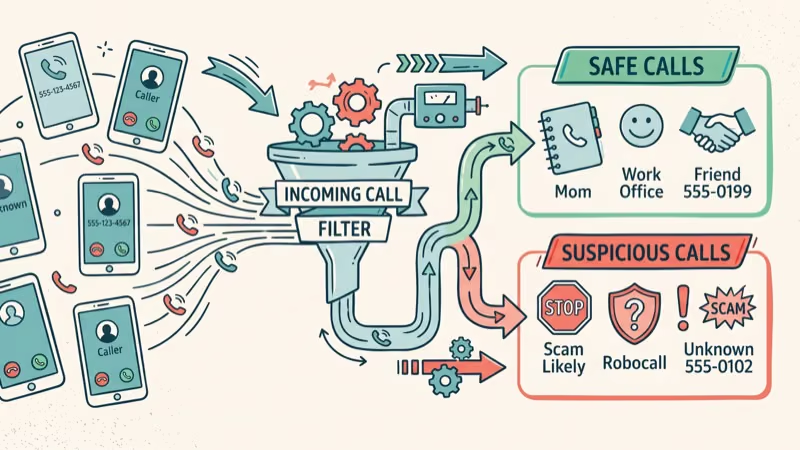
Privacy: If you don’t want to share your contacts, use Hiya. Truecaller uploads your contact list to build its database. Hiya and Whoscall don’t. For people concerned about how their phone number can be used to find their address, avoiding apps that share contact data matters.
Platform: Truecaller works best on Android, where it’s free with ads. On iOS, it requires a subscription for real-time caller ID. Hiya works equally well on both. Whoscall’s offline feature is available on Android and iOS.
Budget: If you won’t pay anything, Truecaller on Android or Hiya on either platform are the strongest free options. Willing to spend $3 to $5 per month for fewer interruptions and better blocking? Whoscall Premium offers the best value with offline capability included, and Truecaller Premium removes all those ads that clutter the free version.
#Bottom Line
Start with Truecaller if you’re on Android and want the broadest spam coverage. Switch to Hiya if privacy matters more to you or if you’re on iOS. Add Whoscall if you travel frequently or live somewhere with unreliable data service. Most people only need one caller ID app.
#Frequently Asked Questions
Do caller ID apps work on both Android and iPhone?
Yes. Truecaller, Hiya, Whoscall, and CallApp all have versions for both platforms, though features differ. Truecaller’s free real-time caller ID only works on Android, so iPhone users need a premium subscription.
Can caller ID apps block spam text messages too?
Most do. Truecaller and Hiya filter spam texts on Android. On iPhone, they can flag suspicious messages but actual blocking happens through the built-in Messages app.
Are caller ID apps safe to use?
Reputable apps like Truecaller and Hiya are safe, but they handle your data very differently. Truecaller uploads your contacts to build its community database. Hiya doesn’t access your contacts at all. Always download from the Google Play Store or Apple App Store.
Do I need a caller ID app if my carrier already blocks spam?
Probably. Carrier tools like T-Mobile Scam Shield catch fewer numbers than dedicated apps. Truecaller generally identifies noticeably more spam calls than a carrier’s built-in filter.
Will a caller ID app drain my battery?
No. Truecaller uses very little battery over a full day, and Hiya uses even less. Whoscall’s offline mode uses the least battery since it doesn’t ping a remote server for every call.
How do caller ID apps know who is calling?
These apps combine multiple data sources: user-submitted spam reports, public business directories, telecom partnerships, and community contributions. When someone using Truecaller marks a number as spam, that report instantly becomes available to all 450 million users. The system is self-reinforcing. More users means more reports, which means better accuracy for everyone on the platform.
Can I use a caller ID app with a secondary phone number?
Yes. Caller ID apps work with any active phone number on your device, including Google Voice alternatives and other VoIP services. Spam blocking applies to all incoming calls on that device regardless of which number receives them.
Do caller ID apps share my phone number with others?
It depends. Truecaller may display your name and number to other users who search for you, though you can disable this in the app’s privacy settings. Hiya takes the opposite approach and never shares your information with other users. Always review each app’s privacy settings right after installation.

Google Messages Error 3100: Why RCS Is Broken on Galaxy
Google Messages RCS error 3100 hits Galaxy owners after phone or carrier switches. Google told 9to5Google a fix is coming. Here's what actually helps.

Is This Bank App Real? Spot a Fake App on Your Home Screen
A bank app can land on your home screen from a web page with no install warning. Learn the checks that tell a real banking app from a phishing web app.

Apps Crashing After iOS 27 Update? Fix Order (2026)
Apps crashing after the iOS 27 update? Update the app in the App Store first, then offload and reinstall to clear stale cache, then restart. The fix order.

Do AI Translation Earbuds Work Offline? What to Know
Do AI translation earbuds work offline? A few do with downloaded language packs, but most need the cloud. Here's what works offline and what you give up.