How to Get a Free AT&T Network Unlock Code in 2026
Get a free AT&T network unlock code for your own phone. Eligibility rules, official AT&T unlock portal steps, and fixes when your request gets denied.
Quick AnswerAT&T unlocks eligible devices for free. The phone must be paid off, purchased more than 60 days ago, and not reported lost, stolen, or involved in fraud; use AT&T’s official unlock portal.
AT&T unlocks your phone for free. No third-party service, no fees. You just need to meet its eligibility criteria first, and the online request only takes a few minutes to submit.
- AT&T unlocks devices at no cost through their official portal at att.com/deviceunlock
- Your device must be fully paid off and purchased more than 60 days ago; prepaid devices need 12 months of paid AT&T service
- AT&T requires that the device not be reported lost, stolen, or involved in fraud; use its official eligibility and support process
- AT&T usually approves an unlock request within a few minutes, but it can take up to 48 hours
- Unlocking only works on your own device or with the account holder’s written authorization
#AT&T’s Unlock Eligibility Requirements
You must meet all of these criteria before AT&T will approve a free unlock. Missing even one will get your request denied.
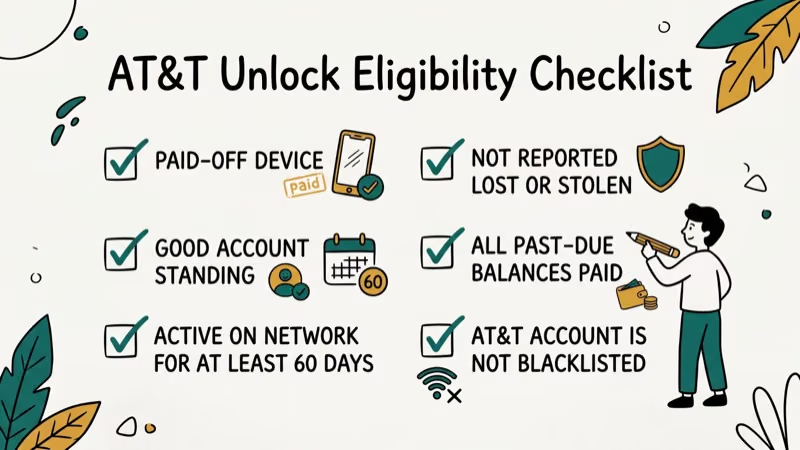
For postpaid accounts:
- The device must be an AT&T-branded phone (not already unlocked from the factory)
- Your account must be in good standing with no past-due balance
- The device must have been purchased more than 60 days ago and can’t be active on another AT&T account
- The device installment plan must be fully paid off
- The phone can’t be reported lost, stolen, or involved in fraudulent activity
For prepaid accounts:
- The device must have 12 months of paid AT&T service
- It can’t be active on another AT&T account or reported lost, stolen, or involved in fraud
For deployed active-duty military personnel: AT&T can unlock an eligible device before it’s paid off. Select the deployment option in the request and submit the required documents by email.
AT&T’s requirements say the device can’t be reported lost, stolen, or involved in fraud. Check the device’s history before you submit, especially if you bought it secondhand.
#How to Request an AT&T Network Unlock for Free
This is the official process.
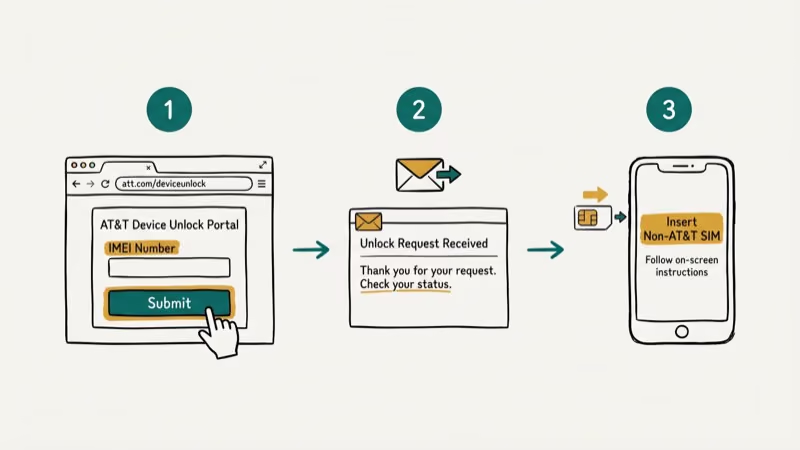 The route differs for some devices. AT&T Prepaid Android phones use the Device Unlock app, while prepaid iPhones use the request portal.
Step 1: Go to the AT&T Device Unlock portal
Visit att.com/deviceunlock from any browser. You don’t need to be on AT&T’s network to access it.
Step 2: Follow the prompt for your device
Select the device brand and follow the onscreen route. If you have an AT&T Prepaid Android phone, use the AT&T Device Unlock app instead. Prepaid iPhone owners submit an unlock request through the portal.
Step 3: Enter your details
If you have an AT&T account, sign in and select the device you want to unlock. If you don’t have an active account, you’ll enter your IMEI number (dial *#06# to find it, or check Settings > General > About on iPhone), your email address, and agree to AT&T’s unlock terms.
Step 4: Submit and wait
AT&T sends instructions by email or text. Approval usually takes minutes but can take up to 48 hours.
Step 5: Complete the unlock on your device
Follow AT&T’s model-specific instructions. Eligible Apple, Google, and Samsung devices may unlock automatically.
#What if Your AT&T Unlock Request Is Denied?
Denial reasons fall into a few categories. AT&T’s current requirements focus on device age, payment status, account status, and whether the device was reported lost, stolen, or involved in fraud:
- Device not paid off: If you’re on a 24-month installment plan, finish it or pay the remaining balance first.
- Account not in good standing: Outstanding balances block all unlock requests.
- Device is too new: Submit again once the device was purchased more than 60 days ago.
- IMEI flagged: If the phone was reported lost or stolen, AT&T won’t unlock it regardless of who owns it now.
If your request was denied, call AT&T at 800-331-0500 and ask which requirement failed. Have the IMEI and account details ready, but don’t assume support can override AT&T’s eligibility rules.
Legal note: The 2014 law didn’t create a blanket right to unlock every phone. According to Congress.gov’s bill summary, the law reestablished a DMCA exemption for owner-initiated network unlocking when the network operator authorizes the connection. Separately, according to AT&T’s unlock requirements, a device can’t be reported lost, stolen, or involved in fraud. Use the official process only for a device you own or are authorized to manage.
#Is It Worth Paying a Third-Party Unlock Service?
Use AT&T’s official route whenever the device is eligible. Eligible Apple, Google, and some Samsung devices may unlock automatically.
According to AT&T’s current requirements, an eligible device that remains locked needs an unlock request. AT&T says approval usually takes a few minutes but can take up to 48 hours.
Don’t assume a paid service can override an AT&T denial. AT&T reviews device age, payment status, account status, and lost, stolen, or fraud reports. Follow the reason in AT&T’s response or contact AT&T support before sharing an IMEI with another company. If you’re still evaluating a service, verify its terms, refund policy, and privacy policy; our Cellunlocker review explains those checks but isn’t evidence that a service can override AT&T’s criteria.
Check first. Our guide on how to check if your iPhone is unlocked has three free methods.
#Unlocking Different AT&T Device Types
AT&T iPhone unlock: Once AT&T approves the request, Apple updates its activation servers. The unlock usually shows up after you insert a non-AT&T SIM. Our separate guide on unlocking an AT&T iPhone has step-by-step screenshots for current iOS versions.
AT&T Android unlock: Prepaid Android phones use the Device Unlock app. Other models follow AT&T’s approval instructions.
Prepaid AT&T phones: Stricter eligibility. You need 12 months of paid AT&T service. Prepaid Android phones use the Device Unlock app; prepaid iPhones use the request portal.
SIM restriction errors after unlocking: Your phone shows “SIM not supported” or a carrier-lock error after an approved unlock? Follow the approval instructions, restart the phone, and contact AT&T with the request details if the lock remains. Our article on carrier lock and SIM restriction errors covers the most common causes and fixes.
#Switching Carriers After Your AT&T Unlock
Once the unlock is confirmed, your phone works on any compatible network.
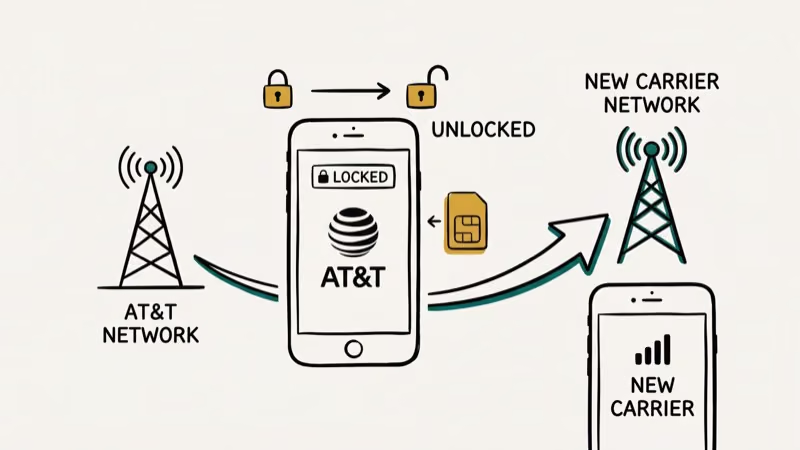 Insert the new carrier’s SIM and follow their activation steps. That’s it for most phones.
A few things to know before you switch. An unlocked phone must still pass the target carrier’s compatibility and activation checks. Band support, exact model, carrier acceptance, SIM or eSIM support, voice service, and Wi-Fi calling can vary. Use the target carrier’s checker before committing; AT&T’s checker covers devices joining AT&T, not compatibility with T-Mobile or Verizon.
Visual Voicemail and Wi-Fi calling may need to be reconfigured for the new carrier. Follow that carrier’s setup instructions; our phone-unlocking software guide explains what a carrier unlock can and can’t change.
#Bottom Line
Go to att.com/deviceunlock, submit your IMEI, and AT&T handles the rest. Most postpaid unlocks complete within 48 hours at zero cost.
If your request is denied, call 800-331-0500. AT&T won’t approve a device reported lost, stolen, or involved in fraud. Don’t pay a third-party service until you’ve confirmed you don’t qualify for AT&T’s free process.
#Frequently Asked Questions
How do I find my AT&T network unlock code?
AT&T no longer sends numeric unlock codes for most modern smartphones. The unlock is applied remotely to iPhones through Apple’s activation servers, or through an in-device prompt on Android when you insert a non-AT&T SIM. You’ll know it worked because the carrier name on your phone will switch to the new carrier’s network. If nothing changes after 24 hours, contact AT&T at 800-331-0500 and ask them to confirm the unlock was processed on their end.
Can I unlock my AT&T phone before paying it off?
No, unless AT&T’s deployed active-duty military exception applies. Otherwise, the installment balance must be zero and the device must meet the other requirements, including having been purchased more than 60 days ago.
How long does AT&T take to unlock a phone?
AT&T says approval usually takes a few minutes but can take up to 48 hours. Check the email or text it sends for updates.
Does unlocking my AT&T phone void the warranty?
An official AT&T network unlock changes carrier-lock status, but warranty coverage depends on the manufacturer and carrier terms that apply to your device. Don’t assume a third-party tool or service uses the same method; ask the warranty provider before using one.
What if my AT&T unlock request keeps getting denied?
Call AT&T customer support at 800-331-0500 and ask for the unlock department. Have your IMEI ready. Common denial reasons include unpaid balances, a device purchased 60 days ago or less, or a reported lost or stolen device.
Can I unlock a used AT&T phone I bought from someone else?
If the original owner fully paid off the device and it meets AT&T’s other requirements, the owner can use AT&T’s official process or explicitly authorize you to manage the request. If you can’t establish ownership and authorization, return the phone or use the marketplace dispute process.
Is it legal to unlock an AT&T phone?
The 2014 law restored a specific DMCA exemption for owner-directed network unlocking when the network operator authorizes the connection; it didn’t require a carrier to unlock every phone. AT&T’s eligibility rules apply separately, including its rule against devices reported lost, stolen, or involved in fraud. Use the official process only for a device you own or are authorized to manage.
Will an unlocked AT&T phone work on T-Mobile or Verizon?
Possibly, but an unlock alone doesn’t guarantee compatibility. Check the exact model and IMEI with T-Mobile or Verizon before switching because band support, carrier acceptance, SIM or eSIM support, voice service, and Wi-Fi calling can vary.
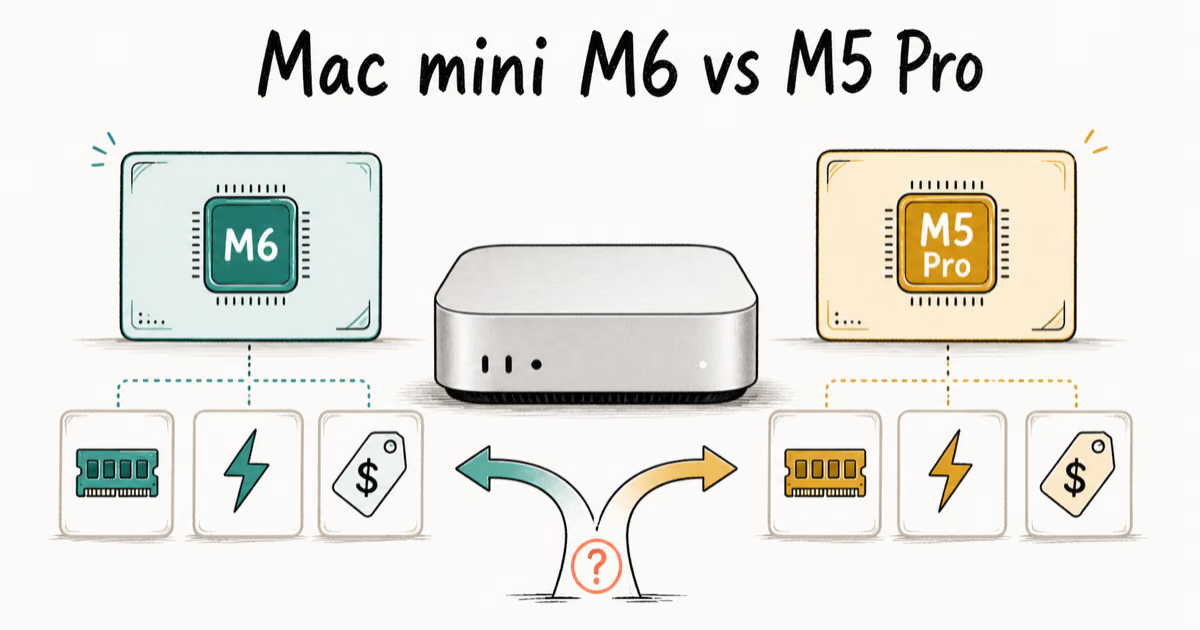
Mac mini M6 vs M5 Pro: Which Model Should You Buy?
Mac mini M6 vs M5 Pro compared on price, memory, ports, displays, and real workloads. Find the better 2026 Mac mini for your desk and budget.
Apple Siri Settlement: Who Qualifies and How to Claim
Apple's $250 million Siri settlement covers iPhone 15 Pro and iPhone 16 models bought June 2024 to March 2025. See who qualifies and how claims work.
iOS 26.6.1 Security Update: What Apple Fixed and Who Gets It
Apple released iOS 26.6.1 on August 17 with 29 security fixes, including an IPSec interception bug. See what it patches, who gets it, and how to update.
iPhone Adaptive Power: How It Works and When to Use It
Learn how iPhone Adaptive Power works, which models support it, what it changes, and when Low Power Mode is still the better battery-saving choice.