What Is an eSIM and How Is It Different From a SIM?
An eSIM is a digital SIM built into your phone. Here is how eSIM works, how it compares to a physical SIM card, and when it is the better choice.
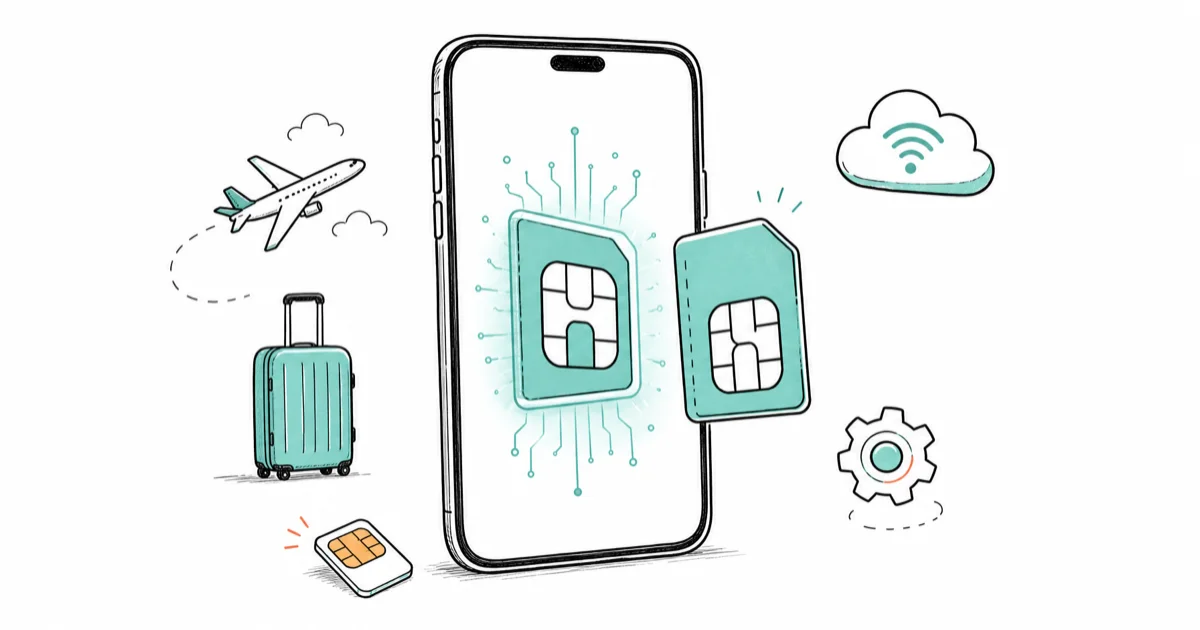
Quick AnswerAn eSIM is a digital SIM built into your phone instead of a removable plastic card. It stores your carrier plan in software, so you can activate or switch carriers without swapping a card, and you can keep several plans on the phone at once for travel.
An eSIM is a digital SIM embedded inside your phone, replacing the tiny plastic card you used to slot into a tray. Instead of physical hardware, your carrier plan lives in software you download, which means you can activate a line, switch carriers, or add a travel plan without ever touching a card. If you just bought a US iPhone and found no SIM tray, this is why.
A travel eSIM can add a data plan while keeping the home-carrier line active, so one phone can handle travel data without giving up the regular number.
- An eSIM is reprogrammable, so one phone can store several carrier plans and switch the active line in software
- US iPhone 14 and later, plus the latest Pixels, ship eSIM-only with no physical tray at all
- An eSIM can’t be popped out by a thief, which makes it harder to lose or steal your number
- Moving an eSIM to a borrowed or replacement phone is slower than swapping a card, the one real trade-off
- A travel eSIM lets you add a local data plan abroad while keeping your home number for calls and texts
#What an eSIM Is in Plain Terms
A SIM card is the chip that tells your phone which carrier and number to use. An eSIM does the same job with the chip soldered in.
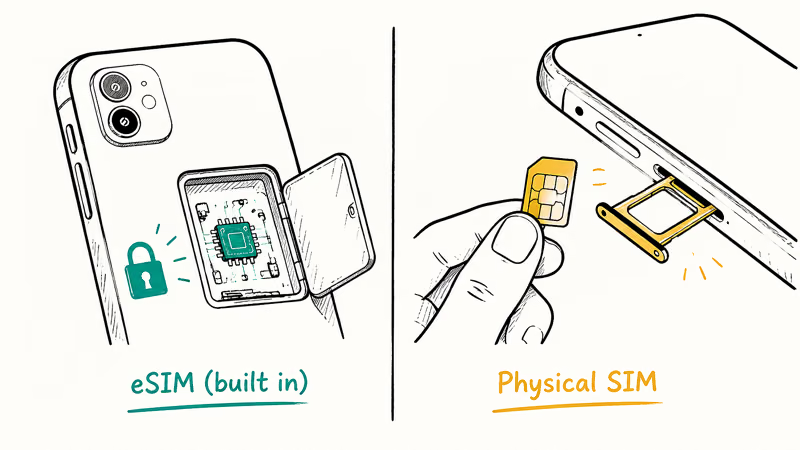
Google’s Pixel eSIM explainer states that an eSIM is a digital SIM that lets you activate your cellular network without inserting a card, and that because it’s embedded, it’s more secure and less damage-prone than a physical SIM. That security point is underrated: a thief can’t pull your number out of a stolen phone the way they can eject a plastic card.
You activate one by scanning a carrier QR code or using the carrier’s app, and the profile downloads in a minute or two. After that it behaves like any SIM, with the same number, texts, and data you’d get from a plastic card. The convenience shows up later, the first time you change carriers or land in another country and add a plan from the couch instead of a store.
#How Does an eSIM Actually Work?
The hardware is a small reprogrammable chip the carrier writes to remotely, and your phone can hold several of these downloaded profiles at once.
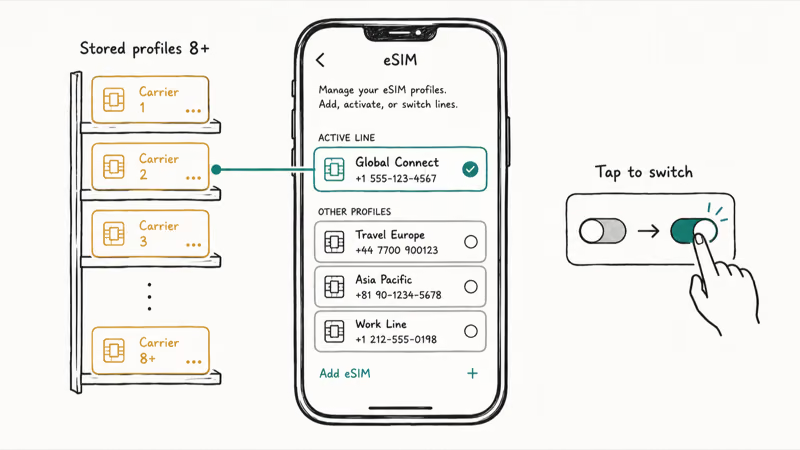
Apple’s eSIM travel guide confirms an iPhone can store 8 or more eSIMs and swap which is active in Settings. The active line is controlled from Cellular settings, so switching plans doesn’t require moving a physical card.
Two of those profiles can even be live together. Google’s Pixel dual-SIM guide states that you can run 2 eSIM profiles at once on a Pixel 7, Pixel 7 Pro, or later, as long as your carrier allows it.
That’s the real shift in how you think about a SIM. A physical SIM is one plan at a time, swapped by hand whenever you want a different number or carrier. An eSIM turns the same chip into a small library of plans your phone keeps loaded and ready, where you pick which one is live in a couple of taps and the carrier never has to mail you anything.
#eSIM vs Physical SIM, Side by Side
The day-to-day experience is identical. The mechanics differ in ways that only matter when you switch phones or travel, where a physical SIM stays portable and instant to move while an eSIM is faster to activate and impossible to lose, yet slower to transfer between devices.
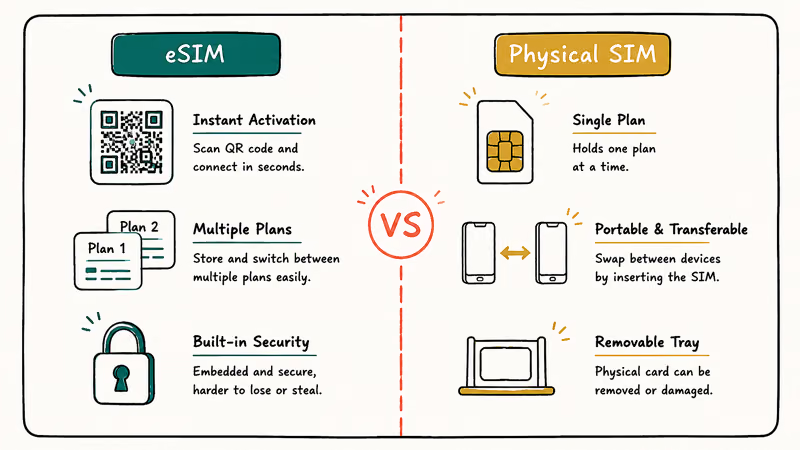
Comparison of eSIM and physical SIM across the choices that matter most.
| Factor | eSIM | Physical SIM |
|---|---|---|
| Activation | Scan a QR code, ready in minutes | Wait for or buy a card |
| Switching carriers | Download a new profile in software | Order and insert a new card |
| Multiple plans | Store several, switch the active line | One card, one plan |
| Security | Can’t be removed by a thief | Can be ejected and swapped |
| Moving to a new phone | Transfer flow, not instant | Pop it out, slot it in |
| Travel | Add a local data plan in the app | Buy a local SIM at the airport |
Switching to an iPhone? The guide to activating an iPhone without a SIM covers the first-boot screens you’ll hit, and if a line ever shows the dreaded no-service message, the fix for iPhone no service applies whether the line is eSIM or physical.
#What Are the Downsides of an eSIM?
The honest catch is portability. Swapping a physical SIM into a borrowed phone takes 10 seconds, while moving an eSIM means running a guided transfer flow on both devices, and if your phone is dead or broken, that flow can be hard to start at all.
Carrier support also varies. Most major US carriers support eSIM, but smaller regional and prepaid carriers abroad still lean on plastic, so confirm yours offers it before you rely on eSIM-only travel.
There’s a recovery angle too. If you hard-reset a phone or it dies, you may need the carrier to re-issue the eSIM profile rather than just moving a card. The guide to transferring an eSIM to a new phone walks through the supported transfer path so you don’t get stuck. For an existing line that suddenly stops connecting, see cellular data not working.
#Activating and Moving an eSIM
Activating is the easy part. Your carrier gives you a QR code or an in-app activation, you scan or tap it, and the profile downloads. On a new iPhone, you can often transfer your eSIM from your old phone during the setup assistant, before you’ve even finished signing in.
Apple’s eSIM guide confirms that a phone with a SIM tray can run a physical SIM and an eSIM together as a dual-SIM setup, which is how most people keep a home number plus a travel data plan, a fallback for spotty coverage, or a work and personal line on one device, all without ever opening the tray. On eSIM-only phones, you simply run two eSIM profiles instead and the experience is the same.
Moving an eSIM later is the part people underestimate. It’s a guided transfer, not a card swap, so do it while both phones still work and you can confirm the new line before retiring the old one. If a carrier doesn’t support self-transfer, a quick call gets the profile re-issued to the new device, usually in minutes. And if the new phone shows full bars but won’t load anything, that’s the classic case of eSIM data not working after transfer.
#Travel eSIMs and Roaming
Travel eSIMs are where the technology shines. Services like Airalo and Holafly sell short-term local data plans you buy in an app and activate when you land, sidestepping expensive roaming and airport SIM kiosks entirely.
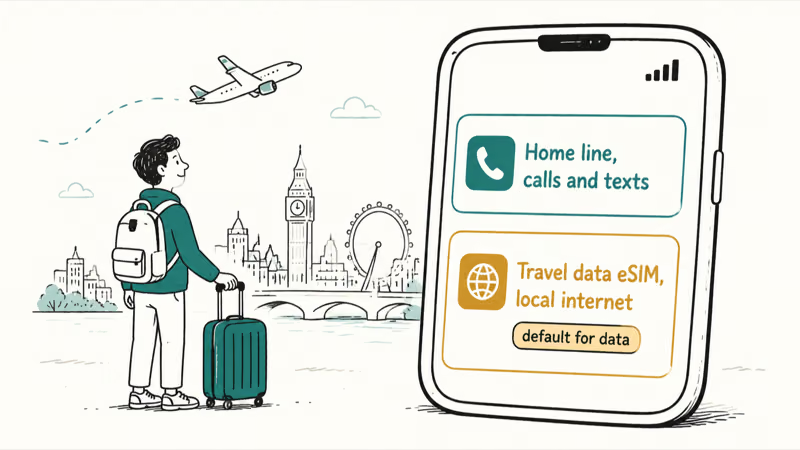
The setup is simple: keep your home eSIM for calls and texts, add the travel data eSIM, and set the travel plan as your default for data only. You arrive connected, and your home number still rings. When a line refuses to connect abroad, the note on could not activate cellular data network covers the common activation hiccup.
#Bottom Line
For most people an eSIM is the better default now. It activates in minutes, holds multiple plans for travel, and can’t be popped out by a thief. The one real catch is portability: moving an eSIM to a borrowed or replacement phone isn’t as instant as swapping a card, so if you hot-swap phones often, keep that friction in mind. On a US iPhone the choice is already made for you, since iPhone 14 and later are eSIM-only.
#Frequently Asked Questions
Is an eSIM better than a physical SIM card?
For most users, yes. It activates faster, stores multiple plans, and can’t be stolen out of the phone, and the only place a physical SIM clearly wins is the instant portability of popping the same card between two devices in seconds.
Can I have two phone numbers on one phone with eSIM?
Yes. A phone with a SIM tray runs one physical SIM plus one eSIM, while eSIM-only phones run two eSIM profiles, and you pick which line handles calls, texts, and data.
Do all phones support eSIM?
No, but most modern flagships do, and several recent Apple, Samsung, and Google models are eSIM-only.
Can I move my eSIM to a new phone?
Yes, through a guided transfer rather than a card swap. Do it while both phones work, since a dead or broken phone makes the transfer harder. If self-transfer fails, your carrier can re-issue the profile to the new device.
Is an eSIM more secure than a SIM card?
In one important way, yes. A thief can’t eject an embedded eSIM to hijack your number.
Do I need an eSIM for international travel?
You don’t need one, but it’s the easiest option. A travel eSIM lets you add a local data plan in an app before you land while keeping your home number active, instead of hunting for a SIM card at the airport.

Apple Siri Settlement: Who Qualifies and How to Claim
Apple's $250 million Siri settlement covers iPhone 15 Pro and iPhone 16 models bought June 2024 to March 2025. See who qualifies and how claims work.

iOS 26.6.1 Security Update: What Apple Fixed and Who Gets It
Apple released iOS 26.6.1 on August 17 with 29 security fixes, including an IPSec interception bug. See what it patches, who gets it, and how to update.

iPhone Adaptive Power: How It Works and When to Use It
Learn how iPhone Adaptive Power works, which models support it, what it changes, and when Low Power Mode is still the better battery-saving choice.

How to Transfer Data to a New iPhone Without iCloud
Move everything to your new iPhone without iCloud: Quick Start device-to-device transfer, wired migration, and encrypted Finder or iTunes backups.