This Device Was Reset: How to Fix the Google Sign-In Lock
See 'This device was reset' on your phone after a factory reset? Here's how to sign back in using your Google account, with safe FRP bypass options.
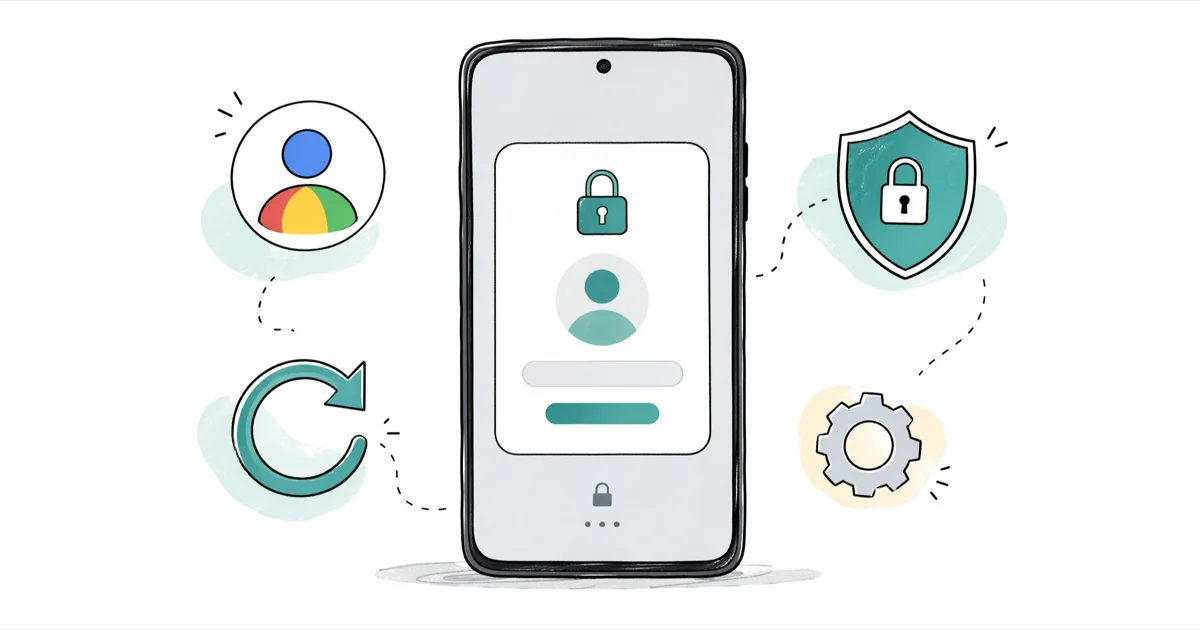
Quick AnswerThe 'This device was reset' screen is Google's Factory Reset Protection asking for the last Google account used on the phone. Sign in with that account or run Google's official account recovery to regain access.
Seeing This device was reset. To continue, sign in with a Google account after a factory wipe means you’ve hit Factory Reset Protection (FRP). It’s an Android security gate built to stop thieves from reusing a stolen phone. The fix is straightforward when the device belongs to you.
Sign in with the Google account that was last on the phone, or run Google’s official account recovery flow on a desktop browser. Third-party FRP tools exist for genuine ownership cases like used phones with no contact info, but they’re a last resort, not a starting point.
- The “This device was reset” screen is Factory Reset Protection (FRP), built into Android 5.1 and later to block stolen phones from being wiped and resold by force.
- The supported fix is signing back in with the previous Google account or running Google’s account recovery flow, and it works on every Android brand from Samsung to Pixel.
- FRP is tied to the Google account, not the SIM card; swapping carriers or wiping the phone again won’t clear it.
- Removing your Google account in
Settings>Accounts>Removeaccount before a factory reset stops FRP from triggering on the next boot. - FRP bypass tools are legal only on a device you own; bypassing a stranger’s lock is a federal offense in the US under the Computer Fraud and Abuse Act and similar laws elsewhere.
#What Does “This Device Was Reset” Actually Mean?
The message shows up when an Android phone is factory reset without first removing its linked Google account. Google’s Android documentation confirms that the gate has been default behavior since Android 5.1 shipped in 2015, and the factory reset help page explains that the system stores a hashed copy of the last Google credentials on the device itself. Setup won’t continue until the same account signs in.
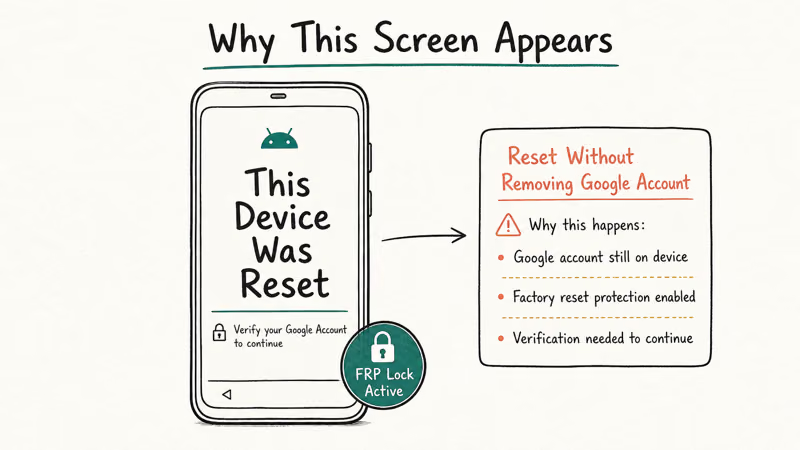
That gate is FRP. Samsung calls it Factory Reset Protection. Google calls it Device Protection. Same lock, same fix.
The lock isn’t a glitch. It’s working as intended. Carrier stores and refurb shops file this complaint daily, and almost every help-desk operator will point you back to the original Google account.
If you’re locked out of the phone but not the account, this is the easiest scenario you can land in. Skip ahead to Step 1. If you’ve forgotten the email or password too, recovery still works, just slower.
#How Can You Sign Back In on Your Own Device?
Three paths work on a phone you legitimately own. Start with the Google account that was last signed in. That’s the only account FRP will accept, even if you’ve added newer accounts since. If you can’t remember the password, run Google’s account recovery flow from a separate browser, and most owners get back in within 24 hours.
On a Samsung Galaxy or a Pixel, the recovery email usually arrives within minutes once you answer the security questions correctly. If the phone number still on file matches the SIM sitting in the device, Google can often verify ownership by SMS almost immediately, which is the fastest version of the flow. Either way, once Google confirms you, the phone clears FRP on the next boot and continues setup normally.
If account recovery fails, your second path is the device manufacturer. Samsung, Google, and OnePlus will lift FRP for owners who can produce a receipt, IMEI photo, and a government ID. The process is slower and demands proof, but it costs nothing.
The third path is third-party FRP tools, and it only makes sense after the first two have failed. We’ll cover that further down, with the legal scope spelled out.
#Step 1: Recover Your Google Account (Free, Official Path)
Go to accounts.google.com/signin/recovery on a desktop browser. Enter the email address that was on the phone, then walk through Google’s verification questions. Google recommends running recovery from a device, browser, and location you’ve used before, because that history boosts the system’s confidence and shortens the review.
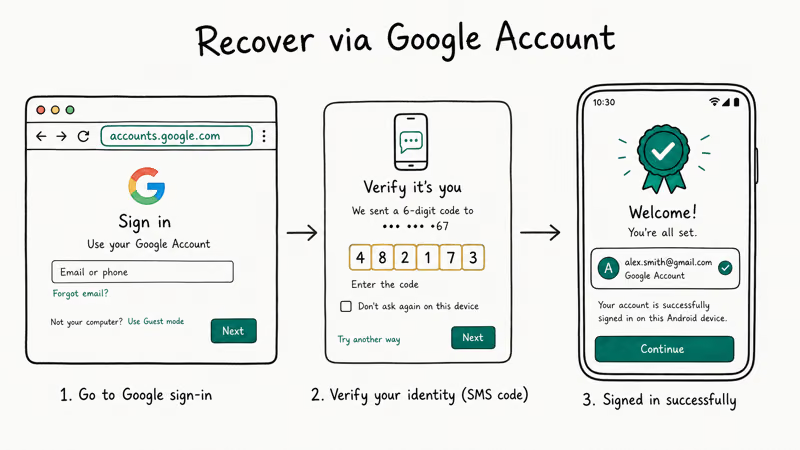
Pick the option to send a verification code to a recovery email or phone if you set one up. Don’t guess answers. Wrong guesses delay everything.
Once you reset the password, plug it into the FRP screen on the phone. The device should accept it and continue setup. If you’d rather use the new password to clear other Google sign-in messages too, our guide on forgot Android password walks through password rotation across linked services.
A few timing notes worth flagging:
- Google can rate-limit recovery if you’ve changed the password very recently. Wait 24-72 hours.
- Recovery from a brand-new IP or country triggers extra checks. Use home Wi-Fi, not a coffee shop.
- Two-step verification can be re-issued through the recovery flow if you lost the authenticator.
#Step 2: Contact the Manufacturer With Proof of Purchase
Manufacturers can clear FRP from their end, but they treat it like an unlock request, not a tap-to-fix flow. Samsung’s Find My Mobile support page confirms that the Remote Unlock function only works when Find My Mobile and a Samsung account were active before the lockout. After FRP triggers, that flow is closed, and the only remaining lever is a service request through Samsung Members or a service center visit.
What you’ll need on hand:
- Original receipt or order confirmation showing the IMEI
- A photo of the IMEI label on the box and on the phone (dial *#06# to display it)
- Government ID matching the receipt name
Plan on 3-7 business days at most carriers. Apple-style same-day clearance isn’t standard on the Android side. If your phone is from a smaller brand and support is slow, our Samsung FRP tool guide and bypass FRP with PC walkthroughs cover the most common alternative methods owners try when official support stalls.
#Step 3: Use a Trusted FRP Tool If You Bought the Phone Used
This step is only legal on a phone you own. Bypassing a stranger’s lock is illegal under the US Computer Fraud and Abuse Act, the UK Computer Misuse Act, and most equivalent statutes globally. If you can’t show ownership, stop here and return the phone.
Used buyers with no path to the original owner are the legitimate case here.
iToolab UnlockGo for Android handles the Google account verification screen on most Samsung models from the S6 onward and Android 6 to Android 14. Plug the phone into a computer, pick Remove Google Lock (FRP), and follow the on-screen instructions.
Some links on this page are affiliate links, which means fone.tips may earn a commission at no extra cost to you.
The tool tries an OEM-specific exploit chain in the background, and the whole process generally finishes in 10-25 minutes. It won’t touch the partition that holds your data, but it will reset the device, so don’t expect to recover anything that wasn’t already backed up.
Tenorshare 4uKey for Android covers a similar matrix and adds Huawei, Vivo, and Oppo support. The flow asks you to pick the model, put the phone into download mode, and let the desktop app push a firmware package. After the package flashes, the lock screen and FRP gate clear together. For a side-by-side breakdown of the leading utilities, see our roundup of the best FRP bypass programs.
A few realities the marketing pages don’t lead with:
- These tools update slowly compared to Google’s patch cadence; some Android 15 phones aren’t supported yet.
- Tier-1 carrier devices with carrier locks will need additional steps after FRP clears.
- Some bypass methods rely on accessibility loopholes that Google plugs every quarter, so a method that worked in 2024 may fail in 2026.
If your phone has a screen lock issue separate from FRP, our walkthrough on unlocking an Android password without losing data covers PIN, pattern, and biometric lockouts that don’t touch FRP.
#How to Avoid the FRP Lock on Your Next Reset
The cleanest fix is to never trigger FRP in the first place. Before any factory reset, do these three things in order:
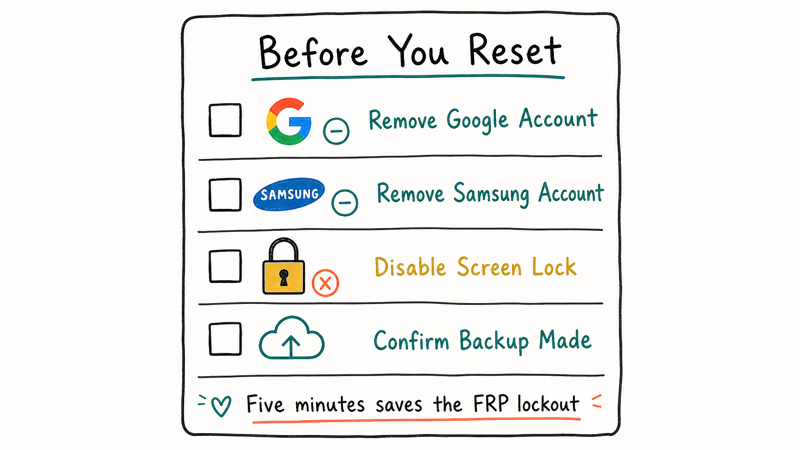
- Open
Settings>Accounts(orSettings>Passwords &accounts on Pixel). - Tap your Google account, then Remove account. Confirm the prompt.
- Reboot once, then proceed with the factory reset.
Removing the account before the wipe tells Android that the next setup doesn’t need to be guarded. FRP won’t trigger.
If the phone is already lost or being sold, use the remote path instead. Sign in to android.com/find on a browser, pick the device, and choose Erase device. Google’s remote erase removes the account binding as part of the wipe, so the next user can set the phone up with their own Google credentials.
For phones you’ve inherited or bought used, ask the previous owner to do the remote erase from their account before you try anything else. It’s faster than recovery, free, and avoids every gray-area workaround.
#Bottom Line
If “This device was reset” is staring at you and the phone is yours, run Google’s account recovery flow first because it clears most FRP cases without any third-party software. Reach out to Samsung, Google, or your manufacturer’s support with proof of purchase if recovery fails.
Reserve iToolab UnlockGo or Tenorshare 4uKey for the narrow case of a used phone with no path back to the original account, and only on a device you can prove you own.
#Frequently Asked Questions
Why does my Android phone ask for a Google account after a factory reset?
That’s Factory Reset Protection. Android 5.1 and newer phones store a record of the last Google account, and setup checks for that account on every fresh boot. The check blocks thieves from wiping a stolen phone and reusing it, which is why even a clean reset triggers the prompt.
Will another factory reset clear “This device was reset”?
No. FRP is tied to the Google account record, not the system partition.
Is using an FRP bypass tool illegal?
It depends on ownership. On a phone you own with proof of purchase, FRP bypass is legal in the US, UK, EU, and most other jurisdictions. On a phone that isn’t yours, it can be a federal offense under the Computer Fraud and Abuse Act in the US and similar computer-misuse laws abroad. Always confirm ownership before running a bypass.
How long does Google account recovery usually take?
Most successful recoveries finish within 24 hours. Some take 3 to 5 business days when Google’s risk model wants additional verification. Recoveries that fail at the first attempt often succeed on a retry from a familiar device and IP, so try again from your home network before assuming the account is unreachable.
Can I prevent the FRP lock without losing my data?
Yes. Remove your Google account in Settings > Accounts before the reset, and FRP won’t trigger on the next boot.
What if the previous owner of my used phone is unreachable?
Email the seller first and ask them to remote-erase the phone from android.com/find. If they don’t respond, return the phone if the marketplace allows it. If you’ve already passed the return window and have a clear receipt and serial number, contact the manufacturer’s support team and request an FRP clear under their used-device policy. Some brands will help, others won’t.
Do FRP bypass tools work on Android 14 and 15?
Coverage varies by brand. Samsung Galaxy phones on Android 14 are well-supported by both iToolab UnlockGo and Tenorshare 4uKey. Pixel devices on Android 14 have partial support. Android 15 support is rolling out unevenly because Google patches the loopholes that bypass tools rely on roughly every quarter, so check the vendor’s compatibility page before purchasing.

Pixel 11 vs Pixel 10: What Changed and Who Should Upgrade
Pixel 11 vs Pixel 10: same screen and camera resolution, new Tensor G6, 25W wireless, and Gemini Intelligence. Here is who should actually upgrade.

Verizon Not Receiving Texts? How to Fix It in 9 Steps
Verizon not receiving texts? Fix it in 9 steps: check Message Blocking in My Verizon, reset network settings, deregister iMessage, and call support.

Pixel Battery Drain: What Google's July Fix Really Covers
Google marked the Pixel idle battery drain bug fixed in July, but only some phones got the patch. Here is who is covered, who is not, and what to try.

iPhone Stuck on EDGE? How to Get 5G or LTE Back (2026)
iPhone stuck on EDGE with crawling data? Here's why the E icon appears, which settings force 5G or LTE back, and when the problem is your carrier.