Samsung SmartTag 2 vs AirTag: Which Tracker Wins in 2026?
Samsung SmartTag 2 vs AirTag compared on phone compatibility, finding networks, UWB precision, battery, and water resistance. Pick the right tracker.
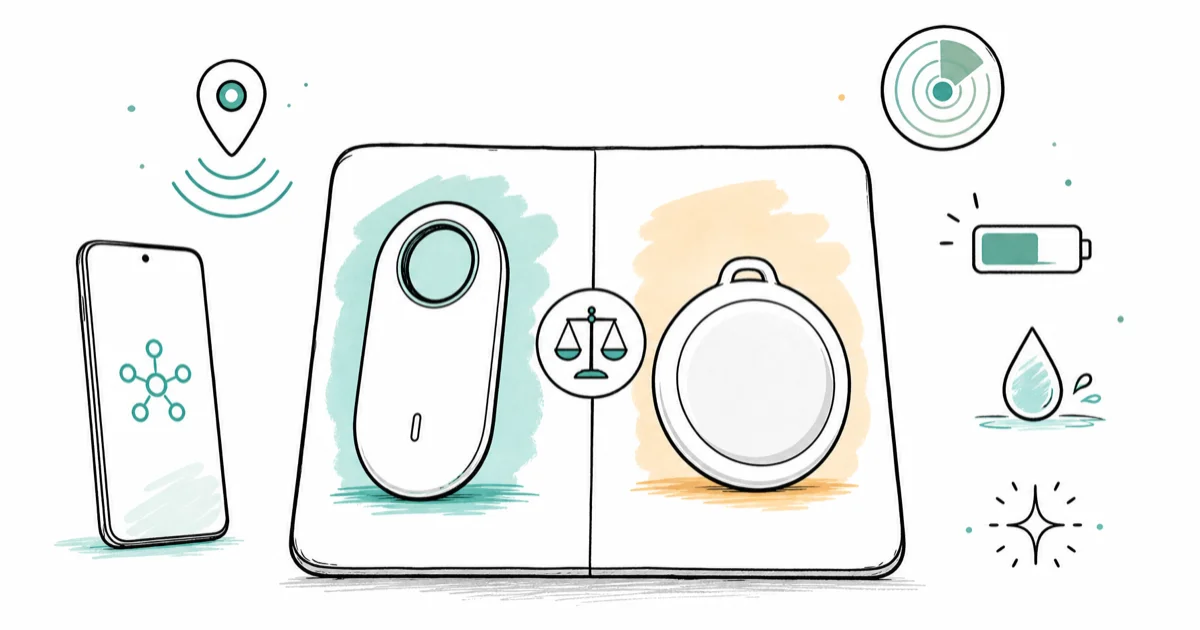
Quick AnswerYour phone decides. SmartTag 2 only works with Galaxy on SmartThings Find; AirTag only works with iPhone on Find My.
Samsung SmartTag 2 vs AirTag is the wrong question to ask first, because each tracker locks to one phone ecosystem. The verdict comes down to compatibility before any spec sheet decides anything.
- SmartTag 2 only pairs with Samsung Galaxy phones running SmartThings Find; it has no iPhone app
- AirTag only pairs with iPhones on the Find My network; it shows up as Unknown Accessory on Android
- Both trackers use UWB precision finding, but only on UWB-equipped phones (Galaxy S/Note flagships, iPhone 11 and newer)
- Apple rates AirTag at IP67, while Samsung rates SmartTag 2 at IP67 with a built-in keyring hole
- Battery is replaceable on both (CR2032), and Samsung claims up to 700 days in Power Saving mode
#Why Phone Compatibility Decides Everything
Cross-platform support is the headline, and neither tracker has it. SmartTag 2 needs a Samsung Galaxy phone running SmartThings Find. There’s no iOS app at all. AirTag needs an iPhone running Apple’s Find My, and the Find My app isn’t available on Android.
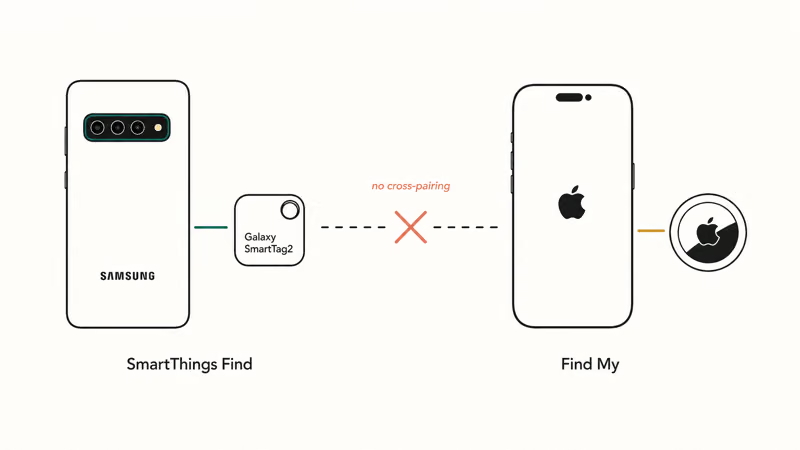
You can still detect the other side’s tag if it’s moving with you. iPhones warn you about unknown AirTags or Find My-network accessories, and recent Galaxy phones do the same for SmartTags.
Apple and Google rolled out a shared unwanted-tracker standard in 2024. The standard helps with stalking protection but won’t let you set up the other ecosystem’s tag.
If you mix devices in your household, that’s a real limitation. A family with both iPhones and Galaxies can’t share a single tracker brand across all members and have everyone get full functionality. The simplest approach is to buy whichever tag matches each person’s primary phone.
#How the Two Finding Networks Compare
Both trackers piggyback on a crowd-sourced network of phones owned by other users. When any compatible phone walks past your lost tag, it anonymously reports the location back to you.
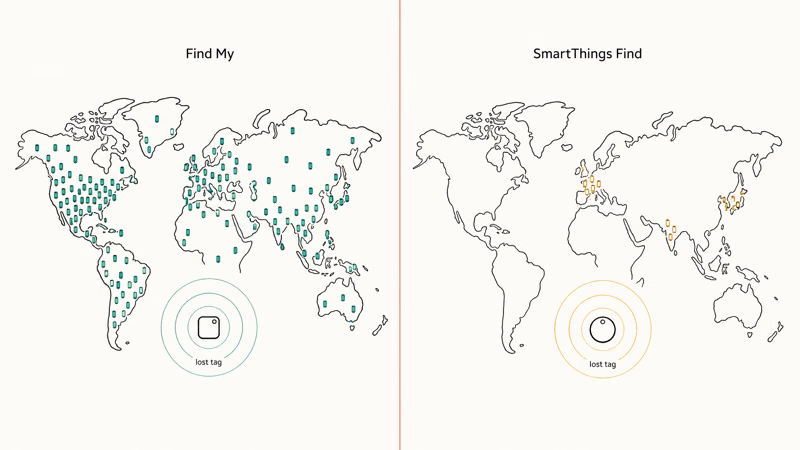
Apple’s Find My network is huge. Samsung’s is meaningful in its niche. According to Apple’s Find My overview, the network draws on over a billion iPhones, iPads, and Macs worldwide. Samsung’s SmartThings Find is smaller in absolute terms but dense in regions with high Galaxy market share. South Korea, India, and parts of Europe see the strongest coverage.
In a quiet suburban area, an AirTag usually updates faster than a SmartTag 2, because more iPhones pass by. In dense, mixed-phone areas that gap shrinks. Neither tag crosses platforms, so if you need one that works on both, compare AirTag against Tile instead.
This gap matters most for lost-in-public scenarios. For lost-at-home use cases like keys under a couch cushion or a backpack in the wrong room, both tags rely on direct Bluetooth or UWB. The network barely enters the picture.
#What UWB Precision Finding Actually Does
Both SmartTag 2 and AirTag include a U1 or UWB chip that gives you turn-by-turn directional guidance once you are within roughly 30 feet. The phone shows an arrow and a distance readout that update in real time as you move.
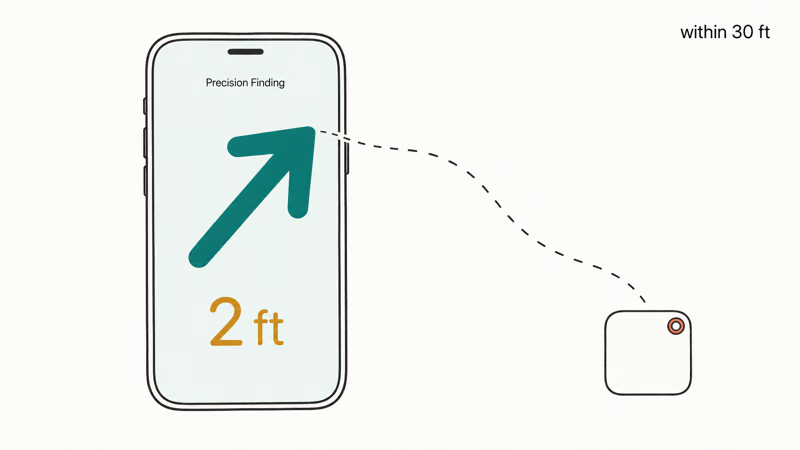
This only works on UWB-equipped phones. Apple states that Precision Finding requires an iPhone 11 or later (the iPhone SE is excluded because it lacks the U1 chip). Samsung’s UWB support covers the Galaxy Note 20 Ultra, S21+ and above, S22+ and above, S23+ and above, S24+ and above, and the Galaxy Z Fold series. A base Galaxy S24 has UWB; a Galaxy A-series budget phone doesn’t.
On a UWB Galaxy phone, the SmartTag 2 precision-finding arrow snaps to within a foot or two of the tag once you get close, and AirTag on a UWB iPhone behaves nearly identically. The technology is essentially the same; you just need the right phone.
If your phone lacks UWB, you fall back to a beeping speaker and an approximate Bluetooth signal strength reading. That still works. It feels noticeably less magical.
#Battery, Water, and Sound: A Spec Snapshot
Both tags use a standard CR2032 coin-cell battery you can swap yourself. Apple says AirTag lasts about a year on a single battery. Samsung says SmartTag 2 lasts up to 500 days in Normal mode and up to 700 days in Power Saving mode, according to its SmartTag 2 product page.
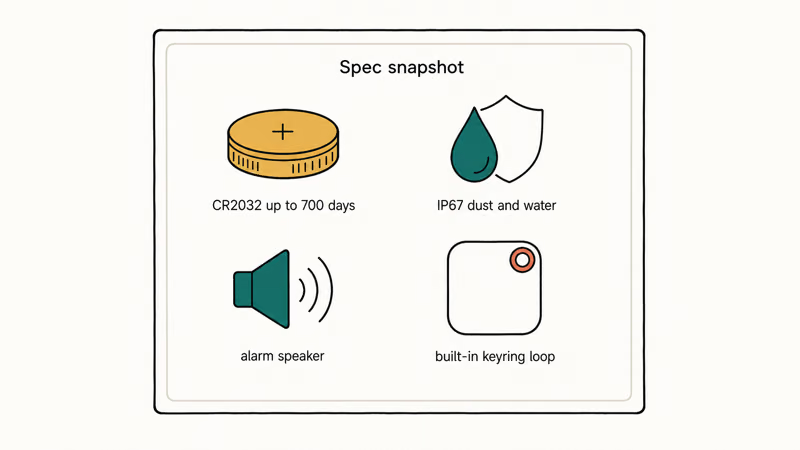
| Feature | Samsung SmartTag 2 | Apple AirTag |
|---|---|---|
| Phone ecosystem | Galaxy only | iPhone only |
| Finding network | SmartThings Find | Find My |
| Battery (replaceable) | CR2032, up to 700 days (Power Saving) | CR2032, about 1 year |
| Water/dust rating | IP67 | IP67 |
| UWB precision finding | Yes, on UWB Galaxy phones | Yes, on iPhone 11 and later |
| Built-in keyring hole | Yes | No (accessory required) |
| Speaker | Built-in, multi-pattern alarm | Built-in, single tone |
Comparison of Samsung SmartTag 2 and Apple AirTag core features
Water resistance is identical at IP67. Both shrug off sweat, rain, and an accidental quick dunk in a puddle. Neither is rated for swimming or extended submersion. Both have built-in speakers, though Samsung’s is louder and offers a multi-pattern alarm mode you can trigger from the SmartThings Find map.
Form factor is where Samsung lands a small win. SmartTag 2 has a keyring hole molded into the body, so you loop it onto keys directly. AirTag is a smooth disc that needs a case or keychain accessory (sold separately), with options from cheap silicone sleeves up to designer leather.
#Each Tracker in Detail
Here is how each tag looks today, with current pricing on Amazon and the key trade-offs for each.
#Samsung Galaxy SmartTag 2
The SmartTag 2 is the longer-battery, larger-bodied pick of the pair, and the only one that gives Galaxy owners a built-in keyring hole. UWB and the 700-day Power Saving battery are the headline upgrades over the original SmartTag.
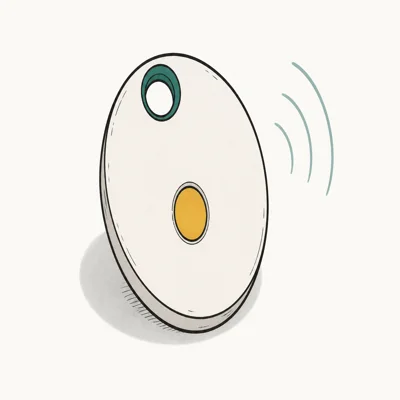
- Up to 700 days on a single CR2032 in Power Saving mode
- Built-in keyring hole, no case needed for keys
- UWB Compass View on UWB Galaxy phones
Last updated on May 26, 2026
As an Amazon Associate fone.tips earns from qualifying purchases. Prices and availability on Amazon are accurate as of the date above and subject to change.
- Longest battery life of any major tracker, up to 700 days
- Keyring hole molded into the body, no separate accessory
- UWB precision finding on supported Galaxy phones
- IP67 dust and water rating, multi-pattern alarm
- Galaxy phones only, no iOS or Pixel support
- UWB requires a UWB-capable Galaxy (S21+ and newer flagships)
- Larger and chunkier than AirTag
#Apple AirTag
AirTag is the simpler-looking, slightly smaller disc with the larger relay network behind it. Find My pulls from a vastly bigger global pool of devices, which is what makes lost-in-public recoveries feel almost casual on an iPhone.
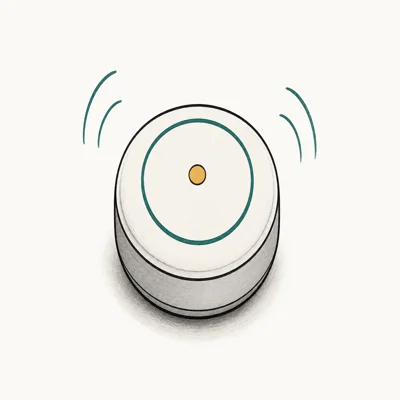
- Find My taps over a billion Apple devices worldwide
- Precision Finding via U1 on iPhone 11 and later
- One-tap setup near any iPhone, no separate account
Last updated on May 26, 2026
As an Amazon Associate fone.tips earns from qualifying purchases. Prices and availability on Amazon are accurate as of the date above and subject to change.
- Largest crowd-sourced finding network of any tracker
- Precision Finding feels instant on UWB iPhones
- Smaller, lighter disc that hides in pockets and bags
- One-tap setup with any iPhone signed into iCloud
- iPhone only, no Android setup or full tracking
- No keyring hole, accessory required for most use cases
- Rated battery life trails SmartTag 2 by months
#Are These Trackers Safe From Being Used to Stalk You?
This is the most-asked question, and the honest answer is both companies have spent years tightening the protections.
If an unfamiliar AirTag travels with you, your iPhone shows an Item Safety Alert and the tag eventually starts beeping on its own. Google’s current Find My Device page is the live source for Android lost-device and tracker-network behavior. Samsung built similar Unknown Tag alerts into SmartThings Find for unwanted SmartTags.
If you suspect a tag is on you, our guide to how to find an AirTag tracking you walks through the iPhone and Android steps. No system is bulletproof. A tag with the speaker physically disabled (rare but possible) can be harder to detect. If you ever feel unsafe, contact local law enforcement.
For families, the same features let you reverse the script. Apple’s Find My and Samsung’s SmartThings Find both support sharing a tag with family members. Multiple people can then locate the same keys or a kid’s backpack legitimately.
#Which Tracker Should You Buy?
Use the table below as a fast filter, then read on for the edge cases.
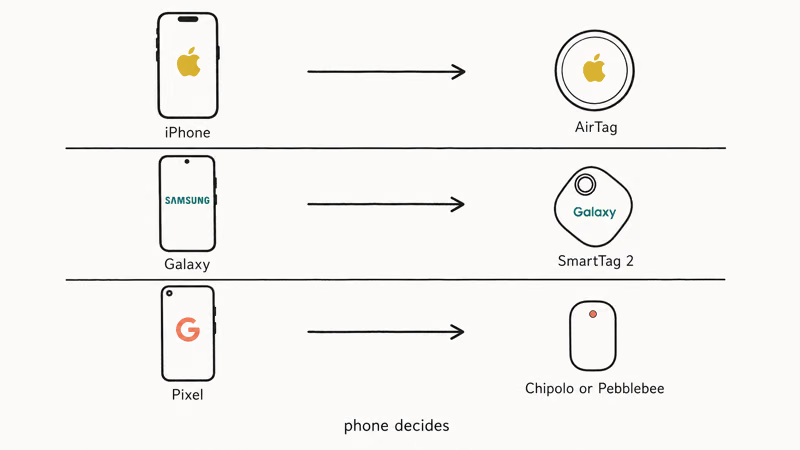
| Your phone | Recommended tracker | Why |
|---|---|---|
| iPhone (any model since 2018) | AirTag | Find My is the only finding network available to you |
| Galaxy S, Note, Z Fold, or Z Flip (recent) | SmartTag 2 | SmartThings Find is the only finding network available to you |
| Google Pixel | Use Google’s Find My Device + a Chipolo or Pebblebee tracker (not these two) | Neither AirTag nor SmartTag 2 supports Pixel as primary phone |
| Mixed-platform household | Buy whichever matches each person’s daily phone | Cross-ecosystem use is not supported by either tag |
If you also need to track a fully offline device, you’re limited to whatever location the tag last reported before it went dark. Neither AirTag nor SmartTag 2 has cellular or GPS. For active-GPS trackers with their own SIM, see our micro GPS tracking device roundup.
For a broader Android-friendly comparison including Chipolo and Pebblebee, our best Bluetooth tracker for Android guide pits the alternatives side by side. If you’ve already lost the phone itself, the steps in how to track a lost phone cover both iOS and Android.
#Where to Buy and What to Pay
Both tags are sold direct from the brand and through major retailers like Best Buy, Target, and Amazon, and street prices shift constantly with seasonal promotions and bundle deals. As a rough tier, both sit in the budget-to-mid tracker range: a single unit costs less than a typical pair of wireless earbuds, while two-packs and four-packs drop the per-unit price enough to make tagging several items worthwhile.
Buy in multipacks if you plan to tag more than one item. A two-pack covers keys and a backpack. A four-pack adds two more slots. Check current pricing before checkout.
If you only want to find a phone you already own, you don’t need a tracker at all. For smaller items that don’t fit a tag, our how to find airpod case only guide covers a related recovery path.
#Bottom Line
Galaxy phone, buy SmartTag 2. iPhone, buy AirTag. The phone in your pocket decides this comparison, not range, not loudness, not the keyring hole.
Both tags do the same core job inside their own ecosystem, and neither one helps you if you switch sides. Pixel and other non-Galaxy Android users should skip both and look at Chipolo or Pebblebee on Google’s Find My Device network, since SmartTag 2 won’t pair with them and AirTag won’t unlock its full feature set.
#Frequently Asked Questions
Does Samsung SmartTag 2 work with iPhone?
No. SmartTag 2 has no iOS app and can’t be paired with an iPhone. Your iPhone will only warn you that an unknown tracker is moving with you, thanks to the cross-platform unwanted-tracker standard Apple and Google adopted in 2024.
Does AirTag work with Android phones?
Not for setup. AirTag pairing requires an iPhone or iPad on the Find My network. Android can scan for unknown AirTags via Google’s safety tools, but won’t configure your own.
Which has better range?
Bluetooth range is similar between the two, typically about 30 to 100 feet depending on obstacles. Beyond that range, both rely entirely on the crowd-sourced network. Apple’s Find My has more participating devices globally, so AirTag tends to update faster outside the home, but in dense Galaxy markets the gap narrows.
Are SmartTag 2 and AirTag waterproof?
Both carry an IP67 rating, which means they survive dust and brief immersion in shallow water. You can leave them on keys that get rained on, dropped in puddles, or sweated against in a gym bag. Neither tag is rated for swimming, prolonged submersion, or saltwater.
Can someone use these to track me without permission?
It’s possible but harder than it used to be. Apple and Samsung have built unknown-tracker alerts into their phones, and Google added the same protection on Android in 2024. If a stranger’s tag travels with you for an extended period, your phone should warn you. Disabling a tag once you find one is straightforward: open the tag, pop out the battery, and contact local law enforcement if you have safety concerns.
Which should I buy for a Galaxy phone?
Samsung SmartTag 2 is the only option that gives you full setup, precision finding, and SmartThings Find network coverage on a Galaxy phone. An AirTag paired through someone else’s iPhone is not a real alternative because you can’t actively locate it from your Galaxy device.
Which should I buy for an iPhone?
Buy AirTag. It’s the only tracker that integrates natively with Find My, supports Precision Finding through your iPhone’s U1 chip on iPhone 11 and later, and shows up in the same app you already use to track your other Apple devices.
How long does the battery last?
Both tags use a CR2032 coin-cell battery that you can replace yourself in seconds. Apple states AirTag lasts about a year of typical use. Samsung claims SmartTag 2 lasts up to 500 days in normal use and up to 700 days in Power Saving mode. Heavy use of precision finding and frequent alarms shortens battery life on either tag.

Pixel 11 vs Pixel 10: What Changed and Who Should Upgrade
Pixel 11 vs Pixel 10: same screen and camera resolution, new Tensor G6, 25W wireless, and Gemini Intelligence. Here is who should actually upgrade.

Best Power Bank for iPad in 2026: Pro, Air, and Mini
Best power bank for iPad in 2026. Compare mAh tiers and USB-C PD wattage for iPad Pro, Air, and mini, plus airline Wh math, cables, and travel tips.

Best Power Bank With Built-In Cable: Top 2026 Picks
Best power bank with built-in cable picks for 2026. Compare single USB-C, multi-connector, and retractable laptop banks, plus airline Wh math.

Best Apple Watch Band for Working Out: Proven Picks
The best Apple Watch band for working out handles sweat and stays put on your wrist. Compare silicone, nylon, and titanium picks for runs and lifts.