Fix Ring Notifications Not Working on Android (2026)
Fix Ring notifications not working on Android by checking permissions, battery optimization, device alert toggles, DND, cache, and reinstall steps.
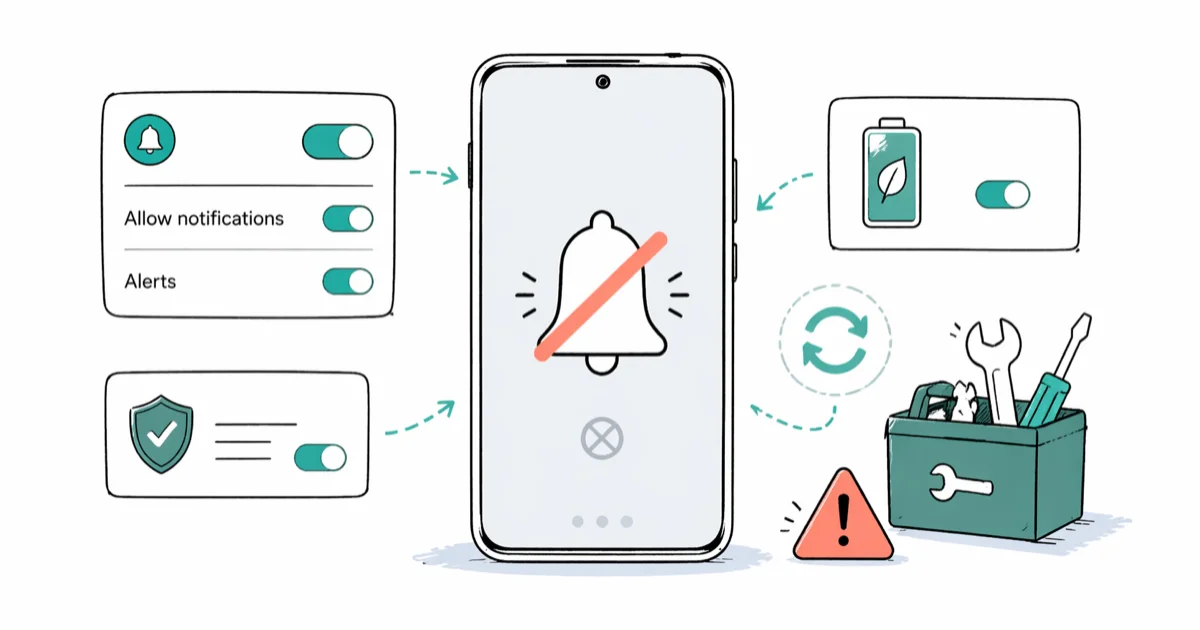
Quick AnswerOpen Settings > Apps > Ring > Notifications and turn Show Notifications on. Then open the Ring app, tap each device, and confirm Ring Alerts and Motion Alerts are both enabled. Finally, go to Settings > Battery > Battery Optimization, find Ring, and set it to Don't Optimize so Doze mode stops throttling background alerts.
Your Ring doorbell records the visitor and the porch motion event lands in your timeline, but your Android phone never lights up. No chime, no banner, no badge. Ring notifications on Android pass through three independent gatekeepers, and any one of them can drop the alert silently.
- Ring notifications travel through three layers on Android: the Ring app’s per-device toggles, the Android system notification permission, and battery optimization
- Battery optimization (Doze mode) is the most common silent killer because it pauses Ring’s background sync without showing any error
- Each Ring camera and doorbell has its own Ring Alerts and Motion Alerts toggles inside the Ring app, and they flip independently
- DND and Focus Mode mute Ring unless you add the Ring app to the exception list for the active schedule
- Clear Cache resets notification channels in roughly thirty seconds, doesn’t sign you out, and doesn’t delete your saved video clips
#Why Is Your Ring Sending No Android Notifications?
Ring notifications travel through three separate gatekeepers before they reach your screen. The Ring app must have alerts turned on for that specific camera or doorbell. Android must have the system-level notification permission granted to Ring. And Android’s battery optimization can’t be putting Ring to sleep in the background.
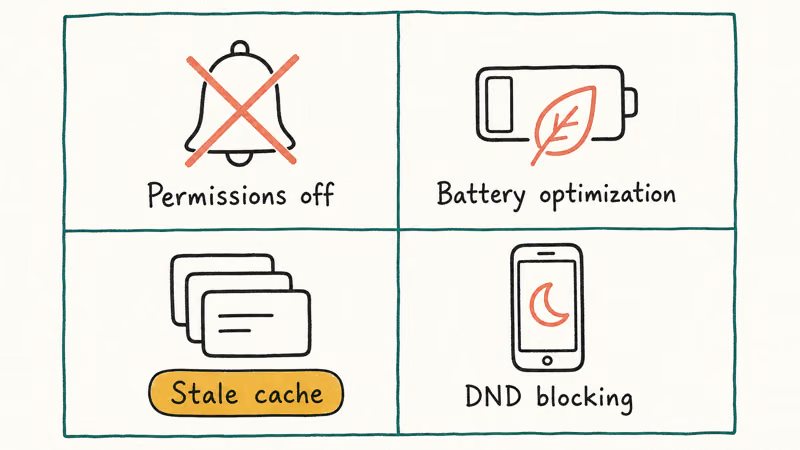
Any one of those layers can drop the alert silently. The same multi-layer permission stack causes Facebook notifications not working when one toggle is off and the rest look fine.
According to Ring’s official notification settings guide, every Ring device has independent Ring Alerts and Motion Alerts switches inside the app, and these are separate from your phone’s system notification permission. Toggling one doesn’t toggle the other.
For background, according to Ring’s Wikipedia entry, Amazon acquired Ring in 2018 and has shipped it under Amazon’s smart home group ever since (see Ring on Wikipedia). That ownership matters here because Ring’s Android app inherits the same battery and notification quirks Amazon’s other apps run into on aggressive Samsung firmware.
The gatekeepers fail in different combinations depending on the Android build. Pixel phones can restrict Ring through Adaptive Battery, while Samsung One UI adds Sleeping Apps and Deep Sleeping Apps lists that can mute Ring in the background.
#How to Enable Ring Notifications in Android System Settings?
Your phone’s operating system sits between Ring’s servers and your lock screen. Even when Ring tries to deliver an alert, Android can drop it before you ever see a banner.
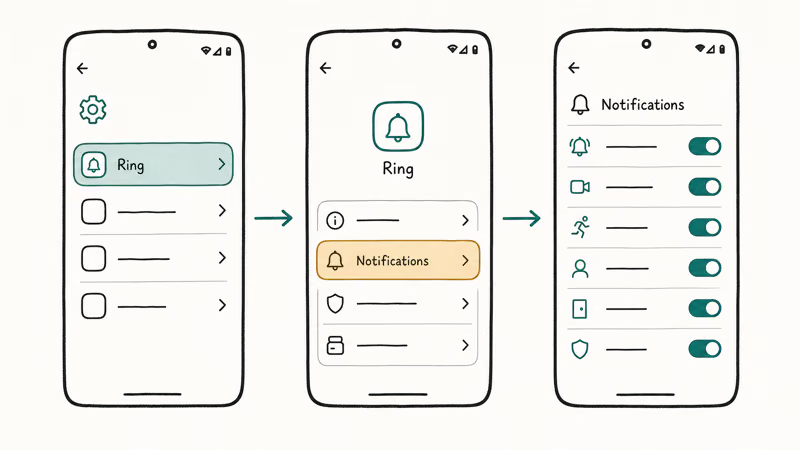
Go to Settings > Apps > Ring > Permissions > Notifications and turn the slider next to Show Notifications on. On Samsung One UI the path is Settings > Apps > Ring > App Permissions > Notifications. Below the master toggle, expand the channel list and confirm Ring Alerts, Motion Alerts, and Ding Alerts are each enabled. Each channel maps to a different alert type and they can flip independently.
According to Google’s Android docs, Android 13 introduced the POST_NOTIFICATIONS permission that apps must request on first launch. Once a user denies that prompt, the system doesn’t ask again until the app is reinstalled or the permission is granted manually in Settings. See Google’s notification permission reference for the full API behavior.
So if you tapped Don’t Allow during onboarding months ago, Ring has been blocked at the OS level ever since. There is no in-app retry.
If notifications still arrive late even after Show Notifications is on, also check that Lock screen notifications is set to Show all rather than Hide sensitive content. Hidden lock-screen content can strip the Ring banner of preview text and make an alert look like it failed when it was only redacted.
#Why Battery Optimization Kills Ring Alerts
This is the fix most people skip because the setting lives outside the Ring app and outside the notifications screen.
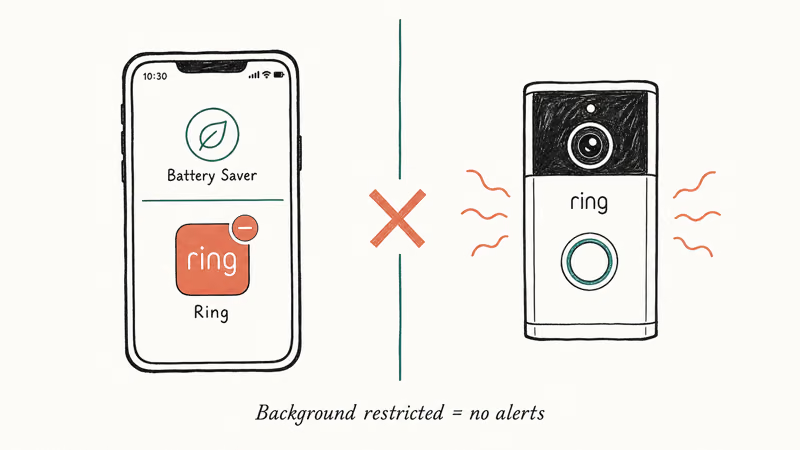
Doze mode and Android’s broader battery optimization framework put apps to sleep when the phone is idle. Ring is rarely in the foreground, so the system assumes it’s safe to throttle. The same mechanism causes delayed notifications on Android for messaging and email apps too.
Open Settings > Battery > Battery Optimization (Samsung phones may show Settings > Device Care > Battery), find Ring, and select Don’t Optimize or Unrestricted.
According to Google’s Android developer documentation on Doze and App Standby, apps that aren’t exempt from Doze have their network access, jobs, and alarms deferred until the next maintenance window, and those windows grow longer the longer the phone stays idle. That’s why your Ring motion alert sometimes lands well after the visitor has already left.
On Samsung Galaxy phones running One UI 5 and later there is a second list to clear. Go to Settings > Battery > Background Usage Limits, open Sleeping Apps and Deep Sleeping Apps, and remove Ring from both. Then move it into the Never Sleeping Apps list. Check this again after major One UI updates because Sleeping Apps can change during an upgrade.
#Clear the Ring App Cache to Fix Corrupted Notifications
App cache can break notification channel registration. A cache clear is reversible and doesn’t delete Ring videos.
Go to Settings > Apps > Ring > Storage > Clear Cache. Tap Clear Cache, not Clear Data. Clear Data signs you out, drops every device pairing, and forces you to log back in. Clear Cache only deletes temporary files and forces Ring to rebuild its local index on the next launch.
Reopen Ring, then trigger motion or a doorbell press to confirm alerts return.
If the same Android phone is also having trouble with Android camera not working, corrupted cache breaks both apps the same way and the same fix often resolves both.
#Check DND and Focus Mode Settings
DND and Focus Mode are the silent reason many alerts fail at night. People schedule DND for sleep, forget about it, and never realize Ring is being muted along with everything else.
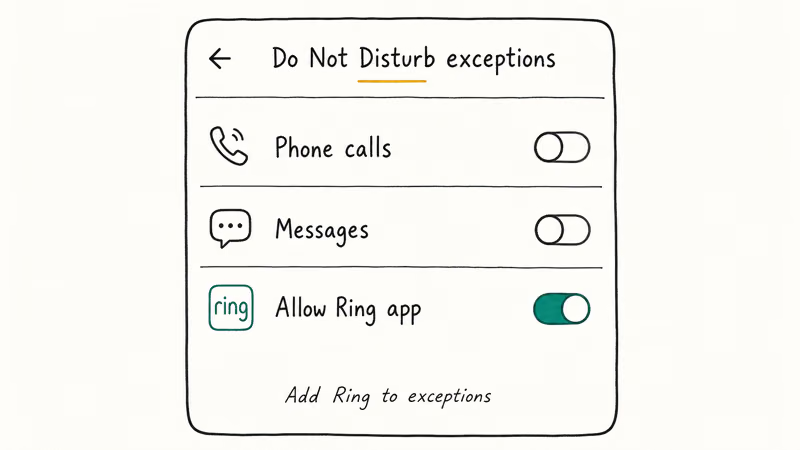
Go to Settings > Sound > DND (sometimes labeled Do-Not-Disturb) and check whether a schedule is active.
If the schedule covers 10 PM to 7 AM and someone presses the doorbell at 11 PM, the alert is suppressed by design and there’s no banner waiting for you when the schedule ends.
Inside the DND settings, look for Apps or Allow Exceptions, tap it, and add Ring to the exception list. That keeps Ring alerts breaking through while unknown callers and other apps stay silent.
Focus Mode lives under Settings > Digital Wellbeing > Focus Mode and is separate from DND. It can mute Ring even when DND is off. Open every Focus profile you have configured and confirm Ring isn’t on the blocked list. On Samsung phones the equivalent is Modes and Routines under Settings > Modes and Routines, and each Mode keeps its own app list.
#Reinstall the Ring App as a Last Resort
If everything above is correct and alerts still fail, a clean reinstall rebuilds notification channels from scratch. This catches deep configuration drift that survives a Clear Cache.
Uninstall Ring from Settings > Apps > Ring > Uninstall. Reinstall it from the Play Store. When the app prompts Allow Notifications on first launch, tap Allow.
If the Play Store stalls, use the standard Google Play Store download pending fixes.
A clean reinstall can fix the same kind of broken notification channel state that also affects Instagram notifications not working.
#When Ring Support Needs to Help
If all seven fixes fail, the issue is usually the Ring device or the network rather than your Android phone.
Open the Ring app and look for these signals: the camera or doorbell shows Offline, other people on the same Ring account also stop receiving alerts, or the Device Health screen reports a Wi-Fi signal weaker than -70 dBm.
Ring’s support team can review the device’s connection history and push firmware updates remotely. Reach them through the Ring app under Help > Contact Us or at ring.com/help. According to Ring’s notification troubleshooting article, their team can also confirm whether your specific doorbell model and Android version combination has any known notification bug filed against it.
#Bottom Line
Three settings carry most of the load on Android: the Ring app’s per-device Ring Alerts and Motion Alerts, the Android system notification permission, and battery optimization set to Don’t Optimize for Ring.
Fix those three, in that order, and most missing-alert problems clear up before you ever need to clear the cache. Skip straight to a clean reinstall only after all three are confirmed correct, because reinstalling without fixing the underlying battery-optimization toggle just leads back to the same throttling within a few days. The same per-app permission audit also helps when Amazon app not working is the next thing you debug on the same phone.
#Frequently Asked Questions
Why are Ring notifications delayed by 5 to 10 minutes?
Battery optimization is almost always the cause. Open Settings > Battery > Battery Optimization, find Ring, and set it to Don’t Optimize. On Samsung, also remove Ring from the Sleeping Apps and Deep Sleeping Apps lists under Background Usage Limits, then move it to Never Sleeping Apps.
Do you need Wi-Fi on your phone to get Ring notifications?
No. Your Android phone receives Ring notifications over either cellular data or Wi-Fi, whichever it’s on. The Ring camera or doorbell itself, however, needs its own Wi-Fi connection to detect motion and send the alert in the first place. If the Ring device drops off Wi-Fi, your phone has nothing to be notified about.
Can multiple people get Ring notifications on different Android phones?
Yes. Every Android phone signed into the same Ring account can receive alerts. Each phone still needs notifications enabled and battery optimization off for Ring.
Why do you get motion alerts but not doorbell ring alerts?
Ring Alerts and Motion Alerts are separate switches inside the Ring app. Open Ring, tap the device, go to Device Settings, and confirm both are on. One can be off while the other is on, which makes it look like notifications are entirely broken when really half the channel is muted.
Does clearing the Ring app cache delete doorbell videos?
No. All Ring video lives on Ring’s cloud servers. Clearing the local cache only removes temporary files on your phone, like thumbnails and queued metadata. Your saved event history and any subscription clips stay intact.
Will a factory reset of my phone fix this?
It can, but it’s overkill. Try disabling battery optimization, clearing the cache, then reinstalling Ring before going anywhere near a factory reset. A factory reset wipes every other app on the phone too, and the Ring problem is almost always one toggle or a corrupted cache file that takes thirty seconds to fix.
How do you check your Ring device’s Wi-Fi signal strength?
Open the Ring app, tap the menu, choose Devices, tap the camera or doorbell, then tap Device Health. The RSSI value lives near the top. Anything stronger than -60 dBm is solid, -60 to -70 dBm is borderline, and weaker than -70 dBm usually needs a Wi-Fi extender or a Ring Chime Pro. A weak Wi-Fi link on the Ring side is why notifications can fail silently even when your Android phone has full bars.

Pixel 11 vs Pixel 10: What Changed and Who Should Upgrade
Pixel 11 vs Pixel 10: same screen and camera resolution, new Tensor G6, 25W wireless, and Gemini Intelligence. Here is who should actually upgrade.

Verizon Not Receiving Texts? How to Fix It in 9 Steps
Verizon not receiving texts? Fix it in 9 steps: check Message Blocking in My Verizon, reset network settings, deregister iMessage, and call support.

Pixel Battery Drain: What Google's July Fix Really Covers
Google marked the Pixel idle battery drain bug fixed in July, but only some phones got the patch. Here is who is covered, who is not, and what to try.

iPhone Stuck on EDGE? How to Get 5G or LTE Back (2026)
iPhone stuck on EDGE with crawling data? Here's why the E icon appears, which settings force 5G or LTE back, and when the problem is your carrier.