Pixel Wireless Charging Slow After Update? Fix It in 2026
Pixel wireless charging slow after an update? Fix thermal throttling, charger wattage, case alignment, and Adaptive Charging settings in 2026.
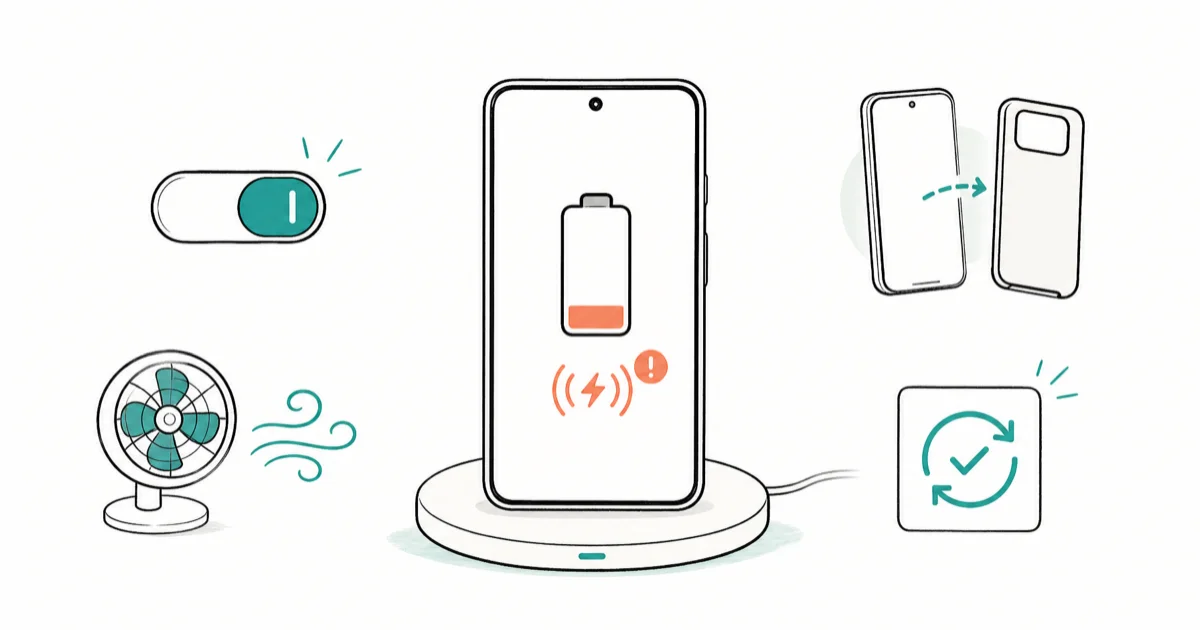
Quick AnswerPixel wireless charging that turned slow after an update is usually thermal throttling, a non-Pixel-Stand Qi pad, or case misalignment, not a broken phone. Check your charger's wattage, remove thick cases, cool the phone down, and review Adaptive Charging before blaming the update.
Pixel wireless charging slow after update is rarely the update’s fault on its own. The far more common causes are heat, a Qi pad that was never fast to begin with, or a case knocking the coils out of alignment. The useful comparison is charger wattage and phone temperature, not the update alone.
- Heat is the top cause: a warm Pixel deliberately slows charging to protect the battery
- Only the Pixel Stand delivers fast wireless charging; most generic Qi pads cap at 5W to 10W
- Thick or metal cases break coil alignment, dropping you to trickle charging
- Adaptive Charging slows overnight charging on purpose and can look like a fault
- Updates rarely cause this directly, but they can reset settings or change thermal limits
#Why Is Pixel Wireless Charging Slow After an Update?
The update usually exposes an existing limit rather than creating a new one. After installing a patch, your phone often runs warm for a while as it reindexes and optimizes apps, and heat is the number one reason wireless charging slows.
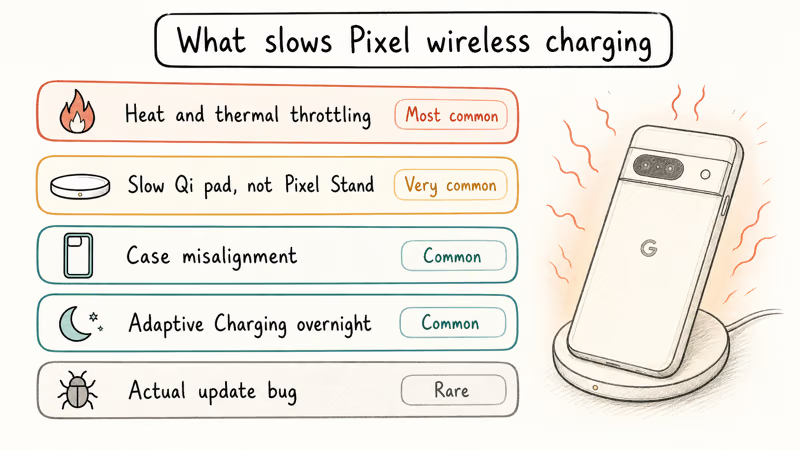
A warm Pixel throttles charging speed to protect the battery. According to Google’s Pixel charging help, the phone may charge slowly or pause charging when it gets too warm, which is normal protective behavior. So a phone that’s busy post-update, sitting in a warm room, or wrapped in a thick case will charge slower for reasons that have nothing to do with a software bug.
Pixel slow wireless charging causes ranked
| Cause | How common | Quick test |
|---|---|---|
| Heat / thermal throttling | Most common | Charge in a cool room |
| Slow Qi pad, not Pixel Stand | Very common | Try a Pixel Stand |
| Case misalignment | Common | Charge without the case |
| Adaptive Charging overnight | Common | Check charge time of day |
| Actual update bug | Rare | Compare before/after |
If your battery is also draining faster than usual, that’s a separate issue. The Android system battery drain guide covers post-update battery problems specifically.
#Check If Your Charger Is Pixel-Compatible
This trips up more people than any update. Wireless chargers are not all equal, and most cap well below the Pixel’s fast wireless speed.
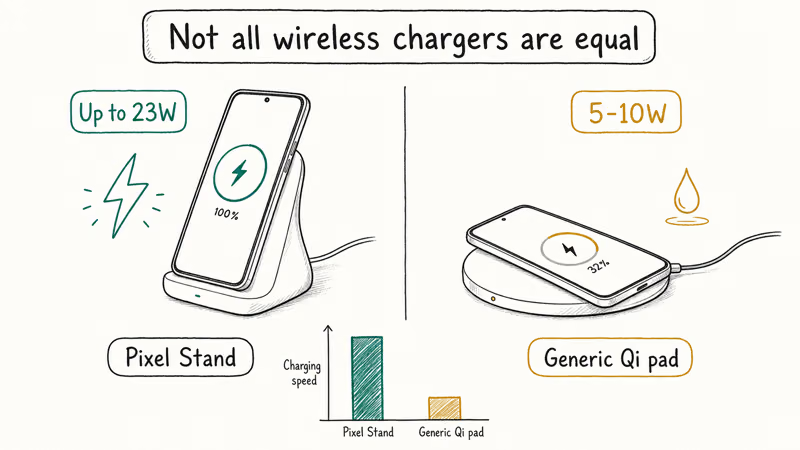
The Pixel Stand is the only charger that unlocks the Pixel’s full fast wireless charging profile. Google states that the second-generation Pixel Stand delivers up to 23W to compatible phones, while a typical generic Qi pad tops out around 5W to 10W. The full numbers are on Google’s Pixel Stand specs page. So if you swapped chargers recently, the “slowdown” may just be a slower pad, not the update.
Check the pad’s rated output and confirm it’s a Qi charger the Pixel recognizes. A 5W pad will always feel slow next to a Pixel Stand. If wireless charging is unreliable across pads, the broader issues in the Pixel 10 problems roundup may apply to your model.
#Fix Case and Alignment Problems
Case and alignment fixes solve a big share of slow-charging complaints, and neither needs a settings change. Start here before you touch anything technical.
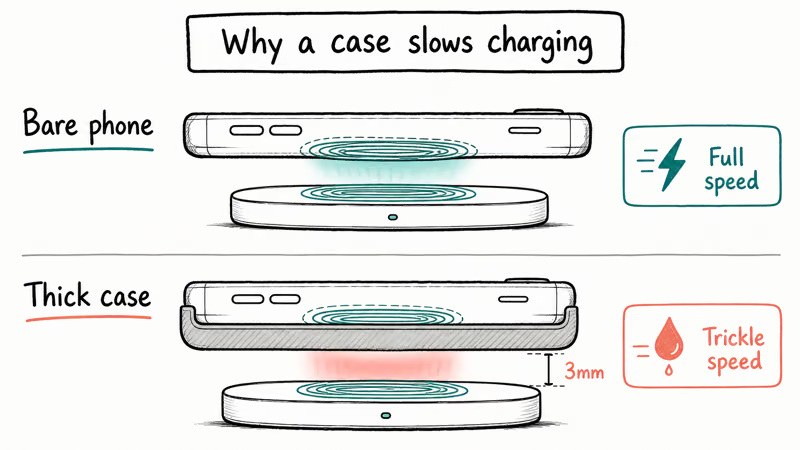
Remove the case and place the phone directly on the pad. Thick, metal, or MagSafe-style cases shift the charging coils apart, dropping you to trickle speed or stopping charging entirely. Center the phone carefully, since wireless coils need close alignment.
A thick, metal, or magnetic case can push the coils far enough apart to slow or stop charging even when the same pad works with the phone bare. If your phone runs hot constantly even when idle, malware can be the hidden cause, which the how to remove malware from Android guide covers.
#Cool the Phone Down First
Heat is the single biggest throttle on wireless charging, so a cool phone charges faster every time. A warm Pixel slows on purpose to protect the battery.
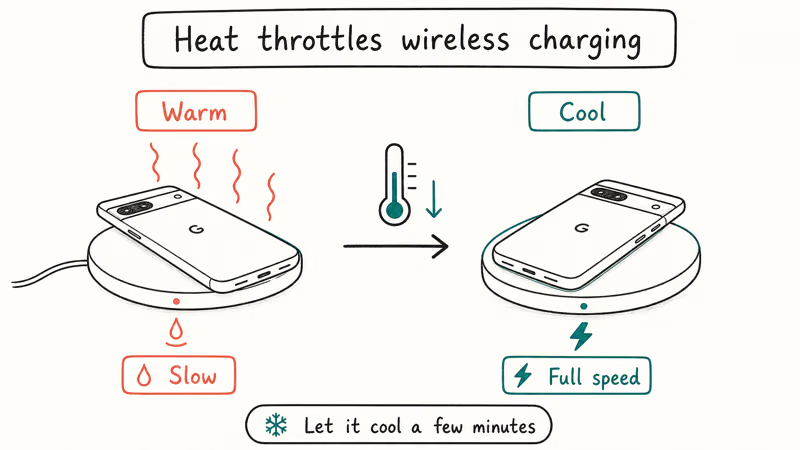
Move the phone off warm surfaces, keep it out of direct sunlight, and let it cool before judging the speed. A Pixel that’s warm from gaming, video recording, or another heavy task may charge slowly until it cools. If the phone still runs hot, see the Samsung Galaxy battery draining fast guide, which applies to thermal issues on Android broadly.
#Check Adaptive Charging and Battery Settings
Adaptive Charging is a feature, not a fault, but it confuses a lot of people. When enabled, your Pixel slows overnight charging on purpose to finish around your usual wake time, which protects long-term battery health.
If your phone charges slowly overnight but fine during the day, Adaptive Charging is almost certainly why. According to Google’s Pixel battery help, Adaptive Charging finishes to 100 percent about one hour before you usually unplug. Open Settings, go to Battery, then Adaptive preferences, and check whether it’s on. Leaving it on is good for battery longevity, so only turn it off if you really need a fast overnight top-up.
While you’re in Battery settings, confirm Battery Saver isn’t forcing a slowdown, since it can limit charging behavior too. These settings sometimes reset after a major update, which is one of the few real ways an update affects charging.
#When Should You Blame the Update?
Only after you’ve ruled out heat, the charger, the case, and Adaptive Charging. Real update-caused charging bugs exist, but they’re uncommon and usually hit many users at once, not just you. They also tend to show up in the Pixel forums within days, so a quick search tells you whether your slowdown is a known regression or a setup issue you can still fix yourself.
Compare your charging speed before and after the update on the same pad, same room, case off. If it’s consistently slower under identical conditions, suspect the update and check the Pixel community forums for matching reports on your model.
For safety, only troubleshoot charging on your own device, and never open the phone or modify the charger yourself. If a confirmed bug is the culprit, the fix is usually a follow-up patch, so keep updating rather than rolling back. Shopping for a better charger? The best GaN charger for iPhone 16 roundup covers high-wattage chargers that serve Android phones well too.
#Bottom Line
Treat heat, the charger, and the case as the likely culprits before you blame the update, because that’s where the slowdown almost always lives. Charge a bare phone on a Pixel Stand in a cool room, and most “slow after update” complaints disappear. If a careful before-and-after comparison still shows a consistent slowdown under identical conditions, then suspect the update and watch for a follow-up patch rather than tearing into settings or hardware.
#Frequently Asked Questions
Does a software update really slow Pixel wireless charging?
Rarely on its own. Updates can make the phone run warm temporarily or reset battery settings, both of which slow charging indirectly. A genuine charging regression in the update itself is uncommon and usually affects many users at once, so check the forums for your model.
Why does my Pixel charge slowly only overnight?
That’s almost always Adaptive Charging, which slows the final charge to finish near your wake time. Turn it off under Settings, Battery, Adaptive preferences.
How fast should my Pixel charge wirelessly?
It depends entirely on the pad. A Pixel Stand can deliver up to 23W on compatible models, while a generic Qi pad often caps at 5W to 10W. If you switched to a cheaper pad, the slower speed is the pad, not your phone.
Will removing my case speed up wireless charging?
Often, yes. Thick, metal, or magnetic cases push the coils apart. Try the bare phone on the pad, centered.
Should I roll back the update to fix slow charging?
No. Rolling back exposes you to security risks and rarely helps, since the slowdown is usually heat, the charger, or a setting. If a confirmed update bug is the cause, the fix comes in a follow-up patch, so keep your phone updated instead.
Is it bad that my Pixel pauses charging when warm?
No, it’s protective. The phone slows or pauses wireless charging when it gets too warm to protect the battery from heat damage. Move it to a cooler spot and remove any thick case, and normal speed should return once it cools.

Pixel 11 vs Pixel 10: What Changed and Who Should Upgrade
Pixel 11 vs Pixel 10: same screen and camera resolution, new Tensor G6, 25W wireless, and Gemini Intelligence. Here is who should actually upgrade.

Verizon Not Receiving Texts? How to Fix It in 9 Steps
Verizon not receiving texts? Fix it in 9 steps: check Message Blocking in My Verizon, reset network settings, deregister iMessage, and call support.

Pixel Battery Drain: What Google's July Fix Really Covers
Google marked the Pixel idle battery drain bug fixed in July, but only some phones got the patch. Here is who is covered, who is not, and what to try.

iPhone Stuck on EDGE? How to Get 5G or LTE Back (2026)
iPhone stuck on EDGE with crawling data? Here's why the E icon appears, which settings force 5G or LTE back, and when the problem is your carrier.