Best GaN Charger for iPhone 16 in 2026: 20W to 65W Picks
Best GaN charger for iPhone 16 in 2026. Compare 20W to 100W GaN bricks for the iPhone 16 Pro Max to find the best wattage and price for fast charging.
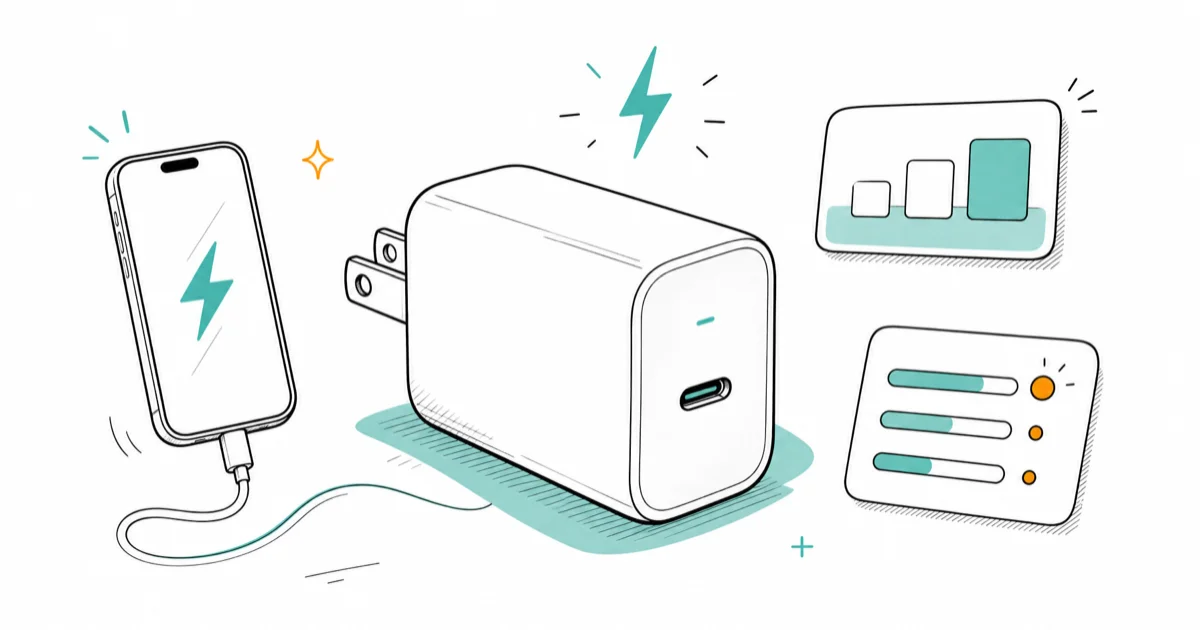
Quick AnswerThe iPhone 16 fast-charges at 20W to 27W, so any GaN brick rated 20W or higher hits Apple's 50% in 30 minutes claim. A 30W to 45W brick is the practical sweet spot.
The best GaN charger for an iPhone 16 isn’t the biggest one in the store. It’s the smallest brick that still delivers a full 20W or more to the phone, and that turns out to be a surprisingly cheap target to hit.
- The iPhone 16 hits Apple’s “50% in 30 minutes” fast-charge spec on any USB-C PD source rated 20W or higher
- iPhone 16 Pro Max peaks around 27W sustained on a USB-C cable, so 30W is the practical sweet spot
- A 65W or 100W GaN brick won’t damage the phone, it’ll just stop drawing at the iPhone’s safe ceiling
- Multi-device travelers should pick a 100W three-port GaN instead of carrying separate phone and laptop bricks
- USB-C cable rating matters less for iPhone than for MacBook because the iPhone caps its own draw
#What Wattage Does the iPhone 16 Actually Use?
Apple sells fast charging as a 50% top-up in 30 minutes, and the phone needs at least 20W on the wall side to hit that number. Anything past 20W gets you the same headline result.
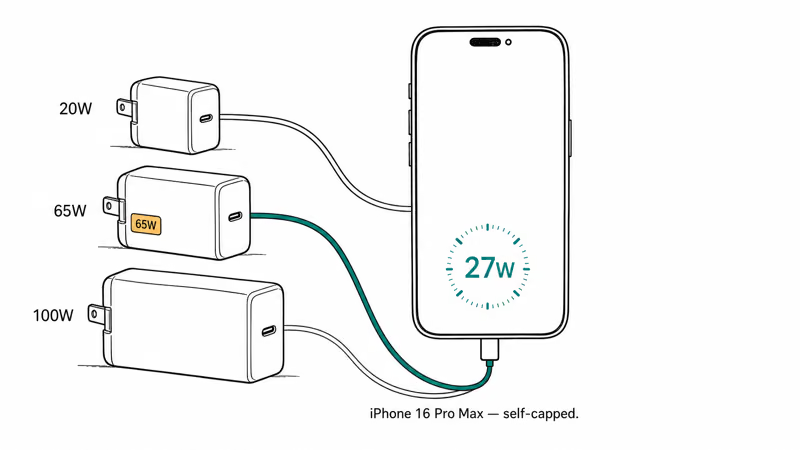
According to Apple’s iPhone power adapter guidance, a 20W or higher USB-C Power Delivery source enables fast charging on every iPhone from the 8 onward. The USB-IF USB-C Power Delivery specification confirms that PD chargers and devices negotiate per-port wattage at connection, so a high-wattage brick won’t push voltage the phone can’t handle.
Apple’s 20W fast-charge claim means a 20W USB-C PD brick is already enough for the headline 50% top-up, while higher-wattage GaN bricks mainly add headroom for other devices.
So why not just buy a 20W brick? Because the phone’s not the only device in your bag. A 65W or 100W GaN brick costs five to fifteen dollars more than a 20W puck, and it charges your laptop, your iPad, or your friend’s phone without you swapping adapters.
The honest answer: the iPhone 16 itself needs 20W. Your real charger should match what else lives in your daily-carry kit.
#Best GaN Charger for iPhone 16: Anker Nano II 65W
For an iPhone-first user who occasionally tops up an iPad or AirPods, the Anker Nano II 65W is the smallest brick that still delivers headroom. It’s matchbox-sized, the prongs fold flat, and it’ll fast-charge an iPhone 16 Pro Max as quickly as Apple’s own 20W puck.
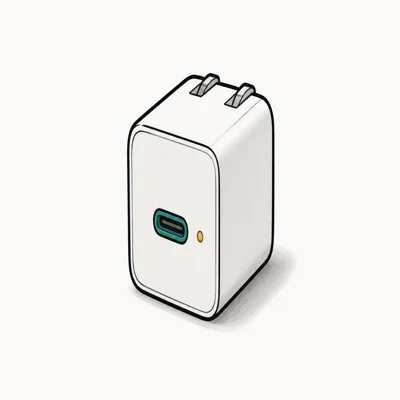
- 65W output covers iPhone fast charging plus iPad or travel-device top-ups
- Folding prongs and matchbox footprint slot into a jeans pocket
- 65W headroom also tops up iPad Pro at near-full speed
Last updated on May 26, 2026
As an Amazon Associate fone.tips earns from qualifying purchases. Prices and availability on Amazon are accurate as of the date above and subject to change.
The Nano II makes sense over a 20W puck because the price gap is tiny and the headroom helps. Best GaN charger roundup covers cheaper single-port options.
Use a 60W-rated USB-C-to-USB-C cable. The USB-C cable guide explains why 240W is overkill and sub-60W can throttle even an iPhone.
#Multi-Device Travel: Anker Prime 100W
If you also pack a MacBook, iPad, or Nintendo Switch, the Anker Prime 100W three-port replaces three separate bricks in your bag. It’s a better fit for people who work on the road more than once a month.
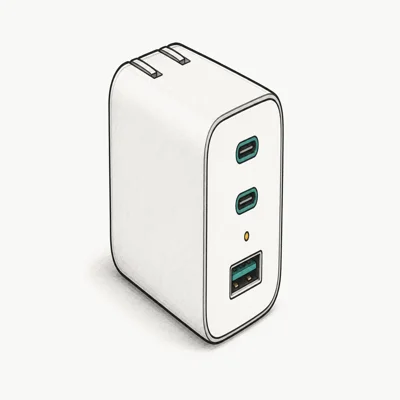
- Smart-allocation chip rebalances when iPhone plugs in alongside a MacBook
- Three USB-C ports plus one USB-A covers nearly any daily-carry kit
- Slim foot-shaped body fits the same sleeve pocket as a 65W brick
Last updated on May 26, 2026
As an Amazon Associate fone.tips earns from qualifying purchases. Prices and availability on Amazon are accurate as of the date above and subject to change.
The smart-allocation chip in the Prime matters more than the wattage rating. That design is useful when an iPhone and a 14-inch MacBook Pro share one brick. The Anker vs UGREEN charger comparison digs into how each brand handles multi-port splits when wattage gets tight.
If you only own an iPhone, the Prime is overkill. The Nano II above is the lighter, cheaper, smarter call.
#Desk Setup: UGREEN Nexode Pro 100W
For a permanent office or home desk, five ports beat three. The UGREEN Nexode Pro 100W is a practical low-cost five-port GaN brick, and it handles an iPhone 16 alongside a laptop and two more devices.
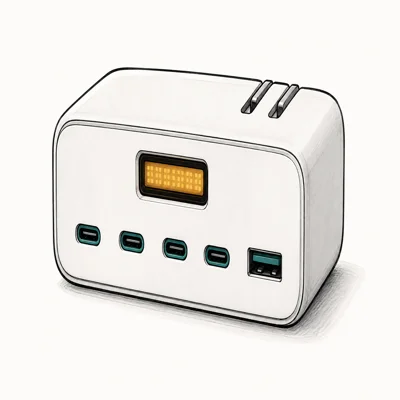
- Three USB-C plus two USB-A handles older Lightning cables and accessories
- Low per-watt cost for a five-port GaN brick in 2026
- Stable iPhone fast charge even with three other devices plugged in
Last updated on May 26, 2026
As an Amazon Associate fone.tips earns from qualifying purchases. Prices and availability on Amazon are accurate as of the date above and subject to change.
The desk-form bricks lose the folding prongs and pocket portability of the travel bricks, but they pick up extra ports, a flatter footprint, and usually a better dollar-per-watt ratio. That makes a desk brick and a travel brick a sensible split if you charge in both places.
#Should You Buy a 30W or a 65W Brick?
Honestly, get the 65W.
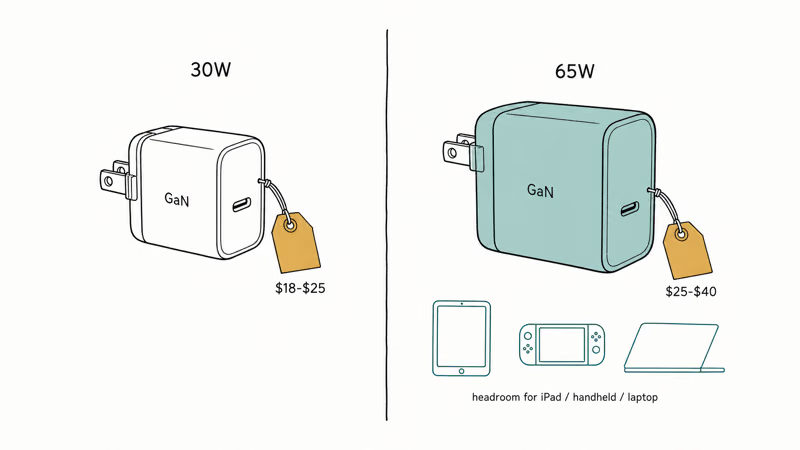
A 30W brick costs roughly $18 to $25 on Amazon. A 65W GaN brick costs $25 to $40. For under twenty extra dollars you get headroom for a future iPad Pro, a Steam Deck, or a friend’s MacBook Air. The iPhone won’t draw past 27W from either, but the bigger brick covers tomorrow’s bag.
The only reason to pick 30W: pure phone use plus pocket-size obsession. If that’s you, fine.
#MagSafe vs USB-C: When to Bother
Wired USB-C is faster than MagSafe on every iPhone 16, full stop. Apple states that MagSafe peaks at 25W on iPhone 16 Pro models when paired with a 30W or higher wall brick, while USB-C peaks at 27W to 30W depending on model. Apple’s iPhone 16 tech specs page lists USB-C as the only port option, since the Lightning era ended with iPhone 14.
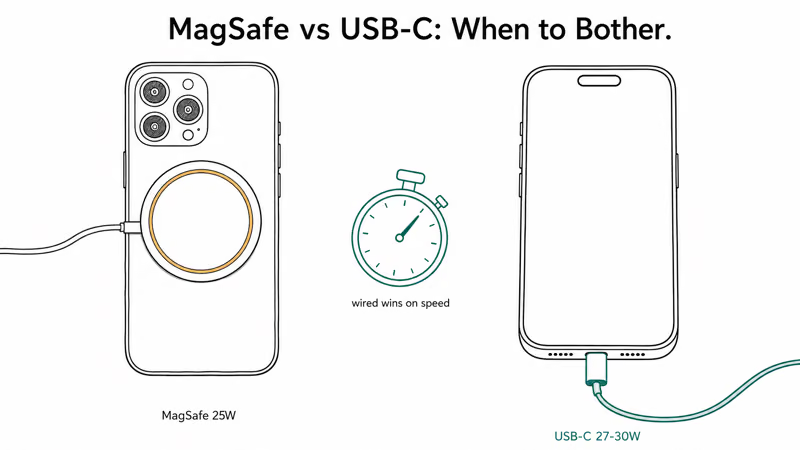
MagSafe wins on convenience, not speed. A bedside puck means no fumbling for a cable in the dark.
If your iPhone heats up during a long charging session, that’s worth checking before blaming the brick. The walkthrough on iPhone overheating while charging covers the most common causes, most of which are cable-related rather than charger-related.
#Bottom Line
For an iPhone 16 owner who travels light, the Anker Nano II 65W is the top pick. It’s pocket-sized, fast-charges the phone at full speed, and gives you 65W of headroom for a tablet or a second device.
For multi-device travelers, step up to the Anker Prime 100W three-port. For desk-bound households, the UGREEN Nexode Pro 100W five-port is the cheapest five-port brick worth buying. Whatever you pick, pair it with a quality USB-C cable and you’ve replaced the brick in your nightstand drawer without paying Apple Store prices. The iPhone fast charging guide confirms that cable choice still matters even on phones.
#Frequently Asked Questions
Does iPhone 16 charge faster on a 65W brick than a 20W brick?
No, the iPhone caps its own draw at around 27W on the Pro Max and lower on the base model. A 65W or 100W brick just gives you headroom for other devices. The practical charging time should be similar because the iPhone negotiates only the wattage it can use.
Will a 100W GaN charger damage iPhone 16?
No. USB-C Power Delivery negotiates wattage at connection, so the iPhone only draws what it can safely handle.
Is MagSafe slower than USB-C on iPhone 16?
Yes, slightly. USB-C peaks at 27W to 30W on iPhone 16 Pro models, while MagSafe caps at 25W with a 30W or higher wall brick. The difference is small in real-world charging, around five to seven minutes from 0% to 50%, but USB-C wins if you’re racing the clock. MagSafe wins on convenience for overnight or bedside use, because there’s no cable to fumble in the dark.
What USB-C cable do I need for iPhone 16 fast charging?
Any USB-C-to-USB-C cable rated 60W or higher works fine, since the iPhone caps its own draw well below that. The Apple woven cable is rated for 240W but overkill at this wattage.
Can I use my MacBook charger to charge iPhone 16?
Yes, and it’s usually the smarter call when packing for travel. A 96W or 140W MacBook brick negotiates down to whatever the iPhone needs, and it’ll fast-charge the phone identically to a smaller brick. The only reason to carry a dedicated iPhone charger is size and weight in a daily-carry bag where you’ve left the laptop at home.
Do GaN chargers heat up during iPhone fast charging?
They warm slightly, but well under any safety threshold. A quality GaN brick should stay within its built-in thermal limits during normal use.
How long should a GaN charger last?
Quality GaN bricks from Anker and UGREEN are generally built for multi-year daily use. The internal components run cooler than older silicon bricks, which helps capacitor longevity, and Anker’s warranty backs most models for 18 to 24 months from purchase.

Pixel 11 vs Pixel 10: What Changed and Who Should Upgrade
Pixel 11 vs Pixel 10: same screen and camera resolution, new Tensor G6, 25W wireless, and Gemini Intelligence. Here is who should actually upgrade.

Best Power Bank for iPad in 2026: Pro, Air, and Mini
Best power bank for iPad in 2026. Compare mAh tiers and USB-C PD wattage for iPad Pro, Air, and mini, plus airline Wh math, cables, and travel tips.

Best Power Bank With Built-In Cable: Top 2026 Picks
Best power bank with built-in cable picks for 2026. Compare single USB-C, multi-connector, and retractable laptop banks, plus airline Wh math.

Best Apple Watch Band for Working Out: Proven Picks
The best Apple Watch band for working out handles sweat and stays put on your wrist. Compare silicone, nylon, and titanium picks for runs and lifts.