Fix Google Pay Error OR-IEH-01: 6 Proven Methods (2026)
Fix Google Pay error OR-IEH-01 with 6 methods. Covers frozen accounts, expired cards, VPN blocks, and verification holds on Android and iOS.
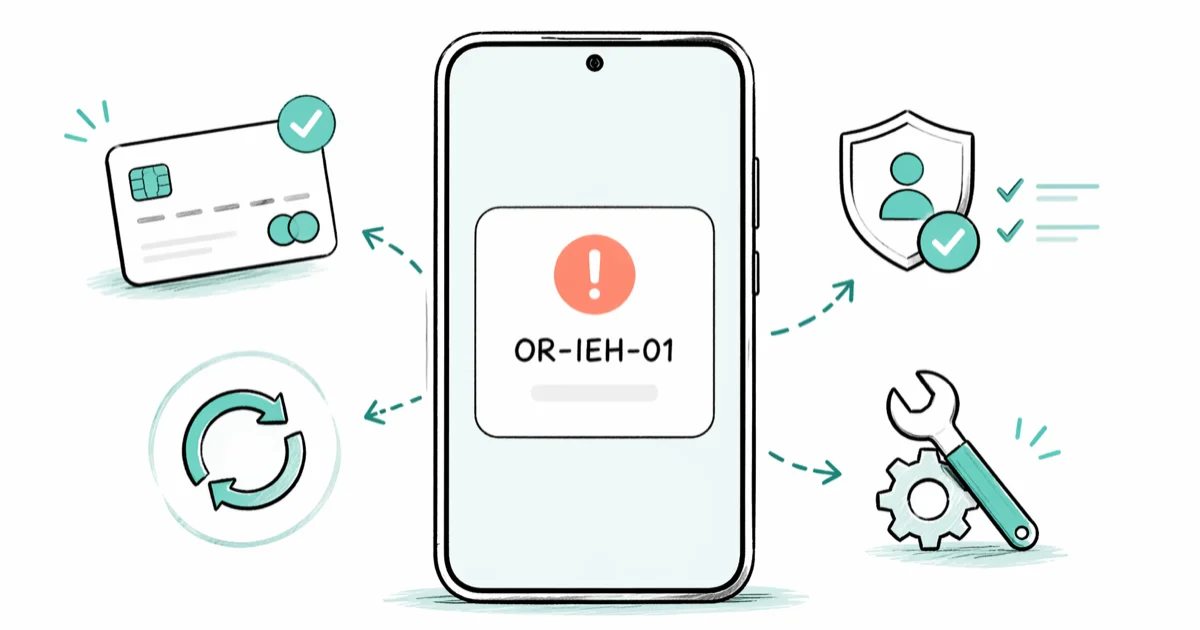
Quick AnswerThe OR-IEH-01 error means your Google Payments account is frozen or restricted. Verify your payment info at payments.google.com, remove and re-add your card, then check Gmail for any identity verification request from Google.
The OR-IEH-01 error in Google Pay stops you from buying apps, sending money, or adding a payment method. The fixes below are ordered from the most common cause to the rarest, so most people clear the error in the first few steps. Every step below assumes the Google account belongs to you, since troubleshooting payment methods on an account you don’t own violates Google’s terms and most consumer privacy laws.
- OR-IEH-01 means your Google Payments profile is frozen, locked, or under review on Google’s side
- Expired cards and mismatched billing addresses are the two most common triggers behind this error
- Turning off your VPN before retrying clears the error within seconds when the freeze was caused by an IP-location mismatch
- Identity verification typically takes 2-5 business days after you upload your ID and proof of address
- The OR-IEH-02 error has the same root causes and identical fixes
#What Does the OR-IEH-01 Error Mean?
OR-IEH-01 tells you Google’s payment system has flagged your Google Payments profile. The profile is either frozen, locked, or temporarily restricted from processing transactions on your own account.
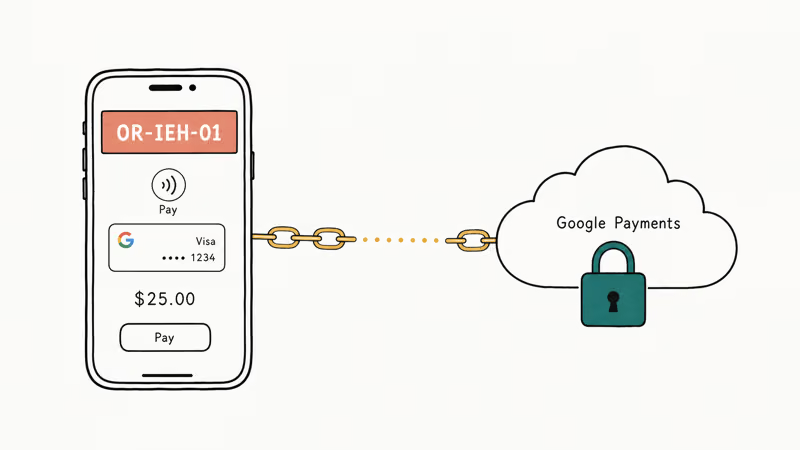
You’ll see this error when buying apps on Google Play, sending money, or adding a new payment method. OR-IEH-02 is the same restriction with a different code.
The lock applies across every Google payment service at once. Google Play purchases, YouTube Premium renewals, and Google One storage charges all fail simultaneously, and even in-app purchases through unrelated third-party apps return the same code until the underlying flag is cleared.
#Common Causes of the OR-IEH-01 Error
Five things trigger this error most often.
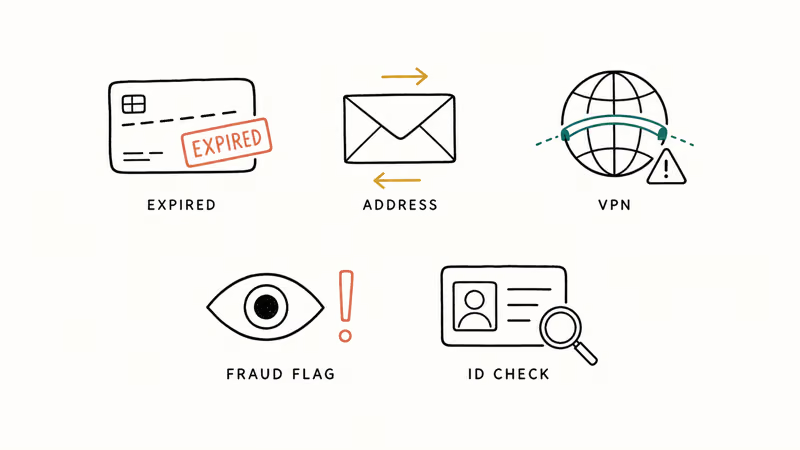
Expired or incorrect card details. Your card’s expiration date passed, or the card number on file has a typo. Google can’t charge the card, so it locks your entire payment profile rather than letting transactions stack up as failures.
Mismatched billing address. “St.” versus “Street” between Google and your bank is enough.
VPN interference. This one catches people off guard. Google checks your IP location during transactions, and a VPN makes it look like you’re suddenly in another country than your billing address, which trips fraud detection within seconds and freezes the profile until you investigate.
Suspicious account activity. Failed payment attempts, sudden spending changes, or sign-ins from new devices trigger Google’s automated lockdown.
Pending identity verification. Google periodically asks users to confirm their identity, and ignoring that request locks the account. According to Google’s Payments help page, accounts may be suspended if verification isn’t completed within the timeframe Google provides in the email.
#How Do You Fix OR-IEH-01?
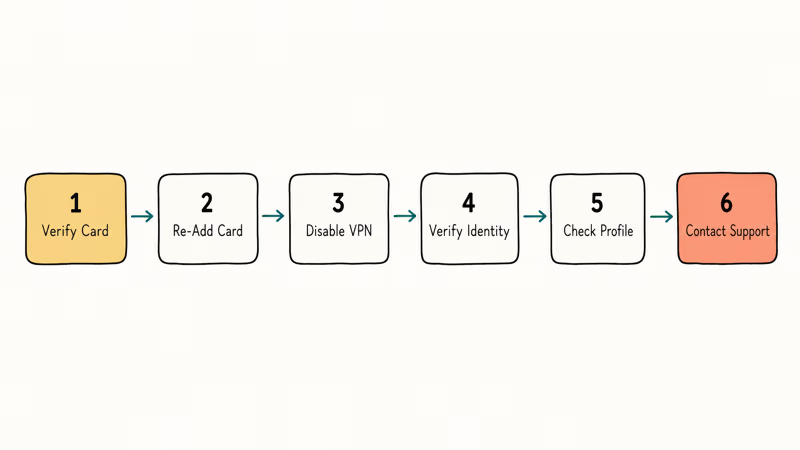
Start with Method 1 and work down. Most cases clear inside the first three methods, so you rarely need to reach the end of the list. Use only your own Google account when working through these steps.
#Method 1: Verify and Update Your Payment Info
- Open payments.google.com in a browser
- Go to Payment methods and check your card’s expiration date
- Tap Edit to update outdated details and confirm your billing address
An expired card on file is the single most common cause of this error, and updating the expiration date clears it in under 3 minutes.
If your card is fine but you still see the error, the problem may not be the payment method. Some readers also struggle with Google account verification at the same time, and that block can mask itself as a payment error.
#Method 2: Remove and Re-Add Your Card
Sometimes editing isn’t enough. Removing the card entirely and adding it fresh clears whatever flag Google placed on it, which often resolves the error when a simple edit doesn’t move the needle.
- Go to payments.google.com and select the problem card
- Tap Remove, wait 30 seconds, then tap Add payment method
- Enter the card details again and verify the small test charge from Google
#Method 3: Disable Your VPN
If you use a VPN, turn it off before any Google Pay transaction. Google’s fraud detection compares your IP location against your billing country. A US billing address paired with a UK VPN server can trigger the OR-IEH-01 error on an app purchase, and the profile stays locked until the VPN is toggled off.
On Android: Settings > Network & internet > VPN. On iPhone: Settings > General > VPN & Device Management. Based on Google’s Payments troubleshooting documentation, using a proxy or VPN can result in transaction declines.
#Method 4: Complete Identity Verification
Google sometimes needs you to prove who you are before lifting the freeze on your own account. Check your Gmail inbox for a message from Google Payments asking for documents, since ignoring that request is itself a privacy-law-aligned safeguard against unauthorized account use.
- Search “verify your identity” in Gmail and click the verification link
- Upload a government-issued photo ID plus a utility bill or bank statement
- Wait 2-5 business days for Google to review
If you missed an account action required notice, that single missed email can keep the freeze active even after you fix the card.
#Method 5: Check Your Payments Profile for Pending Actions
Google may have queued an action that’s blocking processing until you respond.
- Sign into payments.google.com and look for red or yellow banners
- Follow any instructions Google provides
- Check your spam folder for missed emails from
payments-noreply@google.com
#Method 6: Contact Google Pay Support
If nothing else works, talk to Google directly.
- Go to the Google Pay Help Center and select Contact us
- Choose chat or email and have your error code (OR-IEH-01) ready
- Ask the agent to check whether your account is in a manual review queue
According to Google Pay’s support page, response times vary by region but most cases get a first response through chat support within a business day.
#When to Try a Different Payment Method
If you’ve gone through all six methods and the error persists after a week, consider adding a card from a different bank as your primary payment method. Some banks have stricter fraud detection that repeatedly trips Google’s security flags, creating a freeze-fix-freeze cycle that’s almost impossible to break with one card.
Switching to a card from a different bank breaks that loop. Google Play gift cards from retail stores also work as a workaround for app purchases while you wait for the underlying account issue to clear.
#How to Prevent OR-IEH-01 From Coming Back
You don’t want to deal with this error twice. These habits keep your account in good standing.
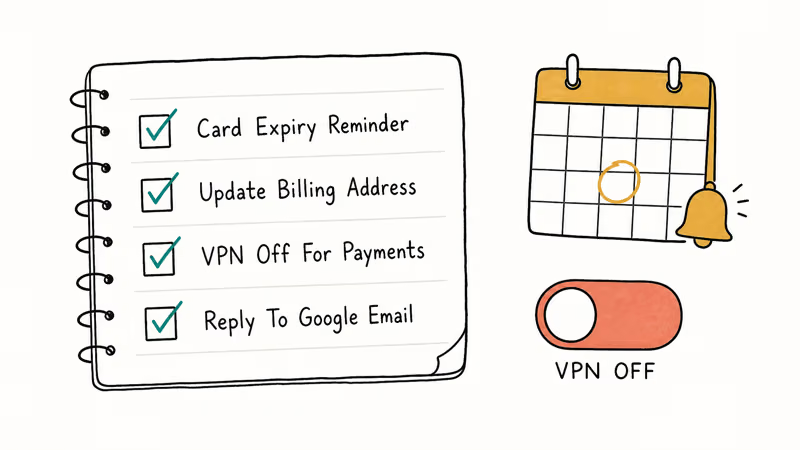
Set card expiration reminders. Put a calendar alert one month before each card expires so you can update your Google Payments profile the same day the replacement arrives. This single habit prevents the most common cause of OR-IEH-01.
Keep your billing address current. Update it with both your bank and Google Payments on the same day after moving.
Turn off VPNs for payments. Disable the VPN before any Google transaction, then re-enable it after. If you use a VPN for work or privacy, build the off-on toggle into your purchase routine.
Respond to Google’s emails quickly. Verification deadlines are real. Miss one and your account freezes automatically.
Use a stable network. Stick to one Wi-Fi or cellular link per purchase, since Google flags retry storms. Fixing a server IP address error clears most underlying drops.
#Related Google Play Errors Worth Knowing
OR-IEH-01 isn’t the only payment-related issue on Android. Broader Google Play Services problems can also affect payment processing. According to Google’s Play Store troubleshooting guide, clearing the Play Store cache and data is the recommended first step for most transaction errors.
Error 505 on Google Play is a different beast. It points to app installation conflicts, but it sometimes appears alongside payment errors when the Play Store cache is corrupted. Clearing your Android cache can resolve both problems at once.
If your Google Play Store is stuck on download pending, that’s usually a connectivity problem, not a payment block.
#Bottom Line
Start at payments.google.com and check your card details first. Expired cards and mismatched addresses cause this error more than anything else combined. If your payment info looks fine, disable your VPN and check Gmail for any pending identity verification request from Google Payments. For stubborn cases tied to your own account, Google Pay chat support typically returns a first response within one business day.
#Frequently Asked Questions
What is the difference between OR-IEH-01 and OR-IEH-02?
Both errors point to the same thing: a frozen or restricted Google Payments account. The causes and fixes are identical regardless of which code you see.
Can I still use Google Pay while the error is active?
No. The error blocks all payment processing. You can’t buy apps, subscribe to services, or send money until Google lifts the restriction on your account, which requires fixing the underlying problem first.
How long does it take Google to unfreeze my account?
That depends on the cause. Updating an expired card fixes things instantly. Identity verification runs 2-5 business days after you upload documents. Complex cases needing manual review from Google’s team can stretch to two full weeks, though that’s uncommon for standard payment freezes.
Does clearing the Google Pay app cache fix OR-IEH-01?
No. Clearing the cache won’t help because OR-IEH-01 is an account-level restriction on Google’s servers. Your local app data has nothing to do with it.
Will a factory reset on my phone fix the error?
No. OR-IEH-01 is tied to your Google account, not your device. A factory reset wipes your phone for nothing. Fix the problem at payments.google.com instead.
Can using a different Google account work around the error?
Yes, temporarily, as long as the second account is also yours. You can use it for purchases while you fix the original. You’ll lose access to your existing purchase history, subscriptions, and app library tied to the restricted account, so it’s better to fix the original than to keep splitting your purchases.
Does this error affect Google Pay tap-to-pay at stores?
Yes. Contactless payments at physical stores stop working too because NFC tap-to-pay relies on the same frozen Google Payments account.
Is the OR-IEH-01 error related to my bank blocking the transaction?
Not directly. OR-IEH-01 comes from Google’s side, not your bank. Repeated declined transactions from your bank can still trigger Google’s fraud detection, which then freezes your account. If you suspect a bank issue, contact your bank separately to confirm they aren’t blocking Google charges before troubleshooting the Google side.

Pixel 11 vs Pixel 10: What Changed and Who Should Upgrade
Pixel 11 vs Pixel 10: same screen and camera resolution, new Tensor G6, 25W wireless, and Gemini Intelligence. Here is who should actually upgrade.

Verizon Not Receiving Texts? How to Fix It in 9 Steps
Verizon not receiving texts? Fix it in 9 steps: check Message Blocking in My Verizon, reset network settings, deregister iMessage, and call support.

Pixel Battery Drain: What Google's July Fix Really Covers
Google marked the Pixel idle battery drain bug fixed in July, but only some phones got the patch. Here is who is covered, who is not, and what to try.

iPhone Stuck on EDGE? How to Get 5G or LTE Back (2026)
iPhone stuck on EDGE with crawling data? Here's why the E icon appears, which settings force 5G or LTE back, and when the problem is your carrier.