How to Change Your Interests on TikTok: 7 Quick Steps
Change your TikTok interests in minutes. Use Not Interested, Content Preferences, and viewing signals to retrain the For You feed and clear old topics.

Quick AnswerTo change your interests on TikTok, long-press any video you dislike and tap Not Interested, then like, follow, watch through, and comment on videos in the topics you want. The For You feed usually shifts within a few sessions.
Knowing how to change your interests on TikTok matters more than most people think, because the For You feed is built almost entirely from what you tap, skip, and rewatch. There’s no master “interests” toggle that wipes the slate clean. You can still steer the algorithm with a handful of repeatable actions, and the methods below cover both quick fixes and a full reset.
- TikTok has no direct “edit interests” page; signals come from watch time, likes, follows, and Not Interested taps.
- Long-press any video and tap Not Interested to penalize that topic, creator, sound, or hashtag in your feed.
- Content Preferences (in Settings) lets you filter specific keywords from showing up at all.
- A near-reset is possible by clearing cache, then watching only the topics you want for two or three sessions.
- The For You feed typically rebalances within two to four days of consistent new signals, not minutes.
#How Does TikTok Decide What to Show You?
TikTok’s For You feed is a ranking system, not a static preference list. The app weighs many small signals together: watch time on each clip, rewatches, fast scrolls, profile taps, likes, shares, saves, comments, plus the sounds and hashtags you interact with. According to TikTok’s Newsroom explainer on how content gets recommended, watch time and re-watch behavior are the strongest signals the system uses. Follows and likes act as confirmation rather than ignition.
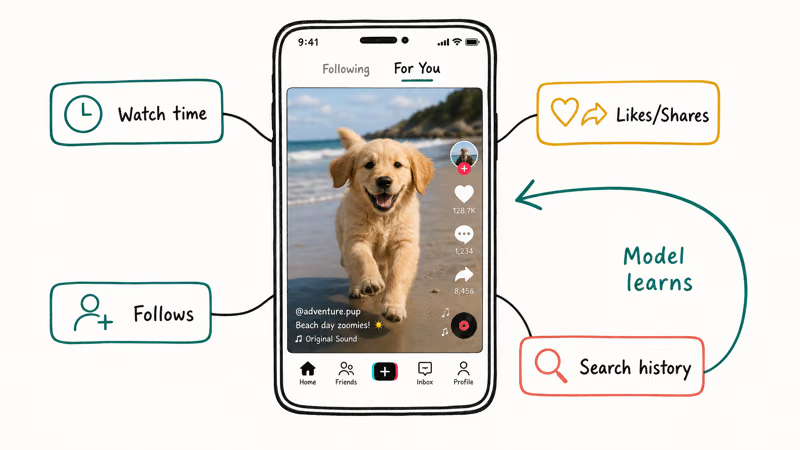
That has a practical consequence. You can’t “tell” TikTok your interests with a single setting. You have to behave like a person interested in those topics for a few sessions in a row, and stop behaving like a person interested in the old ones.
There is one explicit lever, though. In your TikTok settings, under Content Preferences, you can filter specific keywords or hashtags so videos tagged with them are downranked or hidden. According to TikTok’s Help Center documentation on filtering video keywords, you can add up to 200 keywords across video captions and hashtags, and each entry stays active for 30 days unless you remove it sooner. For broader background on how the platform works, Wikipedia’s article on TikTok is a useful primer.
#How to Change Your Interests on TikTok in 7 Steps
Here’s the order we use when we want to flip a saturated feed. Each step is small on its own; the combined effect is what shifts the algorithm.
#1. Tap Not Interested on the Videos You Want Out
This is the fastest way to send a negative signal. Long-press the video on your For You page and choose Not Interested from the popup. The app stops showing you that specific clip and downranks similar videos from the same creator, sound, and hashtag cluster.
A few clear Not Interested taps per session can help TikTok downrank a topic without turning retraining into a chore. You don’t have to be ruthless with every video; focus on clips that strongly represent the old interest you want out.
If you also see Not Interested in This Topic in the popup, tap that too. It’s a broader downrank than the per-video version.
#2. Block Creators You Don’t Want to See at All
Some creators keep appearing through duets, stitches, and reposts even after Not Interested. The cleaner fix is to block them outright. See our walkthrough on how to block someone on TikTok for the exact taps.
The short version: open the profile, tap the three dots, and choose Block. After that, none of their videos, replies, or duets surface in your feed.
This is also the right move when a creator’s old content shows up via someone else’s repost. Blocking removes the entire downstream graph, not just the original upload.
#3. Filter Keywords in Content Preferences
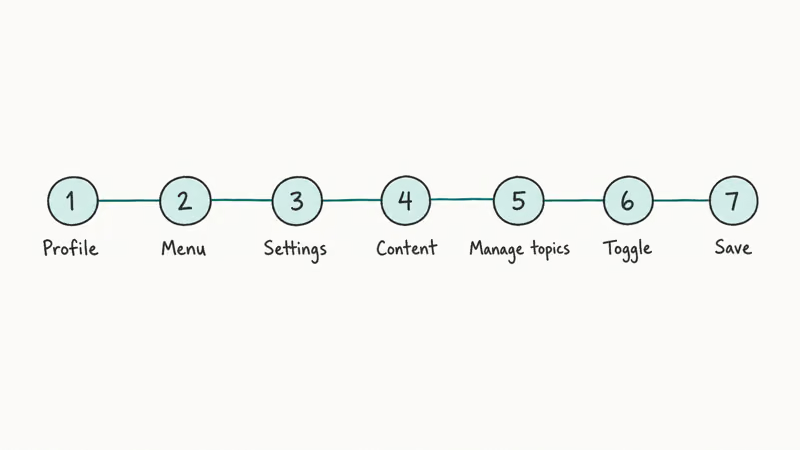
Open Settings and privacy, then tap Content preferences, then Filter video keywords. Add the terms you don’t want to see, such as the word, the brand, or the hashtag, and pick a duration up to 30 days. TikTok then downranks any video where that keyword appears in the caption or hashtags.
This is the closest thing the app has to a real “remove these interests” panel. Use it for topics that keep slipping through despite Not Interested taps. For minors and family accounts, TikTok’s parental controls include a stricter Restricted Mode that filters mature themes at the account level.
#4. Watch, Rewatch, and Linger on Topics You Want More Of
The single biggest positive signal is finishing a video, or better, watching it twice. According to TikTok’s Newsroom announcement, replays and high completion rates outweigh likes when the system is choosing what to recommend next.
Watching several videos to completion on a single topic gives TikTok a clearer positive signal than a quick like. You don’t need to fake it. Pause, rewatch, and stay on the videos you actually like.
#5. Like, Save, and Comment Where You Mean It
A like is a confirmation, not a starting gun. Use it on the videos that really match the direction you want the feed to go. Comments carry slightly more weight because they require typing and intent.
Saves are stronger again because they signal long-term interest. If you save a clip to a Favorites collection, the algorithm reads that as “I want more like this,” not “I want to remember this once.”
A quick refresher on how to pin comments on TikTok is useful if you also create content and want to amplify the comments that match your audience.
#6. Follow Three to Five Creators in the Target Topic
Following doesn’t dominate the For You feed the way it does on Instagram, but it adds a steady minor signal. Pick three to five creators in the direction you want to lean and follow them in one short session. If you decide later you’ve gone too narrow, you can always unfollow on TikTok one creator at a time without affecting the rest of your follow graph.
#7. Use Auto Scroll Sparingly, and Skip Fast on What You Don’t Want
TikTok’s auto scroll feature plays one video after another hands-free. It’s a comfort feature, but for retraining the feed it’s a liability, because every clip earns full watch time even when you’re not paying attention. Turn it off during the first few days of retraining. Then scroll past the old topics within the first two seconds, which is a strong skip signal, and let the videos you want play out.
#How Long the Feed Takes to Catch Up
Faster than people expect, but not instant. Deliberate retraining can shift visible recommendations within a few days, while a casual approach, where you tap Not Interested on a handful of clips, may take closer to a week.
Two factors slow it down. The first is mixed signals. If you mark cooking videos as Not Interested but still rewatch the next cooking clip out of curiosity, you’re contradicting yourself, and the algorithm averages it out.
The second is recency bias. Recent strong signals like a full watch from this morning outweigh older weak ones. Consistent behavior across a few short sessions beats one long marathon.
#How to Reset Your TikTok Interests Completely
TikTok doesn’t expose a single “reset” button, but you can approximate one. Open Settings and privacy, then Free up space, then tap Clear under Cache. This wipes locally cached recommendations and forces the next session to pull a fresh ranking. Then go to Content preferences and remove any filters you no longer want.
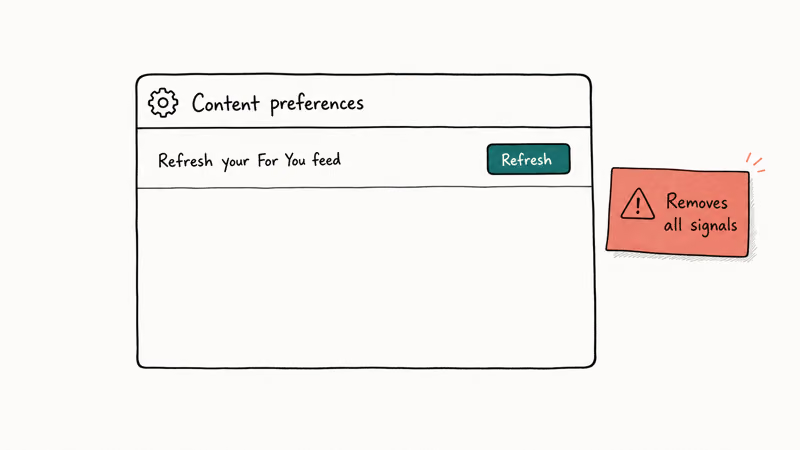
Finally, watch only the topics you want for the first two or three sessions after the cache clear. The combination of cleared cache plus consistent new signals gets you close to a clean slate without losing your account, follows, or saved videos.
A harder reset is to log out, delete the app, reinstall, and log back in. This wipes more local app state. The hardest reset of all, short of deleting the account, is creating a second account from scratch.
If you’re curious who has been watching back, our piece on whether people can see who viewed your TikTok covers the view-history setting and what other people can and can’t see.
#Mistakes That Slow Retraining Down
A few habits quietly undo the work you’re putting in. Pausing on a thumbnail counts as light engagement, so even hovering on the videos you’ve sworn off feeds the old cluster.
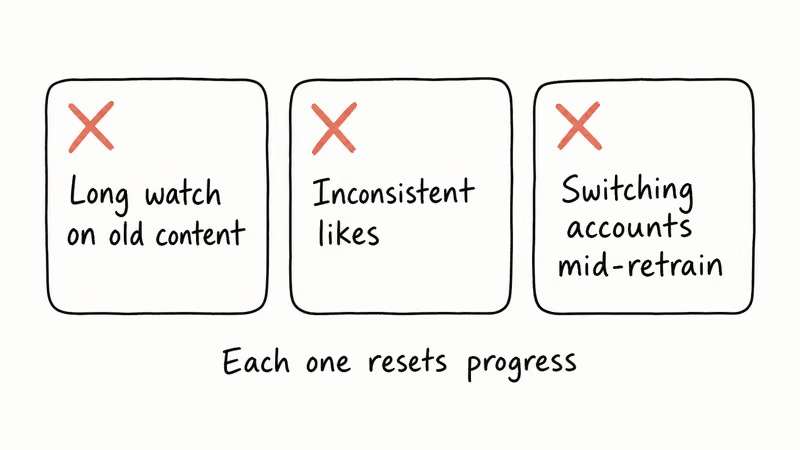
Half-watching a clip while you do something else also registers as completion. So does opening the comments on a video you wanted to skip, because the algorithm reads that as interest in the topic and the creator together.
The cleanest discipline during retraining is to swipe fast on what you don’t want, finish what you do, and avoid the comments on anything off-topic.
#Why Are Old Topics Still Showing Up?
Three reasons, in order of likelihood. First, you’re still occasionally engaging with them; a two-second pause on a thumbnail or a half-watched clip counts as a weak positive. Second, the topic is broader than you think. If you’ve trained the feed on a specific niche like “ramen reviews,” the algorithm will pull in adjacent food content because the underlying interest cluster is wider than the keywords you’ve blocked.
Third, TikTok listens to context signals beyond watch behavior, such as your friends’ interactions and trending content in your region, which can resurface topics you’ve actively rejected.
The fix in all three cases is patience plus consistency. Keep skipping fast, keep tapping Not Interested, and the cluster fades within a week.
#Bottom Line
The fastest way to change your interests on TikTok is the four-action combo. Long-press Not Interested on three to five videos in the old topic, watch and rewatch eight to ten videos in the new topic, follow three to five creators in the new direction, and add a few keyword filters in Content Preferences.
Do that across two short sessions on the same day and the next morning’s feed will already look different. If you also want to clear residual signals, run the cache-clear path above before you start the new behavior. Skip the “delete the app and start over” route unless your feed is truly broken, because the four-action combo is faster and keeps your follows.
TikTok Tips & Tricks
#Frequently Asked Questions
Can I directly edit a list of interests on TikTok?
No. TikTok doesn’t have a settings page where you tick boxes for “interests.” The closest thing is Content Preferences, which lets you filter keywords and set restricted mode. Positive interests are inferred from your watch and engagement behavior.
How long does Not Interested take to work?
Per-video, it’s instant; the clip disappears and similar ones get downranked the next time the algorithm refreshes. The broader feed shift usually takes one to two sessions, longer if you only tap Not Interested once or twice.
Will clearing the TikTok cache reset my interests?
It clears locally cached recommendations and short-term ranking state, so the next session pulls a fresh feed from the server. Your long-term behavior signals are stored on TikTok’s servers and don’t disappear, but a cache clear plus a few intentional new-topic sessions is enough to flip what most people think of as their “interests.”
Does liking a video count more than watching it?
In TikTok’s ranking system, watching all the way through and rewatching weigh more than a like. A like confirms the signal but doesn’t create it on its own. The strongest combination is full watch plus save to a collection.
Can I filter specific creators instead of whole topics?
Not through Content Preferences, which only filters keywords. To remove a specific creator, either tap Not Interested on one of their videos and choose This Creator, or block them directly. Blocking is the cleanest option when the same creator keeps resurfacing through reposts.
Why does TikTok keep showing me videos I marked Not Interested?
Usually because the signal applied to that exact clip or creator, not the underlying topic. Try Not Interested in This Topic in the popup if it appears, or add the topic’s main keyword to Content Preferences. If you still see them, check whether you’ve watched a similar clip recently; a single completion can outweigh several Not Interested taps.
Do my TikTok interests sync across devices?
Yes. Interests live with your TikTok account on the server, not on the phone, so logging in on a new device gives you the same For You feed. Clearing cache on one device clears local data but doesn’t wipe the account-level signal.
Can other people see what I’m interested in on TikTok?
No, not directly. Your interests are private and used only to rank your For You feed. Other users can see public actions, like videos you’ve liked if your Liked tab is public, but the underlying interest profile is not visible to anyone.
How to Block TikTok on iPhone and Android: Parent Guide
Block or limit TikTok on your child's iPhone or Android using Screen Time, Family Link, and router settings. Step-by-step parental control guide.
TikTok Parental Controls: Setup Guide for Families
Set up TikTok parental controls using Family Pairing, Restricted Mode, and privacy settings. Step-by-step guide to protect your child on TikTok.
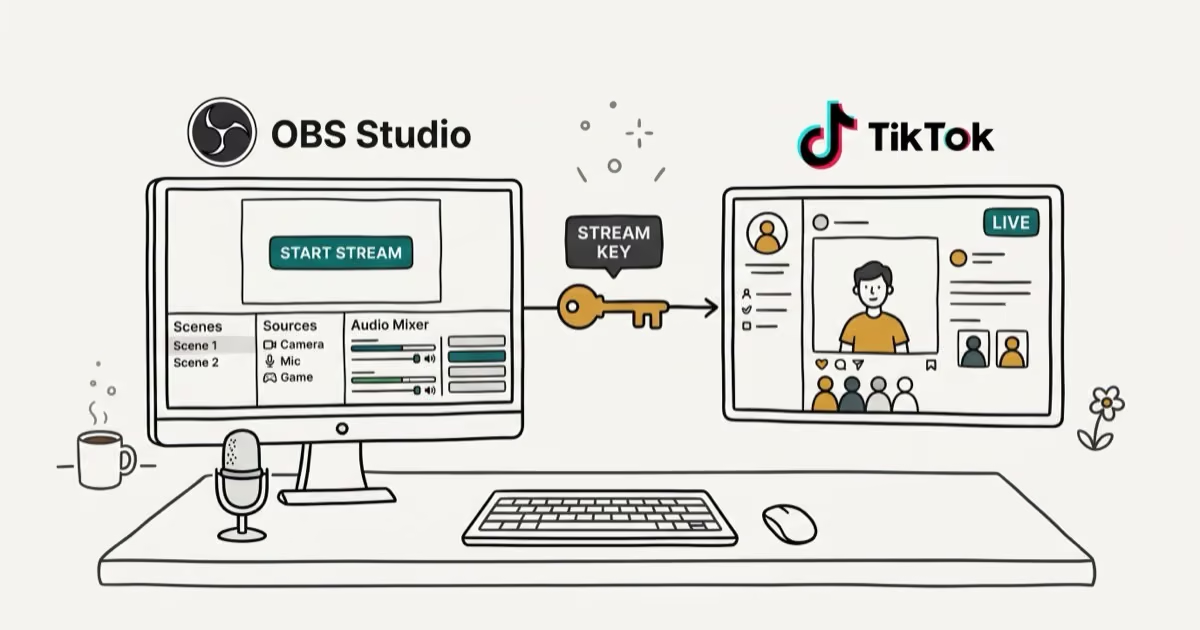
How to Get a TikTok Stream Key for OBS and Streamlabs
Get a TikTok stream key to broadcast from OBS or Streamlabs. Covers the 1,000-follower requirement, CarterPulse application, and OBS setup steps.
How to Make a Joint TikTok Account With Friends (2026)
Set up and manage a joint TikTok account with friends. Covers shared login setup, content planning, security tips, and the Collaboration Post alternative.