Freeform Not Syncing? 7 Fixes for iCloud Boards in 2026
Freeform not syncing across iPhone, iPad, or Mac? Fix the iCloud toggle, Apple Account mismatch, shared-board invites, and stuck uploads in 2026.
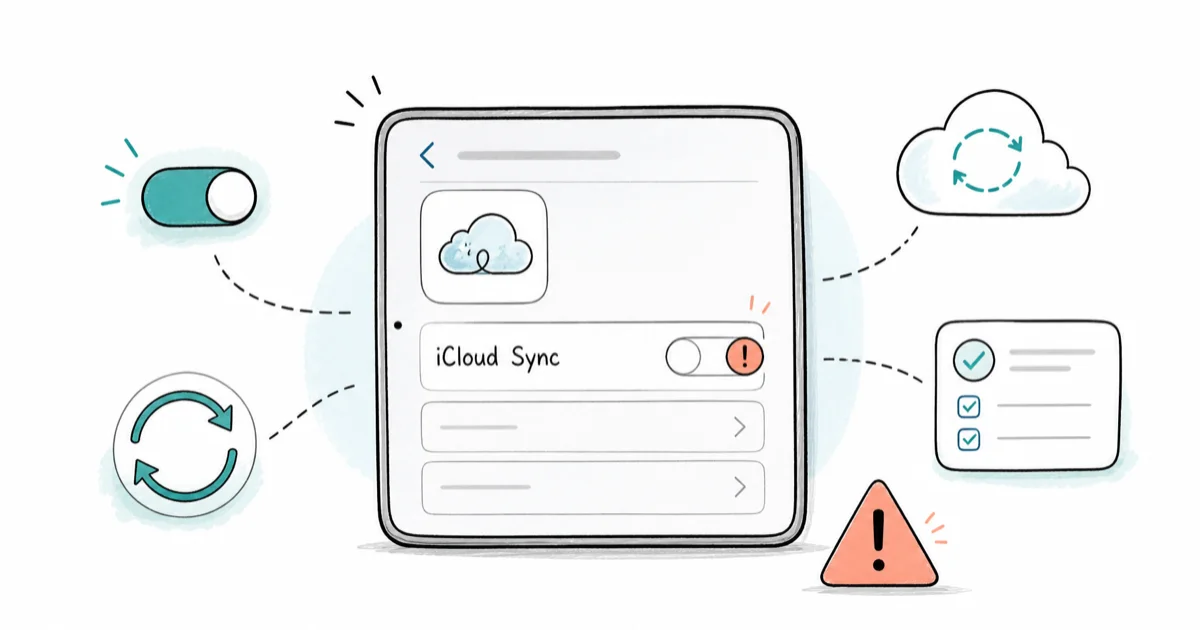
Quick AnswerFreeform not syncing usually means iCloud Freeform is off on one device or you're signed into a different Apple Account. Turn on iCloud for Freeform on every device, confirm the same Apple Account, then give large or shared boards time to finish uploading.
Freeform not syncing almost always traces back to iCloud. The Freeform app stores every board in iCloud, so if the iCloud toggle is off, the Apple Account is wrong, or a board is mid-upload, your iPhone and Mac stop showing the same thing. Start with the iCloud toggle and Apple Account check before moving to shared-board or upload fixes.
- Freeform stores boards in iCloud, so a disabled iCloud Freeform toggle is the most common cause
- Every device must use the same Apple Account or boards won’t appear together
- Shared boards need an accepted invite, and only people with edit access see live changes
- Large boards with many images can take several minutes to finish uploading over Wi-Fi
- Force quitting and reopening Freeform often pushes a stuck board to sync
#Why Is Freeform Not Syncing?
Freeform syncs through iCloud, not through the app itself. When boards don’t match across devices, the cause is almost always one of four things: iCloud is off for Freeform, the devices use different Apple Accounts, a shared board invite was never accepted, or a large board is still uploading.
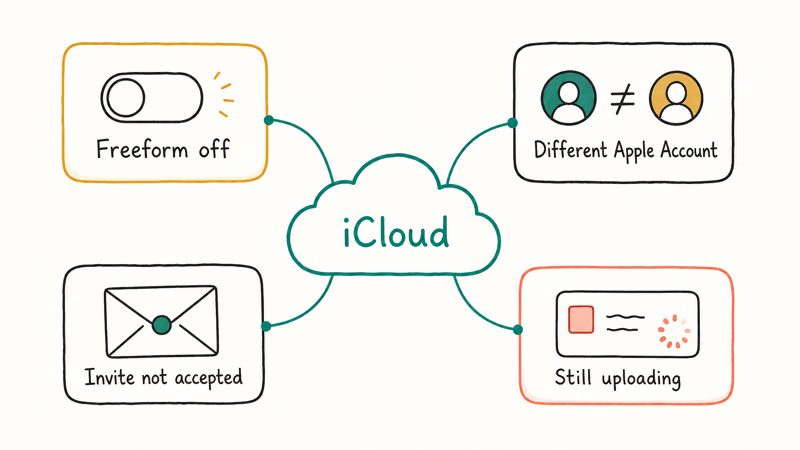
According to Apple’s iCloud Freeform guide, you turn on Freeform in iCloud settings so boards stay updated across all your devices. A single shared Apple Account ties every board together, so a different account on one device quietly breaks the link. If that switch is off on even one device, that device falls out of sync silently. No error appears, which is why this bug feels mysterious.
Common Freeform sync causes and what to check first
| Symptom | Likely cause | First check |
|---|---|---|
| Board missing on one device | iCloud Freeform off | iCloud settings toggle |
| Boards never match | Different Apple Account | Apple Account on each device |
| Shared board invisible | Invite not accepted | Resend or re-accept invite |
| Edits not appearing | Still uploading | Wait on Wi-Fi, then reopen |
If you are seeing the same problem with Notes, the guide on full solutions for iCloud Notes not syncing covers that app’s quirks, which overlap with Freeform’s.
#Is iCloud Enabled for Freeform on Every Device?
This is the single most important check, and it’s easy to miss. iCloud sync has to be on for Freeform separately on each iPhone, iPad, and Mac.
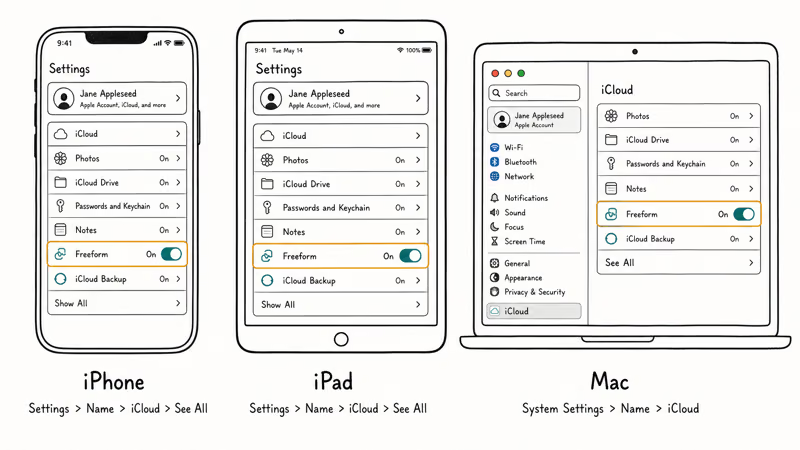
On iPhone or iPad, open Settings, tap your name at the top, choose iCloud, then See All, and confirm Freeform is on. On a Mac, open System Settings, click your name, choose iCloud, and check that Freeform is enabled there too. The toggle lives in a different place on each platform, so people often flip it on one device and forget the others.
After enabling it, give the device a minute to pull boards down. If nothing shows up, move to the Apple Account check next.
#Fix Shared Board Permissions and Invite Issues
Shared boards add a second layer that can break independently of iCloud. A collaborator only sees a board if the invite was sent, accepted, and granted the right access level.
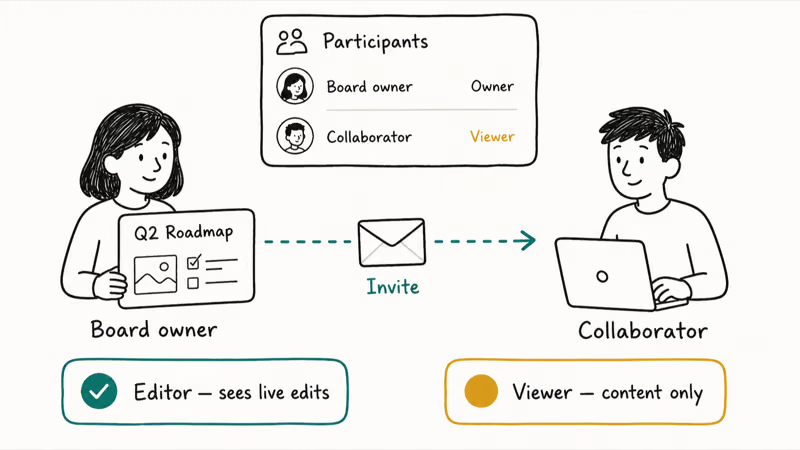
If a teammate can’t see a shared board, reopen the board, tap the collaboration icon at the top, and confirm they appear in the participant list. Resend the invite if they don’t. Apple’s Freeform user guide states that collaboration requires each participant to have an Apple Account and to accept the invitation before they can see or edit the board.
Permission level matters too. Someone with view-only access sees content but not live edits the same way an editor does. Check whether the board owner set the share to “only people you invite” and whether each person has edit rights. For broader account-sync issues that block sharing, the iPhone iCloud backup not working guide explains how a half-configured iCloud account causes problems across many apps.
#Fix Stuck Uploads and Large Boards
Big boards are slow boards. A Freeform canvas packed with photos, PDFs, and sketches can take a while to push to iCloud, and a weak connection makes it worse.
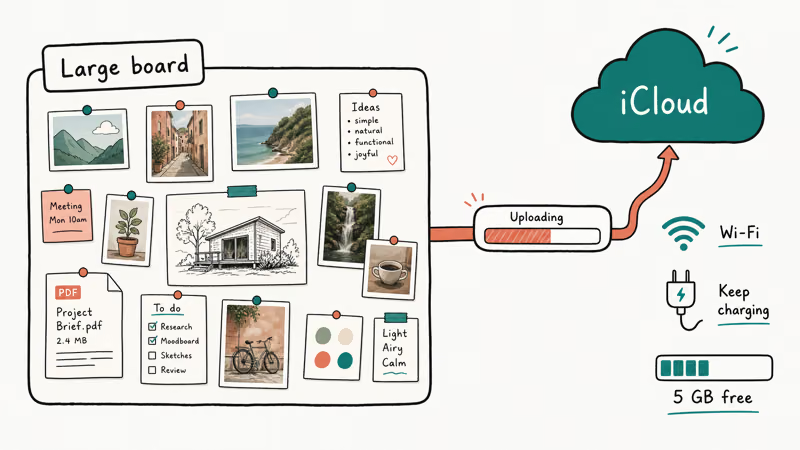
Start by checking your connection. Freeform needs Wi-Fi or cellular to sync, and uploads stall on flaky networks. There’s also a storage angle: Apple’s iCloud storage page states that every iCloud account starts with 5 GB of free storage, and a full account quietly blocks new uploads. Plug the device in and leave it on Wi-Fi so the upload can finish in the background.
Then force quit Freeform and reopen it. On iPhone, swipe up and flick Freeform away. On Mac, right-click the Dock icon and choose Quit.
#Refresh the iCloud Connection
If a board still looks stale, sign out of iCloud and back in on the affected device. That refreshes the sync connection without touching your boards, since everything lives in iCloud. Confused about how Apple’s cross-device features connect in general? The Universal Control not working guide covers a related Continuity feature that breaks for similar reasons.
#Duplicate or Export a Stubborn Board
Sometimes one board refuses to cooperate while everything else syncs fine. That points to a single corrupted board rather than an account-wide problem.
When that happens, open the stubborn board, duplicate it from the boards list, and see whether the copy syncs. A fresh duplicate often syncs cleanly when the original won’t. As a safety net, export the board as a PDF first so you have a copy that doesn’t depend on iCloud at all.
Want to know what Freeform can and can’t do before you rebuild a board? The explainer on what is Freeform on iPhone is a good refresher, and the iPhone privacy settings checklist helps if a managed-account restriction is blocking sync.
Avoid deleting the original board until the duplicate has fully synced everywhere. A board you delete on one device disappears from iCloud and every other device too.
#Bottom Line
Start with the iCloud Freeform toggle on every device, because a single off switch causes most of these sync failures. Confirm the same Apple Account everywhere, accept any pending share invites, then give large boards a few minutes on Wi-Fi to finish uploading. If one specific board stays broken, duplicate it and let the copy sync, and export it as a PDF to protect your work before contacting Apple Support.
#Frequently Asked Questions
Why does Freeform sync on my iPhone but not my Mac?
The usual reason is that iCloud Freeform is on for your iPhone but off on your Mac. Open System Settings, click your name, choose iCloud, and enable Freeform there. Both devices also need the same Apple Account, so double-check that too while you’re in settings, because a stray work account is easy to miss.
Does Freeform need Wi-Fi to sync?
Yes. It needs Wi-Fi or cellular to sync boards through iCloud, and large boards finish fastest on Wi-Fi.
Why can’t my collaborator see our shared board?
They probably never accepted the invite. Reopen the board, tap the collaboration icon, and confirm they appear in the participant list with edit access. Resend the invite if they’re missing.
Will I lose my board if I sign out of iCloud?
No. Boards live in iCloud and reappear when you sign back in with the same Apple Account.
How long should a large Freeform board take to sync?
Most boards sync within a minute. A board heavy with images and PDFs can take several minutes over Wi-Fi, so keep the device unlocked and connected so the upload finishes in the background instead of pausing the moment the screen turns off.
What should I avoid doing while troubleshooting?
Don’t delete the original board before a duplicate has synced everywhere, since deleting removes it from iCloud and all your devices. Avoid signing into a different Apple Account to test, because that just hides your real boards.

iOS 26.6.1 Security Update: What Apple Fixed and Who Gets It
Apple released iOS 26.6.1 on August 17 with 29 security fixes, including an IPSec interception bug. See what it patches, who gets it, and how to update.

iPhone Adaptive Power: How It Works and When to Use It
Learn how iPhone Adaptive Power works, which models support it, what it changes, and when Low Power Mode is still the better battery-saving choice.

How to Transfer Data to a New iPhone Without iCloud
Move everything to your new iPhone without iCloud: Quick Start device-to-device transfer, wired migration, and encrypted Finder or iTunes backups.

Group Text Not Working on iPhone? 8 Fixes That Work
Group text not working on iPhone? Turn on MMS Messaging and Group Messaging, check iMessage vs SMS routing, and fix mixed Android group chats fast.