How to Download YoWhatsApp Safely on Android (2026)
Download YoWhatsApp APK safely on Android with this step-by-step guide. Covers backup, installation, chat transfer, and risks like account bans.
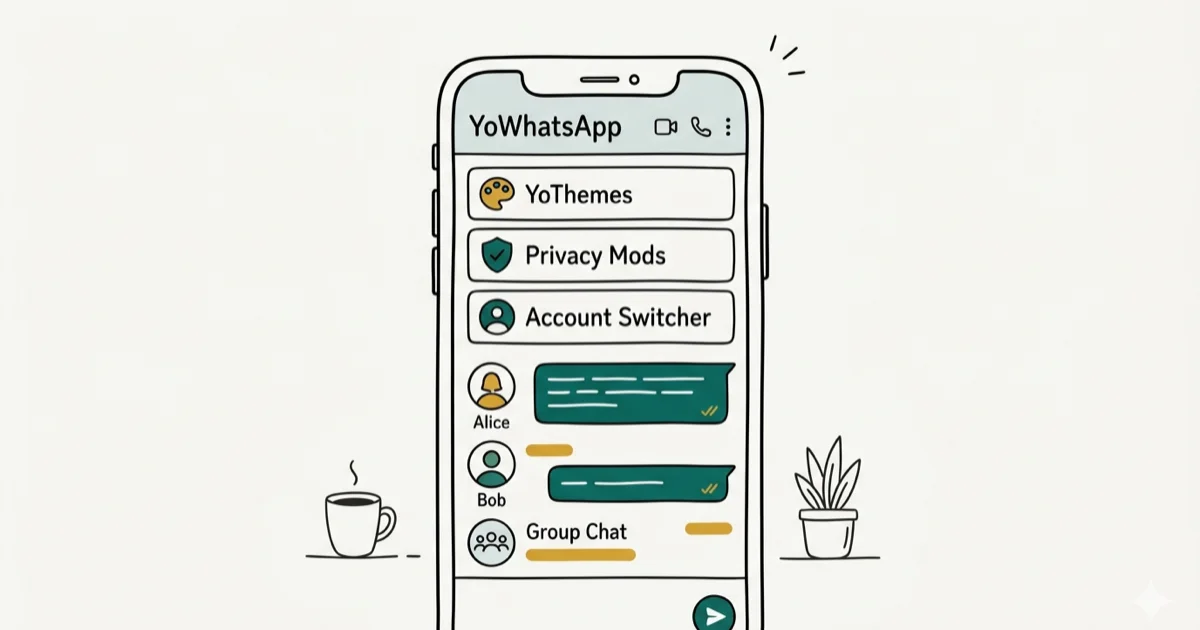
Quick AnswerDownload YoWhatsApp by visiting the official YoWA website (yowa.app), tapping the download button to get the APK, enabling Unknown Sources in Settings, then installing the file. Back up your WhatsApp chats before switching.
YoWhatsApp is a modified version of WhatsApp that adds features the official app doesn’t offer, including custom themes, privacy controls, and sending files up to 700 MB. This guide walks through the installation process on Android and documents what actually happens in 2026, including the real account risks involved.
- YoWhatsApp isn’t on the Google Play Store. Download it only from yowa.app or verified APK sources
- Backing up your WhatsApp chats before switching takes under 2 minutes and prevents data loss
- Android 8.0 and later requires enabling “Allow from this source” per app rather than a single system toggle
- WhatsApp’s terms of service prohibit modified clients, and account suspension is a real risk with no guaranteed timeline
- Using a secondary phone number with YoWhatsApp reduces your exposure if your primary account gets banned
#What Features Does YoWhatsApp Add?
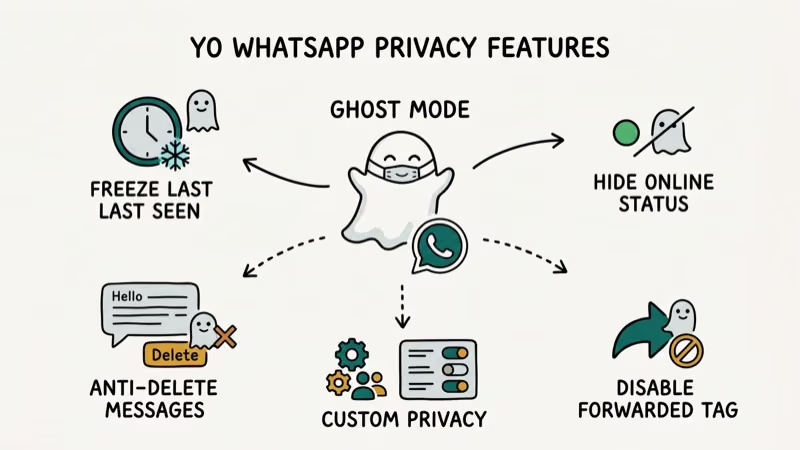
YoWhatsApp is a third-party WhatsApp mod developed independently from Meta. It uses WhatsApp’s underlying infrastructure while adding features the official app restricts. The main reasons people switch include hiding the blue double-tick read receipts, applying custom chat themes, sending files larger than the standard 100 MB cap, and using two WhatsApp numbers on one device.
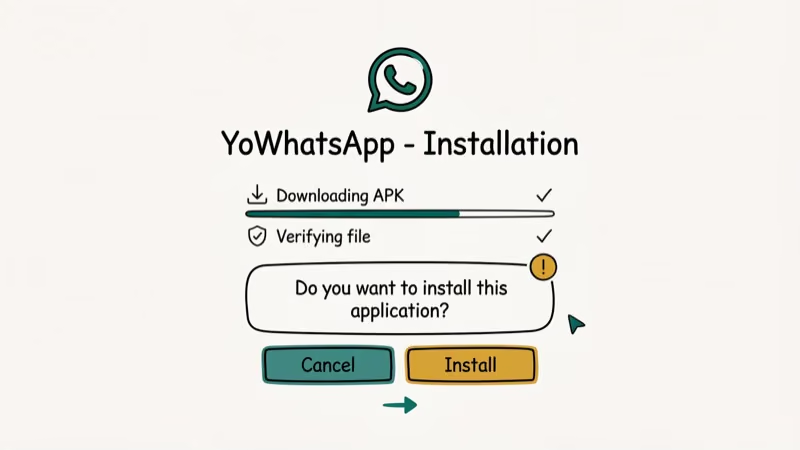
The app isn’t on the Google Play Store because Meta prohibits modified clients in its terms of service. You’ll find the APK on the official YoWhatsApp site at yowa.app. Before installing, confirm the site is live and the APK version matches the current changelog. Avoid third-party APK aggregator sites that host outdated versions or inject ads into the installer.
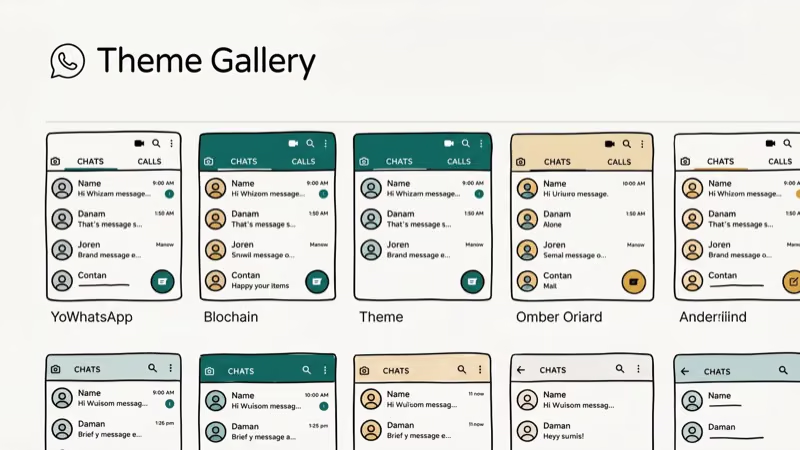
Notable features include a built-in app lock (no third-party lock app needed), read receipt control, a theme store with hundreds of options, and the ability to backup WhatsApp messages before migrating. WhatsApp has over 2 billion monthly active users. According to Wikipedia, the platform reached this milestone in 2020 and has held it since. See the Wikipedia WhatsApp article for a detailed history of the platform’s growth. Third-party mods like YoWhatsApp tap into that same network without Meta’s official approval.
#Step-by-Step YoWhatsApp Installation Guide
The installation process differs slightly between Android versions. Both require enabling installs from unknown sources, but Android 8.0 and later uses a per-app toggle rather than a single system switch.
Before you start: Back up your WhatsApp chats first. Open WhatsApp, go to Settings > Chats > Chat Backup, and tap Back Up Now. WhatsApp states that Google Drive backups don’t count against your storage quota — as confirmed on WhatsApp’s backup support page. The backup completes in under 2 minutes for most accounts.
Step 1: Download the APK
Visit yowa.app in your Android browser and tap the download button. The APK file saves to your Downloads folder. The file size is typically 50-60 MB.
Step 2: Enable Unknown Sources (Android 8.0 and later)
Open Settings, search for “Install unknown apps,” and find your browser in the list. Toggle Allow from this source to on. This permission is browser-specific, so only your browser gets permission to install APKs, not every app.
Step 3: Enable Unknown Sources (Android 7.0 and earlier)
Go to Settings > Security, find Unknown Sources, and enable it. This is a system-wide toggle on older Android versions.
Step 4: Install the APK
Open your Downloads folder, tap the YoWhatsApp APK file, and tap Install. If Android prompts “App not installed,” confirm you enabled Unknown Sources for the correct app.
Step 5: Set Up YoWhatsApp
Open YoWhatsApp, tap Agree and Continue, enter your phone number, and wait for the SMS verification code. When prompted to restore a backup, tap Restore to bring over your WhatsApp chat history.
#Common Installation Errors and Fixes
Three errors come up regularly when installing YoWhatsApp. “App not installed” usually means Unknown Sources isn’t enabled for the correct browser; check your settings and retry. “Parse error” indicates a corrupted download; delete the APK and download again from yowa.app. “Insufficient storage” means the device needs at least 200 MB free. All three errors clear by addressing the root cause, without needing to restart the phone.
If YoWhatsApp crashes on launch, uninstall and reinstall it. The app stores its data in a separate folder, so reinstalling doesn’t affect your chat history if you’ve completed the folder-rename setup step.
#Migrating WhatsApp Chats to YoWhatsApp
Chat migration works because YoWhatsApp reads WhatsApp’s backup format. You don’t need a separate tool for most cases.
Default method (works for most users):
- Open WhatsApp and go to
Settings>Chats>Chat Backup. Tap Back Up Now and wait for it to finish. - Uninstall WhatsApp from your device.
- Open Files (or your file manager) and go to
Internal Storage>WhatsApp. Rename this folder to YoWhatsApp. - Do the same for every subfolder inside it.
- Install YoWhatsApp and set it up. When the app asks to restore a backup, tap Restore.
This method transfers your full chat history, including media files, without losing messages, and it usually finishes in a few minutes. You can also export WhatsApp chats to PDF as an additional archive before switching.
Alternative method using dr.fone WhatsApp Transfer:
Some links on this page are affiliate links, which means fone.tips may earn a commission at no extra cost to you.
If the folder rename method doesn’t work, dr.fone handles the transfer with a single click. Connect your phone to a PC, back up WhatsApp through dr.fone, install YoWhatsApp, then restore the backup to YoWhatsApp through the same tool.
#YoWhatsApp Safety and Account Risk
Safety has two dimensions: the app itself and your account standing.
App safety: YoWhatsApp is not open source, so you can’t verify the code yourself. Download exclusively from yowa.app to avoid tampered versions. Before installing, upload the APK to VirusTotal, which scans the file against dozens of antivirus engines for free in under a minute. Any flagged result is a reason to delete the file and not install it.
Account safety: According to WhatsApp’s Terms of Service, using unauthorized third-party clients violates the agreement and can result in account suspension. WhatsApp has issued temporary bans to YoWhatsApp users in the past. The risk varies: some users run it for years without issues, others get banned within weeks. Using a secondary number reduces exposure.
We’d recommend using YoWhatsApp on a separate SIM or a Google Voice number rather than your primary one. That way, if WhatsApp issues a ban, only the secondary account is affected. Your main contacts remain unaffected, and you can continue using official WhatsApp on your primary number without interruption. Prepaid SIMs for this purpose cost under $5 at most carriers. If you want to run two WhatsApp accounts on one phone without any mods, some Samsung devices support dual WhatsApp through Dual Messenger natively in the settings under Advanced Features.
#Can You Switch Back to Official WhatsApp Without Losing Chats?
If you decide to return to official WhatsApp, the process reverses:
- Create a YoWhatsApp backup:
Settings>Chats>Backup>Backup Now - Uninstall YoWhatsApp
- In your file manager, rename the YoWhatsApp folder back to WhatsApp
- Install WhatsApp from the Google Play Store
- During setup, when prompted to restore, tap Restore
All your YoWhatsApp chats reappear in the official app. Media files transfer along with text messages.
#Bottom Line
YoWhatsApp adds genuine privacy and customization features that WhatsApp doesn’t offer. The installation is straightforward if you follow the correct steps for your Android version. The main trade-off is account ban risk, so use it on a secondary number if you want the features without risking your primary account. Always back up before switching in either direction, and download only from yowa.app to avoid malware. If you want to explore other WhatsApp mods, see our roundup of the best WhatsApp mods for Android for a comparison of features and risk profiles.
#Frequently Asked Questions
Can I use YoWhatsApp and the official WhatsApp on the same device?
Not with the same phone number. If you use the com.whatsapp package version of YoWhatsApp, you must uninstall official WhatsApp first. Some versions use a different package name that allows both apps to coexist on one device using different numbers.
Will my account get banned for using YoWhatsApp?
There is a real risk. WhatsApp actively detects modified clients and issues temporary or permanent bans. Millions of users run YoWhatsApp without incident, but there’s no protection from enforcement. Using a secondary number limits the damage if a ban occurs.
Does YoWhatsApp support video calls?
Yes. YoWhatsApp supports voice and video calls using the same infrastructure as official WhatsApp. Call quality matches what you’d get with the official app on the same network.
How do I update YoWhatsApp?
Visit yowa.app periodically and download the latest APK when a new version is available. YoWhatsApp doesn’t update automatically through the Play Store. Check the site monthly to stay on a current version, since older versions are more likely to trigger ban detection.
Is the YoWhatsApp backup compatible with the official WhatsApp?
Yes. Same backup format. Restores work in both directions.
What file size can YoWhatsApp send?
YoWhatsApp raises the outgoing file size limit to 700 MB, compared to WhatsApp’s 100 MB cap. Recipients don’t need YoWhatsApp to receive the file. It arrives as a standard attachment regardless of what app they use.
Can I transfer YoWhatsApp chats to a new phone?
Yes. Back up YoWhatsApp chats to Google Drive through Settings > Chats > Chat Backup, then install YoWhatsApp on the new device and restore from the backup during setup. The process mirrors what you’d do with official WhatsApp.

Pixel 11 vs Pixel 10: What Changed and Who Should Upgrade
Pixel 11 vs Pixel 10: same screen and camera resolution, new Tensor G6, 25W wireless, and Gemini Intelligence. Here is who should actually upgrade.

Verizon Not Receiving Texts? How to Fix It in 9 Steps
Verizon not receiving texts? Fix it in 9 steps: check Message Blocking in My Verizon, reset network settings, deregister iMessage, and call support.

Pixel Battery Drain: What Google's July Fix Really Covers
Google marked the Pixel idle battery drain bug fixed in July, but only some phones got the patch. Here is who is covered, who is not, and what to try.

iPhone Stuck on EDGE? How to Get 5G or LTE Back (2026)
iPhone stuck on EDGE with crawling data? Here's why the E icon appears, which settings force 5G or LTE back, and when the problem is your carrier.