CamStudio Review: A Comprehensive Look at the Free Screen
CamStudio is a free Windows screen recorder. Our 2026 review covers features, pros, cons, OBS and Camtasia comparisons, and if it is still worth using.
Quick AnswerCamStudio is a free, open-source screen recorder for Windows that outputs AVI and SWF files. It works well for basic tutorials and software demos but lacks modern features like MP4 export, built-in editing, and cloud storage.
CamStudio is a free, open-source screen recorder for Windows that has been around since 2001. It captures screen activity and audio without time limits or file size restrictions, which makes it useful for quick software demos and tutorial recordings.
- CamStudio is completely free with no recording time or file size limits
- Output formats are limited to AVI and SWF, with no built-in MP4 or MKV export
- Installation requires caution: some older installer versions bundled adware
- Recording quality depends on your PC specs — high-resolution capture can cause crashes
- OBS Studio is the better free alternative for most modern recording use cases
#CamStudio Features and How It Works
CamStudio captures your screen at a frame rate you define, recording either the full screen, a specific window, or a custom-defined region. It writes output directly to your drive in AVI format, with an optional conversion to SWF (Flash video) for browser embedding. According to Wikipedia’s screencast overview, screen recorders create screencasts, so recording stability and export format matter more than a long feature list.
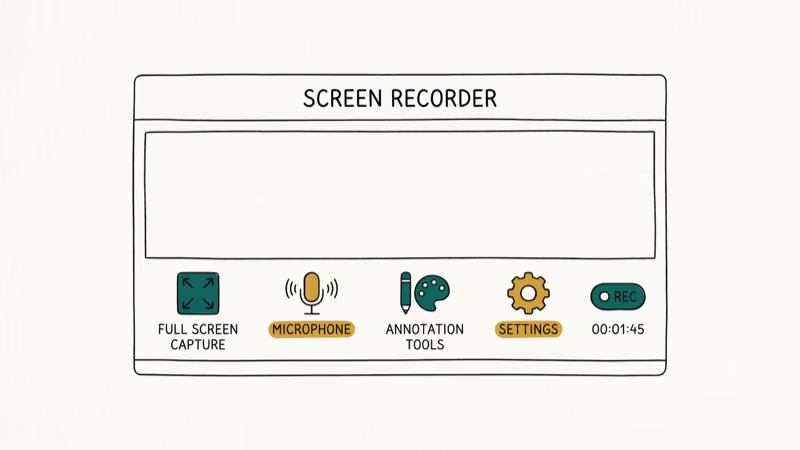
Key features:
- Full screen, window, and custom region capture
- Audio recording from both microphone and system sounds
- Built-in annotation tools: text overlays, shape drawing, cursor highlight effects
- No time limit or file size cap on recordings
- Customizable frame rate and video compression settings
The core limitation is the output format. AVI files are uncompressed or lightly compressed, which means a 1-hour recording at 1080p can produce a file over 10GB. SWF output is no longer useful since Flash support ended in all major browsers in 2020.
#Is CamStudio Still Worth Using in 2026?
CamStudio can still handle basic screen recordings, but reliability depends heavily on your Windows PC, codec settings, resolution, and audio setup. For longer sessions or high-resolution capture, modern recorders with active development are safer choices.
The honest answer is: CamStudio works for simple use cases but has fallen behind modern alternatives. OBS Studio handles more complex recording scenarios and outputs directly to MP4. Camtasia adds built-in editing but costs $299.
If you need a no-install, no-cost recorder for Windows and your output is an AVI file for local use, CamStudio delivers. If you need any of the following, look elsewhere:
- MP4 or MKV output
- Built-in video editor
- Cloud upload or live streaming
- Stable recording at 4K
#CamStudio vs. OBS Studio: Free Recorder Comparison
Both tools are free. The practical differences matter depending on your use case.
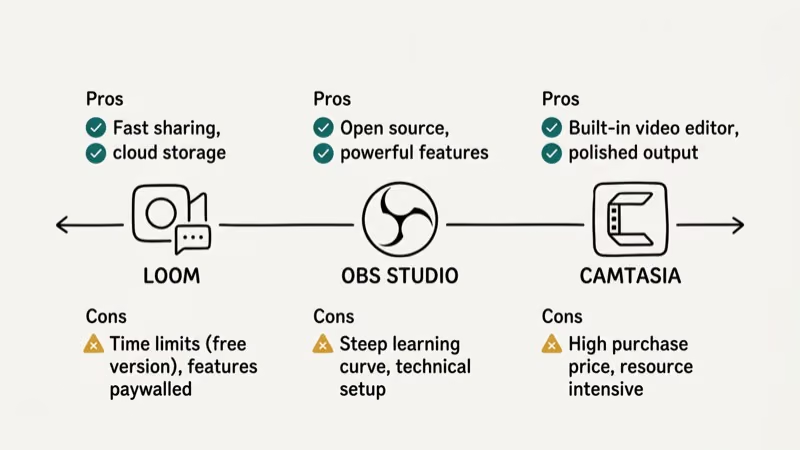
OBS Studio is maintained actively, with regular updates through 2026. It’s one of the most widely used free screen recorders, and according to the OBS Project, the software is free and open source with native builds for Windows, Mac, and Linux. OBS outputs to MP4, MKV, and FLV directly, supports multiple audio tracks, and includes scene management for complex recording setups.
CamStudio is simpler to start — open it, click record, done. OBS Studio usually requires more initial configuration for scenes, audio sources, and output settings. If you record infrequently and just need a quick capture, CamStudio’s simplicity is its biggest advantage.
Resource usage: CamStudio typically uses fewer CPU resources than OBS during recording, which matters on older or lower-spec PCs. OBS with advanced encoding settings can use 20-30% CPU on a mid-range system.
#CamStudio vs. Camtasia: Free vs. Premium
Camtasia is the professional standard for tutorial and software demo recording. According to TechSmith’s product page, Camtasia includes 23 built-in effects, direct YouTube/Vimeo export, interactive quizzes, and timeline-based editing.
The cost difference is significant: CamStudio is free; Camtasia costs $299 for a perpetual license or $179/year for a subscription. For professional content creators or training departments, Camtasia pays for itself through production time savings. For individuals recording occasional tutorials, CamStudio is the rational starting point.
#How to Get the Most Out of CamStudio
Before recording:
Adjust the video compression settings before your first recording session. In Options > Video Options, change the compressor from “Microsoft Video 1” to “Xvid” or “x264vfw” if you have those codecs installed. This dramatically reduces file sizes without major quality loss.
During recording:
Use the keyboard shortcuts to start, pause, and stop recordings rather than clicking the interface. This keeps the CamStudio window out of your capture area.
After recording:
AVI files from CamStudio are large. Run them through HandBrake (free) to convert to H.264 MP4 before sharing. A 3GB AVI typically converts to a 200-400MB MP4 with no visible quality loss.
For more complex recording scenarios, see our guide on how to record a Discord call and how to screen record FaceTime with sound.
If you’re comparing OBS to other free tools, check our OBS Studio alternatives guide. For gaming recordings, the Fraps vs OBS comparison covers performance tradeoffs.
You can also read our full Screencast-O-Matic review for another free option worth considering.
#Safety: Is CamStudio Safe to Download?
The official download at camstudio.org has had a history of bundling adware through some third-party download portals. Always download directly from the official GitHub repository at github.com/CamStudio/camstudio or the project’s SourceForge page rather than from third-party software aggregator sites.
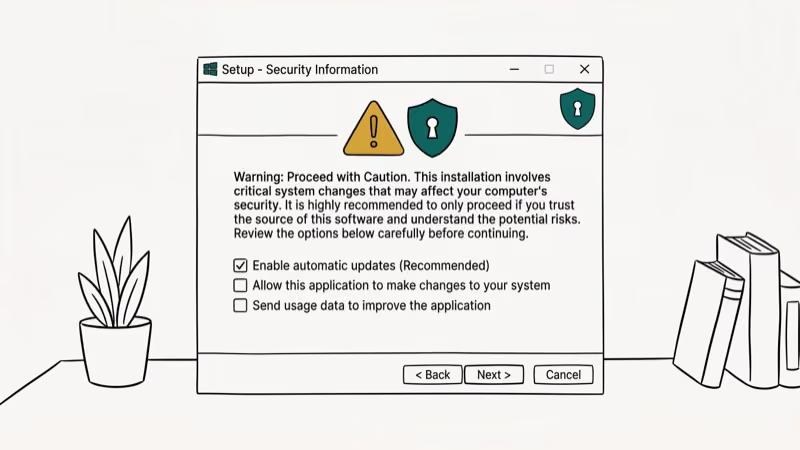
Run a virus scan on the installer before executing it. The software itself is safe; the risk comes from unofficial mirrors distributing modified installers.
#Bottom Line
CamStudio is a functional free screen recorder for basic Windows use cases. It works reliably for simple tutorial recordings, requires no account or subscription, and has no recording limits. The lack of MP4 output and built-in editing are real limitations for anything beyond basic capture.
For most users in 2026, OBS Studio is the better free choice. For professional tutorial creation with editing, Camtasia justifies its cost. CamStudio remains worth considering only if you need the simplest possible recorder with no setup overhead.
#Frequently Asked Questions
Is CamStudio completely free?
Yes, CamStudio is free and open-source software licensed under the GNU GPL. There are no paid tiers, no watermarks on recordings, and no recording time limits.
Can CamStudio record audio?
Yes. It records both system audio (sounds from your computer) and microphone input. You can capture them separately or mixed together. Audio quality depends on your microphone and system audio drivers.
What file formats does CamStudio support?
CamStudio outputs to AVI and SWF. It doesn’t natively export to MP4, MKV, or any other modern format. You’ll need a separate converter like HandBrake to produce MP4 files for sharing.
Is CamStudio safe to use?
The software itself is safe and open-source. The risk is from unofficial download mirrors that bundle adware with the installer. Download only from the official GitHub repository or SourceForge project page.
Can CamStudio record webcam footage?
Yes, CamStudio supports webcam recording alongside screen capture. You can overlay the webcam feed in a small picture-in-picture window, which is useful for tutorial recordings where you want to show your face alongside the screen.
Why does CamStudio crash during high-resolution recording?
CamStudio is unoptimized for modern high-resolution displays. Recording at 4K or even 1440p can overwhelm the AVI writing buffer, especially on older hardware. Limit recording to 1080p or lower, close other applications, and reduce the frame rate to 15-24fps to improve stability.
What are the best free alternatives to CamStudio?
OBS Studio is the best free alternative for most use cases, offering MP4 output, active development, and broad format support. ShareX is another strong free option with built-in annotation and upload tools. Both are actively maintained, unlike CamStudio, which hasn’t received major updates since 2014.

Best Laptop for Running LLMs in 2026: Memory Comes First
The best laptop for running LLMs is a memory purchase first. Compare MacBook unified memory against NVIDIA laptop VRAM, and see what each tier really runs.

Pixel 11 vs Pixel 10: What Changed and Who Should Upgrade
Pixel 11 vs Pixel 10: same screen and camera resolution, new Tensor G6, 25W wireless, and Gemini Intelligence. Here is who should actually upgrade.

Best Power Bank for iPad in 2026: Pro, Air, and Mini
Best power bank for iPad in 2026. Compare mAh tiers and USB-C PD wattage for iPad Pro, Air, and mini, plus airline Wh math, cables, and travel tips.

Best Power Bank With Built-In Cable: Top 2026 Picks
Best power bank with built-in cable picks for 2026. Compare single USB-C, multi-connector, and retractable laptop banks, plus airline Wh math.