Best Wireless Mouse 2026: Top Picks by Hand Size and Use
Best wireless mouse 2026, picked by hand size and use case. Compare productivity, travel, Mac, and gaming mice by specs, ergonomics, and battery life.
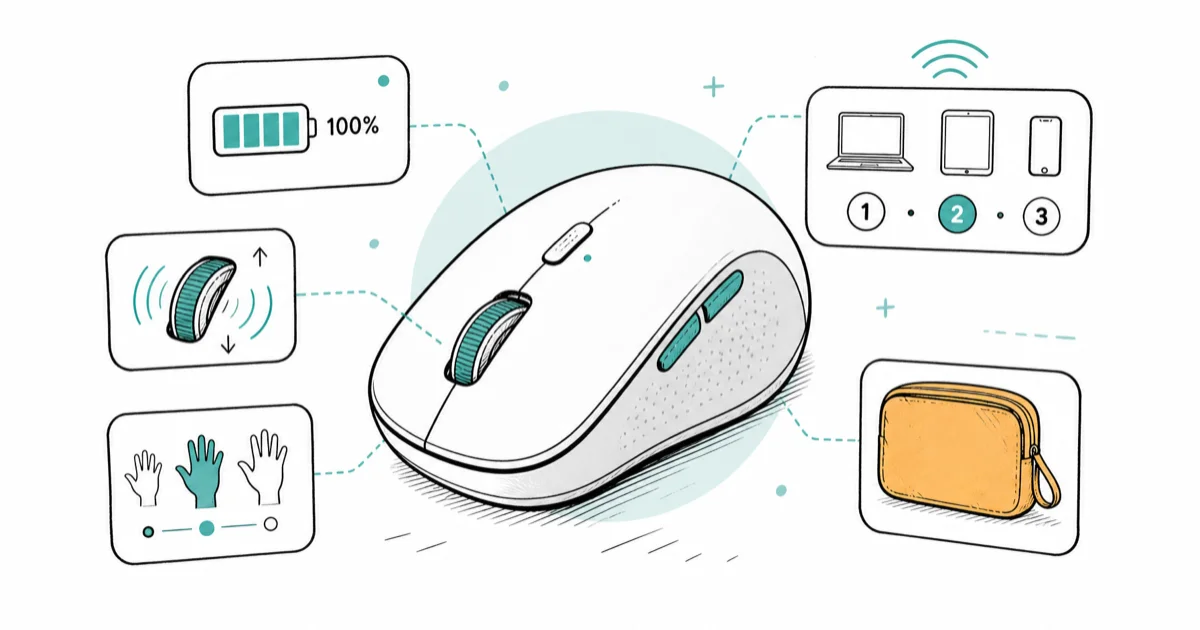
Quick AnswerThe Logitech MX Master 4 is the best wireless mouse in 2026 for most people, pairing a 70-day battery with haptic scroll and 3-device switching. Small hands or travel setups do better with the lighter MX Anywhere 3S.
The right wireless mouse depends less on the spec sheet than on your hand and your desk. A 145-gram productivity mouse feels planted for a work day and sluggish for a flick in a shooter. The picks below sort wireless mice by fit, battery, polling rate, device switching, and platform support so you don’t have to guess from a spec table alone.
- The Logitech MX Master 4 is the default pick for full-size right hands, with a 70-day battery, haptic scroll feedback, and a USB-C receiver in the box
- Polling rate, not maximum DPI, decides whether a wireless mouse can keep up with fast gaming: 125 Hz suits work, 1000 Hz and up suits shooters
- Multi-device pairing matters more than sensor specs for hybrid setups, since one button can swap a single mouse across a work laptop, a gaming PC, and a tablet
- Hands under 17 centimeters or travel-heavy users should drop to a compact 99-gram body like the MX Anywhere 3S instead of a full palm-grip shell
- Mac users gain Continuity gestures and smoother scrolling from a Mac-tuned mouse, though battery life and click feel vary widely between Apple and Logitech options
#What Separates a Good Wireless Mouse From a Great One in 2026?
Three things decide a wireless mouse: fit, battery, and device switching. A 4,000 DPI sensor is already more precise than any hand can use at a desk, so the DPI race past 8,000 is marketing for everyone but competitive gamers. Sensor numbers come last.
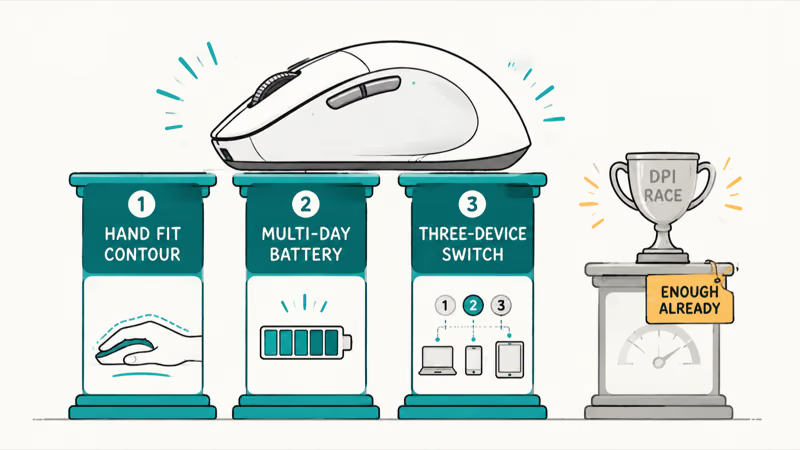
Battery life has stopped being a worry. According to RTINGS’ MX Master 4 review, Logitech rates the mouse at up to 70 days per charge, and a one-minute USB-C top-up returns about three hours of use. The fast charge matters more than the headline number.
Connectivity is the quiet upgrade. The current generation ships a USB-C dongle, not the old USB-A receiver, so the adapter dance on a modern laptop is gone.
#Why Polling Rate Beats Maximum DPI for Most Buyers
DPI is the number on the box. Polling rate is the number that decides whether the mouse can game. Polling rate sets how often the mouse reports its position to the computer each second, and the jump from 125 Hz to 1000 Hz is the line between a work mouse and a gaming mouse.
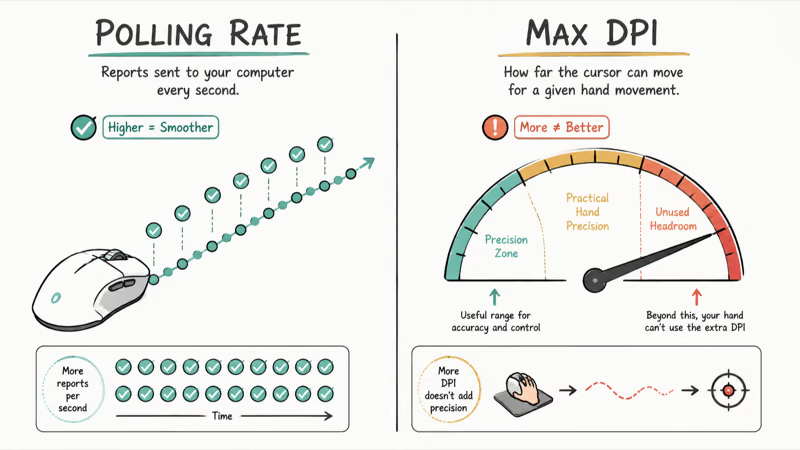
Most people will never feel the difference at a desk. Scrolling, dragging, and clicking are all fine at 125 Hz. The gap shows up only when you flick onto a moving target in a shooter.
Tom’s Guide’s MX Master 4 review found that the mouse caps out at 8,000 DPI with a 125 Hz polling rate, more than enough for productivity and casual gaming but short of competitive play. That single line explains the whole product split: productivity mice optimize for battery and comfort, while gaming mice optimize for polling and weight.
So the rule is short. If your day is mostly browsers and code, ignore polling rate, but if you queue ranked matches at night it’s the first spec to check. Our best wireless mouse for gaming and work breakdown covers the crossover picks that span both.
#Best Wireless Mouse Overall: Logitech MX Master 4
The MX Master 4 is the default pick for medium-to-large right hands. Its sculpted shell, thumb rest, and 145-gram weight are built for planted productivity work rather than fast shooter flicks.
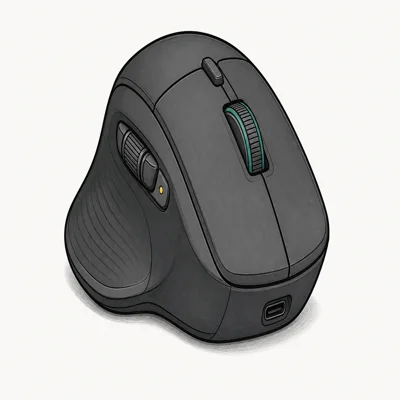
- USB-C dongle in the box, no USB-A adapter needed
- 70-day battery plus 3 hours of use from a 1-minute charge
- Switches across 3 paired computers with one button
As an Amazon Associate fone.tips earns from qualifying purchases. Prices and availability on Amazon are accurate as of the date above and subject to change.
The headline feature is the haptic scroll wheel paired with the Actions Ring, a control pad that fires shortcuts like “send to Slack” without lifting a finger off the mouse. The same Tom’s Guide review states that the haptics feel slightly gimmicky. The real reason to buy is everything around it: the scroll wheel, the battery, and the device switching.
Two side notes. The best ergonomic wireless mouse for work guide weighs the MX Master against vertical and trackball options. Coders should see our best mouse for programming picks.
#Most Portable Wireless Mouse: Logitech MX Anywhere 3S
When the mouse has to fit a bag next to a 13-inch laptop, the full-size MX Master is too big. The MX Anywhere 3S is the productivity mouse that pockets. It weighs 99 grams, tracks on a glass coffee-shop table thanks to the Darkfield sensor, and carries the same Quiet Clicks and 70-day battery as its bigger sibling.
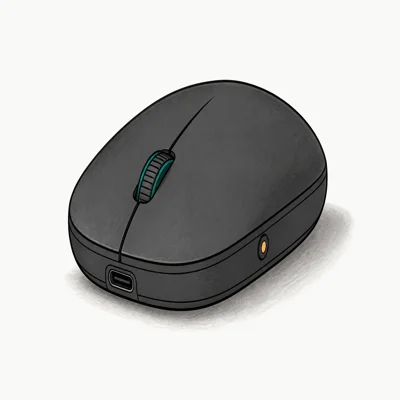
- 99g pocket body slips next to a 13-inch laptop
- Darkfield sensor tracks on glass, marble, and a lap
- Switches across 3 devices with one button
As an Amazon Associate fone.tips earns from qualifying purchases. Prices and availability on Amazon are accurate as of the date above and subject to change.
For smaller hands, the Anywhere 3S is the safer daily fit.
#Best Wireless Mouse for Mac: Apple Magic Mouse
Mac users get one feature no third-party mouse can match: full Continuity gesture support baked into macOS. Swipe between desktops, scroll in any direction, trigger Mission Control with a touch surface instead of a wheel. That’s the Magic Mouse’s core advantage over Logitech’s software-based gesture support.
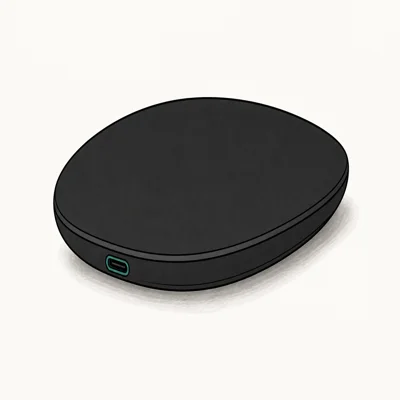
- Full multi-touch gesture surface for macOS Continuity
- USB-C charging replaces the old Lightning port
- Low-profile shape pairs cleanly with a Mac desk
As an Amazon Associate fone.tips earns from qualifying purchases. Prices and availability on Amazon are accurate as of the date above and subject to change.
The Magic Mouse is for gesture-first Mac users, not palm support.
Prefer a sculpted body? The MX Master 4 for Mac (Space Black) variant brings the full ergonomic shell to macOS with the same multi-device switching, and our best wireless mouse for MacBook guide compares the two in depth.
#What About Vertical and Gaming Wireless Mice?
Two specialist categories sit outside the mainstream picks above. Vertical mice rotate your hand into a handshake position to ease wrist strain, which helps people who feel pronation discomfort after long sessions. The Logitech Lift is the common starting point here, with an angle set at 57 degrees, close to the neutral handshake position physiotherapists recommend. If your wrist aches by mid-afternoon, our best vertical gaming mouse guide pairs the ergonomic angle with enough buttons for play.
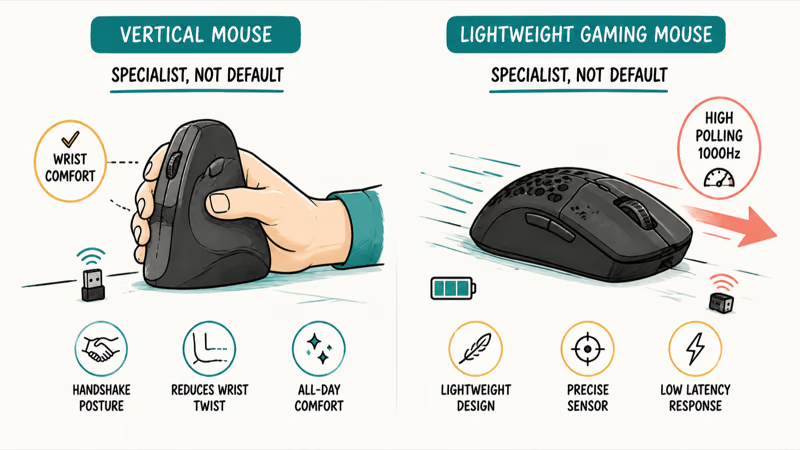
Gaming wireless mice are the other branch. They trade haptic scroll and 70-day batteries for sub-60-gram shells and 8,000 Hz polling. The Razer DeathAdder V4 Pro is the current esports-grade flagship. A lighter option like the Logitech G Pro X Superlight 2 suits claw-grip players who want minimal weight. These are worth it only if ranked play is a real part of your week.
#How to Pick the Right Wireless Mouse for You
Start with hand size, then layer use case on top:
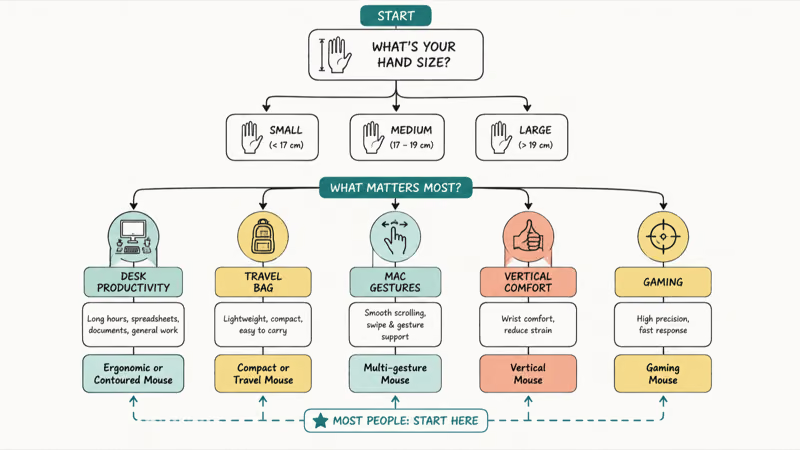
- Medium-to-large right hand, mostly work → MX Master 4. The sculpted body and haptic scroll earn their price across a full day.
- Small hands or frequent travel → MX Anywhere 3S. The 99-gram body fits a bag and a smaller palm.
- Mac-first, gesture-heavy → Magic Mouse for native gestures, or the MX Master 4 for Mac if you want ergonomics.
- Wrist pain by mid-day → a vertical mouse like the Logitech Lift.
- Ranked gaming several nights a week → a sub-60-gram gaming mouse with 1000 Hz or higher polling.
One more rule worth weighing: multi-device pairing. If you switch between two computers daily, a mouse that pairs to three of them and swaps with one button press saves more time over a year than any single sensor upgrade.
#Bottom Line
For most people in 2026, the Logitech MX Master 4 is the wireless mouse to buy. Its 70-day battery, haptic scroll, USB-C receiver, and 3-device switching cover the full work day, and the comfortable shell fits the medium-to-large hands that make up most buyers.
Drop to the MX Anywhere 3S only if your hands run small or you travel often, since it keeps the same battery and quiet clicks in a 99-gram body. Mac users who live in gestures should grab the Magic Mouse. And anyone who plays ranked shooters several nights a week should skip this list entirely for a dedicated sub-60-gram gaming mouse.
#Frequently Asked Questions
Is the Logitech MX Master 4 worth the upgrade from the MX Master 3S?
Only if you value the new features. The MX Master 4 adds haptic scroll feedback and the Actions Ring control pad, plus a stronger wireless chip and a USB-C dongle in the box, but the core experience stays close to the 3S. If you already own a 3S, the upgrade is incremental. If you’re buying your first premium productivity mouse, get the 4.
What is the best wireless mouse for small hands?
The Logitech MX Anywhere 3S. Its 99-gram compact body suits hands under 17 centimeters far better than the full-size MX Master. You keep the same sensor and battery, losing only size and a thumb rest.
Do wireless mice have lag compared to wired?
For work, no. A 125 Hz to 1000 Hz polling rate over a modern 2.4 GHz dongle feels identical to wired for browsing, documents, and casual gaming. The difference only appears in competitive shooters. For everything outside ranked FPS, wireless lag is no longer a real concern in 2026.
How long does a wireless mouse battery actually last?
It depends on the type. Productivity mice like the MX Master 4 and MX Anywhere 3S are rated at up to 70 days per charge because they poll slowly, often at 125 Hz, which lets the radio sleep between reports. Gaming mice last closer to 150 hours because higher polling rates wake the radio far more often. Most productivity mice also fast-charge, so a one-minute USB-C top-up returns a few hours of use.
Can one wireless mouse work across a Mac and a Windows PC?
Yes. The MX Master 4 and MX Anywhere 3S both support Windows, Mac, and Linux, and their multi-device button switches across up to three paired computers with one press. The Apple Magic Mouse is the exception, since its gestures are tuned for macOS only.
Should I buy a vertical mouse to prevent wrist pain?
If you feel pronation discomfort, it can help. A vertical mouse rotates your hand into a handshake position near 57 degrees on the Logitech Lift, which reduces the forearm twist that causes some wrist strain. The trade-off is an adjustment period of a few days and a learning curve on precise clicks. It’s not a medical fix, but many people find relief after a week of use.

Pixel 11 vs Pixel 10: What Changed and Who Should Upgrade
Pixel 11 vs Pixel 10: same screen and camera resolution, new Tensor G6, 25W wireless, and Gemini Intelligence. Here is who should actually upgrade.

Best Power Bank for iPad in 2026: Pro, Air, and Mini
Best power bank for iPad in 2026. Compare mAh tiers and USB-C PD wattage for iPad Pro, Air, and mini, plus airline Wh math, cables, and travel tips.

Best Power Bank With Built-In Cable: Top 2026 Picks
Best power bank with built-in cable picks for 2026. Compare single USB-C, multi-connector, and retractable laptop banks, plus airline Wh math.
Best Apple Watch Band for Working Out: Proven Picks
The best Apple Watch band for working out handles sweat and stays put on your wrist. Compare silicone, nylon, and titanium picks for runs and lifts.