Best RAM for Ryzen 5900X: Top DDR4 Kits Compared (2026)
Best RAM for Ryzen 5900X builds in 2026. Five DDR4 3600MHz kits ranked for gaming FPS and productivity, with timing and Infinity Fabric guidance.
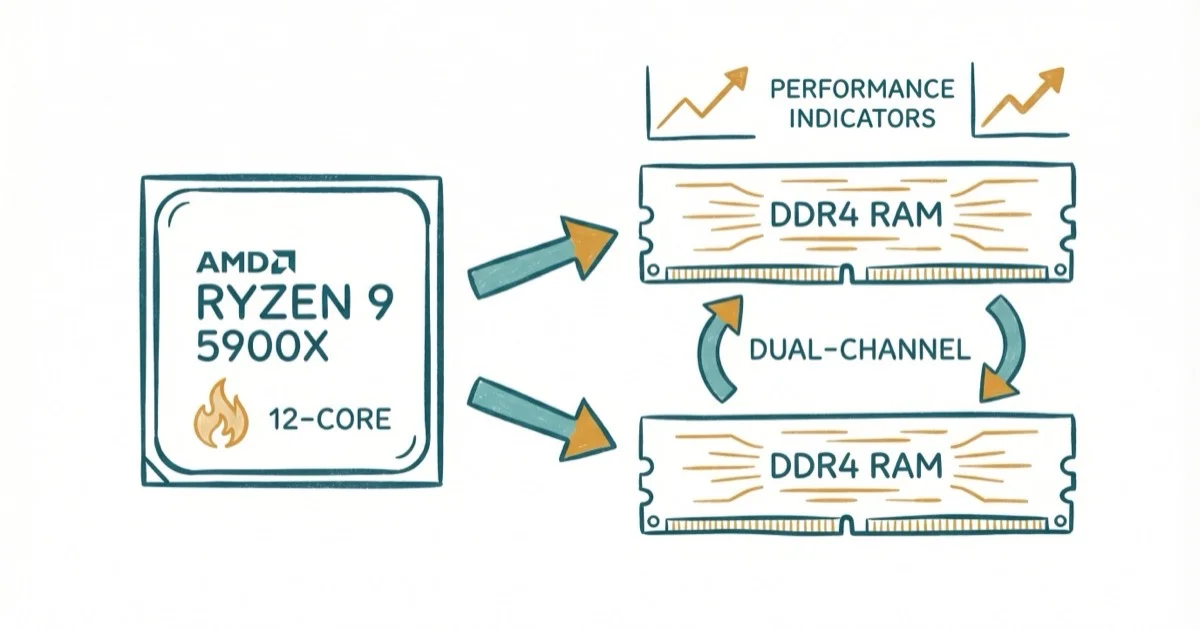
Quick AnswerThe G.Skill Trident Z Neo 32GB (2x16GB) DDR4 3600MHz CL16 is the best RAM for the Ryzen 5900X. It matches the Infinity Fabric 1:1 ratio at 1800MHz for the lowest latency, and G.Skill optimized it specifically for Ryzen systems.
The Ryzen 9 5900X is a 12-core powerhouse that still holds its own in 2026 for both gaming and content creation. This guide ranks five DDR4 3600MHz kits to find the best RAM pairing for this processor.
- DDR4 3600MHz CL16 is the optimal speed, matching the Infinity Fabric 1 ratio at 1800MHz for the lowest memory latency
- The G.Skill Trident Z Neo 32GB 2x16GB is our top pick, specifically optimized for AMD Ryzen with CL16 timings and RGB
- Going past 3600MHz to 3800MHz or 4000MHz usually breaks the 1 Fabric ratio and can hurt performance
- 32GB (2x16GB) is the recommended capacity for this processor since content creation and streaming can easily use 20GB or more
- DDR4 prices have risen sharply since early 2025 as manufacturers shift production to DDR5 and HBM chips
#Why Is 3600MHz the Sweet Spot for Ryzen 5900X?
The Ryzen 5900X uses AMD’s Infinity Fabric interconnect to communicate between its 12 cores and the memory controller. The Fabric clock (FCLK) runs most efficiently when it matches the memory clock in a 1
ratio. At DDR4 3600MHz, the FCLK hits 1800MHz, and according to AMD’s official Ryzen memory FAQ, this is the recommended configuration for Zen 3 processors. According to Wikipedia’s DDR4 SDRAM overview, DDR4 memory is the relevant platform baseline for many Ryzen 5000 systems, so compatibility matters before chasing small timing gains.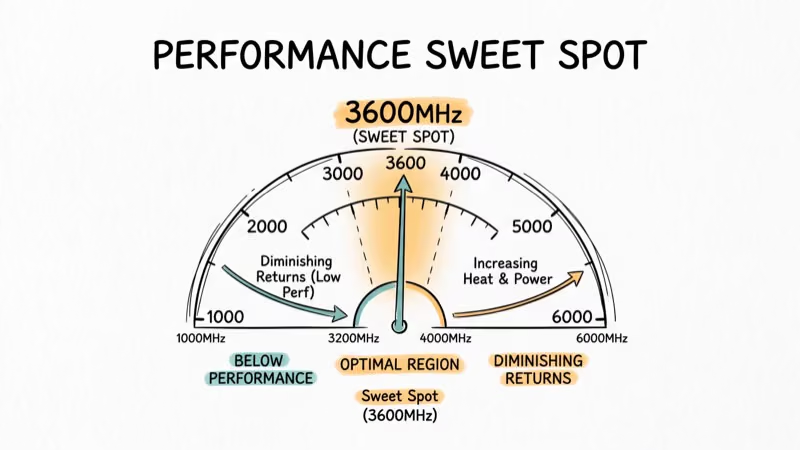
Push past 3600MHz and you’ll likely need to break that 1
ratio. A 4000MHz kit forced to a 2 Fabric ratio typically performs worse in CPU benchmarks than a 3600MHz kit running 1. Not worth the extra cost.3200MHz works on a budget. But in CPU-bound games, the jump from 3200MHz to 3600MHz gives a noticeable bump to average FPS.
#What Are the Best RAM Kits for Ryzen 5900X?
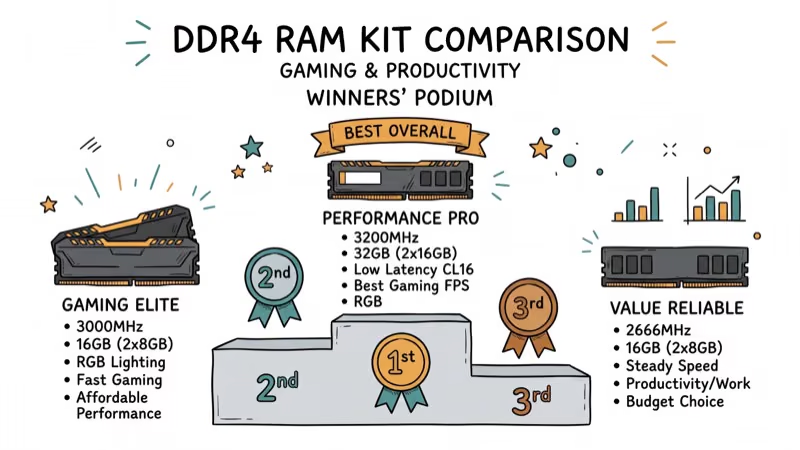
#1. G.Skill Trident Z Neo 32GB (2x16GB) DDR4 3600MHz CL16
G.Skill designed the Trident Z Neo line specifically for AMD Ryzen. It’s the best combination of speed, latency, and capacity on this list. 3600MHz CL16 gives you the lowest real-world latency at the ideal Infinity Fabric speed.
This kit reaches its rated speed with XMP enabled, with no manual tuning needed. The RGB lighting syncs with most motherboard software. The sticks are tall, so check cooler clearance.
As an Amazon Associate, fone.tips earns from qualifying purchases. Some links on this page are affiliate links.
#2. Corsair Vengeance LPX 32GB (2x16GB) DDR4 3600MHz CL18
The Vengeance LPX is the safe, reliable choice. Its low-profile heat spreader clears even the largest air coolers like the Noctua NH-D15. CL18 is slightly slower than CL16 (about 3-5% in memory-sensitive tasks), but the price difference makes it worthwhile for budget builds.
It’s rated for 3600MHz with DOCP enabled. According to Corsair’s memory finder, the Vengeance LPX is on the QVL for most X570 and B550 boards.
#3. Crucial Ballistix 32GB (2x16GB) DDR4 3600MHz CL16
The Ballistix line uses Micron Rev.E dies, which are excellent for overclocking. These kits are well regarded for overclocking headroom with manual tuning. CL16 at 3600MHz puts it on par with the G.Skill Neo in performance.
Crucial discontinued the Ballistix brand, so availability is limited in 2026. If you find one at a reasonable price, grab it.
#4. Thermaltake TOUGHRAM RGB 32GB (2x16GB) DDR4 3600MHz CL18
The TOUGHRAM is the showpiece option. 10 LEDs per module with 16.8 million color options make it the most visually striking kit here. Performance matches the Corsair Vengeance at CL18. You’re paying extra for aesthetics.
#5. Patriot Viper Steel 32GB (2x16GB) DDR4 3600MHz CL18
The Viper Steel is the most understated kit visually, with a gun-metal grey heat spreader and no RGB. It supports XMP 2.0 for easy overclocking. Good option if the G.Skill Trident Z Neo is out of stock.
For compatible motherboard guides, check our picks for the best motherboards for Ryzen 7 5800X and best motherboard for Ryzen 5 5600X.
Our best RAM for Ryzen 5 5600X guide covers the same DDR4 platform for a different CPU.
For AM4 cooling in general, see our best CPU coolers for Ryzen 5 3600 guide. If you’re pairing the 5900X with a high-end GPU, check the best CPU for RTX 3080 Ti picks.
#CAS Latency and the 5900X
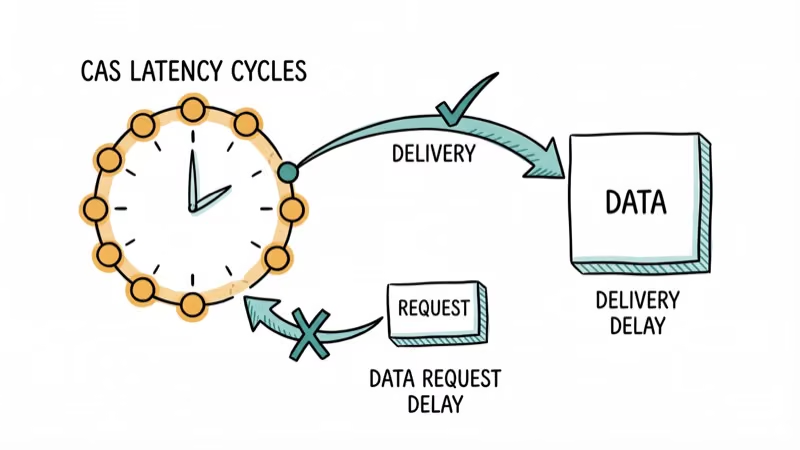
Yes, but the difference is smaller than most people think. At 3600MHz, CL16 has a true latency of 8.89 nanoseconds while CL18 is about 10 nanoseconds.
For gaming at 1440p or 4K where the GPU is the bottleneck, you won’t notice the difference. CL16 matters most for competitive 1080p gaming and productivity workloads like video rendering.
#Recommended RAM Capacity for the Ryzen 5900X
32GB (2x16GB) is the right call for this CPU. The 5900X’s 12 cores are built for multitasking, and you’ll easily hit 20GB+ usage when streaming, editing video, or running virtual machines.
16GB is technically fine for gaming alone, but it limits what else you can do simultaneously. Since the 5900X is a productivity-capable CPU, pairing it with only 16GB wastes its potential.
Always install RAM in dual-channel configuration (slots A2 and B2) and enable XMP/DOCP in BIOS. Without it, your RAM defaults to 2133MHz regardless of its rated speed.
#Bottom Line
Get the G.Skill Trident Z Neo 3600MHz CL16 for the best performance on the Ryzen 5900X. If you need to save money, the Corsair Vengeance LPX CL18 delivers reliable 3600MHz performance at a lower price. Always use 32GB in dual-channel mode and enable DOCP in BIOS to reach rated speeds.
#Frequently Asked Questions
Can I use DDR5 RAM with the Ryzen 5900X?
No. The Ryzen 5900X uses the AM4 socket, which only supports DDR4. DDR5 requires AM5 boards and Ryzen 7000 series or newer processors.
Is 16GB of RAM enough for the Ryzen 5900X?
For gaming alone, 16GB works. But the 5900X’s 12 cores are designed for multitasking, and content creation or streaming can push past 20GB easily. 32GB is the recommended minimum for this processor.
Will RAM faster than 3600MHz help performance?
For most users, no. Speeds above 3600MHz typically require breaking the 1
Infinity Fabric ratio, which can increase latency and reduce stability. A 4000MHz kit at a broken ratio usually performs worse than a 3600MHz kit at 1.Do I need to manually overclock my RAM?
No. Enabling XMP (Intel boards) or DOCP (AMD boards) in BIOS automatically sets your RAM to its rated speed and timings. The process takes about 30 seconds.
Can I mix different RAM brands with the Ryzen 5900X?
It’s possible but not recommended. Mismatched kits use different memory chips and timings, which forces both sticks to the slower kit’s speed. Some combinations won’t boot at all. Buy a matched kit from one manufacturer.
Why is DDR4 getting more expensive in 2026?
Memory manufacturers like Micron and Samsung have shifted production capacity to DDR5 and HBM chips for AI servers. DDR4 production is winding down, creating a supply shortage. According to WCCFTech, prices have risen sharply since early 2025 and shortages may persist through Q4 2027.
Should I buy DDR4 now or switch to DDR5?
If you already own a Ryzen 5900X and an AM4 motherboard, buying DDR4 is the right call. Switching to DDR5 means a new CPU, motherboard, and RAM, which costs $400+ minimum. For a brand-new build from scratch, Ryzen 7000 series with DDR5 may make more financial sense given rising DDR4 prices.

Best Laptop for Running LLMs in 2026: Memory Comes First
The best laptop for running LLMs is a memory purchase first. Compare MacBook unified memory against NVIDIA laptop VRAM, and see what each tier really runs.

Pixel 11 vs Pixel 10: What Changed and Who Should Upgrade
Pixel 11 vs Pixel 10: same screen and camera resolution, new Tensor G6, 25W wireless, and Gemini Intelligence. Here is who should actually upgrade.

Best Power Bank for iPad in 2026: Pro, Air, and Mini
Best power bank for iPad in 2026. Compare mAh tiers and USB-C PD wattage for iPad Pro, Air, and mini, plus airline Wh math, cables, and travel tips.

Best Power Bank With Built-In Cable: Top 2026 Picks
Best power bank with built-in cable picks for 2026. Compare single USB-C, multi-connector, and retractable laptop banks, plus airline Wh math.