Best Portable Monitor 2026: Top USB-C Travel Picks
Best portable monitor in 2026 for travel and dual-screen work. We pick top USB-C panels by size, single-cable power, kickstand, and touch support.
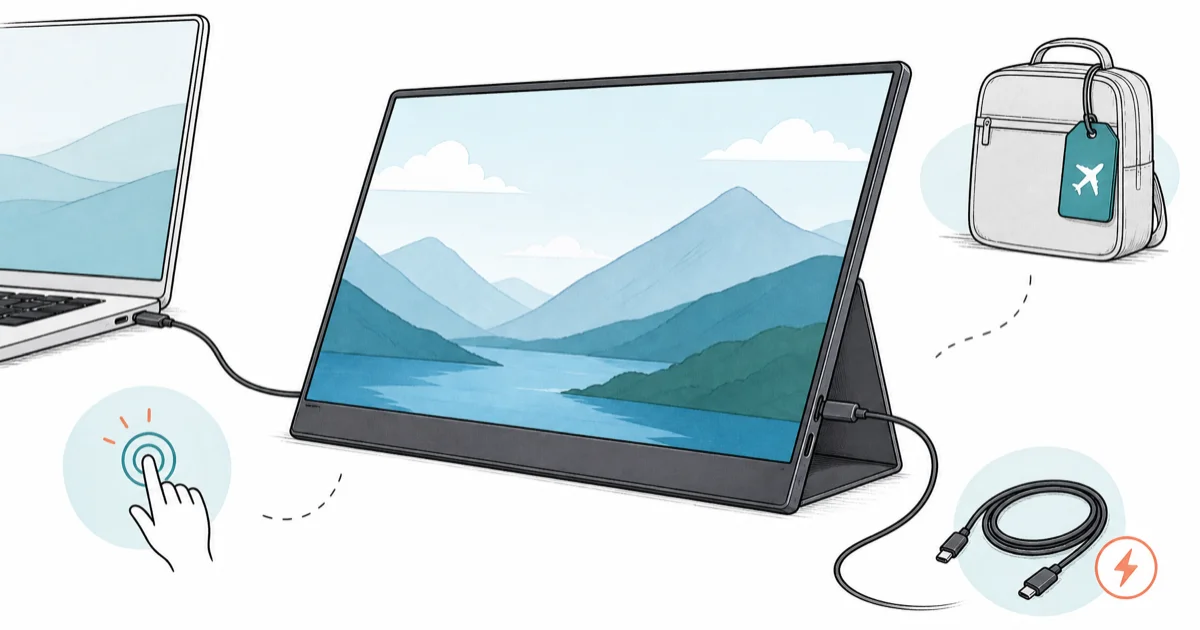
Quick AnswerThe best portable monitor for most people in 2026 is a 15.6-inch USB-C panel like the ASUS ZenScreen MB16AHV, which runs off one cable and packs flat for travel.
The best portable monitor in 2026 is a 15.6-inch USB-C panel that runs off a single cable, and for most travelers that’s the ASUS ZenScreen MB16AHV. A second screen turns a cramped hotel desk into a real workspace. This guide compares portable monitors by cable setup, stand stability, travel weight, and the features that actually matter in a bag.
- A 15.6-inch 1080p IPS panel is the sweet spot for size, weight, and price for most travel use.
- Single-cable USB-C with DisplayPort Alt Mode is the feature that makes a portable monitor worth packing.
- A built-in kickstand or origami cover matters more than raw specs for hotel-desk and cafe use.
- Touch and battery models add weight and cost, so skip them unless you actually need standalone power.
- Power passthrough lets the monitor charge your laptop, cutting one charger from your bag.
#Our Top Portable Monitor Picks for 2026
We sorted picks by how you travel. A daily commuter, a hotel-hopping business traveler, and a Mac owner all want different things from a second screen.

#ASUS ZenScreen MB16AHV
This is the default travel pick. The ASUS ZenScreen MB16AHV is a 15.6-inch 1080p IPS panel with a kickstand that flips between portrait and landscape, plus dual USB-C ports so cable routing isn’t a headache.
As an Amazon Associate fone.tips earns from qualifying purchases.
Setup is simple on a hotel desk. The tripod thread on the back supports video-call mounting without a separate stand, and the kickstand works in both portrait and landscape.
#ASUS ZenScreen OLED MQ16AH
If you want a better panel and don’t mind paying for it, step up to OLED. The ASUS ZenScreen OLED MQ16AH is a 15.6-inch 1080p OLED that runs roughly 6mm thick.
ASUS’s ZenScreen buying guide states that the panel covers 100% of the DCI-P3 color gamut. The deep OLED blacks make a real difference for photo review on the go, and it pairs neatly as a travel companion to a desk display from our best monitor guide.
#What Should You Look for in a Portable Monitor?
The spec sheet hides the features that actually matter for travel. Focus on power and stand first, panel quality second.
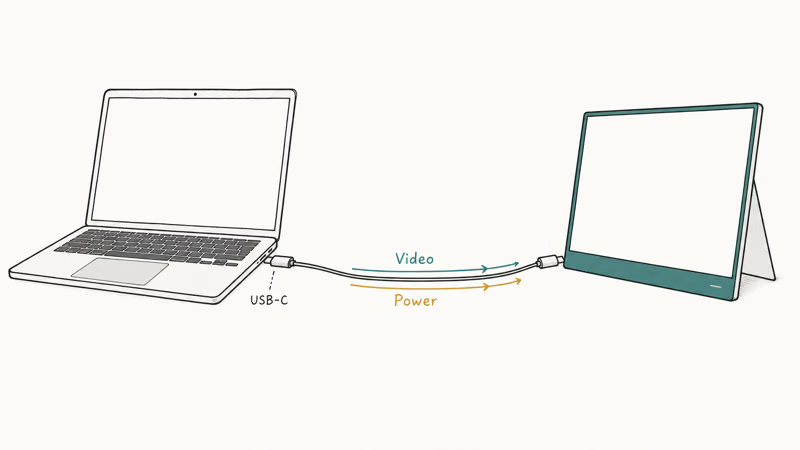
Your single most important feature is USB-C with DisplayPort Alt Mode. That one cable carries both video and power, so a modern laptop drives the screen without a wall plug. Tom’s Guide recommends choosing a USB-C portable monitor for exactly that reason, since 1 cable handles both the video signal and power. A monitor that needs a separate power brick defeats the point of going portable.
The stand comes next. A built-in kickstand or origami cover decides whether the monitor stands on a wobbly cafe table or slides off. Touch, battery, and high refresh rates are nice extras, but they add weight you carry every day. Buy them only if your workflow needs them.
#Best Portable Monitor for MacBook Owners
Mac users have a specific problem: drivers. A portable monitor that needs Windows-only software for touch or rotation is a poor match for macOS.
For a clean Mac pairing, the espresso Display is built to match a MacBook on the same desk. The 1080p IPS panel runs at 60Hz, which won’t impress spec hunters, but its software handles touch, rotation, and stand modes without driver headaches on macOS. That polish is what you pay for. For a deeper Mac-specific breakdown, see our best portable monitor for MacBook Pro guide.
If you work mostly off a laptop rather than a Mac specifically, our best portable monitor for laptop picks cover Windows and cross-platform options too.
#Best Portable Monitor for Business Travel
Hotel-hopping changes the priorities. Battery life and power passthrough beat raw panel quality when you’re cycling through conference rooms.
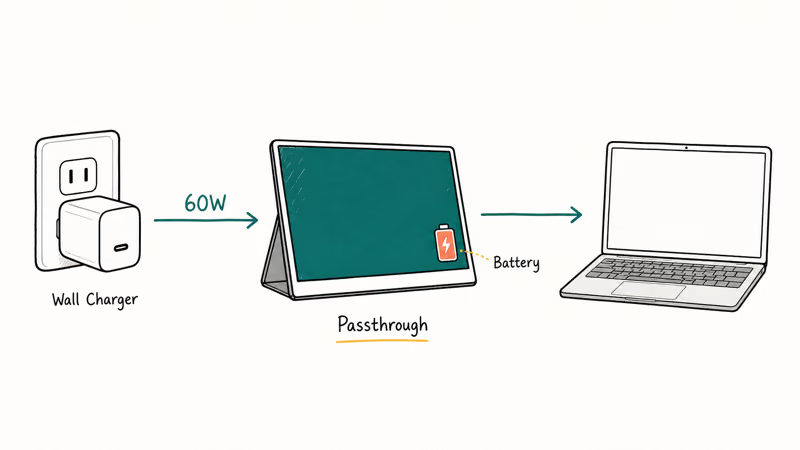
The ViewSonic VG1655 is a 15.6-inch 1080p IPS panel with a built-in battery, two USB-C ports, and 60W USB-C power passthrough. That passthrough is the trick: it charges your laptop while you work, so you carry one charger instead of two. The built-in battery also covers the dead zone between a packed flight and a hotel room with no free outlet.
#Do You Need a Touch Portable Monitor?
Touch sounds great in a store and rarely earns its keep on the road. It adds glass weight and cost, and it only helps if your apps are built for it.
If you do want touch, the ViewSonic TD1656-2K is the strongest pick. It has a 16-inch panel with a sharper 2K resolution and ships with an active stylus, with touch supported natively in Windows 11. For most travelers a non-touch panel is lighter and cheaper, so reserve touch for note-taking or sketching workflows.
#How to Compare Portable Monitors for Travel
Travel use stresses portable monitors differently than a fixed desk. Hotel rooms, cafe tables, and airplane trays make stand stability, cable count, and weight matter more than peak specs.

Setup speed and stability should get the most weight. Check whether the stand feels solid on uneven surfaces and whether the monitor connects over one USB-C cable. Tom’s Guide found that every display in its lineup is measured with a Klein K-10A colorimeter, so color coverage is worth checking carefully on OLED panels. Chromebook buyers should also see our best portable monitor for Chromebook guide.
#Bottom Line
For most travelers, buy a 15.6-inch USB-C panel like the ASUS ZenScreen MB16AHV and make sure the port supports DisplayPort Alt Mode so one cable does everything. Spend up for the OLED MQ16AH if you review photos on the go, and pick the ViewSonic VG1655 if you live out of hotels and need a built-in battery. Skip touch and high refresh rates unless your work actually uses them, since the extra weight rides in your bag every day.
#Frequently Asked Questions
Do portable monitors need their own power supply?
Most modern ones don’t. A portable monitor with USB-C DisplayPort Alt Mode pulls both video and power from a single cable connected to your laptop. Cheaper or larger panels sometimes need a separate USB-C charger, so check the spec before you buy if a one-cable setup is the goal.
What size portable monitor should I get?
A 15.6-inch panel is the sweet spot for most people. It roughly matches a typical laptop screen and stays light. Step up to 16 inches for more workspace, or down to 14 inches to save grams.
Can a portable monitor work with a phone or tablet?
Yes, if the device supports video output over USB-C. Many recent phones and tablets, plus the iPad and Nintendo Switch, can drive one over a single cable. We cover the gaming side in our best portable monitor for Nintendo Switch guide, where panel size and refresh rate both matter more than for plain desktop work.
Is OLED worth it on a portable monitor?
For photo and video work, yes. An OLED panel like the ZenScreen MQ16AH delivers deep blacks and wide color that a budget IPS panel can’t match, which matters when you review images away from your main monitor. For spreadsheets, email, and general dual-screen use, a 1080p IPS panel saves money and weighs about the same, so the upgrade only pays off for color-critical tasks.
How heavy is a typical portable monitor?
Most 15.6-inch panels land under a kilogram, and the thinnest models reach near 360 grams. Battery and touch versions weigh more, often closer to 935 grams.
Will a portable monitor charge my laptop?
Some will, through power passthrough. A monitor like the ViewSonic VG1655 has 60W USB-C passthrough, so a wall charger feeds the monitor and the monitor feeds your laptop. That lets you leave one charger at home. Check the wattage matches what your laptop needs under load.
Do I need a touchscreen portable monitor?
Only if your work uses touch. Touch panels cost more and weigh more. For browsing, coding, or a second spreadsheet, a standard non-touch panel is the better value.

Best Laptop for Running LLMs in 2026: Memory Comes First
The best laptop for running LLMs is a memory purchase first. Compare MacBook unified memory against NVIDIA laptop VRAM, and see what each tier really runs.

Pixel 11 vs Pixel 10: What Changed and Who Should Upgrade
Pixel 11 vs Pixel 10: same screen and camera resolution, new Tensor G6, 25W wireless, and Gemini Intelligence. Here is who should actually upgrade.

Best Power Bank for iPad in 2026: Pro, Air, and Mini
Best power bank for iPad in 2026. Compare mAh tiers and USB-C PD wattage for iPad Pro, Air, and mini, plus airline Wh math, cables, and travel tips.

Best Power Bank With Built-In Cable: Top 2026 Picks
Best power bank with built-in cable picks for 2026. Compare single USB-C, multi-connector, and retractable laptop banks, plus airline Wh math.