Best Motherboard for Ryzen 7 7800X3D: Top Picks 2026
The best motherboards for the Ryzen 7 7800X3D in 2026. B650 and X670E picks by budget, with VRM, EXPO, and feature advice so you do not overspend.
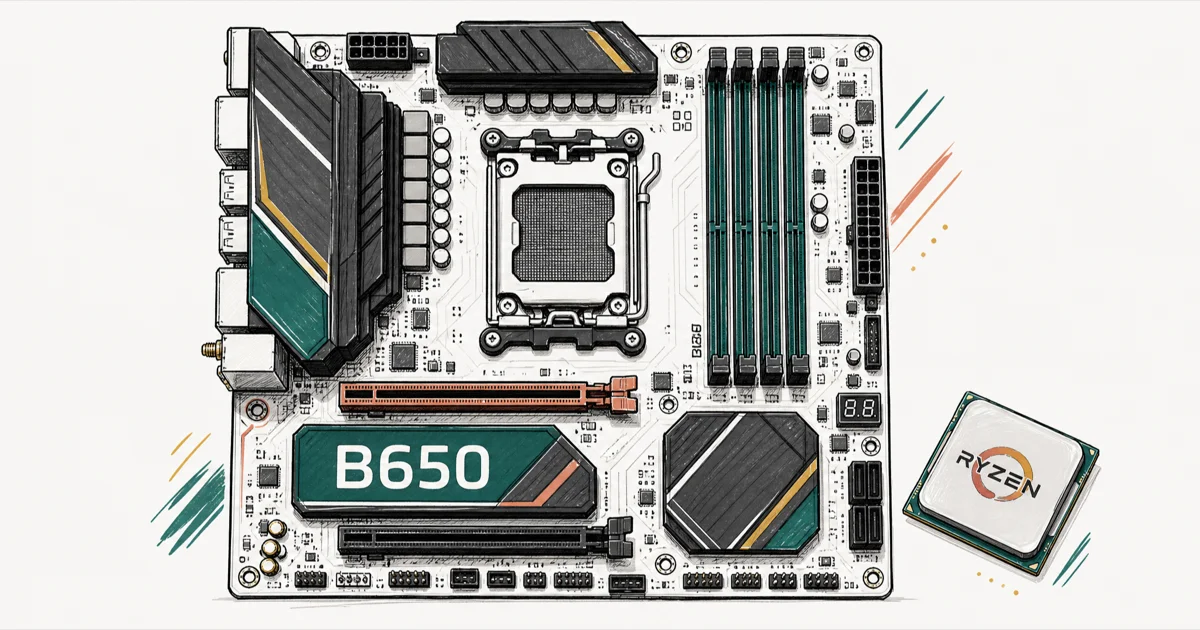
Quick AnswerThe MSI MAG B650 Tomahawk WiFi is the best all-round motherboard for the Ryzen 7 7800X3D, with a strong VRM, reliable EXPO memory support, and a fair price. A B650 board is enough for this CPU, so save the X670E premium for your GPU unless you need the extra connectivity.
The best motherboard for the Ryzen 7 7800X3D is a well-specced B650 board, not an expensive X670E flagship. The 7800X3D draws around 120W and doesn’t overclock, so it asks far less of your board than a power-hungry chip would. This guide picks the boards that give it a stable platform without charging for features a gaming build never touches.
- The 7800X3D draws about 120W and runs at a fixed clock, so a mid-range B650 VRM is plenty
- Performance doesn’t scale with chipset, so a B650 board hits the same frame rates as X670E
- Look for a 14+2 phase VRM or better with heatsinks for cool, stable power delivery
- DDR5-6000 CL30 with EXPO is the memory sweet spot for low gaming latency
- BIOS Flashback matters, since older boards may need an update before they POST with this CPU
#Does the 7800X3D Need an Expensive Motherboard?
No, and this is the single most important thing to get right.
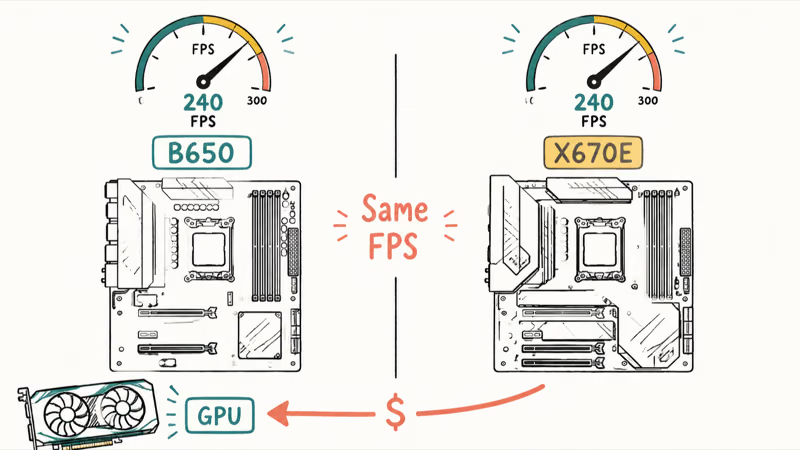
The 7800X3D is a fixed-frequency gaming chip that draws around 120W under load. It doesn’t overclock, so it never demands the extreme power delivery that justifies a flagship board. According to PCMag’s CPU coverage, the appeal of these X3D chips is gaming performance, not multi-threaded headroom, which means your board’s job is stability, not raw VRM muscle. AMD’s product page confirms that the 7800X3D ships with a locked multiplier and a 120W TDP, so its power needs are predictable.
A well-built B650 handles this CPU without breaking a sweat. The performance you get doesn’t scale with the chipset either, so you’ll see the same frame rates on a good B650 as on a pricey X670E. Spend the difference on your GPU, which actually moves your frame rate. If you’re new to chipsets and form factors, our explainer on the types of motherboard lays out the differences before you choose.
#VRM and Features That Actually Matter
For a chip this efficient, you’re buying stability and the right connectivity, not overkill power phases.
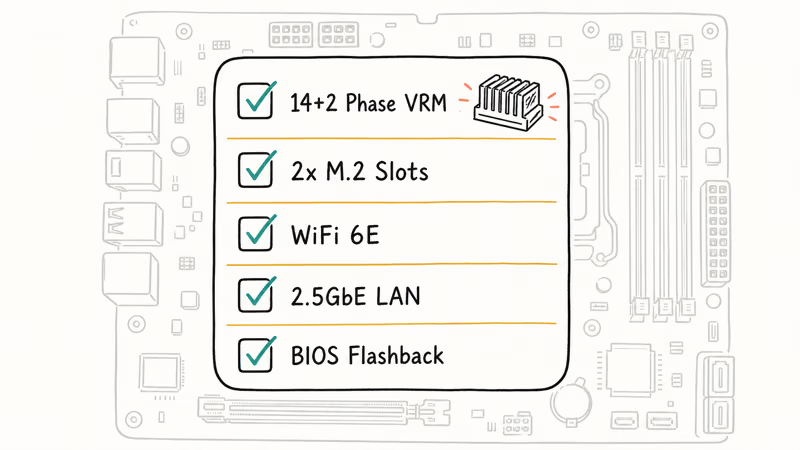
Aim for a 14+2 phase VRM with proper heatsinks. That clears the 7800X3D’s 120W draw with room to spare. On a mid-range board like the MSI B650 Tomahawk, that VRM stays comfortably cool across long gaming sessions, so a flagship power stage is wasted money here.
Beyond power, prioritize two M.2 slots for your SSDs, WiFi 6 or 6E, 2.5GbE networking, and BIOS Flashback. That last feature lets you update the BIOS without a working CPU installed, which matters because older boards sometimes ship with firmware that predates this CPU.
The same VRM-matching logic from our guide to the best motherboards for the Ryzen 7 5800X carries straight over to AM5. Match the VRM to the chip.
#Best Overall: MSI MAG B650 Tomahawk WiFi
The MSI MAG B650 Tomahawk WiFi is the board we’d recommend to almost everyone building around a 7800X3D. It balances power delivery, memory support, connectivity, and price without pushing you toward X670E territory.
As an Amazon Associate, fone.tips earns from qualifying purchases.
It has the stable AM5 platform, reliable EXPO memory handling, and the expansion most gamers need. On this board, EXPO typically enables a 32 GB DDR5-6000 kit on the first try with no manual tuning.
#Best Value: Gigabyte B650 Aorus Elite AX
If you want to spend less without landing on a weak VRM, the Gigabyte B650 Aorus Elite AX is the pick. Its 14+2+1 phase design clears the 7800X3D comfortably, and WiFi 6E at this price is a genuine step up over budget boards that ship with plain WiFi 6.
Two M.2 slots cover a typical two-drive setup. One caution worth flagging: some Gigabyte boards in this generation shipped with firmware that predates the 7800X3D, so check the manufacture date and use BIOS Flashback if needed before your first boot.
A 32 GB DDR5-6000 CL30 kit pairs perfectly here, and our guide to the best RAM for the Ryzen 5 5600X covers the EXPO basics that apply.
#When Does X670E Make Sense?
Only when you need its extra connectivity, not for any gaming gain. An X670E board buys you ports and lanes, not frames.
Step up to a board like the ASRock X670E Steel Legend if you want more USB ports, additional PCIe 5.0 lanes, extra M.2 storage, or premium networking. The 7800X3D won’t run a single frame faster on it.
X670E boards often have stronger EXPO profiles and better memory stability, which can help if you push high-capacity kits. For a pure gaming build, though, that’s headroom you’ll rarely tap. Builders coming from older AMD platforms can see how far things have moved by comparing with our best B450 motherboard and best motherboard for the Ryzen 5 5600X picks.
#A Note on B650 Stock and the B850 Successor
Worth knowing before you buy: AMD has wound down B650 production in favor of the newer B850 chipset.
That means stock on the most affordable B650 boards will get scarcer over time. The B850 line, like the MSI MAG B850 Tomahawk Max WiFi, is a direct replacement and increasingly worth a look if B650 prices climb. Performance doesn’t change between the two chipsets, so buy whichever offers the better deal when you’re shopping.
#How Form Factor Changes the Pick
Size matters more than chipset for most people. The 7800X3D’s modest power draw makes it a rare CPU that fits comfortably in almost any case, from a full tower to a tiny Mini-ITX build.
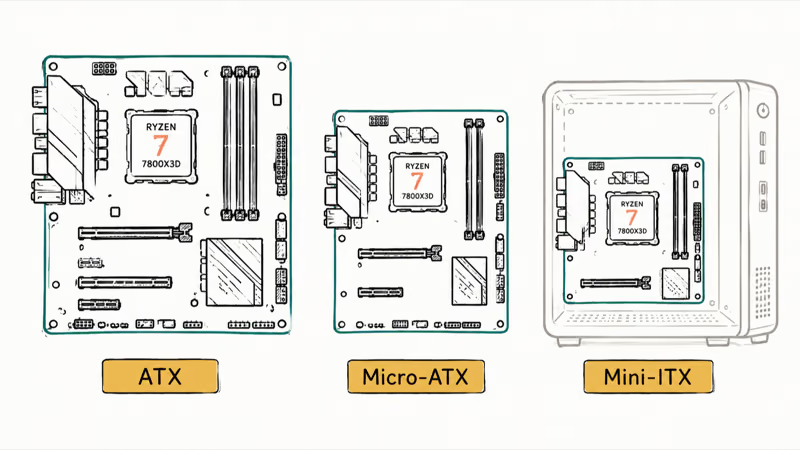
For a standard tower, an ATX or Micro-ATX board like the Tomahawk gives you the most expansion slots and the easiest cable runs. If you’re building small, the 7800X3D is one of the best chips you can put in a compact case, since it doesn’t generate the heat a high-wattage CPU would in a cramped enclosure. Just confirm the small board has a real VRM heatsink and the M.2 slots you need, because Mini-ITX boards cut corners to save space.
Whichever size you choose, the chipset rule holds. A B650 or B850 board in any form factor delivers the same frame rates, so pick the layout that fits your case and your storage plans, not the most expensive option on the shelf.
#Bottom Line
For a 7800X3D gaming build, buy the MSI MAG B650 Tomahawk WiFi and put the money you saved into a faster GPU. It gives this CPU a cool, stable home with the EXPO support and connectivity that matter.
Drop to the Gigabyte B650 Aorus Elite AX for the same solid VRM at a lower price. Reach for an X670E board like the ASRock Steel Legend only if you truly need its extra lanes and ports. Whatever you pick, confirm the board’s BIOS supports the 7800X3D before your first boot, since that one check saves the most common build-day headache.
#Frequently Asked Questions
Do I need X670E for the Ryzen 7 7800X3D?
No. A good B650 board gives the 7800X3D the same gaming frame rates as X670E, since performance doesn’t scale with the chipset. Choose X670E only if you need extra USB ports, PCIe 5.0 lanes, or more M.2 storage for a workstation-style build.
What VRM does the 7800X3D need?
A 14+2 phase VRM with heatsinks is more than enough. The CPU draws around 120W and doesn’t overclock, so it never stresses a mid-range power stage.
Will any B650 board POST with the 7800X3D out of the box?
Not always. Older boards may ship with a BIOS that predates this CPU and won’t boot until it’s updated. Look for a board with BIOS Flashback, which lets you flash the firmware without a working CPU installed, and check the manufacture date if you can see it. This is the most common first-boot snag people hit on an otherwise perfect AM5 build.
What RAM should I pair with a 7800X3D board?
A 32 GB DDR5-6000 CL30 kit with EXPO enabled. That keeps the Infinity Fabric in a 1
ratio for the lowest gaming latency on Ryzen 7000, and faster kits bring diminishing returns, so the 6000 CL30 sweet spot is the smart target for almost every build. Our DDR5-6000 kit picks for the 7800X3D name the specific EXPO kits that hit that target.Is B650 or B850 better for the 7800X3D?
Performance is identical, so it comes down to price and stock.
Can I use a Mini-ITX board with the 7800X3D?
Yes. The CPU’s low power draw and lack of overclocking make it a great fit for compact builds, as long as the small board has a competent VRM and a heatsink. Confirm two things first: BIOS support for the CPU and enough M.2 slots for your storage plans.
Does a more expensive motherboard improve gaming performance?
No. Once the VRM is adequate and the BIOS is current, a pricier board adds features and connectivity, not frames.

Pixel 11 vs Pixel 10: What Changed and Who Should Upgrade
Pixel 11 vs Pixel 10: same screen and camera resolution, new Tensor G6, 25W wireless, and Gemini Intelligence. Here is who should actually upgrade.

Best Power Bank for iPad in 2026: Pro, Air, and Mini
Best power bank for iPad in 2026. Compare mAh tiers and USB-C PD wattage for iPad Pro, Air, and mini, plus airline Wh math, cables, and travel tips.

Best Power Bank With Built-In Cable: Top 2026 Picks
Best power bank with built-in cable picks for 2026. Compare single USB-C, multi-connector, and retractable laptop banks, plus airline Wh math.
Best Apple Watch Band for Working Out: Proven Picks
The best Apple Watch band for working out handles sweat and stays put on your wrist. Compare silicone, nylon, and titanium picks for runs and lifts.