Best Motherboard for RTX 3070: Our Top 5 Picks Compared
Best motherboards for RTX 3070 on AMD and Intel platforms. Compare B550, X570, and Z690 picks with VRM notes, PCIe tips, and 2026 stock caveats.
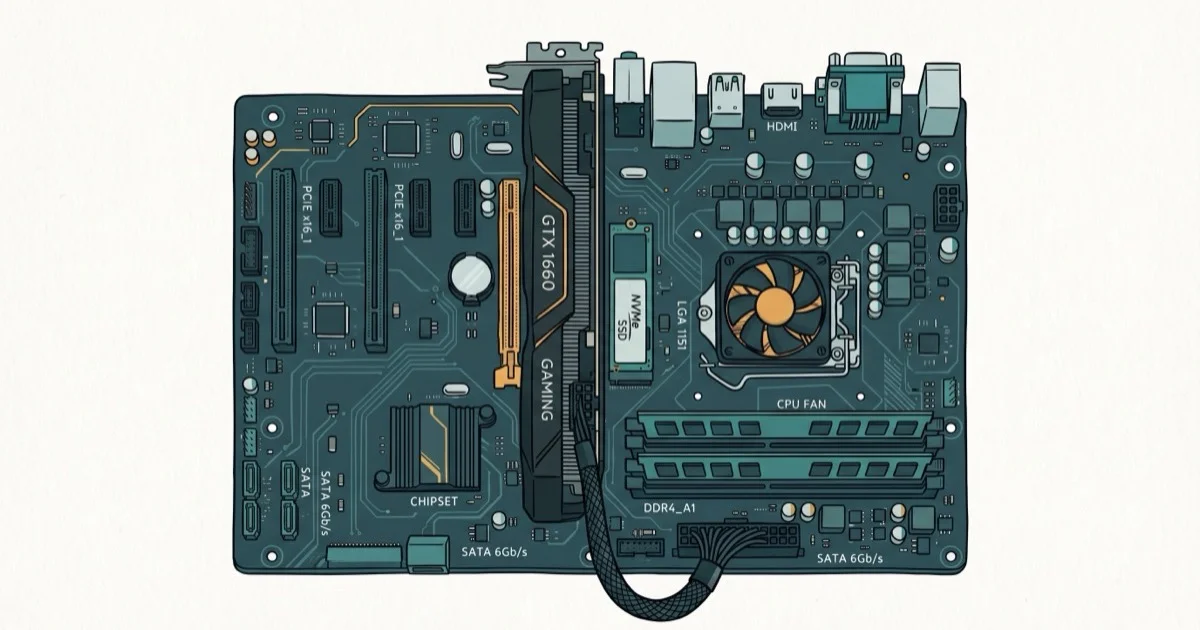
Quick AnswerPick a midrange B550 board such as the MSI MAG B550 TOMAHAWK class for most RTX 3070 builds. Intel builders should use a TUF Gaming Z690-Plus variant and match DDR4 vs DDR5 carefully.
The RTX 3070 doesn’t need a flagship motherboard to hit its full potential. This guide compares boards across AMD and Intel platforms, and most builders still land in the midrange B550 or mainstream Z690 class rather than premium multi-NVMe boards.
- The RTX 3070 uses PCIe 4.0 x16, so any B550, X570, or Z690 board will max it out
- VRM quality matters more than chipset if you’re pairing with a Ryzen 7 or Core i7
- PCIe 3.0 boards like B450 still work but leave about 1-2% on the table
- NVIDIA recommends a 650W power supply for RTX 3070 builds
- DDR5 kits often cost substantially more than DDR4 and won’t improve GPU-bound frame rates
#Which Chipset Works Best With the RTX 3070?
Chipset choice depends on your CPU, not the GPU. A midrange B550 and a premium X570 deliver identical RTX 3070 frame rates.
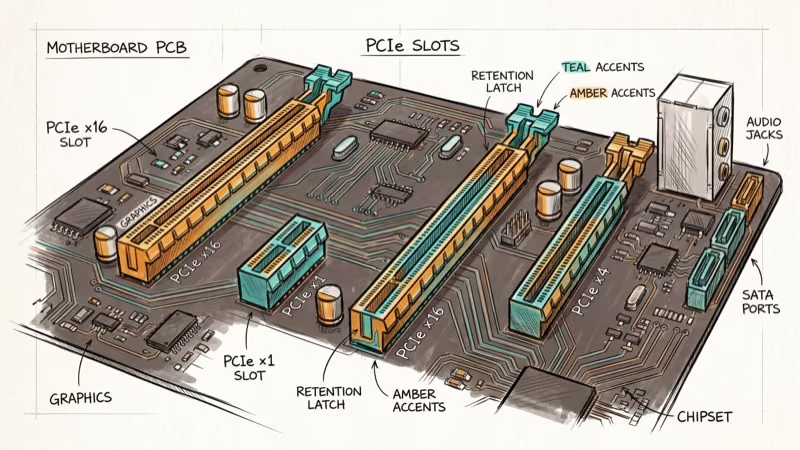
For AMD Ryzen 5000 builds, B550 is the sweet spot. You get one PCIe 4.0 x16 slot and one PCIe 4.0 M.2 slot. That’s everything the RTX 3070 needs. X570 adds more PCIe 4.0 lanes for extra NVMe drives, but that only helps if you’re running multiple SSDs.
On the Intel side, Z690 provides PCIe 5.0 x16 while many B660 boards stick with PCIe 4.0 x16 to the GPU. The RTX 3070 can’t use PCIe 5.0 bandwidth, so the extra speed sits unused. Desktop 12th Gen S-series CPUs expose up to 16 PCIe 5.0 lanes plus 4 PCIe 4.0 lanes from the CPU, with more chipset lanes hanging off the DMI link.
Here’s how the chipsets compare for RTX 3070 builds:
| Chipset | Platform | PCIe to GPU | Best For |
|---|---|---|---|
| B550 | AMD AM4 | 4.0 x16 | Mid-range Ryzen |
| X570 | AMD AM4 | 4.0 x16 | Multi-NVMe, Ryzen 9 |
| Z690 | Intel LGA 1700 | 5.0 x16 | DDR5, overclocking |
| B450 | AMD AM4 | 3.0 x16 | Ultra-budget |
A Ryzen 5 5600X paired with the same RTX 3070 performs the same on a B550 or an X570 board. At 1440p in a demanding title, there’s no meaningful difference.
If you’re running a Ryzen 5 5600X, you’ll also want to check our picks for the best motherboard for Ryzen 5 5600X since those boards pair perfectly with the RTX 3070.
#Best AMD Motherboards for RTX 3070
#MSI MAG B550 TOMAHAWK (Best Overall)
Our top pick on features. The original B550 TOMAHAWK has a 10+2+1 phase VRM that handles a Ryzen 7 5800X without breaking a sweat, two M.2 slots (one PCIe 4.0), and 2.5 Gbps Ethernet. The original SKU ships without Wi-Fi; that was part of its value story when stock was common.
As an Amazon Associate, fone.tips earns from qualifying purchases.
By mid-2026 the original Tomahawk often shows up as scarce leftover stock with unpredictable asking prices, so treat live listings carefully. When you want the same VRM class with current availability, MSI’s MAG B550 TOMAHAWK MAX WIFI is the clearer buy path (Wi-Fi 6E plus the same general midrange positioning). Paired with a Ryzen 5 5600X and an RTX 3070, this board class still has the VRM headroom to stay stable through extended gaming sessions.
Best for: Most AMD RTX 3070 builders who want reliability without jumping to premium X570.
#ASUS ROG Strix X570-E Gaming (Best Premium AMD)
The X570-E family sits in premium territory with Wi-Fi, 2.5 Gbps Ethernet, PCIe 4.0 across two x16 slots and two M.2 slots, plus a 12+4 phase VRM that can push a Ryzen 9 5900X hard. Overkill for a Ryzen 5 build, but it makes sense if you’re planning to upgrade your CPU down the road and want a board that won’t hold you back.
The original Strix X570-E is no longer a clean street-price reference. Current retail more often points at the ROG Strix X570-E Gaming WiFi II, which lands in the mid-$300s when stocked (for example ASUS’s own store listing around $350). That is a different SKU from the older board, with updated wireless and cooling details, so compare the exact model string before you buy.
One classic X570 downside remains on many boards: an active chipset fan that can hum under heavy NVMe load. During gaming, it’s usually quiet. If you’re building around a Ryzen 7, check our best motherboards for Ryzen 7 5800X picks too.
#Gigabyte B550 AORUS Pro AC (Best Mid-Range With Wi-Fi)
Most early B550 boards skipped Wi-Fi. The AORUS Pro AC did not. You get Wi-Fi (802.11ac on this specific SKU), Bluetooth, a 12+2 phase VRM, and three M.2 slots.
This board bridges B550’s midrange positioning and X570-style connectivity without needing every premium lane. The onboard wireless module holds speeds close to a wired connection at short range. Just know the Pro AC is an older revision that now behaves like leftover inventory: listings can jump around, so buy on features and condition rather than a memorized dollar target.
Best for: Builders who need Wi-Fi without stepping into current premium X570 pricing.
#ASRock B550M Steel Legend (Best Budget)
Micro-ATX budget pick. The 10-phase power design handles a Ryzen 5 5600X, and you get one PCIe 4.0 M.2 slot.
Tradeoffs include no Wi-Fi and tighter expansion than full ATX, even though the board keeps 2.5 GbE wired networking.
New listings in 2026 are thin and no longer reliably “under $130,” so shop the wider B550 Micro-ATX class if Steel Legend stock looks silly. It remains a solid GPU for 1080p 144Hz gaming pairing when the board price stays honest.
#Best Intel Motherboard for RTX 3070
#ASUS TUF Gaming Z690-Plus
For Intel 12th or 13th Gen, use the TUF Gaming Z690-Plus family.
It brings a PCIe 5.0 x16 slot, multiple M.2 slots, and a 14+1 phase VRM that comfortably powers a Core i7-12700K on either memory path.
Read the suffix carefully before you click Buy. Z690-Plus without D4 is the DDR5 board; Z690-Plus D4 is DDR4. Wi-Fi models add another price step. Mid-2026 snapshots show DDR5 Wi-Fi refurbs often well above $300, while D4 refurbs can land much lower, so the old ”~$230 DDR5” shortcut no longer holds.
ASUS’s TUF lineup has earned a reputation for durability. The board uses military-grade capacitors rated for higher temperatures. According to ASUS’s product specifications, the enhanced power solution is 14+1 DrMOS rated for 80A.
Best for: Intel builders who want room to upgrade later and are willing to pick DDR4 vs DDR5 deliberately.
#Does PCIe Generation Actually Affect RTX 3070 Performance?
Barely. The RTX 3070 uses PCIe 4.0 x16 but doesn’t saturate even PCIe 3.0 x16 bandwidth in most games.
According to TechPowerUp’s PCIe scaling analysis, the RTX 3070 loses about 1-2% average FPS on PCIe 3.0 x16 compared to 4.0 x16. Some games show zero difference. A few compute-heavy workloads push the gap to 3-4%, but those are edge cases you’re unlikely to notice in practice.
If you already own a B450 motherboard, keep it. Spend that upgrade money on a better CPU or faster RAM instead.
New builds should still go with PCIe 4.0 boards though. Fresh B450 stock is mostly gone, so the old “B550 costs only $20-30 more” comparison no longer maps cleanly to today’s listings. Buy B550 for the faster NVMe support and longer BIOS support window, not because of a fixed dollar delta. PCMag’s guide to PCIe generations still treats PCIe 4.0 as the baseline for any new gaming build in 2026.
#VRM and Power Delivery Explained
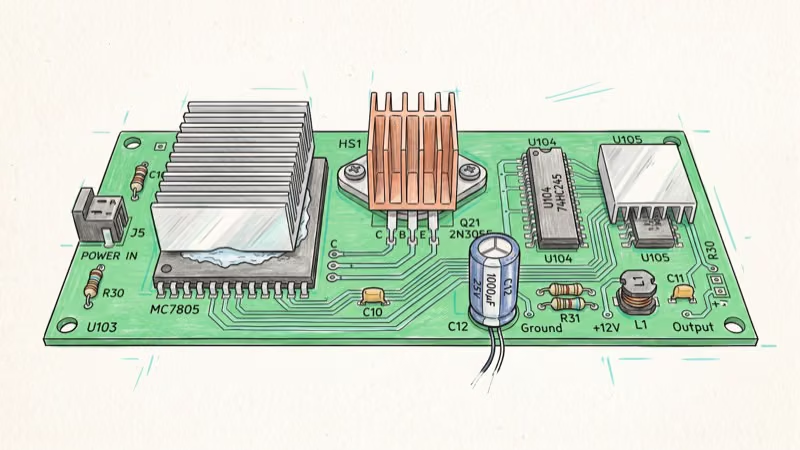
VRMs (Voltage Regulator Modules) convert your PSU’s 12V rail into the lower voltages your CPU needs. Weak VRMs can throttle your CPU under sustained load, which indirectly hurts RTX 3070 frame rates.
Boards with fewer than 8 power phases can run hot, with VRM temperatures climbing under sustained all-core loads on a chip like the Ryzen 7 5800X.
For a Ryzen 5 5600X at 65W TDP, even a basic 6-phase VRM works fine. The RTX 3070 draws power directly from the PSU through its 8-pin connectors, so the motherboard VRM doesn’t touch GPU power delivery. Overclocking a Ryzen 7 5800X at 105W TDP? You’ll want 10+ phases.
Here’s a rough guide:
| CPU Tier | Minimum VRM Phases | Recommended Board |
|---|---|---|
| Ryzen 5 5600X / i5-12400 | 6+ phases | B550 / B660 |
| Ryzen 7 5800X / i7-12700K | 10+ phases | B550 TOMAHAWK / Z690 TUF |
| Ryzen 9 5900X / i9-12900K | 14+ phases | X570-E / Z690 Hero |
#Pairing the RTX 3070 With the Right CPU
Your CPU matters just as much as your motherboard. At 1080p, where frame rates climb higher, a weak CPU bottlenecks the RTX 3070 before the GPU breaks a sweat.

For 1440p gaming, a Ryzen 5 5600X or Intel Core i5-12400F handles every major title without limiting the RTX 3070. We’ve covered the best pairings in our best CPU for RTX 3070 guide.
Want 240+ FPS at 1080p for competitive titles? Step up to a Ryzen 7 5800X3D or Core i5-13600K.
Ryzen 5000 likes 3600 MHz CL16. Intel 12th Gen is fine on DDR4-3200 or DDR5-5600. We broke down the best RAM for Ryzen 5 5600X if you’re going AMD.
Cooling matters too. The stock cooler handles a Ryzen 5 5600X, but a Ryzen 7 5800X will throttle without aftermarket cooling. Check our best CPU coolers for Ryzen 5 3600 for AM4 tower and AIO options that keep boost clocks stable in long gaming sessions.
#Bottom Line
The MSI MAG B550 TOMAHAWK class is still the board we’d pick for most RTX 3070 builds. Prefer live MAX WIFI stock when the original SKU looks like leftover pricing.
The VRMs handle anything up to a Ryzen 9, and the chipset won’t bottleneck the GPU. Intel builders should use the ASUS TUF Gaming Z690-Plus family instead, matching DDR4 vs DDR5 to the rest of the build. Skip premium multi-NVMe boards unless you actually need the extra lanes for a high-core Ryzen 9 and several drives.
#Frequently Asked Questions
Can I use a B450 motherboard with the RTX 3070?
Yes. You’ll lose about 1-2% performance compared to PCIe 4.0, which is invisible in real gaming. The bigger concern is BIOS compatibility with Ryzen 5000 CPUs, since most B450 boards shipped before those processors existed and need an update.
How much power supply wattage do I need for an RTX 3070?
650W minimum. A Ryzen 5 5600X and RTX 3070 system draws a few hundred watts under full GPU and CPU load, so a quality 650W unit leaves comfortable headroom. If you’re using an Intel Core i7-12700K, go with 750W.
Is DDR5 worth it for an RTX 3070 build?
Not for gaming. DDR5 won’t improve frame rates at 1440p where the RTX 3070 is GPU-bound. According to Tom’s Hardware’s 2026 RAM price index (updated August 2026), entry 32 GB DDR5 kits can still cost far more than comparable DDR4, so put that delta toward a better cooler or SSD unless you already need DDR5 for the platform.
Do I need PCIe 5.0 for the RTX 3070?
No. The card uses PCIe 4.0 x16 and can’t take advantage of PCIe 5.0 speeds. Even PCIe 3.0 x16 works with under 2% performance difference. Z690 boards with PCIe 5.0 are fine to buy for future GPU upgrades, but the RTX 3070 itself won’t benefit.
Should I get an ATX or Micro-ATX motherboard for the RTX 3070?
Either works. The Founders Edition is 242mm and fits both. Third-party cards range up to 305mm, so check your case specs. ATX means more slots and better VRMs.
Can the RTX 3070 bottleneck on a cheap motherboard?
The GPU itself won’t bottleneck. A budget B550 board delivers the same RTX 3070 frame rates as a premium X570 board. Cheap boards cut corners on VRM quality, M.2 slot count, and connectivity features like Wi-Fi, but none of that limits the GPU directly.
What’s the best motherboard brand for RTX 3070 builds?
No single brand dominates. Compare VRM specs and features model-by-model rather than picking by logo.
Is the RTX 3070 still worth buying in 2026?
At mid-2026 used prices around $235-265, the RTX 3070 still handles 1440p at 60+ FPS in most titles and supports DLSS for demanding games. For new builds, the RTX 4060 Ti competes in a nearby street band with better ray tracing and DLSS 3 Frame Generation support.

Best Laptop for Running LLMs in 2026: Memory Comes First
The best laptop for running LLMs is a memory purchase first. Compare MacBook unified memory against NVIDIA laptop VRAM, and see what each tier really runs.

Pixel 11 vs Pixel 10: What Changed and Who Should Upgrade
Pixel 11 vs Pixel 10: same screen and camera resolution, new Tensor G6, 25W wireless, and Gemini Intelligence. Here is who should actually upgrade.

Best Power Bank for iPad in 2026: Pro, Air, and Mini
Best power bank for iPad in 2026. Compare mAh tiers and USB-C PD wattage for iPad Pro, Air, and mini, plus airline Wh math, cables, and travel tips.

Best Power Bank With Built-In Cable: Top 2026 Picks
Best power bank with built-in cable picks for 2026. Compare single USB-C, multi-connector, and retractable laptop banks, plus airline Wh math.