Best Monitor Light Bar for Eye Strain: 4 Glare-Free Picks
Best monitor light bar for eye strain. Compare four asymmetric desk lamps for glare, blue-light, and the bias-light effect that cuts evening fatigue.
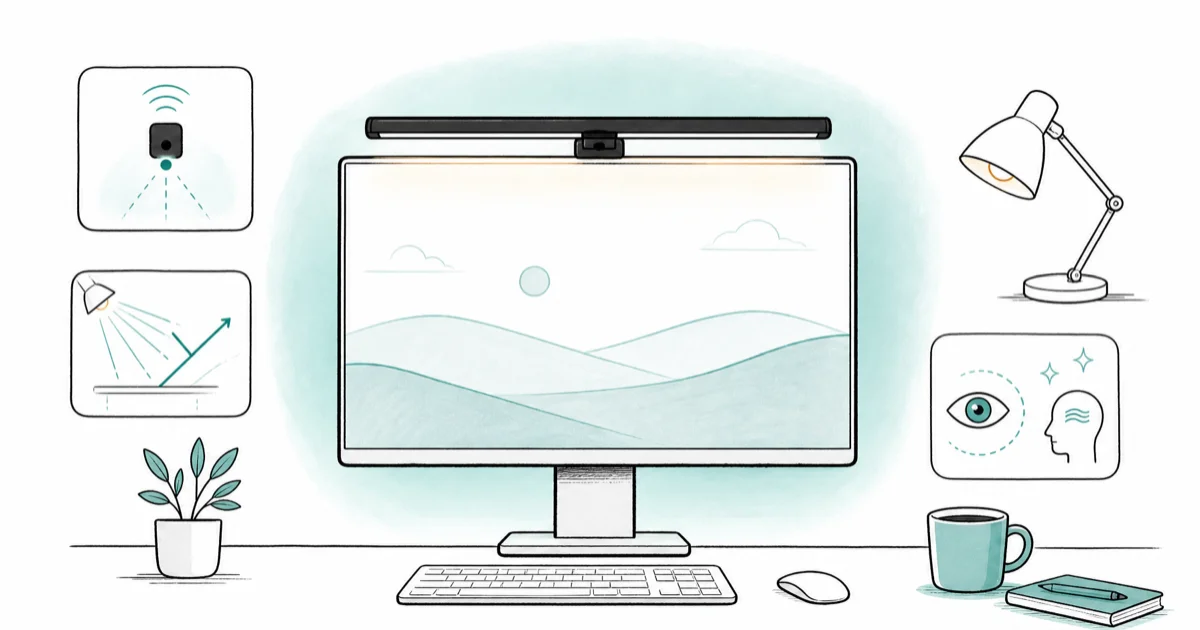
Quick AnswerThe BenQ ScreenBar Halo 2 is the best monitor light bar for eye strain, pairing asymmetric optics with an auto-dim sensor and a soft rear backlight that cuts the contrast between bright screen and dark wall.
End-of-workday eye fatigue usually traces to one of three things: room contrast that’s too high, a screen glare reflection from overhead light, or working in the dark with only the monitor glowing. This guide compares four monitor light bars built around asymmetric optics against those three causes.
- Asymmetric optics aim the beam onto the desk and block rearward spill, so the screen stays glare-free
- Auto-dim ambient sensors match room brightness automatically, preventing the lamp from overpowering a dim room
- A rear backlight on the bar creates a bias-light wash behind the monitor, cutting the high-contrast halo
- Look for color temperatures from 2700K to 6500K so you can warm the lamp for evening sessions
- Pair the light bar with screen blue-light filters and the 20-20-20 rule for the full eye-strain stack
#How Does a Monitor Light Bar Help With Eye Strain?
Eye strain at the screen is a contrast problem, not a brightness one. Staring at a bright panel against a dark room forces the iris to keep adjusting, which fatigues the muscles around the eye over a long session.
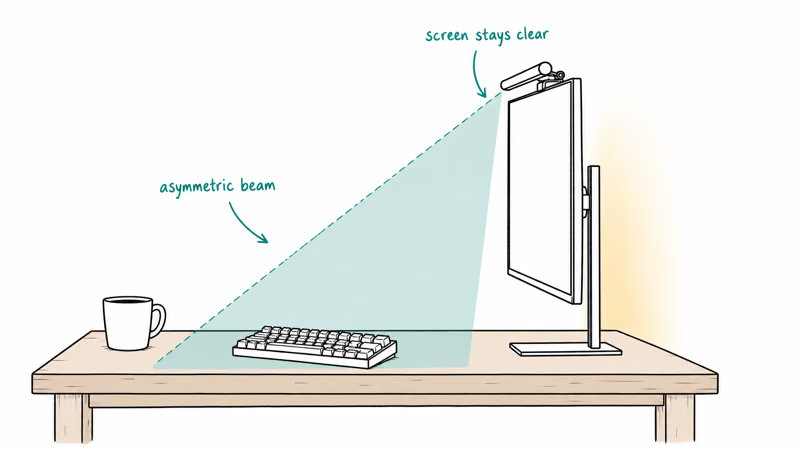
According to the American Academy of Ophthalmology, its computer-use guidance recommends matching room and screen brightness and stepping away every twenty minutes (the 20-20-20 rule). A monitor light bar mounts to the top of the monitor and shines a controlled beam downward onto the desk, so it equalizes room luminance without ever flooding the panel. The asymmetric optics keep that light off the screen itself, so your panel doesn’t have to compete with reflected ceiling fluorescents.
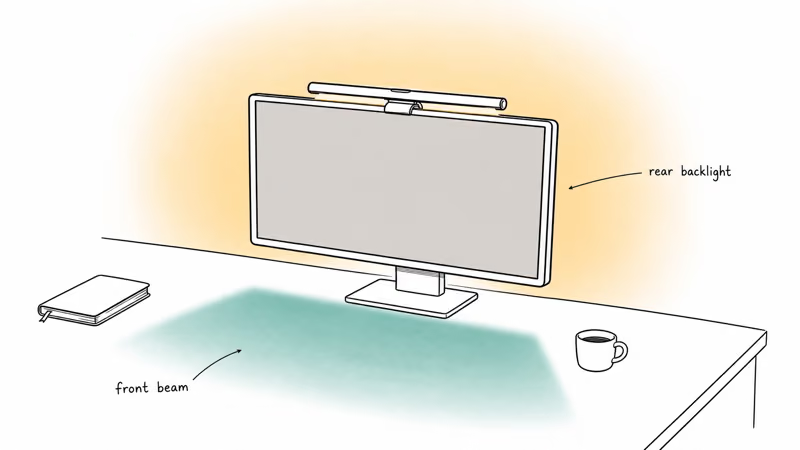
Pair that with a rear backlight (a bias light behind the panel) and the wall comes up to match the screen. Asymmetric models are built to cut visible ceiling-light glare on matte panels, while a standard symmetric LED desk lamp aimed at the desk can bounce light back into the panel coating.
#Top Pick for Eye Strain: BenQ ScreenBar Halo 2
The BenQ ScreenBar Halo 2 is the only model in this roundup with both a rear backlight and motion-activated auto-on. The rear backlight is what makes a real difference for end-of-day fatigue: it softens the bright-screen-on-dark-wall contrast that’s the worst case for visual stress.
- Motion sensor auto-on when you sit down
- Front + rear backlight reduces eye-strain contrast
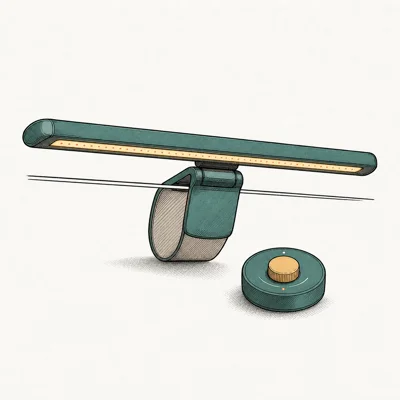
- Wireless puck controls without reaching to monitor
- Asymmetric optics keep screen glare-free
Last updated on May 27, 2026
As an Amazon Associate fone.tips earns from qualifying purchases. Prices and availability on Amazon are accurate as of the date above and subject to change.
On the Halo 2, the bias backlight can run warm in the evening while the front beam steps down as the room dims. Together they keep the room from going fully dark and reduce the black-wall contrast behind the screen. The auto-dim sensor is the feature that makes that setup feel hands-off.
The wireless puck remote uses RF, not Bluetooth, and pairs without an app. Short press cycles brightness; long-press toggles auto-dim. The motion sensor wakes the bar when you sit down and shuts it off after a few minutes of empty desk.
#Best Premium for Ultrawide: BenQ ScreenBar Pro
If your daily driver is a curved or ultrawide monitor, the BenQ ScreenBar Pro is built for it. The 19.6-inch beam covers 27 to 34 inch displays edge-to-edge, and the clip seats correctly on curves down to 1000R that the original ScreenBar and ScreenBar Plus can’t handle.
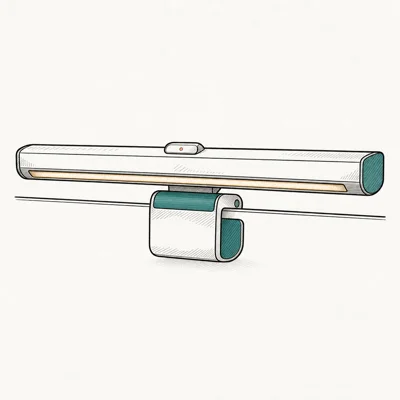
- Built for curved and ultrawide monitors
- USB-C powered, plugs into any modern hub
- Motion sensor auto-on saves a button press
- Wider beam covers 27-34 inch displays
Last updated on May 27, 2026
As an Amazon Associate fone.tips earns from qualifying purchases. Prices and availability on Amazon are accurate as of the date above and subject to change.
The Pro’s wider beam is built for ultrawide coverage, which makes it a better fit than short bars on wide panels. USB-C power means the bar plugs into the downstream port on most modern monitors. The Pro lacks the rear backlight that the Halo 2 carries, so for pure eye-strain reduction the Halo 2 still wins; the Pro wins if your monitor is ultrawide and the Halo 2 simply can’t span it.
#Best Value With Auto-Memory: Quntis Monitor Light Bar PRO+
The Quntis PRO+ delivers the asymmetric beam and a wireless remote at roughly half the BenQ ScreenBar Plus price. For an eye-strain stack on a budget, it’s the entry point that keeps the core optical design intact.
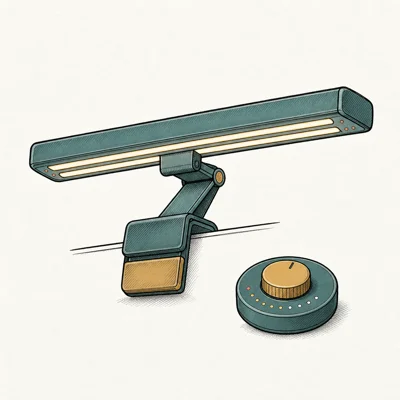
- Wireless remote at less than half BenQ Plus price
- Memory function remembers last brightness
- Universal clip works on curved monitors
- Solid mid-tier alternative if BenQ feels overpriced
Last updated on May 27, 2026
As an Amazon Associate fone.tips earns from qualifying purchases. Prices and availability on Amazon are accurate as of the date above and subject to change.
The Quntis asymmetric reflector follows the same practical idea as the BenQ design: direct screen-glare avoidance. Cheap monitor bars without an asymmetric design use symmetric LEDs that bounce light back at the screen, which defeats the entire point of putting a bar above the monitor in the first place.
Memory function is the quality-of-life feature. The bar wakes at your last brightness setting.
No auto-dim sensor though, so you’ll reach for the remote a couple of times an evening as the room shifts past sunset. Worth the trade-off at the price.
#Wired Dial Option: BenQ ScreenBar Plus
Want tactile control? The BenQ ScreenBar Plus pairs the same asymmetric optics with a wired desktop dial. The dial sits next to your keyboard.
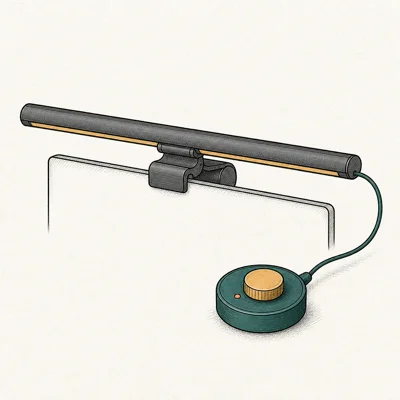
- Wired desk dial gives instant tactile control
- Asymmetric beam keeps screen glare-free
- Auto-dim ambient sensor matches room brightness
- Same proven ScreenBar core in a dial-control package
Last updated on May 27, 2026
As an Amazon Associate fone.tips earns from qualifying purchases. Prices and availability on Amazon are accurate as of the date above and subject to change.
The dial wins on speed: touch it and brightness changes instantly, with none of the pairing delay that can come with wireless puck remotes. The ScreenBar Plus loses to the Halo 2 on two fronts. There’s no rear backlight, and the flat clip won’t seat correctly on curved monitors, so curved-panel users are stuck with one of the newer models.
#Why Does Asymmetric Beat a Standard Desk Lamp?
A standard desk lamp throws light in every direction. Even with careful angling, the diffuse halo still reaches the screen and shows up as glare on the panel coating. An asymmetric monitor light bar uses a directional reflector that aims the beam forward and down toward the keyboard, blocking the rearward spill that would otherwise hit the screen.
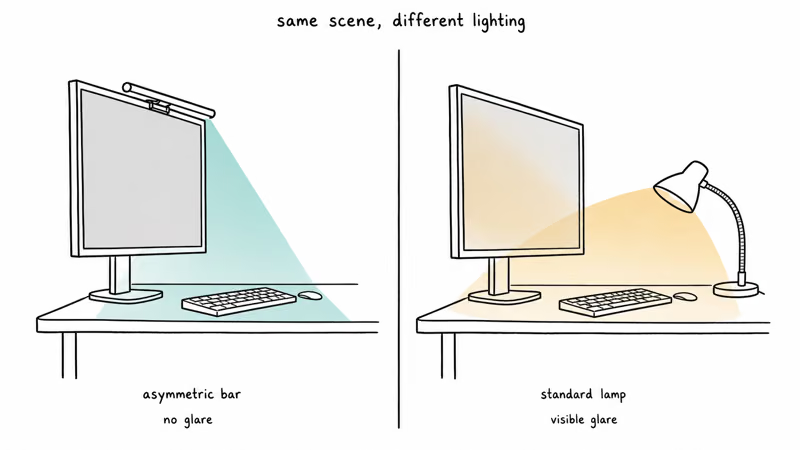
The practical difference is screen glare: asymmetric bars aim light down and forward, while symmetric lamps can send a diffuse wash back at the panel.
Asymmetric bars are designed to cut screen glare to a barely visible level. XDA Developers’ ScreenBar review confirms that this glare control matters for screen-heavy workflows.
If you already invested in a color-grading monitor or an HDMI 2.1 gaming display, an asymmetric bar protects that investment by keeping ambient light from washing out the color reference.
For a budget take, the budget monitor light bar guide compares the entry tier.
#Pair the Light Bar With Other Eye-Strain Fixes
A light bar handles glare and contrast, not focus fatigue or dry-eye.
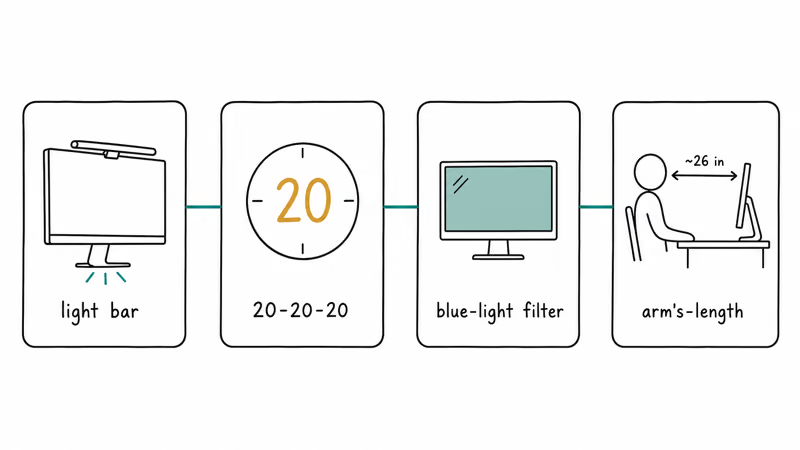
The full eye-strain stack pairs the bar with three more things: the 20-20-20 rule (every 20 minutes, look at something 20 feet away for 20 seconds), a screen blue-light filter for evenings, and a screen distance of roughly arm’s length. Skip one of those legs and the stack gets noticeably weaker.
The full stack still puts lighting first: room equalization carries more weight than any single accessory or filter. Eye strain responds to room conditions first.
If your daily driver is a laptop on the road instead of a desktop monitor, check the best portable monitor for MacBook Pro guide for second-screen picks. Pair it with a light bar for the home office.
The gaming desk with LED lights roundup covers RGB-strip and edge-lit options that aren’t asymmetric and don’t reduce screen glare, but handle the bias-light role behind the monitor.
#Bottom Line
For eye strain specifically, the BenQ ScreenBar Halo 2 is the right buy. The combination of asymmetric front optics plus the rear backlight is the only complete solution to the contrast and glare problem, and the auto-dim sensor keeps the lamp from overpowering a dim evening room.
If you work on an ultrawide where the Halo 2 can’t span the panel, the BenQ ScreenBar Pro is the right step up. If your budget is tight, the Quntis Monitor Light Bar PRO+ delivers the asymmetric beam and remote at roughly half the price, with the trade-off being no auto-dim and no rear backlight. Pick the ScreenBar Plus only if you specifically want the wired dial control and don’t need the rear backlight.
#Frequently Asked Questions
Does a monitor light bar prevent eye strain?
Partially. It helps with the contrast and glare causes of eye strain, but it doesn’t address focus fatigue or dry eye. For the full benefit you’ll want to pair the bar with the 20-20-20 rule, a blue-light filter on the screen for evening sessions, and an arm’s-length distance from the panel. Skip any one of those four legs and the stack gets noticeably weaker.
Is blue light from a monitor light bar a problem?
Not really. Most asymmetric monitor bars cycle from 2700K (warm) to 6500K (cool), and the bar emits less blue light than the screen does at the same color temperature. Set the bar to the warm end after sunset to reduce evening blue-light exposure further.
Should I use a monitor light bar at full brightness?
No. Match the bar brightness to your screen brightness. You’ll typically run it at 40 to 60 percent.
Will a light bar fix glare on a glossy monitor?
A glossy panel reflects more ambient light than a matte panel, so the asymmetric beam helps more on glossy screens than on matte ones. Pair it with an anti-glare film and visible reflection drops dramatically.
Can I run a light bar with a curved ultrawide monitor?
Yes, but only with the right model. The BenQ ScreenBar Halo 2, ScreenBar Pro, and Quntis PRO+ all seat on curved monitors. The original BenQ ScreenBar and ScreenBar Plus have a fixed flat clip that doesn’t grip 1500R curves, so they’re not the right pick for an ultrawide.
Does a rear backlight on the bar matter for eye strain?
Yes. A rear backlight creates a bias-light wash behind the monitor that brings the wall luminance up toward the screen luminance, and that equalization is the single biggest contrast-reduction tool in the whole eye-strain stack.
How long should I run a monitor light bar each day?
Use it during any screen session longer than 30 minutes in a room dimmer than full daylight.

Pixel 11 vs Pixel 10: What Changed and Who Should Upgrade
Pixel 11 vs Pixel 10: same screen and camera resolution, new Tensor G6, 25W wireless, and Gemini Intelligence. Here is who should actually upgrade.

Best Power Bank for iPad in 2026: Pro, Air, and Mini
Best power bank for iPad in 2026. Compare mAh tiers and USB-C PD wattage for iPad Pro, Air, and mini, plus airline Wh math, cables, and travel tips.

Best Power Bank With Built-In Cable: Top 2026 Picks
Best power bank with built-in cable picks for 2026. Compare single USB-C, multi-connector, and retractable laptop banks, plus airline Wh math.

Best Apple Watch Band for Working Out: Proven Picks
The best Apple Watch band for working out handles sweat and stays put on your wrist. Compare silicone, nylon, and titanium picks for runs and lifts.