Best Budget Monitor Light Bar in 2026: 3 Picks Under $130
Best budget monitor light bar in 2026. Three asymmetric desk lamps under $130, proven for glare control, build quality, and value on a real desk.
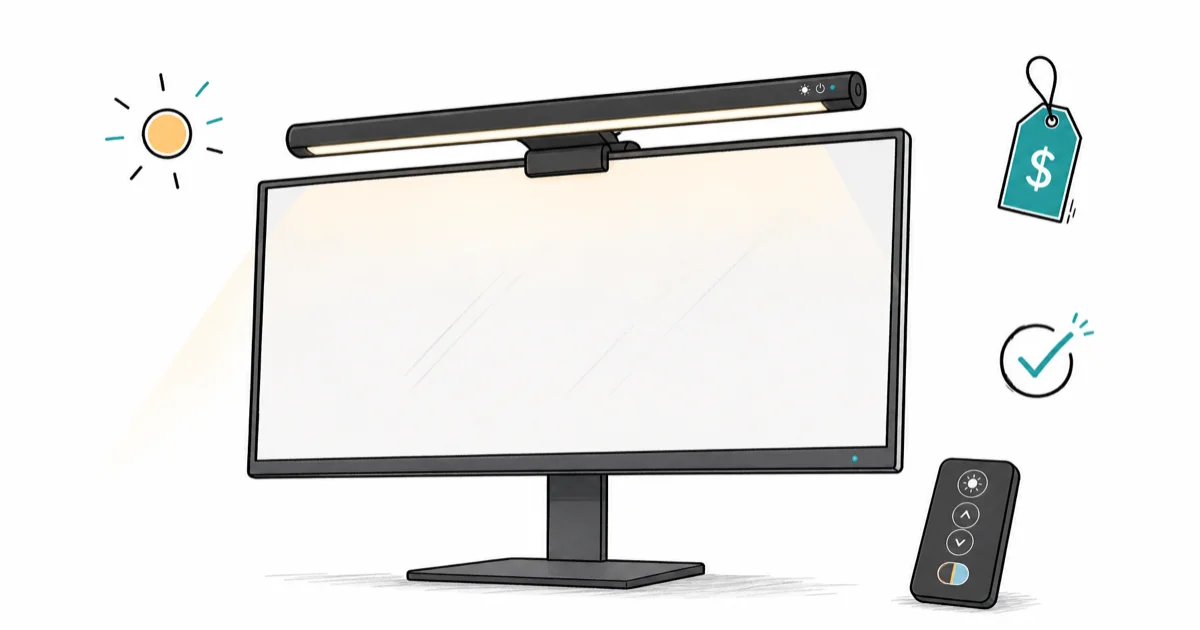
Quick AnswerThe Quntis Monitor Light Bar PRO+ is the best budget monitor light bar in 2026 at roughly half the price of any BenQ model, with the same asymmetric optics and a wireless remote. Pick the BenQ ScreenBar Classic if you want proven longevity.
A monitor light bar at the right price is a productivity upgrade for the cost of two paperback books. This guide compares three best-selling budget asymmetric models for 27-inch flat panels and 34-inch ultrawides, with a focus on value under $130.
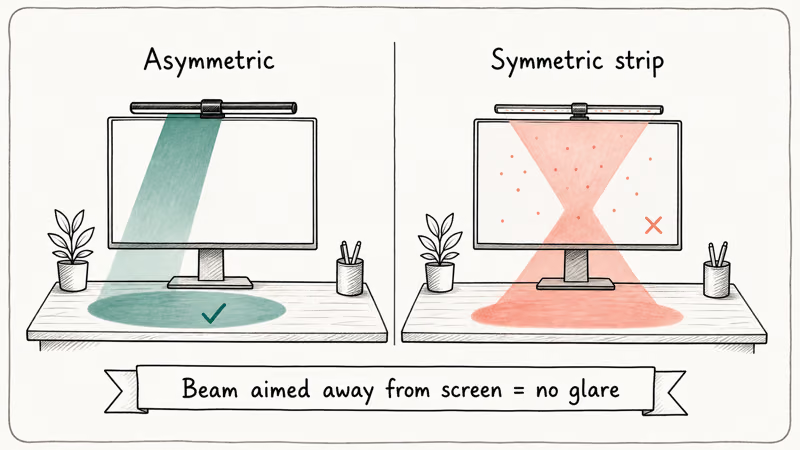
- Asymmetric optics are the only feature that matters at any price; symmetric strips bounce glare onto the screen
- The cheapest competent monitor light bar is roughly $60 with a wireless remote and works on curved monitors
- BenQ models cost more but include the longest warranty and the most refined dimming controls
- All three picks here clip on the top bezel and draw under 5W from any USB-A port or hub
- Save the higher-priced premium and ultrawide-specific models for separate buying guides
#What Counts as Budget in This Category?
Anything under roughly $130 reads as budget for a real asymmetric monitor light bar in 2026. According to BenQ’s monitor light bar overview, the asymmetric reflector is the defining piece of optical engineering that pushes the beam onto the desk and away from the screen. Once you have that, you don’t need motion sensors or rear backlight to get the core benefit.
The American Academy of Ophthalmology screen guidance recommends matching room and screen brightness during long sessions. Any asymmetric bar at 500 lux delivers that out of the box.
Under $30 you’re buying a symmetric LED strip. It lights the screen as much as the desk and produces real glare on a matte panel. Skip those entirely.
#Best Budget Pick Overall: Quntis Monitor Light Bar PRO+
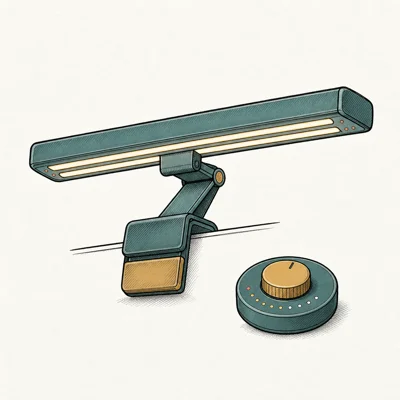
Quntis PRO+ is the best budget monitor light bar pick in 2026. It carries the same asymmetric reflector design as the BenQ models, a wireless remote, memory function, and a flexible clip that fits curved monitors, at roughly half the BenQ ScreenBar Plus price.
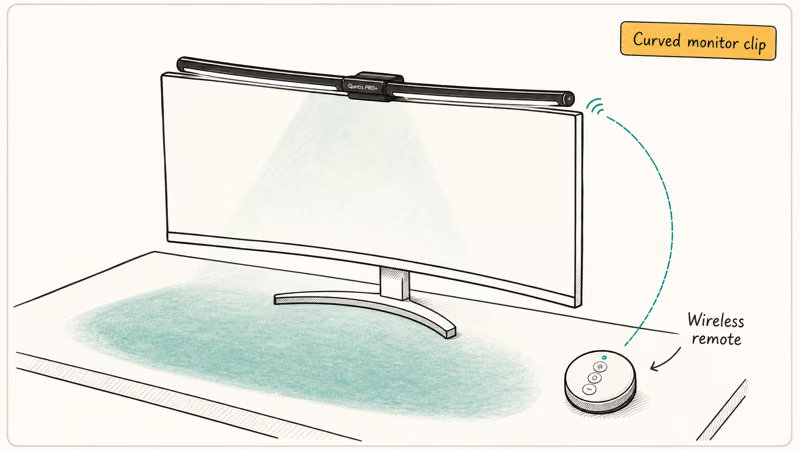
- Wireless remote at less than half BenQ Plus price
- Memory function remembers last brightness
- Universal clip works on curved monitors
- Solid mid-tier alternative if BenQ feels overpriced
Last updated on May 27, 2026
As an Amazon Associate fone.tips earns from qualifying purchases. Prices and availability on Amazon are accurate as of the date above and subject to change.
The PRO+ uses the same flexible clip category covered in our main monitor light bar roundup, with a rubberized seat designed for flat and curved displays.
Memory function is the quality-of-life feature you don’t get on every budget bar. The lamp wakes at your last brightness setting instead of full output, so the morning never starts with a face full of 500 lux. Three color temperatures and five brightness steps cover the daytime-to-evening range without a continuous dimmer.
No auto-dim. Manual brightness control is the trade-off: the Quntis needs a nudge as the room gets darker.
#Best Value for BenQ Loyalists: BenQ ScreenBar (Classic)
ScreenBar Classic is the original 2018 BenQ design and the cheapest way into real BenQ asymmetric optics. It drops the dial, the puck, the motion sensor, and the backlight, but keeps the optics and the auto-dim sensor that defined the category.
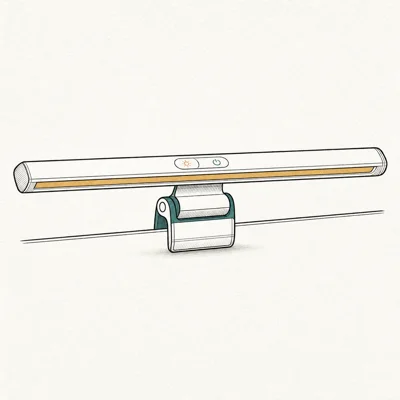
- Original BenQ design — proven for 6+ years
- On-bar touch controls (no extra dial cable)
- Auto-dim ambient sensor keeps brightness comfortable
- Compact 17.7 in fits most 24-27 inch monitors
Last updated on May 27, 2026
As an Amazon Associate fone.tips earns from qualifying purchases. Prices and availability on Amazon are accurate as of the date above and subject to change.
Touch buttons live on the front edge. Reach over the monitor to use them. A 17.7-inch length covers a 24-inch monitor edge to edge.
Why the Classic earns its spot: BenQ asymmetric optics still beat clones at any price. You get the same screen-glare-free beam as the pricier ScreenBar Plus.
Auto-dim works as it should. Tom’s Guide found that a well-implemented auto-dimming sensor drops the bar to around 500 lux, the recommended level for reducing eye strain, in their BenQ ScreenBar Halo 2 review, and that same auto-dimming concept is the reason the Classic earns its spot over cheaper manual-only bars.
#Step Up Pick With Auto-Dim Dial: BenQ ScreenBar Plus
ScreenBar Plus sits at the top of the budget bracket and breaks $130 in some months. It earns a place here because the desktop dial controller is the fastest brightness control in this budget group, and the 7-year warranty is the longest in the entire category at any price.
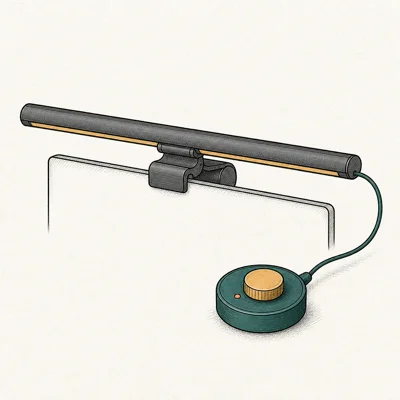
- Desktop dial is faster than button presses
- Auto-dim adapts to room ambient light
- Glare-free asymmetric beam aimed away from screen
- Excellent 7-year warranty for a desk accessory
Last updated on May 27, 2026
As an Amazon Associate fone.tips earns from qualifying purchases. Prices and availability on Amazon are accurate as of the date above and subject to change.
Spin clockwise for brighter, counter-clockwise for dimmer, press once to toggle auto-dim. That sequence is faster than any button or remote on a budget bar.
Cable management is the trade-off. The dial routes from the bar over the top of the monitor down to the desk, then to the puck. Plan a few minutes to route the loop behind a monitor arm.
Frequent brightness changes throughout the day? Pay up for the dial. Otherwise pick the PRO+.
#Cheap Picks to Avoid Under $30
Anything under $30 in this category is a symmetric LED strip with no asymmetric optics. It lights the panel directly, defeating the entire reason for a monitor light bar. Under-$30 listings commonly lack the asymmetric reflector design.
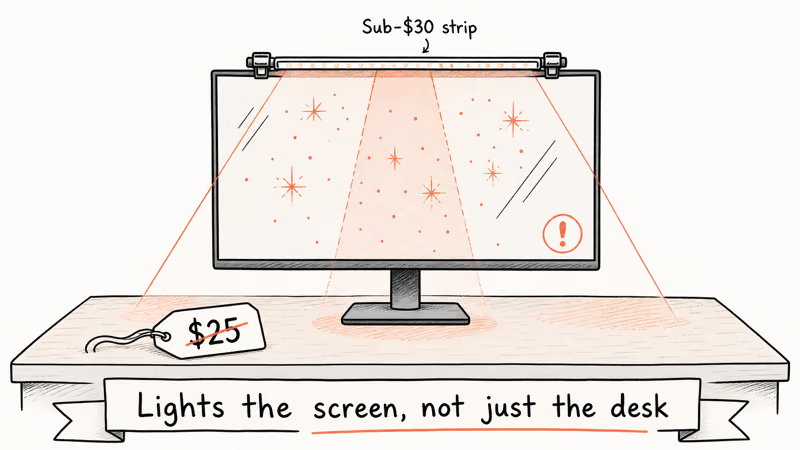
For a color-grading monitor or an HDMI 2.1 gaming monitor, the symmetric cheap bar will undo the calibration the first time you turn it on.
Pair the budget light bar with a proper desk setup like our gaming desk with LED lights guide covers. If eye strain is the reason you’re shopping, the asymmetric requirement is non-negotiable.
#How Long Do Budget Monitor Light Bars Last?
LED chips in budget models are typically rated for 30,000 to 50,000 hours of use. At 8 hours per workday, 30,000 hours covers more than a decade of use; the LEDs aren’t the failure point.
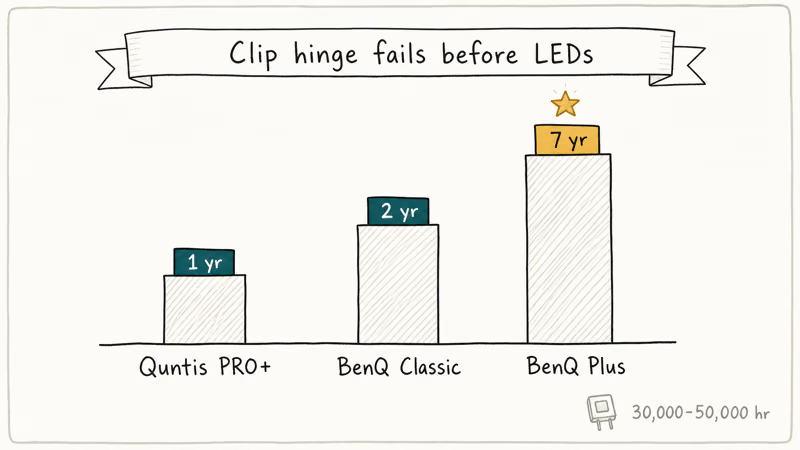
Clip hinge or cable connector usually fails first. Quntis offers one year, BenQ Classic two, the Plus seven.
Are budget monitor light bars worth replacing every few years? Probably not, given that LED life outlasts the clip. The practical failure risk is more likely clip or cable wear than brightness or color shift.
#Bottom Line
Get the Quntis Monitor Light Bar PRO+. It’s the cheapest competent monitor light bar in 2026, with the same asymmetric beam as the BenQ models at roughly half the price.
Pick the BenQ ScreenBar Classic if you trust BenQ longevity over the Quntis warranty math, or the ScreenBar Plus if you want a dial controller and the longest warranty in the category.
#Frequently Asked Questions
Is a $60 monitor light bar good enough?
Yes, if it has asymmetric optics. The Quntis PRO+ at roughly $60 to $80 has the same asymmetric reflector design as the BenQ models and lights the desk without bouncing glare onto the screen. Symmetric LED strips under $30 will look similar in product photos but light the screen directly and defeat the point.
What is the cheapest BenQ ScreenBar?
ScreenBar Classic, the original 2018 model. It sits between $90 and $110.
Do budget monitor light bars work on curved monitors?
Some do. Quntis PRO+ ships with a flexible clip that conforms to curves down to about 1000R. BenQ ScreenBar Classic and Plus have fixed flat clips that don’t seat well on curved bezels, and a 1500R ultrawide is the practical limit on those two.
Can I plug a monitor light bar into a USB hub?
Yes. Every model in this guide draws under 5W and works on any USB-A port. A monitor downstream port or laptop dock handles all three picks with no power negotiation, and you don’t need a wall brick or any dedicated power source for the bar. Even a basic 5W USB-A wall adapter from a phone charger would work in a pinch, but pulling power from the monitor or dock keeps your desk cleaner with one fewer cable to manage.
Will a cheap monitor light bar reduce eye strain?
A budget bar with proper asymmetric optics will reduce eye strain by removing screen glare and lighting the workspace evenly. The bar does not need a $200 price tag to do that; the Quntis PRO+ at $60 gets the same physical effect. Cheap symmetric strips, however, can make eye strain worse by lighting both the desk and the screen.
How wide does my monitor light bar need to be?
17 inches covers a 24-inch monitor. 18 to 20 inches handles a 27-inch flat or 34-inch ultrawide.
Do these bars come with a warranty?
All three picks include a manufacturer warranty. Quntis offers one year on the PRO+, BenQ ships two years on the ScreenBar Classic, and the ScreenBar Plus extends to seven years. If warranty length is your primary value metric, the Plus is the budget pick.
Are USB-C monitor light bars budget-friendly yet?
Not yet at the $60 to $80 tier. USB-C powered bars (BenQ ScreenBar Halo 2, BenQ ScreenBar Pro) all sit above $130 in 2026 pricing. If your monitor only has USB-C downstream ports, a USB-C to USB-A adapter works fine on the three older USB-A models in this budget guide.

Pixel 11 vs Pixel 10: What Changed and Who Should Upgrade
Pixel 11 vs Pixel 10: same screen and camera resolution, new Tensor G6, 25W wireless, and Gemini Intelligence. Here is who should actually upgrade.

Best Power Bank for iPad in 2026: Pro, Air, and Mini
Best power bank for iPad in 2026. Compare mAh tiers and USB-C PD wattage for iPad Pro, Air, and mini, plus airline Wh math, cables, and travel tips.

Best Power Bank With Built-In Cable: Top 2026 Picks
Best power bank with built-in cable picks for 2026. Compare single USB-C, multi-connector, and retractable laptop banks, plus airline Wh math.

Best Apple Watch Band for Working Out: Proven Picks
The best Apple Watch band for working out handles sweat and stays put on your wrist. Compare silicone, nylon, and titanium picks for runs and lifts.