Best Monitor Light Bar in 2026: 4 Top Desk Lamps Ranked
Best monitor light bar in 2026. Compare 4 asymmetric desk lamps on flat and curved monitors to rank brightness, glare control, and overall price.
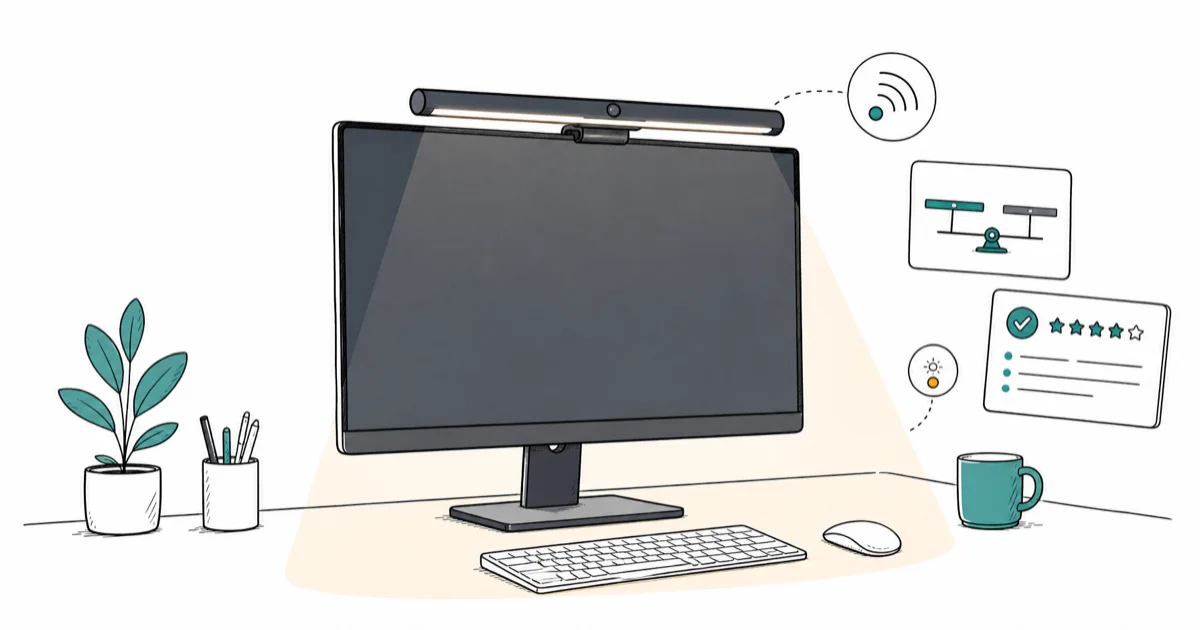
Quick AnswerThe BenQ ScreenBar Halo 2 is the best monitor light bar in 2026, with a motion sensor and an asymmetric beam that stays off your screen. Quntis Monitor Light Bar PRO+ is the best value pick at half the price.
One feature decides whether a monitor light bar is worth buying: the beam must stay off the screen. This guide compares four asymmetric lamps for flat panels and curved ultrawides.
- A monitor light bar clips to the top bezel and shines a controlled beam onto the desk, never the screen
- Asymmetric optics are the core tech, sending light forward toward the keyboard and blocking the rearward spill
- Look for an auto-dim ambient sensor so the lamp matches room brightness instead of overpowering it
- USB-C powered models plug into a modern monitor hub or laptop dock without a wall brick
- Plan on 17 to 20 inches of bar length to cover a 24 to 27 inch monitor; ultrawide users need a wider model
#What Makes a Monitor Light Bar Worth Buying?
A monitor light bar is a clip-on LED strip with asymmetric optics that point the beam downward and forward onto the desk. The asymmetric reflector is what separates a real monitor lamp from a strip of RGB tape. According to BenQ’s ScreenBar Halo 2 product page, the asymmetric optical design directs illumination away from the panel so the screen stays glare-free even at full brightness.
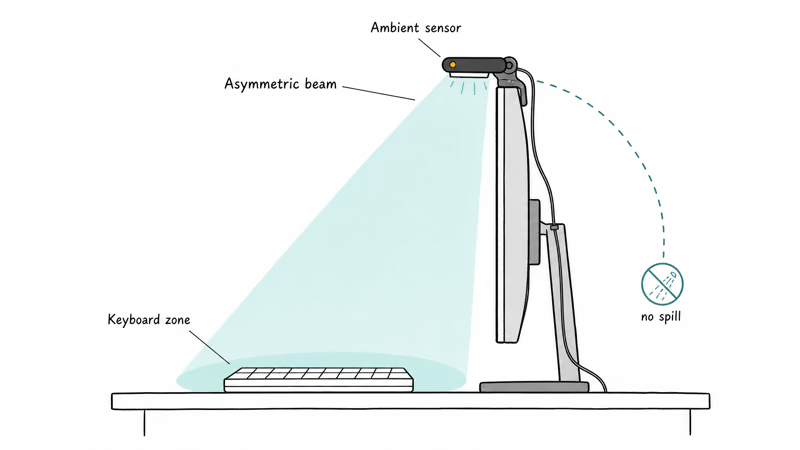
Compared with a symmetric LED strip, an asymmetric beam is designed to keep ceiling-light reflection off a matte panel.
Auto-dim is the second feature worth paying for. A 500-lux desk lamp at full brightness in a dark room is painful. Most cheap bars run open-loop at one fixed brightness; BenQ and Quntis units with auto-dim instead step down automatically as the room dims, which keeps afternoon and evening sessions balanced without button presses or puck-remote fiddling.
#Best Monitor Light Bar: BenQ ScreenBar Halo 2
Halo 2 is BenQ’s newest flagship. It adds a motion sensor and wireless puck remote.
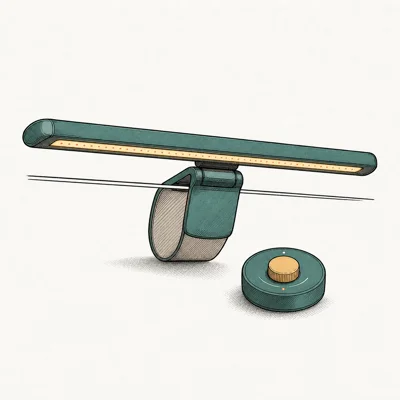
- Motion sensor auto-on when you sit down
- Front + rear backlight reduces eye-strain contrast
- Wireless puck controls without reaching to monitor
- Asymmetric optics keep screen glare-free
Last updated on May 27, 2026
As an Amazon Associate fone.tips earns from qualifying purchases. Prices and availability on Amazon are accurate as of the date above and subject to change.
Halo 2 fits 27-inch flat monitors and 34-inch curved ultrawides, with a clip designed to handle different bezel thicknesses without slipping. A soft 2700K rear backlight washes the wall behind the monitor and reduces the dark-wall contrast that the American Academy of Ophthalmology screen guidance recommends mitigating for long sessions.
Pairing is RF, not Bluetooth. The puck takes one AAA cell, no app, no setup wizard. Press the center button to cycle brightness or long-press to toggle the auto-dim sensor on or off.
#Best Value Monitor Light Bar: Quntis Monitor Light Bar PRO+
Quntis PRO+ is the budget pick that does not feel cheap. It carries the same asymmetric reflector design and a wireless remote, at roughly half the price of the BenQ ScreenBar Plus.
- Wireless remote at less than half BenQ Plus price
- Memory function remembers last brightness
- Universal clip works on curved monitors
- Solid mid-tier alternative if BenQ feels overpriced
Last updated on May 27, 2026
As an Amazon Associate fone.tips earns from qualifying purchases. Prices and availability on Amazon are accurate as of the date above and subject to change.
Soft rubber grips suit flat and curved monitors without the scratch risk of harder clips, while BenQ’s spring-tension hinge can occasionally leave a faint mark on glossy bezels. Memory function is the quality-of-life win. The bar wakes at your previous brightness, not full output, which is the practical difference between a usable budget bar and a frustrating one that blinds you every morning.
What you give up is the auto-dim ambient sensor. You set brightness manually and live with it until the room changes. If you work consistent hours, that is fine; if you bounce between bright morning and dim evening sessions, BenQ auto-dim is worth the upcharge.
#Best Premium Light Bar With Dial: BenQ ScreenBar Plus
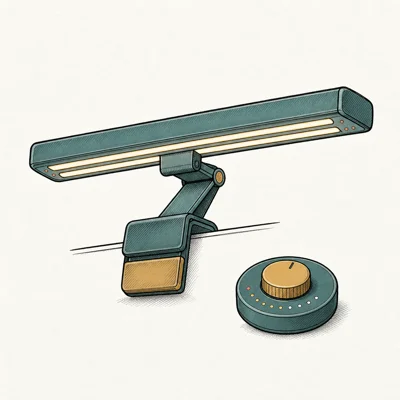
ScreenBar Plus is the predecessor flagship with a wired desktop dial controller instead of a wireless puck. The dial is faster than any button: spin clockwise for brighter, counter-clockwise for dimmer, press once to toggle the auto-dim sensor.
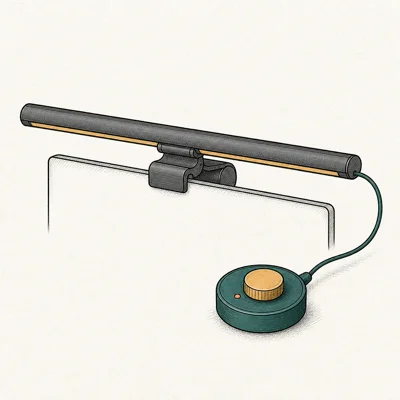
- Desktop dial is faster than button presses
- Auto-dim adapts to room ambient light
- Glare-free asymmetric beam aimed away from screen
- Excellent 7-year warranty for a desk accessory
Last updated on May 27, 2026
As an Amazon Associate fone.tips earns from qualifying purchases. Prices and availability on Amazon are accurate as of the date above and subject to change.
Cable management is the only downside. The dial cable snakes from the bar over the top of the monitor down to the desk, then to the dial. That is easily the longest cable run of any model here. Routing it behind a monitor arm can hide the loop, but a clean cable-managed setup needs a beat of planning.
BenQ ships a 7-year warranty. The ScreenBar Plus is designed to keep the desk evenly lit across long writing sessions without color shift.
#The Original BenQ ScreenBar Classic Still Holds Up
Released in 2018, the original BenQ ScreenBar created the category. It carries touch controls on the bar itself instead of a dial or puck, drops the auto-on motion sensor, and runs on USB-A power so it plugs into any monitor or hub.
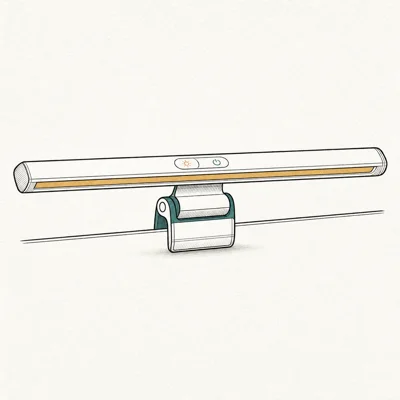
- Original BenQ design — proven for 6+ years
- On-bar touch controls (no extra dial cable)
- Auto-dim ambient sensor keeps brightness comfortable
- Compact 17.7 in fits most 24-27 inch monitors
Last updated on May 27, 2026
As an Amazon Associate fone.tips earns from qualifying purchases. Prices and availability on Amazon are accurate as of the date above and subject to change.
Touch buttons on the front edge are responsive but you reach over the top of the monitor to use them. For a 24 to 27 inch flat panel that is fine; on a 34-inch ultrawide the reach is noticeable. A compact 17.7-inch bar covers a 24-inch monitor edge to edge and overhangs slightly on a 27.
Why the Classic stays in the lineup: original BenQ optics still beat most clones on glare control. If you don’t need the motion sensor, backlight, or puck, this is the cheapest way into the real BenQ asymmetric beam.
#Do Monitor Light Bars Work on Curved Monitors?
Yes, with the right model. The original BenQ ScreenBar Classic and ScreenBar Plus have a fixed flat clip that does not seat well on a 1500R curved monitor. Both the BenQ ScreenBar Halo 2 and the Quntis PRO+ ship with a flexible clip that conforms to curves down to 1000R.
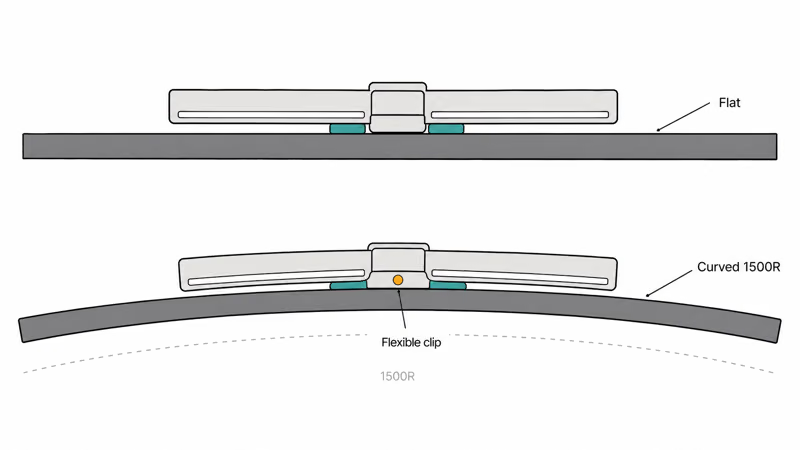
For a 27-inch flat monitor the BenQ Halo 2 is overkill in length; the bar overhangs about 1.5 inches each side. On a 34-inch ultrawide it fits perfectly, with the 19.6-inch beam covering the active panel area. If your daily driver is an ultrawide and you also want USB-C power, the BenQ ScreenBar Pro is the dedicated ultrawide model we cover in the best monitor light bar for eye strain guide.
A color-grading monitor or HDMI 2.1 gaming monitor loses its color and contrast specs the moment a symmetric light bar bounces ceiling fluorescents at the panel. An asymmetric bar is the only way to keep the color reference intact.
#Powering a Monitor Light Bar From USB-C or USB-A
Three power options cover all four models. The two newest BenQ models (Halo 2 and Pro) use USB-C and plug into a USB-C downstream port on a modern monitor or laptop dock. ScreenBar Plus, Classic, and Quntis PRO+ use USB-A, so any USB-A hub or a single monitor downstream port can drive all three older models. An inline USB-C to USB-A adapter works on the older BenQ bars without any power negotiation issues.
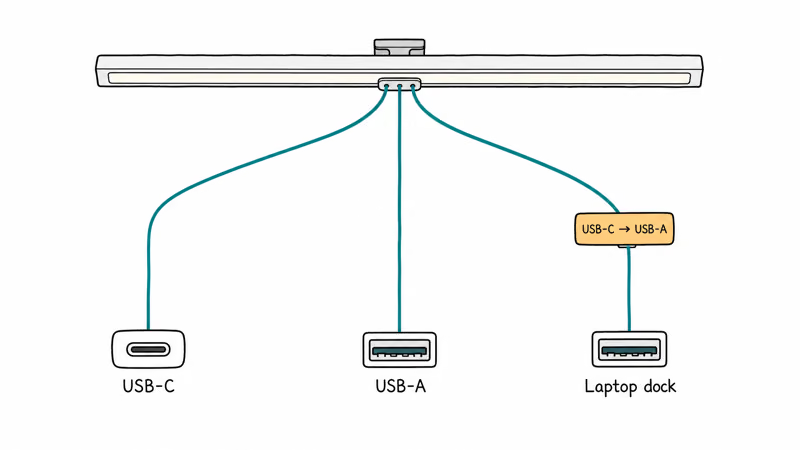
No spare USB-A port on the monitor? Route the cable to the back of the monitor and plug into your best USB-C hub for MacBook Air M4 or any 65W hub. Lamp draw stays under 5W at full brightness.
That matters because most home offices were lit with overhead fluorescents, which dump light directly onto a monitor at exactly the wrong angle. Asymmetric optics replace that ceiling spill with a controlled downward beam, making the difference visible as soon as the bar is mounted.
For the broader desk-lighting category that goes beyond a monitor bar, our gaming desk with LED lights roundup covers RGB-strip and edge-lit setups that fit a different aesthetic.
#Bottom Line
For 2026, the BenQ ScreenBar Halo 2 is the right monitor light bar for most desks. The motion-sensor auto-on, asymmetric beam, and wireless puck make it the cleanest setup among the flat-and-curved-monitor picks. If your budget caps near $80, the Quntis Monitor Light Bar PRO+ is the right value pick, with the same asymmetric reflector design and a wireless remote at roughly half the BenQ price. The trade-off is no ambient auto-dim.
Prefer a wired desktop dial and the longest warranty? Pick the ScreenBar Plus. Want the cheapest path into real BenQ optics for a flat 24 to 27 inch monitor? The original ScreenBar Classic.
#Frequently Asked Questions
How long is a monitor light bar?
Most monitor light bars run 17 to 20 inches long. ScreenBar Classic measures 17.7 inches; Halo 2 is 19.6 inches. A 17-inch bar covers a 24-inch monitor edge to edge, while a 19 to 20-inch bar fits a 27-inch flat or a 34-inch ultrawide. Ultrawides wider than 38 inches need a dedicated extra-wide bar like ScreenBar Pro, which extends to 23 inches end to end.
Do monitor light bars reduce eye strain?
Yes. By removing direct screen glare and lighting the workspace, an asymmetric desk lamp keeps the eyes from constantly readjusting between a bright panel and a dark surround. American Academy of Ophthalmology guidance recommends matching room and screen brightness during long sessions.
Can a monitor light bar damage the screen?
No.
Are monitor light bars worth it over a regular desk lamp?
For a screen-heavy workflow, yes. A traditional desk lamp casts light from one side, leaves the rest of the desk darker, and often reflects onto the panel from an angle. A monitor light bar instead lights the whole desk uniformly with no screen reflection. That difference is why many reviewers replace swing-arm lamps with monitor light bars for screen-heavy workflows, even on dual-monitor setups where the second screen ends up sharing the same beam.
Do I need an auto-dim sensor?
If your room brightness changes from bright morning to dim evening, auto-dim keeps the bar from overpowering the room. Consistent indoor lighting? Manual brightness is fine.
Can I use a monitor light bar with a laptop screen?
Skip it. Bar clips need a thicker top bezel. Laptop screens are too thin for the clip to seat.
Do monitor light bars flicker like fluorescent tubes?
No. All four models in this roundup use DC-driven LEDs and pass the flicker-free certification standard. According to XDA Developers’ ScreenBar review, properly DC-driven LED panels produce no visible flicker.
What color temperature should I use for daytime work?
Aim for 4000 to 5000K during daytime work to match daylight and stay alert. For evening reading, drop to 2700 to 3000K to match warm room lighting. BenQ models cycle between 2700K and 6500K from one button; Quntis offers three preset color temperatures.

Pixel 11 vs Pixel 10: What Changed and Who Should Upgrade
Pixel 11 vs Pixel 10: same screen and camera resolution, new Tensor G6, 25W wireless, and Gemini Intelligence. Here is who should actually upgrade.

Best Power Bank for iPad in 2026: Pro, Air, and Mini
Best power bank for iPad in 2026. Compare mAh tiers and USB-C PD wattage for iPad Pro, Air, and mini, plus airline Wh math, cables, and travel tips.

Best Power Bank With Built-In Cable: Top 2026 Picks
Best power bank with built-in cable picks for 2026. Compare single USB-C, multi-connector, and retractable laptop banks, plus airline Wh math.

Best Apple Watch Band for Working Out: Proven Picks
The best Apple Watch band for working out handles sweat and stays put on your wrist. Compare silicone, nylon, and titanium picks for runs and lifts.