Best Modem Router Combo 2026: Gateways That Cut Fees
The best modem router combo for 2026, picked by DOCSIS 3.1 support and ISP fit. The Arris G54 leads on Wi-Fi 7, while the G36 is the value pick.
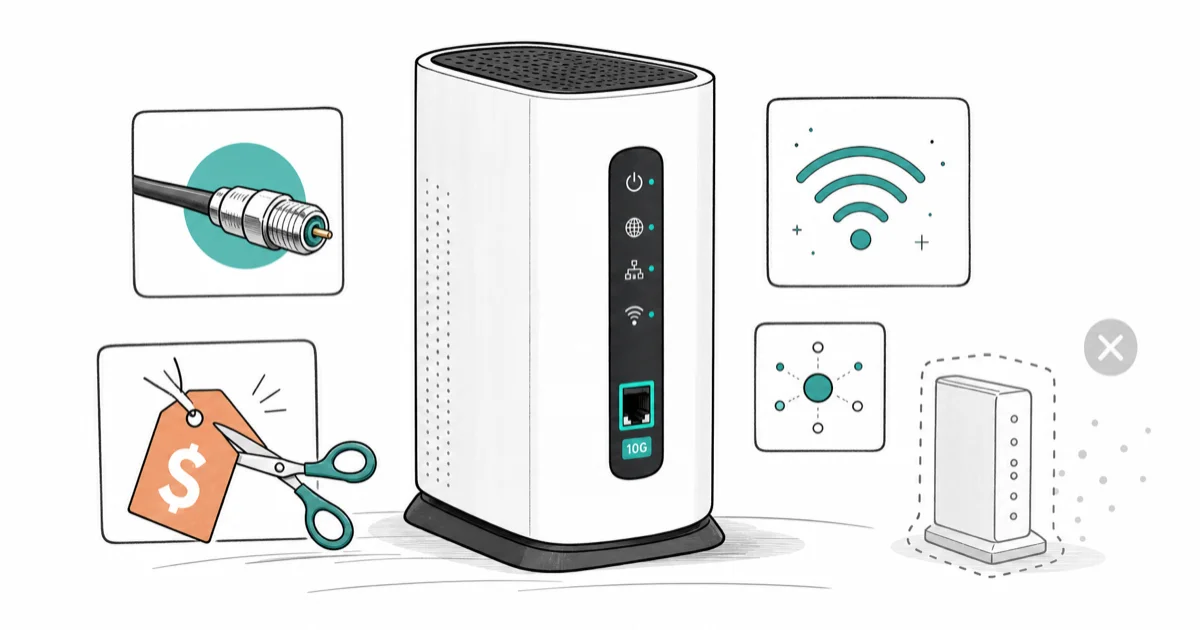
Quick AnswerThe Arris SURFboard G54 is the best modem router combo for future-proofing, with DOCSIS 3.1, Wi-Fi 7, and a 10G port. The Arris G36 is the value pick to stop paying ISP rental fees.
The best modem router combo replaces your ISP’s rented gateway and pays for itself in under a year. Current DOCSIS 3.1 gateways can beat the $14 to $15 monthly rental fees that Xfinity, Spectrum, and Cox charge. For most cable plans, one device that does both jobs is the cleanest way to stop renting.
- The Arris SURFboard G54 is the best future-proof combo, with DOCSIS 3.1, Wi-Fi 7, and a 10G port for multi-gig plans
- The Arris G36 is the value pick, pairing DOCSIS 3.1 with Wi-Fi 6 AX3000 and a 2.5GbE port at a price that beats rental fees fast
- A typical $15 monthly ISP rental fee adds up to $180 a year, so most combos pay for themselves in under 10 months
- DOCSIS 3.1 is now the minimum standard; Xfinity, Spectrum, and Cox require it for gigabit and faster plans
- Combos only work on cable internet, not fiber; fiber service uses an ISP-supplied ONT and you add your own router separately
#What a Modem Router Combo Actually Is
A modem router combo, also called a gateway, is one box that does two jobs. The modem connects to your cable line and talks to your ISP. The router creates your home Wi-Fi. Buying a combo means one device, one power plug, and one piece of gear to replace your rental.
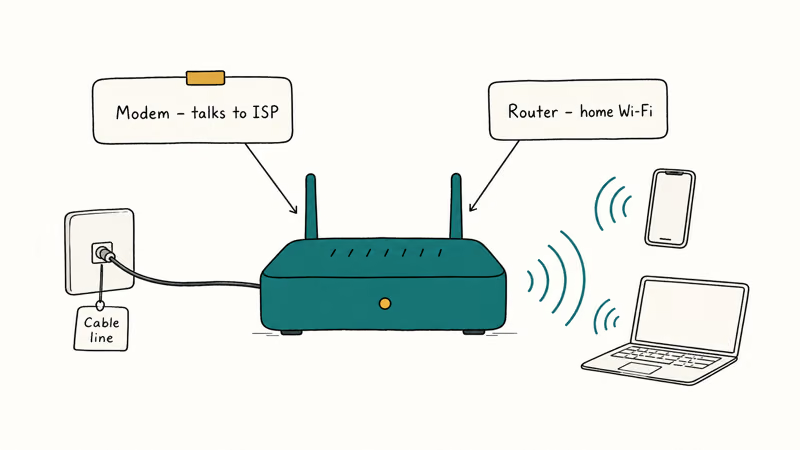
The alternative is buying them separately: a standalone DOCSIS 3.1 modem plus a separate Wi-Fi router. Separates usually deliver higher performance and let you upgrade each piece on its own.
A combo wins on cost, simplicity, and shelf space. According to Tom’s Guide’s modem guide, the main reason to own your equipment is to escape the monthly rental fee, and a single gateway does that with the least hassle.
#When Does a Combo Beat Separate Devices?
A combo beats separates when your priority is saving money and keeping things simple. If your cable plan tops out around 1 Gbps and you have a normal-sized home, a good gateway extracts your full subscribed speed with no real downside. You spend less than buying two devices, and you have one thing to set up.
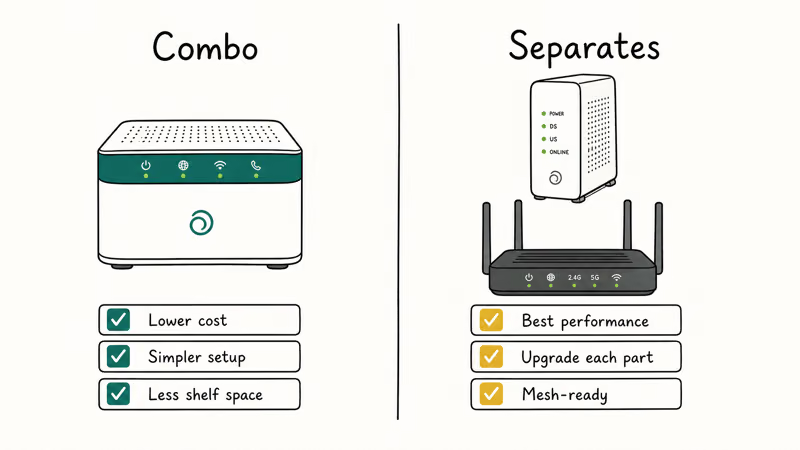
Separates pull ahead in two cases. First, if you want to upgrade your router every few years while keeping the modem, separates let you do that. Second, if you want the best Wi-Fi range and the option to swap in a mesh kit later, a standalone modem plus mesh is more flexible. Our best routers under $50 roundup covers cheap standalone routers if you go that route.
Tom’s Guide notes that many networking makers now favor combos, but some experts still recommend separate devices for top performance. The honest answer: for maximum savings and minimum fuss, a gateway is fine.
#The Best Modem Router Combo for 2026
The Arris SURFboard G54 is the best future-proof pick. It runs DOCSIS 3.1 with built-in Wi-Fi 7 and includes a 10G port for current and multi-gig plans.
Check the Arris SURFboard G54 on Amazon
As an Amazon Associate fone.tips earns from qualifying purchases.
Arris states the G54 is compatible with major US providers including Xfinity, Spectrum, and Cox, and Xfinity’s own device list shows it supporting wired download speeds above 2 Gbps.
On a gigabit cable plan, the G54’s DOCSIS 3.1 modem, Wi-Fi 7 radio, and 10G port leave room for upgrades beyond today’s typical gigabit service. Wi-Fi 7 is overkill for a gigabit plan. But the 10G port means the gateway won’t bottleneck you if you upgrade to multi-gig service later.
If your speeds still feel slow after switching gear, the bottleneck may be the router half, not the modem. Our best wifi router guide covers standalone units that often outperform a combo’s built-in radio.
#Which Combo Is the Best Value?
The Arris G36 is the value pick. It pairs DOCSIS 3.1 with Wi-Fi 6 AX3000 and a dedicated 2.5GbE Ethernet port, and Arris lists it as approved for cable plans up to 1.2 Gbps. It appears as a Recommended device on Xfinity’s compatibility list, which takes the guesswork out of activation.
Check the Arris SURFboard G36 on Amazon
Two other solid options are worth naming. The Netgear Nighthawk CAX30 is a DOCSIS 3.1 Wi-Fi 6 combo that Netgear lists as compatible with Xfinity, Spectrum, and Cox. The Motorola MG8702 is an older DOCSIS 3.1 combo that still appears on approved-modem lists and carries a long warranty.
For fast Spectrum cable plans, the G36’s DOCSIS 3.1 modem and 2.5GbE port match the practical needs of most gigabit-or-slower homes. That warranty matters more than it sounds, too. Cable modems are vulnerable to power surges, so an extra year of coverage is cheap insurance, and for most homes on a gigabit-or-slower plan the G36 is the smart buy over a pricier Wi-Fi 7 unit you can’t yet use.
#How Much You Save by Buying Instead of Renting
The math is simple and the savings are real. According to BroadbandNow’s rent-vs-buy guide, renting equipment at around $14 a month costs roughly $840 over the five years most people stay with one ISP. Buying a combo once and reusing it across that span turns that recurring fee into a single purchase.
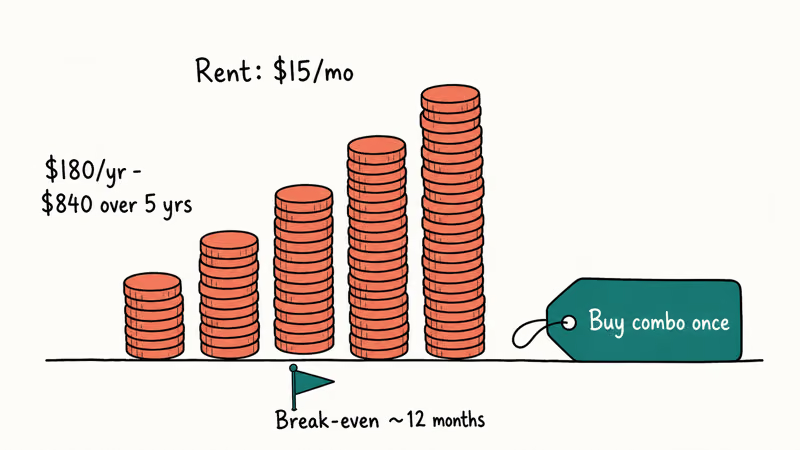
To find your break-even point, divide the gateway’s price by your monthly rental fee. A $180 combo against a $15 monthly fee pays for itself in 12 months.
After that, every month is money back in your pocket. Most gateways clear break-even in under a year.
Renting still makes sense in two narrow cases. If your plan includes equipment at no charge, buying saves nothing. And if you live somewhere with frequent lightning storms, a rented unit gets replaced free after a surge, while an owned one is on you.
#How to Check ISP Compatibility Before You Buy
This is the step people skip and regret. Each ISP keeps an approved-device list, and buying a gateway that isn’t on it can mean a unit that won’t activate. Before you order, confirm three things.
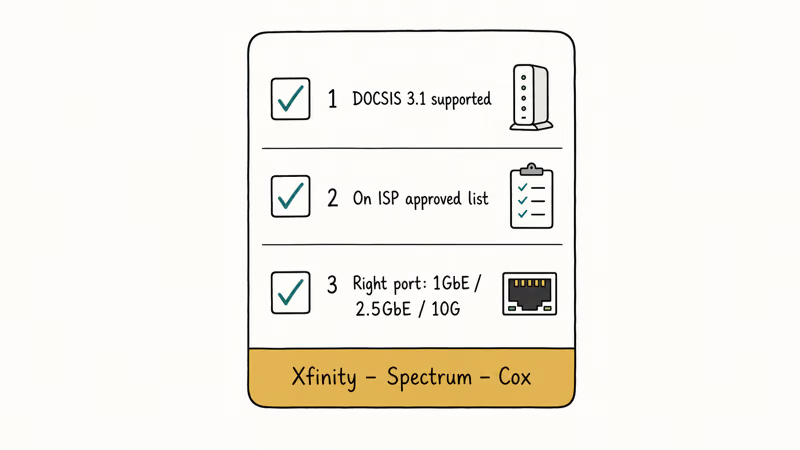
First, verify the device supports DOCSIS 3.1. Providers like Xfinity, Spectrum, and Cox now require it for peak performance. Second, check that the model appears on your provider’s approved list and supports your exact plan speed. Third, confirm the gateway handles the wired speed you need: a single 1GbE port caps you near 940 Mbps, while a 2.5GbE or 10G port preserves multi-gig service.
You also have a legal right to use your own gear. According to the FCC’s Section 642 TVPA rules, providers are barred from charging rental fees for equipment you supply yourself, so a provider that keeps billing you after you own your gateway is on the wrong side of federal law. If one combo can’t blanket a larger home, running the best mesh wifi system for your layout alongside the gateway in bridge mode clears the dead zones.
One more rule. Combos are for cable internet only.
Fiber service uses an ISP-supplied ONT, not a modem, so on fiber you only need a router or mesh system. If you want a wired port for a laptop on any connection, a USB-C hub with Ethernet adds one without a modem at all. And if a busy household is your real concern, a parental control router gives you per-device limits a basic gateway can’t.
#Bottom Line
For a future-proof, do-it-all box, buy the Arris SURFboard G54 with its Wi-Fi 7 and 10G port. To simply stop paying rental fees on a gigabit-or-slower plan, the Arris G36 is the better-value choice and pays for itself in under a year.
Before you order either one, pull up your ISP’s approved-device list and confirm the model and your plan speed. That two-minute check is the difference between a smooth activation and a returned box.
#Frequently Asked Questions
Is a modem router combo worth it?
A modem router combo is worth it for most cable internet users because it ends the monthly equipment rental fee. With typical fees around $15 a month, a $180 combo pays for itself in under a year. It’s less worth it if your ISP includes equipment free or if you want top-tier Wi-Fi performance from separate devices, in which case a standalone modem paired with a dedicated router or mesh kit will serve you better over time.
How much can I save by buying my own gateway?
You can save several hundred dollars over a few years. At a typical $14-a-month rental fee, that adds up to roughly $840 across the five years most people keep one ISP.
Will any modem router combo work with my internet provider?
No, you must check your provider’s approved-device list first. Xfinity, Spectrum, and Cox each publish lists of compatible gateways, and a unit that isn’t listed may fail to activate. Confirm the model is approved and supports your specific plan speed before buying, because activation problems are the single most common reason a perfectly good gateway gets returned.
Do I need DOCSIS 3.1 or is 3.0 enough?
DOCSIS 3.1 is now the minimum standard for new purchases. Major providers require it for gigabit and faster plans, and it supports far higher speeds than the older DOCSIS 3.0. Buying a 3.0 modem today risks bottlenecking your plan.
Can I use a modem router combo with fiber internet?
No, combos only work with cable internet. Fiber service uses an optical network terminal, or ONT, that the provider supplies instead of a modem. On fiber you only add your own router or a mesh Wi-Fi system.
Should I buy a combo or separate modem and router?
Buy a combo for maximum savings and simplicity on a gigabit-or-slower cable plan. Buy separate devices if you want the best Wi-Fi performance or plan to upgrade your router while keeping the modem. Most experts agree separates perform slightly better, but a gateway works fine for the majority of homes and saves you a second power outlet and a second setup.
What happens to a combo if my ISP increases speeds?
A combo keeps working as long as it supports the new speed tier. If you upgrade to a multi-gig plan, check that your gateway has a 2.5GbE or 10G port, since a single 1GbE port caps wired speed near 940 Mbps. Models like the Arris G54 include a 10G port specifically to handle future upgrades.

Best Laptop for Running LLMs in 2026: Memory Comes First
The best laptop for running LLMs is a memory purchase first. Compare MacBook unified memory against NVIDIA laptop VRAM, and see what each tier really runs.

Pixel 11 vs Pixel 10: What Changed and Who Should Upgrade
Pixel 11 vs Pixel 10: same screen and camera resolution, new Tensor G6, 25W wireless, and Gemini Intelligence. Here is who should actually upgrade.

Best Power Bank for iPad in 2026: Pro, Air, and Mini
Best power bank for iPad in 2026. Compare mAh tiers and USB-C PD wattage for iPad Pro, Air, and mini, plus airline Wh math, cables, and travel tips.

Best Power Bank With Built-In Cable: Top 2026 Picks
Best power bank with built-in cable picks for 2026. Compare single USB-C, multi-connector, and retractable laptop banks, plus airline Wh math.