Best Mesh Wi-Fi for Large Homes: Top Coverage Picks
Choose the best mesh Wi-Fi for large homes in 2026. Compare eero, Orbi, node count, wired backhaul, coverage, ports, dead zones, and setup tradeoffs.
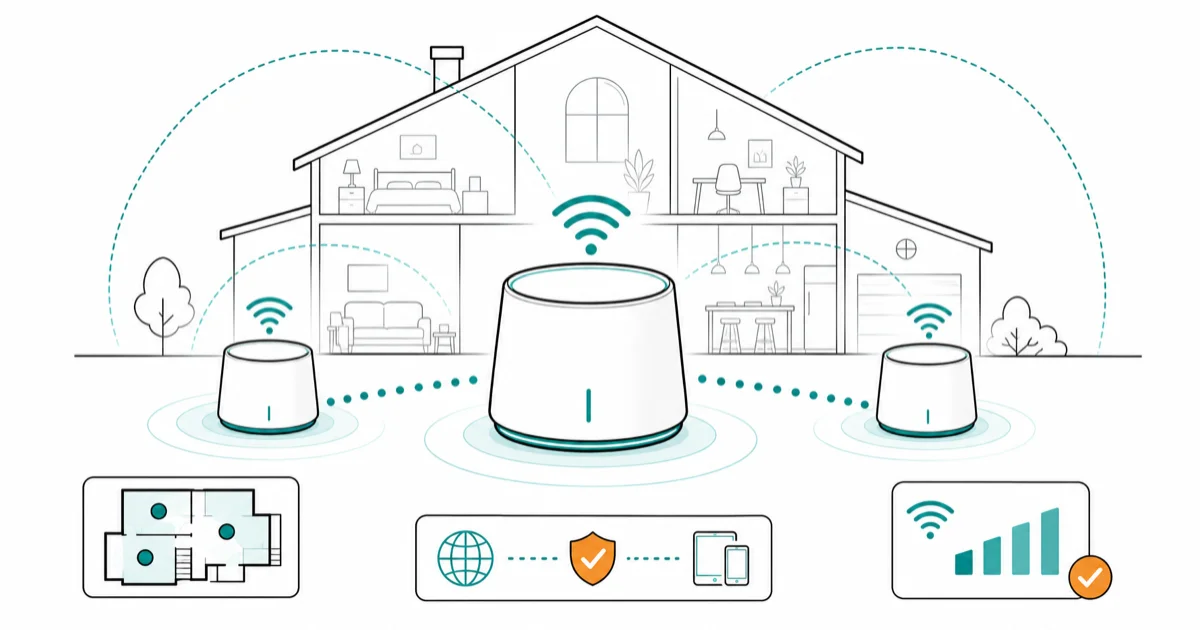
Quick AnswerThe eero Pro 7 is the best mesh Wi-Fi for large homes for most people. Pick Orbi 970 only when maximum range matters more than price.
The best mesh Wi-Fi for large home coverage is the kit that matches your floor plan, not the box with the biggest number. Start with our best mesh Wi-Fi system hub, then use this guide to narrow the choice for big, multi-floor, or thick-walled homes.
This buying framework focuses on node count, Ethernet backhaul, port needs, and room-by-room weak spots instead of lab-style speed claims.
- The eero Pro 7 is the best default mesh pick for large homes that want Wi-Fi 7, clean setup, and 5 GbE ports.
- The Netgear Orbi 970 is the maximum-coverage pick when a very large property needs a 3-pack with stronger backhaul.
- Three nodes usually beat two in large or multi-story homes, but bad placement can still waste the extra unit.
- Wired Ethernet backhaul is the best upgrade for far rooms, home offices, and gaming setups.
- A Wi-Fi extender is cheaper for one dead zone, while mesh is better when several rooms are weak.
#What Counts as a Large Home for Mesh Wi-Fi?
A large home for mesh Wi-Fi is any layout where one router can’t cover the rooms you actually use. Square footage matters, but floors, wall material, mirrors, appliances, and where internet enters the house matter just as much.
Tom’s Guide states that homes of 3,000 square feet or more often need mesh in its mesh Wi-Fi guide. That number is a useful starting line, not a rule. A 2,200-square-foot house with brick walls can need mesh sooner than a larger open-plan home.
Walls change the math.
The buying decision changes once you mark the internet entry point and the two weakest rooms on a floor plan. If those points sit far apart, mesh earns its price.
If they’re close, try one Wi-Fi router.
#How Many Mesh Nodes Do Large Homes Need?
Most large homes need three mesh nodes: one main router and two satellites. Two nodes can cover a medium home, but the third node gives more flexible placement across floors or around thick interior walls.
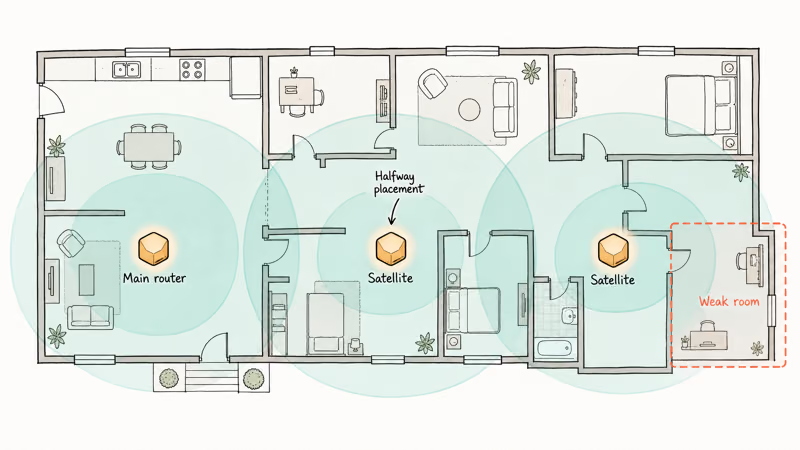
eero states that each Pro 7 covers up to 2,000 sq. ft. and supports 200+ devices on its Pro 7 page. Coverage numbers assume cleaner conditions than many real homes, so treat them as an upper bound rather than a promise.
Place nodes like stepping stones, not rescue beacons. A satellite in a dead zone repeats a weak signal.
Halfway is usually better.
#Best Overall Mesh Wi-Fi for Large Homes
The eero Pro 7 is the best mesh Wi-Fi pick for most large homes. It gives you Wi-Fi 7, two 5 GbE ports per unit, straightforward app setup, and enough coverage flexibility for households that want better Wi-Fi without router tinkering.
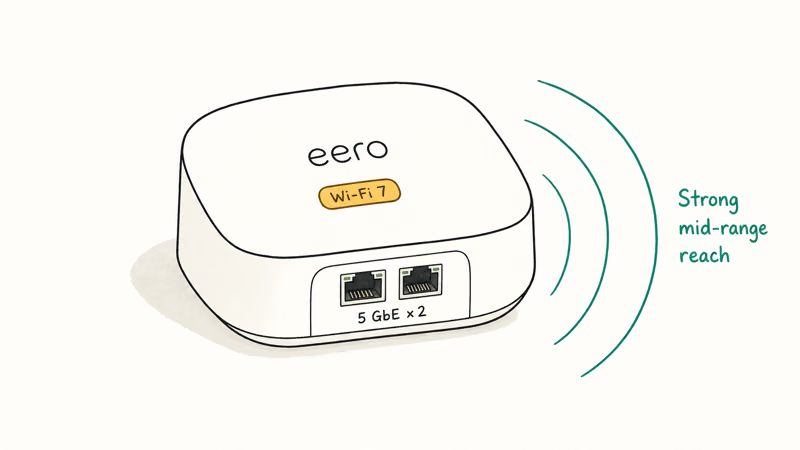
Tom’s Guide found that the Eero Pro 7 hit 1.9 Gbps at 15 feet in its mesh system testing. That mid-range strength matters more than a peak number when you care about rooms away from the main node.
Range beats peak speed.
The port layout is the one tradeoff. Two Ethernet ports per unit are fine for most homes, but a wired office, game console, NAS, and TV can fill them quickly.
Add a switch if needed.
#Best Maximum-Coverage Mesh Wi-Fi
The Netgear Orbi 970 is the maximum-coverage pick for very large homes. It costs more than eero or TP-Link kits, but its dedicated backhaul design and 3-pack coverage target homes where lighter systems leave far rooms weak.
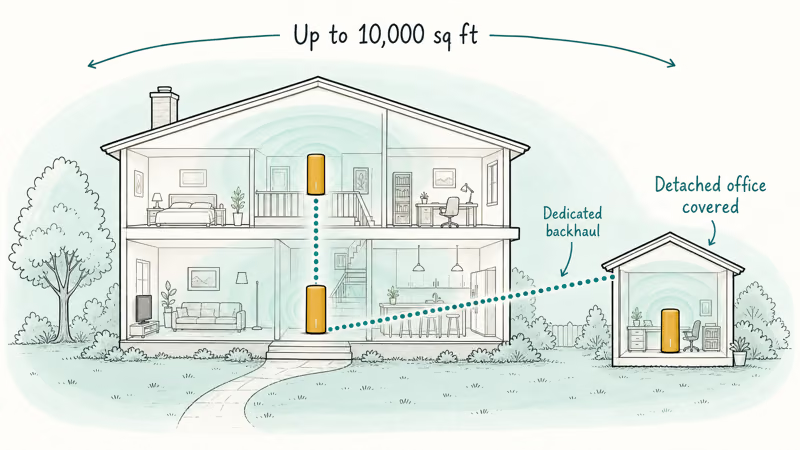
NETGEAR confirms that the Orbi 970 3-pack covers up to 10,000 sq. ft. on its official Orbi 970 page. That figure is the reason to consider it for large properties, long floor plans, and homes where the internet connection starts far from the center.
That’s the Orbi case.
Don’t buy Orbi just to own the biggest kit. Buy it when your floor plan justifies the cost: multiple floors, a detached office, thick walls, or a need for reliable far-node wired ports.
For one weak bedroom, a Wi-Fi extender is the cheaper test.
#Best Mesh Wi-Fi for Multi-Gig Homes
Multi-gig homes need mesh nodes with ports that won’t choke the wired side.
That matters when you have fiber, a fast NAS, wired backhaul, or a workstation that moves large files inside the house.
eero’s official Max 7 page states that the 3-pack covers up to 7,500 sq. ft. and has two 10 GbE ports. That makes Max 7 the cleaner eero pick when wired speed matters more than price.
Most families don’t need 10 GbE. A Pro 7 setup with 5 GbE ports is already more than enough for streaming, calls, and phone backups.
Spend only where you’ll notice it.
#Wired Backhaul for Large Homes
Use wired backhaul if Ethernet already runs between floors, offices, or TV rooms. Wired backhaul lets the mesh nodes talk over cable instead of spending wireless capacity on node-to-node traffic.
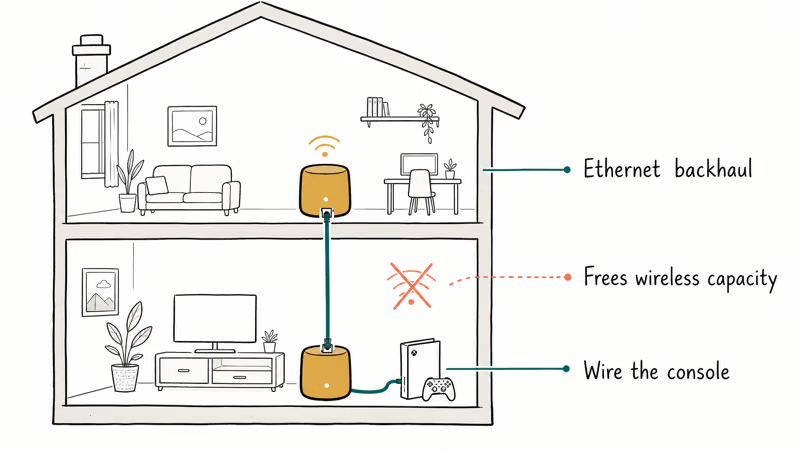
The wired-backhaul question is one of the fastest ways to avoid overspending. If a home already has Ethernet near two weak zones, a midrange mesh kit can make more sense than a flagship wireless-only setup. If no cable exists and walls are thick, stronger wireless backhaul matters more.
Gamers should wire the console or PC into the nearest node when possible.
Parents who need profile controls and schedules should compare mesh apps with our best parental control router guide before buying, because control depth varies by brand and subscription.
#Mesh Versus Extender for Large Homes
Mesh is better when several rooms are weak.
An extender is better when one room is weak and the rest of the home already has a strong signal.
An extender repeats the signal it receives. Weak input means weak output.
Mesh costs more for a reason.
Run a free check first. Stand in each weak room, test a phone near the router, then test it again near the room where Wi-Fi drops. If only the phone behaves badly, use our phone Wi-Fi slow checklist before replacing the network.
#Bottom Line
Buy the eero Pro 7 if you want the best mesh Wi-Fi for a large home without making setup a weekend project. It has the right mix of Wi-Fi 7, 5 GbE ports, app guidance, and expandable coverage for most households.
Choose Netgear Orbi 970 for very large properties where coverage matters more than price. Choose eero Max 7 when multi-gig wired ports matter.
Skip mesh for one weak room.
#Frequently Asked Questions
How many mesh nodes do I need for a large home?
Most large homes need three nodes. Put one at the internet entry point, one between the entry point and the far side of the home, and one near the second weak area. Add a fourth node only after you test placement, because too many nodes can add congestion.
Is eero Pro 7 enough for a large home?
Yes, eero Pro 7 is enough for many large homes when you place the nodes well. Very large or thick-walled homes may still need Orbi-level range or wired backhaul.
Is Orbi 970 better than eero Max 7?
Orbi 970 is better for maximum coverage and dedicated backhaul strength. eero Max 7 is easier to live with if you already like eero’s app and need 10 GbE ports. Pick by layout first, then by app preference and port needs.
Should I buy Wi-Fi 7 mesh or Wi-Fi 6E mesh?
Buy Wi-Fi 7 mesh for newer devices, long router cycles, or multi-gig plans. Buy Wi-Fi 6E if the price gap is large.
Can mesh Wi-Fi fix slow internet?
Mesh fixes weak indoor Wi-Fi, not a slow internet plan. If speeds are bad next to the main router, call your ISP or check your modem before buying more nodes. If speeds are good near the router and bad upstairs, mesh is the right fix.
Where should I place mesh nodes in a large home?
Place mesh nodes halfway between strong signal and weak rooms. Keep them open, elevated, and away from metal, mirrors, and large appliances. Don’t hide a satellite inside the dead zone and expect it to create a strong signal from nothing.

Best Laptop for Running LLMs in 2026: Memory Comes First
The best laptop for running LLMs is a memory purchase first. Compare MacBook unified memory against NVIDIA laptop VRAM, and see what each tier really runs.

Pixel 11 vs Pixel 10: What Changed and Who Should Upgrade
Pixel 11 vs Pixel 10: same screen and camera resolution, new Tensor G6, 25W wireless, and Gemini Intelligence. Here is who should actually upgrade.

Best Power Bank for iPad in 2026: Pro, Air, and Mini
Best power bank for iPad in 2026. Compare mAh tiers and USB-C PD wattage for iPad Pro, Air, and mini, plus airline Wh math, cables, and travel tips.

Best Power Bank With Built-In Cable: Top 2026 Picks
Best power bank with built-in cable picks for 2026. Compare single USB-C, multi-connector, and retractable laptop banks, plus airline Wh math.