Best GPU for 4K Gaming: Cards That Actually Hold Up
Pick the best GPU for 4K gaming in 2026. Compare RTX 5090, RTX 5080, RTX 5070 Ti, RX 9070 XT, VRAM, power draw, PSU needs, and outputs today.
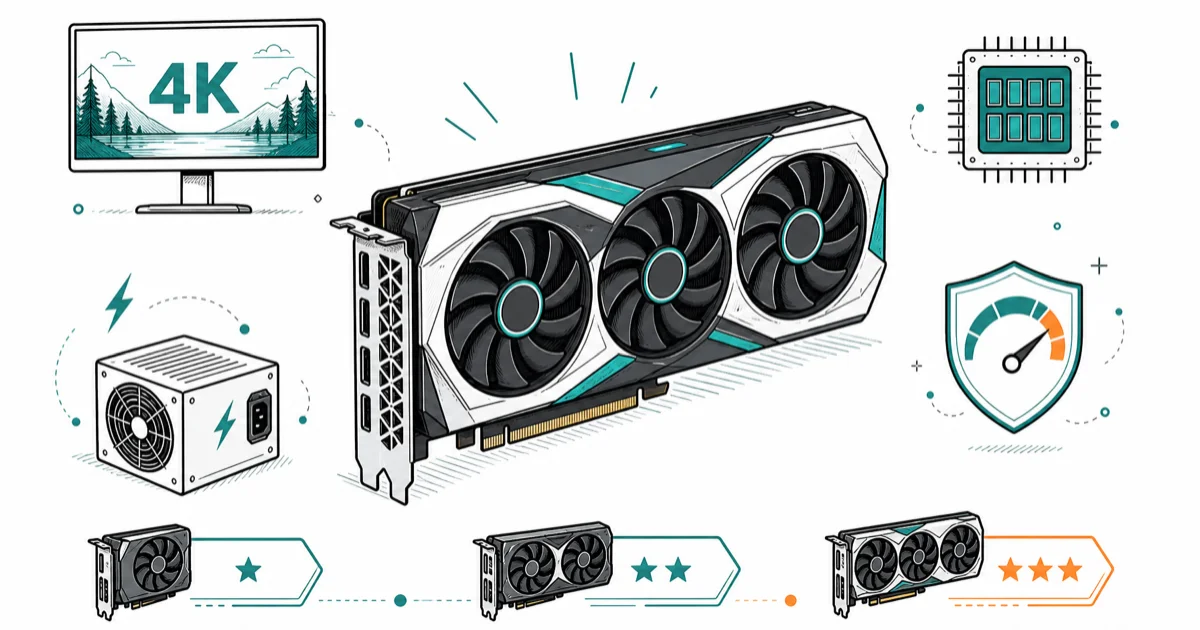
Quick AnswerThe RTX 5080 is the best GPU for 4K gaming for most high-end builds, while the RTX 5090 is the no-compromise pick and RX 9070 XT is the value route.
The best GPU for 4K gaming needs enough memory, enough power headroom, and the right display outputs for your monitor. The RTX 5080 is the most sensible high-end target for most builders who want strong 4K performance without the RTX 5090’s power and price jump.
- RTX 5080 is the practical high-end 4K pick if you want DLSS 4 and strong ray tracing
- RTX 5090 is the no-compromise card, but its power and case requirements are serious
- RX 9070 XT is the value 4K route for raster performance and modern display outputs
- 16GB of VRAM is the floor we would target for a new 4K gaming build
- Check power supply wattage and case length before comparing benchmark charts
#What Makes a GPU Good for 4K Gaming?
A 4K GPU has to push four times as many pixels as 1080p. That means memory capacity, memory bandwidth, and upscaling quality matter more than they do on a 1080p build.
For resolution-by-resolution picks across every tier, start with our best GPU hub.
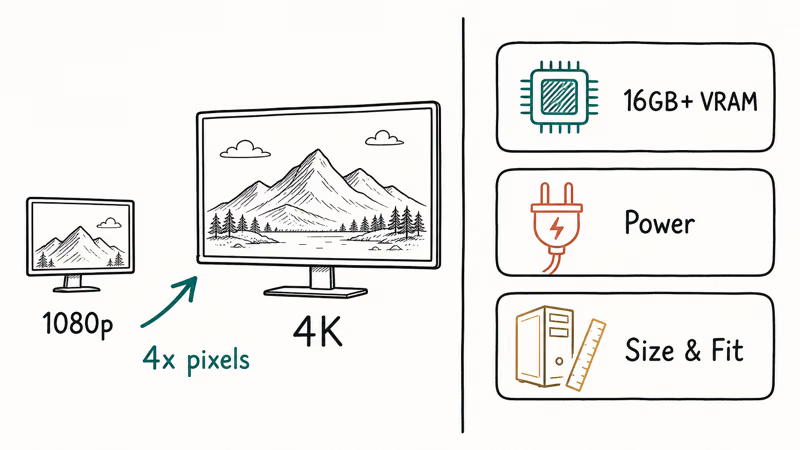
Pixels are expensive.
Start at 16GB of VRAM for a new 4K card. High-resolution texture packs are often the setting most likely to expose weaker cards. Lowering shadows is easy; running out of memory feels worse because it can cause stutter.
Power and size matter before performance does. A card that doesn’t fit your case or strains your PSU is not a deal. If you’re building around a specific NVIDIA card, our best CPU for RTX 5070 guide covers pairing logic for the lower 50-series tier.
Check the box first.
#Best Overall: NVIDIA GeForce RTX 5080
The RTX 5080 is the practical 4K pick for high-end buyers. NVIDIA’s RTX 5080 specs states that it has 16GB GDDR7, a 256-bit memory interface, 10,752 CUDA cores, DLSS 4, 360W total graphics power, and an 850W recommended system power rating.
That makes the RTX 5080 easier to build around than the 5090 while still giving you the NVIDIA feature stack. DLSS 4 and ray tracing support are the reasons to choose it over a cheaper raster-focused card.
Features matter here.
At 4K, the RTX 5080 class makes the most sense when you want high settings without treating every new game like a tuning session. It still needs a good PSU and airflow, but it doesn’t force the same build compromises as the flagship.
This is the sane ceiling.
#Best No-Compromise Pick: NVIDIA GeForce RTX 5090
The RTX 5090 is the card to buy when budget, PSU, and case space are secondary. NVIDIA’s RTX 5090 specs states that it has 32GB GDDR7, a 512-bit memory interface, 21,760 CUDA cores, DLSS 4, 575W total graphics power, and a 1000W recommended system power rating.
The performance headroom is real, but so are the build demands. A 575W graphics card changes your cooling plan, your cable routing, and sometimes your case choice.
Buy it for 4K high refresh, heavy ray tracing, creator workloads, or keeping a card through several monitor upgrades. Don’t buy it just to play lighter esports games at 4K; that money is better spent on a better monitor or quieter system.
Use restraint here.
#Best Value Route: AMD Radeon RX 9070 XT
The RX 9070 XT is the AMD value route for 4K players who care more about raster performance and display outputs than NVIDIA-only features. AMD’s RX 9070 XT specs states that it has 16GB GDDR6, a 256-bit interface, up to 640 GB/s memory bandwidth, 64 compute units, 304W total board power, and a 750W minimum PSU recommendation.
AMD also lists DisplayPort 2.1a and HDMI 2.1b on that page. That matters if you’re buying a newer 4K high-refresh display and want modern output support.
The 16GB AMD route works best when ray tracing stays moderate. If your games are mostly raster-heavy, this is the cost-control lane.
#Best Upper-Midrange Pick: RTX 5070 Ti
The RTX 5070 Ti is the 4K entry point we would consider if the price is right. NVIDIA’s RTX 5070 family specs states that the RTX 5070 Ti has 16GB GDDR7, a 256-bit memory interface, 8,960 CUDA cores, 300W total graphics power, and a 750W required system power rating.
This is not a flagship substitute. It’s the card for tuned 4K settings, DLSS support, and players who don’t need every slider maxed.
If your monitor is 1440p today and 4K later, the RTX 5070 Ti class is easier to justify. For current 1440p buyers, our best GPU for 1440p gaming guide is the better match.
Settings matter.
#How Much VRAM Do You Need for 4K?
VRAM is the first spec to filter. A new 4K card should have 16GB or more, and 24GB to 32GB gives more room for heavy textures, mods, and creator work.
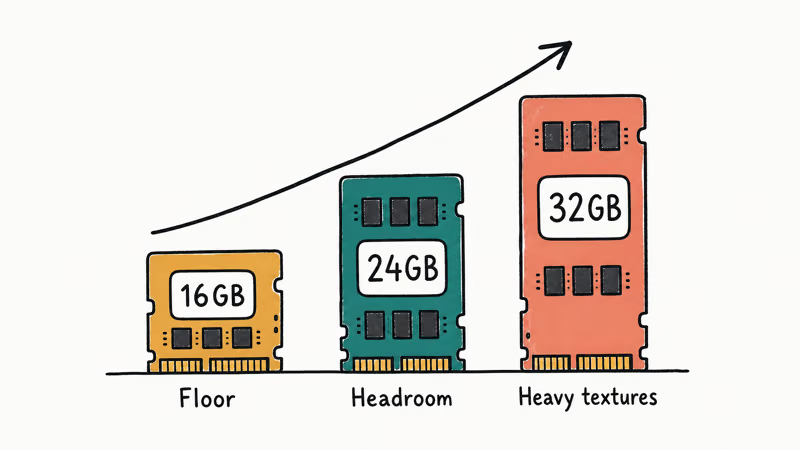
Memory prevents stutter.
AMD’s RX 7900 XTX specs state that the older flagship has 24GB GDDR6, up to 960 GB/s memory bandwidth, and a 355W total board power rating. That is why it remains relevant as a big-memory alternative even though it’s not the newest architecture.
Don’t buy a fast 12GB card as your main 4K card unless the price is low and you accept texture compromises. At 4K, memory shortage shows up as hitching, not just a lower average frame rate.
#Pre-Buy Checklist for 4K GPUs
Check your PSU, case clearance, power connectors, and monitor ports before you order. Those four details stop more 4K GPU upgrades than people expect.
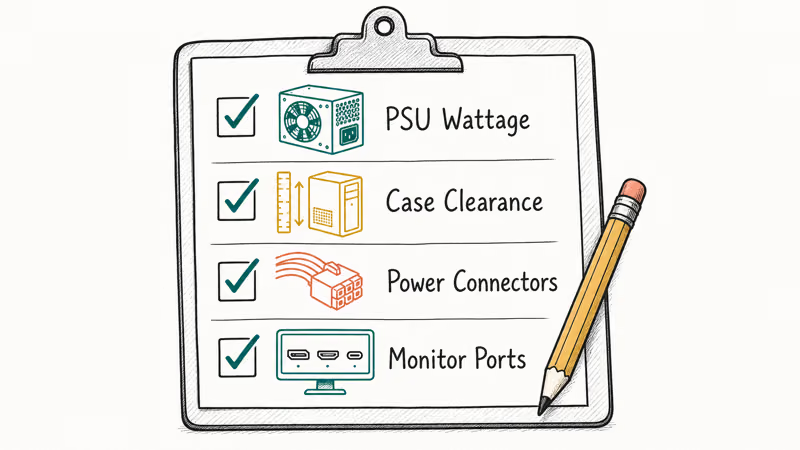
Measure before checkout.
PCMag’s graphics card guide recommends matching a card to your resolution and budget instead of buying the fastest model by default. That advice is especially right at 4K, where a balanced display, CPU, and GPU matter more than one headline part.
If you’re rebuilding the whole setup, our best gaming monitor and best gaming router guides cover the parts around the GPU that shape the actual experience.
#Bottom Line
Buy the RTX 5080 if you want the best 4K GPU for most high-end gaming builds. It gives you DLSS 4, strong ray tracing support, and a more reasonable power target than the flagship.
Buy the RTX 5090 only if you want the ceiling and have the PSU, case, and budget to support it. Choose the RX 9070 XT if you want a better value route and don’t need NVIDIA’s feature stack in every game.
The monitor decides the spend.
#Frequently Asked Questions
Is 16GB VRAM enough for 4K gaming?
Yes, 16GB is the floor we would target for a new 4K card. More VRAM helps if you use mods or creator apps.
Is the RTX 5080 enough for 4K?
Yes. The RTX 5080 is a strong 4K card for high settings, ray tracing, and DLSS-supported games. It’s the practical high-end pick before the RTX 5090’s power and price jump.
That is enough.
Should I buy an RTX 5090 for 4K gaming?
Only if you want the ceiling. The RTX 5090 makes sense for 4K high refresh, heavy ray tracing, and creator workloads. For normal 4K gaming, the RTX 5080 is easier to justify.
Is AMD good for 4K gaming?
Yes. RX 9070 XT is the value route; RX 7900 XTX is the big-VRAM fallback.
What PSU do I need for a 4K GPU?
It depends on the card. RTX 5080 and RX 9070 XT builds usually land around the 750W to 850W recommendation range. Follow the GPU vendor’s PSU guidance.
Does DisplayPort 2.1 matter for 4K?
It matters most for high-refresh monitors and future display upgrades. HDMI 2.1 is enough for many 4K TVs, but DisplayPort 2.1 gives newer gaming monitors more headroom.
Should I upgrade my CPU for 4K gaming?
Maybe, but the GPU usually matters more at 4K. Upgrade the CPU if you see low GPU usage, stutter in CPU-heavy games, or very old platform limits. Otherwise, put the budget toward the graphics card first.

Best Laptop for Running LLMs in 2026: Memory Comes First
The best laptop for running LLMs is a memory purchase first. Compare MacBook unified memory against NVIDIA laptop VRAM, and see what each tier really runs.

Pixel 11 vs Pixel 10: What Changed and Who Should Upgrade
Pixel 11 vs Pixel 10: same screen and camera resolution, new Tensor G6, 25W wireless, and Gemini Intelligence. Here is who should actually upgrade.

Best Power Bank for iPad in 2026: Pro, Air, and Mini
Best power bank for iPad in 2026. Compare mAh tiers and USB-C PD wattage for iPad Pro, Air, and mini, plus airline Wh math, cables, and travel tips.

Best Power Bank With Built-In Cable: Top 2026 Picks
Best power bank with built-in cable picks for 2026. Compare single USB-C, multi-connector, and retractable laptop banks, plus airline Wh math.