Best External Hard Drive 2026: Backup and Bulk Storage
Best external hard drive 2026 for backup and bulk storage. Compare portable vs desktop drives, value per terabyte, and when HDD beats SSD clearly.
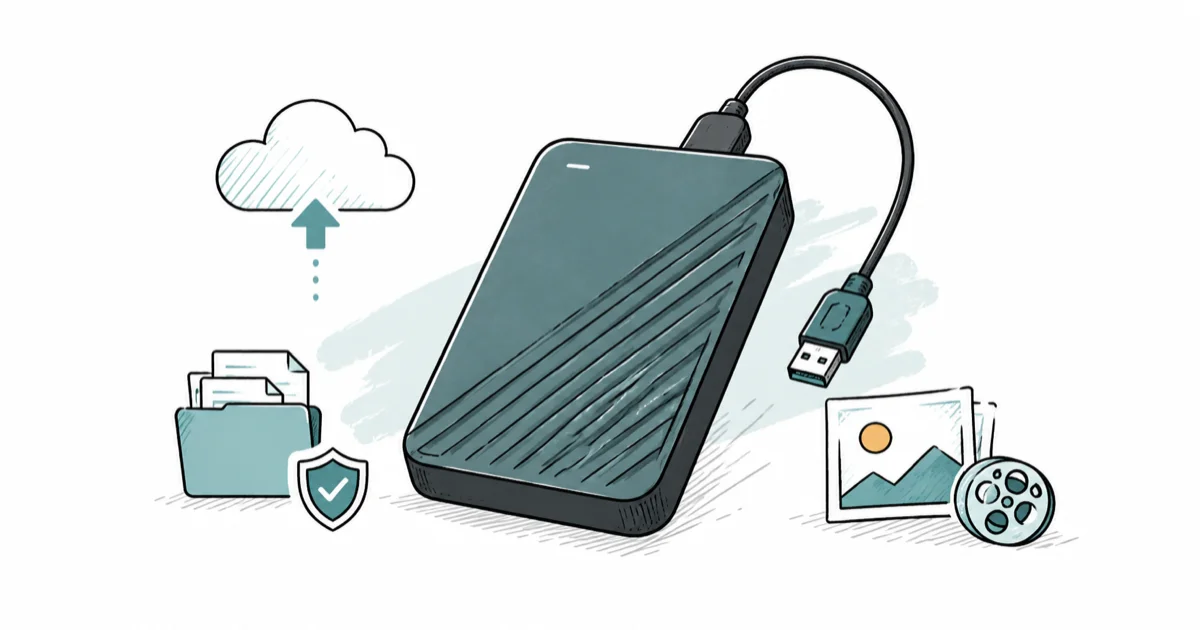
Quick AnswerFor portable backup in 2026, a WD My Passport or Seagate Portable is the easy pick. For bulk desktop storage, a powered WD Elements or Seagate Expansion gives the most terabytes per dollar.
The best external hard drive in 2026 still owns one job outright: storing a lot of data for very little money. Portable and desktop drives both make sense for backup, media libraries, and archives when value per terabyte matters most. When you need to park years of photos or full-system backups, nothing beats a spinning disk on cost.
- For portable backup, the WD My Passport and Seagate Portable are the easy, no-drama picks.
- For bulk desktop storage, a powered WD Elements or Seagate Expansion gives the most terabytes per dollar.
- An HDD wins on cost per terabyte; an SSD wins on speed and durability, so buy by priority.
- Desktop drives need a wall outlet but cost far less per terabyte than bus-powered portable models.
- Any single drive is a single point of failure, so keep a second copy of anything irreplaceable.
#Are External Hard Drives Still Worth It?
For bulk storage and backup, absolutely. Spinning drives have ceded the speed crown to SSDs, but they still lead decisively on cost per terabyte, and that low price is the whole reason to buy one.
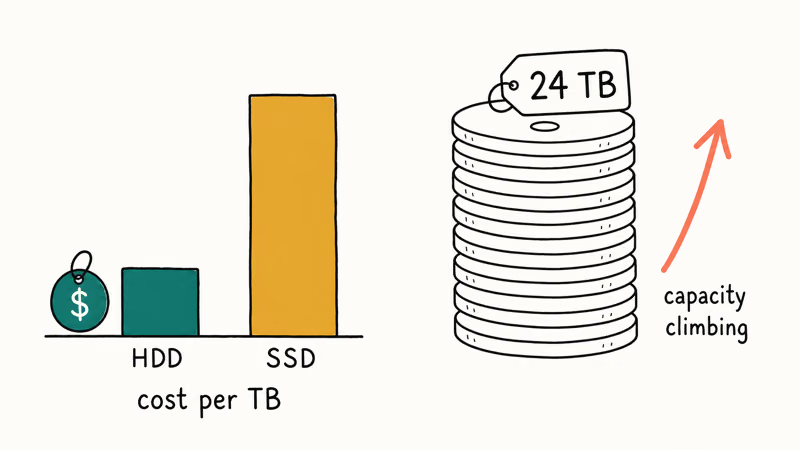
Western Digital’s spec sheet confirms that its desktop drives now ship in capacities up to 24 TB, far beyond any consumer SSD at the same price. According to Wikipedia’s hard disk drive entry, that capacity ceiling has kept climbing year after year, which makes the humble hard drive the natural home for a media library or a cold archive.
Independent storage testers have also found that desktop 3.5-inch drives tend to run cooler and live longer than bus-powered portables. The smart buyer’s job is simple: match the right form factor and capacity to the task, not chase performance an HDD was never going to deliver.
#Portable vs Desktop Drives
Two questions decide almost every purchase: portable or desktop, and how many terabytes you actually need.
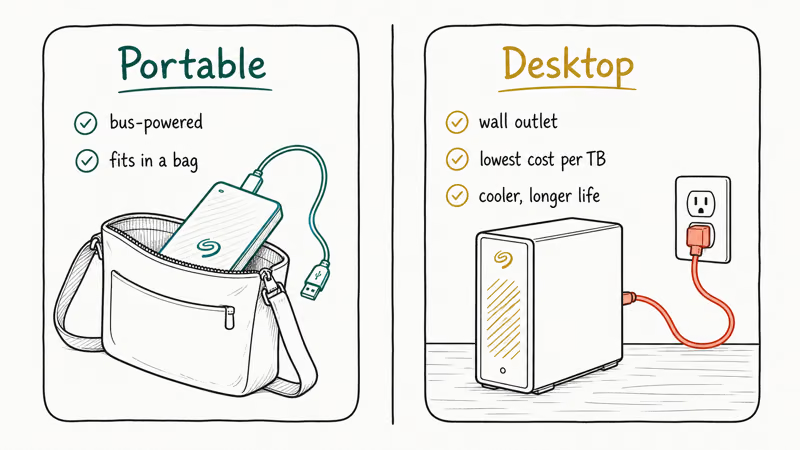
Portable drives are bus-powered, so they run off the USB cable alone and slip into a bag.
Desktop drives need a wall outlet but offer far more capacity per dollar and use cooler, more reliable 3.5-inch mechanisms. If your drive never leaves the desk, the desktop form factor is almost always the better buy, and it isn’t close at higher capacities where the per-terabyte gap widens sharply.
#Best Portable Hard Drives for Backup
For backup on the move, the WD My Passport is the default. It’s compact, bus-powered, and ships with backup and encryption software.
The Seagate Portable is the no-frills counterpart at a rock-bottom price.
As an Amazon Associate fone.tips earns from qualifying purchases. If you don’t care about bundled software and just want capacity in your bag for the least money, the Seagate is the one to grab. Both drives back up a laptop without fuss, and our Android app backup and restore guide pairs naturally with either as the destination for phone data.
#Best for Bulk Storage and Power Users
When you need serious capacity, a powered desktop drive delivers the lowest cost per terabyte you’ll find. The WD Elements Desktop and the Seagate Expansion Desktop compete head to head on dollars per terabyte.
Buy whichever is cheaper on the day you shop.
Storing real volumes of data changes the math, though. Buying bare internal drives plus a dock can beat pre-built externals on both price and flexibility, since you swap drives like cartridges and replace failures without tossing an enclosure. We cover the hardware in our hard drive docking station guide, and gamers eyeing a console library should read our best hard drive for gaming roundup.
#When Does an HDD Still Beat an SSD?
An external hard drive wins in exactly one scenario, and it wins decisively there: cold, high-capacity storage where price per terabyte matters and speed does not. The simple rule is capacity over speed whenever the data mostly sits still.
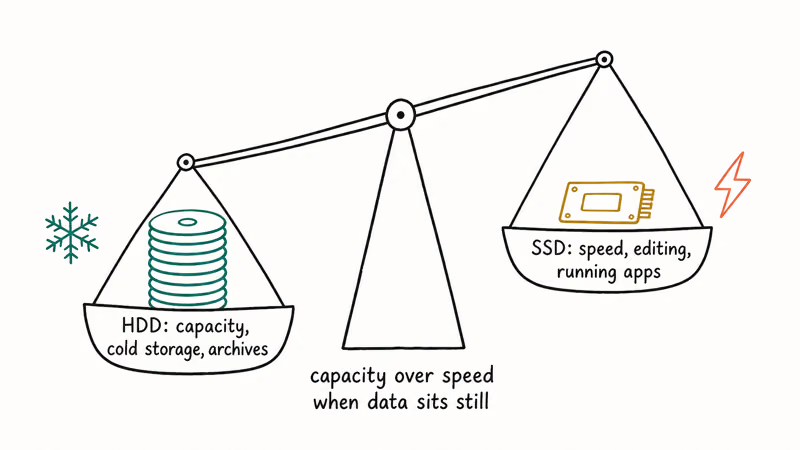
For backups, archives, and media you access occasionally, an HDD is the rational choice. You’re paying a fraction of the SSD price for the same capacity, and the slower speed simply doesn’t matter for data that sits still most of the time.
The moment speed enters the picture, the math flips hard.
If you’re editing video off the drive or running apps from it, the wait will wear you down fast, and the honest answer is to spend more on solid state. Our best portable SSD guide covers the drives worth that premium, and our best SSD for PS4 guide shows how much a console gains from the jump.
#How Much Capacity You Actually Need
Capacity is where people both overbuy and underbuy. For a single laptop’s backups and documents, a mid-capacity portable drive is plenty.
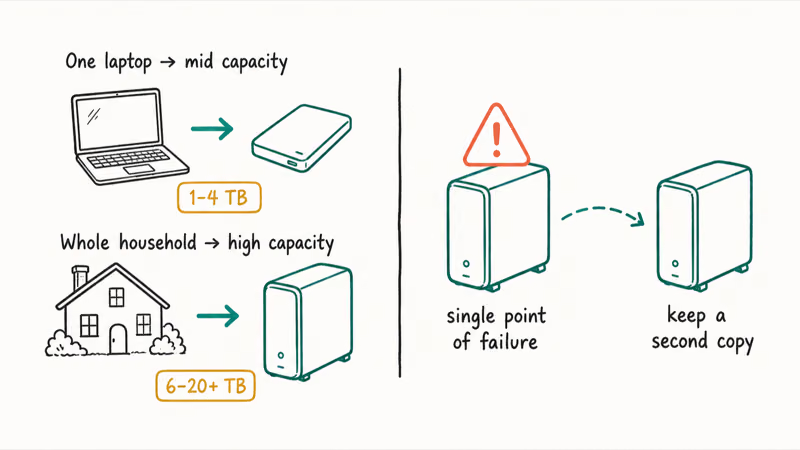
For a household consolidating photos and several machines’ backups, a large desktop drive saves real money per terabyte. Remember that a single drive is a single point of failure, so anything irreplaceable deserves a second copy kept somewhere else.
#Bottom Line
The best external hard drive in 2026 comes down to one choice: portable or desktop. Grab a WD My Passport or Seagate Portable for backup on the move, or a WD Elements Desktop or Seagate Expansion for the cheapest bulk storage you can buy. Keep the golden rule in mind: an HDD is for capacity, an SSD is for speed, so if speed is what you’re really after, spend up and go solid state.
#Frequently Asked Questions
Are external hard drives still worth buying in 2026?
For bulk storage and backup, absolutely. Nothing matches a spinning drive on cost per terabyte, and that low price is the whole reason to buy one.
Desktop or portable, which should I get?
If the drive stays put, buy a desktop model for capacity. If you carry it, pick a bus-powered portable.
How long does an external hard drive last?
A well-treated drive can run for many years, but every mechanical drive eventually fails. Treat any single drive as temporary for files you can’t afford to lose, and keep a second copy of the ones that truly matter to you.
Is an external SSD worth the extra money over an HDD?
It depends on what you’re doing. For editing, running apps, or moving large files constantly, an SSD’s speed is worth every dollar. For backup and archival storage you rarely touch, an HDD gives you far more space for the same money.
How much capacity do I actually need?
For a single laptop’s backups and documents, a mid-capacity portable drive is plenty and leaves comfortable headroom for years.
Can I use an external hard drive to back up my phone?
Yes, usually as the destination for a computer-based backup. An external drive can store exported photo libraries, local backup folders, or copied media files so the phone is not the only place those files live.

Pixel 11 vs Pixel 10: What Changed and Who Should Upgrade
Pixel 11 vs Pixel 10: same screen and camera resolution, new Tensor G6, 25W wireless, and Gemini Intelligence. Here is who should actually upgrade.

Best Power Bank for iPad in 2026: Pro, Air, and Mini
Best power bank for iPad in 2026. Compare mAh tiers and USB-C PD wattage for iPad Pro, Air, and mini, plus airline Wh math, cables, and travel tips.

Best Power Bank With Built-In Cable: Top 2026 Picks
Best power bank with built-in cable picks for 2026. Compare single USB-C, multi-connector, and retractable laptop banks, plus airline Wh math.
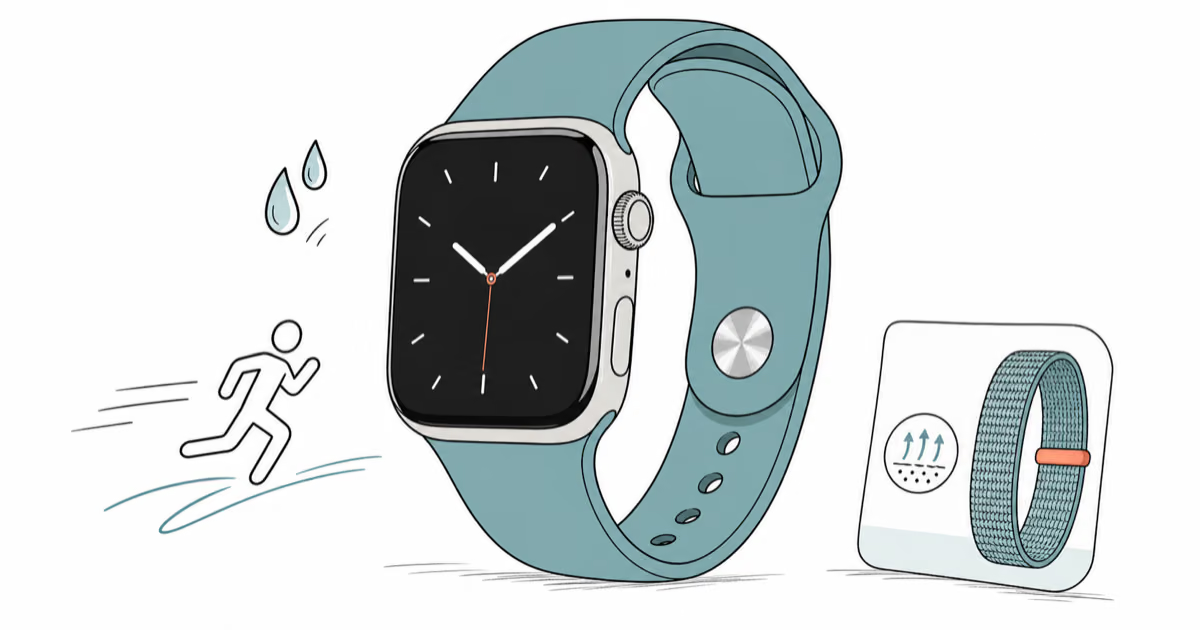
Best Apple Watch Band for Working Out: Proven Picks
The best Apple Watch band for working out handles sweat and stays put on your wrist. Compare silicone, nylon, and titanium picks for runs and lifts.