Best Hard Drives and SSDs for Gaming: Top Picks (2026)
Find the best hard drives and SSDs for gaming in 2026, comparing NVMe, SATA, and external drive specs for speed, capacity, value, and console fit.
Quick AnswerThe WD Black SN850X is the best gaming SSD overall, with 7,300 MB/s read speeds, predictive loading, and capacities up to 4TB starting around $80 for 1TB.
Modern AAA games regularly exceed 100GB per install, and loading times can make or break your experience. This guide compares SSDs and hard drives across PC and console use cases to highlight the best storage options for gamers in 2026. Use it only for your own device or account.
- The WD Black SN850X is our top pick with 7,300 MB/s read speeds and gaming-optimized predictive loading for around $80 per TB.
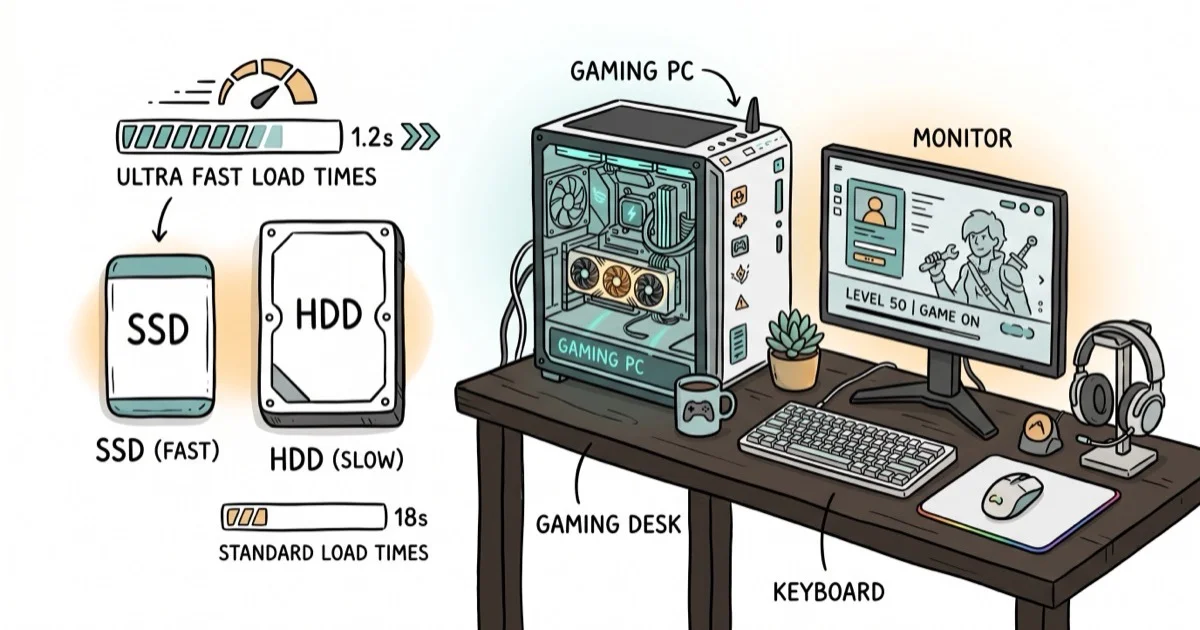
- NVMe SSDs cut game load times by 50-80% compared to traditional hard drives, making them worth the upgrade for any serious gamer.
- The Lexar NM790 offers nearly flagship speeds at a budget price, hitting 7,400 MB/s reads for about $60 per TB.
- For console gamers, the WD Black P40 external SSD provides fast USB 3.2 Gen 2x2 speeds with a durable, shock-resistant design.
- Traditional HDDs like the Seagate FireCuda 8TB still make sense as secondary storage for large game libraries at under $0.03 per GB.
#Introduction: Storage Needs for Modern Gaming
Modern AAA games can easily exceed 100GB in size, with some reaching a staggering 200GB or more. This explosive growth in game sizes, coupled with the prevalence of digital downloads, has made storage capacity and speed more critical than ever for gamers. According to Wikipedia’s solid-state drive overview, SSDs use integrated circuits for persistent storage. The page states that SSDs have no moving mechanical components, which confirms that game storage advice should separate drive type from raw capacity.
When selecting a gaming drive, you’ll need to consider several key factors:
-
Storage capacity: How many games do you want to keep installed?
-
Read/write speeds: Faster drives reduce load times and texture pop-in.
-
Form factor: 2.5″ SSDs, M.2 NVMe drives, or 3.5″ HDDs?
-
Price: Cost per gigabyte varies significantly between drive types.
-
Reliability: Look for drives with good warranties and track records.
While traditional hard disk drives (HDDs) offer the lowest cost per gigabyte, solid-state drives (SSDs) provide significantly faster performance. For most gamers, an SSD is now the preferred choice, with HDDs relegated to secondary storage for large game libraries or media collections.
#Best Overall Gaming SSDs
For the ultimate in gaming storage performance, these SSDs offer blazing-fast speeds that can significantly reduce load times and improve overall system responsiveness.
#1. WD Black SN850X (1TB)
The WD Black SN850X is our top pick for gaming SSDs, offering an excellent balance of performance and value.
Pros:
-
Exceptional read/write speeds up to 7,300/6,600 MB/s
-
Gaming-optimized with features like predictive loading
-
Available in capacities up to 4TB
Cons:
-
Premium pricing compared to budget options
-
May require a heatsink for sustained performance
As an Amazon Associate, fone.tips earns from qualifying purchases. Some links on this page are affiliate links.
#2. Samsung 990 Pro (1TB)
Samsung’s flagship SSD delivers top-tier performance and reliability.
Pros:
-
Blazing fast 7,450/6,900 MB/s read/write speeds
-
Excellent energy efficiency
-
Strong 5-year warranty
Cons:
-
Higher price point than some competitors
-
Overkill for users who won’t use its full speed potential
#3. Crucial T700 Pro (1TB)
As one of the first PCIe 5.0 SSDs on the market, the Crucial T700 Pro offers next-gen speeds for compatible systems.
Pros:
-
Incredible 12,400/11,800 MB/s read/write speeds
-
Future-proof with PCIe 5.0 interface
-
Integrated heatsink option available
Cons:
-
Requires a PCIe 5.0 compatible motherboard for full performance
-
Very high price premium over PCIe 4.0 drives
#Best Budget Gaming SSDs
If you’re looking to upgrade to SSD speeds without breaking the bank, these drives offer excellent performance at more affordable price points.
#1. Lexar NM790 (1TB)
The Lexar NM790 delivers impressive speeds at a budget-friendly price.
Pros:
-
Great value with 7,400/6,500 MB/s read/write speeds
-
Available in capacities up to 4TB
-
5-year warranty
Cons:
-
Not as fast as top-tier PCIe 4.0 drives
-
Lesser-known brand compared to industry giants
#2. WD Black SN770 (1TB)
Western Digital’s more affordable PCIe 4.0 offering still packs a punch for gaming.
Pros:
-
Strong 5,150/4,900 MB/s read/write performance
-
Excellent power efficiency
-
Competitive pricing
Cons:
-
No integrated heatsink option
-
Not quite as fast as flagship models
#3. Crucial P3 (1TB)
The Crucial P3 offers solid PCIe 3.0 performance at an entry-level price point.
Pros:
-
Very affordable
-
Good 3,500/3,000 MB/s read/write speeds for a PCIe 3.0 drive
-
Wide compatibility with older systems
Cons:
-
Noticeably slower than PCIe 4.0 options
-
Lower endurance ratings than some competitors
#High-Capacity SSDs for Gaming Libraries
For gamers with extensive digital libraries, these high-capacity SSDs provide ample room for dozens of modern titles.
#1. Nextorage NEM-PA (2TB/4TB)
This lesser-known brand offers excellent performance and value in larger capacities.
Pros:
-
Great price-to-performance ratio in 2TB and 4TB models
-
Fast 7,300/6,900 MB/s read/write speeds
-
PS5 compatible
Cons:
-
Limited availability in some regions
-
Newer brand with less established track record
#2. Samsung 870 QVO (4TB)
While not as fast as NVMe options, this SATA SSD offers massive capacity at a more affordable price.
Pros:
-
Huge capacity options up to 8TB
-
Reliable Samsung quality and software support
-
Good value for capacity
Cons:
-
SATA interface limits speeds to about 560 MB/s
-
QLC NAND has lower endurance than TLC
#3. Seagate FireCuda 530 (2TB)
Seagate’s high-end gaming SSD delivers both speed and capacity.
Pros:
-
Excellent 7,300/6,900 MB/s read/write speeds
-
High endurance ratings
-
Available up to 4TB
Cons:
-
Premium pricing
-
May run hot under heavy loads
#External Hard Drives for Console Gaming
For console gamers looking to expand their storage, these external drives offer plug-and-play simplicity.

#1. WD Black P40 (1TB)
This rugged external SSD is designed specifically for gaming on-the-go.
Pros:
-
Fast USB 3.2 Gen 2×2 interface (up to 2,000 MB/s)
-
Durable shock-resistant design
-
Customizable RGB lighting
Cons:
-
Premium pricing for an external drive
-
Requires USB 3.2 Gen 2×2 port for max speeds
#2. Seagate Portable Drive (2TB)
A budget-friendly HDD option for expanding console storage.
Pros:
-
Very affordable price per gigabyte
-
Simple plug-and-play functionality
-
Available in capacities up to 5TB
Cons:
-
Much slower than SSD options
-
More susceptible to physical damage when portable
#3. Samsung T7 Shield (1TB)
This rugged portable SSD offers a good balance of speed, durability, and value.
Pros:
-
Fast USB 3.2 Gen 2 speeds up to 1,050 MB/s
-
IP65 water and dust resistant
-
Compact and durable design
Cons:
-
Not as fast as some newer USB 3.2 Gen 2×2 options
-
More expensive than portable HDDs
#Traditional HDDs for Budget Storage
While not ideal for primary gaming storage, traditional hard drives still offer unbeatable cost per gigabyte for large game libraries and media collections.
#1. Seagate FireCuda 8TB
This performance-focused HDD uses flash caching for improved responsiveness.
Pros:
-
Massive 8TB capacity
-
SSHD technology improves performance for frequently accessed data
-
5-year warranty
Cons:
-
Still much slower than any SSD
-
Higher price than standard HDDs
#2. WD Black 8TB
Western Digital’s premium HDD line offers high performance and reliability.
Pros:
-
7200 RPM spindle speed for improved performance
-
256MB cache
-
5-year warranty
Cons:
-
Louder operation than some competitors
-
Still no match for SSD speeds
#3. Toshiba X300 8TB
A more affordable high-capacity option for budget-conscious buyers.
Pros:
-
Good value for 8TB of storage
-
7200 RPM and 128MB cache for decent HDD performance
-
2-year warranty
Cons:
-
Shorter warranty than premium options
-
Some users report higher failure rates
#Which Specs Matter Most for Gaming Drives?
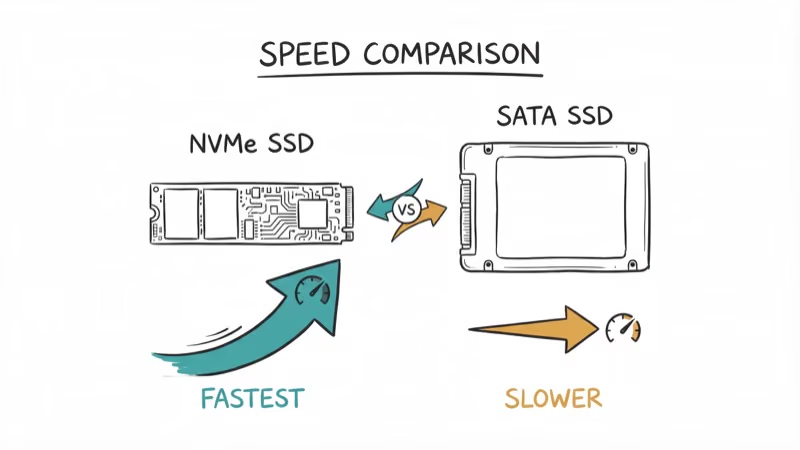
When evaluating storage options for gaming, pay close attention to these specs. In general, NVMe PCIe 4.0 drives offer much higher throughput than SATA SSDs, which can reduce game load times when the rest of the system supports the faster interface.
-
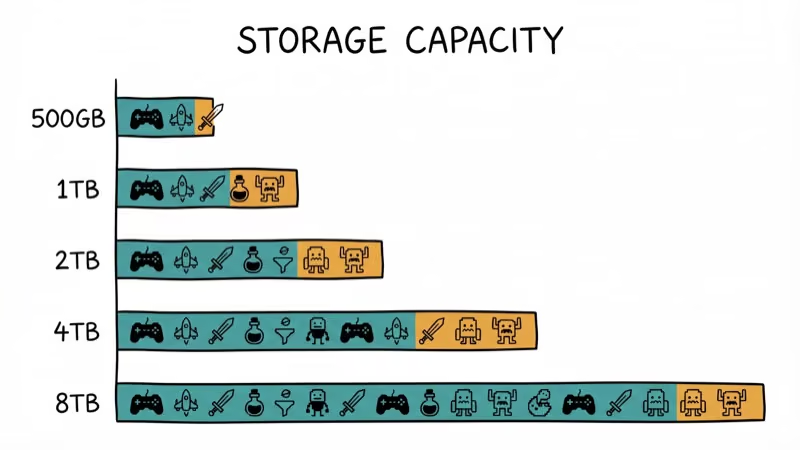
Capacity: How much storage do you need? 1TB is a good starting point for most gamers.
-
Interface: NVMe PCIe 4.0 drives offer the best performance, followed by PCIe 3.0, SATA SSDs, and finally HDDs.
-
Read/Write Speeds: Look for sequential read speeds over 3,000 MB/s for noticeable improvements in game loading.
-
Form Factor: M.2 NVMe SSDs save space, while 2.5″ SSDs and 3.5″ HDDs may be easier to install in some systems.
-
Endurance (TBW): Higher terabytes written (TBW) ratings indicate better long-term durability.
-
Warranty: Longer warranties (5 years is common on premium SSDs) provide peace of mind.
#How Do You Set Up a Gaming Drive?
-
If upgrading an existing system, consider cloning your old drive to the new one for a smooth transition.
-
Enable technologies like Microsoft’s DirectStorage (on compatible games) to fully leverage fast NVMe SSDs.
-
For the best performance, install your operating system and most-played games on your fastest drive.
-
Use slower, high-capacity drives for storage of less frequently played titles or media files.
-
Keep your drives from getting too full, as this can impact performance. Aim to keep at least 10-20% free space.
#Troubleshooting External Drives
Sometimes, external hard drives may encounter issues. If your external drive is not detected or not showing up, try these steps:
-
Check the connection and try a different USB port or cable.
-
Update your device drivers.
-
Use Disk Management to see if the drive is recognized but not assigned a letter.
-
Try the drive on another computer to isolate the issue.
For more detailed guidance, check out our guides on how to recover files from an external hard drive not detected and fixing Seagate external hard drives not showing up.
#Gaming Setup Considerations
While choosing the right storage is crucial, other aspects of your gaming setup can also impact your experience:
-
Consider a desk with LED lights for an immersive gaming atmosphere.
-
For competitive gaming, a one-handed gaming keyboard can provide ergonomic benefits and free up desk space.
-
A white gaming keyboard can complement a clean, minimalist setup.
#Bottom Line
For most gamers, the WD Black SN850X (1TB) is the best all-around pick. It’s fast enough for DirectStorage, reasonably priced, and has a solid 5-year warranty. Budget buyers should grab the Lexar NM790 for near-flagship speeds at $60/TB. Console gamers wanting plug-and-play expansion should get the WD Black P40 external SSD.
Keep at least 10% of your SSD capacity free for optimal performance.
For PS4 Pro users, our best SSDs for PS4 Pro guide has console-specific picks. If you’re building a full rig, check our guide on choosing the best PC for gaming.
#Frequently Asked Questions
Do I need an SSD for gaming or is an HDD fine?
An SSD is strongly recommended for any game you play regularly. NVMe SSDs cut load times by 50-80% compared to HDDs. An HDD is fine for storing games you don’t play often but want to keep installed.
How much storage do I need for gaming?
Start with 1TB at minimum. Modern AAA games average 80-120GB each, so 1TB holds roughly 8-12 games. Serious gamers with large libraries should consider 2TB or a combination of SSD + HDD.
Does SSD speed actually affect gaming performance?
Yes, but mainly load times. You won’t see higher FPS from a faster SSD, but you’ll notice dramatically shorter loading screens. DirectStorage technology on newer games can also reduce texture pop-in with fast NVMe drives.
Can I use an external SSD for PS5 games?
You can store PS5 games on an external SSD, but you can’t play them directly. You’ll need to move them to the internal storage first. PS4 games play fine from external drives.
Is PCIe 5.0 worth the extra cost for gaming?
Not yet. PCIe 5.0 SSDs like the Crucial T700 Pro are 2-3x more expensive than PCIe 4.0 drives, but the gaming performance difference is minimal. Current games don’t saturate PCIe 4.0 bandwidth yet.
How long do gaming SSDs typically last?
Most quality NVMe SSDs are rated for 300-600 TBW (terabytes written). At typical gaming usage of 50-100GB per week in writes, that’s 10+ years of lifespan. Premium models with 5-year warranties offer extra peace of mind.

Best Laptop for Running LLMs in 2026: Memory Comes First
The best laptop for running LLMs is a memory purchase first. Compare MacBook unified memory against NVIDIA laptop VRAM, and see what each tier really runs.

Pixel 11 vs Pixel 10: What Changed and Who Should Upgrade
Pixel 11 vs Pixel 10: same screen and camera resolution, new Tensor G6, 25W wireless, and Gemini Intelligence. Here is who should actually upgrade.

Best Power Bank for iPad in 2026: Pro, Air, and Mini
Best power bank for iPad in 2026. Compare mAh tiers and USB-C PD wattage for iPad Pro, Air, and mini, plus airline Wh math, cables, and travel tips.

Best Power Bank With Built-In Cable: Top 2026 Picks
Best power bank with built-in cable picks for 2026. Compare single USB-C, multi-connector, and retractable laptop banks, plus airline Wh math.