Best Call Forwarding Apps for Android and iPhone in 2026
Forward calls on Android or iPhone with Google Voice, Grasshopper, RingCentral, Line2, built-in settings, pricing, setup, and feature tradeoffs.
Quick AnswerGoogle Voice is the best free call forwarding app for most people, with support for up to 6 linked numbers and custom forwarding rules. For business use, Grasshopper and RingCentral offer more advanced routing at $14-20 per month.
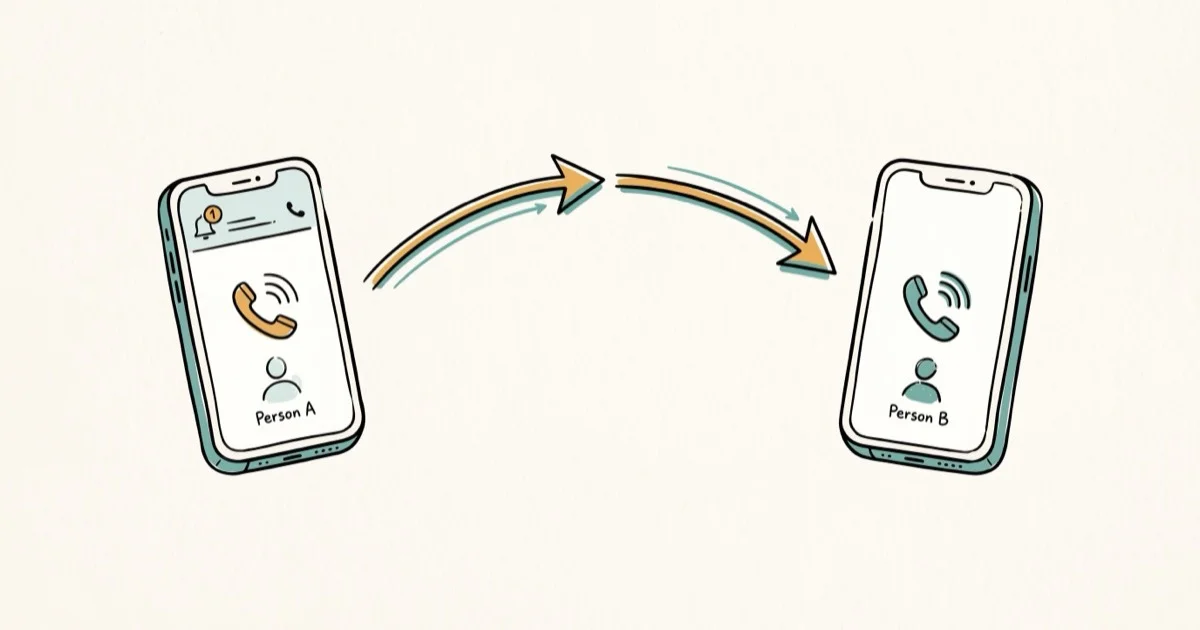
Call forwarding apps let you route incoming calls to a different number without the caller knowing. The strongest options split into personal forwarding, built-in carrier forwarding, and business phone systems with routing rules.
- Google Voice is free and forwards calls to up to 6 linked numbers simultaneously
- Grasshopper starts at $14/month and includes a business phone number with custom greetings
- Built-in call forwarding on Android and iPhone costs nothing but only forwards to one number
- Most third-party apps require a stable data connection (Wi-Fi or cellular) to work properly
- RingCentral and Nextiva are better suited for teams of 5 or more with shared call routing needs
#How Call Forwarding Works
Call forwarding redirects incoming calls from your phone number to another number you choose. The caller dials your original number and gets connected to the forwarded destination without any extra steps.
There are four standard types: unconditional (all calls), busy, no-answer, and unreachable. Free apps usually only offer unconditional.
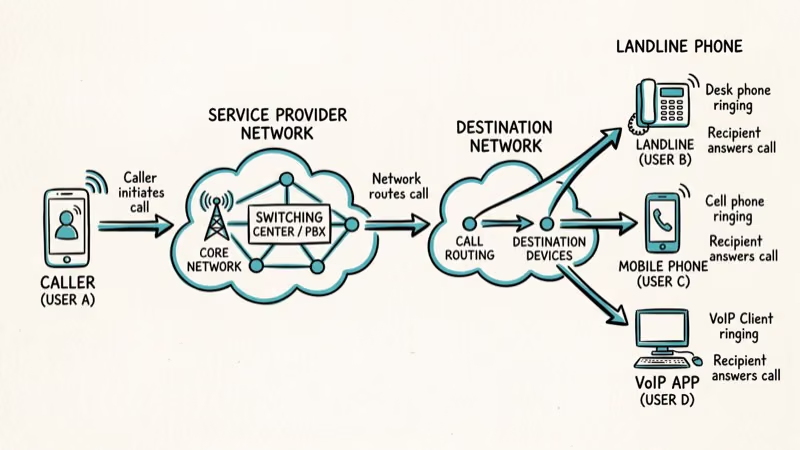
Your carrier also offers built-in call forwarding through dialer codes like *72 (activate) and *73 (deactivate) on most US carriers. Carrier forwarding only routes to one number and doesn’t give you scheduling or filtering options, which is exactly where third-party apps fill the gap. If calls aren’t coming through at all, check our guide on fixing iPhone not receiving texts since the underlying issue might be network-related.
#Top 6 Call Forwarding Apps Compared
Here’s a quick look at the main apps, broken into free and paid tiers.
Free apps:
| App | Platform | Max Numbers | Best For |
|---|---|---|---|
| Google Voice | Android, iOS | 6 | Personal use |
| Easy Call Forwarding | Android | 1 | Quick setup |
| Divert Calls | iOS | 1 | Basic forwarding |
Paid apps:
| App | Price | Platform | Best For |
|---|---|---|---|
| Grasshopper | $14/mo | Android, iOS | Solo entrepreneurs |
| RingCentral | $20/mo | Android, iOS | Teams |
| Line2 | $10/mo | Android, iOS | Second business line |
#Which Free Call Forwarding App Should You Pick?
Google Voice is the clear winner. Google’s Voice support documentation confirms that up to 6 linked numbers can ring simultaneously when someone calls your Google Voice number.
Setup takes about 3 minutes: open Google Voice, go to Settings > Linked Numbers, add the forwarding number, verify via text code. Done.
Google Voice also includes voicemail transcription and spam filtering at no cost.
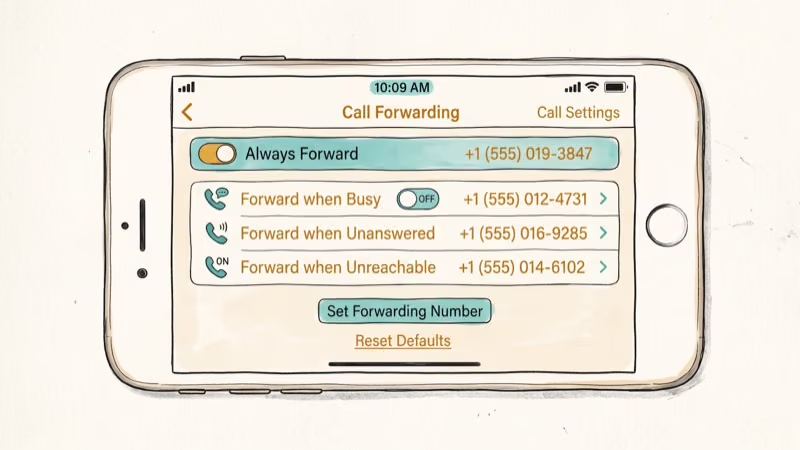 The main limitation: it doesn’t support traditional conditional forwarding through the app. You can’t tell it to forward only when busy. Instead, you create custom per-contact rules, which works differently than most people expect from a forwarding app.
For Android users who just need basic forwarding without signing up for a Google Voice number, Easy Call Forwarding is a solid pick. It supports dual-SIM phones, lets you configure forwarding for each SIM card separately, and has zero ads. If you’re dealing with Android call interface issues, this app bypasses the built-in dialer entirely.
Divert Calls handles basic forwarding on iPhone for free. Works on iOS 15+ with time-based rules. Dated interface, but gets the job done.
#Paid Call Forwarding Options for Business Use
Paid apps add scheduling, team routing, and professional features that free options can’t match.
Grasshopper ($14/month) gives you a dedicated business phone number with extensions, custom greetings, and voicemail transcription. According to Grasshopper’s feature page, it routes calls through their VoIP network to your personal phone without revealing your cell number to callers, and supports up to 3 extensions on the base plan.
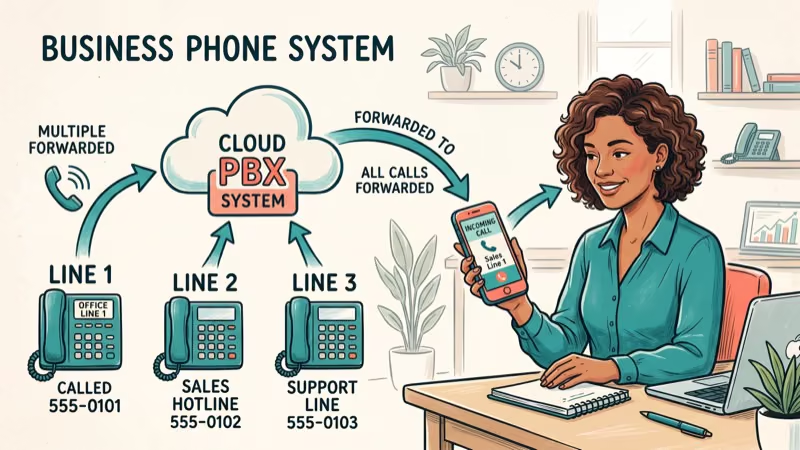
RingCentral ($20/month per user) targets teams. Simultaneous ringing, call queues, auto-attendant. According to RingCentral’s documentation, you can set sequential or simultaneous ring patterns across multiple devices per user, with customizable ring duration before failover.
Line2 ($10/month) adds a second phone number to your existing device and forwards calls between the two lines. Useful if you need a separate business line but don’t want two phones in your pocket, and a good choice if you’re exploring options for a Google Voice alternative.
#How to Set Up Built-in Call Forwarding on Your Phone
You don’t always need a third-party app. Both platforms have native forwarding.
On iPhone (iOS 15+):
Open Settings>Phone>Call Forwarding- Toggle Call Forwarding on
- Enter the number you want calls forwarded to
On Android (varies by manufacturer):
- Open the Phone app, tap the three-dot menu, then go to Settings
- Select Supplementary services > Call Forwarding
- Pick your condition and enter the destination number
The built-in method only forwards to a single number. No scheduling, no caller filtering. If your SIM card is causing problems, carrier forwarding won’t work either since it depends on your network connection.
On Samsung phones running One UI 6+, the menu path changed, and the exact call forwarding menu location varies across carrier-customized One UI builds, so search “call forwarding” in Settings if you can’t find the menu under Supplementary services.
#What Are the Risks of Call Forwarding Apps?
A few trade-offs matter before you route calls through an app.
Data dependency. VoIP-based forwarding apps like Google Voice and RingCentral need an active data connection. Calls can become less reliable when your phone switches between Wi-Fi and cellular mid-call. Carrier forwarding using dialer codes doesn’t have this problem since it operates at the network level, not through your phone’s internet connection.
International charges add up fast. Google Voice charges 1-5 cents per minute for international forwarding. Your carrier may stack additional per-minute rates on top.
Battery impact is modest but real. Apps running background processes for call monitoring, such as Grasshopper and RingCentral, can use more battery than carrier-based forwarding.
Privacy varies widely. Free apps like Easy Call Forwarding keep your call data on-device since they don’t require an account at all. Cloud services like RingCentral store everything on their servers. If you’re concerned about phone number privacy, our guide on searching for someone by phone number explains what information is publicly linked to your number.
#Bottom Line
Google Voice handles call forwarding well for most personal use. It’s free, works on both Android and iPhone, and supports up to 6 forwarding numbers. If you need professional features like custom greetings or business hours routing, Grasshopper ($14/month) is the most affordable step up. RingCentral ($20/month) only makes sense for teams that need shared call management.
Start with your phone’s built-in call forwarding if you just need to redirect calls to one number temporarily. Move to Google Voice when you want more control without spending anything.
#Frequently Asked Questions
Can I forward calls to an international number?
Yes. Google Voice charges 1-5 cents per minute depending on the destination country. Paid apps like RingCentral include international forwarding in their plans. Your carrier’s built-in forwarding may also work internationally but typically charges higher per-minute rates.
Does call forwarding work when my phone is turned off?
It depends on the type. Carrier-level forwarding set through dialer codes like *72 works even when your phone is off because routing happens at the network level. App-based forwarding through Google Voice or Grasshopper also works since calls route through their servers, not your device directly. The only scenario where forwarding fails completely is if you’ve set it up through a VoIP app that requires your phone to be online and connected to forward the call.
Will the caller know their call is being forwarded?
No. The caller dials your number and connects to the forwarded destination without any indication of redirection.
Can I forward calls from a landline to my cell phone?
Yes, but set it up through your landline carrier, not an app. Most providers support forwarding with codes like *72 followed by your cell number. Contact your provider for the exact activation code since it varies.
How do I stop call forwarding once it’s set up?
On iPhone, go to Settings > Phone > Call Forwarding and toggle it off. On Android, open Phone > Settings > Supplementary services > Call forwarding and turn it off. For carrier-level forwarding, dial *73 on most US carriers. In Google Voice, remove the linked number from settings.
Is Google Voice call forwarding really free?
Yes, for personal use within the US and Canada. You get a free phone number, forwarding to up to 6 linked numbers, voicemail transcription, and spam filtering at zero cost. The business version through Google Workspace starts at $10 per user per month and adds ring groups (up to 25 members), auto-attendant, and admin controls.
Do call forwarding apps drain my battery?
VoIP apps maintaining background connections, such as Grasshopper, RingCentral, and Line2, can use more battery than native forwarding. Google Voice is lighter since it relies on push notifications. Carrier-based forwarding through your phone’s native settings uses zero additional battery.
Can I forward calls and texts at the same time?
Google Voice forwards calls but doesn’t automatically forward texts. You can get email notifications for missed calls and voicemail through Gmail instead. Grasshopper and RingCentral forward both calls and texts. Your phone’s built-in forwarding only handles calls, not text messages.

Mac mini M6 vs M5 Pro: Which Model Should You Buy?
Mac mini M6 vs M5 Pro compared on price, memory, ports, displays, and real workloads. Find the better 2026 Mac mini for your desk and budget.

Apple Siri Settlement: Who Qualifies and How to Claim
Apple's $250 million Siri settlement covers iPhone 15 Pro and iPhone 16 models bought June 2024 to March 2025. See who qualifies and how claims work.

iOS 26.6.1 Security Update: What Apple Fixed and Who Gets It
Apple released iOS 26.6.1 on August 17 with 29 security fixes, including an IPSec interception bug. See what it patches, who gets it, and how to update.

iPhone Adaptive Power: How It Works and When to Use It
Learn how iPhone Adaptive Power works, which models support it, what it changes, and when Low Power Mode is still the better battery-saving choice.