Best Bluetooth Tracker 2026: AirTag vs Tile vs SmartTag2
Best Bluetooth tracker 2026 guide. AirTag vs Tile vs Samsung SmartTag2 vs Chipolo, plus iOS Find My vs Android Find Hub network for keys and luggage.
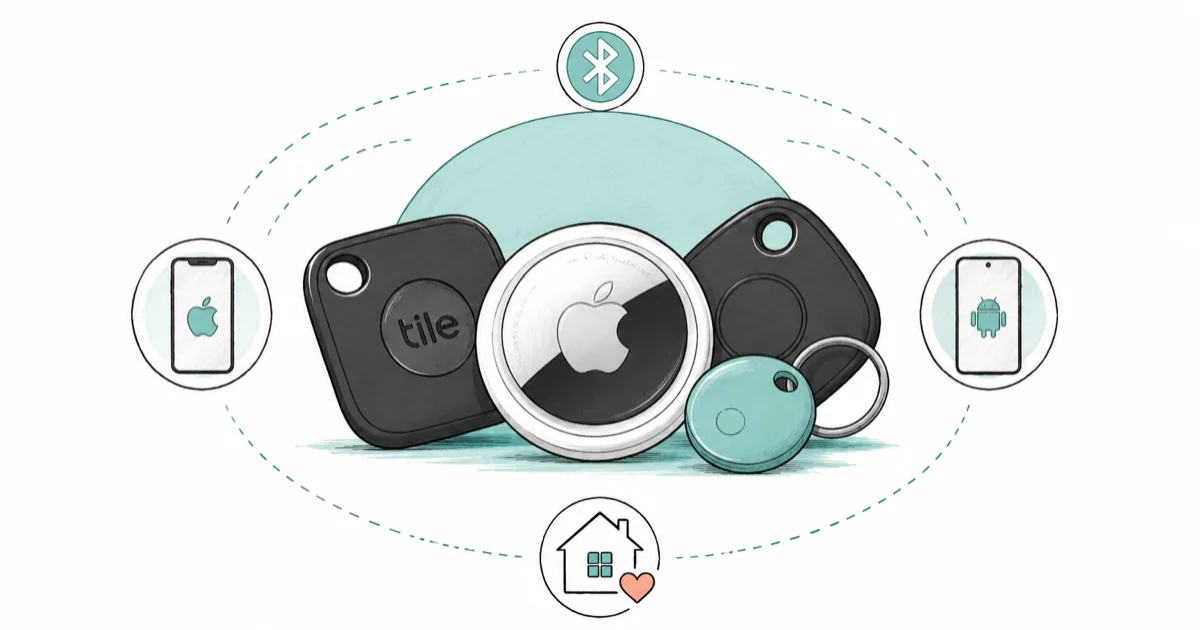
Quick AnswerPick a tracker by phone, not by brand. iPhone owners want the AirTag, Galaxy owners want the SmartTag2, and mixed households want the Chipolo Pop that joins both finding networks.
The best Bluetooth tracker in 2026 is not a single device, it’s the one matched to the phone in your pocket. This guide compares AirTags, a Samsung SmartTag2, a Tile Pro, and a Chipolo Pop by phone ecosystem, finding network, form factor, and best use case. This guide is the hub for our platform and use-case picks below it.
- The crowd-finding network matters more than the tracker hardware, and Apple Find My plus Samsung SmartThings Find are the densest in 2026
- iPhone owners get the most reliable results from an AirTag, while Galaxy owners get the same from a SmartTag2
- Google’s Find Hub network is still less consistent than Apple’s or Samsung’s for everyday recovery
- Tile works on both phone types but runs on its own smaller network of around 70 million users
- The Chipolo Pop is the rare tracker that joins both Apple Find My and Google Find Hub
#Best Bluetooth Trackers: Our Top Picks and Where to Buy
Here is the short version on each pick and where to get it before the full guide.
#Apple AirTag
- Find My taps over a billion Apple devices worldwide
- Precision Finding via U1 on iPhone 11 and later
- One-tap setup near any iPhone, no separate account
Last updated on Jun 30, 2026
As an Amazon Associate fone.tips earns from qualifying purchases. Prices and availability on Amazon are accurate as of the date above and subject to change.
#Tile Pro (by Life360)
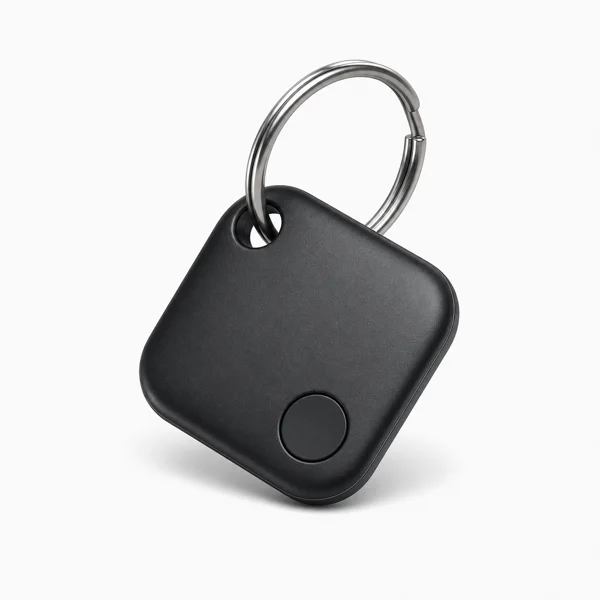
- Works fully on both iPhone and Android
- Long range and a loud ring to find nearby items
- Replaceable battery lasts about a year
Last updated on Jun 30, 2026
As an Amazon Associate fone.tips earns from qualifying purchases. Prices and availability on Amazon are accurate as of the date above and subject to change.
#Samsung Galaxy SmartTag 2
- Up to 700 days on a single CR2032 in Power Saving mode
- Built-in keyring hole, no case needed for keys
- UWB Compass View on UWB Galaxy phones
Last updated on Jun 30, 2026
As an Amazon Associate fone.tips earns from qualifying purchases. Prices and availability on Amazon are accurate as of the date above and subject to change.
#Which Bluetooth Tracker Fits Your Phone?
The single biggest factor is which finding network your phone feeds. A tracker is just a Bluetooth beacon, so its value comes from how many nearby phones can spot it and report its location back to you anonymously. The more phones on that network, the faster a lost tag turns up, which is exactly why the right pick changes with the phone you already carry rather than with any spec on the tracker box.
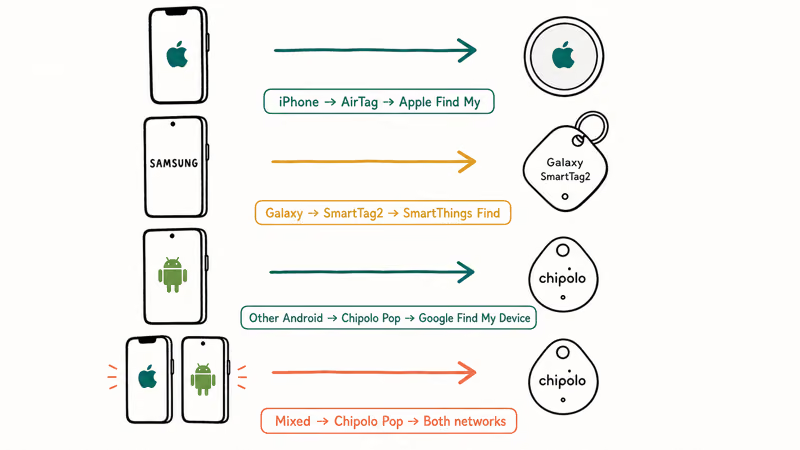
iPhone owners should default to the Apple AirTag for its ultra-wideband precision finding. Galaxy owners get the mirror-image advantage from the SmartTag2.
Bluetooth tracker recommendation by phone ecosystem
| Your phone | Best tracker | Network used |
|---|---|---|
| iPhone | Apple AirTag | Apple Find My |
| Samsung Galaxy | Samsung SmartTag2 | SmartThings Find |
| Other Android | Chipolo Pop | Google Find Hub |
| Mixed household | Chipolo Pop | Both networks |
For non-Samsung Android phones specifically, our best Bluetooth tracker for Android guide digs into which models behave best on Google’s network today. Cross-platform households should also weigh our AirTag and Tile head-to-head, since Tile is the one tag both phones can share.
#How Do the Finding Networks Compare?
Networks fall into three camps in 2026. Apple Find My and Samsung SmartThings Find lead on density. Google Find Hub trails on consistency, and Tile runs its own smaller network that works on both phone types. The differences show up the moment a tag goes missing somewhere far from your own phone, because recovery then depends entirely on whose phones happen to pass by and feed the network a fresh location ping.
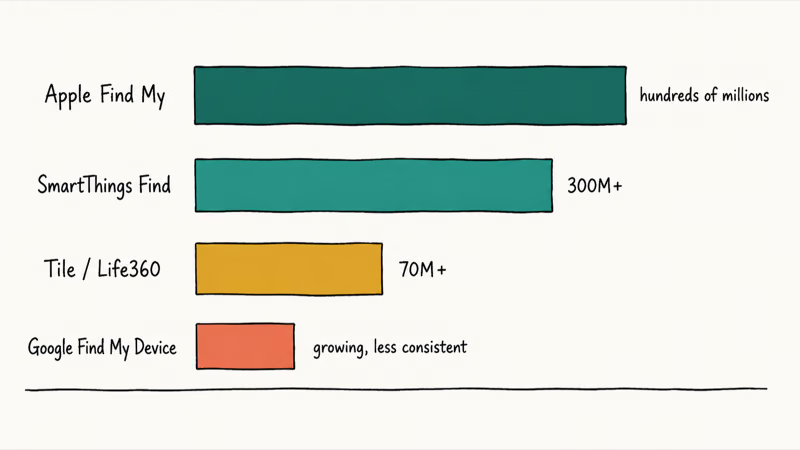
Scale is the gap. Engadget’s Bluetooth tracker guide states that Tile’s Life360 network has grown past 70 million monthly users, which still sits below the billion-plus Apple devices or the 300 million-plus nodes Samsung can lean on through SmartThings Find.
Detection speed follows that density. AirTags and SmartTag2 have the strongest network advantage, while Tile’s smaller network makes fresh hits less predictable.
Google has been opening up. According to Google’s Find Hub help page, the network now finds devices and trackers using the crowd of nearby Android phones. For now, a Google-network tracker is still a backup plan rather than a first choice if reliability matters more than Android openness.
#The Top Tracker Picks for 2026
Each tracker earns its place for a different buyer. Past the network question, hardware differences decide the rest.
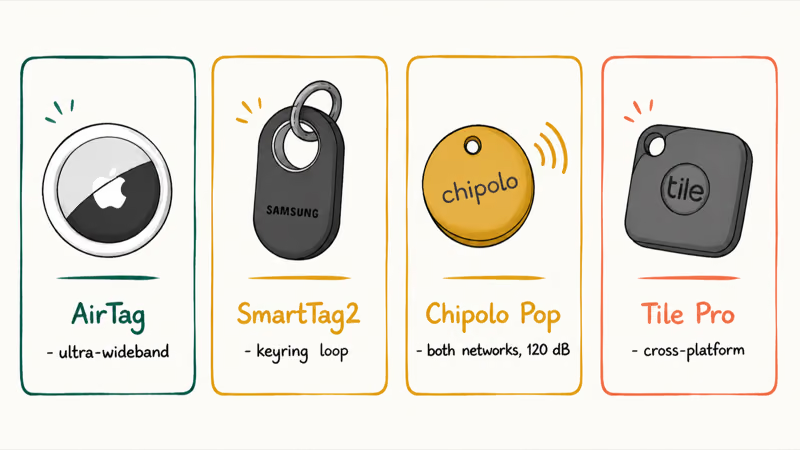
The Apple AirTag is the default for iPhone owners and the only pick here with ultra-wideband precision finding. As an Amazon Associate fone.tips earns from qualifying purchases. Its one weakness is the smooth disc shape, which needs a separate holder to clip onto keys.
The Samsung Galaxy SmartTag2 is the Galaxy answer, with a built-in keyring loop, free location history, and a roughly 400-foot Bluetooth range claim. It officially works only with Samsung phones.
For everyone in between, the Chipolo Pop is the flexible choice. It joins either Apple Find My or Google Find Hub, ships with a keyring hole built in, and rings loud at a 120-decibel rating that beats most rivals. The Tile Pro remains the cross-platform veteran, though it locks left-behind alerts behind a paid membership.
#How to Choose a Bluetooth Tracker
Three things separate a good tracker from a frustrating one: the size of its finding network (how many phones can spot a lost tag), how loud it rings up close, and how long the battery lasts. Match the network to your phone first, then weigh ring volume and battery life. The picks below are grouped by the phone ecosystem each one serves best.
#Picking a Tracker for Keys, a Wallet, or Luggage
Use case changes the ideal shape and the network you lean on. Keys want a tag with a hole or loop, wallets want a card-thin tracker, and luggage wants whichever network is densest at airports.
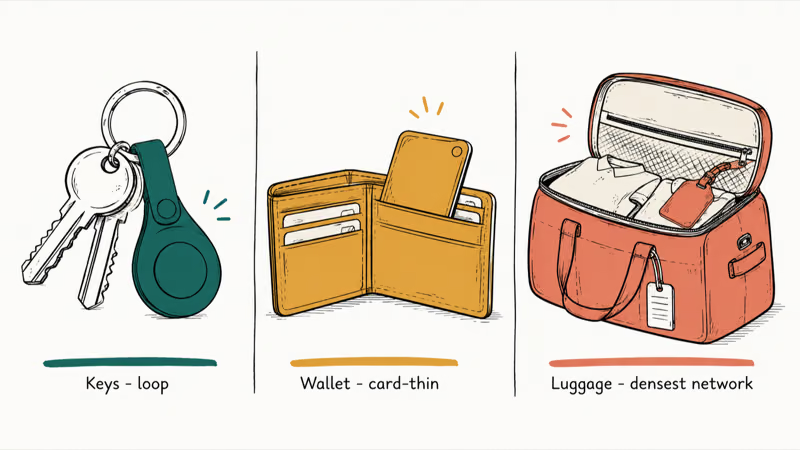
For keys, the SmartTag2 and Chipolo Pop both have built-in loops, so they skip the holder an AirTag needs.
For wallets, look at card-shaped trackers from Chipolo, Tile, or Pebblebee that fit a card slot without a bulge. Luggage is its own challenge because a bag can sit in a cargo hold far from any phone, so the densest network wins. Our best Bluetooth tracker for luggage guide covers the airline and battery details that matter for travel.
Tracking people is a different job. A dedicated family locator app handles consenting family members, while a tracker tucked in a bag pairs well with a 3-in-1 MagSafe charger on the nightstand.
#Setup and Unwanted-Tracking Alerts
Setup takes under a minute on either platform. You hold the tag near an unlocked phone, name it, and it joins the finding network automatically. Keeping the tracker charged matters too, so a power bank in your bag is handy for the rechargeable models.
Safety is built in. Apple states that 1 unknown AirTag traveling with you triggers an alert on your iPhone, and Android has matching unwanted-tracking detection, so a stranger can’t quietly follow you with a tag. The Apple AirTag safety page explains how to disable a tag that you find moving with you over time.
#Bottom Line
For iPhone owners, the Apple AirTag is the pick to grab first. It rides the densest finding network, adds ultra-wideband precision on recent iPhones, and recovers faster than most alternatives.
Galaxy owners should choose the SmartTag2 for the same reason on the Samsung side, plus free location history that Tile charges for. Anyone with a non-Samsung Android phone, or a household that mixes iPhone and Android, should buy the Chipolo Pop because it joins both major networks and rings the loudest. Skip Tile unless you specifically need one tag that ignores phone brand and you don’t mind its smaller network.
#Frequently Asked Questions
Do Bluetooth trackers work without my phone nearby?
Yes. A tracker uses the crowd-finding network of other phones around it, so even when your own phone is far away, a stranger’s passing phone can report the tag’s location back to you anonymously. That is why network size matters so much for recovery.
Can I use an AirTag with an Android phone?
Not really. AirTags rely on Apple Find My, which Android can’t feed. Choose a Chipolo Pop instead.
Which tracker is best for a mixed iPhone and Android household?
The Chipolo Pop. It can register on either Apple Find My or Google Find Hub, so one model covers both kinds of phone, though each individual tag commits to one network at setup.
Is the Samsung SmartTag2 network as good as Apple’s?
Close. Samsung’s SmartThings Find taps a huge base of Galaxy phones worldwide, and the SmartTag2 reports locations nearly as fast as an AirTag. The catch is that it officially supports only Samsung phones.
How long do Bluetooth tracker batteries last?
Most replaceable-battery trackers like the AirTag, Tile Pro, SmartTag2, and Chipolo Pop run about a year on a standard coin cell before you swap it. That coin cell is usually a common CR2032 you can buy in any pharmacy, so replacement is cheap and quick. Rechargeable models such as the Pebblebee Clip skip battery shopping entirely, but they trade that convenience for an occasional top-up on a cable every few weeks.
Do Tile trackers require a paid subscription?
Not to find a tag, but yes for the extra features. Tile’s basic ringing and map location are free, while smart alerts that warn you when you leave an item behind sit behind a paid membership.
Are Bluetooth trackers a privacy risk?
They can be misused, which is why Apple, Google, and Samsung built unwanted-tracking alerts into iOS and Android. If an unknown tag travels with you for a while, your phone warns you so you can disable it.

Best Laptop for Running LLMs in 2026: Memory Comes First
The best laptop for running LLMs is a memory purchase first. Compare MacBook unified memory against NVIDIA laptop VRAM, and see what each tier really runs.

Pixel 11 vs Pixel 10: What Changed and Who Should Upgrade
Pixel 11 vs Pixel 10: same screen and camera resolution, new Tensor G6, 25W wireless, and Gemini Intelligence. Here is who should actually upgrade.

Best Power Bank for iPad in 2026: Pro, Air, and Mini
Best power bank for iPad in 2026. Compare mAh tiers and USB-C PD wattage for iPad Pro, Air, and mini, plus airline Wh math, cables, and travel tips.

Best Power Bank With Built-In Cable: Top 2026 Picks
Best power bank with built-in cable picks for 2026. Compare single USB-C, multi-connector, and retractable laptop banks, plus airline Wh math.