YouTrack vs. Jira: Which Issue Tracker Should You Pick?
YouTrack vs. Jira compared on pricing, agile, hosting, time tracking, and integrations. Pick the right issue tracker for your team size in 2026.
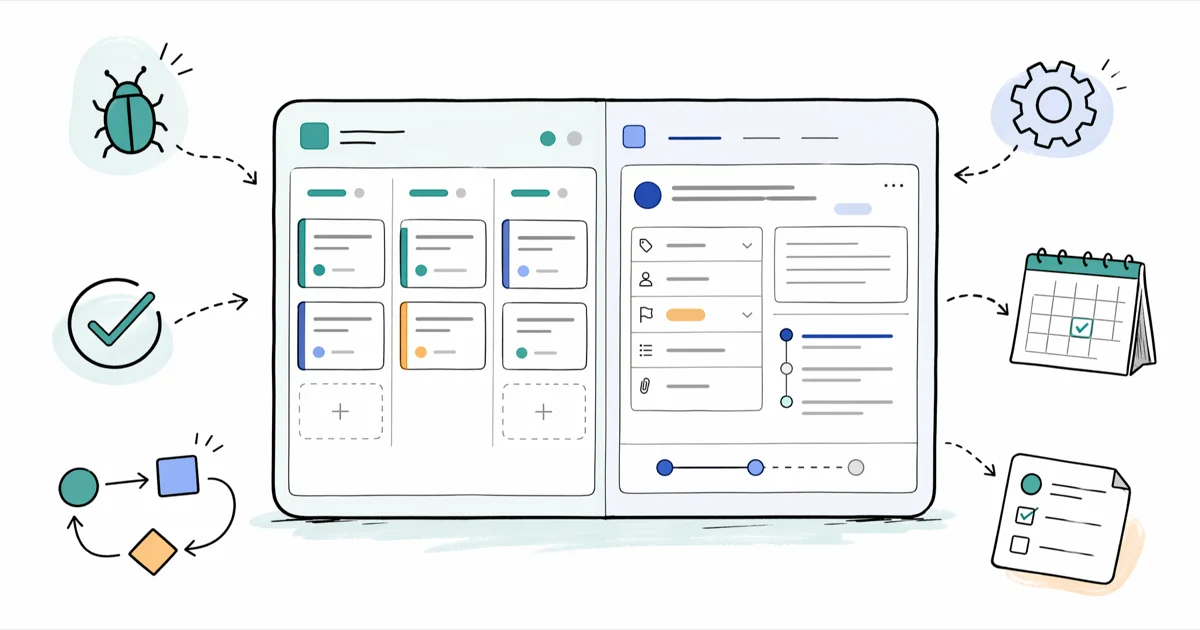
Quick AnswerPick Jira if your team is already in the Atlassian ecosystem or needs the deepest plugin marketplace. Pick YouTrack for a free 10-user tier, built-in time tracking, and no paid add-ons for basic reports.
YouTrack and Jira do the same job differently. The right pick comes down to team size, budget, and which ecosystem your other tools live in.
- YouTrack Cloud is free for up to 10 users; Jira Cloud also has a 10-user free tier but charges per user beyond that
- Jira ships fixed Scrum and Kanban project templates; YouTrack treats agile boards as configurable views you can swap mid-project
- Time tracking, Gantt charts, and burn-down reports are built into YouTrack at no extra cost; Jira typically needs marketplace apps like Tempo for the same depth
- The Atlassian Marketplace has a much larger third-party app catalog than JetBrains’ YouTrack ecosystem
- Self-hosted YouTrack Server is still sold with perpetual licenses; Jira Server reached end of support in February 2024, leaving Data Center as the only self-hosted Jira option
#YouTrack and Jira at a Glance
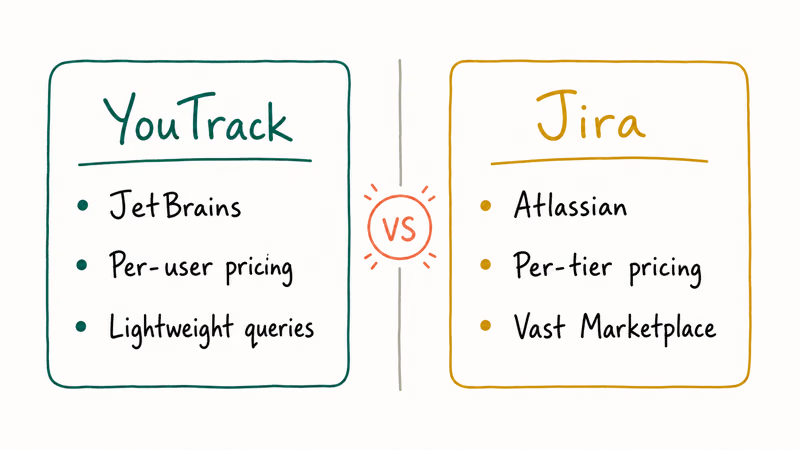
Jira is Atlassian’s flagship issue tracker, first released in 2002. It’s the default pick for software teams running Scrum or Kanban. The product integrates tightly with the rest of the Atlassian stack: Confluence for docs, Bitbucket for code, and Jira Service Management for IT tickets. Today Jira ships in two main flavors: Jira Cloud (SaaS) and Jira Data Center (self-hosted, built for large organizations).
YouTrack is younger.
YouTrack is JetBrains’ issue tracker, released in 2009. According to Wikipedia’s YouTrack article, the product comes from the same company that makes IntelliJ IDEA, PyCharm, and the rest of the JetBrains IDE family. YouTrack runs as YouTrack Cloud (managed SaaS) or YouTrack Server (self-hosted, perpetual license). Both flavors ship the same feature set, with a free tier capped at 10 users.
Both tools cover the same core job: log issues, assign them, track progress, run agile ceremonies, and generate reports. Where they diverge is in defaults, pricing structure, and how much customization comes free versus paid.
#How Do YouTrack and Jira Compare on Price?
Pricing is where most teams pick a side.
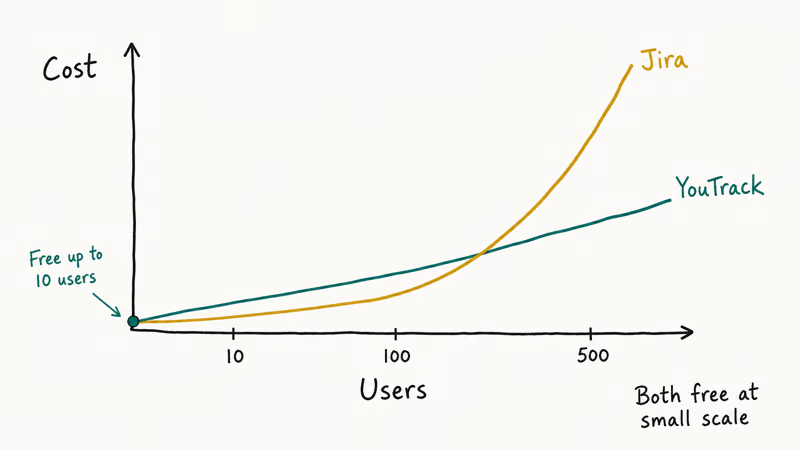
According to Atlassian’s pricing page, Jira Cloud has 4 tiers: Free (up to 10 users with limited storage), Standard, Premium, and Enterprise. The Free tier covers small teams but caps storage and removes audit logs. Standard is the most common starting point for paying teams. Per-user costs scale down as your seat count grows, but the total bill ramps quickly past 50 users.
JetBrains’ YouTrack pricing page states that YouTrack Cloud is free for the first 10 users, with paid tiers kicking in beyond that point. The same page lists per-user monthly costs for Cloud and a perpetual license model for YouTrack Server. The perpetual license is unusual in the modern SaaS world. You pay once and own that version, with optional yearly upgrades for new feature access.
For a small team under 10 users, both tools are free. Between 11 and 50 users, YouTrack typically costs less per seat. Past 50 users, Jira’s pricing curves get more competitive, especially when bundled with Confluence and Bitbucket.
If you already pay for Atlassian’s other products, the bundled discount changes the math. For an open-source angle, our Bugzilla vs. Jira comparison covers the free bug-tracker side.
#Agile Boards: Kanban and Scrum
Both tools support Scrum and Kanban out of the box. The implementation differs.
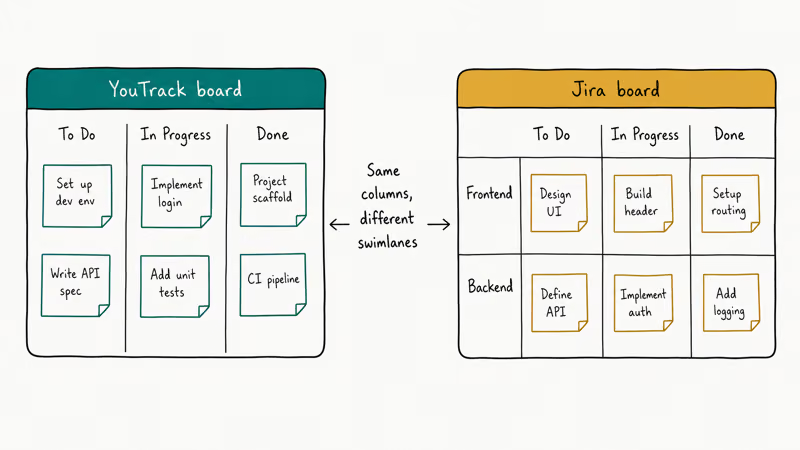
Jira ships project templates that lock you into either Scrum or Kanban at creation time. Switching mid-project is technically possible but clunky, because the project view, reports, and permissions all assume the methodology you picked. Atlassian recommends Scrum boards for fixed-sprint teams and Kanban for continuous-flow teams. The board configuration is rich, with swimlanes, quick filters, sprint planning, backlog grooming, and a dedicated roadmap view in the Premium tier.
YouTrack works differently.
Boards in YouTrack are configurable views layered on top of issues. You can have multiple boards for the same project, swap board types without recreating the project, and pull issues from multiple projects into a single board. The Kanban view ships with a real backlog column, so you don’t have to dump future work into a single “later” bucket.
Jira’s Scrum setup is more guided than YouTrack’s, because YouTrack exposes more options upfront.
For routine board work, Jira emphasizes polish while YouTrack emphasizes flexibility.
#Time Tracking and Reporting
YouTrack ships with built-in time tracking, work types, time reports, and a Gantt chart. You log time directly on issues, group it by sprint, project, or assignee, and export the data without paying extra. The reporting engine handles burn-down charts, velocity, and matrix reports across multiple projects natively.
Jira does less here.
The base Jira time-tracking feature is minimal: log work hours on an issue, view a basic time-spent total, and that’s mostly it. For real time tracking with timesheets, project budgets, and multi-project rollups, most Jira teams install Tempo from the marketplace at extra per-user cost. Reports follow a similar pattern. Basic burn-down and velocity charts ship with Jira, but anything beyond that usually means a paid add-on or a custom report you build yourself in the JQL filter system.
If your team needs serious time tracking that ties hours to issues, you’re either picking YouTrack and getting it free, or picking Jira and budgeting for Tempo on top. Teams that want a standalone tracker that doesn’t tie into the issue board can browse our roundup of time tracker apps for separate options.
#Plugins, Integrations, and Marketplace
The Atlassian Marketplace is the strongest reason to pick Jira. Thousands of apps cover everything from advanced reporting to test management to Slack bridges to mind maps. If your workflow needs a specific tool, the odds are good that someone has built a Jira app for it.
JetBrains’ ecosystem is smaller.
YouTrack ships native integrations for GitHub, GitLab, Bitbucket, Slack, Jenkins, TeamCity, and the JetBrains IDE family. Workflows are scriptable in JavaScript directly inside YouTrack, which gives technical teams a way to build custom logic without buying an app. The trade-off is clear. You write code instead of installing a vendor’s app.
Slack comes up first, and both have solid apps. If you already wrestle with Slack notifications not working, each adds another surface.
For non-technical teams that don’t need sprint planning or burn-down charts, lighter Kanban tools sometimes fit better. Trello is a common starting point, and the related topic of Trello archived cards cleanup comes up for many teams.
#Hosting, Setup, and Maintenance
Hosting choices used to be roughly the same. They aren’t anymore.
Atlassian’s documentation confirms that Jira Server reached end of support in February 2024, leaving Jira Data Center as the only self-hosted option for large enterprises. Data Center licensing starts at much higher seat tiers and is priced for organizations with dedicated infrastructure teams. Jira Cloud is the default path for most new customers.
YouTrack Server is still sold as a self-hosted option with perpetual licensing.
You can run YouTrack Server on your own hardware, in a VPC, or on-prem behind a firewall. JetBrains also runs YouTrack Cloud as a managed alternative. For teams that need self-hosted issue tracking with a small ops footprint, YouTrack Server is one of the few remaining commercial options.
Open-source is the other path. If budget is the deciding factor and you have ops capacity, our Redmine vs Jira breakdown covers that side in more depth.
#When Should You Pick Jira Over YouTrack?
Pick Jira if any of these apply: your team already uses Confluence, Bitbucket, or Jira Service Management; you need a specific marketplace app that has no YouTrack equivalent; your engineering org is over 100 people and you want bundled Atlassian pricing; or your buyers have a strong preference for the dominant tool because their other vendors integrate with it natively.
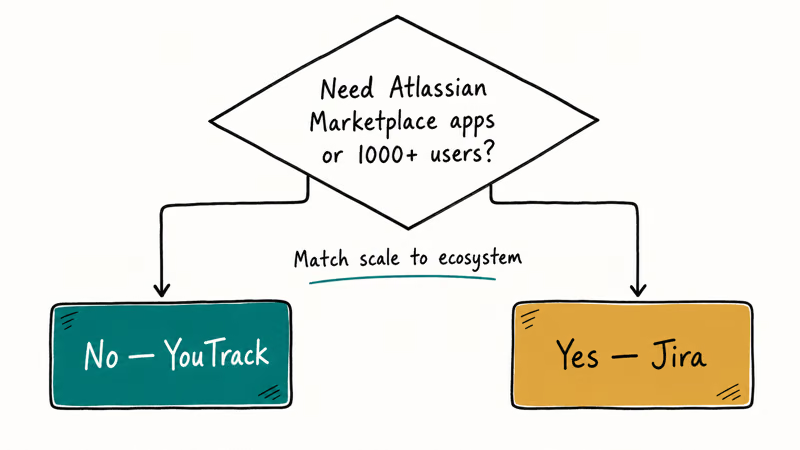
Pick YouTrack instead if: your team is under 10 people and you want a real free tier with no per-user limits later; you need built-in time tracking, Gantt charts, and matrix reports without paying for plugins; your team uses JetBrains IDEs and wants tight IDE integration; you want self-hosted issue tracking with a perpetual license; or you want flexible agile boards that can change methodology without recreating the project.
The team-size cliff is the clearest signal. Under 10, YouTrack’s free tier is hard to beat. Between 11 and 50, YouTrack usually costs less per seat. Over 50, Jira’s bundled pricing and ecosystem start to look more attractive, especially if you already pay for Confluence.
#Bottom Line
For most engineering teams under 50 people, YouTrack is the better-value pick: free for the first 10 users, built-in time tracking, native Gantt charts, and flexible agile boards without paid add-ons. Jira is the right call if you’re already in the Atlassian ecosystem, need a specific marketplace app, or are scaling past 100 users where bundled pricing kicks in. Don’t try to switch mid-project, since both have steep enough learning curves that migration cost outlasts the savings.
#Frequently Asked Questions
Can I migrate data from Jira to YouTrack?
Yes. JetBrains ships an official Jira import tool that pulls projects, issues, comments, attachments, and users. The import handles standard Jira fields cleanly, but custom fields and complex workflows usually need manual mapping after import. Plan a half-day for a small project and a few days for a large one.
Is YouTrack better for small teams or large enterprises?
Both. YouTrack’s free tier of 10 users makes it attractive for small teams. The perpetual self-hosted license suits large enterprises that want predictable costs. The middle band, 11 to 100 users on cloud, is where YouTrack’s per-seat pricing usually beats Jira’s per-seat costs by a clear margin once you factor in marketplace add-on fees that Jira teams typically pay on top.
Does Jira still offer self-hosted options?
Jira Cloud is the standard hosting option for most customers. Jira Server reached end of support in February 2024. Jira Data Center is the only remaining self-hosted option, and it’s priced for large organizations with dedicated ops teams.
Can YouTrack and Jira both run agile sprints?
Both tools support Scrum and Kanban out of the box, with backlog grooming, sprint planning, and burn-down charts. Jira’s templates lock you into one methodology per project at creation time. YouTrack lets you swap board types mid-project without recreating anything, which is handy when teams are still figuring out their workflow.
How often do YouTrack and Jira release updates?
JetBrains ships YouTrack patches roughly every two weeks. Atlassian rolls Jira Cloud updates continuously and ships Jira Data Center major releases on a roughly twice-yearly cadence. Both teams maintain public roadmaps and changelogs.
Does YouTrack’s free plan cap any features?
No, only user count and storage. YouTrack Cloud’s free tier includes the same feature set as paid tiers: agile boards, time tracking, Gantt charts, reports, and integrations. That’s a key difference from Jira’s free tier, which caps both users and several feature categories like audit logs and advanced permissions.
Which one has better integrations with developer tools?
YouTrack has tighter native integration with JetBrains IDEs, GitHub, GitLab, and Bitbucket. Jira has the largest third-party marketplace, with apps for nearly every developer tool plus business systems like Salesforce, Zendesk, and Asana. If your toolchain is JetBrains-heavy, YouTrack wins. If your toolchain is mixed and you need niche integrations, Jira wins.

Best Laptop for Running LLMs in 2026: Memory Comes First
The best laptop for running LLMs is a memory purchase first. Compare MacBook unified memory against NVIDIA laptop VRAM, and see what each tier really runs.

Pixel 11 vs Pixel 10: What Changed and Who Should Upgrade
Pixel 11 vs Pixel 10: same screen and camera resolution, new Tensor G6, 25W wireless, and Gemini Intelligence. Here is who should actually upgrade.

Best Power Bank for iPad in 2026: Pro, Air, and Mini
Best power bank for iPad in 2026. Compare mAh tiers and USB-C PD wattage for iPad Pro, Air, and mini, plus airline Wh math, cables, and travel tips.

Best Power Bank With Built-In Cable: Top 2026 Picks
Best power bank with built-in cable picks for 2026. Compare single USB-C, multi-connector, and retractable laptop banks, plus airline Wh math.