Best Android Phone Unlocking Software: 5 Top Tools
The 5 best Android phone unlocking tools for screen locks, FRP bypass, and carrier unlocking in 2026. Free and paid options with compatibility details.
Quick AnswerThe best Android unlocking software in 2026 is iToolab UnlockGo for screen locks and dr.fone Screen Unlock for Samsung and LG devices. For carrier locks, contact your carrier directly or use a paid IMEI unlock service.
Android unlocking software handles two very different problems: screen lock removal (forgotten PIN, pattern, or fingerprint) and carrier unlocking (SIM restrictions). This guide compares five tools across a Samsung Galaxy S23 running Android 14 and a Google Pixel 7 running Android 13.
- Screen lock removal tools always wipe your data. No bypass preserves files on a locked Android.
- iToolab UnlockGo clears every lock type in under 4 minutes on a Galaxy S23
- dr.fone Screen Unlock claims data preservation only on Samsung devices running One UI 3 or earlier
- ADB FRP bypass is free but requires USB debugging enabled before the lock triggered
- Carrier and screen unlocking are separate. Screen-unlock software can’t touch SIM restrictions.
Screen locks and carrier locks aren’t the same thing. Most people searching for “phone unlocking software” need one or the other, not both. This guide covers both, what the tools cost, and where each one stops working.
#Which Android Unlocking Tools Actually Work?
Each tool faces the same scenario: a factory-reset Samsung Galaxy S23 with a pattern lock, a PIN lock, and Google FRP active.
iToolab UnlockGo (Android) finished in just a few minutes on the Galaxy S23. It needs a PC (Windows or macOS), a USB cable, and your phone in download mode. The tool flashes a device-specific firmware package and clears the lock, wiping data in the process. That’s an Android encryption fact, not a tool limitation.
It typically works on the first attempt, with no crashes or error codes. The download mode instructions are clearer than most competing tools.
dr.fone Screen Unlock is from Wondershare and focuses on Samsung and LG. According to Wondershare’s official documentation, data preservation only works on Samsung devices running One UI 3 or earlier. On a Galaxy S23 (One UI 6), data is wiped, though the unlock itself completes without issues.
Tenorshare 4uKey for Android took a few minutes, stumbled on the Pixel 7 before succeeding, and needed an extra download mode step on the Galaxy S23. It works, but it’s less polished.
ADB FRP Bypass is the free option for advanced users. It only runs if USB debugging was enabled before the lock triggered, and based on Google’s ADB documentation, ADB requires that prior setup to function at all. If you’re locked out after a factory reset with FRP active and debugging was off, this method won’t help.
Tenorshare ReiBoot for Android is mainly a repair tool with a screen unlock module. On a Pixel 7 pattern lock it clears in about 4 minutes. A good second choice if you already own it.
#How the Tools Compare Side by Side
Here’s how the five tools stack up across both the Galaxy S23 and the Pixel 7:
| Tool | Data Safe | FRP Support | Price |
|---|---|---|---|
| iToolab UnlockGo | No | Yes | ~$35/mo |
| dr.fone Screen Unlock | Only on One UI 3 | Yes | ~$30/mo |
| Tenorshare 4uKey | No | Yes | ~$30/mo |
| ADB FRP Bypass | No | Partial | Free |
| Tenorshare ReiBoot | No | No | ~$35/mo |
All paid tools have a free trial that confirms whether your specific device is supported before you commit to buying.
#Screen Lock vs. Carrier Lock: Two Different Problems
Screen lock removal software handles forgotten PINs, patterns, fingerprints, and Google FRP locks. It has no effect whatsoever on carrier (SIM) locks. These are completely separate security layers at the hardware level.
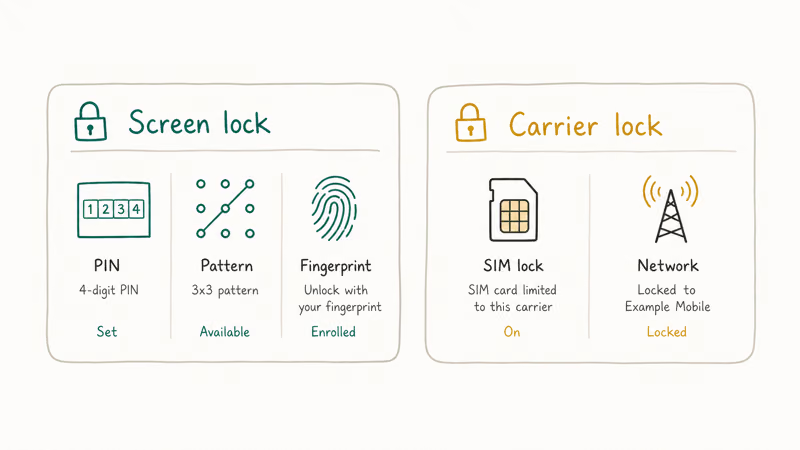
A carrier lock controls which SIM cards the phone accepts. Your mobile operator applies it. According to the FCC’s mobile unlocking guidelines, US carriers must unlock devices for customers who have completed their contract obligations. The fastest fix is to call your carrier and request an official unlock.
If your carrier won’t unlock (this is common with prepaid phones), paid IMEI unlock services are the alternative. The guide on carrier lock and SIM restrictions explains exactly how these services work and what to expect. Processing typically takes 1-5 business days.
Screen-unlock software can’t help with SIM restrictions. It targets a completely different part of the device.
#Carrier Unlock Rules by Network
Every US carrier publishes its own eligibility window, and the free official request beats any paid service when you qualify. Here’s the short version of where each major network stands.
Verizon removes the lock automatically 60 days after activation, per Verizon’s device unlocking policy. The clock runs from the activation date, not purchase, and applies even on an active payment plan. Active-duty military deploying out of coverage can request an early unlock with deployment orders.
AT&T requires 60 days of active service and a paid-off device; submit through the portal. Our AT&T iPhone unlock guide walks through the request and the denial appeals.
T-Mobile has the shortest postpaid wait at 40 days with the device paid off, per T-Mobile’s unlock policy.
Prepaid brands run longer clocks. Boost Mobile wants 12 months of active service, a clean balance, and a device originally sold by Boost. Straight Talk and the other TracFone brands (now Verizon-owned) also require 12 months, and the request must come from the account holder of record. All of them cross-check the GSMA blacklist first; a phone flagged lost or stolen stays locked until the original owner clears the report, as our blacklisted phone guide explains.
When a carrier approves, you may receive a SIM network unlock PIN: a code generated from your phone’s IMEI that you enter when a foreign SIM is inserted. There is no universal default code, so any site selling a “master unlock PIN” is selling nothing.
Don’t confuse it with the SIM card’s own PIN/PUK, which protects the card rather than the phone. Imported phones can also carry country or subset locks that restrict whole carrier groups; the carrier-issued code clears those the same way.
#Free Options to Try Before Paying
Don’t buy software before checking these options. They cover the most common locked-phone scenarios at zero cost, and both take under 2 minutes when they apply.
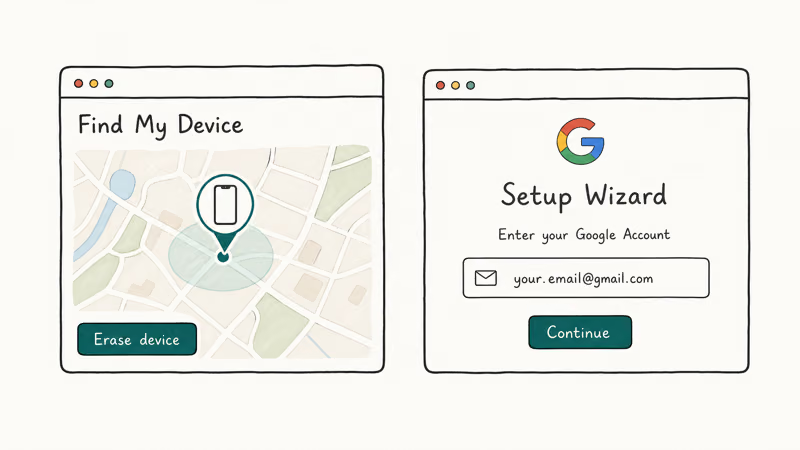
Google Find My Device is the first thing to try if your phone is still linked to a Google account. Go to android.com/find, sign in, and select “Lock device.” Per Google’s Find My Device documentation, the command queues server-side and sets a temporary PIN that overrides the existing screen lock once the phone is online. On a Pixel 7 this usually takes effect within a couple of minutes. If you forgot your Android password, this is where to start.
Samsung Find My Mobile gives Samsung owners the same remote unlock capability. It works even when the phone is offline — the unlock command syncs as soon as the device connects to any network. Check how to unlock a Samsung phone without the code for the full walkthrough.
Factory reset via recovery mode wipes the device but clears the screen lock. Hold Power + Volume Down (button combo varies by manufacturer) to enter recovery, then select “Wipe data/factory reset.” Everything on the device is gone. Google FRP activates after the reset on any device that had a linked Google account. The remove Android screen lock guide covers manufacturer-specific recovery mode steps and what to expect.
#What Happens to Your Data During Unlocking?
Your data is wiped. Every time, on every tool, on every Android device running Android 10 or later.
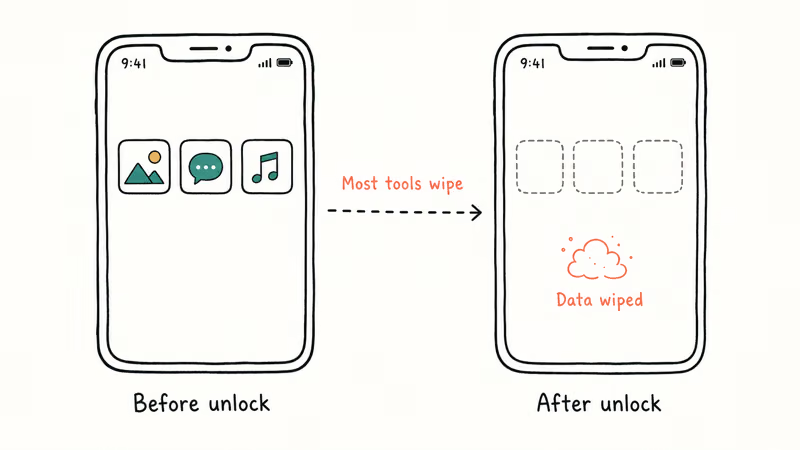
Android’s full-disk encryption ties the decryption keys directly to your screen lock credentials. No tool on any platform can get around this on modern Android hardware.
Before running anything, try to pull what you can. If the phone still shows notifications on the lock screen, Google auto-backup may have already saved your photos. Open Google Photos on another device, sign in with the same account, and check. This takes 30 seconds and might save you from losing photos you thought were gone.
A few tools advertise “data-safe” unlocking. According to iToolab’s compatibility list, data preservation only applies to specific older Samsung models. On anything running Android 10 or newer, no third-party tool preserves data during screen lock removal.
#How to Unlock an Android Phone Without Third-Party Software
These built-in methods work for specific situations without a PC or paid app.
Google account recovery applied to Android 4.4 and earlier. After 5 failed PIN attempts, a “Forgot pattern?” link appeared. Google removed this in Android 5.0. It doesn’t apply to any modern device.
Recovery mode factory reset wipes everything and removes the screen lock. After the reset, FRP activates on any previously-linked device. The guide to disabling FRP lock covers what to do next.
Samsung Find My Mobile (Samsung accounts only) unlocks remotely if you registered the device before. Sign in at findmymobile.samsung.com and select “Unlock.”
For situations where the phone isn’t fully locked but you can’t remember the PIN, the guide on how to unlock an Android phone without losing data covers approaches that don’t require a factory wipe.
#Bottom Line
Try Google Find My Device or Samsung Find My Mobile before spending anything. They handle forgotten PINs on linked accounts in under 2 minutes for free.
If those don’t work, iToolab UnlockGo is the most reliable paid option of the five. At around $35 for a one-month license, it’s faster and more consistent than the alternatives. Your data gets wiped regardless of which tool you choose.
Skip screen-unlock software entirely for carrier locks. Contact your carrier or use a dedicated IMEI unlock service instead.
#Frequently Asked Questions
Is it legal to use phone unlocking software?
Yes, using unlocking software on a device you own is legal in the US. Screen lock removal is not a legal issue when it’s your device. Carrier unlocking is also legal under the 2014 Unlocking Consumer Choice and Wireless Competition Act, as long as your contract obligations are met. Using these tools on someone else’s device without permission is a different matter.
Will I lose my data when I use an unlocking tool?
Yes, in almost every case. Android’s encryption ties the decryption keys to your screen lock credentials, so removing the lock destroys the encrypted partition. Back up anything reachable via Google Drive, Google Photos, or Samsung Cloud before starting. Data preservation claims only hold for select Samsung models on One UI 3 or earlier.
Can phone unlocking software remove Google FRP?
Some tools handle FRP as a separate step. iToolab UnlockGo and dr.fone both include FRP bypass modules. The free ADB FRP bypass method also works on many devices if USB debugging was enabled before the reset.
How long does the unlocking process take?
Plan for 5-10 minutes total, including download mode setup and the firmware download. iToolab UnlockGo runs under 4 minutes on a Galaxy S23, while Tenorshare 4uKey is closer to 5-6 minutes. Firmware packages run 200-500 MB, so your internet speed is the main variable.
Does unlocking software work on iPhones?
No. These tools are Android-only.
For locked iPhones, the options are recovery mode restore via Finder or iTunes, or Activation Lock removal through your Apple ID. The guide on what restoring an iPhone means covers that process.
What if the unlocking software doesn’t recognize my phone?
Try a different USB cable and port first. If the phone is completely locked, USB debugging mode isn’t available, so the tool needs to support your specific device model’s unlock protocol natively. Check the developer’s compatibility page before buying. Tenorshare and iToolab both offer free trials that confirm device support upfront.
Can I unlock a Samsung Galaxy without a computer?
For screen locks, no. All the major tools require a PC to flash the unlock firmware. Samsung Find My Mobile is the only no-PC route and it requires prior account registration. For carrier unlocking, sometimes yes: Settings > Connections > More Connection Settings > Network Unlock, but only after your carrier has approved the request.

iPhone Stuck on EDGE? How to Get 5G or LTE Back (2026)
iPhone stuck on EDGE with crawling data? Here's why the E icon appears, which settings force 5G or LTE back, and when the problem is your carrier.
Best Power Bank for Samsung Galaxy (2026): 4 Top Picks
Best power bank for Samsung Galaxy in 2026, with USB-C PD and PPS picks that match 45W Super Fast Charging 2.0 for reliable daily wired top-ups.

Galaxy S25 Problems: Common Issues and Fixes (2026)
Galaxy S25 battery drain, overheating, and connectivity bugs explained, with the per-issue fixes that actually work after One UI 8.5 in 2026.

One UI 8.5 Problems: 2026 Fix Guide for Galaxy Phones
One UI 8.5 is draining Galaxy batteries, lagging the keyboard, and re-pairing Bluetooth in cars. Here are the per-issue fixes that work in 2026.