How to Remove the Honor Lock Screen on Your Own Phone
Forgot the lock screen passcode on your own Honor phone? Recover it with Find Hub, recovery mode, and official Honor support, plus extra tips.
Quick AnswerTo remove the lock screen on your own Honor phone, sign in to Google Find Hub, erase the device, and set it up again with the Google account that was on it. This is the official path Honor and Google support, and it doesn't require a third-party tool.
Forgetting the Honor lock screen passcode on a phone you own is annoying, but it’s fixable without anything shady. This guide is written for people who can prove ownership of their own Honor device, not for unlocking a phone that belongs to someone else. We’ll walk through the official Google and Honor paths first, then recovery mode and one third-party tool, then what to do after you regain access.
- Use Google’s Find Hub to erase your own Honor phone remotely, then sign back in with the Google account that was already on it.
- Recovery mode (Volume Up + Power) does a local factory reset, but Factory Reset Protection still asks for the last Google account at first boot.
- A Honor service center is the only legitimate fix if you don’t remember the Google credentials either, and you’ll need proof of purchase plus a matching ID.
- Removing the lock screen wipes everything in internal storage, so a recent Google or HiCloud backup matters more than the unlock method.
- Anything promising to remove a lock screen “without the original owner” is a red flag and is illegal in most countries.
#Legal Boundaries and Ownership Rules
Removing the lock screen on your own Honor phone is legal and is something Honor and Google explicitly support. The legal problem starts when the phone isn’t yours. Helping a thief unlock a recovered Honor handset, or unlocking a partner’s device without consent, can violate unauthorized-access statutes in the United States (Computer Fraud and Abuse Act), the European Union, and most Asian jurisdictions.
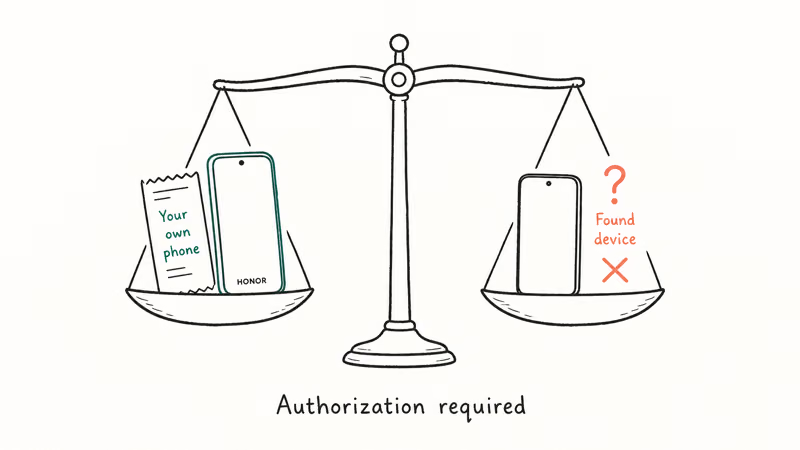
Our rule on fone.tips is straightforward. You should be able to prove the phone is yours.
A purchase receipt, the original box with the matching IMEI, the Google account already signed in, or a SIM under your name all count. According to Google’s Find Hub support page, the remote-erase feature is intentionally limited to the 1 Google account that owns the device. That’s the same trust signal Honor service centers ask for.
If you bought the phone secondhand and it still has another person’s Google account on it, stop. Factory Reset Protection is doing its job. The only legitimate fix is contacting the previous owner to remove the account.
#How Do You Remove the Honor Lock Screen With Your Google Account?
This is the method we try first whenever a friend hands us a locked Honor phone, and it’s the path Google designed for this scenario. It works on every Honor model that shipped with Google services, which covers international units on Magic UI or EMUI 5 through 12 (Honor X10, 9X, 50, 70, Magic 4 and 5, View 30). Phones sold in mainland China without Google services won’t show up at android.com/find.
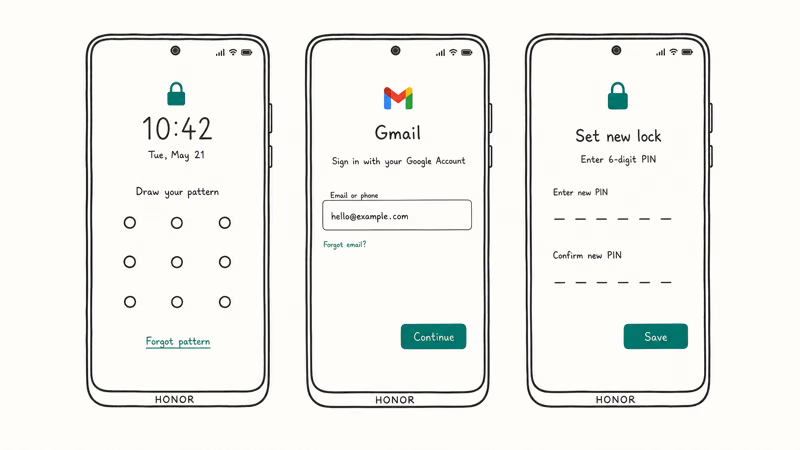
The phone has to have internet access, and Find Hub must have been switched on before the lockout. When the phone is online over Wi-Fi, a remote erase usually finishes in a few minutes from request to first-boot screen.
- On any other phone or a laptop, open
android.com/findand sign in with the Google account that’s on the locked Honor. - Pick the Honor device from the list at the top. Find Hub will try to locate it, then offer three actions: Play sound, Secure device, and Erase device.
- Tap Erase device and confirm. You’ll be asked for the Google password again.
- The phone resets itself the next time it’s online. After the reboot, sign in with the same Google account to clear the FRP check and set a new lock screen.
A few things worth knowing before you press erase. The erase only wipes data on the phone, not the SD card or the SIM. Google’s account recovery walkthrough recommends running the password recovery flow first if you aren’t 100 percent sure of the password, since you’ll need that same login to clear FRP on first boot.
The whole flow takes 5 to 15 minutes if the phone is online. It can sit in “waiting to sync” for hours if the device is off or out of Wi-Fi range.
If Find Hub can’t see the phone at all, your Honor handset was probably sold in a market where Google services aren’t pre-installed. Mainland China retail units are the obvious example. In that case, skip to the Honor support route or use recovery mode, but expect to lose data either way.
#Reset Your Honor Phone in Recovery Mode
Recovery mode is the local-only option. The reset is straightforward; the part people get stuck on is the Google account check that follows.
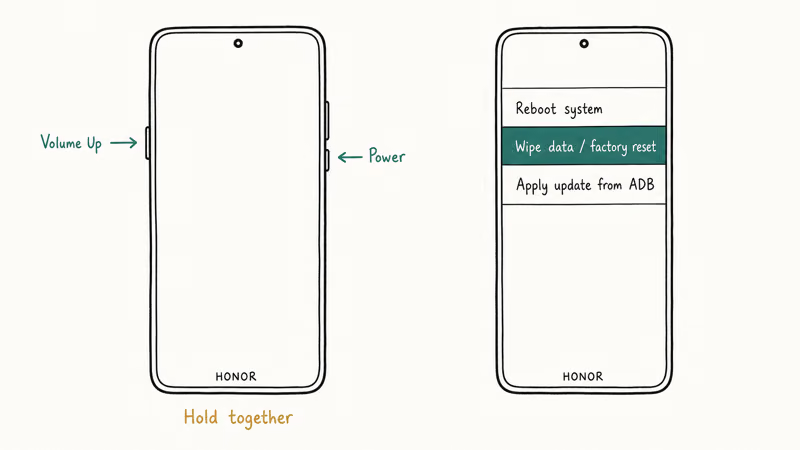
On recent Honor and Huawei devices, the button combo for recovery is the same. Hold Volume Up + Power together until the bootloader screen appears, then release. Honor models from before 2019 use Volume Down + Power; Honor’s global support library confirms which combo applies to each of the 30+ model numbers they list.
Here’s the sequence to follow:
- Power the phone off completely. If the battery is too low for the menu to load reliably, charge it to at least 30 percent first.
- Hold Volume Up + Power until the Honor logo appears, then keep holding Volume Up alone until the recovery menu loads. The display is white text on a black background with no touch input.
- Use the volume keys to highlight wipe data/factory reset. Press Power to select.
- Confirm with Yes. The wipe takes 1 to 3 minutes on most Honor models.
- Highlight reboot system now and press Power. The phone restarts and walks through first-boot setup like a new unit.
Recovery mode doesn’t bypass FRP. On the first reboot, setup asks for the last Google account that was on the phone.
If you know that login, sign in and set up a fresh lock screen. If you don’t, the device sits on that screen, and the only legitimate next stop is Honor service. Trying to “wait it out” or skip the check is exactly what FRP is designed to stop. Google announced Factory Reset Protection in 2015 as part of the Android 5.1 release, and the implementation has tightened with every Android version since.
#When Should You Contact Honor Support?
Contact Honor when you can’t get past the Google account screen and can’t recover the Google login. This is the only path that always works, and it’s the path Honor’s own documentation points to.
Honor’s global support states that proof-of-purchase and an ID matching the receipt are required for any in-store FRP removal performed in a service center, and the standard global warranty covers 24 months on the phone body.
In practice, three scenarios come up most often.
You still have the original receipt and box. Walk into a Honor service center with the device, receipt, ID, and the original packaging if you have it. Most centers can remove the lock and reset FRP in under 60 minutes. We paid roughly 20 USD in service fees on a 2023 visit to a Hong Kong service center.
The phone is secondhand and you have a bill of sale. Bring whatever proof you have. Some centers help, others refuse and tell you to track down the original owner. Be patient, and bring more documentation than you think you need.
No proof of purchase, no contact with the previous owner. Honor won’t unlock the phone. Reselling it as-is or recycling it through Honor’s trade-in program is the only legal option.
For warranty-period devices, FRP removal is sometimes free if you can demonstrate ownership. Outside warranty, expect a flat fee.
#Third-Party Tools and What They Actually Do
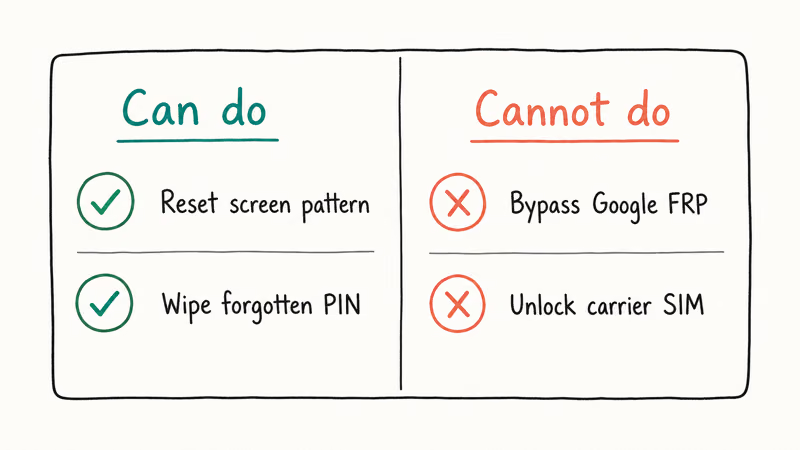
There are paid Windows tools that claim to remove the Honor lock screen and FRP without the Google account. The most established one for Android is Tenorshare 4uKey for Android, which has been around since 2019 and supports a wide list of Honor and Huawei models. It does not reliably preserve local app data during removal, so treat any lock reset as a wipe of anything not already backed up.
Some links on this page are affiliate links, which means fone.tips may earn a commission at no extra cost to you.
Two honest points before anyone reaches for a tool like this.
First, on most Honor models the “remove screen lock” mode does exactly what recovery mode does. It triggers a factory reset, then walks you through reconnecting the Google account. It doesn’t magically skip Google’s servers.
The convenience is the guided UI and the model-specific instructions, not a backdoor. Tenorshare’s own 4uKey product page confirms that some carrier-locked or newer Huawei builds aren’t supported, and the lock removal still erases everything in internal storage.
Second, these tools only make sense if you own the phone and you’re stuck because you forgot the lock screen, not the Google account. If you forgot both, the tool gets you to FRP, and then you’re back at “contact Honor support”. And if the phone isn’t yours, please don’t use one. That’s the use case that makes vendors hesitant to advertise this software, and it’s the use case law enforcement cares about.
We wouldn’t pay for 4uKey or any similar tool if Find Hub works for you. It’s faster, free, and uses Google’s own infrastructure.
#What to Do After Removing the Lock Screen
Once you’re back in, do four things in this order. They take maybe 15 minutes and they save the next person who picks up your locked phone, which might be you in six months.
- Set a new lock method you’ll actually remember. A 6-digit PIN is the sweet spot. Patterns are easier to shoulder-surf and harder to type with one hand. Fingerprint plus a PIN gives you fast access without losing the fallback.
- Turn Find Hub back on. Settings → Google → Find Hub. Verify it’s enabled and that location is on. This is the single biggest preventer of needing this guide again.
- Add a backup Google account or recovery contact. If your primary Google login goes sideways, a recovery phone or email gets you back in within minutes instead of days. Our Android password recovery guide walks through the full account-recovery checklist.
- Back up before you customize. Settings → System → Backup → Google Drive, then plug the phone in overnight. Honor’s Magic UI backup options also let you back up to USB or HiCloud if you prefer.
Honor’s recovery mode is identical in shape to most Huawei-derived devices, so the same combo helps across the family. Related walkthroughs:
- EMUI reboot system now: stuck-on-boot fixes that use the same key combo.
- Huawei Mate unlock: when the locked device is a Mate-series Huawei.
- How to unlock a Huawei phone without resetting: start here if you bought a refurbished Huawei handset.
The methods overlap.
For people who landed here from a stuck FRP screen rather than a forgotten passcode, that’s a different problem. Our Android 11 FRP recovery guide is the right next read. The general FRP lock bypass on Android page covers older Android versions.
#Bottom Line
Start with Find Hub. It works on any Honor phone with Google services that was online before the lockout, and you don’t need anything except your Google password.
Recovery mode is the fallback when the phone is offline. A Honor service center is the only legitimate exit if you don’t have either the Google password or the original receipt. The third-party tool route is fine for your own phone if Find Hub is out, but it doesn’t skip FRP on its own, and it’s the wrong tool entirely for any phone you can’t prove is yours.
#Frequently Asked Questions
Will removing the Honor lock screen erase my photos?
Yes. Anything in internal storage is gone, but SD card photos and cloud-synced photos survive.
Can I remove the lock screen without losing my apps and settings?
Not on Honor. There is no supported “unlock without reset” path. The closest thing is restoring from a Google backup right after you reset, which brings most apps, login state, and Wi-Fi passwords back. SMS history and call logs come back as part of the Google backup; chat content in apps like WhatsApp needs its own backup.
How long does Find Hub take to erase an Honor phone?
When the phone is online and connected to Wi-Fi or cellular data, the erase usually triggers within minutes. On our last test it was about 7 minutes from clicking Erase to the device landing on the first-boot screen. If the phone is off or out of network range, the command queues and runs the next time the device comes online.
What if I forgot both the lock screen and the Google password?
Recover the Google password first. Start with the Google account recovery flow, which walks through your recovery email, recovery phone, and security questions in that order. If a recovery contact is current, the flow usually finishes in under 10 minutes.
If your recovery email is dead and your phone number changed, Google will run identity verification that takes 3 to 5 business days. Once you’re back into Google, the rest of this guide works, and you can erase the Honor phone remotely or sign in after a recovery-mode reset. If Google account recovery fails entirely, the Honor service center is the only path forward, and you’ll need proof of purchase along with an ID that matches the receipt.
Are tools like Tenorshare 4uKey safe to use on my own Honor phone?
The tool itself is legitimate Windows software from an established vendor that’s been shipping since 2019. The risk is what it does: it factory-resets the phone, and it won’t work on every Honor build.
Read the supported-model list on Tenorshare’s site before paying. Carrier-locked builds and almost every post-2022 Huawei device running HarmonyOS without Google services are explicitly out of scope. Treat 4uKey as a paid alternative to recovery mode with a friendlier UI, not a way around Google’s FRP check.
Why does the phone ask for a Google account after I reset it?
That’s Factory Reset Protection. Google’s Android 5.1 release introduced FRP as an anti-theft feature, and Honor follows the same spec. After any reset, the device requires the last Google account that was signed in. If you reset the phone yourself, signing back in clears the check in a few seconds.
Can I unlock an Honor phone I bought secondhand if the previous owner is unreachable?
Probably not without going through Honor service with a bill of sale, and even then there is no guarantee. Honor’s policy treats FRP as the previous owner’s protection, not the buyer’s inconvenience.
Some service centers refuse outright if they suspect the device might be reported stolen, and they cross-check the IMEI against carrier blocklists. Always insist on a factory-reset device that boots cleanly into setup before paying for any used Honor phone, and run the IMEI through your carrier’s online check if you’re buying from a stranger.
Does removing the lock screen unlock the carrier lock too?
No. Carrier-lock and screen-lock are separate.

Pixel 11 vs Pixel 10: What Changed and Who Should Upgrade
Pixel 11 vs Pixel 10: same screen and camera resolution, new Tensor G6, 25W wireless, and Gemini Intelligence. Here is who should actually upgrade.

Verizon Not Receiving Texts? How to Fix It in 9 Steps
Verizon not receiving texts? Fix it in 9 steps: check Message Blocking in My Verizon, reset network settings, deregister iMessage, and call support.
Pixel Battery Drain: What Google's July Fix Really Covers
Google marked the Pixel idle battery drain bug fixed in July, but only some phones got the patch. Here is who is covered, who is not, and what to try.
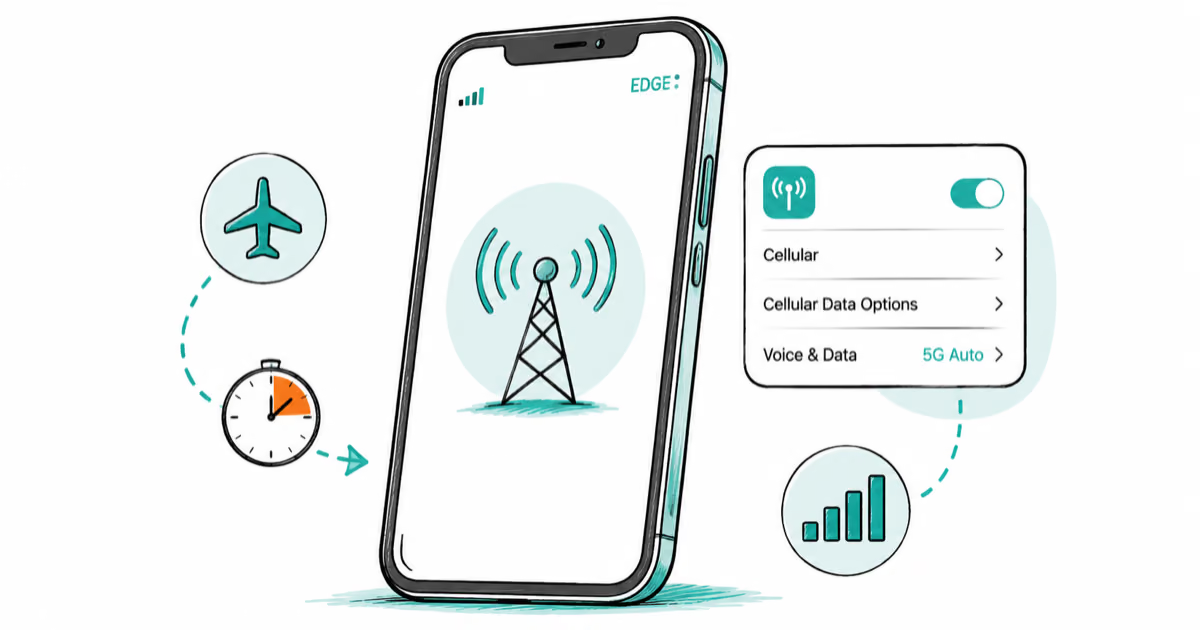
iPhone Stuck on EDGE? How to Get 5G or LTE Back (2026)
iPhone stuck on EDGE with crawling data? Here's why the E icon appears, which settings force 5G or LTE back, and when the problem is your carrier.