Monitor Snapchat on iPhone: A Parent Safety Guide (2026)
Monitor Snapchat on iPhone with Family Center and iOS Screen Time. Consent-based parental supervision using Snap and Apple's official tools.
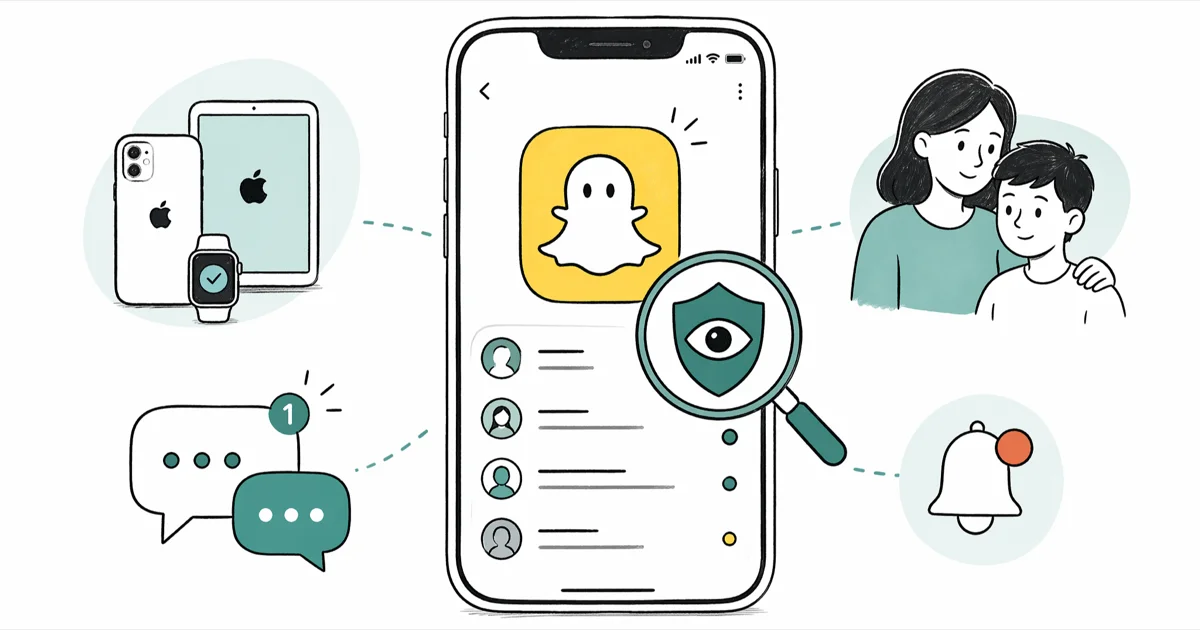
Quick AnswerOn iPhone, supervise a minor child's Snapchat by linking Snapchat Family Center with their consent and adding an iOS Screen Time app limit for Snapchat. Both are free, official, and require your teen's awareness to set up.
Parents who want to monitor Snapchat on iPhone safely have two official, consent-based tools: Snapchat Family Center and iOS Screen Time. The full setup is quick, going from invite to a working time cap in minutes. This guide walks you through both, plus what those tools actually show you.
- Snapchat Family Center shows the friends your teen has Snapped or chatted with in the last seven days plus their privacy settings, not the actual message content
- Family Center requires your teen to send the invitation from their account; there is no hidden or covert setup mode
- iOS Screen Time app limits run on top of Family Center and cut off Snapchat when the daily cap is reached, even if your teen tries to swipe past the warning
- Linking only works when the parent’s Snapchat account is 25 or older and the teen’s account is 13 to 17, per Snap’s age rules
- Third-party spy apps for Snapchat violate Snap’s terms of service and conflict with US wiretap laws in many states
#How Does Snapchat Family Center Work?
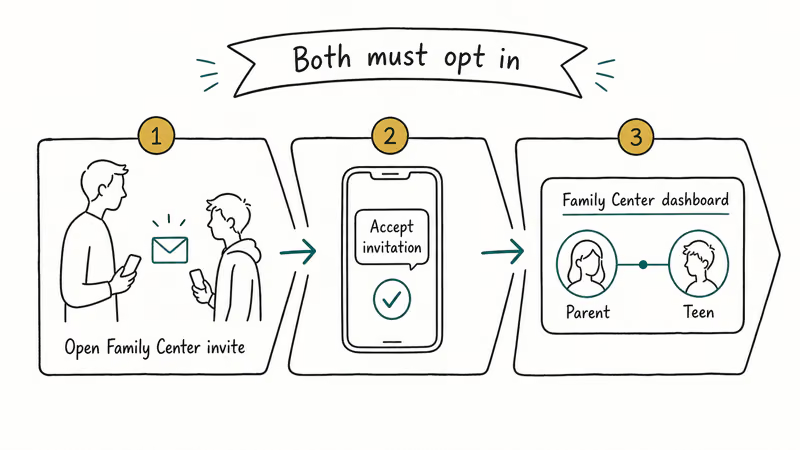
Snapchat Family Center is Snap’s official parental supervision dashboard. It lives at Settings > Family Center inside the app, and the flow always starts with the teen sending an invitation to the parent.
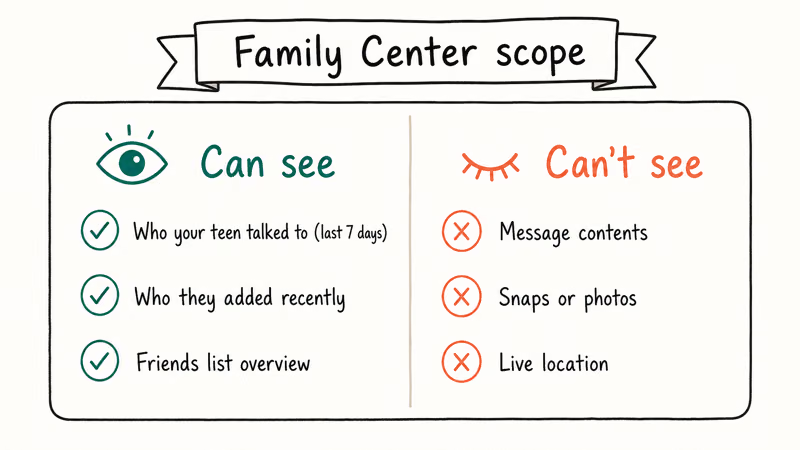
There is no admin console and no hidden mode.
Once linked, you can see the friends list, the accounts your teen has Snapped or chatted with in the last seven days, the account privacy settings, and the ages of every user they’re connected to. According to Snap’s Family Center help article, the tool lets you see who your teen has chatted with recently without reading their messages, so it never exposes the content of any Snaps, Chats, or Stories.
Snap built that limit in on purpose so teens still feel they have basic privacy with their friends.
The invitation generates quickly, and the parent side can accept it in well under a minute. The first sync of the friend list and recent contacts appears on the dashboard shortly after linking.
#Setting Up Family Center With Your Teen
Sit down with your teen first. Walk through what Family Center shows and what it doesn’t.
We’ve found this conversation works far better when it happens before the invite, not after the setup feels like a surprise.
On the teen’s phone, open Snapchat. Tap the profile bitmoji in the top-left, then the gear icon for Settings. Scroll to Family Center and tap Invite a parent. The link expires in 24 hours.
On your iPhone, open the link from the Snapchat account you want to use for supervision.
Tap Accept Invitation. If you don’t have a Snapchat account yet, you’ll be prompted to create one, and Snap will check that the birthday on file makes you at least 25 years old.
Once accepted, the Family Center dashboard appears at Settings > Family Center on your account. You’ll see your teen’s friends list, the accounts they’ve Snapped or chatted with in the past week, and the toggle for Snap’s content controls.
#Adding Screen Time Limits for Snapchat
Family Center tells you who your teen is talking to. iOS Screen Time tells them when to stop scrolling.
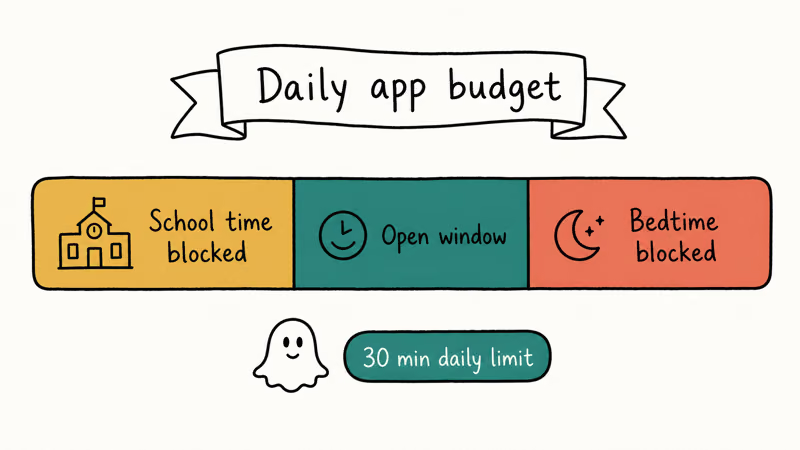
Open Settings > Screen Time > App Limits on your teen’s iPhone. Tap Add Limit, then Social Networking, then check Snapchat. Choose a daily limit: 30 minutes works for younger teens, 60 for older ones, with room to renegotiate either way. Save, and the cap takes effect immediately.
You can also schedule Downtime to block Snapchat overnight.
Go to Settings > Screen Time > Downtime, set the start and end hours, and turn on Block at Downtime. A window like 9
Lock these settings behind a Screen Time passcode you don’t share with your child. Without it, a tech-savvy teen can disable App Limits in seconds.
If you ever lose the code, our guide on the forgotten Screen Time passcode flow covers the supported recovery paths, and our Screen Time app walkthrough explains the rest of the dashboard.
#What Should You Look For on Your Teen’s Snapchat?
Family Center surfaces the friend list and recent contacts but not the messages themselves.
That shifts supervision from reading chats to noticing patterns that need a conversation. Here is a short list of signals worth watching for.
New adult connections. Snapchat shows the ages of accounts your teen is friends with. A new connection that’s an adult, especially someone who isn’t a family member, coach, or known mentor, is the single biggest red flag and the one Snap’s safety pages call out by name.
Friends added by phone number. Snap’s added by phone number feature can link teens with strangers from leaked contact lists. Ask about any contact that bypassed the normal mutual-friends flow.
Sudden contact bursts. If the seven-day contact list balloons overnight, it usually means your teen joined a new server, group, or activity. Most of the time it’s harmless. Occasionally it’s a dating app or a Discord group worth knowing about, and our guide on teen dating apps covers what tends to show up alongside Snapchat in that pattern.
Account privacy turned off. Family Center shows whether Who can contact me is set to Friends or Everyone. Public exposes your teen to message requests from strangers. Toggle this back to Friends together and review the friend list once a month, so removed contacts don’t sneak back in through Quick Add.
#Why Consent and the Law Matter Here
Family Center requires your teen’s invitation because of how Snap built the product, but also because of US law.
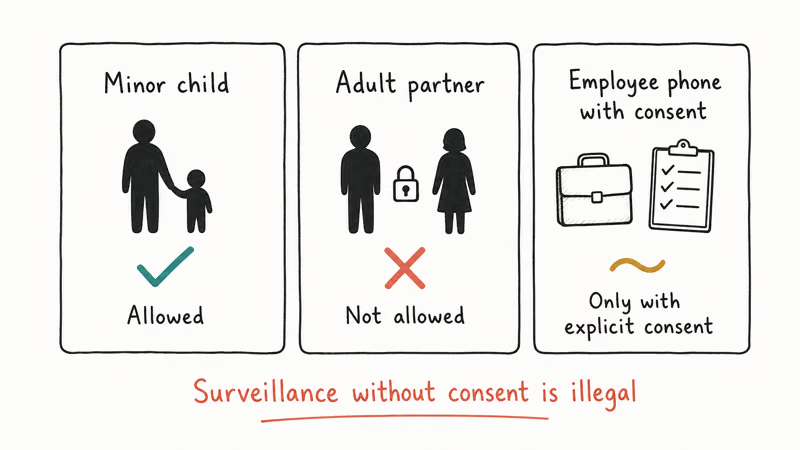
The Children’s Online Privacy Protection Act (COPPA) restricts data collection from users under 13, and Snap bans accounts under that age outright. The FTC’s COPPA guidance confirms that operators serving kids under 13 must get verifiable parental consent before collecting personal information, and the FTC has enforced civil penalties on operators that skipped that step.
For teens 13 to 17, several US states layer additional protections on top. California, Connecticut, and others have passed laws that limit how social platforms can profile minors and require certain default privacy settings.
The bigger issue is family trust.
If your teen feels surveilled without warning, they often create a second hidden account, sometimes called a Finsta on Instagram or a secondary on Snap, where none of your settings reach. Make the setup a joint conversation. Explain what Family Center shows you, what it doesn’t show, and why you want to use it.
Wiretap laws also matter. Most US states make it illegal to intercept private electronic communications between two people without the consent of at least one party, and a handful require all-party consent. That’s why stalkerware-style apps that promise to read your teen’s chats are legally radioactive, not just ethically wrong.
#If You Find Something Concerning
Some Family Center patterns deserve immediate action, not a chat-it-out approach.
An adult is sexually messaging your minor teen. That’s a US federal crime. Screenshot, then report the account inside Snapchat (three-dot menu on the chat, Report) and to the National Center for Missing and Exploited Children’s CyberTipline. After that, call local police.
The account is being targeted for sextortion. Snap’s sextortion safety page says: don’t pay, don’t delete, screenshot, then report.
Your teen is talking to a known account they’ve been told to block. This is rule-breaking but not necessarily safety-threatening. Use it as a conversation, not a punishment, and reinforce the block in Snap and at the iPhone level if needed.
The contact list keeps growing in a way that worries you. Reduce the bigger surface. Set Who can contact me to Friends, turn off Quick Add, and review the friend list weekly so removed contacts don’t sneak back in through phone-book syncs. Consider a phone-wide approach with our parental control router guide so the same controls apply across the whole home network, not just inside Snapchat.
#Bottom Line
For supervising a minor child’s Snapchat on iPhone, link Snapchat Family Center with their consent, add a 30-to-60 minute iOS Screen Time cap on Snapchat, schedule Downtime overnight, and lock the Screen Time passcode where they can’t find it.
Mirror the time limit on any other social app you have at home, since TikTok parental controls and Instagram Family Center cover those apps the same way. Without parallel caps, scrolling just slides sideways into whichever app isn’t capped. Skip third-party spy apps for Snapchat; they break US wiretap laws in many states and burn the family trust that makes any of this supervision actually work.
#Frequently Asked Questions
Can I see Snapchat messages through Family Center?
No. Family Center exposes the friend list, recent contacts, and account privacy settings, but not the content of Snaps, Chats, or Stories. Snap built that limit in on purpose so teens still feel they have basic privacy. If you have a specific safety concern about a conversation, talk with your teen and review the chat on their phone together.
Will my teen know I am supervising their Snapchat?
Yes. Your teen sends the invitation, sees the linked status in their settings, and gets a banner reminder that supervision is active. There is no hidden mode and no covert install path.
What if my child is under 13?
Snapchat does not allow accounts under 13. If you find one, report it to Snap so the account is terminated under COPPA, then have a conversation with your child about why platforms set age minimums. Once they turn 13, you can revisit the Family Center route together. Until then, focus on iPhone-level controls like Screen Time and content restrictions.
Can my teen disconnect Family Center without me knowing?
No. If your teen leaves Family Center, you get an immediate notification on your linked account, and some features on their account also get a short cooldown.
Are third-party Snapchat monitoring apps safe to use?
We don’t recommend them. The ones that pull message content usually require jailbreaking the iPhone, and Apple’s support article on unauthorized modifications confirms that jailbreaking voids the 1-year hardware warranty and exposes the device to malware. The non-jailbreak ones tend to violate Snap’s terms of service and US wiretap laws in many states. A consent-based Family Center setup gives you the same useful signal without the legal exposure.
How can I block Snapchat entirely on my child’s iPhone?
Open Settings > Screen Time > Content and Privacy Restrictions > Allowed Apps on the iPhone, toggle Snapchat off, and lock it behind the Screen Time passcode.
What should I do if my teen creates a secret second Snapchat account?
Don’t pretend you didn’t notice; raise it with them directly. The usual driver is feeling over-supervised on the main account. Renegotiate which Family Center signals you actually act on, scale back rules that don’t match the real risk, and ask them to bring the second account onto the supervised side. Most teens cooperate once the rules feel fair and predictable.
Can Family Center see my teen’s location through Snap Map?
Family Center does not include a live Snap Map feed. You can ask your teen to enable Ghost Mode at Snap Map > Settings, which hides their location from non-friends. If you need real location-sharing for safety reasons, use Apple’s built-in Find My or Family Sharing instead, since those work at the device level and don’t depend on Snapchat at all.

Mac mini M6 vs M5 Pro: Which Model Should You Buy?
Mac mini M6 vs M5 Pro compared on price, memory, ports, displays, and real workloads. Find the better 2026 Mac mini for your desk and budget.

Apple Siri Settlement: Who Qualifies and How to Claim
Apple's $250 million Siri settlement covers iPhone 15 Pro and iPhone 16 models bought June 2024 to March 2025. See who qualifies and how claims work.

iOS 26.6.1 Security Update: What Apple Fixed and Who Gets It
Apple released iOS 26.6.1 on August 17 with 29 security fixes, including an IPSec interception bug. See what it patches, who gets it, and how to update.

iPhone Adaptive Power: How It Works and When to Use It
Learn how iPhone Adaptive Power works, which models support it, what it changes, and when Low Power Mode is still the better battery-saving choice.