Degoo Cloud Storage Review: Pricing, Security, Pros
Degoo offers up to 10 TB of encrypted cloud storage starting free. A close look at its pricing, security, and real-world drawbacks before you sign up.
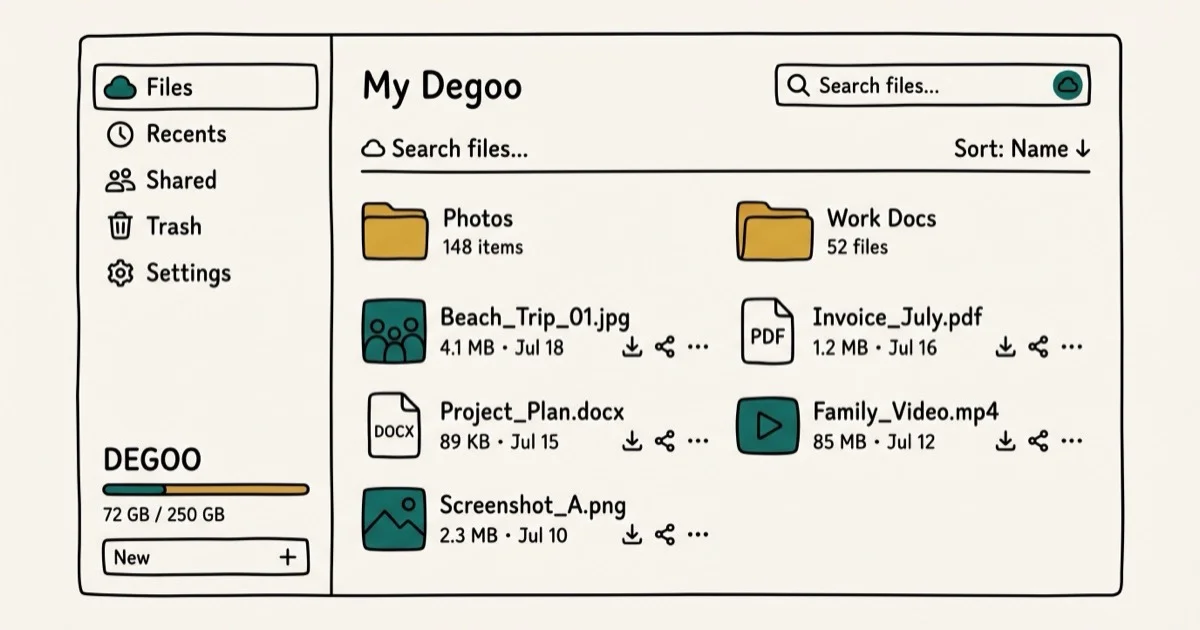
Quick AnswerDegoo offers 20 GB of free cloud storage with 256-bit AES encryption and a mobile-first backup experience. Paid plans go up to 10 TB for $9.99 per month. However, the lack of a desktop client, no file versioning, and mixed user reviews on reliability make it a hard sell compared to competitors like pCloud or Sync.com.
Degoo is a cloud storage service that promises large storage at low prices, with an emphasis on photo backup and encryption. The actual experience tells a more complicated story than the marketing suggests.
This review looks at Degoo across its free and paid tiers to see how it stacks up against Google Drive and Dropbox. Here’s what stands out.
- Degoo provides 20 GB of free storage with optional referral bonuses of 5 GB per friend, up to 500 GB total
- Paid plans include 500 GB for $2.99/month and 10 TB for $9.99/month with zero-knowledge encryption
- All tiers use 256-bit AES encryption for data in transit and at rest
- There is no desktop sync client, no file versioning, and no scheduled backups
- Free accounts lose stored data after 12 months of inactivity
#Degoo Features and Storage Plans
Degoo launched in 2012 as a cloud backup platform built around security and affordability. It’s a photo-first backup tool, not a full file sync solution like Dropbox or OneDrive.
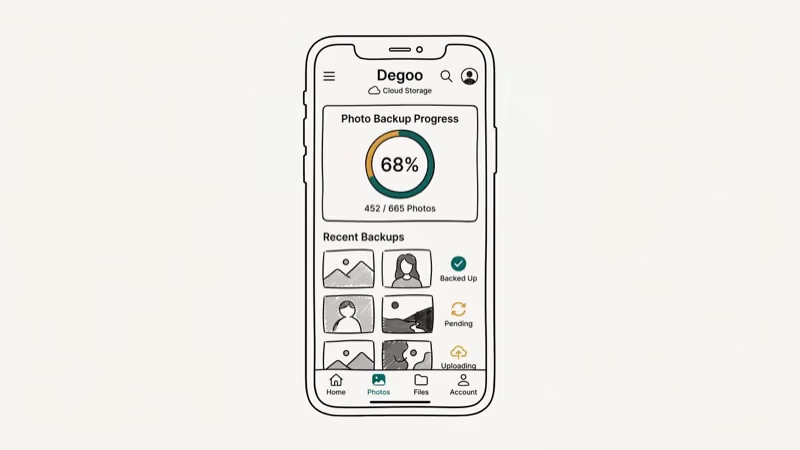
The mobile app is where Degoo works best. Uploads start right away once you grant camera roll access.
On the web side, things get rougher. Degoo discontinued its Windows desktop client, and the web app that replaced it can’t handle drag-and-drop folders or scheduled backups, so every upload requires manual action through the browser. If you’re someone who needs to back up WhatsApp messages on Samsung devices, Degoo handles that through its mobile app, but for anything beyond phone-based backup the workflow feels incomplete.
#How Does Degoo’s Pricing Compare?
Degoo has three tiers to choose from.
Free Plan gives you 20 GB across three devices with ads. No zero-knowledge encryption, single data center, 256 MB per-file cap.
Pro Plan at $2.99/month bumps storage to 500 GB, removes ads, and allows backup from up to 10 devices with end-to-end encryption. The per-file limit jumps to 50 GB, and you get the “Top Secret” zero-knowledge encryption folder.
Ultimate Plan at $9.99/month goes all the way to 10 TB with unlimited devices, zero-knowledge encryption across all folders, and a photo storage maximizer that keeps full-resolution copies in the cloud while storing compressed versions on your phone. If you’re backing up years of photos and videos from multiple family members, this is the tier that makes financial sense.
According to Cloudwards’ Degoo review, the pricing looks competitive until you compare feature sets — pCloud’s 500 GB plan runs $3.99/month but includes a desktop sync client, file versioning going back 365 days, and shared folder collaboration. Competitors like pCloud and Icedrive offer desktop sync, file versioning, and better sharing tools at similar price points.
The referral program adds 5 GB per friend on free accounts and 10 GB per friend on paid plans, maxing out at 100 referrals.
#Is Degoo Secure Enough for Sensitive Files?
All plans get 256-bit AES encryption for files in transit and at rest. SSL/TLS tunnels protect every server connection.

The “Top Secret” folder on paid plans uses zero-knowledge encryption. You choose a passphrase that Degoo never stores, and files are encrypted on your device before upload, split into signed chunks, and distributed across multiple storage providers. Degoo’s help center confirms that files are split into signed chunks distributed across 3 or more storage providers before upload, meaning even Degoo staff can’t access your files in that folder. See their zero-knowledge storage article for the technical breakdown.
Passwords are protected with PBKDF2 hashing plus HMAC512. That’s solid.
Free plan users don’t get zero-knowledge encryption at all. Their files sit in a single data center without multi-location replication. Encrypt locally before uploading if you’re on the free tier.
Degoo also lacks native two-factor authentication. You can get 2FA by signing in through your Google account, but Degoo doesn’t have its own 2FA system. If you’re dealing with SSL errors on your devices, that’s a separate issue from Degoo’s encryption layer.
Some users on review platforms have reported that Degoo flagged and accessed files despite the zero-knowledge promise, particularly around copyrighted content. According to TechRadar’s Degoo review, the security is probably fine for holiday photos but may not be trustworthy enough for sensitive medical or financial documents.
#Key Drawbacks Worth Knowing
A few issues stand out across the platform.
No desktop sync client. Degoo killed its Windows app, and there’s no macOS client. If you need desktop file sync, you might want to transfer files from Dropbox to Google Drive instead.
No file versioning. Upload a file with the same name, and Degoo replaces the original without keeping any history.
Five-day recycle bin. Most cloud providers keep deleted files for 30 days or more.
Slow speeds. Degoo’s upload and download speeds tend to lag the mainstream services on the same connection. According to Tom’s Guide’s Degoo review, download speeds measured in their lab testing fell well below average compared to mainstream alternatives.
Unreliable customer support. Multiple reviewers have reported wait times of 10 to 15 days for responses, and some users reported having paid subscriptions terminated without notice, with all stored data lost.
Zero collaboration tools. No shared folders, real-time editing, or team workspace of any kind.
#Degoo’s Mobile App Performance
The mobile app is Degoo’s strongest feature. On both Android and iOS, it provides automatic camera roll backup and a clean browsing interface for stored files.
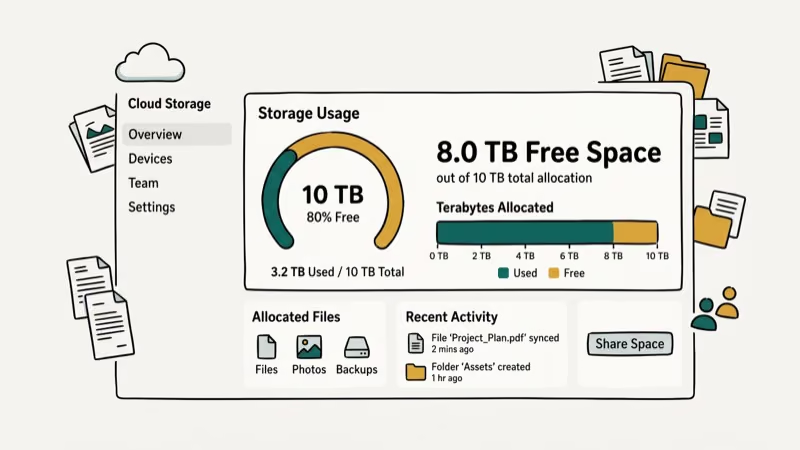
Photo backup works in the background once you turn it on. If you’ve been looking for ways to recover deleted photos from Android, having an automatic cloud backup prevents that problem entirely.
The photo storage maximizer on paid plans compresses local copies on your phone while keeping full-resolution originals in the cloud, which frees up device storage without losing quality on the backed-up versions. File sharing from mobile works through generated links that expire after 7 days with a 1 GB file size cap. Recipients don’t need a Degoo account to download.
The app averages around 4.0 stars in both the Google Play Store and Apple App Store. Most complaints focus on occasional sync failures and the ads on free accounts.
#Degoo vs. Other Cloud Storage Services
For context, here’s how Degoo stacks up against the big names in cloud storage.
Google Drive gives you 15 GB free with desktop sync, file versioning, real-time collaboration through Google Docs, and tight integration with Gmail and Google Workspace. It’s the better option for anyone who wants a do-everything cloud service.
Dropbox offers 2 GB free but has the most polished desktop sync client on the market, with Smart Sync, version history going back 30 to 180 days depending on your plan, and strong third-party app integrations. If desktop sync matters to you, Dropbox is worth the premium.
pCloud and Icedrive sit closer to Degoo’s price range while offering desktop apps, file versioning, and better sharing tools. They’re the most direct alternatives if you want Degoo-level pricing with fewer compromises.
#Bottom Line
Degoo is cheap photo backup with decent encryption. That’s about it.
But the missing desktop client, absent file versioning, and 5-day recycle bin make it hard to recommend as a primary service. Security gaps on the free plan and reports of unreliable customer support add more reasons to pause.
If you need a reliable all-around cloud storage service with sync, sharing, and versioning, consider pCloud, Sync.com, or removing Dropbox from your Mac in favor of iCloud or Google Drive. Degoo works best as a secondary backup layer for phone photos alongside a more complete primary service.
#Frequently Asked Questions
Is Degoo free to use?
Yes. Degoo’s free plan gives you 20 GB across three devices with ads. Refer friends for 5 GB each, up to 500 GB total.
Does Degoo use end-to-end encryption?
All Degoo plans use 256-bit AES encryption for data in transit and at rest. True zero-knowledge end-to-end encryption is only available on paid plans through the “Top Secret” folder feature, where you set a passphrase that Degoo never stores. Free users get encryption in transit but not zero-knowledge protection.
Can I use Degoo on my computer?
Not with a native app. Degoo discontinued its desktop client. The web app at degoo.com lets you browse and upload files manually, but it lacks folder sync, drag-and-drop, and scheduled backups.
What happens to my files if I stop paying?
Your account reverts to the free tier. Files beyond the 20 GB limit aren’t deleted right away, but Degoo may remove them after a grace period. Free accounts inactive for 12 months risk losing everything.
How does Degoo compare to Google Drive?
Google Drive offers 15 GB free with full desktop sync, real-time collaboration, file versioning, and deep integration with Google Workspace. Degoo gives you more storage per dollar but lacks sync, versioning, and collaboration features. For most people, Google Drive is the safer bet. The main scenario where Degoo wins is raw storage capacity at the $9.99/month price point.
Is Degoo safe for storing sensitive documents?
Paid plans with the “Top Secret” folder use zero-knowledge encryption, meaning Degoo can’t read your files. Free plan users don’t get this protection. For highly sensitive files, encrypt locally with Cryptomator before uploading.
Does Degoo have a file size limit?
Free accounts cap uploads at 256 MB per file. Pro and Ultimate subscribers can upload files up to 50 GB.
Can I share files stored on Degoo with others?
You can generate a download link from the app or web interface. Recipients don’t need a Degoo account. Links expire after 7 days with a 1 GB cap, and there are no shared folders or collaboration features available on any tier.

Best Laptop for Running LLMs in 2026: Memory Comes First
The best laptop for running LLMs is a memory purchase first. Compare MacBook unified memory against NVIDIA laptop VRAM, and see what each tier really runs.

Pixel 11 vs Pixel 10: What Changed and Who Should Upgrade
Pixel 11 vs Pixel 10: same screen and camera resolution, new Tensor G6, 25W wireless, and Gemini Intelligence. Here is who should actually upgrade.

Best Power Bank for iPad in 2026: Pro, Air, and Mini
Best power bank for iPad in 2026. Compare mAh tiers and USB-C PD wattage for iPad Pro, Air, and mini, plus airline Wh math, cables, and travel tips.

Best Power Bank With Built-In Cable: Top 2026 Picks
Best power bank with built-in cable picks for 2026. Compare single USB-C, multi-connector, and retractable laptop banks, plus airline Wh math.