Best Tablet for Note-Taking in 2026: 7 Smart Picks
Best tablet for note-taking in 2026, with iPad, Galaxy Tab, budget, college, art, and big-screen picks ranked by pen workflow and school needs.
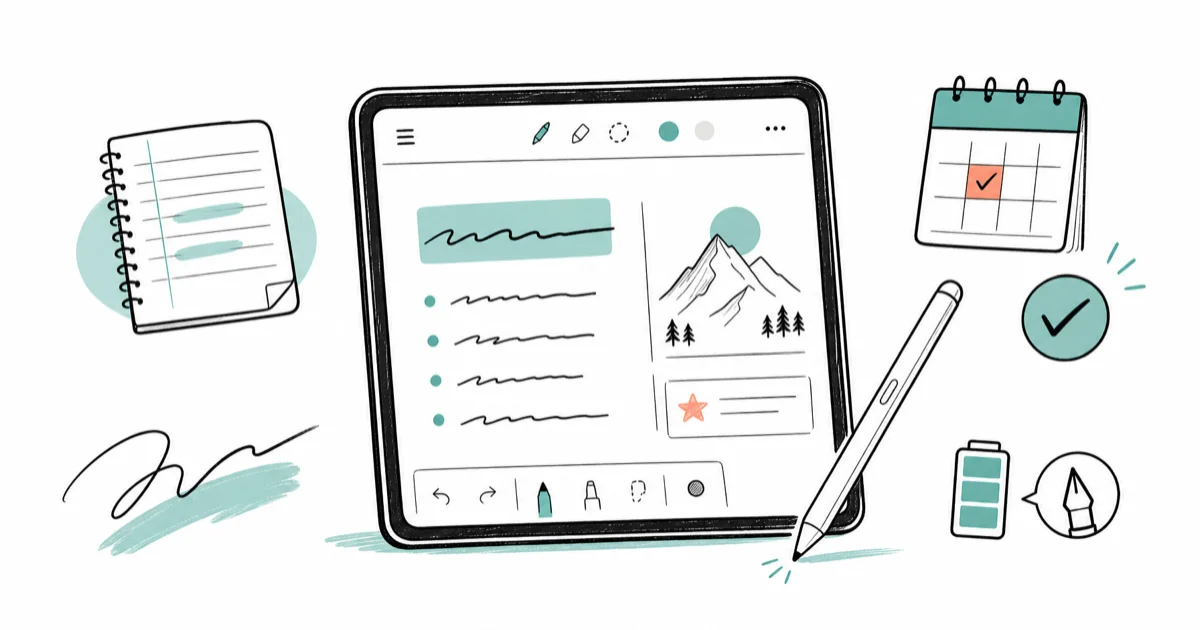
Quick AnswerThe iPad Air with Apple Pencil Pro is the best tablet for note-taking for most people. Choose Galaxy Tab S11 if you want Android and an included pen.
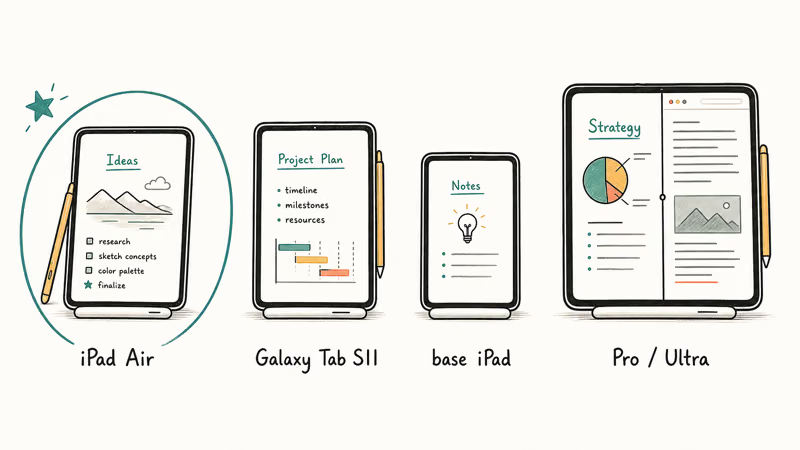
The best tablet for note-taking is the model that matches your pen, app, and class workflow. For most people, that is the iPad Air with Apple Pencil Pro.
- The iPad Air is the safest note-taking pick because it supports Apple Pencil Pro and has the deepest iPad note app catalog.
- The Galaxy Tab S11 is the best Android pick because Samsung includes the S Pen and gives you an 11-inch AMOLED screen.
- The base iPad is the better value if you mostly write lecture notes, annotate PDFs, and don’t need ProMotion.
- A 13-inch or 14.6-inch tablet helps with sheet music, textbooks, and split-screen research, but it gets tiring in one hand.
- Students should budget for a case, spare nibs, cloud backup, and a keyboard before paying for a Pro tablet.
#Which Tablet Is Best for Note-Taking?
The best tablet for note-taking in 2026 is the iPad Air with Apple Pencil Pro. It gives you the right mix of pen support, app quality, battery life, and price before you jump to the iPad Pro. Tom’s Guide found that the iPad Air M4 is its best tablet for most people, with 12GB of memory and Wi-Fi 7 at the same starting price as the prior model.
For the wider shortlist across every use case, start from our best tablet guide.
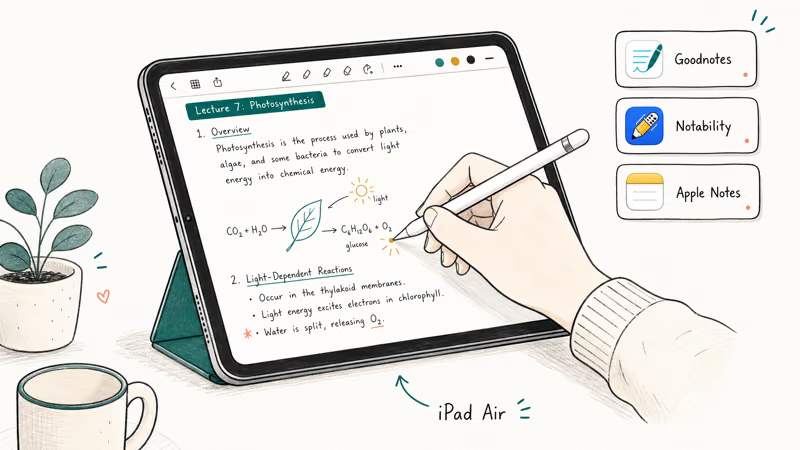
Apple’s app library is the real reason it wins. Goodnotes, Notability, OneNote, Apple Notes, Freeform, and PDF Expert all feel mature on iPadOS, and most college templates, planners, and lecture workflows start there first. If you already use an iPhone or Mac, AirDrop, iCloud Drive, and Handoff also reduce the friction around moving notes after class.
This guide compares each pick against three everyday jobs: opening a PDF, writing with palm rejection, and exporting notes to cloud storage. The iPad Air asks for the fewest setup decisions, while the Galaxy Tab S11 makes more sense if your notes already live in Samsung Notes or OneNote.
#Best Overall: iPad Air with Apple Pencil Pro
The iPad Air is the note-taking tablet most people should buy because it gets you modern Apple Pencil support without the iPad Pro price. It comes in 11-inch and 13-inch sizes, so you can choose portability or a larger page view before adding the pen.
According to Apple’s Pencil compatibility page, Apple Pencil Pro works with 5 current iPad model families and requires iPadOS 17.5 or later. That number matters because Apple sells several Pencil generations, and the wrong Pencil can leave you with a stylus that won’t pair. Check compatibility before you buy used or bundle accessories.
The 11-inch Air is better for students who carry it all day. The 13-inch Air is better if you annotate slides beside a textbook or keep a video call open while writing. If you also want a device that can fold into a laptop role, compare the Air against our best 2-in-1 laptop 2026 picks before you commit to tablet accessories.
#Best Android Pick: Galaxy Tab S11
The Galaxy Tab S11 is the best Android tablet for note-taking because the S Pen is included and the screen is tuned for writing, reading, and media. Samsung Notes is strong for handwritten notes, PDF markup, shape cleanup, and quick search, and it syncs better across Samsung phones and laptops than most third-party note apps.
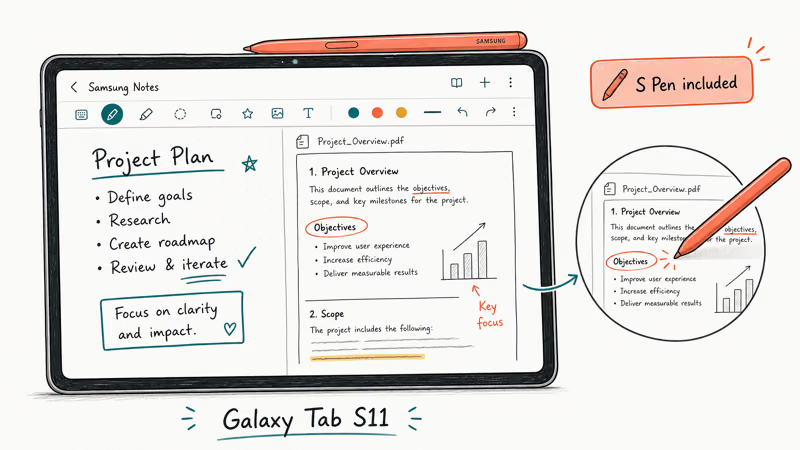
Samsung’s Galaxy Tab S11 page confirms that the Tab S11 line includes a redesigned S Pen, DeX desktop productivity, and IP68-rated durability. The same official spec table lists the Galaxy Tab S11 Ultra with a 14.6-inch Dynamic AMOLED 2X display, 5.1 mm thickness, and an included S Pen, which makes it the giant-screen pick when you can handle the size.
The regular Tab S11 is easier to carry than the Ultra. Pick it if you want Android, handwriting, and a pen in the box. Pick the Ultra only if you split your screen often or use it on a desk stand more than in your hands.
#Best Budget Note Tablet: Base iPad
The base iPad is the budget note-taking pick for students who want iPad apps and don’t need the Air’s extra power. It handles Apple Notes, OneNote, Goodnotes, web research, and PDF markup well enough for most lectures. The trade-off is accessory compatibility, so check which Pencil model your iPad supports before you buy.
This is the safest low-risk recommendation for high school, college, and meeting notes. You get a large enough canvas, good battery life, and the same App Store as the more expensive models. Spend the saved money on a protective case, a matte screen protector if you like paper feel, and cloud backup.
The base iPad also pairs better with a real laptop than with a fantasy of replacing one. Students who type long papers, run desktop software, or need a campus-issued testing browser should still start with our best laptop for college students 2026 guide and add a tablet only for handwritten work.
#Best Big Canvas: iPad Pro or Galaxy Tab S11 Ultra
A big tablet is worth it when your notes are visual. Think anatomy diagrams, engineering sketches, sheet music, architecture markups, or textbooks beside handwritten notes. A larger screen turns split view from cramped to useful.
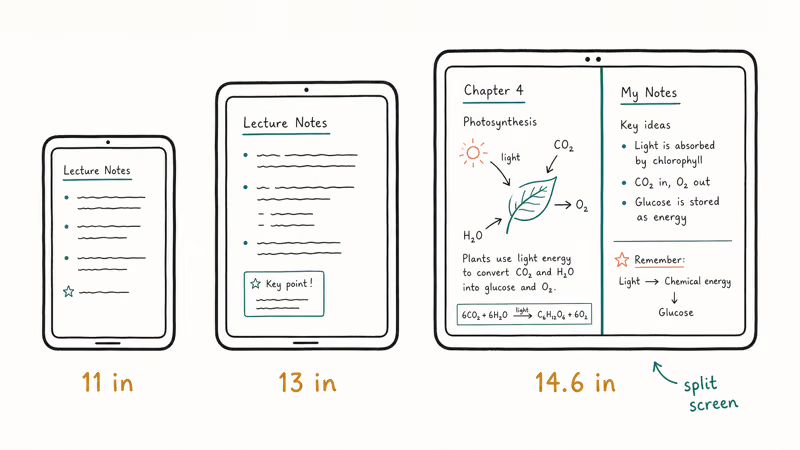
The iPad Pro is the better big canvas if your apps are iPad-first and you care about the best pen feel Apple sells. The Galaxy Tab S11 Ultra is the better big canvas if you want the S Pen included, microSD storage, and a desktop-like DeX setup. Both cost enough that you should know your workflow before paying.
For drawing-heavy notes, compare a tablet against a dedicated pen display too. Our cheap drawing tablet with screen guide covers options that connect to a computer and may cost less than a premium tablet bundle. If your notes are sheet music, lyrics, or stage cues, our tablets for musicians guide goes deeper on stand stability and page-turning.
#What Should Students Buy?
Students should buy the cheapest tablet that supports the pen and apps they actually need. For most iPhone users, that means a base iPad or iPad Air. For Samsung phone users, the Galaxy Tab S11 or a discounted Galaxy Tab with S Pen support is cleaner than forcing an iPad into a Google and Samsung workflow.
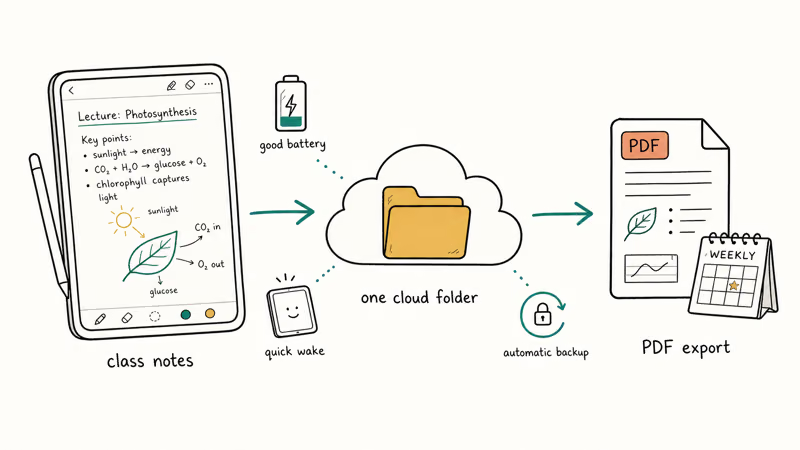
Class notes create a different pressure than office notes. You need battery life, quick wake, cloud backup, and a way to submit PDFs without fighting file exports at midnight. The safest workflow is boring: one note app, one cloud folder, one naming pattern, and weekly PDF exports for classes that use a learning portal.
Don’t skip the keyboard question. If you type more than you handwrite, a 2-in-1 laptop may be the better primary device, with a tablet as a second screen or PDF notebook. If you mostly annotate lecture slides, the tablet should come first.
#Best Apps and Accessories for Better Notes
#1. Pick One Notes App
The note app matters almost as much as the tablet. Apple Notes is enough for quick handwritten notes, OneNote is strong across Windows and Android, and Goodnotes or Notability are better for organized notebooks.
#2. Buy a Protective Case
Buy a case before you buy a premium keyboard. A cracked screen ruins the whole tablet budget, while a keyboard can wait until you know you need it.
#3. Add Spare Pen Tips
Spare pen tips are worth buying early because a worn nib makes handwriting feel worse than the tablet actually is. Keep one in the tablet sleeve.
#4. Set Cloud Backup
Cloud backup is non-negotiable. Set the note app to sync before class, then confirm the notes appear on another device.
#5. Test PDF Export
Test export before a semester starts. Export the first week of notes as PDFs to confirm your backup path. That five-minute check matters more than a faster chip.
#Bottom Line
Buy the iPad Air with Apple Pencil Pro if you want the safest note-taking tablet for school, meetings, and PDF markup. It has the best app ecosystem, modern Pencil support, and enough power to last through several years of notes.
Choose the Galaxy Tab S11 if you want Android and an included pen. Choose the base iPad if price matters more than Pro features. Step up to the iPad Pro or Galaxy Tab S11 Ultra only when a larger screen directly improves your notes, diagrams, or split-screen workflow.
#Frequently Asked Questions
What is the best tablet for handwritten notes?
The iPad Air with Apple Pencil Pro is the best tablet for handwritten notes for most people. It has a strong pen feel, mature note apps, and wide accessory support. The Galaxy Tab S11 is the better pick if you want Android and an included S Pen.
Is an iPad or Samsung tablet better for students?
An iPad is better for most students who already use an iPhone, Mac, or iCloud. A Samsung tablet is better if you use a Galaxy phone, Samsung Notes, or Android apps every day. Both work for school notes, so ecosystem should decide more than raw specs.
Do you need an iPad Pro for note-taking?
No. The iPad Air and base iPad are enough for lecture notes, PDFs, planners, and meeting notes. Buy the iPad Pro only if you need the better display, more storage, or a larger canvas for creative work.
Is 11 inches enough for note-taking?
Yes, 11 inches is enough for most handwritten notes and class work. It’s easier to carry and hold than a 13-inch tablet. Go larger only if you use split screen often or annotate full-page PDFs every day.
Which note-taking app should you use?
Start with the app that syncs with your other devices. Apple Notes is fine for quick notes, OneNote is strong across Windows and Android, and Goodnotes or Notability are better for organized notebooks. Test export before a semester starts.
Should you use a matte screen protector?
A matte screen protector helps if the glass feels too slippery under the pen. It can dull the display slightly and wear pen tips faster, so try the tablet without one first. Add it only if handwriting control bothers you.
How much storage do note-taking tablets need?
128GB is enough for most handwritten notes, PDFs, and textbooks if you use cloud storage. Pick 256GB or more if you download many videos, keep large art files, or share the tablet with family. Storage is harder to fix later than a case or keyboard.

Best Laptop for Running LLMs in 2026: Memory Comes First
The best laptop for running LLMs is a memory purchase first. Compare MacBook unified memory against NVIDIA laptop VRAM, and see what each tier really runs.

Pixel 11 vs Pixel 10: What Changed and Who Should Upgrade
Pixel 11 vs Pixel 10: same screen and camera resolution, new Tensor G6, 25W wireless, and Gemini Intelligence. Here is who should actually upgrade.

Best Power Bank for iPad in 2026: Pro, Air, and Mini
Best power bank for iPad in 2026. Compare mAh tiers and USB-C PD wattage for iPad Pro, Air, and mini, plus airline Wh math, cables, and travel tips.

Best Power Bank With Built-In Cable: Top 2026 Picks
Best power bank with built-in cable picks for 2026. Compare single USB-C, multi-connector, and retractable laptop banks, plus airline Wh math.