Best Tablet 2026: Top Picks by Use Case and Budget
Best tablet picks for 2026 by use and budget: iPad versus Galaxy Tab versus Amazon Fire, and when a tablet can replace a laptop for media, work, art.
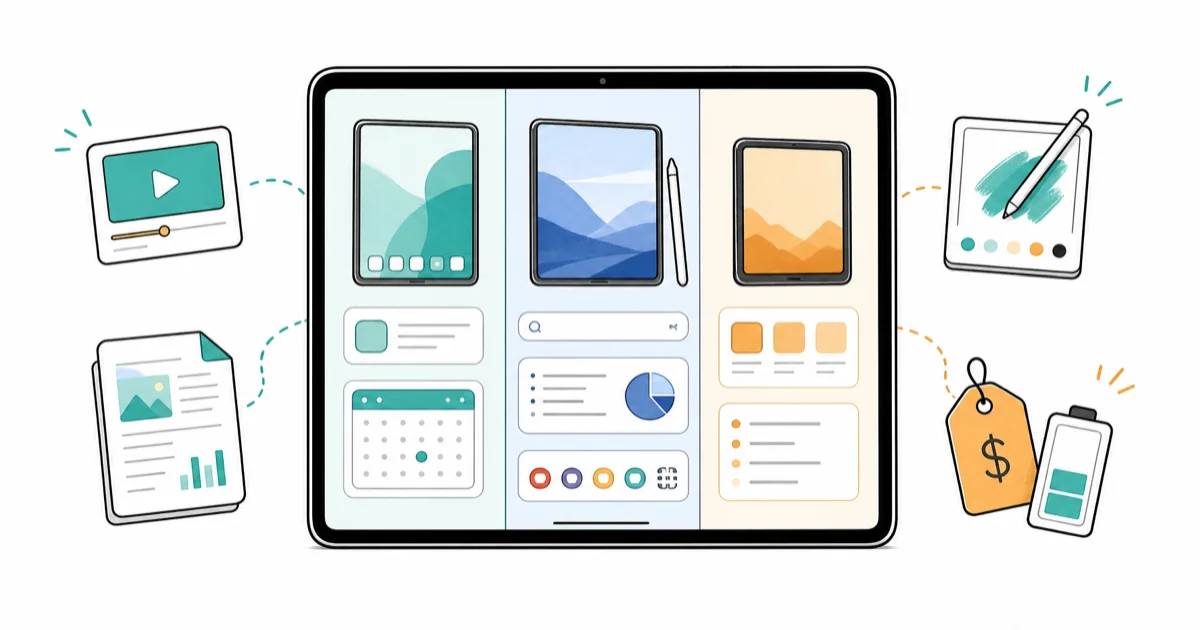
Quick AnswerThe iPad Air with the M-series chip is the best tablet for most people in 2026, balancing near-Pro speed, long battery, and the deepest app library. The Galaxy Tab S11 Ultra is the best big-screen Android pick, and an Amazon Fire HD covers budget streaming.
The best tablet in 2026 is the one that fits how you use it, not the one with the highest benchmark. Apple, Samsung, and Amazon all sell strong slates this year. This guide sorts the field by what you actually do with a tablet, from media to work to art.
- The iPad Air with an M-series chip is the best all-around tablet for most people, pairing near-Pro speed with the largest tablet app catalog.
- The iPad Pro M5 ships in 11-inch and 13-inch sizes with a tandem OLED panel and is the pick when you edit video or run desktop-class creative work.
- The Galaxy Tab S11 Ultra has a 14.6-inch AMOLED screen and includes an S Pen in the box, lowering the real starting cost versus an iPad plus pen.
- Samsung now promises seven years of OS updates on the Tab S11 line, matching Apple’s long support window for the first time.
- An Amazon Fire HD covers streaming and reading on a budget, but it runs the Amazon Appstore, not Google Play.
#Which Tablet Should You Buy in 2026?
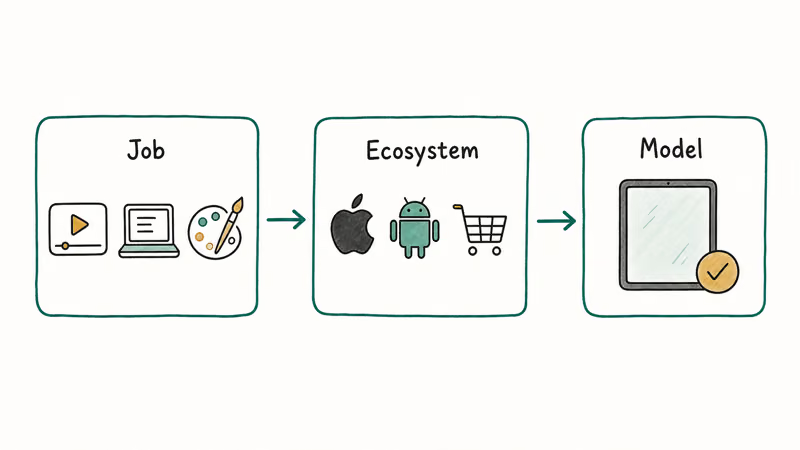
Pick your job first, then your ecosystem, then the model. Nearly every premium tablet this year is already fast enough for browsing, email, and video, so the spec sheet is the wrong place to start. The real decision is what you plan to create, which pen you need, and how the keyboard and accessory bill stacks up after checkout, because those extras often add as much as a budget tablet costs on their own.
For most buyers, the iPad Air is the safe default. It runs the same core silicon family as the Pro, drives the same apps, and costs hundreds less. Reviewers at Tech Advisor’s tablet guide name it the best tablet overall, calling it the iPad most people should buy. For common tablet jobs like note-taking, light photo work, and split-screen multitasking, the Air is the simpler value pick.
The iPad Air and Galaxy Tab S11 Ultra mostly split by ecosystem and screen size. The Air has the deeper tablet app library; the Samsung feels closer to a laptop because of its huge display, included S Pen, and DeX mode.
#Best Tablet for Media and Streaming
If you mostly watch, read, and browse, you don’t need flagship silicon. You need a good screen, decent speakers, and a comfortable size in the hands.
For Android viewers on a budget, the OnePlus Pad 3 is a strong entertainment pick with a large high-refresh display and loud multi-speaker audio. According to Android Authority’s tablet testing, it ranks as the best Android tablet to buy, praised for its battery and eight-speaker audio at a price under the flagship pair.
For the cheapest path, the Amazon Fire HD line covers casual streaming and reading. As Trusted Reviews notes in its Fire tablet guide, these are value-first devices tuned for Amazon’s own services. The catch is software: a Fire tablet runs the Amazon Appstore by default, not Google Play, so some apps you expect simply are not there. Amazon also trimmed the Fire lineup in 2026, so check current availability before you settle on a specific model.
A short rule helps here. If you live inside Prime Video, Kindle, and Audible, a Fire HD is fine. If you want full Google Play and better performance, spend a little more on a budget Android tablet instead.
#Best Tablet for Work and Productivity
Work tablets live or die on the keyboard, the multitasking model, and how close they get to a laptop. This is where the price gap widens fast.
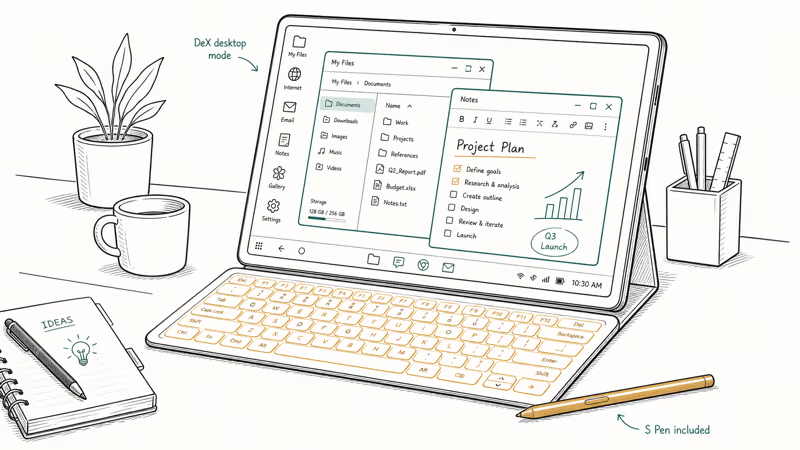
The Galaxy Tab S11 Ultra is the closest an Android tablet gets to replacing a laptop. Its 14.6-inch AMOLED panel is huge, and Samsung’s DeX desktop mode plus a keyboard case turns it into a credible workstation. A real advantage over Apple: Samsung includes the S Pen in the box, while Apple sells the Pencil separately.
According to Android Authority’s update tracker, Samsung states that the Tab S11 line gets 7 years of OS updates, matching the long support window buyers expect from a premium device.
The iPad Pro M5 sits at the top for creative professionals. It runs desktop-class apps for video and design. According to Apple’s iPad Pro page, the Pro comes in 11-inch and 13-inch sizes with a tandem OLED display and the M5 chip. For most people, though, the jump from Air to Pro is hard to justify unless you truly push the hardware.
There is a deeper question underneath all of this. When does a tablet actually replace your laptop?
#When Does a Tablet Replace a Laptop?
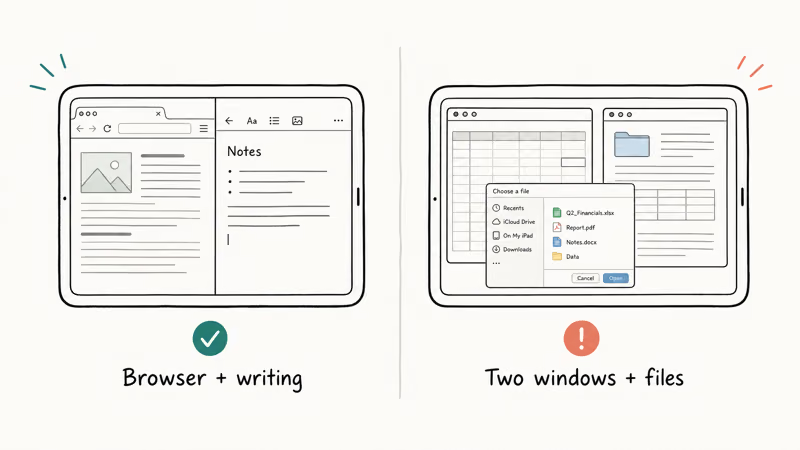
A tablet replaces a laptop when your work lives in a browser and a writing app, and when you are willing to buy the keyboard. It doesn’t replace a laptop if you need full desktop software, heavy file management, or many windows at once.
The honest middle ground is a convertible. If you are tempted to make a tablet your main machine, a true 2-in-1 often serves better, because it runs a full desktop operating system while still folding flat for note-taking. Our best 2-in-1 laptop 2026 guide walks through the convertibles that handle both roles, and the broader best laptop 2026 roundup covers the cases where a clamshell still wins outright.
That gap is the whole decision: light, mobile, browser-first work suits a tablet; desktop software, heavier file management, and many-window workflows still want a laptop.
#Best Tablet for Drawing and Creative Work
Artists weigh pen latency, screen accuracy, and pressure sensitivity over raw speed. Here the tablet you pick depends on whether you want a pure tablet or a dedicated drawing surface.
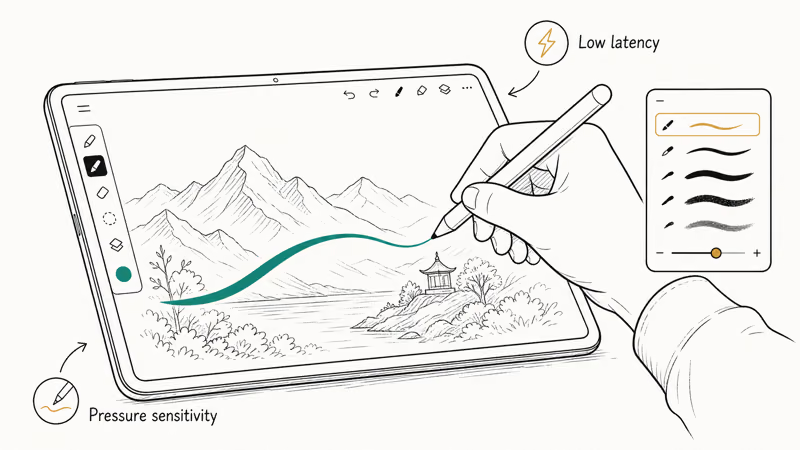
For sketching and illustration on a flagship slate, the iPad Pro plus Apple Pencil and the Galaxy Tab S11 Ultra plus its bundled S Pen are both excellent, with low latency and accurate palm rejection. Procreate and Clip Studio Paint run well on iPadOS, which keeps the iPad the default for many digital artists.
If your main goal is drawing rather than a general tablet, a dedicated pen display can be the smarter spend. Our cheap drawing tablet with screen picks cover purpose-built surfaces that often cost less than a flagship tablet and connect to a computer you already own. Musicians have a parallel niche too: our tablets for musicians guide ranks slates for sheet music, recording apps, and stage use, where screen size and stand stability matter more than the pen.
#Best Tablet for Reading
Reading is the one case where the “best tablet” might not be a tablet at all. A backlit LCD or OLED tablet is fine for comics and magazines, but it tires the eyes during long sessions and washes out in sunlight.
For dedicated book reading, an e-ink reader is easier on the eyes and lasts weeks on a charge. If your library card is the main draw, our best e-reader for library books guide covers the readers that borrow and sync cleanly. Choose a full tablet for reading only if you also want color, video, and apps in the same device, and accept the shorter battery and brighter screen that come with it.
#Bottom Line
For most people in 2026, the iPad Air is the tablet to buy: it’s fast enough for nearly everything, runs the deepest app library, and costs far less than the Pro. Step up to the iPad Pro M5 only if you edit video or need the OLED panel and desktop-class apps.
Choose the Galaxy Tab S11 Ultra if you want the biggest Android canvas, a bundled S Pen, and a near-laptop workflow with seven years of updates. Drop to an Amazon Fire HD if streaming and reading on a tight budget are all you need, and remember it leans on the Amazon Appstore rather than Google Play. Pick the job, then the slate, and the rest of the spec sheet stops mattering.
#Frequently Asked Questions
Is the iPad Air or iPad Pro better for most people?
The iPad Air is better for most people. It runs near-Pro performance and the same apps for a few hundred dollars less. Choose the Pro only if you edit video, want the tandem OLED display, or need desktop-class creative apps.
Can a tablet really replace a laptop?
Sometimes. If your work lives in a browser, a writing app, and mobile-friendly tools, a tablet with a keyboard can replace a laptop. It struggles with full desktop software, heavy file management, and running many windows side by side, where a 2-in-1 or clamshell still wins.
Are Amazon Fire tablets worth buying?
Amazon Fire HD tablets are worth buying for streaming and reading on a budget, especially inside the Prime Video, Kindle, and Audible ecosystem. The main limitation is that they run the Amazon Appstore by default instead of Google Play, so some apps are missing. A budget Android tablet is the better pick if you want full app access.
How long do tablets get software updates?
It varies by brand. Apple supports iPads for many years, and Samsung now promises seven years of OS updates on the Galaxy Tab S11 line, matching that long window for the first time. Budget tablets typically get far shorter support, sometimes only a year or two of meaningful updates, which is worth weighing carefully if you plan to keep the device for years or hand it down to family later.
Which tablet is best for drawing?
The iPad Pro with Apple Pencil and the Galaxy Tab S11 Ultra with its S Pen both lead. For drawing only, a dedicated pen display often costs less.
Do I need a cellular tablet or is Wi-Fi enough?
Wi-Fi is enough for most people who use a tablet at home, at work, or on saved offline media. Pay for cellular only if you need internet away from Wi-Fi often and don’t want to tether to your phone. Cellular models cost more upfront and add a data plan.
What screen size should I get?
Pick around 11 inches for a balance of portability and usable space, which suits most media and light work. Go to 13 to 15 inches if the tablet doubles as a near-laptop, like the Galaxy Tab S11 Ultra. Choose a smaller 8-inch tablet only if one-hand reading and travel size matter most.

Best Laptop for Running LLMs in 2026: Memory Comes First
The best laptop for running LLMs is a memory purchase first. Compare MacBook unified memory against NVIDIA laptop VRAM, and see what each tier really runs.

Pixel 11 vs Pixel 10: What Changed and Who Should Upgrade
Pixel 11 vs Pixel 10: same screen and camera resolution, new Tensor G6, 25W wireless, and Gemini Intelligence. Here is who should actually upgrade.

Best Power Bank for iPad in 2026: Pro, Air, and Mini
Best power bank for iPad in 2026. Compare mAh tiers and USB-C PD wattage for iPad Pro, Air, and mini, plus airline Wh math, cables, and travel tips.

Best Power Bank With Built-In Cable: Top 2026 Picks
Best power bank with built-in cable picks for 2026. Compare single USB-C, multi-connector, and retractable laptop banks, plus airline Wh math.