Best Monitor for Photo Editing: 6 Proven Picks (2026)
The best monitor for photo editing pairs 99% Adobe RGB coverage with factory calibration. See 6 proven picks for photographers, from $200 to pro-grade.
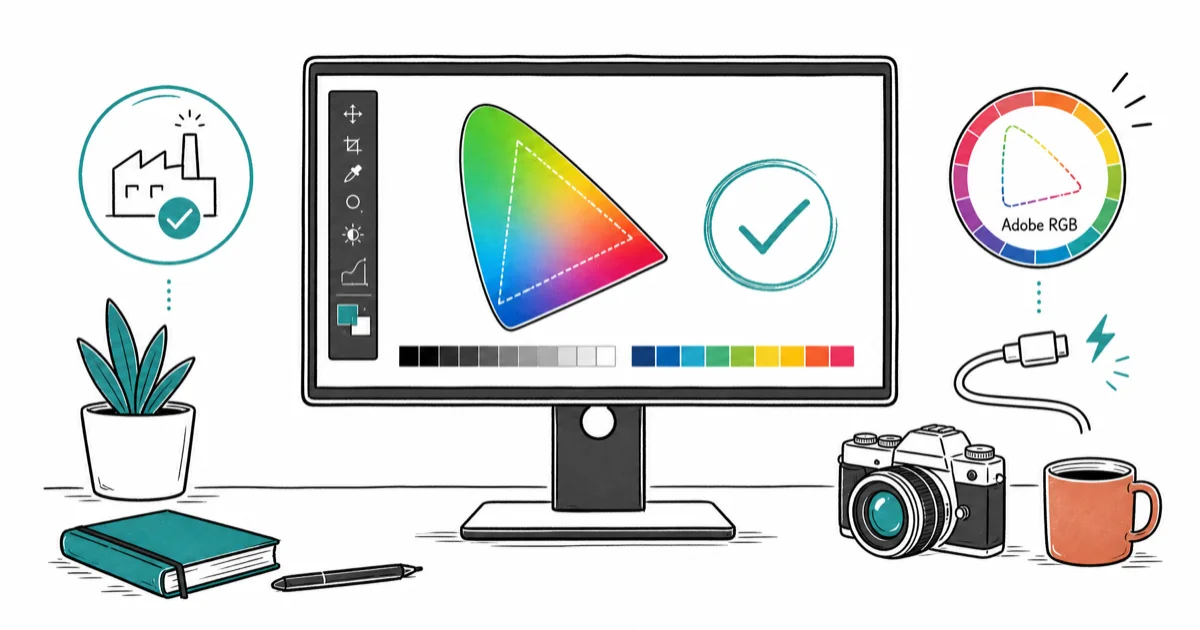
Quick AnswerThe ASUS ProArt PA279CRV is the best monitor for photo editing for most photographers, pairing 99% Adobe RGB coverage with factory Delta E calibration and 96W USB-C charging at a mid-range price.
The best monitor for photo editing shows your colors exactly as they exist in the file, not a brightened or shifted approximation. For photographers who print, that means wide Adobe RGB coverage and a panel that ships pre-calibrated. This guide compares six color-accurate monitors for photographers at different budgets in 2026.
- The ASUS ProArt PA279CRV covers 99% Adobe RGB and ships factory-calibrated, the best all-around value for photographers
- Adobe RGB coverage matters more than DCI-P3 for print work, since prints can reproduce saturated cyans and greens that sRGB clips
- Factory-calibrated monitors with a Calman Verified report save you from buying a colorimeter on day one
- IPS Black panels roughly double the contrast of standard IPS, so shadow detail holds up when editing dark images
- A true 10-bit panel renders smooth gradients in skies and skin tones where 8-bit panels show visible banding
#Our Top Picks for Photo Editing in 2026
Photo editing leans on the Adobe RGB gamut, unlike our color grading monitor guide, which prioritizes DCI-P3 for video. The picks below put stills photographers first.
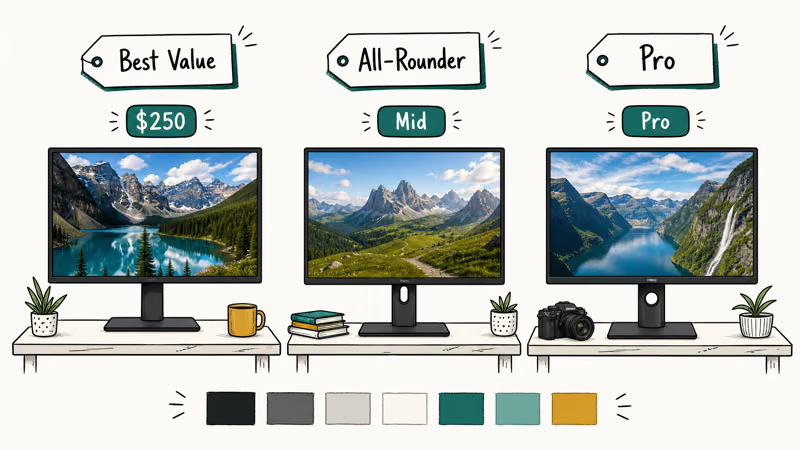
#ASUS ProArt PA279CRV
This 27-inch 4K IPS panel is our top pick for most photographers. ASUS calibrates each ProArt unit at the factory and includes a calibration report, so it’s accurate the moment you unbox it. According to ASUS’s ProArt PA279CRV product page, the display covers 99% Adobe RGB and 99% DCI-P3 with dedicated, individually tuned presets for Adobe RGB, sRGB, DCI-P3, and Rec.709.
The PA279CRV ships with factory calibration for Adobe RGB, and its 96W USB-C port can charge most laptops over the same cable that carries the picture.
Why it leads: wide Adobe RGB coverage plus trustworthy factory calibration usually costs far more. The ASUS ProArt PA279CRV delivers both without crossing into pro pricing, which is why it tops our list.
As an Amazon Associate, fone.tips earns from qualifying purchases.
#BenQ PhotoVue SW272U
The BenQ SW272U is the no-compromise pick for serious and professional photographers. This 27-inch 4K IPS panel pairs full Adobe RGB and DCI-P3 coverage with hardware calibration through Palette Master Ultimate, plus a bundled shading hood that blocks ambient glare in a bright studio.
BenQ positions the BenQ PhotoVue SW272U for print-heavy professional workflows where the hood, Pantone validation, hardware calibration, and hardware LUT earn their keep. The spec is strong, but it costs significantly more than rivals that come close.
#Dell UltraSharp U2723QE
The Dell U2723QE is the value all-rounder. Digital Camera World’s 2026 photo monitor guide found that the U2723QE earns the best overall pick for photographers, calling it a great all-rounder. Its IPS Black panel raises contrast well above standard IPS, so blacks look darker than on typical IPS panels. Dell quotes full sRGB and strong DCI-P3 coverage with a factory Delta E under 2.
The trade-off is Adobe RGB coverage in the mid-80s percent range, which can clip saturated cyans and greens in print. Connectivity is the real draw on the Dell UltraSharp U2723QE: USB-C with power delivery, built-in Ethernet, and a KVM switch.
#How Much Adobe RGB Coverage Do You Actually Need?
Adobe RGB covers more cyan, blue, and green than sRGB, matching inkjet print color beyond what sRGB-only displays preview.
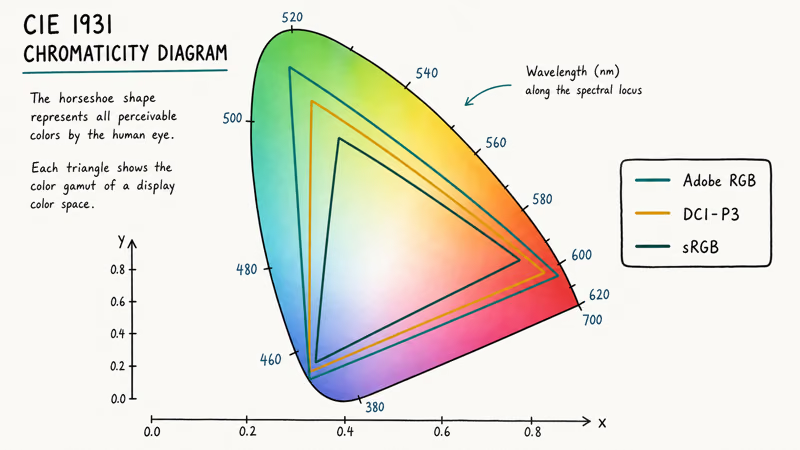
For normal saturation, the gap between an Adobe RGB and a P3 edit is small. Web work is fine on a DCI-P3 panel. Print saturated color, and 99% Adobe RGB earns its premium.
#Best Photo Editing Monitor Under $300
#MSI PRO MP273U
The MSI PRO MP273U is the value 4K pick: a 27-inch IPS panel with strong sRGB coverage and the resolution to judge fine detail at 100% crop. It lacks the wide Adobe RGB gamut and factory calibration report of the ProArt, so plan to calibrate it yourself with a colorimeter for serious work, especially if you ever send files out to print.
The MSI PRO MP273U suits hobbyists, students, and screen-first editors. If a precise mouse helps your masking and retouching, our photo editing mice guide covers pointers built for fine control.
#ASUS ProArt PA278QV
At the budget end, the ProArt PA278QV brings ProArt calibration discipline to a sub-$250 panel: a 27-inch 1440p IPS display with full sRGB and Rec.709 coverage and a Calman Verified factory report. Without the wider Adobe RGB gamut, it fits sRGB and web-first photographers rather than print pros.
You keep the trustworthy out-of-box accuracy and a full ergonomic stand. For a first dedicated editing monitor on a tight budget, the ASUS ProArt PA278QV is hard to beat.
#How to Evaluate These Monitors
For photo editing, evaluate each monitor against the same Lightroom and Photoshop workflow, then separate factory accuracy from short-term drift with a colorimeter. Check Adobe RGB and sRGB preset behavior, panel uniformity across the screen, and how each USB-C panel handles charging a connected laptop during multi-hour edits.
#Calibration Tools You’ll Need
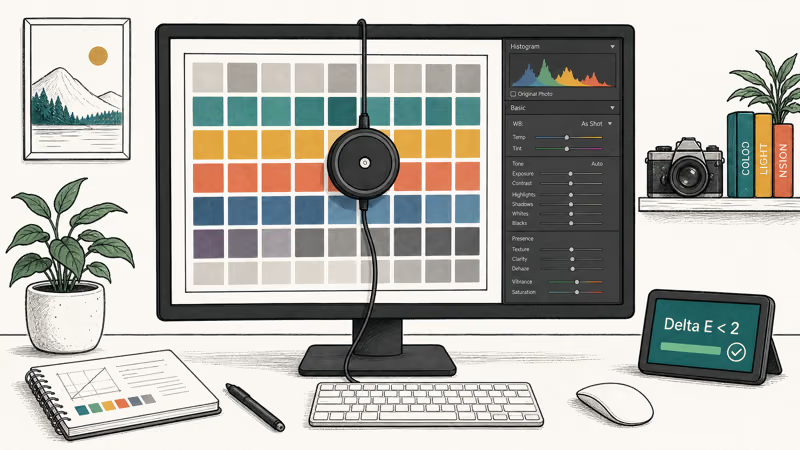
Even a factory-calibrated monitor drifts over months, so a colorimeter pays for itself. The Calibrite ColorChecker Display Plus can profile monitors on this list and handles ICC export, white-point selection, and Delta E reporting. Datacolor’s SpyderX line is the common alternative, and both pair with the hardware calibration software that ASUS ProArt and BenQ PhotoVue panels expect.
The rest of your edit bay matters too. Our video editing laptop guide covers affordable machines that drive a 4K panel cleanly.
#What Specs Matter Most for a Photo Editing Monitor?
Color gamut comes first. For print, target 99% Adobe RGB; for web, strong DCI-P3 works. Below 95% coverage, the monitor can’t show colors that exist in your files, so you overcorrect to compensate.
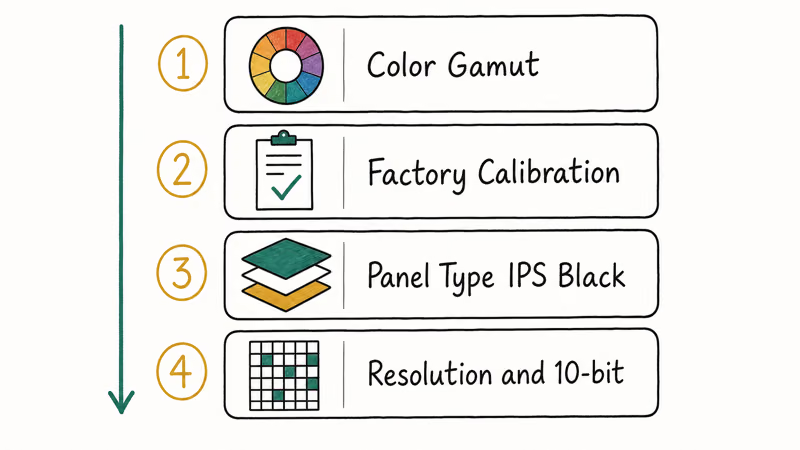
Factory calibration saves time and money. A monitor with a Calman Verified report is usable on day one, while an uncalibrated panel needs a colorimeter before you can trust it.
Panel technology shapes contrast and viewing angle, and it’s the spec where cheap monitors quietly cut corners. IPS holds color steady across wide angles, so a tilt of your head won’t shift the tones you’re editing. Newer IPS Black variants deepen blacks for better shadow detail, which matters when you push the lower end of a histogram. According to Tom’s Guide’s monitor coverage, IPS remains the default panel for color-critical creative work.
Resolution and bit depth round it out. A 4K 27-inch panel gives crisp detail at 100% crop, and a true 10-bit panel renders gradients without the stepping you see on 8-bit displays. If you also work in HDR or multi-display setups, our HDMI 2.1 monitor guide covers the bandwidth and cabling those workflows need.
If your editing overlaps with design or CAD, the same color-accurate panels serve double duty. Our laptops for AutoCAD guide pairs well with these displays for mixed creative and technical work.
#Bottom Line
For most photographers, the ASUS ProArt PA279CRV is the best monitor for photo editing: 99% Adobe RGB, factory calibration, and 96W USB-C charging at a price that doesn’t demand a studio budget. If you print professionally and want the tightest accuracy plus a shading hood, step up to the BenQ PhotoVue SW272U.
Web-first editors who value contrast and connectivity over Adobe RGB will be happier with the Dell UltraSharp U2723QE. The ASUS ProArt PA278QV is the smart sub-$250 starting point for anyone editing in sRGB.
#Frequently Asked Questions
Do I need a 4K monitor for photo editing?
A 4K panel helps because it shows more real detail when you zoom to 100% to check sharpness and noise. That said, a well-calibrated 1440p monitor like the ProArt PA278QV is perfectly usable for editing, especially at 27 inches. Color accuracy matters more than raw resolution for most photo work.
Is Adobe RGB or DCI-P3 better for photo editing?
It depends on your output. Adobe RGB maps closely to what inkjet printers can reproduce, so it’s the better target for print photographers. DCI-P3 is the standard for digital and HDR content, which makes it the more relevant gamut if you publish to the web. The widest panels, like the ProArt PA279CRV, cover close to 99% of both gamuts.
How often should I calibrate a photo editing monitor?
Calibrate about once a month for serious work. LED backlights drift slowly, and studios that print high-value work often recalibrate weekly.
Can I use a regular gaming monitor for photo editing?
You can, but most gaming monitors prioritize refresh rate over color accuracy and ship without a calibration report. Many cover sRGB well enough for casual edits, yet few reach the Adobe RGB coverage that print work needs. For accurate color, a dedicated photo or creative monitor is the safer choice.
What is factory calibration and why does it matter?
Factory calibration means the manufacturer measured and corrected each unit’s color on the production line, usually with a printed verification report in the box. It lets you trust the display the moment you plug it in, with no colorimeter to buy and learn first. Brands like ASUS ProArt and BenQ PhotoVue build their reputation on this out-of-box accuracy, and a Calman Verified or Pantone Validated report is the proof.
Does USB-C charging affect a monitor’s image quality?
No. USB-C power delivery is separate from the display signal, so it doesn’t change image quality. The benefit is one cable for picture and charging.
Is the BenQ SW272U worth twice the price of the Dell U2723QE?
Only for specific users. The BenQ adds full 99% Adobe RGB coverage, hardware calibration, a shading hood, and Pantone validation that print professionals actually use. For photographers who edit mainly for the web, the Dell U2723QE delivers most of the experience at a much lower price, with the main compromise being narrower Adobe RGB coverage.

Pixel 11 vs Pixel 10: What Changed and Who Should Upgrade
Pixel 11 vs Pixel 10: same screen and camera resolution, new Tensor G6, 25W wireless, and Gemini Intelligence. Here is who should actually upgrade.

Best Power Bank for iPad in 2026: Pro, Air, and Mini
Best power bank for iPad in 2026. Compare mAh tiers and USB-C PD wattage for iPad Pro, Air, and mini, plus airline Wh math, cables, and travel tips.

Best Power Bank With Built-In Cable: Top 2026 Picks
Best power bank with built-in cable picks for 2026. Compare single USB-C, multi-connector, and retractable laptop banks, plus airline Wh math.
Best Apple Watch Band for Working Out: Proven Picks
The best Apple Watch band for working out handles sweat and stays put on your wrist. Compare silicone, nylon, and titanium picks for runs and lifts.