Best HD MKV Movie Download Sites: 10 Safe Options (2026)
Find the top 10 free HD MKV movie download sites in 2026, compared for safety, speed, and video quality. Includes safe download tips and legal sources.
Quick AnswerMegaSearch is the top site for HD MKV movie downloads, providing multiple streaming and download links with no pop-up ads or malware.
Free MKV movie download sites are everywhere, but most are riddled with malware or push you toward pirated content. This guide rounds up 10 file-search engines and download tools, with steps to avoid infecting your device, paired with legal sources: public-domain archives, your own DVD or Blu-ray backups, and Creative Commons libraries. We’ll also show you the safest way to download movies in MKV format with iTubeGo, plus where to find films you can legally save offline.
- MegaSearch indexes files across many hosting sites and shows several download links per title; you’re responsible for confirming each title’s legal status before downloading.
- The Internet Archive hosts thousands of public-domain feature films you can legally download, then convert into MKV with any free transcoder.
- MKV (Matroska) is an open container format that supports multiple audio tracks, subtitles, and video resolutions up to 4K within a single file.
- Most modern smartphones play MKV natively, but older TVs may need a media player app or a streaming device like Roku, Fire TV, or Apple TV.
- iTubeGo supports downloading from over 10,000 video streaming websites and converts files into MKV, AVI, MP4, or other formats, which is useful for archiving your own uploads or licensed content.
#What Are the Best Free MKV Movie Download Sites?
Before you open any of these search engines or hosting indexes, make sure the title you want is in the public domain, that you own the source media (a DVD or Blu-ray you legally purchased), or that the file is offered under a license that permits downloading. These sites are file finders; the legal status of any individual download depends on the underlying movie, not on the site itself. Skip anything that isn’t yours to download.
#1. MegaSearch:
Site URL: http://megasearch.co/
MegaSearch is a meta-search engine for video files. Type a title, and it scrapes results from dozens of file-hosting sites and lists every available link in MKV, MP4, or other formats. When one mirror is dead, you can switch to the next link in the list; most titles have three or four backup mirrors before you run out of sources.
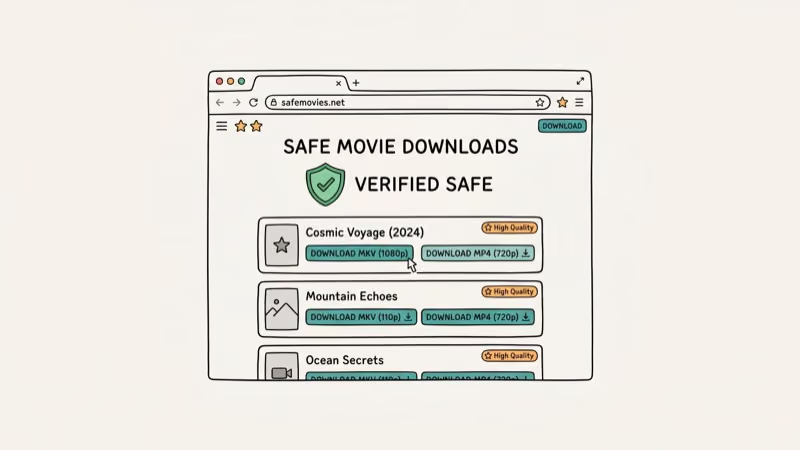
Quick reminder before you click any result: MegaSearch only indexes what other hosts publish, so it surfaces both legal public-domain copies and unauthorized rips of copyrighted titles. Vet each title; if it’s still in copyright and you don’t own the disc, walk away.
#2. Filesloop:
Site URL: https://www.filesloop.com/
Filesloop is a torrent meta-search engine. It crawls many public trackers and file-hosting sites in a single query, then surfaces a flat list of MKV (and other format) results with seeders, leechers, and file-size hints. The interface is plain HTML: fast, with no autoplay video and no popups, which feels like a relief after the ad-heavy alternatives.
That said, torrent search is not a license. Filesloop will happily serve up copyrighted titles next to public-domain ones, and using a torrent without rights to the underlying movie is illegal in most jurisdictions.
#3. My Download Tube:
Site URL: https://mydownloadtube.net/
My Download Tube is another good HD MKV Movies website to look at and download Hollywood and Bollywood movies and new hot movies with MKV formats. However, first of all, you need to make a free account.
However, this movie website is ad-supported. Pop-ups invariably come out once you click on the site.
#4. My Download Place:
Site URL: www.mydownloadplace.com
My Download Place is a single-click download index for 720p and 1080p movie files, organized by category (Action, Adventure, Animation, Comedy, Horror, Drama, Sci-Fi, and so on). The catalog is small but updated daily, so it leans toward newer releases rather than back-catalog depth. The interface is mercifully ad-light by the standards of this niche, with no autoplay videos or interstitial popups.
The catch is the same one every site on this list shares: the index doesn’t check copyright. Restrict your use to titles you legally own, public-domain works, or movies released under a permissive license.
#5. House Movie:
Site URL: www.Housemovie.to
House Movie is an automatic-recommendation index that surfaces films and serials based on what you’ve browsed before, with most titles available for free download or in-browser streaming at 720p. The catalog leans Hollywood-heavy, ad-free at the page level, but with the same legality caveat that applies to every other entry on this list. You can grab MKV copies using iTubeGo or any other video downloader when the title is one you have rights to save offline.
Some links on this page are affiliate links, which means fone.tips may earn a commission at no extra cost to you.
A free account is required before any download starts; registration takes about a minute and stores nothing beyond an email. If you’d rather not sign up, the in-browser 720p stream remains accessible without an account, which is convenient for previewing a title before you decide whether to archive it.
#6. Movie Watcher:
Site URL: https://moviestars.to/
Movie Watcher is a nice and great online HD MKV Movie streaming and download website that helps you watch and download movies of all genres.
It has a great collection of action, comedy, and adventure movies where you can download free full-length films easily. It also lets you watch TV serials without charge.
#7. Ocean Of Movies:
Site URL: http://oceanofmovies.de/
Ocean of Movies hosts direct download links, with no third-party hosting redirects, which makes it faster than meta-search indexes when the file is available. Browse by category or search by title; each result shows plot summary, release date, star cast, and rating before you commit to a download.
The direct-server model has a downside, though: if Ocean of Movies takes a title down for legal reasons, the mirror disappears with no fallback. Verify each title’s status before downloading.
#8. DivX Crawler:
Site URL: www.DivXcrawler.tv
DivX Crawler is built around high-speed mirrors. The homepage surfaces single-click download links and previews file size before you commit, which is handy when you’re on a metered connection. The catalog is dominated by older Hollywood titles, with MKV, SD, and HD copies on offer.
Same caveat applies here as everywhere else on this list: high-speed mirrors don’t grant rights to copyrighted material. Stick to titles you own or that have entered the public domain.
#9. BMovies:
Site URL: https://bmovies.to/
BMovies categorizes its library by genre, country, year, trending, and user favorites, with each movie page surfacing the IMDb rating, plot summary, cast, and release date. The built-in player streams instantly without a signup wall, and most titles also expose direct download links.
Use iTubeGo (or any browser-based downloader) to capture the stream as MKV. As with every site on this list, run a copyright check on the specific title before saving anything to disk.
#10. xPAU:
Site URL: http://xpau.se/
xPAU is the rebranded version of an older movie-download site. Search by title or browse the latest additions from the homepage; hovering over a thumbnail reveals quality, runtime, and rating, and the full movie page exposes star cast, synopsis, and release date. Subtitles in English (and sometimes additional languages) are linked alongside the video mirrors, a small but useful detail for archiving foreign-language films.
Mirrors rotate often, so a missing link today may reappear tomorrow under a different host. And, as with every other entry: verify legal status before you save.
#Part 2. HD MKV Movies Download for Free by iTubeGo
iTubeGo is one of the more reliable tools for downloading HD MKV movies from sources you have the rights to. It works on Windows, Mac, Android, and iOS, and a full-HD MKV file usually finishes downloading quickly on a typical home connection.
iTubeGo helps users to download videos from different video streaming websites on the internet with different formats. It has other options like built-in abilities to convert media files and record your screen.
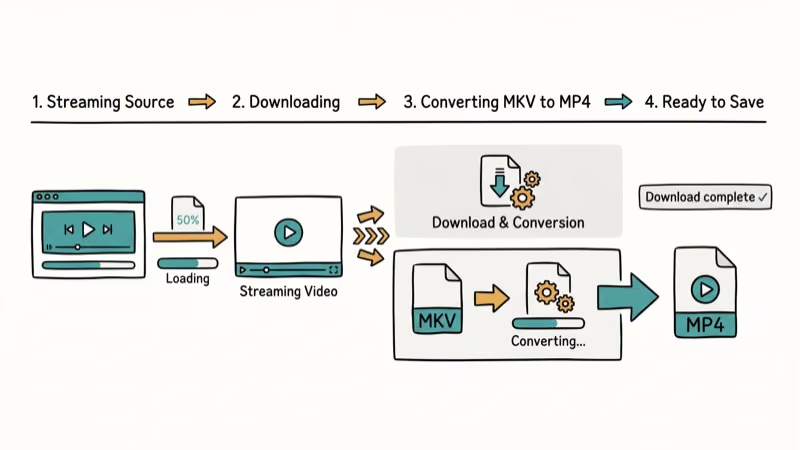
These extras complement the core download workflow. If you’re after deeper media conversion or a serious screen-capture tool, you’ll be more comfortable pairing iTubeGo with a dedicated utility like HandBrake or OBS, but for routine MKV grabs from public-domain or self-owned sources, the built-in features cover most cases.
It also gains popularity because there’s no registration step; you just paste the movie URL and pick a format.
#Key Features of iTubeGo:
- Download Videos from about 10,000 video streaming websites elongating as YouTube, Dailymotion, Ted, MyVideo, Facebook, Vimeo, Twitter, and Tumblr
- Convert downloaded videos into any format, including AVI, MP4, MKV, WMV, MOV, and more
- Download the entire playlist in a batch to keep things organized.
- It comes with Turbo Mode, where the video gets downloaded at faster speeds
- Download YouTube HD videos which can range up to 4k resolution, and 3D videos
- Download and transfer to iOS and Android effortlessly
- Simple, intuitive, and easy to use
- Screen recorder function in case any of the videos couldn’t be downloaded due to restrictions or errors
- Merge HD audio and video files automatically
- Existing video player play videos
- Support downloading online videos in Safari, Mozilla Firefox, and Internet Explorer
PS: let’s learn more about free MKV cutters and how to convert MKV to divx.
#How Do You Download MKV Movies Safely?
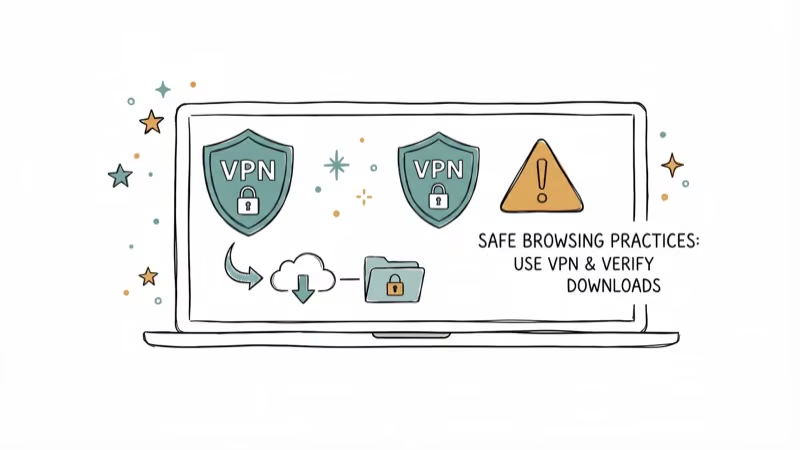
Safety has two layers: technical (don’t infect your device) and legal (don’t download what you don’t have rights to). Follow these tips for both.
- Use a reliable, secure internet connection so a half-finished download doesn’t leave a corrupt MKV on disk.
- Check available storage before you start; an HD MKV can be 4-8 GB, and a 4K rip can exceed 20 GB.
- Run a reputable antivirus on every downloaded file before opening it, including archives from sites you trust.
- Pair a download manager with checksum verification when the source publishes one (Internet Archive items, for example, expose SHA-1 hashes on every file’s details page).
- Confirm the title is legally available to you (public domain, your own backup, or a license that permits downloading) before clicking any download link.
#Public-Domain MKV Sources Worth Bookmarking
Want movies you can legally download without second-guessing the host’s rights? Start here.
The Internet Archive’s Feature Films collection hosts thousands of titles in the public domain, from silent classics like Nosferatu (1922) to mid-20th-century B-movies and Cold War-era propaganda reels. Files are usually offered in MPEG-4 or AVI; convert any of them into MKV with iTubeGo or another free transcoder.
Founded in 1996, the Internet Archive also publishes SHA-1 checksums on every file’s details page, which lets you verify a download wasn’t tampered with in transit.
The Library of Congress’s National Screening Room curates digitized films from the Library’s own holdings, many in the public domain or released for educational use. According to the Library of Congress, the National Film Registry was established in 1988 and has added 25 culturally significant titles every year since 1989.
For Creative Commons-licensed work, browse the Vimeo Creative Commons portal. It surfaces short and feature-length films released under permissive licenses. Read each title’s specific license before reuse, since CC variants range from full reuse to “non-commercial, attribution required.”
#MKV Container Format Technical Overview
A quick primer on what an MKV file actually is.
The Matroska container is an open standard maintained by the Matroska project. The project’s official technical specifications confirm that the format is built on EBML (Extensible Binary Meta Language) and can hold an effectively unlimited number of video, audio, picture, and subtitle tracks within a single file. Wikipedia’s Matroska article confirms that development began in 2002, which makes MKV one of the most mature open container formats still in active use.
The WebM format, popular on the web, is a constrained subset of Matroska designed for browser playback. Because Matroska is codec-agnostic, an MKV file can carry H.264, H.265 (HEVC), AV1, VP9, or older MPEG-2 video, paired with AAC, FLAC, Opus, or Dolby audio. That flexibility is why most modern Blu-ray rips end up as MKV: the container preserves every audio track, subtitle stream, and chapter metadata from the disc losslessly.
#Playing MKV Files Across Operating Systems
VLC Media Player is the most reliable cross-platform MKV player. The official VLC features page confirms that the player handles MKV natively on Windows, macOS, Linux, Android, iOS, and Apple TV without an extra codec pack. VLC is free and open-source under the GPL, maintained by the non-profit VideoLAN organization.
If you prefer the built-in player on Windows or Mac instead, both platforms now handle MKV natively. Microsoft added MKV support to the Movies & TV app in Windows 10 (released on 29 July 2015) and improved hardware-accelerated decoding in Windows 11, while macOS users can install IINA, a modern Mac-styled player built on top of mpv that inherits the same broad codec support without the legacy interface baggage.
Phones and TVs are covered too. Android plays MKV natively since 2018, the VLC iOS app handles iPhone and iPad, and Roku, Fire TV, and Apple TV all run VLC.
#Bottom Line
For legally downloadable MKV movies, start with the Internet Archive and the Library of Congress National Screening Room. Both are free, public-domain-friendly, and don’t require an account. If you’re archiving titles you own on DVD or Blu-ray, use iTubeGo or VLC’s built-in transcoder to convert your rips into MKV. MegaSearch is useful as a federated file-search engine, but you’re responsible for confirming each result’s legal status before downloading.
Always run downloaded files through a reputable antivirus before opening, even archives from sources you trust, since tampered packages can slip through any host. Free file-sharing sites are a common malware vector, so an up-to-date scanner catches most risky archives before they ever run.
#Frequently Asked Questions
Are these HD MKV movie download sites legal?
The sites themselves are search tools or hosting indexes; legality hinges on the specific title you download. Copyrighted movies grabbed without permission are illegal in most countries. Stick to public-domain works (the Internet Archive’s Feature Films collection is a good starting point), films released under Creative Commons, or your own legally purchased DVD or Blu-ray backups.
Can I watch MKV movies on my smartphone?
Yes. Most modern Android and iOS devices support MKV playback natively. Older devices may need a third-party player like VLC, which is free and supports virtually every video format.
How much storage do MKV movies need?
A typical 1080p MKV movie takes 4-8GB of storage. A 720p version runs 1.5-3GB, while 4K MKV files can exceed 20GB per movie, so you’ll want an external drive or large SD card for those. Bear in mind that MKV rips usually carry every audio track and subtitle stream from the source disc, which is why they’re often larger than the equivalent MP4 — the trade-off is full archival fidelity rather than smaller files.
Are subtitles available in MKV files?
Yes. The MKV container supports multiple embedded subtitle tracks. You can switch between languages directly in your media player without downloading separate subtitle files.
Can I play MKV files on a Smart TV?
Most Smart TVs from 2018 onward support MKV playback. For older models, connect a streaming device like a Roku, Fire TV Stick, or Chromecast and use the VLC app to play MKV files.
What’s the difference between MKV and MP4?
MKV supports more audio tracks, subtitle tracks, and video codecs in a single file. MP4 is more widely compatible but limited to fewer tracks. For archiving movies with multiple languages and subtitles, MKV is the better choice.

Best Laptop for Running LLMs in 2026: Memory Comes First
The best laptop for running LLMs is a memory purchase first. Compare MacBook unified memory against NVIDIA laptop VRAM, and see what each tier really runs.

Pixel 11 vs Pixel 10: What Changed and Who Should Upgrade
Pixel 11 vs Pixel 10: same screen and camera resolution, new Tensor G6, 25W wireless, and Gemini Intelligence. Here is who should actually upgrade.

Best Power Bank for iPad in 2026: Pro, Air, and Mini
Best power bank for iPad in 2026. Compare mAh tiers and USB-C PD wattage for iPad Pro, Air, and mini, plus airline Wh math, cables, and travel tips.

Best Power Bank With Built-In Cable: Top 2026 Picks
Best power bank with built-in cable picks for 2026. Compare single USB-C, multi-connector, and retractable laptop banks, plus airline Wh math.