Best APUs for Gaming in 2026: Top Picks for Budget Builds
Best APUs for gaming in 2026 including AMD Ryzen 7 8700G and Ryzen 5 5600G. Covers specs, performance benchmarks, and build recommendations.
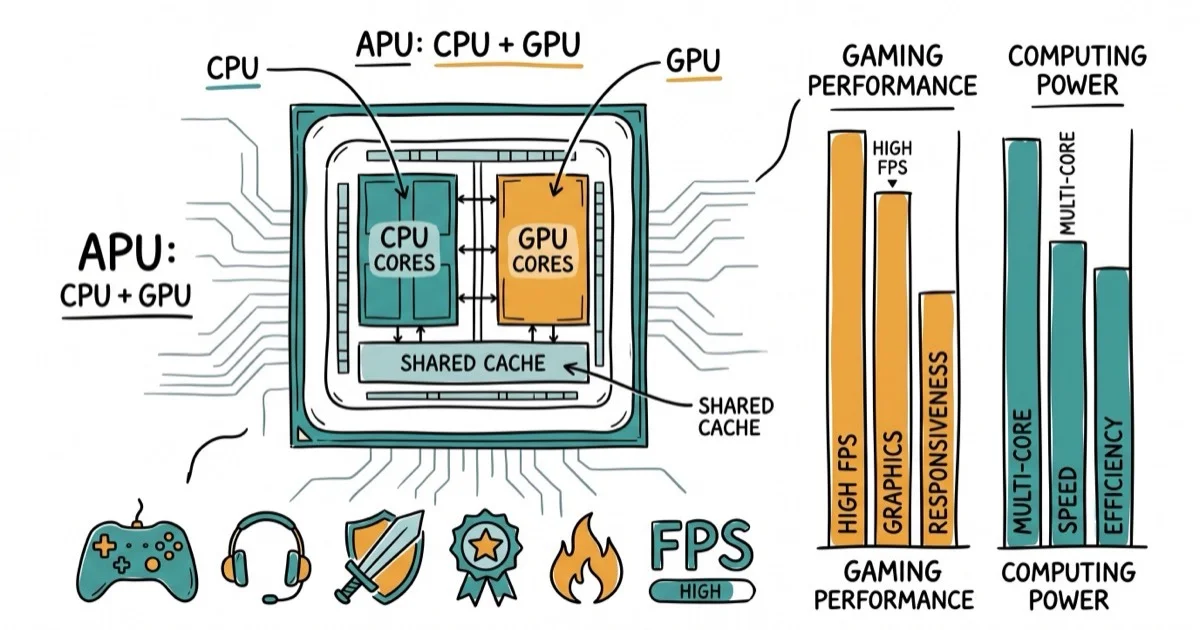
Quick AnswerThe AMD Ryzen 7 8700G is the best APU for gaming in 2026. Its Radeon 780M integrated graphics handles 1080p gaming at medium to high settings in most titles. For a budget option, the Ryzen 5 5600G delivers solid 1080p performance at a lower price.
APUs combine a CPU and GPU on one chip, letting you game without a dedicated graphics card. AMD dominates this space since Intel’s integrated graphics can’t match Radeon performance in games. Here are the best APUs for gaming right now, with real benchmark data.
- The AMD Ryzen 7 8700G is the top APU for 2026, delivering 85-95 FPS in Fortnite at 1080p medium with DDR5-6000 RAM.
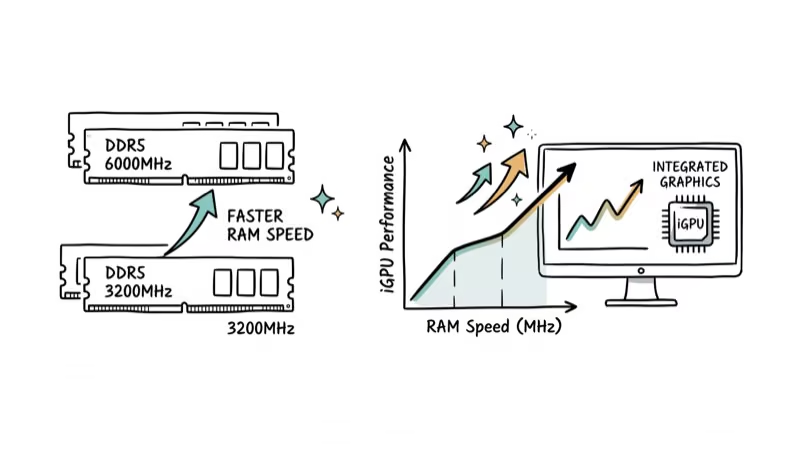
- RAM speed is the single biggest performance lever for APU gaming — switching from DDR5-4800 to DDR5-6000 can improve frame rates by 15-25%.
- The Ryzen 5 5600G on AM4 costs around $130 and handles 1080p esports titles at 60+ FPS, making it the best budget APU build.
- APUs are ideal as a starting point: both AM4 and AM5 platforms support adding a dedicated GPU later without replacing the CPU.
- Intel APUs consistently underperform AMD in gaming — the Ryzen 7 8700G’s Radeon 780M scores roughly equivalent to a dedicated GT 1030 in benchmarks.
#Top APU Picks for Gaming in 2026
AMD Ryzen 7 8700G is the best overall. It pairs 8 Zen 4 cores with Radeon 780M graphics (12 RDNA 3 compute units). According to AMD’s product page, it boosts to 5.1 GHz and fits AM5 motherboards.
Key specs: 8 cores/16 threads, 4.2 GHz base/5.1 GHz boost, Radeon 780M (12 CUs, RDNA 3), 65W TDP, AM5 socket, DDR5 support.
The 8700G is the practical top pick when you want integrated Radeon graphics strong enough for esports and lighter AAA gaming without buying a separate GPU.
AMD Ryzen 5 5600G is the best value pick at around $130. Older but significantly cheaper. According to AMD’s specifications, it runs on AM4 motherboards with DDR4 RAM, keeping total build cost down by roughly $200 compared to an AM5 setup. Its Vega 7 graphics won’t match the 8700G’s Radeon 780M, but for esports titles at 1080p low settings, it still delivers playable frame rates above 50 FPS in most cases.
AMD Ryzen 5 8600G sits between the two with 6 Zen 4 cores and Radeon 760M graphics (8 RDNA 3 CUs).
As an Amazon Associate, fone.tips earns from qualifying purchases.
#How Do APUs Compare to Dedicated GPUs?
APUs can’t match even entry-level dedicated graphics cards in raw performance. But they cost much less when you factor in not buying a separate GPU.
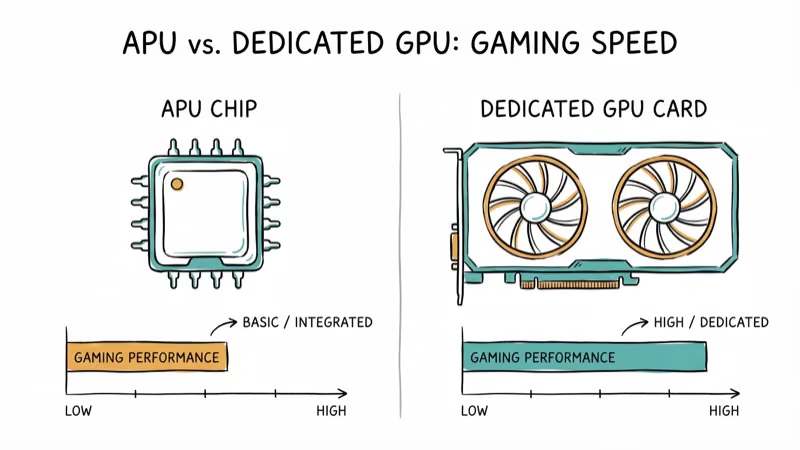
| Setup | Approximate Cost | Fortnite 1080p Medium | Cyberpunk 1080p Low |
|---|---|---|---|
| Ryzen 7 8700G (APU only) | $300 | 85-95 FPS | 35-45 FPS |
| Ryzen 5 5600G (APU only) | $130 | 50-60 FPS | 20-25 FPS |
| Ryzen 5 5600 + GTX 1650 | $280 | 120+ FPS | 50-60 FPS |
According to PCMag’s review, the 8700G is a clear step up from the previous-gen 5700G, making 1080p at medium settings viable across most titles.
The real advantage of APUs? Upgradeability. Start with integrated graphics, then drop in a dedicated GPU later when your budget allows. Both AM4 and AM5 motherboards have PCIe slots ready for that upgrade, so you won’t need to replace your board or CPU when the time comes.
#RAM Speed and APU Performance
RAM speed is the single biggest performance lever for APU gaming. Integrated graphics share system memory instead of having dedicated VRAM. Faster RAM directly improves frame rates in a way that doesn’t apply to systems with discrete GPUs.
#Recommended Build Components
For the Ryzen 7 8700G (AM5):
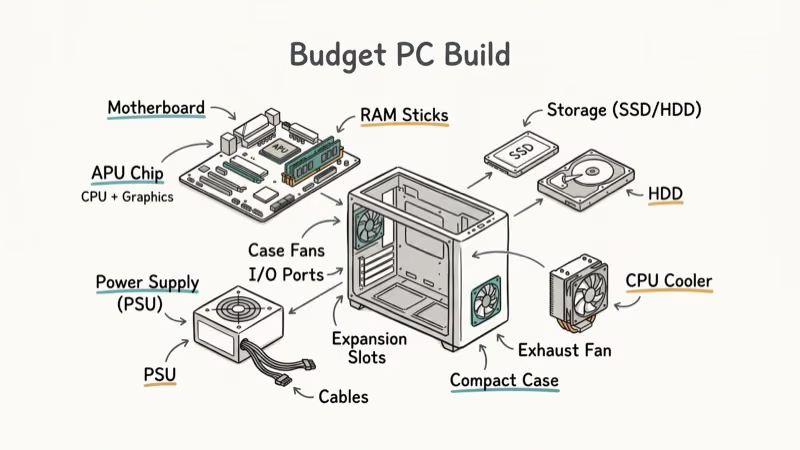
- DDR5-6000 CL30 or faster (16 GB minimum, 32 GB recommended)
- B650 motherboard (cheaper than X670)
- 500W power supply (plenty for an APU system)
- 500 GB NVMe SSD
For the Ryzen 5 5600G (AM4):
- DDR4-3600 CL16 or faster (16 GB minimum)
- B550 motherboard
- 450W power supply
- 500 GB NVMe SSD
RAM speed matters because integrated graphics share system memory. Choose faster, low-latency memory within your motherboard’s support list before spending elsewhere in an APU build.
For related CPU pairing guides, check the articles on best GPU for Ryzen 5 3600 and best GPU for Ryzen 7 3700X.
For broader build components, see the guides on best motherboard for RTX 3070 and best UPS for gaming PCs.
#What Are the Limitations of APU Gaming?
APUs work well for esports titles (Valorant, CS2, Fortnite, League of Legends) and older AAA games. They struggle with demanding modern titles at high settings or resolutions above 1080p.
Games you can play comfortably on the 8700G at 1080p:
- Esports titles at 100+ FPS (medium-high settings)
- Older AAA games (2020 and earlier) at 45-60 FPS (medium settings)
- Indie and strategy games at 60+ FPS
Games that will struggle:
- Current AAA titles at high/ultra settings
- Anything at 1440p or 4K resolution
- Ray tracing enabled games
If you primarily play demanding AAA titles, save up for a dedicated GPU instead. An APU is best as a starting point or for gamers who mainly play esports and indie titles.
#Upgrading From an APU to a Dedicated GPU
One of the biggest advantages of starting with an APU is the upgrade path. When your budget allows, you can add a dedicated graphics card without replacing anything else in your system.
For AM5 systems (8700G), any PCIe 4.0 or 5.0 GPU works. For AM4 systems (5600G), PCIe 3.0 and 4.0 GPUs are compatible. Once you install a dedicated GPU, the system automatically uses it instead of the integrated graphics, and your APU functions as a regular CPU.
Good upgrade targets for APU builders include the RTX 4060 or RX 7600, which pair well with both the 8700G and 5600G without creating a CPU bottleneck.
#Bottom Line
The AMD Ryzen 7 8700G is the best gaming APU in 2026, delivering playable 1080p performance without a dedicated GPU.
Pair it with fast DDR5 RAM for the best results. The Ryzen 5 5600G remains a strong budget option on the cheaper AM4 platform. Both let you add a dedicated GPU later when you’re ready to upgrade. For case options, see the guide on best cube computer cases.
#Frequently Asked Questions
Can you game on an APU without a graphics card?
Yes. That’s the whole point. Integrated Radeon graphics handle 1080p gaming at medium settings for most titles, and esports games run well above 60 FPS. The 8700G is the strongest option available right now.
Is the Ryzen 7 8700G worth it over the 5600G?
If your budget allows, yes. The 8700G’s Radeon 780M is roughly 60-80% faster in games. The catch is that the 8700G requires an AM5 motherboard and DDR5 RAM, pushing total build cost about $200 higher.
How much RAM do I need for APU gaming?
16 GB minimum. Speed matters more than capacity for APU gaming: DDR5-6000 for AM5 or DDR4-3600 for AM4 are the sweet spots since integrated graphics use system RAM instead of dedicated VRAM.
Can I add a dedicated GPU to an APU system later?
Yes. Both AM4 and AM5 motherboards have PCIe slots. Once you install a discrete GPU, the system switches to it automatically and your APU becomes a regular CPU. It’s the cleanest upgrade path in PC building since nothing else needs to change.
Do APUs work for streaming while gaming?
For basic streaming of esports titles, the 8700G’s 8 cores can handle OBS encoding alongside gameplay. Demanding AAA games while streaming? That pushes the integrated graphics too hard. For serious streaming, you’ll want a dedicated GPU with hardware encoding (NVENC) to take the load off completely.
Are Intel APUs good for gaming?
No. Intel UHD and Intel Arc integrated graphics perform significantly worse than AMD’s Radeon in games. AMD is the clear choice for APU gaming. Intel’s integrated graphics handle desktop use and video playback fine, but they can’t run modern games at playable frame rates.

Best Laptop for Running LLMs in 2026: Memory Comes First
The best laptop for running LLMs is a memory purchase first. Compare MacBook unified memory against NVIDIA laptop VRAM, and see what each tier really runs.

Pixel 11 vs Pixel 10: What Changed and Who Should Upgrade
Pixel 11 vs Pixel 10: same screen and camera resolution, new Tensor G6, 25W wireless, and Gemini Intelligence. Here is who should actually upgrade.

Best Power Bank for iPad in 2026: Pro, Air, and Mini
Best power bank for iPad in 2026. Compare mAh tiers and USB-C PD wattage for iPad Pro, Air, and mini, plus airline Wh math, cables, and travel tips.

Best Power Bank With Built-In Cable: Top 2026 Picks
Best power bank with built-in cable picks for 2026. Compare single USB-C, multi-connector, and retractable laptop banks, plus airline Wh math.