Top Android Repair Tools: Expert Reviews and Comparison
Compare the best Android repair tools for fixing system crashes, boot loops, and data loss. A look at ReiBoot, dr.fone, Phone Doctor Plus, and more.
Quick AnswerReiBoot for Android is the top-rated Android repair tool, capable of fixing system crashes, boot loops, and stuck recovery mode in minutes. It works on all Android devices without requiring root access.
Your Android phone is stuck in a boot loop, frozen on the logo screen, or crashing nonstop. This guide compares the three most popular repair tools to help you find which one actually fixes these problems without making things worse. It’s only for use on your own device or account.
- ReiBoot for Android fixes boot loops and recovery mode issues in about 5 minutes without root access
- dr.fone System Repair works best on Samsung devices and supports Android OS versions 2.0 through 15
- Phone Doctor Plus diagnoses hardware problems but doesn’t fix them, making it a diagnostic-only tool
- Always back up data before running any repair tool since some methods involve firmware flashing
- Free versions have limited functionality, so paid licenses ($30-$50/year) are needed for actual repairs
#Why Do You Need an Android Repair Tool?
Your phone’s data is probably the most valuable thing on it. Photos, contacts, messages, years of memories. When Android starts crashing or gets stuck in a boot loop, a repair tool can save that data and get your phone running again. According to Google’s guide for an Android device that freezes or won’t respond, booting into safe mode isolates whether a downloaded app is causing the crashes before you resort to a factory reset.
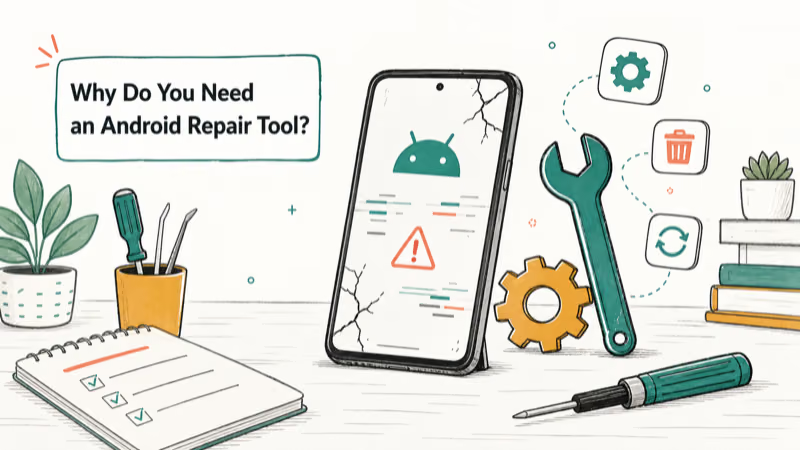
These tools handle problems that a simple restart can’t fix:
- Boot loops where the phone restarts endlessly
- Recovery mode where the device is stuck and won’t boot normally
- System crashes causing random freezes and app failures
- Failed updates that left the OS in a broken state
#Top Android Repair Tools Compared
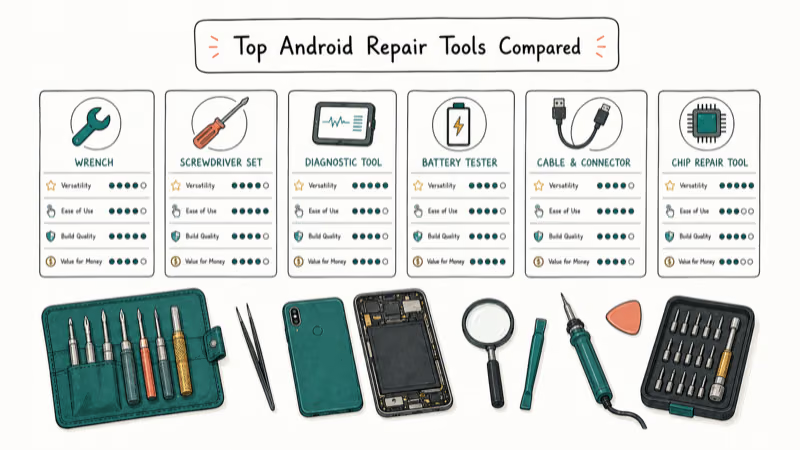
Here’s how the three tools stack up for the kinds of problems they’re meant to fix.
#ReiBoot for Android (Best Overall)
ReiBoot from Tenorshare is the top pick for most users. For a device stuck in recovery mode, it’s designed to restore a normal boot quickly with a one-click process. The interface is straightforward and doesn’t require technical knowledge.
Pros:
- Free features include entering/exiting recovery mode with one click
- Repair process typically completes in under 5 minutes
- Fixes devices stuck in recovery mode, fast boot, and headphone mode
- No root required for standard repairs
Cons:
- Full repair features require a paid license ($35.95/year)
- Can’t fix every hardware-related issue
Some links on this page are affiliate links, which means fone.tips may earn a commission at no extra cost to you.
If you’re also dealing with Bluetooth issues on Android, ReiBoot’s system repair can sometimes resolve connectivity problems caused by corrupted system files.
#dr.fone System Repair (Best for Samsung)
Wondershare’s dr.fone has been around for years and earned its reputation through broad device support. Samsung’s troubleshooting guide for repeated reboots recommends safe mode and wiping the cache partition before a factory reset, and dr.fone steps in when those built-in fixes don’t clear the boot loop.
Pros:
- Clean, beginner-friendly interface
- Supports Android OS versions 2.0 through 15
- Works on virtually every Android brand and model
- Specifically optimized for Samsung devices with higher success rates
- Fixes boot loops, black screens, and stuck updates
Cons:
- Full version costs $49.95/year
- Less consistent on non-Samsung devices than on Galaxy phones
#Phone Doctor Plus (Best for Diagnostics)
Phone Doctor Plus takes a different approach. Instead of repairing your phone, it runs a comprehensive hardware health check on every component: screen, speakers, sensors, camera, and network modules.
Pros:
- Fast, thorough hardware diagnostics
- Very simple interface, even for beginners
- Free to use
- Tests 25+ hardware components in under 2 minutes
Cons:
- Does not fix problems, only identifies them
- App crashes occasionally on older devices
#How Do You Choose the Right Repair Tool?
Pick based on your specific situation:
| Situation | Best Tool | Why |
|---|---|---|
| Boot loop or recovery mode | ReiBoot | Fastest fix, no root needed |
| Samsung-specific issues | dr.fone | Best Samsung optimization |
| Not sure what’s wrong | Phone Doctor Plus | Diagnoses before you pay |
| Data recovery needed | Tenorshare UltData | Specialized for data recovery |
#Important Precautions Before Using Any Repair Tool
Back up your data first. Some repair methods involve firmware flashing that can wipe your device storage. Use Google Drive backup or connect to your computer and copy important files before starting.
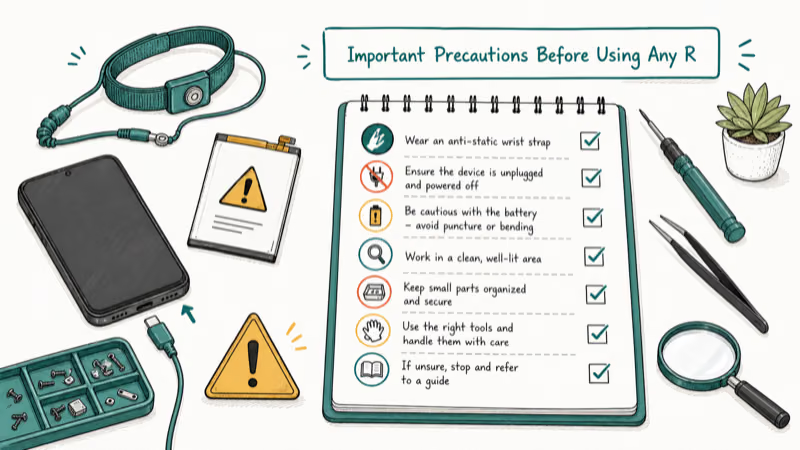
Also keep these points in mind:
- Download from official websites only to avoid malware-infected copies
- Keep your device charged above 50% during the repair process
- Close all other programs on your computer while the repair runs
- Don’t disconnect the USB cable during firmware operations
According to Google’s guide for a device that won’t turn on, a phone that seems dead often just needs 30 minutes on a charger before you reconnect the cable, so rule that out before assuming a failed flash bricked it.
#Free vs. Paid Android Repair Tools
Free versions of ReiBoot and dr.fone let you enter/exit recovery mode and run basic diagnostics. But the actual repair functionality, which flashes firmware and fixes system partitions, requires a paid license. Here’s the honest breakdown:
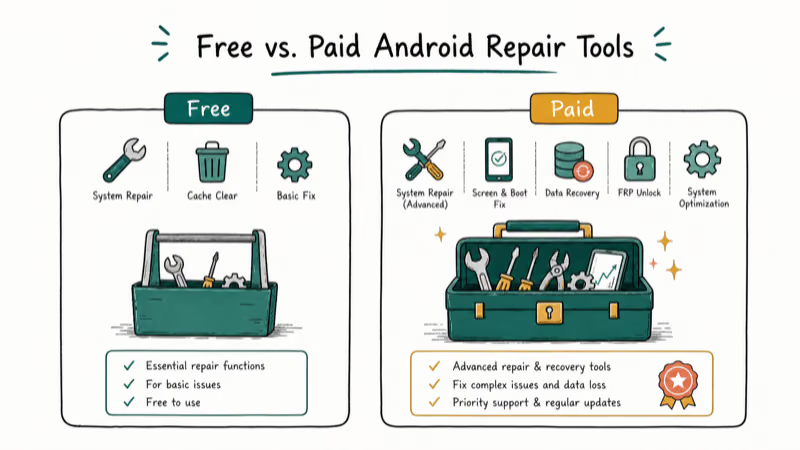
- Free: Recovery mode toggle, basic diagnostics, device info
- Paid ($30-$50/year): Full system repair, firmware download, boot loop fix, black screen fix
- Lifetime licenses: Available from both ReiBoot ($45.95) and dr.fone ($69.95) for users who need ongoing access
#Bottom Line
Use ReiBoot for boot loops and recovery mode issues because it’s the fastest and simplest option. Switch to dr.fone if you have a Samsung device with a persistent system error. Run Phone Doctor Plus first if you’re not sure whether the problem is hardware or software. And always, always back up your data before running any repair tool.
#Frequently Asked Questions
What are the best free Android repair tools?
ReiBoot and dr.fone both offer free versions with limited features like one-click recovery mode entry and exit. For full system repair, you’ll need a paid license starting at $35.95/year for ReiBoot.
How safe is it to use Android repair tools?
Safe, if you download from the official developer website. Tenorshare’s ReiBoot page confirms that their tool doesn’t modify your device’s security partition, so your data encryption stays intact throughout the repair.
Can Android repair tools fix any system issue?
They fix most software problems including boot loops, black screens, and failed updates. They can’t fix physical hardware damage like a cracked screen or dead battery. For hardware issues, you’ll need professional repair service.
What is the best Android repair tool for data recovery?
Tenorshare UltData and dr.fone for Android specialize in data recovery. UltData recovers deleted texts, photos, and contacts from internal storage without a backup, while dr.fone supports recovery from both device storage and Google Drive backups.
Are there any risks associated with using Android repair tools?
The main risk is data loss during firmware flashing. Back up your device before starting. Using tools from unofficial sources also risks malware infection. Stick to official websites and verify the download hash if possible.
Can these tools fix a phone stuck in headphone mode?
Yes. ReiBoot’s system repair can resolve software-related audio routing issues, including phones stuck in headphone mode. If the headphone mode issue is caused by debris in the jack, you’ll need to clean it physically.

Pixel 11 vs Pixel 10: What Changed and Who Should Upgrade
Pixel 11 vs Pixel 10: same screen and camera resolution, new Tensor G6, 25W wireless, and Gemini Intelligence. Here is who should actually upgrade.

Verizon Not Receiving Texts? How to Fix It in 9 Steps
Verizon not receiving texts? Fix it in 9 steps: check Message Blocking in My Verizon, reset network settings, deregister iMessage, and call support.

Pixel Battery Drain: What Google's July Fix Really Covers
Google marked the Pixel idle battery drain bug fixed in July, but only some phones got the patch. Here is who is covered, who is not, and what to try.

iPhone Stuck on EDGE? How to Get 5G or LTE Back (2026)
iPhone stuck on EDGE with crawling data? Here's why the E icon appears, which settings force 5G or LTE back, and when the problem is your carrier.