Android Not Receiving Texts? 8 Fixes That Work (2026)
Android not receiving texts, especially from iPhones? Deregister iMessage, check cellular, clear blocked numbers, and reset mobile network. 8 proven fixes.
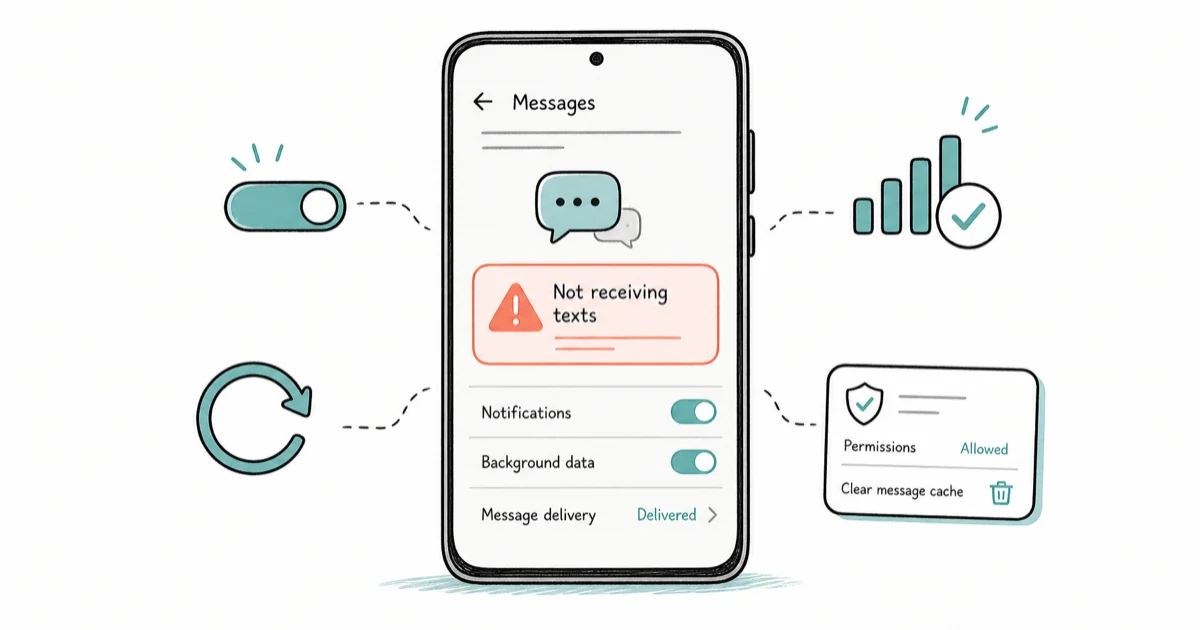
Quick AnswerIf your Android stopped getting texts after you switched from an iPhone, iMessage is almost always still holding your number. Deregister it on the old iPhone or with Apple's web tool. For broader text problems, confirm cellular signal, check blocked numbers, and clear the Messages cache.
Android not receiving texts is maddening because you don’t know what you’re missing until someone asks why you ignored them. When the missing messages come specifically from iPhone contacts, the cause is one most Android users never suspect: iMessage. After you switch from an iPhone, Apple can keep routing those texts as iMessages to a number that no longer has an iPhone to receive them. This guide leads with that fix.
This guide assumes the Android phone and number are yours.
- If only iPhone contacts’ texts go missing after switching, iMessage still holding your number is the cause, not your phone
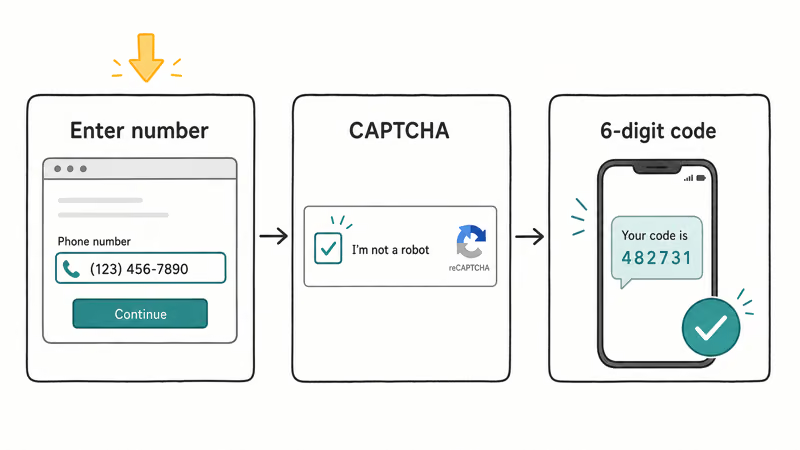
- Apple’s web deregister tool fixes this even if you no longer have the old iPhone, using a 6-digit code sent to your number
- SMS and MMS need a cellular signal, so a text problem with full Wi-Fi but no cellular is a network issue
- A number on your blocked list will silently swallow that contact’s texts with no notification to you
- Reset Mobile Network Settings keeps your WiFi and Bluetooth pairings on newer Android, so it’s a safe last resort
#Why Is Your Android Not Receiving Texts?
There are a handful of distinct causes, and matching the symptom to the cause saves time. If you recently switched from an iPhone and only iPhone contacts’ messages vanish, the iMessage trap is the overwhelming favorite. If you miss texts from everyone, the problem is broader: no cellular signal for SMS, a blocked number, a stale Messages app, or a carrier issue.
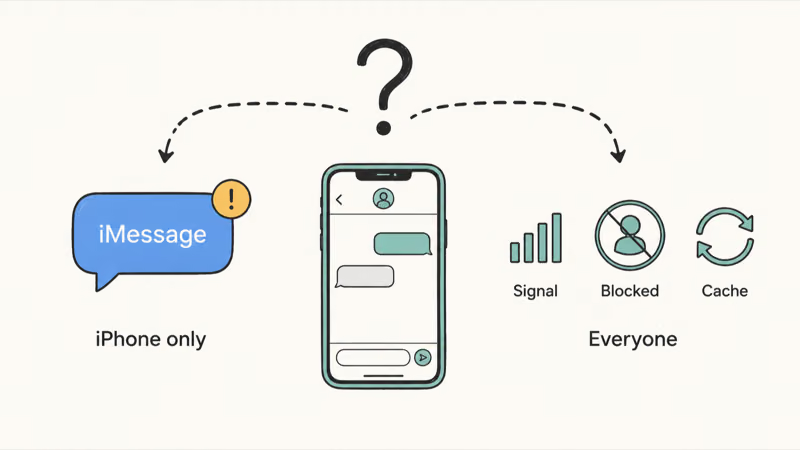
The iMessage failure mode is simple: the iPhone keeps sending blue-bubble iMessages to a number the Android phone can’t receive.
So the first question to answer is whether the missing texts come from iPhone users only, or from everyone. That single answer tells you which section to start with. If you’re on the other side of this, that is, an iPhone that isn’t getting messages, our guide on the iPhone not receiving texts covers the Apple-side checks instead.
#Deregister iMessage if You Switched From an iPhone
When you owned an iPhone, Apple linked your phone number to iMessage. After you move to Android, Apple may still believe that number is on an iPhone, so other iPhone users’ texts get sent as iMessages your Android can’t receive. Deregistering breaks that link.
If you still have the old iPhone, remove the SIM, then go to Settings > Messages and turn iMessage off, and Settings > FaceTime and turn FaceTime off, before you stop using the iPhone.
If you no longer have the iPhone, use Apple’s web tool. According to Apple’s Deregister iMessage tool, you enter the phone number you want to remove and complete a CAPTCHA. Apple states that a 6-digit code, texted to your number, then confirms the change. The tool is built for people now using a non-Apple phone who’ve stopped getting texts that iPhone users send them, which is exactly this case.
For privacy reasons, the tool only legally lets you deregister a number you control, since it verifies ownership with a code sent to that number.
It’s also worth asking an iPhone friend to delete you from their conversation and start a fresh thread, and to enable Send as Text Message so messages fall back to SMS if iMessage fails.
#Check Cellular, Blocked Numbers, and Restart
Once iMessage is ruled out, confirm the basics. Standard texts ride the cellular network, not Wi-Fi, so a weak or absent cellular signal stops SMS and MMS even when Wi-Fi looks perfect. Toggle Airplane mode on for a few seconds and back off to force the phone to re-register with the tower. As a quick test, turn Wi-Fi off and see whether texts start arriving on cellular alone.
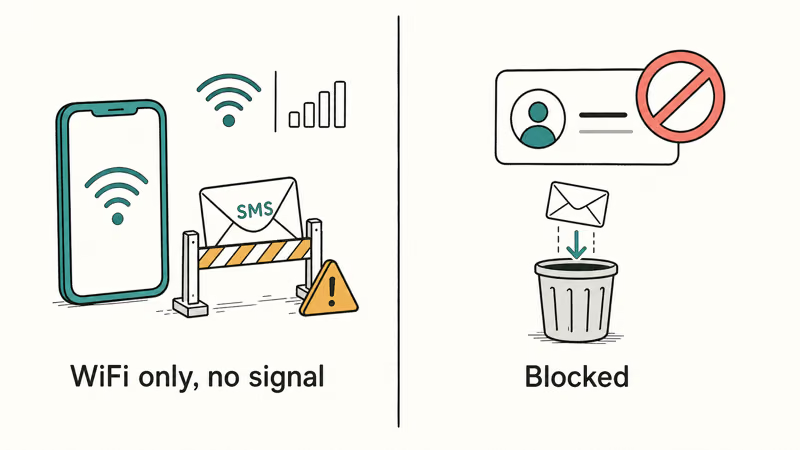
Next, check your blocked list, because a blocked number’s texts are discarded silently with no alert to you. In Google Messages, open the three-dot menu and go to Settings > Blocked numbers, then review whether the missing sender is on it.
A plain restart clears temporary glitches that quietly break messaging. If the messaging service itself is acting up, a stuck process like com.android.mms can be the cause.
#Update Android and Clear the Messages Cache
An outdated system or messaging app can mishandle incoming texts. Update the operating system through Settings > System > Software update, and update Google Messages through the Play Store, since fixes for delivery bugs ship there.
If texts still don’t arrive, clear the Messages app cache. Go to Settings > Apps > Messages > Storage & cache and tap Clear cache. This removes only temporary files and doesn’t delete your conversations. According to Google Messages help, keeping the app updated and clearing its cache are standard steps when messages aren’t behaving, and the same cache logic applies to a routine Android cache and history clear.
Confirm Google Messages is set as your default SMS app under Settings > Apps > Default apps, because if a second messaging app quietly took over, incoming texts may be landing somewhere you aren’t looking.
#Why Do Only iPhone Texts Go Missing?
This pattern, where Android friends’ texts arrive fine but iPhone friends’ texts never show up, is the signature of the iMessage trap. When an iPhone user texts your number, their phone first checks whether that number is registered for iMessage. If Apple’s records still say yes, the message goes out as an iMessage, which only an Apple device can receive.
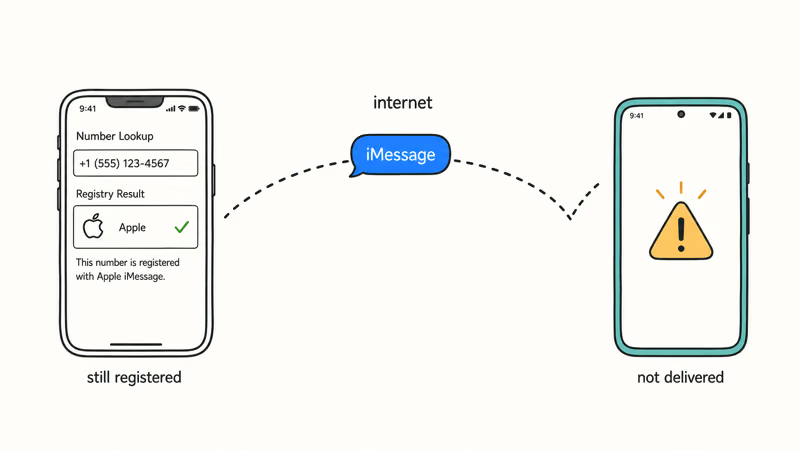
Deregistering your number, as covered above, is the real fix. It tells Apple to stop treating your number as an iMessage destination. After deregistration, texts from iPhone contacts can start landing on the Android phone again once Apple’s routing updates.
As the Wikipedia overview of iMessage explains, the service routes messages between Apple devices over the internet rather than as carrier SMS, which is why a number it still thinks is on an iPhone never falls back to text.
In the meantime, the sender can force a single message through by long-pressing their sent text and choosing Send as Text Message. They should also enable MMS Messaging on the iPhone so group texts and photos reach you as standard MMS. If your trouble is the newer chat layer instead, our guides on how to turn off RCS and RCS messages not sending cover that side.
#Reset Mobile Network Settings and Check With Your Carrier
If texts still go missing from everyone after the steps above, reset the mobile network settings. On most newer Android phones the path is Settings > System > Reset options > Reset Mobile Network Settings. This clears and rebuilds your cellular configuration and doesn’t delete your messages or files. You may need to re-enter a Wi-Fi password afterward, but your texts stay put.
If nothing works, the issue may be on the carrier’s side. Cross-network or international texts can hit plan limits, and an overdue bill can suspend messaging.
Call your carrier, confirm SMS and MMS are active on your plan, and ask them to refresh your line, since a network-side reset sometimes clears a stuck registration no phone setting can reach.
#Bottom Line
If you recently switched from an iPhone and only iPhone contacts’ texts go missing, the cause is almost always iMessage still holding your number, so deregister it, either on the old iPhone or with Apple’s web tool. For broader problems, confirm you have cellular signal, since SMS and MMS need the cellular network even when iMessage rides WiFi.
Check your blocked list and clear the Messages cache before anything drastic. Reset Mobile Network Settings is the safe last resort, and a carrier call rules out a billing limit.
#Frequently Asked Questions
Why do I only miss texts from iPhone users?
This is the iMessage trap. If Apple still has your number on record as an iPhone, those texts go out as iMessages your Android can’t receive. Deregistering fixes it.
How do I deregister iMessage if I no longer have my iPhone?
Use Apple’s web deregister tool. You enter the number you want to remove, complete a CAPTCHA, then type in the 6-digit code Apple texts you. It’s built for people who’ve moved to a non-Apple phone, so you don’t need the old iPhone in hand. That’s the whole point of the web tool.
Does receiving SMS need cellular, or does WiFi work?
Standard SMS and MMS travel over the cellular network, not Wi-Fi, so you need a cellular signal. Apps like iMessage, WhatsApp, or RCS chats use Wi-Fi, but plain texts can’t, which is why full Wi-Fi with no bars still leaves ordinary texts stuck.
Can a blocked number be why I’m not getting texts?
Yes. A blocked number’s texts are silently discarded with no notification. Open your blocked numbers list and check the missing contact.
Will resetting network settings delete my texts?
No. Resetting Mobile Network Settings rebuilds your cellular, Wi-Fi, and Bluetooth configuration, but it doesn’t touch your saved messages, photos, or apps. You may need to reconnect to Wi-Fi afterward, but your text history stays fully intact, so there’s no risk to anything you’ve already received.
Could my carrier be blocking cross-network texts?
It’s possible. Some plans limit cross-network or international messaging, and an unpaid bill can suspend SMS service entirely. Call your carrier to confirm SMS and MMS are active on your plan and ask them to refresh your line, since a carrier-side reset can clear a stuck registration that no setting on your phone can reach.

Pixel 11 vs Pixel 10: What Changed and Who Should Upgrade
Pixel 11 vs Pixel 10: same screen and camera resolution, new Tensor G6, 25W wireless, and Gemini Intelligence. Here is who should actually upgrade.

Verizon Not Receiving Texts? How to Fix It in 9 Steps
Verizon not receiving texts? Fix it in 9 steps: check Message Blocking in My Verizon, reset network settings, deregister iMessage, and call support.

Pixel Battery Drain: What Google's July Fix Really Covers
Google marked the Pixel idle battery drain bug fixed in July, but only some phones got the patch. Here is who is covered, who is not, and what to try.

iPhone Stuck on EDGE? How to Get 5G or LTE Back (2026)
iPhone stuck on EDGE with crawling data? Here's why the E icon appears, which settings force 5G or LTE back, and when the problem is your carrier.