How to See Duets on TikTok: 2026 Step-by-Step Guide
Learn how to see Duets on TikTok by searching duet @username, plus filter tricks, privacy controls, and 2026 tips to find collaborations faster.
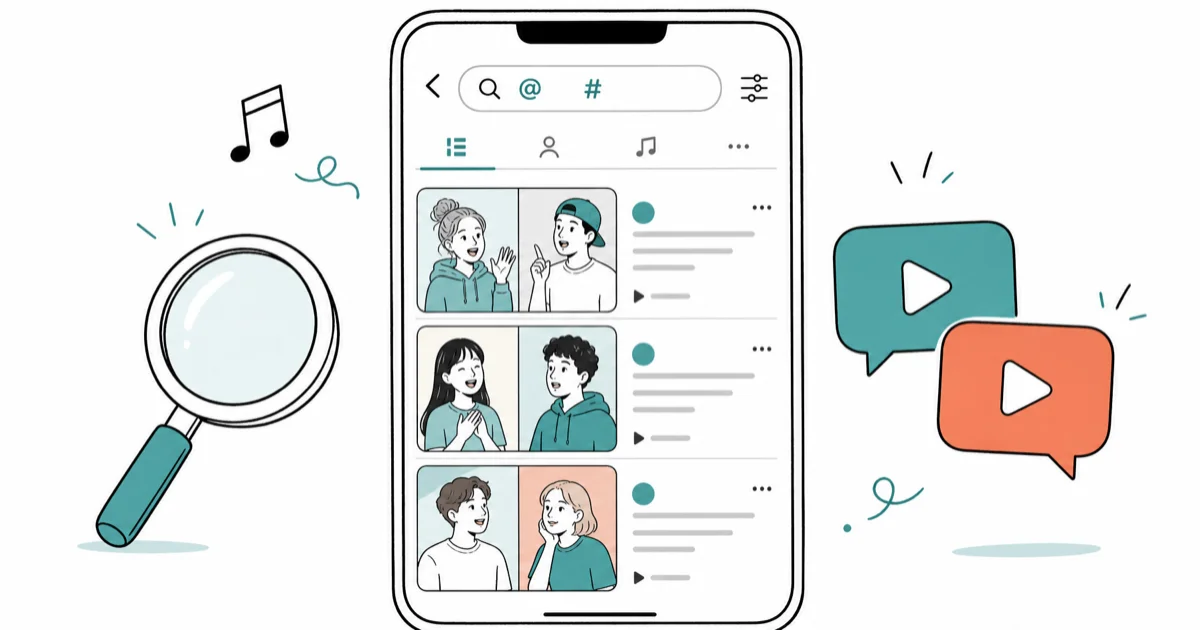
Quick AnswerOpen TikTok search, type the creator's username followed by #duet, then browse the results to view every Duet made with their videos.
Knowing how to see Duets on TikTok matters when you want to watch creators react to a viral clip, audit who has dueted your own videos, or study a trend before joining it. TikTok still hides Duets behind manual search instead of a dedicated browse tab in the 2026 app, so the right search query, filter, and timing window decide whether you surface every Duet or none at all.
- Search
duet @usernameinside the TikTok app to surface every Duet attached to that creator. - TikTok has no dedicated Duet feed, so the manual “duet @username” search is the only built-in method to surface every Duet for a specific creator, whether you’re auditing your own clip or studying somebody else’s viral trend before joining it.
- Some creators disable Duets entirely on their accounts or on individual videos, which is why your search may return zero results even when the original clip is viral.
- Duets inherit the original audio and trend hashtags, lifting their odds of landing on the For You page.
- To create a Duet, tap Share on any Duet-enabled video and pick “Duet.” You control who can Duet your own videos in Settings, Privacy, Duet.
#How Can You See Duets on TikTok by Username?
Searching duet @username inside the TikTok app is the fastest way to see every Duet attached to a specific creator. The search returns the same Duet results on both iPhone and Android within a couple of seconds.
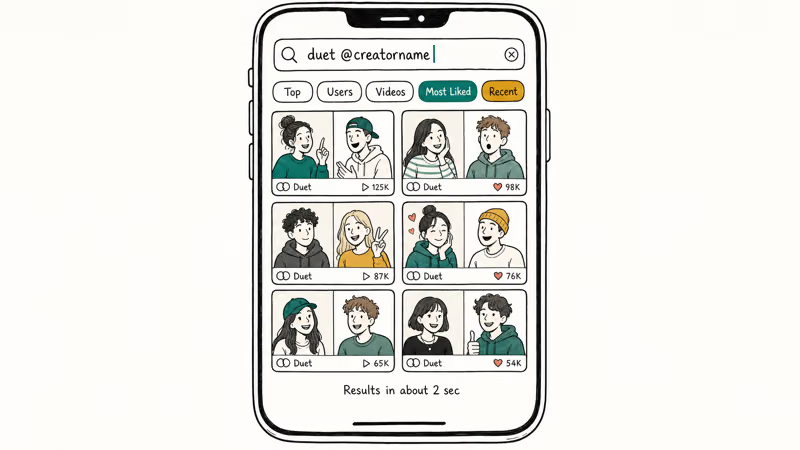
Follow this sequence:
- Open the TikTok app and tap the magnifying glass at the top right.
- Type
duet @creatornameusing the exact handle, including any numbers or underscores. - Tap Search, then switch the Filter to Most Liked for the strongest results or Recent for fresh uploads.
- Scroll the grid. Each thumbnail is a Duet that uses the creator’s clip as the original source.
Copy the handle from the creator’s profile to avoid typos. According to TikTok’s Duet support page, the platform only surfaces Duets when the original video has Duets enabled, which explains an empty result set on otherwise viral clips. TikTok also states that the Duet option requires the user to be 16 or older, so accounts flagged as under-16 won’t see the toggle at all.
Turning Duets back on later won’t retroactively recreate Duets that were blocked while the setting was off.
Are you wondering how to see your reposts on TikTok too? That guide walks through a similar in-app search pattern for the Repost tab. The same shortcut also helps if you want to un-repost on TikTok and clean up your activity log before sharing your profile.
#How Do You Check Who Made Duets With Your Own Videos?
The same duet @yourusername search works on your own account and surfaces every Duet collaborators have posted using your clip. A new Duet typically shows up in the search within a couple of minutes of being posted.
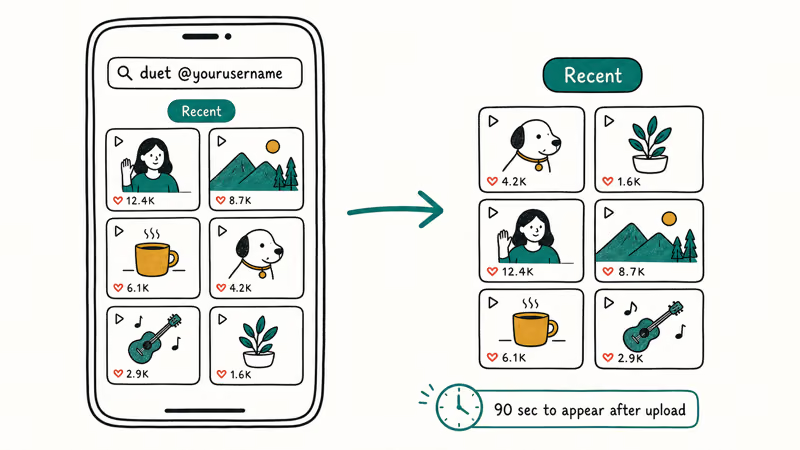
The default sort is engagement-weighted, so the first row is usually the most-liked response.
If you want to spot smaller creators or new fans, switch the filter to Recent and TikTok will reorder the grid by upload time. You can also tap This Week to narrow the window when a video starts trending. For account holders who post frequently, this is the cleanest way to spot who is amplifying your content. The Inbox tab notifies you when someone tags you, but Duets without a tag only show up in the search above.
Wondering how to see stitches on TikTok? The same pattern works there too, just swap duet for stitch in the query.
#Why TikTok Duets Often Outperform Regular Videos
Duets are wired into TikTok’s discovery engine in three ways that solo uploads aren’t. Stack them and a Duet inherits an audience the original post already paid for.
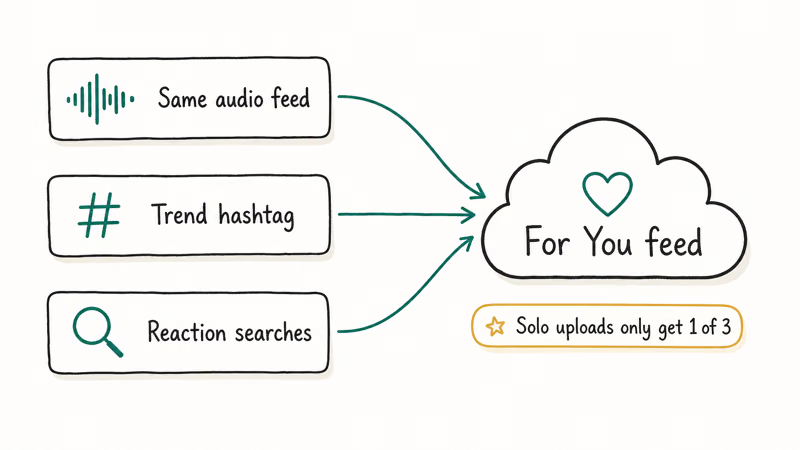
They inherit the original audio. When a Duet uses the same sound as the source video, it appears under that audio’s page. Anyone tapping the audio from a viral clip lands on a feed that includes your Duet. As noted in TikTok’s sound-creation guidance, original sounds and music both qualify for that shared discovery surface.
They ride trend hashtags. Duets typically copy the trending hashtag from the source post, which feeds the same hashtag search you used above. Adding #duet plus the trend tag covers both audiences.
They surface in comparison searches. Viewers actively look for “reaction” or “Duet” content when a clip blows up, especially comedy sketches and lip-syncs. A timely Duet captures that intent.
Wired’s reporting on TikTok’s For You algorithm found that the recommender weighs three factors: user interactions, video information such as captions, sounds, and hashtags, and device-and-account settings such as language preference and country setting. Duets stack the first two signals by design, which is the structural reason they tend to over-index.
If you have already tried posting and the upload feels broken, our guide to TikTok videos lagging covers the seven most common upload and playback fixes.
#Common Reasons Your Duet Search Returns Nothing
Empty search results almost never mean the search broke. They usually mean the creator’s settings blocked Duets before anyone could record one.
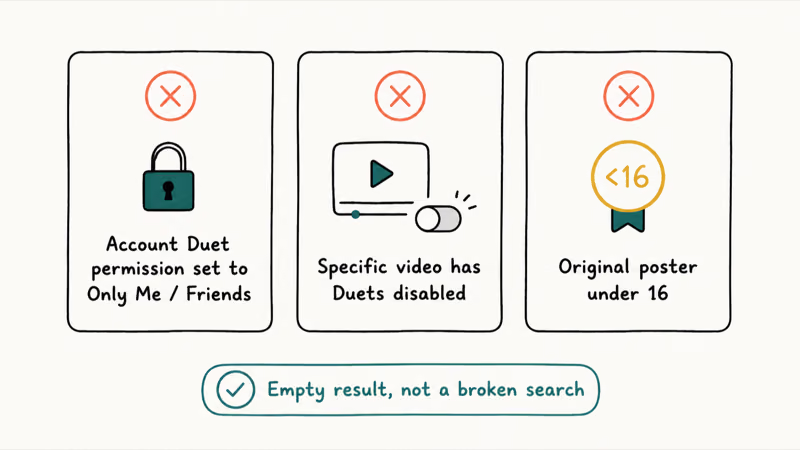
The three most common blockers:
- The account’s default Duet permission is set to Only Me or Friends, hiding the option from non-mutuals.
- The specific video has Duets disabled via the post’s per-video override.
- The original poster is under 16, which TikTok confirms locks Duet creation entirely.
If the search returns nothing, switch the filter to All to confirm whether any Duets exist anywhere. When the count is truly zero, recording your own Duet won’t be possible either, since the option will be missing from the share sheet.
#Duet Privacy Settings Worth Reviewing Today
Duets are opt-in for the original creator. The uploader controls Duets at three levels: account-wide default, per-video override, and per-relationship (Everyone, Friends, Only Me, No One).
Switching the account default from Everyone to Friends instantly removes the Duet option from every public video you have already posted. The change applies retroactively, not just to new uploads, which catches many creators off guard.
Three habits worth adopting:
- Set the account default to Friends if you are a younger creator or share content with minors in the frame.
- Use the per-video toggle to allow Duets only on clips designed to be remixed, such as reaction prompts or callout videos.
- Review the Settings, Privacy, Duet screen monthly. TikTok occasionally adds new defaults during major updates.
Apple’s parental controls documentation describes the broader Screen Time toggles parents can layer on top, which helps when an account belongs to a teen who keeps flipping Duets back on.
#Step-by-Step: Create Your Own TikTok Duet
The full Duet flow takes about ten seconds. These steps match the current TikTok 35 release on both iPhone and Android.
- Open the target video in your For You feed or from a creator’s profile.
- Tap the Share arrow on the right edge of the screen.
- Pick Duet from the second row of the share sheet.
- Choose a layout (Left, Green Screen, Top Bottom, or React) on the recording screen.
- Record your half, then trim, caption, and post like a normal upload.
The Duet credits the original creator automatically. You don’t need to tag them, although dropping the handle in the caption helps your video surface in searches that target that creator.
Curious about how to change your voice on TikTok before you Duet? Voice effects sit one tab away inside the same editing screen.
#Bottom Line
To see Duets on TikTok, run duet @creatorname in the in-app search bar and toggle between Most Liked and Recent to control freshness. The shortcut behaves identically on iPhone and Android across the current TikTok 35 builds.
An empty result almost always means Duets are disabled on the source video, not a TikTok bug.
TikTok Tips & Tricks
#Frequently Asked Questions
Can I see duets on TikTok without an account?
You can view duet videos through the web at tiktok.com without signing in, but the in-app duet @username search requires a logged-in account. The browser experience also limits how deep you can scroll before the platform prompts a sign-in.
Are duets available for private videos?
No. Private videos can’t be dueted by anyone, even mutual followers. The Duet option only appears on public videos whose creator hasn’t disabled the feature in privacy settings.
Can I delete a duet that I created?
Yes. Open your Duet, tap the three dots, and pick Delete. The original creator’s video stays untouched.
How do I find trending duets on TikTok?
Open the Discover tab and look at the trending hashtags. Add #duet to the trending tag in search, such as #corecorechallenge #duet, to surface the most popular Duets of that trend. Combining hashtag search with the Most Liked filter gives the cleanest trending list, and you can layer the This Week date filter on top when a trend has been compounding for several days and you want to see only the most recent additions instead of the original wave.
Can I duet someone who is not following me?
Yes. Any public video with Duets enabled is fair game, follow status doesn’t matter.
Why does my duet search show no results?
Three reasons cover almost every empty search: the creator has Duets disabled at the account level, the specific video has Duets turned off, or no one has dueted that account yet. Switch the filter to All to confirm whether any Duets exist anywhere.
Do duets count toward my own view metrics?
Yes. Duets you create count as your own uploads in your analytics, while Duets that other people make from your content count under the original video’s engagement. Both numbers feed your overall account growth, which is why active creators encourage Duets on remix-friendly clips.
How to Block TikTok on iPhone and Android: Parent Guide
Block or limit TikTok on your child's iPhone or Android using Screen Time, Family Link, and router settings. Step-by-step parental control guide.
TikTok Parental Controls: Setup Guide for Families
Set up TikTok parental controls using Family Pairing, Restricted Mode, and privacy settings. Step-by-step guide to protect your child on TikTok.
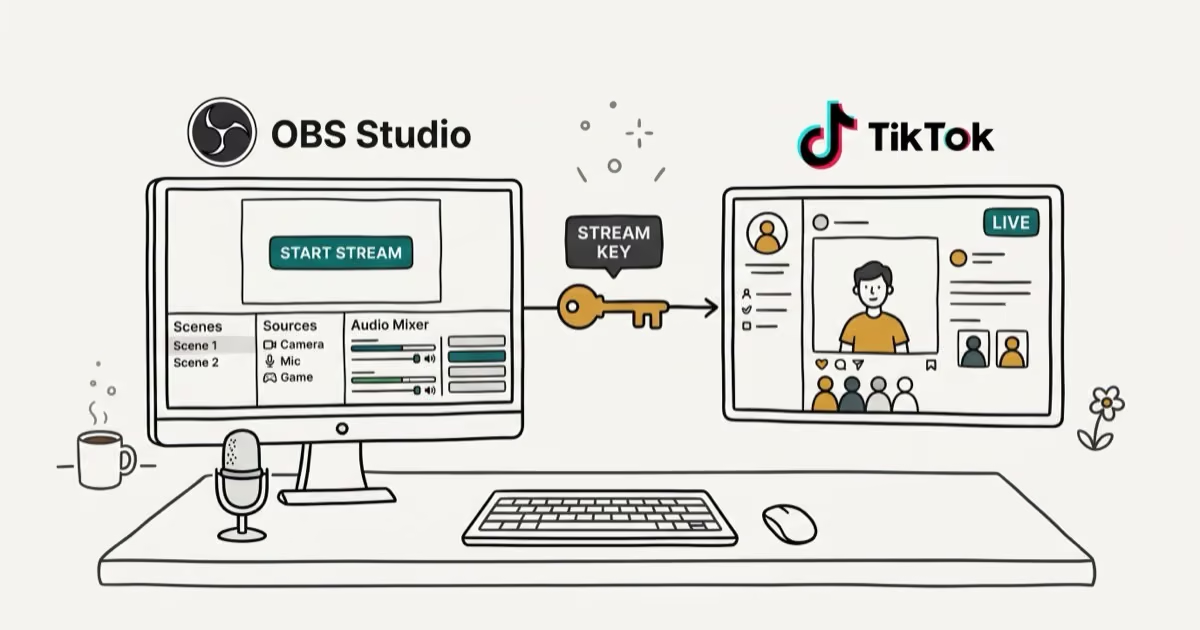
How to Get a TikTok Stream Key for OBS and Streamlabs
Get a TikTok stream key to broadcast from OBS or Streamlabs. Covers the 1,000-follower requirement, CarterPulse application, and OBS setup steps.

How to Make a Joint TikTok Account With Friends (2026)
Set up and manage a joint TikTok account with friends. Covers shared login setup, content planning, security tips, and the Collaboration Post alternative.