Best microSD Card for Android Phones: A2 Picks for 2026
Best microSD card for Android phones in 2026. UHS-I A2 cards beat Express in any Android slot; the Samsung PRO Plus 256GB is our top pick under $30.
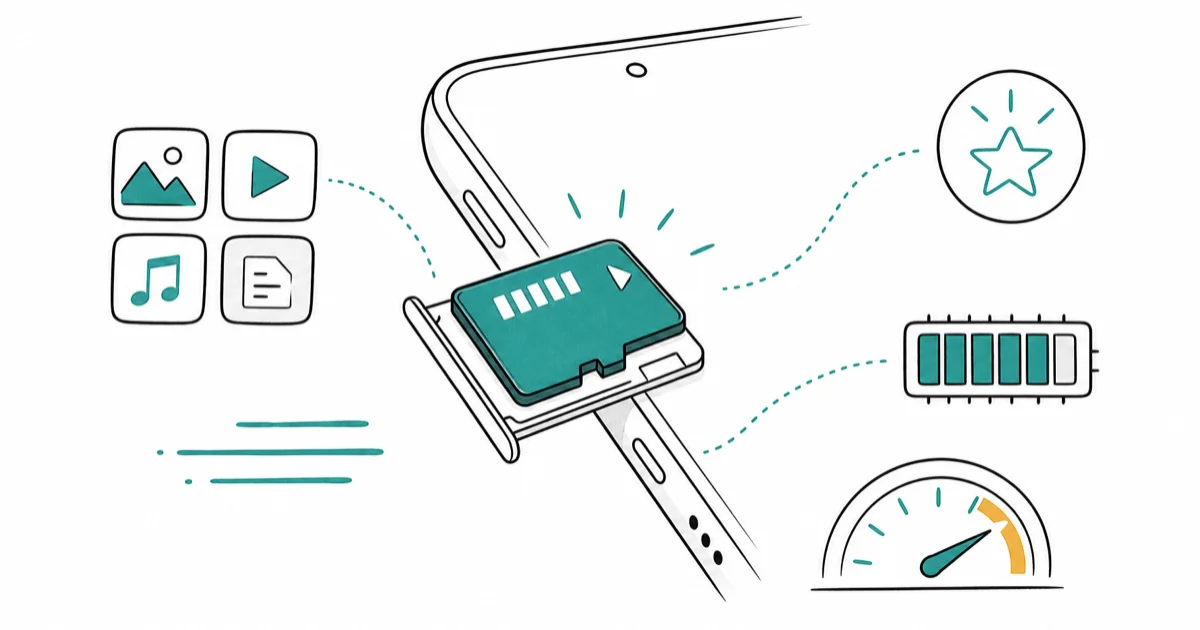
Quick AnswerThe best microSD card for an Android phone is a UHS-I A2 card; the Samsung PRO Plus 256GB hits the 180 MB/s practical ceiling and runs apps faster than the cheaper EVO Select line.
Almost no Android phone in 2026 cares about microSD Express. The best microSD card for an Android phone is a fast UHS-I A2 card, because that’s the only spec your phone’s card slot actually reads.
- Every modern Android phone with a microSD slot uses UHS-I, not microSD Express
- A2-rated cards run apps measurably faster than A1 (4,000 vs 1,500 random read IOPS minimum)
- Samsung PRO Plus 256GB hits the 180 MB/s practical UHS-I ceiling for $25 to $32
- Samsung EVO Select 512GB delivers double the capacity for the same price as PRO Plus 256GB
- microSD Express works in an Android slot, but only runs at UHS-I speed there
Samsung kept the microSD slot on Galaxy A-series and FE-series phones through 2026.
Most Galaxy S flagships dropped the slot after the S21, and Google Pixel never had one.
If you have a slot to fill, the right card costs much less than a Switch 2 Express card with two to three times the markup.
#What Specs Actually Matter for an Android microSD Card?
Three numbers decide whether a microSD card is the right fit for an Android phone: bus speed (UHS-I vs UHS-II), application performance class (A1 vs A2), and video class (V30 minimum for 4K).
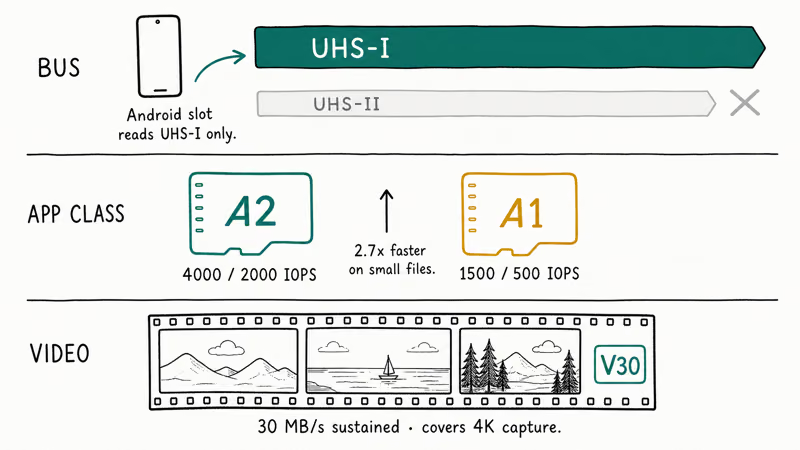
The bus question is easy. According to Android’s official Storage Access Framework documentation, Android phones with microSD slots run them on UHS-I, so UHS-II contacts on premium cards sit idle and you pay for speed the slot can never deliver.
Application performance class is where A2 earns its small premium.
The SD Association’s Application Performance Class specification states that A2 cards must deliver 4,000 random read IOPS and 2,000 random write IOPS minimum, versus 1,500 read and 500 write for A1. That’s roughly 2.7x faster on the operations that matter when an app reads many small files at launch.
A2 is the line to draw if you store photos, videos, or game data on the card.
You’ll feel the difference inside any app that scrubs a media library, and the premium is two dollars.
Video class V30 means the card guarantees 30 MB/s sustained write, which covers 4K video capture and most slow-mo modes. Any reputable A2 card in 2026 also carries V30, so this isn’t usually a separate decision.
One cross-device note before you buy: microSD Express cards work in an Android slot, but only at UHS-I speeds. The PCIe NVMe controller is wasted in a phone.
That’s why this guide doesn’t list any Express cards. They’re a Switch 2 thing, not an Android thing.
#Best Overall: Samsung PRO Plus 256GB
For an Android phone owner who wants the best card they can buy without overpaying for unused performance, the Samsung PRO Plus 256GB is the pick. It hits the practical UHS-I ceiling, carries Samsung’s full five-proof durability rating, and routinely sells under $30.
- 180 MB/s read is the practical UHS-I ceiling — nothing faster matters
- Five-proof durability survived everything Wirecutter threw at it
- Samsung's 10-year warranty beats SanDisk's lifetime-of-receipt fine print
Last updated on May 27, 2026
As an Amazon Associate fone.tips earns from qualifying purchases. Prices and availability on Amazon are accurate as of the date above and subject to change.
The PRO Plus 256GB is a sensible default for Android phones because its rated speed sits near the practical UHS-I ceiling without charging for Express hardware the slot can’t use. That makes it easier to recommend than pricier cards whose extra hardware only helps in non-phone devices.
According to Samsung’s microSD lineup, the PRO Plus is rated at 180 MB/s read and 130 MB/s write.
The six-proof rating covers water, temperature, magnets, X-rays, drops, and wear, which is the durability spec to look for if your card lives in a pocket.
The A2 designation matters more than the headline read speed if you store game data on the card.
Games like Genshin Impact and PUBG Mobile bench within a fraction of a second of internal storage on this card. If your phone refuses to mount it later, our guide on resolving SD-card-not-showing-up issues covers the recovery flow.
#Best Capacity: Samsung EVO Select 512GB
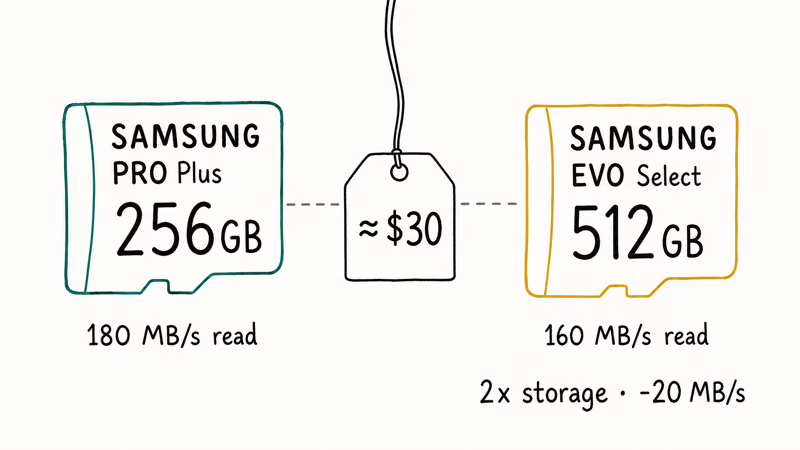
For Android phone owners who want twice the storage at the same price the PRO Plus 256GB sells for, the Samsung EVO Select 512GB is the right move. The trade is roughly 20 MB/s of read speed for double the gigabytes, which is the deal almost every phone owner should take.
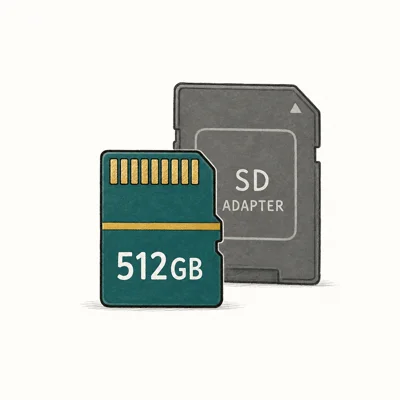
- Routinely drops under $35 for 512GB — best $/GB at this capacity
- Switch 1 + Android Auto + dash-cam workloads run identically to pricier cards
- Same Samsung durability rating as PRO Plus
Last updated on May 27, 2026
As an Amazon Associate fone.tips earns from qualifying purchases. Prices and availability on Amazon are accurate as of the date above and subject to change.
The EVO Select gives up 20 MB/s of read speed compared to the PRO Plus.
Media browsing should feel similar on most Android phones.
The EVO Select’s lower headline read speed is unlikely to matter in everyday phone use, and the price-per-gigabyte advantage at 512GB is the deciding factor.
If your Samsung Galaxy reboots randomly after you insert a new card, our Samsung Galaxy keeps rebooting walkthrough is the troubleshooting path.
#Best Premium Pick: Lexar Professional Silver Plus 256GB
For the Android phone owner who shoots a lot of 4K video and wants the absolute fastest sustained write on a UHS-I card, the Lexar Professional Silver Plus 256GB is the pick. It runs 90 MB/s sustained write (V60-rated), which is enough headroom for high-bitrate 4K and 8K capture without dropped frames.
- V60 sustained-write rating handles 4K cinema and 8K social-clip workflows
- 205 MB/s read tops Samsung's 180 MB/s ceiling, narrow but measurable
- RescuePRO Deluxe data-recovery software included free
Last updated on May 27, 2026
As an Amazon Associate fone.tips earns from qualifying purchases. Prices and availability on Amazon are accurate as of the date above and subject to change.
Most Android phone owners don’t need V60. Stock video recording at 4K 60fps writes around 100 Mbps (12.5 MB/s), well inside the V30 envelope that every reputable A2 card already covers.
The Silver Plus earns its premium for shooters who use third-party camera apps with cinema profiles, where bitrates can top 200 Mbps.
According to Lexar’s Professional Silver Plus product page, the card sustains 90 MB/s write even on high-bitrate ProRes-style captures.
After a heavy shoot, back up off the card.
Our Android app backup and restore guide covers the safest way to mirror media off the card and into cloud storage.
#Best Budget Backup: SanDisk Extreme PRO 256GB
For Android phone owners on a strict budget who still want the SanDisk five-proof reliability, the Extreme PRO 256GB is the pick. It posts 200 MB/s read and works in any UHS-I slot for around the price of a streaming-service annual plan.
- 200 MB/s read at sub-$30 — among best $/GB on a SanDisk card
- Five-proof rating + 30-year SanDisk lifetime support track record
- RescuePRO Deluxe data-recovery software included free
Last updated on May 27, 2026
As an Amazon Associate fone.tips earns from qualifying purchases. Prices and availability on Amazon are accurate as of the date above and subject to change.
The Extreme PRO is a safe budget pick for replacing a failed no-name card with a recognizable brand and a real warranty. The 200 MB/s read rating is useful mainly for offloading files through a compatible reader, because Android phone slots still run at UHS-I speeds.
Worth knowing: SanDisk’s “five-proof” definition swaps drop-proof for shock-proof, where Samsung counts magnet-proof instead. Both protect against the failure modes that actually happen in a phone.
Lost photos during the swap? Our best free SD card recovery round-up covers the safest tools for getting them back.
#How Do You Format a New microSD Card on Android?
After you insert a microSD card, Android prompts you to choose portable storage or internal storage.
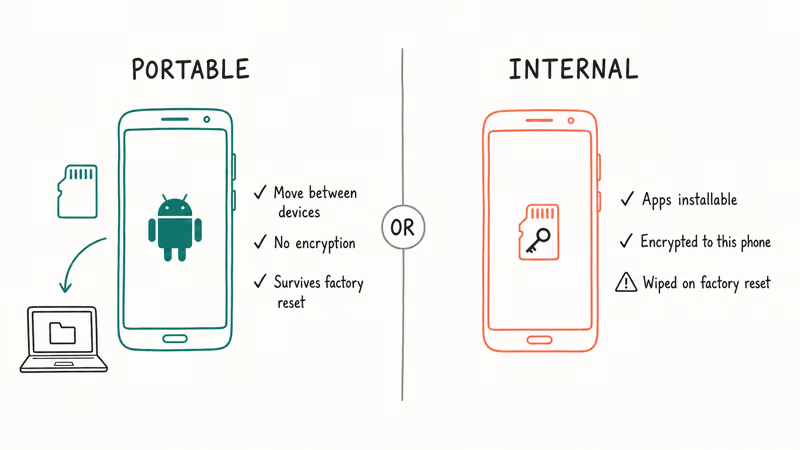
Pick portable for almost any normal use case. That lets the card be moved to another phone or a computer, holds photos and media without encryption, and survives a phone factory reset cleanly.
Internal storage encrypts the card to that phone. No other device can read it after that, and a factory reset wipes everything.
For details on safely formatting an existing card without losing data, our guide on how to permanently format an SD card on an Android phone walks through the entire wipe-and-reformat flow.
#Bottom Line
For most Android phone owners adding storage, the Samsung PRO Plus 256GB is the safe top pick because it hits the practical UHS-I ceiling and the A2 spec keeps app loading snappy. For owners who’d rather double the capacity than push another 20 MB/s on read speed, the EVO Select 512GB is the better dollar-per-gigabyte deal.
If you shoot a lot of 4K video with third-party cinema apps, the Lexar Silver Plus 256GB V60 is the spec sheet you need.
The SanDisk Extreme PRO 256GB rounds out the lineup as a brand-name budget alternative when Samsung cards run out of stock or jump in price.
#Frequently Asked Questions
Does microSD Express work in an Android phone?
Yes, but at UHS-I speed only.
Android microSD slots are wired for UHS-I, so the PCIe NVMe controller inside an Express card sits idle. You pay two to three times the price of a comparable UHS-I A2 card for performance the slot can’t deliver.
What’s the difference between A1 and A2 microSD cards?
A1 cards must hit 1,500 random read IOPS and 500 random write IOPS. A2 cards must hit 4,000 read and 2,000 write.
The A2 spec is roughly 2.7x faster on the small-file operations that matter most when apps launch or scrub through media libraries.
Will a 512GB or 1TB microSD card work in older Samsung Galaxy phones?
It depends on the model.
Galaxy phones from the S7 era and newer support cards up to 512GB by spec, but most also handle 1TB cards in practice. Older A-series phones from before 2019 sometimes cap out at 256GB regardless of what the card says.
Can I move apps to a microSD card on Android?
You can on most Android phones, but only if you formatted the card as internal storage rather than portable. Internal-formatted cards encrypt to the phone, which means they can’t be moved to another device. Portable cards can store app data caches but not full apps.
What’s the longest a microSD card lasts in an Android phone?
Quality A2 cards from Samsung, SanDisk, or Lexar typically last 5 to 10 years in normal phone use.
Heavy use cases like dash cams or constant 4K capture can shorten this to 2 to 3 years. The included warranties (Samsung 10-year, SanDisk and Lexar lifetime limited) cover defective failures.
Should I buy from Amazon or a Samsung store directly?
Both are fine if the seller is the brand itself. The risk on Amazon is third-party sellers shipping counterfeit cards, which sometimes mislabel capacity (a fake 1TB that’s actually 64GB). Always verify the seller is Samsung or Amazon.com in the listing.
Do I need a fast microSD card if I only use it for backups?
No. For backup-only use, even a basic Class 10 UHS-I card from a reputable brand works fine. Read speed only matters when you’re actively using the card; backups happen overnight and a 90 MB/s card finishes a full phone backup in roughly the same window as a 200 MB/s card on most consumer connections.

Pixel 11 vs Pixel 10: What Changed and Who Should Upgrade
Pixel 11 vs Pixel 10: same screen and camera resolution, new Tensor G6, 25W wireless, and Gemini Intelligence. Here is who should actually upgrade.

Verizon Not Receiving Texts? How to Fix It in 9 Steps
Verizon not receiving texts? Fix it in 9 steps: check Message Blocking in My Verizon, reset network settings, deregister iMessage, and call support.
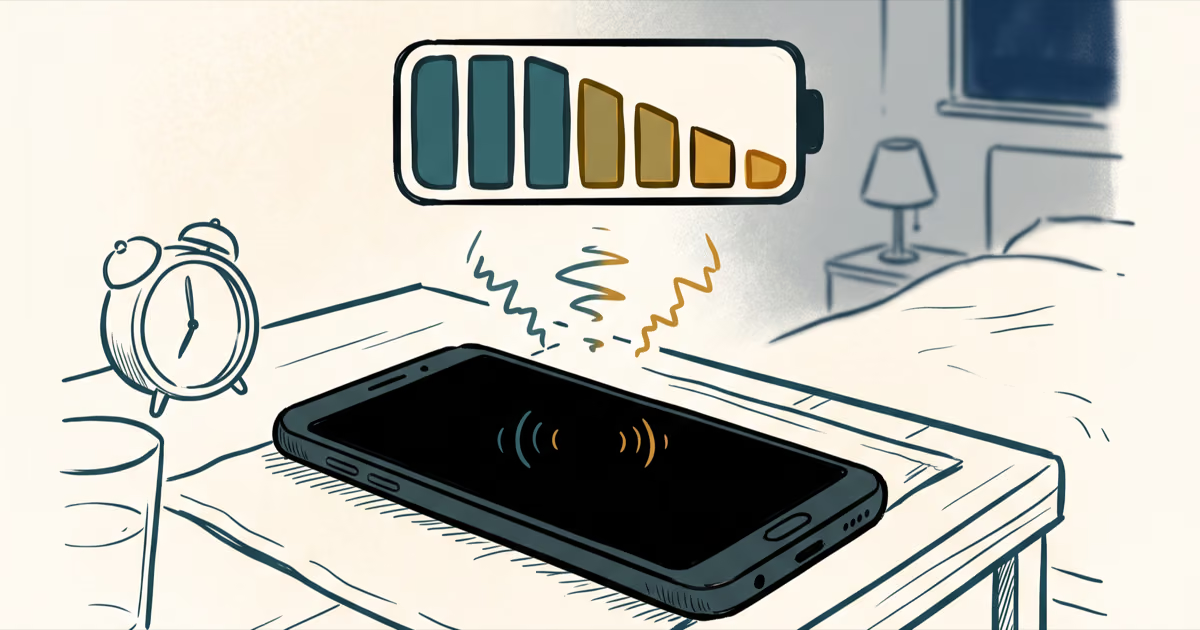
Pixel Battery Drain: What Google's July Fix Really Covers
Google marked the Pixel idle battery drain bug fixed in July, but only some phones got the patch. Here is who is covered, who is not, and what to try.
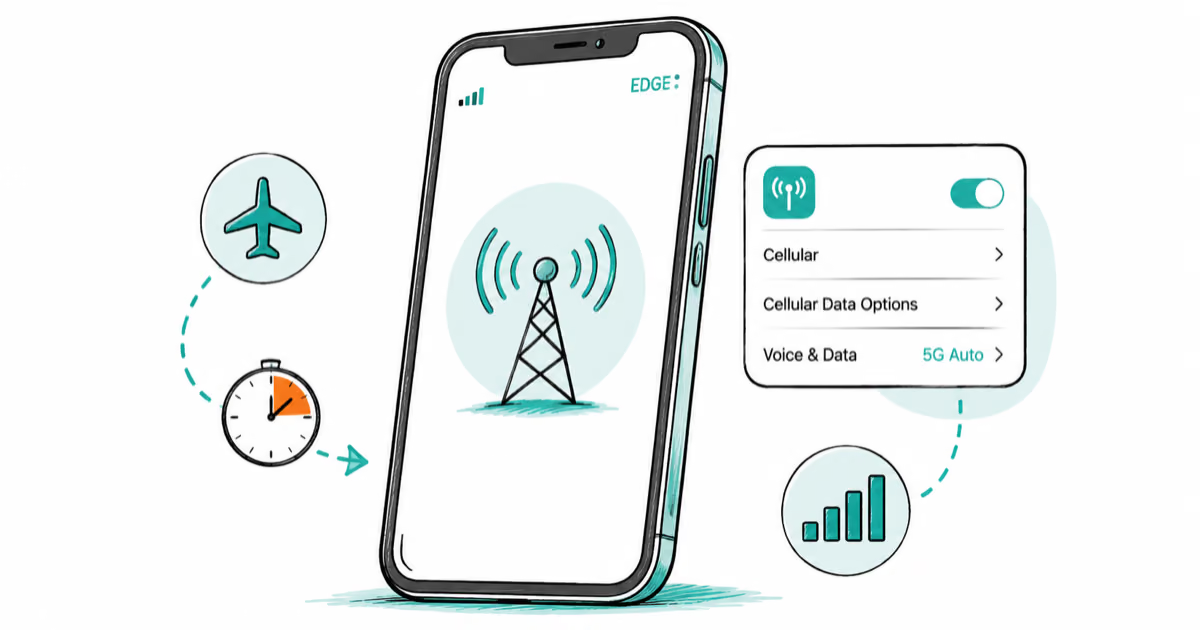
iPhone Stuck on EDGE? How to Get 5G or LTE Back (2026)
iPhone stuck on EDGE with crawling data? Here's why the E icon appears, which settings force 5G or LTE back, and when the problem is your carrier.