Best Earbuds With AI Assistant: Hands-Free Picks for 2026
The best earbuds with an AI assistant let you talk to Gemini, Siri, or Galaxy AI hands-free. Here is what each one can actually do without your phone.
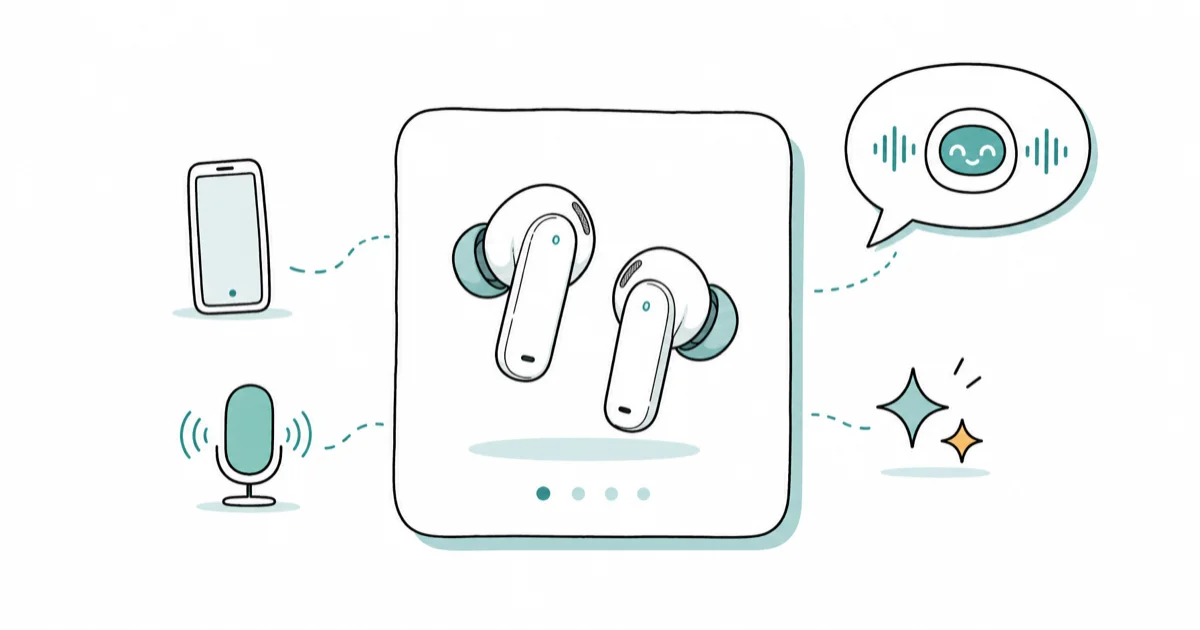
Quick AnswerFor iPhone owners, the AirPods Pro 3 give you Siri and Apple Intelligence hands-free. On Android, the Pixel Buds A-Series and Pro 2 run Gemini Live, while Galaxy Buds3 add real-time interpreter mode for Samsung phones.
The best earbuds with an AI assistant don’t just play music. They let you talk to Gemini, Siri, or Galaxy AI without touching your phone, and the right pick depends almost entirely on which phone you own. This guide compares what each assistant can actually do in your ears.
- The earbud assistant matches your phone: Gemini for Android, Siri for iPhone, Galaxy AI for Samsung.
- AirPods Pro 3 add Live Translation in 5 languages at launch, with 4 more (Italian, Japanese, Korean, Chinese) due by end of 2025.
- Pixel Buds A-Series got Gemini in Google’s October 2024 rollout, so older buds work too.
- Galaxy Buds3 interpreter mode runs the AI on your Samsung phone, not the buds themselves.
- Almost no earbud “runs” the AI on-device; the buds are a hands-free mic and speaker for the assistant on your phone.
#What Does “AI Assistant” Actually Mean in Earbuds?
It means the earbuds give you a hands-free way to reach the voice assistant that already lives on your phone. The microphones pick up your voice, the assistant processes the request on your phone or in the cloud, and the answer plays back in your ears. The buds themselves rarely do the thinking.
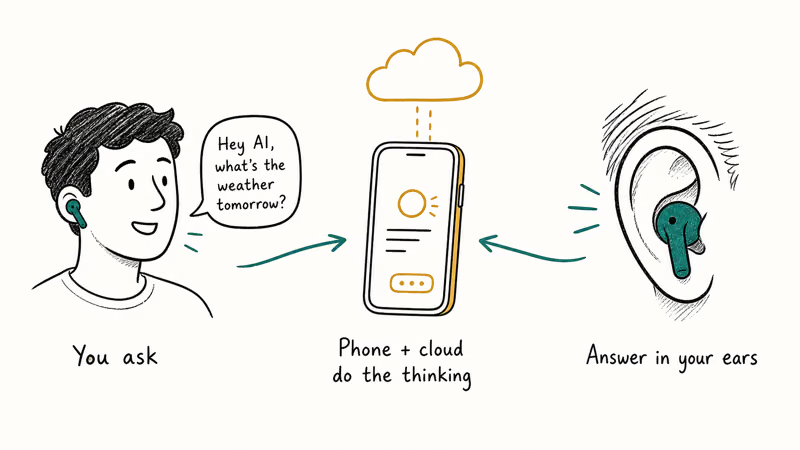
That distinction matters when you shop. A headline like “AI earbuds” usually describes a wake word and a tap gesture, not a chatbot baked into the hardware.
Three assistants dominate this space. Gemini handles Android, Siri handles iPhone, and Samsung layers Galaxy AI on top of Android for its own Galaxy phones, each one reading notifications, answering questions, and controlling playback by voice. The real gaps between them show up in two places: how well live translation works, and how natural the back-and-forth conversation feels once you start talking.
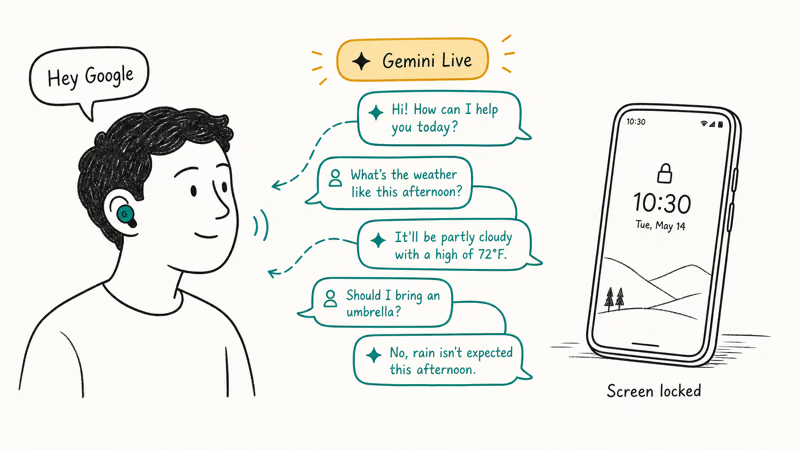
With Gemini set as the default assistant, Pixel Buds can start a free-flowing Gemini Live conversation by voice. That hands-free continuity is the whole point.
#Best for iPhone: Apple AirPods Pro 3 (Siri and Apple Intelligence)
If you carry an iPhone, the AirPods Pro 3 are the obvious pick. Siri reads messages aloud, takes voice replies, and now responds more conversationally through Apple Intelligence, so you can ask for directions, check your calendar, or fire off a quick reply without ever pulling the phone out of your pocket.

- Tightest iPhone / Apple Watch / Mac handoff of any earbuds
- Heart rate sensor doubles as a workout tracker
- Live Translation runs on-device — no Pro subscription required
As an Amazon Associate fone.tips earns from qualifying purchases. Prices and availability on Amazon are accurate as of the date above and subject to change.
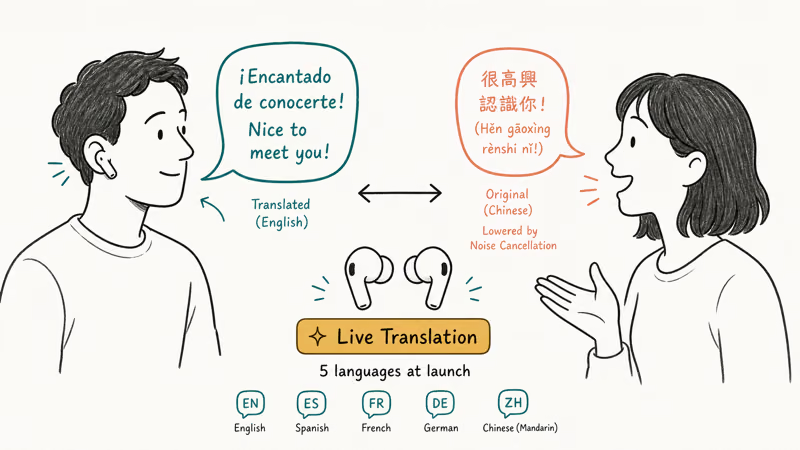
The standout addition is Live Translation. According to Apple’s AirPods Pro 3 newsroom announcement, it translates in-person conversations and lowers the other person’s volume through ANC so you can focus. Apple confirms it launched in English, French, German, Portuguese, and Spanish, with Italian, Japanese, Korean, and Chinese due by the end of the year, and that wider language support is what separates this from a gimmick.
There’s a hard requirement, though. Apple Support states that Live Translation needs an iPhone 15 Pro or later with Apple Intelligence on. Older iPhones get Siri, not translation.
Siri Interactions also added head gestures: a nod accepts a call, a shake declines it. The story here is simple deep iPhone integration, and our roundup of the best wireless earbuds for iPhone covers the alternatives.
#Best for Android: Google Pixel Buds (Gemini and Gemini Live)
For Android, Gemini on Pixel Buds is the most complete hands-free assistant option here. You say “Hey Google” or tap and hold an earbud, then ask anything. Google’s Pixel Buds support page confirms you can set alarms, pull info from Gmail, Calendar, and Keep, and run free-flowing conversations through Gemini Live. It can also read notifications aloud and take voice replies.

- Fast Pair works the moment you open the case near a Pixel
- Adaptive Sound matches volume to ambient noise without ANC
- Often discounted under $80 on Amazon
As an Amazon Associate fone.tips earns from qualifying purchases. Prices and availability on Amazon are accurate as of the date above and subject to change.
The Pixel Buds A-Series is the budget entry point, and it qualifies. Android Police reported that Google’s October 2024 rollout brought Gemini to every previous model, including the A-Series. You don’t need the newest buds to get the assistant.
One behavior change comes with Gemini: you have to unlock your paired Android phone first. After that, it keeps answering even with the screen locked.
Newer Pixel Buds models add head gestures and tighter app links, like adding items to a Keep grocery list by voice. For most Android buyers it comes down to the affordable A-Series or the Pro 2 for cleaner mics on a noisy train, in a busy office, or anywhere wind and chatter would otherwise swallow your “Hey Google” before Gemini even hears it.
#Best for Samsung: Galaxy Buds3 (Galaxy AI Interpreter)
Samsung owners get something the others don’t. The Galaxy Buds3 connect to Galaxy AI on a Samsung phone and translate live conversations through your ears, a real-time interpreter built around the phone-plus-buds combo rather than a feature you trigger from a separate translation device or a standalone screen.

As an Amazon Associate fone.tips earns from qualifying purchases. Prices and availability on Amazon are accurate as of the date above and subject to change.
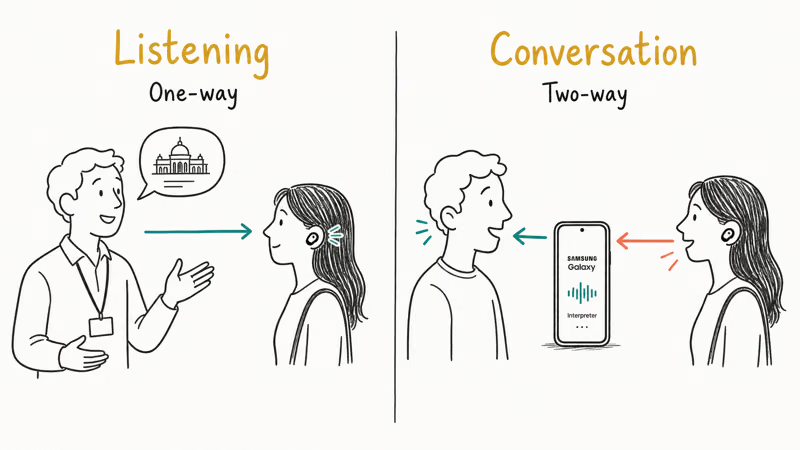
Samsung’s support documentation confirms that the interpreter runs in two modes. Listening mode delivers one-way translation for lectures or tours. Conversation mode handles two-way talk, playing your words back through the phone speaker in the other person’s language while their speech reaches your ears translated.
Here’s the honest catch. Samsung is explicit that the buds don’t hold the software. Audio interpretation only works when Galaxy Buds are paired to a Galaxy smartphone.
Galaxy Buds3 also add Live Translate during phone calls, another reason travelers pick these over Pixels.
#ChatGPT Is Not Built Into These Earbuds
There’s no built-in ChatGPT on any of these mainstream picks. AirPods, Pixel Buds, and Galaxy Buds route their hands-free button to the platform assistant, not to a third-party chatbot.
You can still reach it through a workaround. Open the ChatGPT app’s voice mode and any connected earbuds become the mic and speaker. The buds aren’t doing anything special. They’re just the audio path.
A handful of niche translator earbuds advertise on-device ChatGPT-style assistants with their own screens, but those are separate hardware categories aimed at travelers, not the everyday buds in this guide. For most people, the assistant that ships with the phone is the one worth optimizing for.
#Which AI Earbuds Should You Pick?
Start with your phone. The assistant is locked to the ecosystem.
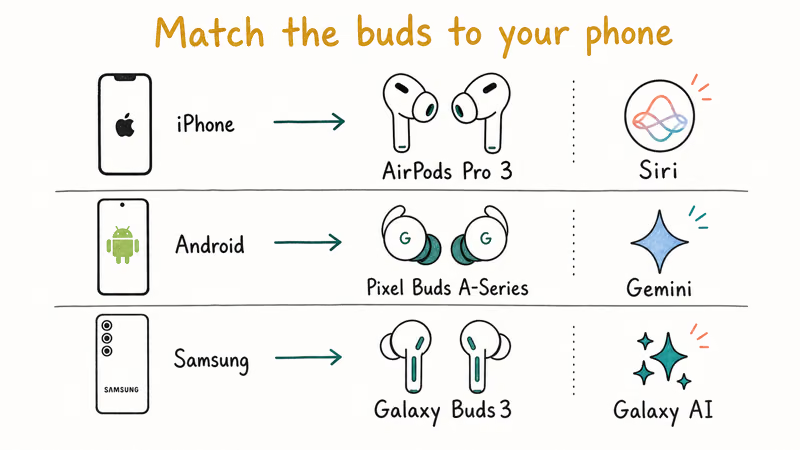
An iPhone owner buying Pixel Buds loses Gemini’s best features, and a Galaxy owner buying AirPods loses the interpreter, so the order of operations matters: match the phone first, then ask what you actually need hands-free. If you just want texts read aloud and quick answers, any of these three handle it. Samsung’s interpreter and Apple’s Live Translation are purpose-built for travel, while Gemini leans on Google Translate run from the phone.
Budget matters too. The Pixel Buds A-Series is the cheapest way onto Gemini, and our guide to the best Bluetooth headphones under 100 covers other affordable picks.
One more honest note: none of these buds replace the assistant app on your phone. They’re a convenient front end. To understand what the underlying models can actually do once you start asking them real questions, it helps to read up on how to use Claude AI and how the big assistants stack up against each other in everyday use.
#Bottom Line
Match the buds to the phone first. Buy the AirPods Pro 3 if you own an iPhone 15 Pro or newer and want Siri plus Live Translation in your ears. Buy the Pixel Buds A-Series if you’re on Android and want Gemini Live without paying flagship prices, and pick the Galaxy Buds3 only if you carry a Samsung phone and the interpreter mode fits how you travel and who you actually need to talk to in another language.
Curious how the assistants differ? Our ChatGPT vs Claude vs Gemini breakdown and Claude vs ChatGPT for writing comparison explain what each model does best.
#Frequently Asked Questions
Do AI earbuds work without a phone?
Mostly no. The earbuds act as a hands-free microphone and speaker for the assistant on your phone, and the phone does the processing. Samsung is explicit that its interpreter feature runs on the Galaxy phone, not the buds. A few standalone translator devices exist, but mainstream picks like AirPods, Pixel Buds, and Galaxy Buds all need a connected phone.
Can AirPods use Gemini or only Siri?
AirPods are built around Siri, not Gemini. The hands-free press-and-hold gesture triggers Siri, and even though you can install the Gemini app on an iPhone, it won’t take over that button.
Which earbuds are best for live translation?
It depends on your phone. AirPods Pro 3 offer Live Translation in five languages at launch, and Galaxy Buds3 interpreter mode translates two-way conversations through your ears. Pixel Buds lean on Google Translate from the phone instead of a dedicated interpreter, so the most polished options belong to Apple and Samsung.
Do older Pixel Buds support Gemini?
Yes, they do. Google rolled out Gemini to all previous Pixel Buds, including the A-Series and the original Pro, starting in October 2024, as long as Gemini is your phone’s default assistant and you live in a supported country.
Will the AI assistant drain my earbud battery faster?
Heavy assistant use pulls more power than music alone because it wakes the microphones and the Bluetooth radio more often. For occasional questions the difference is small. Long Gemini Live or interpreter sessions are the real drain, since the buds stream audio both directions continuously. If translation is a daily habit, plan on charging more often than the rated listening figures suggest, and keep the case handy on travel days.
Are these earbuds good for music too, or just the AI?
All three are strong music earbuds first. AirPods Pro 3, Pixel Buds Pro 2, and Galaxy Buds3 all include active noise cancellation and solid sound, so the AI assistant is an added layer rather than a trade-off.
Do I need a subscription for the AI features?
The core assistant features are free. Samsung noted Galaxy AI features were free through the end of 2025 on supported devices, and Apple’s Live Translation and Google’s Gemini hands-free controls don’t require a separate earbud subscription today. Some advanced cloud features may sit behind paid tiers over time.

Best Laptop for Running LLMs in 2026: Memory Comes First
The best laptop for running LLMs is a memory purchase first. Compare MacBook unified memory against NVIDIA laptop VRAM, and see what each tier really runs.

Pixel 11 vs Pixel 10: What Changed and Who Should Upgrade
Pixel 11 vs Pixel 10: same screen and camera resolution, new Tensor G6, 25W wireless, and Gemini Intelligence. Here is who should actually upgrade.

Best Power Bank for iPad in 2026: Pro, Air, and Mini
Best power bank for iPad in 2026. Compare mAh tiers and USB-C PD wattage for iPad Pro, Air, and mini, plus airline Wh math, cables, and travel tips.

Best Power Bank With Built-In Cable: Top 2026 Picks
Best power bank with built-in cable picks for 2026. Compare single USB-C, multi-connector, and retractable laptop banks, plus airline Wh math.