Best microSD Card 2026: Picks by Device and Speed Class
Best microSD card in 2026 by use: phone, Switch 2, GoPro, dashcam, drone. Decode A2, U3, V30, and microSD Express to buy the right card once.
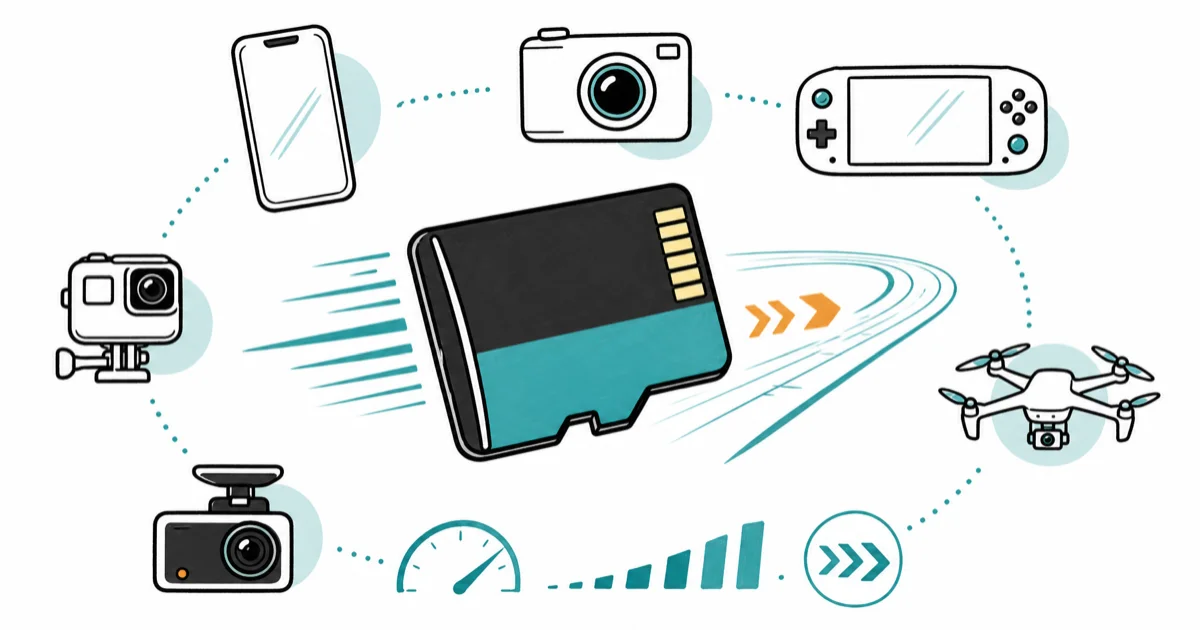
Quick AnswerThe best all-around microSD card is the Samsung PRO Plus, a UHS-I A2 V30 card fast enough for phones, cameras, and the original Switch; only the Switch 2 needs a pricier microSD Express card.
The best microSD card depends entirely on what you put it in, because a card that is perfect for a phone is the wrong card for a Switch 2. For most people a UHS-I A2 V30 card like the Samsung PRO Plus covers phones, cameras, and the original Switch, and only one device on the market actually needs the expensive new format.
- A UHS-I A2 V30 card covers almost every use: phones, tablets, the original Switch, GoPros, dashcams, and drones
- Only the Nintendo Switch 2 requires microSD Express, a faster and pricier format that wastes money everywhere else
- A2 means faster random reads (app loading), while V30 guarantees 30 MB/s sustained write for 4K video
- The number on the package is peak read speed, not the sustained write speed that matters for recording video
- Counterfeit high-capacity cards are common, so buy only from the brand or a verified seller
The speed-class markings on a microSD card look like alphabet soup: U3, V30, A2, UHS-I, and now Express.
Each symbol answers a different question, and matching the right ones to your device is the whole game. Pick wrong and you either overpay for speed your device can’t use, or buy a card too slow to record video without dropped frames.
This guide sorts the picks by what you’re actually putting the card into.
#What Do A2, U3, V30, and UHS-I Actually Mean?
Three separate ratings sit on every modern card, and each measures something different.
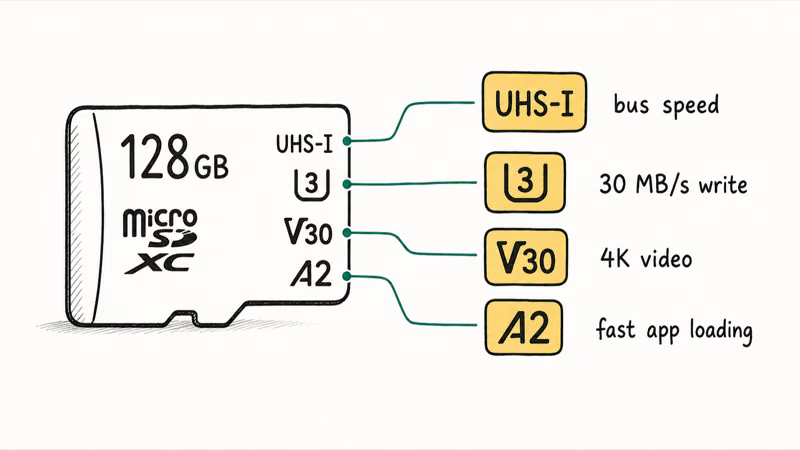
UHS-I is the bus speed, the pipe through which data flows. Almost every phone, camera, and the original Switch uses UHS-I, which tops out around 104 MB/s in practice. Only the Switch 2 and a handful of handhelds can use the much faster microSD Express format, which adds a PCIe NVMe controller to reach speeds far beyond what that older bus allows, so for most devices the bus question is already settled before you shop.
A2 is about random reads, the small-file speed that makes apps launch fast. According to the SD Association’s Application Performance Class specification, an A2 card must hit 4,000 read IOPS versus 1,500 for A1.
The video speed class (V30, V60, V90) and the older U-class (U1, U3) both measure sustained write speed, which is what keeps 4K video recording without dropping frames. V30 guarantees 30 MB/s, enough for nearly all consumer 4K. V60 and V90 only matter for high-bitrate cinema work that most people never touch, so V30 is the spec to anchor on.
For a single card that does everything except feed a Switch 2, look for the combination UHS-I, U3, V30, A2. That set covers a phone, a tablet, a GoPro, a dashcam, and a drone. This exact spec clears every mainstream device outside the Switch 2.
One last marking is easy to ignore: endurance. Standard cards expect occasional rewriting; high-endurance cards survive constant overwriting.
A normal A2 V30 card works in a dashcam, but a high-endurance version of the same capacity lasts far longer under nonstop recording. Match the endurance rating to how hard the card will be written, not just to its speed.
#Best Overall: Samsung PRO Plus
For the person who wants one card that works in nearly everything, the Samsung PRO Plus is the pick. It carries the full UHS-I, U3, V30, A2 stack, hits the practical ceiling of UHS-I read speed, and comes with Samsung’s durability rating against water, drops, and X-rays.
Check the Samsung PRO Plus on Amazon
As an Amazon Associate fone.tips earns from qualifying purchases.
The PRO Plus holds its write speed through a large multi-gigabyte transfer, avoiding the mid-transfer slowdown that defines cheap cards. The A2 rating is what keeps app and game loading snappy when the card holds more than just photos.
If your main device is an Android phone, our best microSD card for Android guide goes deeper on slot specs.
The one trade is price. The PRO Plus is not the cheapest card per gigabyte, so for pure media storage where speed matters less, a value card saves money, which is exactly the next pick on this list and the better buy at large sizes.
#Best Value: Samsung EVO Select
When you want a large card and the absolute fastest read speed is not the priority, the Samsung EVO Select is the better dollar-per-gigabyte buy. It gives up a little read speed compared to the PRO Plus but keeps the same V30 sustained-write rating and durability.
Check the Samsung EVO Select on Amazon
The EVO Select is the card to buy at large capacities like 512GB and 1TB, where its lower price per gigabyte adds up.
The read-speed difference against the PRO Plus is invisible in everyday phone and tablet use.
This is the right card for a tablet that mostly stores downloaded media, or for a phone where you want maximum capacity for photos and offline video. Samsung’s EVO Select product page confirms the V30 class and the five-proof durability rating.
For a dashcam or always-on security camera specifically, weigh a high-endurance card instead. Those devices overwrite the same card thousands of times, and a standard EVO Select will wear out faster under that load than a card built for constant rewriting. The EVO Select is the value pick for read-heavy media storage, not the durability pick for a camera that never stops recording.
For a Switch 2 owner who wants cheap bulk storage for screenshots and clips (not games), this card doubles as the budget media pairing, since a UHS-I card holds media fine even though it can’t run Switch 2 games.
#Best for Action Cameras: SanDisk Extreme PRO
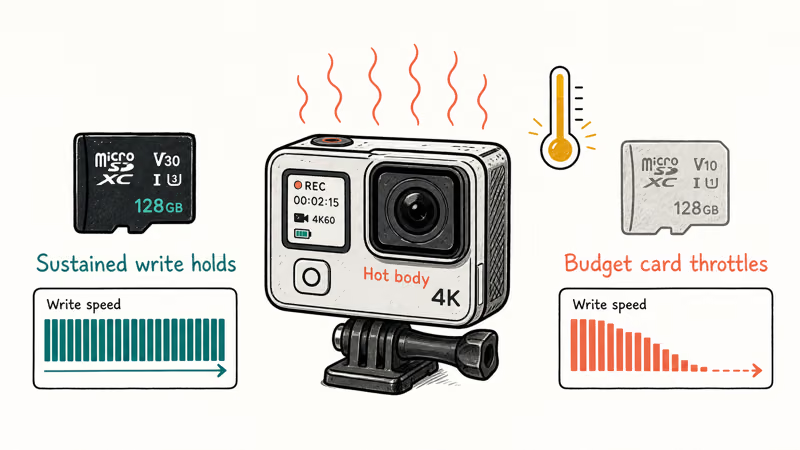
Action cameras like the GoPro punish a card differently from a phone. They write a continuous high-bitrate video stream, so sustained write speed under heat matters far more than peak read. The SanDisk Extreme PRO is the pick that holds its write speed through a long take.
Check the SanDisk Extreme PRO on Amazon
The Extreme PRO appears on GoPro’s own compatibility list and bundles SanDisk’s RescuePRO recovery software, which earns its keep the first time a recording corrupts. According to GoPro’s official microSD card support article, only V30-rated UHS-I cards are guaranteed for the camera’s highest video modes. This card clears that bar with room to spare, and the bundled recovery tool is the kind of safety net most cards in this price range skip entirely.
The Extreme PRO is built to record a long continuous 4K clip without throttling, where a no-name card tends to drop frames partway through.
Heat is the hidden enemy here. An action camera recording 4K runs hot inside its sealed enclosure, and a budget card that benchmarks fine on a cool desk can throttle badly once the body warms up, dropping frames partway through a take that started out looking perfectly fine. That is the failure no spec sheet warns you about, and it’s exactly where cheap cards earn their reputation.
Sustained load is the real test. The Extreme PRO holds its rated write speed even when the camera body is hot, which is the difference between a clean 20-minute take and a clip that dies mid-recording.
Shooting a GoPro? Our best microSD card for GoPro guide ranks cards by sustained-write behavior under heat, and the best SD card for GoPro Hero 8 guide covers older Hero quirks.
#Why Does the Nintendo Switch 2 Need a Different Card?
The Switch 2 is the one device that breaks the universal-card rule. It requires microSD Express, a format that bolts a PCIe NVMe controller onto the microSD shell to reach speeds far beyond what the old UHS-I bus allows, and that single hardware difference is why a card that runs every other device you own simply won’t boot a game here.
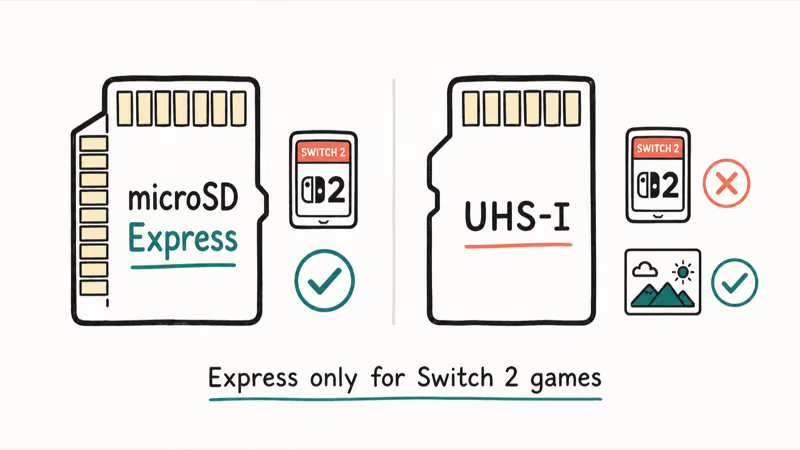
According to Nintendo’s official Switch 2 storage requirements page, the console accepts only microSD Express cards for game installs and gameplay. A regular UHS-I card mounts and holds screenshots and clips, but can’t run a game.
That is the trap that catches buyers reusing an old Switch card. The menu works, the card mounts, then a game install silently refuses.
Express cards cost two to three times what UHS-I costs per gigabyte, and that premium only pays off in a true Express host. A game install onto an Express card in the Switch 2 finishes far faster than the old UHS-I workflow thanks to the NVMe controller.
The takeaway is clean: buy microSD Express only for a Switch 2 (or a compatible handheld like the ROG Ally or Steam Deck), and buy UHS-I A2 V30 for everything else. Our full best microSD card for Switch 2 guide names the specific Express cards Nintendo licenses.
#Spotting a Counterfeit microSD Card Before It Eats Your Files
Fake high-capacity cards are one of the most common scams in storage.
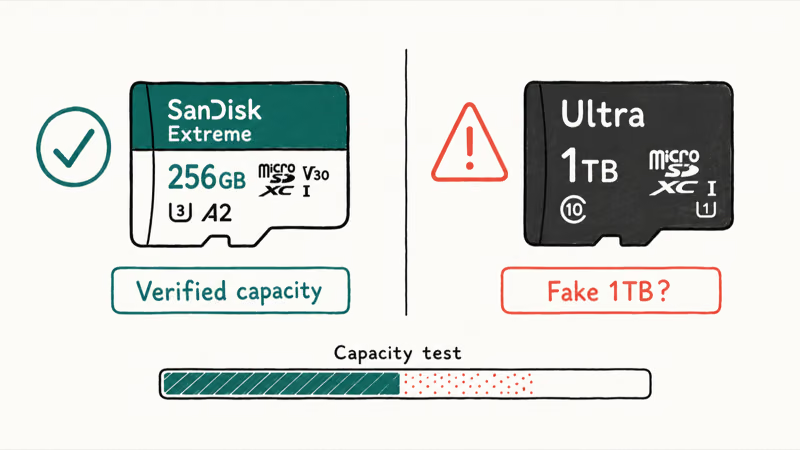
A counterfeit card reports a large capacity to your device but contains far less real storage, so it accepts files and then corrupts them once the true limit is passed.
Buy only from the brand directly or a seller you can verify is the manufacturer or the marketplace itself, not a random third party. A price that looks far too good for a 1TB card is the clearest warning sign.
When a new card arrives, run a capacity-verification test before trusting it with anything important. If a card you already own starts losing data or refuses to mount, our best free SD card recovery round-up covers the tools that can often pull the files back and confirm whether the card is fake or simply failing.
#Bottom Line
For most people the Samsung PRO Plus is the card to buy, because its UHS-I A2 V30 rating covers phones, cameras, the original Switch, and more in a single card. If you want the most storage for the money and can give up a little read speed, the Samsung EVO Select is the better value at large capacities.
Action-camera owners should reach for the SanDisk Extreme PRO, which holds its sustained write speed through a long take and ships with recovery software.
One rule covers almost everything else. The Nintendo Switch 2 is the lone exception, needing a microSD Express card for games and nothing cheaper, so match the card to the device and you’ll never buy the wrong speed class again.
#Frequently Asked Questions
What does A2 mean on a microSD card?
A2 is the application performance class, and it measures random read speed. An A2 card must deliver 4,000 random read IOPS versus 1,500 for A1. That gap shows up when the card holds apps or game data that load many small files at once, which is why A2 matters far more for phones and handhelds than it does for a card you only use to store video, where sequential write speed is the number that counts instead.
Is U3 the same as V30?
They overlap but are not identical. Both guarantee a 30 MB/s minimum sustained write, and most modern cards carry both marks.
Will any microSD card work in the Nintendo Switch 2?
No. The Switch 2 requires a microSD Express card to install and play games.
A regular UHS-I card mounts and can store screenshots and downloaded media, but it can’t run a game. This is the most common mistake people make when they reuse an original Switch card in the new console.
Do I need microSD Express for my phone or camera?
No, and buying it would waste money. Phones, tablets, GoPros, dashcams, and drones all read microSD at UHS-I speeds, so the PCIe controller inside an Express card sits idle, which means you’d pay the Express premium for speed those devices can’t reach. A UHS-I A2 V30 card delivers everything they can use at a fraction of the price.
What capacity microSD card should I buy?
For most phones and cameras, 256GB to 512GB hits the sweet spot on price per gigabyte. Heavy 4K shooters want 512GB or 1TB to record a full day without offloading. For a dashcam, pick a high-endurance card.
Why is the write speed slower than the speed printed on the card?
The headline number is the peak sequential read speed, measured in a lab moving one large file. Real-world write speed, especially sustained write while recording video, is always lower. For video work, the V30 or V60 rating tells you the guaranteed sustained write, which is the number that actually determines whether 4K recording drops frames.
How can I tell if a microSD card is counterfeit?
A fake card reports a large capacity but holds far less real storage, so it accepts files and then corrupts them past the true limit. Buy only from the brand or a verified seller, treat a too-good price as a warning, and run a capacity-verification test on any new high-capacity card before trusting it with important data.

Pixel 11 vs Pixel 10: What Changed and Who Should Upgrade
Pixel 11 vs Pixel 10: same screen and camera resolution, new Tensor G6, 25W wireless, and Gemini Intelligence. Here is who should actually upgrade.

Best Power Bank for iPad in 2026: Pro, Air, and Mini
Best power bank for iPad in 2026. Compare mAh tiers and USB-C PD wattage for iPad Pro, Air, and mini, plus airline Wh math, cables, and travel tips.

Best Power Bank With Built-In Cable: Top 2026 Picks
Best power bank with built-in cable picks for 2026. Compare single USB-C, multi-connector, and retractable laptop banks, plus airline Wh math.

Best Apple Watch Band for Working Out: Proven Picks
The best Apple Watch band for working out handles sweat and stays put on your wrist. Compare silicone, nylon, and titanium picks for runs and lifts.