How to Make Playlists on TikTok: 4 Methods That Work
Create TikTok playlists in 4 different ways to organize your videos by theme. Requires a creator or business account with 10,000+ followers.
Quick AnswerGo to your TikTok profile, tap the Videos tab, and select Sort Videos into Playlists. Name your playlist, pick the videos you want to include, and tap Next. You need a creator or business account with 10,000+ followers to access this feature.
TikTok playlists let you group your public videos into themed collections that viewers can watch back-to-back. The main creation paths are profile, video menu, publishing screen, and TikTok Studio.
- Creator or business account with 10,000+ followers required
- TikTok offers 4 ways to create playlists: profile, video, publishing screen, and TikTok Studio
- Each video can only belong to one playlist, and only public videos qualify
- No cap on videos per playlist, though you can add up to 100 at once
- Playlists show on your Videos tab and auto-play for viewers
#How Do You Create a Playlist From Your Profile?
The profile method is your best bet for a first playlist.
-
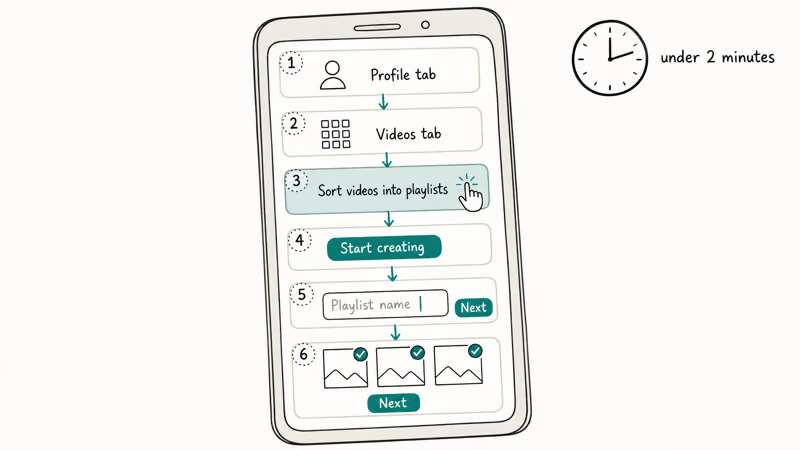
Open TikTok and tap the Profile tab at the bottom right.
-
Tap the Videos tab on your profile page.
-
Look for the Sort videos into playlists banner and tap it.
-
Tap Start creating on the playlist introduction screen.
-
Type a name for your playlist and tap Next.
-
Select the videos you want to include, then tap Next again.
Your new playlist immediately appears on your profile under the Videos tab, and viewers can tap it to watch your videos in sequence. According to TikTok’s support page, the most recently added video plays first unless you manually drag it to a different position in the list.
After your first playlist, the “Sort videos into playlists” banner disappears. Tap the + icon next to your existing playlists to create new ones instead.
If you’re looking to grow your TikTok presence beyond playlists and reach a wider audience, check out our detailed guide on how to blow up on TikTok with proven strategies that actually work for new creators in 2026.
#How Do You Create a Playlist From an Existing Video?
You don’t have to use the profile menu every time. TikTok lets you create or add to playlists directly from any of your videos.
-
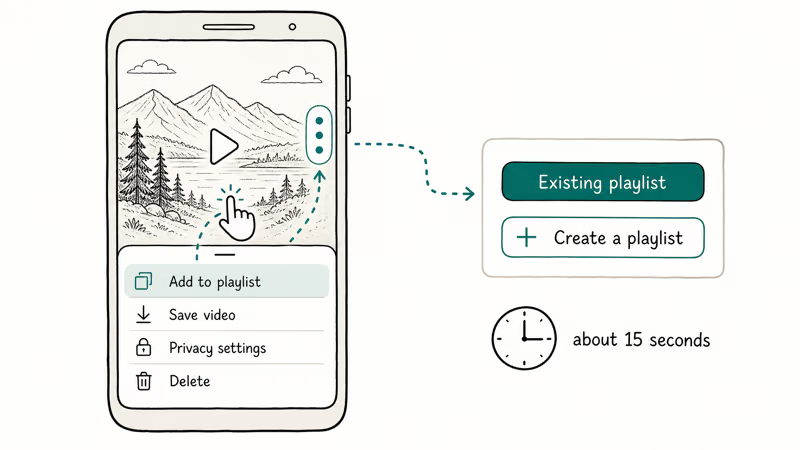
Open TikTok and go to your Profile.
-
Tap the video you want to add.
-
Press and hold the video, or tap the three-dot icon on the right side.
-
Select Add to playlist from the menu.
-
Choose an existing playlist, or tap Create a playlist to start a new one.
-
Name the playlist and select additional videos if needed.
This method works best when you’re browsing your content and spot a video that fits a specific collection.
You can only add public videos. Private or friends-only content won’t appear as an option. Our article on how to delete videos on TikTok also covers changing video privacy settings.
#Creating a Playlist While Publishing
TikTok lets you assign a video to a playlist before you post it. Handy if you want to stay organized from the start.
-
Record or upload your video as usual.
-
On the Post screen, tap More options.
-
Select Add to playlist.
-
Pick an existing playlist or create a new one.
-
Finish your post details and tap Post.
According to TikTok’s Creator Academy, adding videos to playlists during publishing helps maintain consistent content organization. Use this method if you’ve already mapped out a playlist strategy for your channel. Need fresh fillers for a playlist that’s running thin? Our Vine-style short video ideas collects 20 formats that translate well to TikTok and Reels.
#Using TikTok Studio for Playlist Management
TikTok Studio gives you a dashboard-style view for handling playlists without scrolling through individual videos on your phone.
-
Open TikTok and tap the three lines at the top right of your profile.
-
Select TikTok Studio from the menu.
-
Tap Playlist under the Tools section.
-
Create new playlists or manage existing ones.
This is especially useful for high-volume creators. You can see every playlist in one place, drag videos to reorder them, and rename collections in a few taps.
If you also want to add a Linktree to TikTok, TikTok Studio is where you’ll find most profile management tools.
#TikTok Playlist Eligibility Requirements
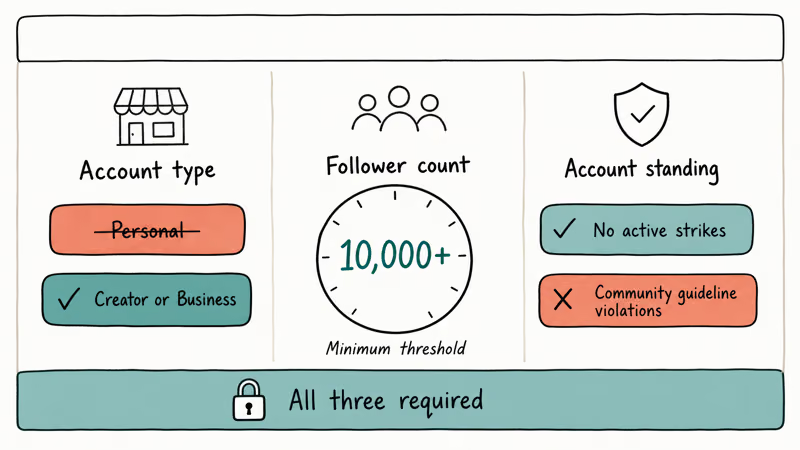
Not every account can create playlists. According to Wikipedia’s TikTok article, the platform passed 1 billion users in September 2021, and creator-organization tools like playlists are gated behind Creator and Business account types. You need to meet three requirements:
-
Account type: Creator or business account. Personal accounts don’t get the option.
-
Follower count: At least 10,000 followers. TikTok hasn’t confirmed this officially, but this threshold is consistently reported across creator communities.
-
Account standing: No active community guideline violations.
Switching from a personal account is free. It takes about 30 seconds. Go to Settings and privacy > Manage account > Switch to Creator Account (or Business Account). Your content and followers stay the same.
Still don’t see the playlist option? TikTok rolls features out gradually, so expect a possible delay of a few weeks after switching. You also need at least one public video before the option appears. For more on growing your account, we’ve got a separate guide on getting verified on TikTok.
#How to Edit and Rearrange Playlists
You can reorder videos, add new ones, or remove content from any playlist at any time.
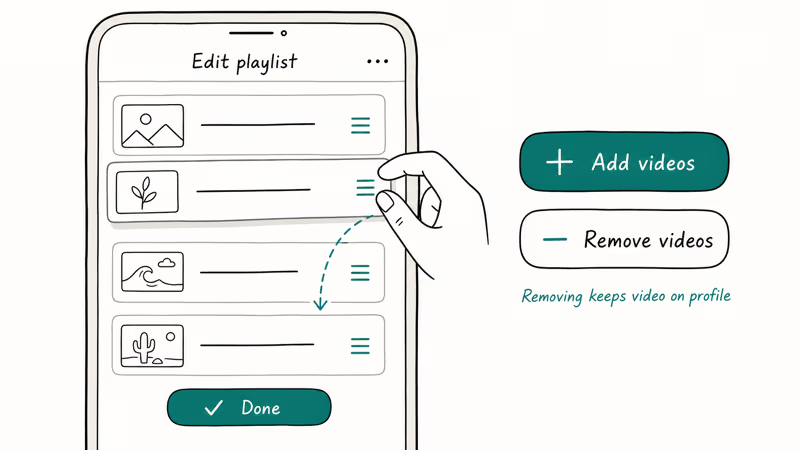
To rearrange video order:
-
Go to your Profile and tap the playlist.
-
Tap the three-dot icon at the top.
-
Select Edit playlist.
-
Hold the three-line icon next to a video and drag it.
-
Tap Done.
To add or remove videos:
From the Edit playlist screen, tap Add videos or Remove videos as needed. SocialBee’s TikTok playlist guide recommends keeping each playlist focused on one theme to maximize watch time.
Removing a video from a playlist doesn’t delete the video. It stays on your profile. You can add it to a different playlist afterward.
#How to Delete an Entire Playlist
Deleting a playlist is permanent, but your videos stay on your profile as standalone posts.
-
Go to your Profile and tap the Videos tab.
-
Tap the playlist you want to remove.
-
Tap the three-dot icon at the top.
-
Select Delete playlist.
-
Confirm by tapping Delete.
Every video from the deleted playlist remains intact on your profile. If you need help with other TikTok content management tasks, our guide on editing TikTok captions covers another common need.
#Bottom Line
Start with the profile method to create your first TikTok playlist. After that, use the publishing method to keep new videos organized as you post them. If the playlist option doesn’t show up, switch to a creator or business account and hit the 10,000-follower threshold first.
TikTok Tips & Tricks
#Frequently Asked Questions
Can you create a TikTok playlist with a personal account?
No. You need a creator or business account. Switching is free through Settings and privacy > Manage account, and it takes about 30 seconds.
How many followers do you need to make a TikTok playlist?
You need at least 10,000. TikTok hasn’t published an official number, but this threshold is consistently reported across creator communities.
Can you add private videos to a TikTok playlist?
No. Only public videos can go into playlists. If you switch a video to private after adding it, the playlist still exists but that particular video won’t show up for anyone browsing the collection. To fix this, either make the video public again or remove it from the playlist manually so the playlist count stays accurate.
Is there a limit to how many videos a playlist can hold?
There’s no upper limit on total videos per playlist. The only constraint is that you can batch-add up to 100 videos at a time, but the overall count has no cap.
Can a video appear in more than one playlist?
No. One video, one playlist. Remove it from the current list before adding it elsewhere.
Do TikTok playlists work on private accounts?
You can create and manage playlists on a private account, but they won’t be visible to non-followers. For playlists to display publicly, your account needs to be public and the playlist must contain at least one public video.
Can viewers save or share your TikTok playlist?
Viewers can share a playlist link with others through TikTok’s built-in sharing options. Non-TikTok users who receive the link will need the app or a mobile browser to view the playlist. TikTok doesn’t offer a dedicated “save playlist” button for viewers, but they can bookmark or favorite individual videos within the collection to find them later.
Does deleting a playlist delete the videos in it?
No. Your videos stay on your profile. Only the grouping disappears.
How to Block TikTok on iPhone and Android: Parent Guide
Block or limit TikTok on your child's iPhone or Android using Screen Time, Family Link, and router settings. Step-by-step parental control guide.
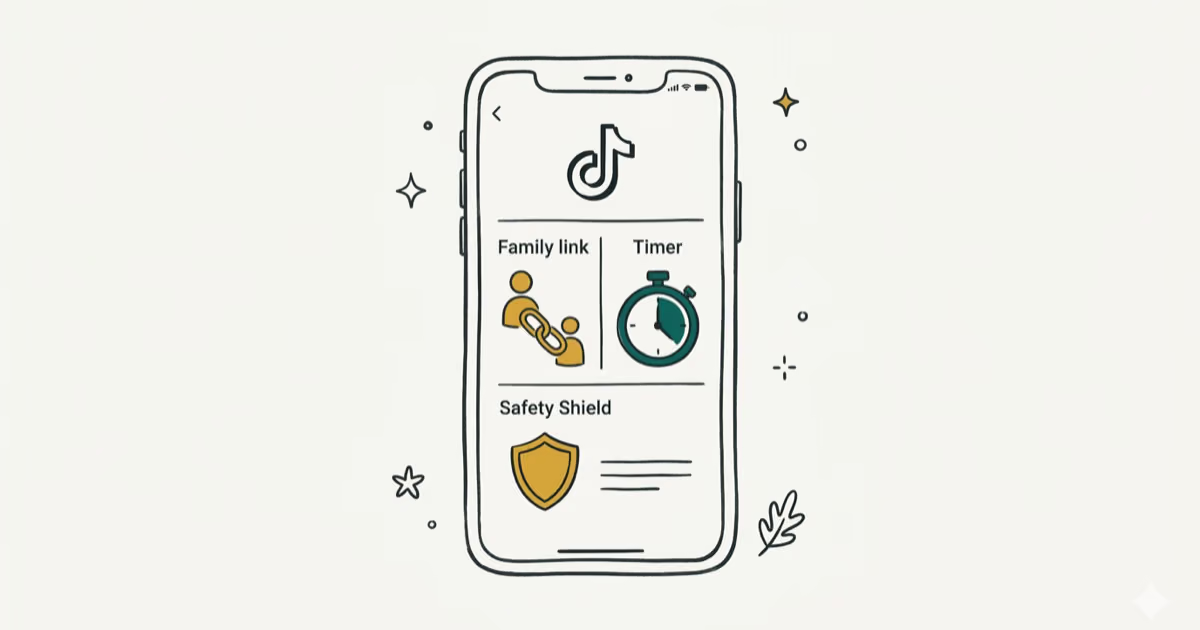
TikTok Parental Controls: Setup Guide for Families
Set up TikTok parental controls using Family Pairing, Restricted Mode, and privacy settings. Step-by-step guide to protect your child on TikTok.
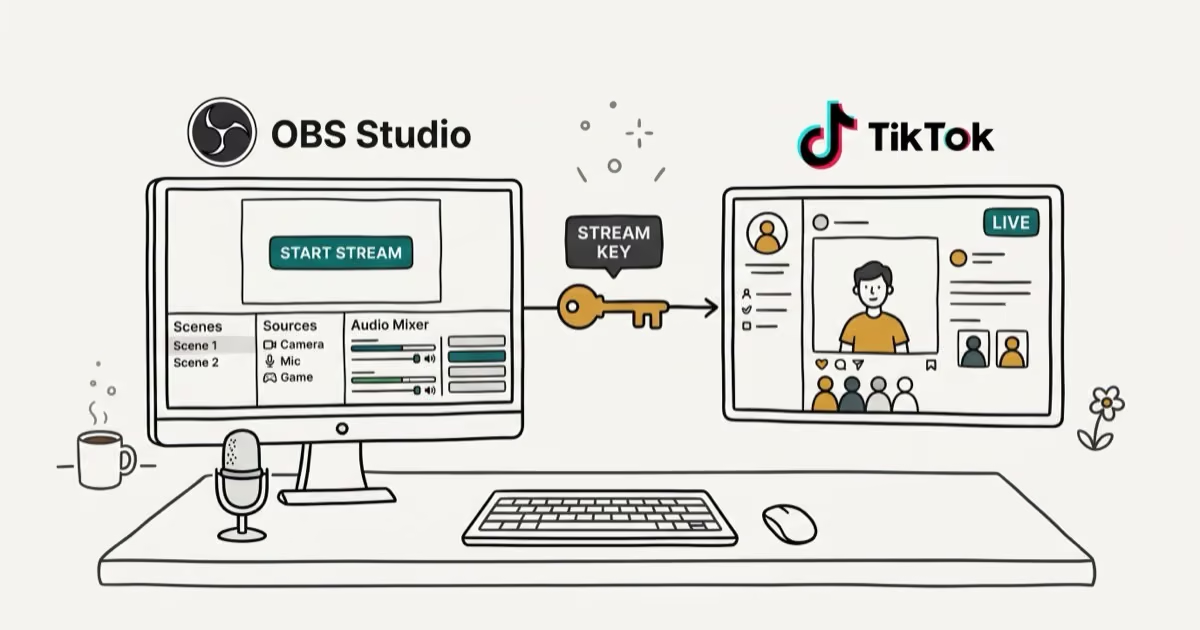
How to Get a TikTok Stream Key for OBS and Streamlabs
Get a TikTok stream key to broadcast from OBS or Streamlabs. Covers the 1,000-follower requirement, CarterPulse application, and OBS setup steps.
How to Make a Joint TikTok Account With Friends (2026)
Set up and manage a joint TikTok account with friends. Covers shared login setup, content planning, security tips, and the Collaboration Post alternative.